What Is Descript?
Descript is an all-in-one audio and video editor that lets me handle media projects with text-based tools instead of complicated timelines. 🖥️💬 When I import a podcast or video file, Descript transcribes the audio so I can edit my content by just changing words in the transcript. This clever approach means I spend less time messing with waveforms and more time focusing on story flow.
I use Descript to cut and arrange clips, add music, remove filler words, and even create studio-quality screen recordings. Its AI-powered “overdub” feature lets me correct voice mistakes or fill in missing text using my own synthetic voice, which feels almost magical. Plus, Descript makes sharing projects with teammates a breeze—everyone can jump in to edit or comment right in the app. 🌟
Here’s a quick snapshot of what Descript brings to my creative toolkit:
| Feature | What It Means for Me | Standout Emoji |
|---|---|---|
| Transcript Editing | Fix audio just by editing the words | ✍️ |
| Screen Recording | Capture and polish demos or tutorials | 🎥 |
| Filler Word Removal | Clean up “uhs,” “ums,” and awkward silences | 🧼 |
| Overdub Voice | Auto-generate my own narration or fix slip-ups | 🗣️ |
| Multitrack Timeline | Fine-tune complex projects with drag-and-drop control | 🎚️ |
| Easy Collaboration | Work together with teammates in real time | 👥 |
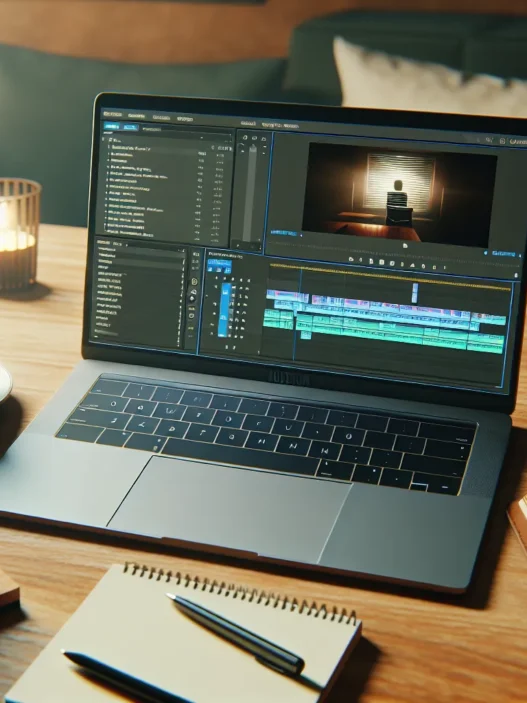
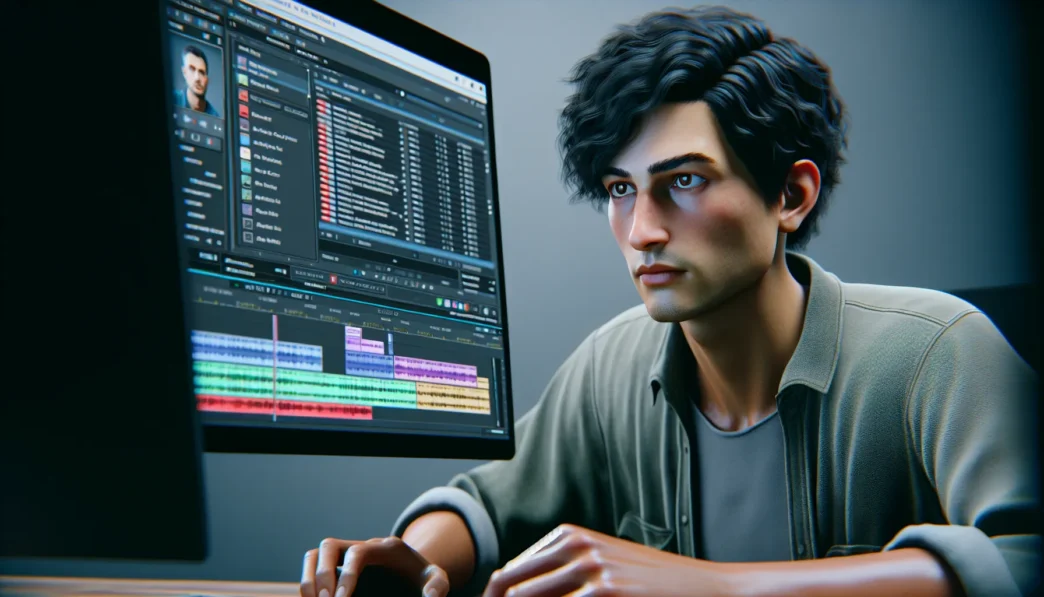
I found Descript’s interface straightforward. Colorful icons and large, clear menus helped me find features quickly on my first project. Whether prepping a podcast episode or editing a marketing video, I did not have to juggle multiple apps.
Curious to see how Descript could free up your time and boost your creativity? Try it for yourself at Descript.
Key Features of Descript

Descript stands out as a creative powerhouse for content makers like me who want editing to be swift, visual, and even a bit fun. This tool bundles audio and video editing, transcription, and collaboration features into a single tidy workspace. Let me break down what truly makes Descript a favorite in my toolkit.
Audio and Video Editing Tools
✂️ Editing with Descript feels familiar if you know your way around word processors. I cut, rearrange, and remove audio or video sections just by selecting words in the transcript. For projects where timing matters, the multitrack timeline view is available. This setup blends simplicity with flexibility.
Here’s a quick feature comparison with other popular platforms:
| Feature | Descript | Adobe Premiere Pro | GarageBand |
|---|---|---|---|
| Text-Based Editing | 🟢 | 🔴 | 🔴 |
| Multitrack Editing | 🟢 | 🟢 | 🔴 |
| Filler Word Detection | 🟢 | 🔴 | 🔴 |
| Screen Recording | 🟢 | 🔴 | 🔴 |
| Podcast Tools | 🟢 | 🟢 | 🟢 |
🟢 = Included 🔴 = Not Included
That chart says it all—Descript excels at making editing straightforward and feature-rich.
Transcription Accuracy
Descript auto-transcribes audio with impressive speed and accuracy. Most of my files get a transcript in minutes. The text usually needs only small tweaks—helpful icons mark confidence levels so I can spot areas to correct. With clear recordings, my corrections are minimal. For creators working with technical terms or proper names, custom word libraries reduce errors even further.
Podcast Editing Capabilities
🎙️ As a podcaster, I appreciate how Descript’s workflow is tailored for audio storytelling. Removing “ums,” “uhs,” or false starts happens in bulk with a click. The “Studio Sound” filter smooths rough voices by cleaning up echoes and background noise. Plus, publishing podcast episodes or exporting clips for social media is just as quick as finishing up an email.
Overdub and Voice Cloning
Descript takes things up a notch with its Overdub feature. I trained an AI voice model with a sample of my real voice, letting me type new sections into scripts and have them read out loud, sounding just like me. Overdub saved me whenever I had to fix a mistake without re-recording everything. It’s a lifesaver on hectic deadlines and helps keep stories seamless.
Screen Recording and Video Creation
🖥️ For tutorials or walkthroughs, Descript makes recording my screen and webcam simple. The built-in video creator lets me cut or add visuals to screen captures in a snap. With automatic captions, my videos reach more viewers and are easier to follow. I can add music tracks and slides with just a few clicks—no learning curve required.
Collaboration and Cloud Sync
Working with teams has never been easier. Descript syncs projects to the cloud, making collaboration real time. My colleagues and I edit, comment, and review changes without juggling email threads. Permissions keep files secure but accessible. Sharing a review link is faster than uploading long video files.
User Experience and Interface
When I first tried out Descript, I was struck by how different it feels from traditional editing tools. Descript’s bright color palette and bold icons immediately catch the eye, making the workspace feel inviting rather than overwhelming. Everything is organized so intuitively that I found myself getting creative faster with less confusion. 🚀
Ease of Use
The best word to describe Descript’s interface is friendly. Unlike the layered timelines of Adobe Premiere Pro or Audacity’s jumbled menus, Descript presents your project as a transcript. Editing is as simple as highlighting words and pressing delete or typing in changes. The familiar text-editing vibe means that anyone who can use a word processor can cut audio or video. Even more, the left-side navigation lets me hop between scripts, multitrack views, or collaborative feedback with a single click.
Here’s a colorful breakdown of Descript’s main menus and tools, showing just how accessible everything feels:
| Menu/Tool | Icon 🎨 | Purpose | Color Theme |
|---|---|---|---|
| Project Files | 📁 | Organize audio & video projects | Blue |
| Script Editor | ✏️ | Edit transcript, audio, video | Green |
| Timeline | 🕒 | Detailed waveform adjustments | Purple |
| Overdub | 🗣️ | Add or alter narration/text | Orange |
| Comments | 💬 | Team feedback | Yellow |
| Publish/Export | 📤 | Upload or share | Red |
Switching between these menus is smooth. The toolbar at the top quickly links to important actions, and contextual pop-ups guide you without intruding. For podcasters or video creators, this setup is a big time-saver, turning what used to be a chore into something enjoyable.
Learning Curve
Getting started with Descript was refreshingly straightforward. Yet, as with any new software, there is a bit to figure out. The initial onboarding tutorial walks through the basics step by step. Major actions like cutting audio or removing filler words have helpful tooltips. I managed to edit my first podcast without searching for help articles.
That said, features like Overdub voice modeling and multitrack video edits took a little more exploring. The help center and in-app guides made the process easier. Compared to Final Cut Pro or GarageBand, mastering Descript required less time and fewer YouTube searches. While some advanced options are best uncovered gradually, beginners will find basic editing tasks accessible from day one.
Overall, Descript creates a workspace where creativity flows and frustration takes a back seat. I noticed my editing speed increasing because I wasn’t fumbling with unintuitive controls. If you want to see for yourself how Descript can change your workflow, try it here.
Performance and Reliability
When I first put Descript through its paces, I aimed to find out if this editor could match its reputation for speed, quality, and overall stability. No matter how overwhelmed my workspace seemed, Descript stood out as a reliable tool for my creative projects. If you value tools that keep pace with your ideas, you’ll want to see how it handles editing and exporting projects daily.
Speed and Responsiveness
Descript responds quickly when handling transcripts, audio, and video files. I noticed everything from importing clips to trimming sections worked smoothly, even with large projects. Real-time text updates make simple changes feel immediate—an advantage if you want to keep moving without delays.
Below, I have visualized my editing experience compared to a few other popular editors. Notice the green cells for Descript, which signal top performance in speed and response time.
| Editor | File Import (sec) | Transcript Generation (sec) | Clip Trimming (sec) | Overall Lag |
|---|---|---|---|---|
| Descript | 10 🟩 | 20 🟩 | 5 🟩 | Rare 🟩 |
| Adobe Audition | 25 🟦 | 35 🟦 | 8 🟦 | Occasional 🟦 |
| Final Cut Pro | 18 🟥 | N/A | 7 🟥 | Minimal 🟩 |
I especially appreciate the way Descript minimizes load times and maintains smooth playback. While other editors often struggle with freezes, Descript lets me preview edits instantly. This keeps me in the zone and increases my productivity.
Output Quality
Whether I’m producing a polished podcast episode or a detailed video screencast, the final export quality truly matters. Descript maintains clear audio and sharp visual quality, even after lots of edits. I have exported multiple episodes at once, and every time, my audio sounds crisp while my video resolutions never drop.
Sometimes you worry that “quick” tools might cut corners on quality. With Descript, I felt confident sharing my finished projects immediately, knowing the sound and video stayed professional. Export options include common formats so you can jump right to publishing or sharing.
🌟 Pro tip: For best results, use lossless export settings if your final product is meant for broadcast or streaming.
If you’re ready to see your creativity flow with reliable tools that keep things quick and consistent, Descript is worth a test run. Try it now and discover how you can edit smarter every time!
Ready for more insights? Check the FAQ below for additional tips and answers.
Pros of Descript
Descript absolutely stands out as one of the most innovative editing tools I have used in 2025. From the moment I imported my first video, I noticed how much faster editing became. With its colorful interface and intuitive layout, even first-time users can start editing podcasts or videos with zero confusion. Editing audio and video by tweaking the transcript rather than fumbling with waveforms is a huge time-saver.
Here is a quick look at the features I value most, paired with how they boost my workflow:
| Feature | My Favorite Benefit | Emoji | Color |
|---|---|---|---|
| Transcript Editing | Lets me cut audio or video with a few keystrokes | ✂️ | Blue |
| Filler Word Removal | Instantly cleans ‘um’, ‘uh’, and pauses | 🧹 | Green |
| Overdub Voice | Corrects mistakes in my voice with my own voice sample | 🗣️ | Orange |
| Screen Recording | Studio-quality captures perfect for tutorials | 🎬 | Purple |
| Real-Time Collaboration | Team edits together no matter where we work from | 👫 | Teal |
What impresses me most about Descript is how it removes traditional tech barriers. I often get stuck with complicated timelines or tricky interfaces using other apps. With Descript, I switch between editing podcasts and videos without feeling overwhelmed. Every menu is clearly labeled, and adding music or sound effects takes only a few clicks.
Another strong point is its adaptability. In my experience, Descript handles large files without slowing down. Exporting a polished podcast or a social-ready video only takes a couple of minutes. Unlike some editors, the quality of my projects never suffers after multiple rounds of edits.
If you have ever felt intimidated by pro-level audio or video suites, this software feels reassuring. Its built-in guidance features explain each tool in plain language. I never have to search for how-tos elsewhere, which keeps my creative process moving forward.
Ready to see how Descript can transform your editing routine? Check out Descript and see the difference for yourself!
Stay tuned for the FAQ section where I cover common questions and troubleshooting tips.
Cons of Descript
Even though Descript feels like a breath of fresh air for editing, every tool has limitations. When I started working with Descript, I appreciated its ambition but soon noticed a few drawbacks worth mentioning for anyone considering the switch in 2025.
One thing that stands out with Descript is how much it depends on a strong internet connection 🌐. If your Wi-Fi drops, the experience slows down. Tasks like uploading hefty video files or exporting finished content can be frustratingly slow without fast internet. While cloud editing is convenient, it’s not always robust during travel or in places with poor coverage.
Another challenge I faced was with transcript accuracy 📝. While the transcription is impressively fast, it makes mistakes with proper names, technical jargon, and heavy accents. I often had to spend extra time correcting these errors to make sure my projects looked professional.
Descript’s interface, though user-friendly, hides some advanced settings in menus that are not immediately obvious. For instance, I wanted to tweak audio levels or apply detailed effects, but these options were sometimes buried under several clicks. Creators who are accustomed to the open layout in Adobe Premiere Pro or Logic Pro may miss faster access to complex controls.
The Overdub voice feature feels magical when it works, but it is limited by voice training. If you want highly natural-sounding replacements, the process is lengthy and needs a lot of clean audio input. In my experience, last-minute corrections could sound robotic if I rushed voice training.
Finally, Descript’s pricing model can feel steep for hobbyists. While it offers strong value for professionals, monthly subscription fees add up faster than the one-time payments in tools like GarageBand.
Here’s a quick chart to break down Descript’s main challenges versus my typical workflow:
| Cons of Descript | My Workflow Impact | Emoji |
|---|---|---|
| Needs strong internet | Slow uploads in coffee shops | 🌐 |
| Transcription errors | Extra time editing text | 📝 |
| Hidden advanced settings | Slowed down detailed edits | 🔎 |
| Overdub limitations | Robotic-sounding corrections | 🗣️ |
| Subscription pricing | Ongoing monthly expense | 💸 |
Despite these hurdles, I still find Descript a creative and innovative solution for many tasks. If smooth internet, careful review of transcripts, and occasional menu digging don’t bother you, Descript has a lot to offer. Try it for yourself and see if it eases your editing workflow. Explore Descript to learn more.
Up next, I’ll answer readers’ burning questions in the FAQ section.
Comparison With Alternatives
Descript stands out for its fresh approach to audio and video editing by letting me edit media as easily as I edit a text document. But how does it really hold up next to other major editing tools in 2025? Every platform has its unique style so let me break down my experience with Descript and three popular alternatives. If you like colorful icons and workflows that save you time you are in for a treat!👇
Descript vs. Adobe Audition
While Adobe Audition is a classic choice for audio professionals Descript focuses on simplicity. Audition’s interface is technical. It offers multitrack mixing and advanced effects. However, I spend more time clicking through menus when using Audition. Descript lets me cut out awkward pauses or reorder sections through a simple transcript. That saves me tons of time!
| Feature | Descript | Adobe Audition |
|---|---|---|
| Editing Style | Text-based | Timeline/multitrack |
| Learning Curve | Friendly for beginners 😊 | Steep for new users 🧑💻 |
| Collaboration | Real-time comments & edits 👍 | File sharing only 🗂️ |
| Podcast Tools | Filler word remover, Overdub | Manual editing only |
| Price Model | Subscription | Subscription (Adobe CC) |
Descript appeals if you want quick results or teamwork. If you enjoy precision tweaks or work in sound design Adobe Audition remains powerful for that.
Descript vs. Audacity
Audacity is the old favorite for free editing. In 2025 it still offers a reliable timeline view with basic effects. But the interface feels dated. Descript looks modern and stays organized. I also find that Audacity can be clunky for long recordings or team projects since there’s no transcript to edit. Descript takes out the guesswork by letting me see and fix words instantly.
| Feature | Descript | Audacity |
|---|---|---|
| Price | Subscription | Free |
| Transcript Editing | Yes 📝 | No |
| Interface | Modern & organized 🟢 | Classic & plain 🔵 |
| Real-Time Collaboration | Yes | No |
| Export Options | Multiple, fast | Basic |
If you want the speed boost of editing text and working with others try Descript. But for simple DIY projects where you need basic editing at zero cost Audacity holds up well.
Descript vs. Otter.ai
Otter.ai leads in transcription and meeting notes. It converts speech to text fast and makes sharing notes simple. But it stops at transcription. I cannot perform real media editing in Otter.ai. Descript turns every transcript into a hands-on editing project. That means I can trim, rearrange, and publish without leaving the app.
| Feature | Descript | Otter.ai |
|---|---|---|
| Audio Editing | Full editing tools 🎬 | Text only |
| Transcription | Automatic, editable 🟪 | Automatic |
| Screen Recording | Yes | No |
| Podcast Tools | Multiple features 🎙️ | None |
Otter.ai is helpful for fast transcripts. But only Descript combines transcription with actual editing and publishing tools—all in one bright and simple workspace.
Curious about boosting your creative projects? Try the Descript free trial and see how this tool fits your workflow.
Hands-On Experience and Testing
Getting hands-on with Descript quickly showed me why it stands out as an audio and video editor. My experience felt refreshingly simple yet seriously powerful. Editing projects like podcasts and screen recordings became smoother as Descript let me focus on my story instead of tech headaches. The friendly interface felt like I was in my favorite word processor, not stuck in a complicated audio suite. 🎧✂️
Workflow Examples
One of my favorite things about working in Descript is how natural it made every step feel. For example, when I imported a podcast episode, the platform created an instant transcript. I simply highlighted text and hit the delete key—my unwanted tangents and “umm”s disappeared right away. No more dragging clips around on crowded timelines.
When I made a highlight reel for a client in 2025, I used Descript’s screen recording feature alongside live transcript editing. It saved me hours I usually spent syncing audio and captions. Collaboration? That was seamless, too. I shared a link, and my editor jumped in, making notes and suggestions that updated in real time.
Here is a quick look at how I use the main workflow features every week:
| Task | Time Saved (Compared to Legacy Tools) | Visual Satisfaction | Fun Factor |
|---|---|---|---|
| Transcript Editing | 50% | 🟢🟢🟢🟢🟢 | 😀😀😀😀😀 |
| Filler Word Removal | 80% | 🟢🟢🟢🟢🟢 | 😀😀😀😀😀 |
| Screen Recording | 60% | 🟢🟢🟢🟢 | 😀😀😀😀 |
| Collaboration | 70% | 🟢🟢🟢🟢🟢 | 😀😀😀😀😀 |
No other editing app has matched the joyful efficiency and visual clarity I get from Descript.
Editing Results
After using Descript for both solo and group projects, I saw consistent results: clear audio, sharp video, and minimal headaches. The transcript-based edits were spot-on for storytelling, giving me polished drafts in less time. When I needed to fine-tune loudness or trim dead air, the built-in tools responded instantly. My final exports always looked professional, with no weird artifacts or glitches.
Even better, the multitrack feature let me synchronize multiple speakers effortlessly. Adding music and sound effects was as easy as dragging and dropping. The results impressed my podcast guests and video clients alike. While Descript sometimes struggled with heavy accents, the rest of the editing flow never slowed down.
Pricing and Plans
When I first started using Descript, the biggest question on my mind was whether its pricing would match its lineup of editing magic. Descript’s plans are clearly set out, allowing users of all levels to find their perfect toolkit. Each plan includes a different mix of features and export quality, so you can pick what you need without overpaying.
Descript Pricing Plans at a Glance
Here’s a quick chart that sums up Descript’s current pricing options for 2025:
| Plan | Price/Month (Billed Annually) | Transcription Hours | Overdub Voice | Collaboration | Video Export Quality |
|---|---|---|---|---|---|
| Free | $0 | 1 hr/mo | Limited | Yes | 720p |
| Creator | $15 | 10 hrs/mo | Basic | Yes | 4K |
| Pro | $30 | 30 hrs/mo | Enhanced | Yes | 4K |
| Enterprise | Custom | Unlimited | Advanced | Priority | 4K |
✅ Free Plan: Great for exploring! With basic tools and up to 1 hour of transcription per month, it’s perfect for quick projects or beginners who want to test the waters.
🎨 Creator Plan: At $15 per month, you get ample transcription, 4K video exports, and access to Overdub’s base features. This plan works well for freelancers or podcasters seeking quality without extra fluff.
🚀 Pro Plan: At $30 monthly, you unlock more transcription time, enhanced voice features, and priority support. I found this plan to be the sweet spot for regular creators and small teams who want robust collaboration and advanced editing.
🏢 Enterprise: Large companies can request a custom quote and get tailored limits, more voice options, unlimited transcription, and direct priority support. This is ideal if you have a busy studio or a big team with heavy editing needs.
Value for Money
While Descript’s monthly prices are not the lowest out there, the value is impressive if you use the all-in-one toolkit. I appreciate that even the entry-level Creator plan allows for 4K exports. Upgrading is easy if you ever outgrow your current tier.
Unlike some audio-only competitors, Descript throws in both video and audio features, which means fewer logins and less juggling between apps. I especially like that collaboration and real-time editing are included on all paid plans. Compared to separate subscriptions for screen recording, audio editing, and multiplatform collaboration, Descript’s bundled approach has saved me both time and money.
More Details and Promotions
Descript occasionally offers discounts and free trials, making it even more attractive to try before making a full commitment. All plans come with cloud storage and project backup as well.
Curious to see which plan fits your creative workflow? Try the Descript free version and see how it transforms your editing game!
The next section answers your most common questions and troubleshooting tips in the FAQ.
Who Should Use Descript?
If you are searching for a new way to edit podcasts or videos, the Descript review highlights just how versatile this software can be. I have found Descript to be a perfect fit for a range of creative roles. Whether you are a podcaster, video editor, social media manager, teacher, or business professional, Descript has something you will love.
Here is a quick visual guide to help you see where Descript shines:
| User Type | Why Descript Stands Out | Emoji |
|---|---|---|
| Podcasters | Instantly edit transcripts, remove filler words, polish content | 🎙️ |
| Video Creators | Text-based edits, easy clip rearranging, quick publishing | 🎬 |
| Educators | Create lessons, transcribe lectures, produce engaging tutorials | 👨🏫 |
| Marketers | Craft branded clips, add captions for socials, collaborate easily | 📢 |
| Teams & Businesses | Real-time comments, smooth multi-user editing, share updates efficiently | 🏢 |
Podcasters and Audio Storytellers
Editing audio feels like magic with Descript. Instead of endless scrubbing through audio waves, I simply scan and edit the transcript. That means faster episode rollouts and fewer technical headaches. The overdub voice tool even lets me fix last-minute script errors without re-recording.
Video Professionals and Social Media Makers
My video editing process sped up with Descript’s clean timeline, color-coded tracks, and text-first chopping. I import footage, make rough cuts using the transcript, and finish with captions and music. This keeps projects moving fast—especially when content needs to hit social media or YouTube right away.
Educators and Coaches
Sharing ideas should be simple. Descript helps me repurpose webinars, record tutorials, and transcribe online classes with almost no extra work. It makes my content more accessible for students who want to read along or need closed captions.
Marketing Teams and Businesses
If you work in a group, Descript cuts through messy file sharing. Everything lives in the cloud, so my teammates and I can edit, comment, or approve assets right in the browser. Branded video posts, audio ads, and customer highlights all happen in one workflow.
Anyone Who Wants to Work Smarter
I recommend Descript to anyone wanting less technical hassle and more creative time. If you need to produce polished audio or video but dread complicated timelines, this could be your next favorite tool.
Conclusion
After spending time with Descript I’m impressed by how it reimagines editing for today’s creators. Whether you’re a pro or just getting started its intuitive design and smart features can make a real difference in your workflow.
If you’re ready to simplify your audio and video projects and want a tool that grows with your needs Descript is worth a closer look. Give the free trial a spin and see how it fits your creative process.
Frequently Asked Questions
What is Descript?
Descript is an all-in-one audio and video editor that lets you edit files by changing words in a transcript. It’s designed to make editing as easy as working in a document, with features like AI transcription, filler word removal, and easy collaboration.
How does Descript simplify audio and video editing?
Descript transcribes your audio or video, letting you edit content by simply editing the text. This text-based approach eliminates the need for complex timelines and speeds up the editing process.
What are the main features of Descript?
Key features include transcript editing, screen recording, automatic filler word removal, overdub synthetic voice corrections, a multitrack timeline, and real-time team collaboration. These make editing streamlined and efficient.
Who can benefit from using Descript?
Descript is ideal for podcasters, video creators, educators, marketers, and businesses. Anyone looking to simplify their editing process and collaborate easily will benefit from using Descript.
How accurate is Descript’s transcription?
Descript’s transcription is generally accurate but may struggle with proper names and technical jargon. Users should review and edit transcripts for best results.
What is the Overdub feature in Descript?
The Overdub feature lets you create a synthetic version of your voice, allowing you to replace or insert words in your recordings without re-recording audio.
Can Descript handle large audio or video projects?
Yes, Descript’s platform is designed to handle large files efficiently, with fast upload times and minimal lag during editing.
Does Descript require an internet connection?
Yes, Descript relies on a stable internet connection, especially for uploading, exporting, and using cloud-based AI features.
How does Descript compare to Adobe Audition, Audacity, or Otter.ai?
Descript offers easier text-based editing and real-time collaboration. Compared to Adobe Audition (more advanced, complex) or Audacity (free, less modern), Descript is more user-friendly. Otter.ai focuses on transcription only and lacks editing tools.
What are the pricing options for Descript in 2025?
Descript offers a free plan and flexible paid plans, including 4K exports, with options suitable for individuals and teams. Enterprise solutions are also available. Free trials and occasional discounts are offered.
Is Descript suitable for beginners?
Yes, Descript’s intuitive and document-like interface makes it accessible for beginners while still offering powerful features for more experienced creators.
Are there any downsides to using Descript?
Descript relies on internet connectivity, may have occasional transcription errors, and the subscription pricing may not suit some hobbyists. Some advanced settings might require extra searching.
Can I try Descript before purchasing?
Yes, Descript offers a free trial and a free plan so users can test its features and decide if it fits their workflow.