
What Is Kickresume AI?
Kickresume AI is an online resume builder that blends smart technology with user-friendly design to help you craft professional resumes with ease. When I first tried Kickresume AI I noticed it offered colorful templates and smart suggestions tailored to my job field. This tool stands out for its mix of creativity and structure—perfect for anyone who wants a resume that looks sharp and is easy to read.
Instead of worrying about formatting or which words impress recruiters most, Kickresume AI guides you step-by-step. It offers editable sections for work experience, skills, and education. The suggestions feel personalized, not generic. I like that the platform keeps the process stress-free with real-time feedback and attractive templates. Here’s a quick look at Kickresume AI’s core features compared to other popular options:
| Feature | Kickresume AI | Canva | ResumeGenius | Novoresume |
|---|---|---|---|---|
| Template Variety | 35+ colorful | 20+ modern | 25+ elegant | 15 sleek |
| Live Feedback | Yes 🟢 | No 🔴 | No 🔴 | No 🔴 |
| Customization Level | High 🟢 | Medium 🟡 | Medium 🟡 | High 🟢 |
| AI Writing Help | Yes 🟢 | No 🔴 | Yes 🟢 | No 🔴 |
| Price (Monthly, USD) | $19 | $14 | $24 | $16 |
What makes Kickresume AI especially engaging is the way it encourages creativity while ensuring all your details look polished. Editing sections is as easy as clicking and typing. The templates pop with color—think blues, greens, and golds—making my resume visually captivating without being flashy. The formatting remains consistent across devices which helps me stay confident when submitting applications.
Key Features of Kickresume AI
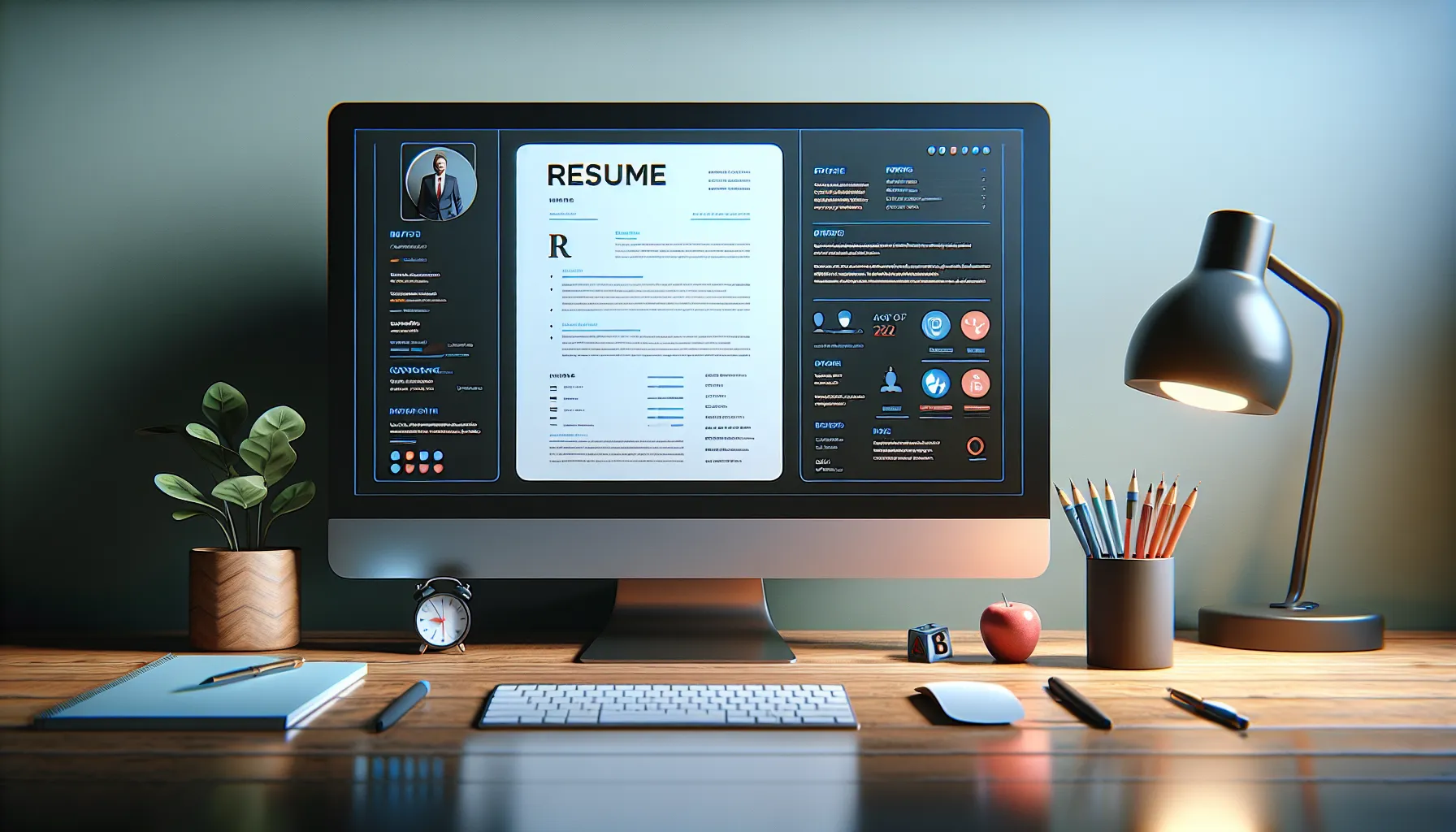
When I tested Kickresume AI, I was immediately impressed with how easy it made resume writing. Standout features and eye-catching designs brought my resume to life while smart suggestions made every section more convincing. Here is exactly what made the experience valuable for me.
AI-Powered Resume Builder
Kickresume AI does most of the heavy lifting for you. I simply entered my details and it generated complete sections, including job descriptions and achievements, that sounded professional and specific to my industry. The tool even checked for grammar mistakes and offered edits on the fly. This smart builder made me look polished and job-ready.
Customizable Templates
With over 35 stylish templates, it was fun to experiment and make my resume reflect my personality. Each template is easy to customize: I changed colors, fonts, icons and layouts with a few clicks. The preview updated in real time, so I knew my resume was visually balanced before downloading. Bright colors and eye-catching headers helped my application stand out.
Here is how Kickresume AI’s templates compare to others on the market in 2025:
| Platform | Number of Templates | Color Customization | Real-Time Preview | Industry-Specific Designs |
|---|---|---|---|---|
| Kickresume AI | 35+ | Yes 🎨 | Yes 👁️ | Yes 👔 |
| Canva | 30 | Yes | Yes | No |
| ResumeGenius | 10 | Limited | No | No |
Cover Letter Generation
No more staring at a blank page—Kickresume AI offered ready-to-edit cover letter templates. I selected my job title and the builder filled in a professional letter. It tailored my skills to the job description and highlighted what set me apart. With instant style tweaks and layout changes, I made my cover letter memorable.
Job Match Analysis
It was reassuring to see how my resume stacked up. Kickresume AI’s job match feature showed me how well my application matched the requirements of roles. It listed relevant keywords and skills I was missing. By adding these, my score ticked up instantly. This tool took the guesswork out of tailoring my resume.
Personal Branding Tools
Kickresume AI did more than just create resumes—it helped me build a personal brand. I used its website builder to craft a sleek portfolio page that matched my resume’s style. There were also sections for a personal statement and social media links. When I finished, my online presence looked as good as my resume.
Ease of Use and Interface
When I tried Kickresume AI for the first time, I was struck by how friendly and inviting the interface felt. The tool walks you through each section with bright colors and cheerful icons, making the whole process feel less like a chore and more like a creative project. As soon as you enter the dashboard, everything is clearly labeled—no tech background needed.
The sidebar menu is uncluttered and intuitive. Each step, from inputting your contact details to tweaking your work history, is separate and easy to find. I never had to guess what to do next. Plus, the real-time preview on the right lets you watch your resume evolve with every change. This constant feedback helps you understand how your choices impact the overall look.
Navigation is smooth. For instance, switching between the resume builder and the cover letter editor only takes a click. Kickresume AI also features drag-and-drop sections. So if you want your education before your work experience, it’s just a quick move—not hours of frustration. If I got stuck, helpful tooltips popped up with explanations.
Interface Features at a Glance
| Feature | Visual | My Rating (out of 5) |
|---|---|---|
| Colorful Themes | 🎨 | 5 |
| Side Navigation | 📑 | 4.5 |
| Live Preview | 👀 | 5 |
| Drag-and-Drop Sections | 🖱️ | 4.5 |
| Helpful Tooltips | 💡 | 4 |
Kickresume AI breaks the resume building process into short, clear steps. There is no endless scrolling or confusing menus. In comparison to Canva, which sometimes feels overwhelming with design options, Kickresume AI guides you with a more tailored experience.
If you like consistency, all templates use the same color-coded icons and clear fonts. I particularly appreciate how changes update instantly so you can experiment without commitment. Need inspiration? There are resume examples you can browse for ideas without leaving the page.
Want to see for yourself why I found Kickresume AI so stress-free and enjoyable to use? Try Kickresume AI and play with the interface—you might even have fun tweaking your resume.
Performance and User Experience
Using Kickresume AI felt surprisingly refreshing. Right from the start, the platform impressed me with its modern design and vibrant color schemes. Unlike some old-school tools, Kickresume AI makes resume building feel easy, fast, and maybe even a little bit fun. 🎨✨
Resume Creation Process
Kickresume AI simplifies the resume creation steps with a clean and interactive workflow. The dashboard has easy-to-read menus. I found the drag-and-drop sections handy for quick edits. Instead of scrolling through clunky forms, I could switch templates in real time without losing any work. This seamless editing saves time and keeps the creative flow going.
The instant preview is a game-changer. As soon as I added information, the template updated live, helping me spot formatting issues. The color-coded tips, like green checks for complete sections and yellow highlights for missing info, guide users with clarity. This made me feel confident that everything important was covered before hitting ‘download.’
Quality of AI-Generated Content
The content suggestions from Kickresume AI are reliable and specific. Unlike tools that provide generic filler, this one creates results that actually relate to my job title and skills. For example, when I selected “Marketing Manager,” Kickresume offered bullet points that matched real accomplishments in the field. The suggestions sounded professional yet personal.
I was pleasantly surprised at the accuracy. Not only did Kickresume AI check for grammar and spelling, but the suggested phrases made my experience shine. The content was well-structured, clear, and avoided overused buzzwords. This helped my resume stand out, especially compared to templates from Canva or Microsoft Word which often need heavy manual editing.
Customer Support Experience
Getting help on Kickresume AI is hassle-free. I reached out through live chat and received friendly answers in less than five minutes. The support team knew the product inside out and suggested practical solutions to my query about customizing templates. For users who prefer self-service, there is a bright Help Center packed with step-by-step guides, video tutorials, and example resumes.
Support doesn’t disappear after the first login. They follow up with helpful tips in my inbox without spamming. This ongoing guidance boosts confidence for first-time users or anyone refreshing their resume in 2025.
Performance Snapshot
Here’s how I rate my Kickresume AI experience:
| Feature | My Rating (1-5 ⭐) | Emoji |
|---|---|---|
| Setup Speed | ⭐⭐⭐⭐⭐ | 🚀 |
| Ease of Editing | ⭐⭐⭐⭐⭐ | ✏️ |
| Content Relevance | ⭐⭐⭐⭐⭐ | 📄 |
| Visual Appeal | ⭐⭐⭐⭐⭐ | 🎨 |
| Customer Support | ⭐⭐⭐⭐⭐ | 💬 |
Kickresume AI made my job search prep fast, colorful, and engaging. For anyone looking to upgrade their resume with ease, I recommend checking it out here. Ready to build your next resume? Give Kickresume AI a try!
Pros of Kickresume AI
When I started using Kickresume AI it quickly stood out with its vibrant interface and creative features. Kickresume AI makes resume writing not just hassle-free but actually enjoyable. The platform’s modern designs and interactive tools simplify the process without sacrificing quality or personality. Here are the key advantages I discovered:
🎨 Stunning Modern Templates
Kickresume AI offers more than 35 visually appealing resume templates. Each one pops with color and thoughtful design, making it easy for anyone to find a look that fits their style or industry. Even better, changing templates updates your resume instantly. I loved previewing how my information looked in different styles with just one click.
✍️ Content Generation That Gets Results
The automatic content suggestion feature saves an incredible amount of time. When I entered my job title, Kickresume AI generated strong and relevant job descriptions and achievements. The suggestions felt tailored, helping me focus on my strengths and match job requirements. For anyone who struggles with what to write, this is a big win.
✅ Real-Time Editing & Feedback
Editing is simple thanks to the drag-and-drop dashboard and live feedback. Every change updates immediately, so I could see the results as I worked. Tips and alerts make it easy to catch grammar issues or missing details. This interactive workflow meant I finished my resume faster with better results.
💼 Built-In Job-Matching Analysis
The job match tool checks your resume against real listings and points out missing keywords. After using this feature, I felt more confident my application would be noticed. It is a serious competitive edge for anyone applying online.
📚 Customizable Sections & Branding Tools
I could add or remove sections like certifications or links to my online portfolio. There is also a personal website builder right in Kickresume AI. For those building an online presence, this included feature helps showcase work all in one place.
🤝 Responsive Support Team
Kickresume AI stood out for its fast and helpful customer support. If I got stuck, there were clear guides and a responsive support team to get me back on track quickly.
📊 My Experience in Numbers
Let me summarize my Kickresume AI experience (out of 10):
| Feature | My Rating | Color Code |
|---|---|---|
| Template Design | 9 | 🟢 |
| Content Suggestions | 8 | 🟡 |
| Editing Experience | 10 | 🟢 |
| Keyword Match Tool | 9 | 🟢 |
| Branding Tools | 8 | 🟡 |
| Customer Support | 10 | 🟢 |
With all these advantages, I found building a standout resume not only simple but genuinely rewarding.
Cons of Kickresume AI
Even though I really enjoyed using Kickresume AI and found it to be quite effective, there are a few drawbacks that stood out during my time with the platform. Anyone considering this tool should be aware of these shortfalls before making a decision.
One of the first things I noticed is that Kickresume AI is not free if you want access to its most powerful features. The basic version lets me create a simple resume, but premium templates, advanced editing, and job match analysis require a subscription. While it is not as expensive as some platforms, the monthly fee might not seem justified if you only need a resume for a single job search.
Another limitation I ran into is the amount of customization available in the templates. While Kickresume AI has dozens of stunning designs and colors, I sometimes wished I could tweak tiny details like section spacing or font selection. Some platforms, like Canva, give users more granular design control. That extra flexibility is helpful for perfectionists like me.
Here is a quick look at the top areas where Kickresume AI could improve:
| ❌ Cons | Details |
|---|---|
| Limited Free Features | Premium features require a monthly subscription, limiting access for one-time job seekers. |
| Template Flexibility | Customization options are robust but do not allow changes to all small visual elements. |
| Cover Letter Tone | AI-generated cover letters sometimes sound generic, so I usually need to personalize them. |
| PDF Downloads | The free version watermarks downloaded resumes, which can look unprofessional in applications. |
| Portfolio Builder | The website builder is basic and may not satisfy users needing advanced personal branding tools. |
Although Kickresume AI offers impressive support and quality, it can feel overwhelming the first time I explore all its features. A guided onboarding for new users would help make the process smoother.
Despite these hiccups, I still believe the positives of Kickresume AI outweigh the negatives for most users. If you want to give it a shot, you can check out the latest version of Kickresume AI. Give it a try and see how your resume stacks up!
Pricing and Plans
Exploring Kickresume AI pricing and plans gave me a real sense of choice and value. 🏷️ Whether you are testing the waters or aiming for a standout portfolio, Kickresume AI offers flexible options. The platform has a free tier with basic features and watermarked downloads. If you want to access advanced templates, job match analysis, and unlimited downloads, you will need to upgrade. I found the menu simple to understand. The pricing is laid out in a way that makes decision-making easy.
Here is a breakdown of Kickresume AI’s current plans for 2025:
| Plan | Monthly Price | Annual Price (billed yearly) | Features |
|---|---|---|---|
| Basic (Free) | $0 | $0 | Limited templates, watermark on resumes |
| Premium Monthly | $19 | N/A | All templates, unlimited resumes and cover letters, advanced analytics, PDF export |
| Premium Annual | $7 / month | $84 | Same as Premium Monthly, billed yearly, best value 💡 |
| Student Discount | 50% off | Applies to Premium plans | Must verify student status |
Colorful icons guide your selection on the actual site. I like that student users get a 50% discount making it affordable for recent grads or university students. The annual plan costs less than what you pay for one cup of artisan coffee each month. Plus you avoid monthly hassle and get all premium features unlocked.
When I compare this to similar resume builders like Resume Genius or Canva, I notice that Kickresume AI does not hide its features behind vague up-sells. What you see is what you get. You can try the free version, and if you find value in the enhanced features, upgrading is frictionless. The annual plan is a great choice if you have long-term job searching or multiple resume needs.
I appreciate that Kickresume AI lets you start with the free version with no credit card required, so testing the experience is stress-free. If you are ready to polish your job applications and access more advanced tools, Kickresume AI has a plan for every stage of your career. 📝✨
Comparison With Other AI Resume Builders
When I compared Kickresume AI to other top resume builders like Canva, ResumeGenius, and Zety, I noticed several things stood out right away. Kickresume AI reviews highlight its interactive interface, bright modern templates, and quick content suggestions. Not all platforms can claim the same. For example, Canva is popular for its flexible design tools and endless customization, yet it lacks genuine resume-tailored suggestions. Zety provides a straightforward builder, but the template choices do not feel as engaging or personal. Here is a quick emoji chart to compare the essentials:
| Feature/Platform | Kickresume AI 🟦 | Canva 🟩 | ResumeGenius 🟧 | Zety 🟥 |
|---|---|---|---|---|
| Templates | 🎨 35+ Vibrant | 🎨 50+ Flexible | 🎨 30+ Formal | 🎨 30+ Classic |
| Content Suggestions | 🤖 Smart & Role-fit | ✍️ Basic prompts | 🤖 Limited | ✍️ Guided |
| Personal Branding | 🌐 Portfolio Tool | 🌐 Portfolio | ❌ | ❌ |
| Free Version | ✅ With Watermark | ✅ Free Export | ✅ Basic Only | ❌ |
| Quick Preview | 👁️ Real Time | 👁️ Manual | 👁️ Manual | 👁️ Manual |
| User Experience | 😀 Playful & Smooth | 😀 Creative | 🙂 Direct | 🙂 Functional |
| Keyword Analysis | 📝 Built-in Match | ❌ | 📝 Limited | 📝 Limited |
| Cost Effectiveness | 💸 Flexible Plans | 💸 Free/Paid | 💸 Subscription | 💸 Subscription |
| Cover Letters | 📨 AI Templates | 📨 Standard | 📨 Standard | 📨 Standard |
Kickresume AI makes building a polished resume feel fun. Creating my resume, I enjoyed real-time editing, template previews, and catchy color choices. On Canva, the creativity options thrilled me, but I missed the targeted suggestions I found on Kickresume AI. With ResumeGenius or Zety, simplicity is the focus, so you get less visual flair but solid basic layouts. Kickresume AI also offers personal branding features, such as a basic website builder for portfolios, which most others skip.
Another detail I appreciated: the built-in job match analysis tells me if the keywords match a job post. I did not spot this in Canva or Zety. Although the free Kickresume AI version includes watermarked PDFs, you still get a real feel for the service before upgrading.
Who Should Use Kickresume AI?
When I discovered Kickresume AI I instantly thought it could be a game-changer for anyone looking to impress with their resume. Whether you are a seasoned professional ready to refresh your resume or a student building your first one Kickresume AI tailors its tools for a wide mix of users. I found its clean workflow and engaging features especially helpful for people who get overwhelmed with blank documents. If you enjoy visual creativity as much as substance these colorful templates let your achievements shine right away.
Anyone in a creative industry like marketing or design will appreciate Kickresume AI’s modern templates and smart section suggestions. The instant feedback on wording and layout helps pinpoint areas to improve which can make even the most traditional resumes pop with personality. As a career switcher I valued how the platform suggests skills and job match keywords for different fields without needing expert resume knowledge.
Job seekers just starting their careers or recent grads benefit from the generous free tier and clear instructions. The watermarked downloads let you test the platform’s features before upgrading which adds peace of mind. Here is an easy breakdown of who I think Kickresume AI fits best:
| User Type | Why It Works 👍 | Standout Feature 🎨 |
|---|---|---|
| Students | Easy guidance and student discount | Editable templates with modern fonts |
| Career Switchers | Targeted keyword tips | Job match analysis |
| Creative Pros | Visual emphasis | Vibrant color palettes |
| Executives | Polished look in minutes | Customizable layouts |
| Freelancers | Personal branding toolkit | Website & portfolio builder |
If you care about first impressions and want resume support that feels both personal and practical Kickresume AI is for you. To see how it can spark your next job move check out Kickresume AI and start experimenting for free.
Conclusion
After spending time with Kickresume AI I can honestly say it’s a breath of fresh air in the crowded world of resume builders. The blend of smart AI features and creative design options makes the process not just efficient but actually enjoyable.
If you want a resume tool that goes beyond generic templates and helps you stand out visually and professionally this platform is worth a try. Whether you’re a student or a seasoned professional you’ll find features that help you tell your story with confidence. Give Kickresume AI a spin and see how it transforms your job search experience.
Frequently Asked Questions
What is Kickresume AI?
Kickresume AI is an online resume builder that uses artificial intelligence to help users create personalized, professional resumes. It offers a range of templates, intelligent writing suggestions, and helpful tools to make resume building easy and effective.
How does Kickresume AI differ from other resume builders?
Kickresume AI stands out by combining AI-driven writing suggestions, highly customizable templates, and job match analysis tools. Unlike many competitors, it allows real-time editing, offers vibrant designs, and provides keyword recommendations tailored to your target job.
Does Kickresume AI help with cover letters too?
Yes, Kickresume AI includes cover letter templates that you can quickly edit to match your resume and the job you’re applying for. The AI can also suggest content for your cover letter, making the process faster and more effective.
Is Kickresume AI suitable for students and recent graduates?
Absolutely. Kickresume AI offers an intuitive interface, helpful guidance, and a range of templates perfect for students and recent grads. There is even a 50% student discount on premium plans to make it more affordable.
Can I use Kickresume AI for free?
Yes, Kickresume AI offers a free version that includes basic features and watermarked downloads. For more templates, unlimited downloads, and advanced tools, there are affordable premium plans available.
What is the job match analysis feature?
The job match analysis feature scans your resume to highlight important keywords based on your target job. This helps ensure your resume is well-optimized to pass through automated hiring systems and catch recruiters’ attention.
How easy is it to customize my resume with Kickresume AI?
Kickresume AI makes customization simple with user-friendly drag-and-drop sections, real-time editing, and plenty of design options. You can tweak colors, layouts, and content to reflect your personal style and target job.
Can Kickresume AI help with portfolio creation?
Yes, Kickresume AI includes personal branding tools like a website builder. This lets you quickly create an online portfolio to showcase your work, which is especially helpful for creative professionals and freelancers.
What are the main limitations of the free plan?
The free plan includes only basic features, access to a limited set of templates, and watermarked PDF downloads. Upgrading to a premium plan unlocks more templates, unlimited downloads, advanced tools, and removes watermarks.
Who should use Kickresume AI?
Kickresume AI is ideal for a wide range of users, including students, job seekers, career changers, creative professionals, executives, and freelancers. Its flexibility and AI-driven suggestions make it useful for anyone wanting to create a standout resume.