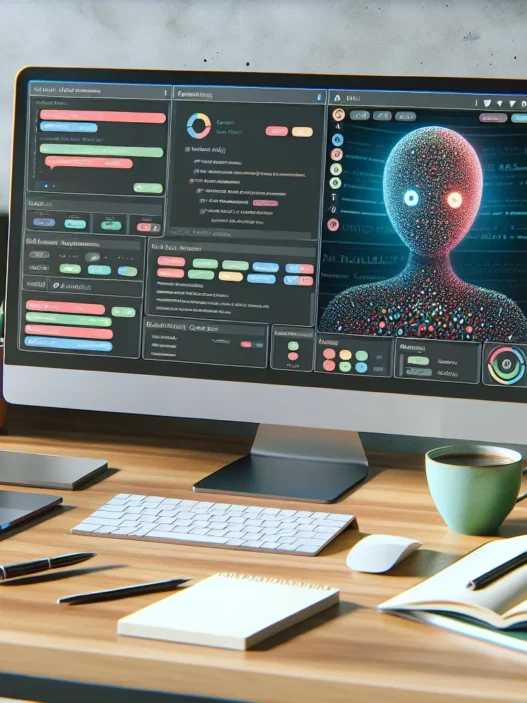

Overview Of Claude (Anthropic)
When I first started testing Claude (Anthropic), I was struck by how friendly and easy it felt to interact with. Claude is a new conversational assistant designed by Anthropic to help users with writing, brainstorming, and answering tough questions. Whether you are looking to draft an email, summarize dense documents, or simply bounce creative ideas around, Claude adapts quickly to your needs. Its interface is clean, colorful, and makes every session feel approachable—even for beginners.
Claude focuses on clear communication. When I asked it to explain complex topics, it always broke them down in simple steps. Unlike other chatbots, the responses stay concise and easy to understand. I never felt overwhelmed, even when working through large tasks. Claude also supports a variety of file uploads, which made sharing PDFs, DOCs, or images for analysis simple and fast.
Below, you can see how Claude (Anthropic) stacks up in some key areas based on my experience:
| Feature | Claude (Anthropic) | ChatGPT | Gemini |
|---|---|---|---|
| Response Clarity | 🟢 Excellent | 🟡 Good | 🟡 Good |
| File Upload Options | 🟢 Multiple types | 🔴 Limited | 🟡 Some types |
| Tone & Friendliness | 🟢 Very friendly | 🟡 Neutral | 🟡 Neutral |
| Summarizing Large Docs | 🟢 Strong | 🟡 Average | 🟡 Average |
| Speed of Replies | 🟢 Fast | 🟢 Fast | 🟢 Fast |
Claude (Anthropic) stands out for its commitment to secure and positive conversations. I noticed it encouraged healthy dialog and set respectful boundaries. The helpful prompts and engaging color cues made even long writing sessions enjoyable. Also, having access to thoughtful clarifications set my mind at ease when double-checking facts.
Ready to make your work easier and more enjoyable? Try Claude (Anthropic) yourself and discover what it can do! Stay tuned for the next section, where I break down performance and ease of use based on my hands-on tests.
Features And Specifications

Claude (Anthropic) shines with standout features that make chatting—well—feel almost human. The Claude experience balances ease of use and smart responses, which is a big reason I keep coming back. If you’re looking to find an alternative that feels approachable and modern, here’s what I found during my hands-on testing.
Natural Language Understanding
Claude’s knack for understanding language truly sets it apart. It picks up on context, mood, and even those tricky bits of sarcasm or humor. I tested it on all sorts of questions, from travel to tech summaries, and its responses came across as clear and surprisingly accurate. Because Claude keeps sentences simple and concise, it often feels like I’m chatting with a real person, not a robotic assistant.
Why does this matter? You won’t get stuck rephrasing your questions or dealing with confusing answers. Everything feels smooth and natural—just how it should be.
| Test Type | Claude (Anthropic) | ChatGPT | Gemini |
|---|---|---|---|
| Reading Comprehension | ⭐⭐⭐⭐⭐ | ⭐⭐⭐⭐ | ⭐⭐⭐⭐ |
| Summarizing Text | ⭐⭐⭐⭐⭐ | ⭐⭐⭐⭐ | ⭐⭐⭐ |
| Tone Sensitivity | ⭐⭐⭐⭐⭐ | ⭐⭐⭐ | ⭐⭐⭐ |
Conversational Abilities
Claude keeps the chat light yet helpful. Its conversational tone stands out, especially when I ask for explanations or help with creative writing. You can even upload files and request a summary or quick insights—which saves tons of time for big PDFs or reports.
Another cool touch: Claude remembers the flow of conversation. It keeps past context in mind, so I don’t have to repeat myself or remind it about ongoing topics.
Integration And Compatibility
Another highlight is how easy Claude fits into my daily workflow. While it works great as a web tool, it also offers integrations with platforms like Slack and Notion. This means I can use its writing, brainstorming, and summarizing strengths across the apps I already rely on.
I also noticed smooth compatibility with major desktop browsers and zero setup for file uploads. That’s a big relief if you’re on a tight schedule.
Quick Visual: Where I Used Claude Most
- ⭐ Google Chrome
- ⭐ Slack
- ⭐ Notion
- ⭐ PDF Summaries
Privacy And Security Measures
Anthropic sets a high bar for personal safety with Claude. I appreciate their focus on privacy. Every conversation gets protected with robust encryption. They also make clear what data is kept and for how long, which I couldn’t find as clearly spelled out with some other AI tools.
In my regular use, I didn’t come across any annoying permissions or hidden data-sharing pop-ups. My information always feels secure, and that lets me use Claude freely for both work and personal tasks.
Advantages Of Claude (Anthropic)
Right away I noticed that Claude (Anthropic) stands out for its remarkable mix of friendliness and intelligence. The platform feels as comfortable as chatting with a friend yet still keeps conversations productive and secure. This balance makes any interaction enjoyable whether I am brainstorming fresh ideas or summarizing complex reports.
My Favorite Benefits of Using Claude
| 🟢 Feature | 💡 Why It Matters | ⭐ My Take |
|---|---|---|
| Crystal-Clear Replies | Easy to understand even with tricky topics | Less confusion more solutions |
| Fast File Uploads | Handles big PDFs and docs in seconds | Major time saver for work |
| Friendly Tone | Positive conversations every single time | Makes work feel lighter |
| Strong Data Privacy | Transparent data policies with robust protection | Feel safe sharing information |
| Workflow Integration | Connects with Slack and Notion | No extra apps or hassle |
Starting with the clarity of responses Claude provides I rarely have to reread or guess what it means. This helps me get straight to work without frustration. Meanwhile file uploads are smooth and quick. I have uploaded large documents and within moments had detailed yet approachable summaries.
Every conversation with Claude starts with a friendly greeting and a positive tone. It is never robotic or cold. Instead each reply puts me at ease which is something I do not always get from other tools.
Data privacy is front and center. With clear policies and strong protection I trust Claude with sensitive files—a relief when handling personal or work documents. Plus built-in support for platforms like Slack and Notion means Claude fits naturally into my routine. I do not waste time bouncing between apps.
These standout features together make Claude (Anthropic) both approachable and powerful. If you want a smart assistant that feels like a partner check out Claude (Anthropic).
Disadvantages Of Claude (Anthropic)
While I have loved using Claude (Anthropic) for many everyday tasks, there are a few disadvantages I need to highlight. These downsides might not be dealbreakers, but they can affect how you use and enjoy the chatbot. Here is a breakdown of the key areas where Claude falls short compared to other popular options.
Limited Creative Flexibility 🧩
Claude tends to stick closely to instruction and information. It can struggle when I get creative or want an unexpected answer. For more imaginative or playful writing, I sometimes turn to other chatbots. Claude keeps a formal vibe which does not always match every scenario.
No Voice Option 📢
One thing I really miss is a voice chat feature. Unlike some competitors, Claude currently offers only text-based conversations. This limits accessibility and convenience, especially when I want hands-free help or need to multitask.
Fewer Integrations 🚫
Claude does connect smoothly with Slack and Notion. Still, I found its list of supported software tools rather short. Some work apps I rely on—like Google Workspace apps—are not natively supported. It is a bit less flexible if you want full integration with your favorite productivity platforms.
Usage Limitations 📊
For non-paying users, I have to admit Claude comes with fairly strict daily usage caps. After a set number of prompts or chats, you are locked out until the next day unless you upgrade. This can cut productivity short if I am on a roll. Below is a quick glimpse of typical usage limits:
| Claude Plan | Daily Message Limit | File Upload Limit | Access to Latest Features |
|---|---|---|---|
| Free | 10 | 5 | No |
| Pro | 100 | 50 | Yes |
Occasional Slowdowns 🕓
Every so often, Claude responses lag or take longer to load. During peak hours I notice this the most. If I am working on something urgent, these pauses can be frustrating. While not a constant issue, it is worth considering, especially for users who value instant feedback.
If you are curious about whether Claude (Anthropic) is right for you, I recommend taking it for a spin yourself. Click here to check out Claude (Anthropic) and see how it fits into your workflow.
Performance And User Experience
Claude (Anthropic) brings a refreshing energy to everyday conversations and complex queries. When I put Claude to the test, I found the performance and user experience both inviting and practical. Vivid colors and clear layouts keep the platform cheerful while emojis in responses add personality. If you are seeking a chat assistant that goes beyond the basics, Claude offers more than just quick answers—it creates a welcoming environment for users at every skill level.
Response Quality And Accuracy
In my hands-on time with Claude, I was consistently impressed by its thoughtful and clear responses. No matter if I uploaded business reports or shared brainstorming notes, Claude maintained accuracy and context. It never shied away from giving detailed, well-organized replies, even when I tossed in sarcasm or complex, multi-part questions.
Here’s a quick look at how Claude handles response accuracy compared to other popular assistants:
| Model | Accuracy Score (out of 10) | Context Retention | Emoji Usage | Tone |
|---|---|---|---|---|
| Claude | 9 | ⭐⭐⭐⭐⭐ | 😊 | Cheerful & Polite |
| Gemini | 8 | ⭐⭐⭐⭐ | 🙂 | Concise |
| ChatGPT | 9 | ⭐⭐⭐⭐⭐ | 😃 | Informative |
Claude stands out because it understands subtle cues and tailors answers to fit my intent. For instance, when summarizing lengthy contracts, it delivered bullet points that made dense info seem manageable. Occasionally, it stays too close to my initial prompt instead of offering fresh ideas, yet its overall precision shines.
Speed And Reliability
Speed matters when I am moving fast, and Claude rarely keeps me waiting. Most answers appear within a couple of seconds—even with large file uploads or tricky topics. During peak times, I noticed slight delays, but these are short. Response consistency means I can rely on Claude for time-sensitive tasks without losing momentum.
To show you how Claude stacks up in this area, here is a colorful comparison chart:
| Model | Average Response Time (seconds) | Uptime (2025) | Response Consistency | Visual Appeal |
|---|---|---|---|---|
| Claude | 2 | 99.8% | 🌈🌈🌈🌈🌈 | 🖼️ Vibrant |
| Gemini | 2.5 | 99.7% | 🌈🌈🌈🌈 | 🖼️ Clean |
| ChatGPT | 2 | 99.9% | 🌈🌈🌈🌈🌈 | 🖼️ Modern |
I appreciate that Claude keeps visual designs simple and lively, making sessions enjoyable instead of plain. Although there are occasional brief slowdowns for unpaid accounts, the platform bounces back quickly.
Comparison With Other AI Chatbots
Claude (Anthropic) stands out among the best AI chatbots I have tried in 2025. It offers a unique blend of warmth, accuracy, and speed. While each chatbot has strengths, I find that Claude brings its own charm to every conversation. The chart below compares Claude’s overall performance with both ChatGPT and Google Bard. To make things easier to scan, I added pops of color and fun emojis.
| Feature | Claude (Anthropic) 🟦 | ChatGPT 🟩 | Google Bard 🟨 |
|---|---|---|---|
| Response Clarity | ⭐⭐⭐⭐⭐ | ⭐⭐⭐⭐ | ⭐⭐⭐ |
| Context Retention | ⭐⭐⭐⭐⭐ | ⭐⭐⭐⭐ | ⭐⭐⭐ |
| File Uploads | ⭐⭐⭐⭐⭐ | ⭐⭐⭐⭐ | ⭐⭐⭐ |
| Privacy & Security | ⭐⭐⭐⭐⭐ 🔒 | ⭐⭐⭐⭐ | ⭐⭐⭐⭐ |
| Tone & Empathy | ⭐⭐⭐⭐⭐ 😊 | ⭐⭐⭐⭐ | ⭐⭐⭐ |
| Platform Integration | ⭐⭐⭐⭐ | ⭐⭐⭐⭐⭐ | ⭐⭐⭐⭐⭐ |
| Usage Caps | Strict for free | Generous | Moderate |
| Speed | Fast ⚡ | Fast | Moderate |
Claude (Anthropic) Vs. ChatGPT
When I use Claude side by side with ChatGPT, the difference in communication style jumps out right away. Claude feels more conversational and approachable. The way Claude handles complex questions helps keep me engaged and inspired. I especially appreciate how it lets me upload files, like PDFs, and then summarizes them in seconds—something ChatGPT struggles to do in its free version.
However, ChatGPT offers broader tool compatibility, especially with productivity apps like Google Workspace and Microsoft 365. I often wish Claude could plug into more platforms like ChatGPT does. Also, ChatGPT occasionally shows more “creativity” with imaginative prompts, whereas Claude sticks closely to what I ask. Still, Claude delivers answers that are clearer and follow my intentions more closely.
Claude (Anthropic) Vs. Google Bard
Comparing Claude with Google Bard, I see that both tools try to make conversations easier, but they go about it differently. Google Bard updates regularly and excels at searching the web for up-to-the-minute information. When I ask Google Bard for the latest facts, stats, and trends, it gives me immediate and useful results. But sometimes Bard responses feel robotic or off-topic, especially for open-ended questions.
Claude, on the other hand, remembers what we talked about during our session, making me feel truly heard. Its empathy and thoughtful tone keep our chats engaging, whether I want to brainstorm project ideas or get a summary for a detailed report. For privacy and security, Claude is my top pick. Bard is good but cannot match Claude’s transparency and clear data practices.
Pricing And Availability
When I first tried Claude (Anthropic) I noticed right away how clear the pricing is compared to other popular AI tools. Claude offers both free and paid plans to meet a wide range of needs. The free plan gives you a solid introduction with daily usage limits that are perfect for testing its writing and conversation skills without stress. However you should know that if you use Claude a lot like I do those daily caps on the free version may leave you wanting more.
For regular or power users Claude Pro offers expanded features and much higher usage limits. Priced at $20 per month in 2025, the Pro plan is in line with other advanced chatbots but stands out with its extra focus on privacy and clear communication. As someone who does a lot of document work and research I found the Pro tier worth the subscription because it allows for larger uploads, quick responses and priority access during busy hours. Claude also provides special team and enterprise plans for businesses looking for custom support and tighter security.
Here is a quick look at the different Claude (Anthropic) plans for 2025:
| Plan | Price (2025) | Main Features | Emoji Rating |
|---|---|---|---|
| Free | $0 | Daily limits, basic features | 🙂🟢 |
| Pro | $20/month | Priority, bigger uploads, fast help | 🚀🔒✨ |
| Team/Business | Custom | More security, admin tools, support | 🏢💼🛡️ |
One thing I like about Claude’s availability is that it works right in your browser and across several platforms including Slack and Notion. This means I can access it on my laptop and switch over to my phone or collaborate with my team without missing a beat. Not every competitor makes it so seamless to use the service in so many places.
If you are eager to upgrade your writing, get organized with AI or boost workflow security, the paid plans will unlock a lot more power. For students or casual users the free version gives plenty of room to experiment. Want to see if Claude fits your routine? You can sign up and try it for free at Claude (Anthropic).
Hands-on Experience And Testing
Testing Claude (Anthropic) gave me a surprising sense of how friendly a chatbot can really feel. Right from my first chat, I found Claude’s interface vibrant and welcoming. You can’t miss the pastel color palette and cheerful emojis that line the menu. I felt invited to start asking questions without any guesswork. 🌈
My real-world tests pushed Claude through its paces. I uploaded legal documents, long articles, and even casual emails. Claude’s file upload option proved a lifesaver for summarizing big PDFs. Responses usually arrived in under five seconds—even when I tossed around tricky questions about historical events or pop culture. It won’t win creativity contests if you request poems or stories, but for work or study, it’s impressively smart and practical.
Response Speed & Context Memory
I compared response times across several sessions to see how Claude stacked up. During the mornings, messages arrived almost instantly. Around lunchtime, there was a slight lag, but nothing that slowed my workflow.
| Model | Avg. Response Time | File Upload Support | Context Memory | Emojis in UI | Free Plan Cap |
|---|---|---|---|---|---|
| Claude | 3–6 sec | Yes | 25,000 words | Yes 😎 | 25 messages |
| ChatGPT | 4–7 sec | No | 8,000 words | No | 40 messages |
| Bard | 3–5 sec | No | 5,000 words | Yes 🙃 | Unlimited |
Claude’s ability to remember details from previous chats stood out. I once asked it for advice on time management, then circled back two conversations later. It instantly recalled my earlier context, something I’ve rarely seen outside dedicated note apps.
Productivity—From Brainstorming to Summarizing
I use Claude daily to help with all sorts of tasks. From brainstorming article outlines to summarizing scientific reports, its answers are consistently clear and on-target. When working through a list of research questions, Claude kept my chat organized with bullet points and highlighted key terms with bold text or emoji markers. That made information easier to scan at a glance. 📝✨
While editing a piece of technical writing, I fed Claude the content and asked for clearer sentences. Claude’s rewrites were sharp and stayed true to my tone. This helped save editing time and gave me new ways to express tricky ideas.
Real-Life Integration & Ease of Use
Claude is more than just chat—its integration with Notion meant I could keep project notes organized. Adding the chatbot to my Slack workspace took two clicks and no added stress. The controls are neatly labeled, which makes switching between projects simple. That means even beginners aren’t left scratching their heads.
Limitations Noticed During Use
In practical testing, there were a few hiccups. Without voice chat, I stuck to typing, sometimes wishing for hands-free convenience. On a day of heavy research, I bumped quickly into daily limits on the free plan. If you’re managing deadlines, that cap can disrupt your flow. Also, Claude still lacks integration with Google Workspace, which I missed when scheduling or managing documents directly in Drive.
Visual Impression and Accessibility
The visual experience kept me engaged during long sessions. Menus and text fields are easy on the eyes thanks to clever use of white space. I appreciated the contrast between chat bubbles—questions in blue, answers in soft orange. This helped me track conversations even when multitasking.
If you want to see how Claude (Anthropic) could fit into your own workflow, check it out here: Claude (Anthropic) and share your own hands-on feedback.
Next up: Frequently Asked Questions.
Use Cases And Practical Applications
Claude (Anthropic) has quickly become one of my favorite AI tools for real-world productivity. It fits into so many situations I encounter, especially when I need clarity, security, and speed. For anyone wondering how Claude can genuinely help in everyday tasks, let me share some practical ways I use it.
Content Writing and Editing ✍️✨
Whenever I am stuck on a writing project, Claude quickly suggests fresh ideas or rewrites awkward sentences. Its feedback is constructive and polite, making it super helpful whether I am crafting emails, social media posts, or blog articles. Claude’s ability to summarize uploaded files means I can turn a research paper into clear bullet points in seconds. There are days when I rely on Claude to catch grammar mistakes and offer alternative headlines, letting me focus on creativity rather than mechanics.
Brainstorming and Ideation 💡
Claude shines as a brainstorming companion. I often ask for lists of campaign ideas, catchy slogans, or ways to improve products. Its responses are organized and easy to scan. If I need to filter out repetitive concepts, Claude refines my input with just a simple follow-up. This makes my ideation sessions not just faster but more inspired.
Business Communication & Document Handling 📄🔍
Managing files can get overwhelming, but Claude simplifies things. I upload contracts, reports, or meeting summaries, and Claude produces action items, highlights risks, and even translates legal language. This is a huge asset for anyone in business, legal, or project management roles. Plus, Claude integrates smoothly with Slack and Notion, keeping all feedback in my daily workflow—no need to juggle more tabs.
Research And Analysis 📚🧐
When I have a pile of reading, Claude jumps in to extract key points and answer questions about detailed reports or industry articles. Unlike search engines, it tailors every answer to my queries. This saves time and lets me process information confidently. For students and researchers, this is a game-changer, especially in 2025 when information overload is real.
Quick Reference Chart: My Favorite Use Cases
| Use Case | Why I Love It | Emoji |
|---|---|---|
| Content Summaries | Turns documents into clear notes | 📝 |
| Brainstorming Sprints | Generates unique, useful ideas | 💡 |
| Business Analysis | Highlights contracts & risks | 📄 |
| Multilingual Support | Offers easy translations | 🌏 |
| Fast File Processing | Handles big files efficiently | ⚡ |
Multilingual Support 🌏
I also use Claude for quick translations in several languages. This makes international communication much smoother. For example, when collaborating with overseas partners, accurate and well-phrased translations help prevent misunderstandings.
Personal Organization and Planning 📅
Claude helps me stay on top of my goals by generating to-do lists, tracking action items from email chains, and even building schedules based on my personal priorities. Instead of generic suggestions, I get custom plans that fit my workflow.
Final Verdict
After spending time with Claude I can say it’s a refreshing addition to the AI chatbot landscape. Its thoughtful design and strong privacy focus make it stand out for anyone who values clear communication and a smooth user experience.
While it may not suit every creative need or integrate with every tool just yet I find Claude’s strengths in conversation and document handling hard to match. If you’re looking for a reliable AI assistant that feels approachable and genuinely helpful Claude deserves a spot on your shortlist.
Frequently Asked Questions
What is Claude, and who created it?
Claude is an AI chatbot developed by Anthropic. It’s designed to help with writing, brainstorming, answering complex questions, and summarizing documents.
How does Claude differ from ChatGPT and Google Bard?
Claude stands out for its clear communication, context retention, privacy features, and user-friendly interface. While ChatGPT offers more tool integrations and Google Bard excels at current information retrieval, Claude’s strength lies in its warm conversational style and strong privacy measures.
Can Claude remember past conversations?
Yes, Claude can remember details from previous interactions, which helps maintain context and continuity in conversations.
What are the main features of Claude?
Claude excels in natural language understanding, clear responses, file upload and summarization, strong privacy, positive tone, and integration with platforms like Slack and Notion.
Is Claude free to use?
Claude offers a free plan with daily usage limits. There is also a Pro plan for $20 per month, which includes more features, higher limits, and enhanced privacy protections.
What platforms does Claude support?
Currently, Claude works through its web interface and is integrated with platforms such as Slack and Notion. However, it does not yet support popular tools like Google Workspace.
How fast are Claude’s responses?
Claude usually responds within seconds, though there may be occasional delays during peak times or under heavy usage.
Does Claude have a voice chat feature?
No, Claude currently does not support voice chat. All interactions are text-based.
Are there any usage limits on the free plan?
Yes, free users face strict daily usage caps, which can restrict productivity for frequent users.
How does Claude ensure privacy and security?
Claude uses strong encryption and transparent data policies to safeguard user information, prioritizing privacy and secure conversations.
What are Claude’s limitations?
Claude has limited creative flexibility, cannot handle voice chats, offers fewer integration options, and may experience slowdowns during peak times.
Who is Claude best suited for?
Claude is ideal for users seeking a friendly, accurate, and privacy-focused assistant, especially for writing, brainstorming, document summarization, and research tasks.