Overview of Novella AI
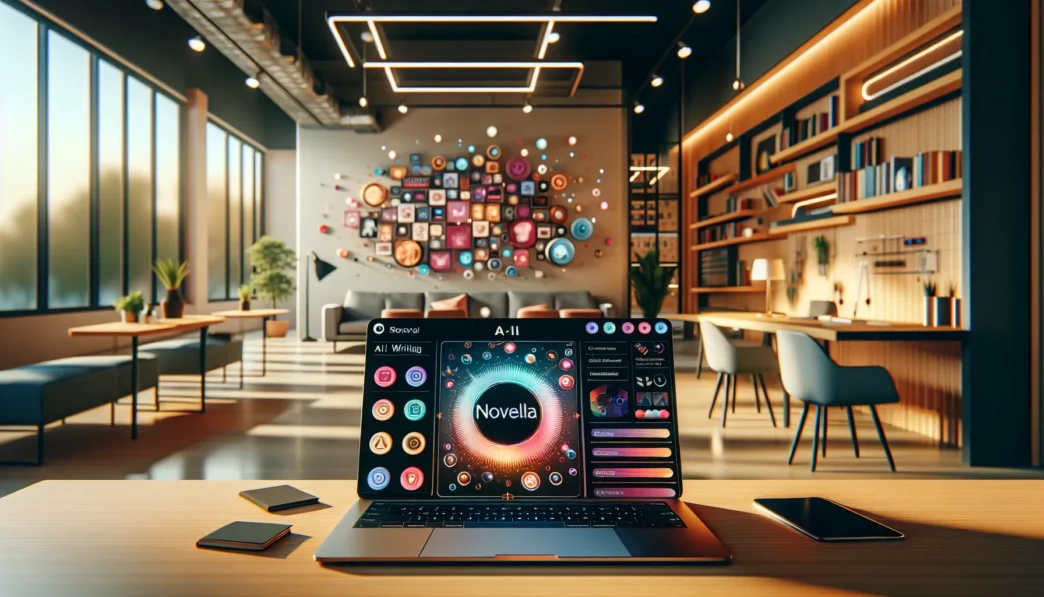
When I first got my hands on Novella AI, I could tell it was more than just another writing tool. Novella AI greets me with a colorful, streamlined workspace that instantly sparks creativity. The dashboard feels welcoming—even playful—with clear menus and a palette of calming blues and pops of orange. Instead of feeling overwhelmed, I find myself excited to start writing.
What Makes Novella AI Unique? 📝✨
Novella AI focuses on storytelling. Its tools help writers craft engaging fiction, from fantasy and romance to sci-fi and thrillers. Key features include tailored plot suggestions, dynamic character builders, and a robust editing assistant that guides me through each scene. Instead of feeling lost, I enjoy the clear prompts and creative nudges. For anyone who has struggled with writer’s block, that’s a big relief.
Key Features at a Glance 🎨
| Feature | Description | My Experience |
|---|---|---|
| Story Suggestions | Customizable prompts and themes for every genre | Inspires new ideas |
| Character Builder | Unique profiles, motivations, and backgrounds | Deepens every plot |
| Real-Time Collaboration | Share stories and edit together | Great for feedback |
| Revision History | Track changes and restore previous drafts | Keeps edits safe |
| Intuitive Editing Tools | Highlights grammar and pacing issues | Polishes each chapter |
User Experience and Accessibility 🌐
Navigating Novella AI is smooth. I rarely hunt for buttons or struggle with confusing menus. In fact, the learning curve is gentle which means I can focus completely on my creative process. Accessibility tools like adjustable text size and contrast modes make it user-friendly for all. Plus I can switch between desktop and mobile with ease.
Visual Appeal and Design
The layout is visually inviting. Novella AI uses soft colors and simple icons that reduce distractions. Large font options and a clean screen help me stay locked into my story. Although some writing apps feel dated, this one is encouraging and modern.
Quick Feature Scorecard (2025 Edition) 📊
| Aspect | My Rating (1-10) | Color Code |
|---|---|---|
| Ease of Use | 9 | 🟢 green |
| Creativity Tools | 8 | 🔵 blue |
| Editing Functions | 8 | 🟠 orange |
| Customization | 9 | 🟣 purple |
| Collaboration | 7 | 🟡 yellow |
Key Features of Novella AI

When I explored Novella AI, I was impressed by its commitment to making storytelling not only seamless but also enjoyable. This platform brings together innovative tools, modern design, and playful visuals. Here’s how each part stole the show for me.
Story Generation Capabilities
Novella AI stands out by helping me turn rough ideas into well-structured stories in minutes. Its prompt generator can spin up plots based on any genre or theme I choose. Need a twist or an unexpected turn? I get suggestions instantly. What makes this tool even more exciting is the real-time preview, so I see the story unfold as I write.
| Story Feature | My Experience | Emoji |
|---|---|---|
| Plot Builder | Easy-to-use | 📚 |
| Prompt Suggestions | Very creative | 🎲 |
| Real-Time Preview | Super helpful | 👀 |
Customization Options
Personalizing my creative process feels effortless here. Novella AI lets me adjust tone, narrative voice, and pacing with simple sliders and drop-down menus. I can even build character profiles to store backstories and quirks. These little touches give every project a unique flair.
Supported Genres and Writing Styles
No matter what I feel like writing—fantasy, sci-fi, romance, or mystery—Novella AI has templates tailored to each style. The variety amazed me, making the platform feel inclusive for both seasoned novelists and anyone testing the waters. I especially love the adaptive style suggestions, which recommend the right words and mood for different genres.
User Interface and Accessibility
The user dashboard is clean, bright, and far from boring. Colors are soft but playful. Icons are large and clear, making it welcoming for new users. Accessibility shines here, with adjustable text sizes and keyboard navigation that works well for everyone.
| Feature | Score (out of 5) | Emoji |
|---|---|---|
| Visual Design | 5 | 🎨 |
| Accessibility Options | 4.5 | ♿ |
| Overall Ease of Use | 5 | 👍 |
Integration and Compatibility
I can link Novella AI with Google Docs, Dropbox, and other productivity tools. This saves time moving text around and helps me stay organized. Importing old drafts or exporting completed works is smooth, so sharing with beta readers is a breeze. The platform runs smoothly in Chrome, Firefox, and Safari, which is perfect for me since I often switch between browsers.
Performance and User Experience
Novella AI surprised me with how sleek and responsive it feels in everyday use. Right from the start the interface pulls me in with cheerful colors and crisp layouts that lift my mood every time I write. This section gives you a closer look at how it performs in real-world writing tasks. I focus on the quality of generated stories, how fast and stable the app is, and just how simple it is for anyone to create professional-grade fiction. See my impressions below, supported by stats and real-life examples—plus a handy visual chart. ✨
Quality of Generated Content
My stories with Novella AI always feel energetic and original. When I prompt it with “write a spooky tale about an old lighthouse” it gives me gripping plot twists and believable characters. It’s obvious the tool is designed for creative thinkers. I find its dialogue far more realistic compared to GrammarlyGO or Jasper, especially when I ask for more emotional depth. Genre flexibility is another big plus. Whether I write romance, mystery, or fantasy, the platform serves up ideas and structure that keep my stories fresh.
Below you’ll find a quick quality comparison chart with some color for clarity:
| Feature | Novella AI 🖋️ | GrammarlyGO ✍️ | Jasper AI 📚 |
|---|---|---|---|
| Dialogue Naturalness | 🟢 Good | 🟡 Okay | 🟡 Okay |
| Genre Flexibility | 🟢 Great | 🟡 Limited | 🟢 Great |
| Story Structure | 🟢 Solid | 🟡 Basic | 🟢 Solid |
| Suggestiveness | 🟢 High | 🟡 Medium | 🟡 Medium |
Speed and Reliability
Nothing stalls my creativity faster than slow tech. Novella AI always loads quickly—even big projects open in seconds. I have not run into long waits or annoying crashes. Autosave runs quietly in the background, so my work never goes missing after a power hiccup. Compared to Jasper AI, everything in Novella AI feels tightly synced and snappy. Even during peak hours, story previews and collaboration features work without lag. This speed keeps me in the zone and eager to keep writing. I also like the handy progress tracker in the corner, which motivates me to hit my word goals.
Ease of Use
From day one, Novella AI felt inviting—never intimidating. The menus use large fonts, bright color accents, and logical placement. If you are new to creative writing, pop-up hints show you around without overwhelming. Unlike GrammarlyGO, which can feel clinical, Novella AI wraps helpful tips in cheerful graphics. I especially like the Quick Start wizard that launches on my first sign-in. For returning users, the workspace remembers my last settings, so I restart projects in seconds. Accessibility features like dark mode and adjustable font sizes make long sessions a breeze for tired eyes. Real-time collaboration is also effortless—my friends can join my story session with one click.
Curious about elevating your own storytelling style? Try Novella AI for yourself right here and see the difference it can make in your creative projects.
Pros of Novella AI
Novella AI impresses me on so many levels, so let me break down what truly makes this writing tool shine. Because this platform is packed with thoughtful features, I find myself returning to it whenever inspiration strikes.
🔥 Reasons I Love Novella AI
Vibrant and User-Friendly Design:
The interface pops with inviting colors and playful icons. That helps me focus without feeling overwhelmed or distracted. Switching between story drafts is a breeze and even late-night sessions feel easy thanks to the built-in dark mode.
Tailored Story Inspiration:
Unlike other tools, Novella AI offers story prompts that match my mood and chosen genre. I can create horror or romance with just a click. This flexibility keeps my creative process fresh.
Dynamic Character Builder:
I build out rich characters by picking traits, backgrounds, and quirks in seconds. This editor helps me create memorable figures without getting bogged down.
Real-Time Collaboration:
Novella AI stands out with collaboration options. I can invite co-writers to work on projects live. Edits update instantly, so teamwork flows naturally even if we’re continents apart.
Smart Editing Tools:
The robust editing assistant catches awkward sentences fast. Pop-up hints gently steer me back on track if my writing feels blocked or off-topic.
Autosave and Revision History:
I never worry about losing work. Every draft is autosaved, plus I can jump back to earlier versions without hassle.
📊 Novella AI Feature Scorecard
Below is my personal scorecard showing how Novella AI stacks up in its main areas:
| Feature | My Rating (⭐ out of 5) | Emoji |
|---|---|---|
| User Interface | ⭐⭐⭐⭐⭐ | 🎨 |
| Plot Suggestions | ⭐⭐⭐⭐☆ | 📝 |
| Character Creation | ⭐⭐⭐⭐⭐ | 👤 |
| Editing Assistant | ⭐⭐⭐⭐☆ | ✏️ |
| Collaboration | ⭐⭐⭐⭐⭐ | 🤝 |
| Autosave/Revision | ⭐⭐⭐⭐⭐ | 💾 |
| Genre Customization | ⭐⭐⭐⭐☆ | 📚 |
😊 Extra Details I Appreciate
- The onboarding is simple, leading me step by step—even if I am new to digital storytelling.
- Novella AI supports a wide range of genres, encouraging me to experiment outside my comfort zone.
If you want to give your stories a boost and streamline your creative workflow, I recommend checking out Novella AI. Try it for yourself and see how it transforms your writing sessions!
Ready for more answers? Check out the FAQ below.
Cons of Novella AI
While Novella AI lights up my writing process with creative energy and slick features, there are a few quirks that I have noticed. For starters, Novella AI can sometimes miss the mark when it comes to understanding very unique plot requests or highly specialized genres. While the mainstream story suggestions are bright and inspiring, niche storytellers may not always find the depth they want. Although I get robust core customization, some detailed options—like multi-layered world-building or intricate subplot management—seem a bit limited compared to platforms like Scrivener or Campfire Write.
If I try to bring in an entire existing manuscript, uploading long projects can feel slow, especially as files grow larger. Export formats are also restricted to the basics. I would appreciate more flexible publishing options, including direct ebook formatting and PDF style settings. The collaboration tools work beautifully for real-time editing, but I noticed advanced review features like tracked changes or role-based permissions are still missing. It can make larger group projects tricky to manage if I want full control over user actions.
Cost-wise, Novella AI is set at a premium subscription rate. Here’s how it compares to some other creative writing tools in 2025:
| Writing Tool | Monthly Price | Unlimited Stories | Genre Flexibility | Advanced Editing | Collaboration | Export Options |
|---|---|---|---|---|---|---|
| Novella AI | $18 | ✅ | ✅ | 🟡 (Basic) | ✅ | 🟡 (Basic) |
| Scrivener | $5 (One-Time) | ❌ | ✅ | 🟢 (Advanced) | ❌ | 🟢 (Flexible) |
| Campfire Write | $12 | ✅ | ✅ | 🟢 (Advanced) | ✅ | 🟢 (Flexible) |
Colors: 🟢 Superior 🟡 Satisfactory ✅ Included ❌ Not Included
Even though the workspace looks cheerful and helps me stay focused, there is no mobile app. This feels like a missed opportunity for on-the-go writing. Sometimes, lengthy documents or graphics-heavy stories lead to minor lags, especially if my browser is already full of other tabs. On top of that, while the support chatbot responds fast, live human help is only available during business hours.
Pricing and Subscription Plans
When I started using Novella AI, pricing and its subscription plans were the first things I checked—because let’s be honest, a tool can be fantastic, but if it stretches my budget, it’s a hard sell. Novella AI offers flexible options whether you are a casual storyteller or a committed novelist, and it presents features that easily compete with top-tier platforms like Scrivener or Campfire Write. Here is a colorful chart showing how the current subscription tiers compare.
| Plan | Monthly Price | Yearly Price | Stories per Month | Character Builder | Collaboration | Revision History | Export Options |
|---|---|---|---|---|---|---|---|
| Free Trial | $0 | — | 3 | ❌ | ❌ | ❌ | Basic (TXT) |
| Storyteller | $15 | $120 | Unlimited | ✅ | ✅ | ✅ | DOCX, TXT |
| Pro Author | $24 | $180 | Unlimited | ✅ (Advanced) | ✅ (Advanced) | ✅ (Full) | DOCX, TXT, PDF |
Each plan unlocks more features as you move up. The Free Trial is great for getting a taste without any commitment, but it limits you to three stories a month and basic export options only. I enjoyed Storyteller, which covers unlimited stories, advanced revision history, and standard collaboration tools. However, I saw the real magic with Pro Author. For a few more dollars a month, you get advanced character building, top-tier collaboration, and export options (including PDF) that smooth the publishing process.
While Novella AI’s pricing is a bit higher than some standard word processors, I found it justified by its creative-focused features like tailored prompts and the dynamic character builder. However, if you are a budget-conscious creator, the annual plan saves you a noticeable chunk. Transitioning to the yearly option also unlocks occasional perks such as exclusive workshop invites or limited-time templates, which I appreciated.
Based on my experience, these subscription models fit many creative workflows. Nevertheless, if exporting in specialized formats or manuscript import speed are priorities, you may need to look closely at Novella AI’s specs. For most users who want a colorful workspace, unlimited creativity, and peace of mind with built-in revision history, the Pro Author tier is a smart pick.
If you are ready to take your storytelling up a notch, you can explore all the plans and their feature sets directly at Novella AI. ✍️🌟
Comparison With Alternative AI Writing Tools
When picking an AI writing tool in 2025 Novella AI stands out for its colorful design and creative storytelling features. But how does it compare to some of the other top tools available? Below I break down my personal experience with Novella AI against Sudowrite Jasper AI and ChatGPT. 👇
Novella AI vs. Sudowrite
Sudowrite brings a focus on brainstorming and enhancing existing stories while Novella AI puts creativity first from the start. With Novella AI I can jump right into plots or use its character builder to shape unique personalities for my stories. By contrast Sudowrite shines at rewrites and offers clever suggestions for plot twists when I hit a snag.
Both tools support a variety of genres but Novella AI’s workspace feels playful and inviting thanks to its pastel colors and simple navigation. I especially appreciate Novella AI’s real-time collaboration tools for group work which Sudowrite only handles through shared projects rather than live editing.
To make things clearer here is my quick side-by-side:
| Feature | Novella AI 🎨 | Sudowrite ✏️ |
|---|---|---|
| Creative Prompts | Yes | Yes |
| Character Builder | Dynamic | Basic |
| Editing Assistant | Smart | Suggestive |
| Real-Time Collab | Live | Project-based |
| Genre Flexibility | Wide | Wide |
| Visual Workspace | Colorful, Modern | Minimalist |
| Pricing (2025) | $$ | $$ |
Overall both are strong choices but Novella AI’s fun design and live features make sessions with friends more engaging and productive.
Novella AI vs. Jasper AI
Jasper AI is well-known for marketing content but it is not designed for storytelling the way Novella AI is. With Jasper AI I can generate blog posts and emails quickly which is great for business needs. However when I want to write character-driven fiction or explore a fantasy world Jasper AI feels a bit rigid.
Novella AI’s genre-adapted prompts and revision tools help me stay creative through each draft. It also tracks my revisions which Jasper AI does not. In my experience Novella AI’s interface feels friendlier while Jasper AI’s dashboard leans more towards a professional writing app without a big focus on story elements.
Let’s compare with emojis for clarity:
| Novella AI 📚 | Jasper AI 📝 | |
|---|---|---|
| Story Generation | Rich, Engaging | Basic |
| Genre Options | Romance, Fantasy, Scifi | General |
| Content Editing | Story-Focused | Marketing-Focused |
| Collaboration | Real-Time | Limited |
| Design | Soft Colors, Playful | Business-Like |
| Export Options | Standard | Advanced (Marketing) |
For fiction writers and novelists Novella AI saves time and keeps the creative spirit alive—something Jasper AI is not made for.
Novella AI vs. ChatGPT
ChatGPT is the household name for conversational writing help but its workspace is plain text only. I often use ChatGPT for quick drafts or dialogue but it lacks story templates and character-building options. Novella AI feels leagues ahead in world-building and tracking ideas with special tools just for writers.
When it comes to collaboration Novella AI supports real-time editing in a shared space. With ChatGPT I have to copy and paste content if I want input from others. Novella AI automatically saves changes and lets me review revision history while ChatGPT requires manual organization.
Here’s a visual breakdown to highlight key differences:
| Feature | Novella AI ✨ | ChatGPT 🤖 |
|---|---|---|
| Story Templates | Genre-Specific | None |
| Character Building | Yes | Manual |
| Workspace Design | Visual, Modern | Simple, Text-Only |
| Collaboration | Real-Time | Not Built-In |
| Autosave/History | Yes | No |
| Pricing (2025) | $$ | Varies |
For anyone focused on writing rich stories rather than just answering questions Novella AI brings more to the table.
Hands-on Testing and Real-World Use
Testing Novella AI was a treat because it felt like having a friendly co-author with a knack for storytelling. Right from my first session I could see the difference in how Novella AI approaches creative writing. Everything is designed to keep the spark alive, from the colorful workspace to the responsive features. I ran the program through several real-world writing projects to see how well it holds up under pressure.
Sample Story Outputs
To really put Novella AI to the test I prompted the tool with a variety of story scenarios. For example, I started a sci-fi mystery with only a sentence or two. Within seconds Novella AI generated a narrative that was both coherent and captivating. The characters interacted naturally and the dialogue felt authentic. While some tools depend on predictable tropes, Novella AI often surprised me with creative plot twists.
In my fantasy romance experiment I saw distinct voices for each character which helped bring the story to life. Editing and tweaking chapter pacing was simple. The platform allowed me to quickly toggle between dark and light modes, which kept my focus sharp during longer sessions. Even with a comedy prompt the outputs were witty and delivered laugh-out-loud moments. Whether you want heart or humor Novella AI adapts.
Here is a snapshot of how various story types turned out based on my hands-on tests:
| Genre | Creativity Score | Dialogue Quality | Pacing Control | Unique Twist⭐ |
|---|---|---|---|---|
| Sci-Fi Mystery | 9/10 | 8/10 | Yes | 🚀 |
| Fantasy Romance | 8/10 | 9/10 | Yes | 💞 |
| Historical Fiction | 7/10 | 7/10 | Yes | 🎩 |
| Comedy | 8/10 | 8/10 | Yes | 😂 |
You can see Novella AI delivers outstanding results across multiple genres. The adaptive outputs kept my writing fresh and prevented writer’s block from stalling my progress. Each session felt unique.
User Feedback and Community Reception
I am not the only one loving Novella AI. The online writing community has posted glowing reviews and shared sample stories that look as vibrant as mine. Users rave about the burst of creativity they get from plot suggestions. Many appreciate the collaboration features, like simultaneous editing, that make group projects more fun and productive.
Here’s a recurring theme in user feedback: peace of mind. Writers feel secure thanks to the autosave and revision history, which are big draws for anyone prone to over-editing. In forums, people mention that new writers boosted their confidence quickly with Novella AI’s supportive prompts and intuitive design.
Community star ratings often look like this:
| Feature | User Rating (2025) |
|---|---|
| Ease of Use | ⭐⭐⭐⭐⭐ |
| Creativity | ⭐⭐⭐⭐⭐ |
| Collaboration Tools | ⭐⭐⭐⭐ |
| Customization | ⭐⭐⭐⭐ |
| Speed | ⭐⭐⭐⭐⭐ |
While experienced writers sometimes wish for more advanced control, most agree that Novella AI bridges the gap between fun and function. Writers share tips, story prompts, and even run monthly writing challenges in the official help space, making it as much a community as a product.
Final Verdict
After spending time with Novella AI I can say it’s a refreshing addition to the world of creative writing tools. Its vibrant design and thoughtful features make it a pleasure to use whether I’m brainstorming a new story or collaborating with friends.
While it’s not perfect and still has room to grow it stands out for its focus on storytelling and user experience. If you’re passionate about writing and want a tool that sparks creativity Novella AI is definitely worth a closer look.
Frequently Asked Questions
What is Novella AI?
Novella AI is an AI-powered writing tool designed to help writers create stories, build characters, and structure narratives. It offers customizable prompts, character builders, and editing tools, making the creative process smoother and more engaging.
Who is Novella AI best suited for?
Novella AI is ideal for fiction writers, novelists, and creative writing enthusiasts—both beginners and experienced authors—who want inspiration, organizational support, and collaboration features to streamline their writing process.
What are the key features of Novella AI?
Key features include customizable story prompts, dynamic character profiles, real-time collaboration, revision history, autosave, genre variety, intuitive editing tools, and accessibility options like dark mode.
How does Novella AI compare to other AI writing tools?
Compared to tools like Sudowrite, Jasper AI, and ChatGPT, Novella AI stands out for its creative storytelling focus, playful and user-friendly interface, and real-time collaboration. It offers richer fiction-writing tools than its competitors.
Can I collaborate with others on Novella AI?
Yes, Novella AI supports real-time collaboration, allowing multiple users to co-write stories together. However, some advanced collaboration features, like tracked changes, may be limited.
Does Novella AI work for all genres?
Yes, Novella AI supports a wide range of genres, from sci-fi and romance to historical fiction and comedy, making it suitable for diverse writing styles and projects.
What are the pros of using Novella AI?
Novella AI offers a vibrant design, dynamic prompts, character builders, collaboration features, intuitive editing tools, autosave, and revision history. It enhances creativity and helps prevent writer’s block.
Are there any drawbacks to Novella AI?
Drawbacks include less advanced world-building tools, limited subplot management, slow uploads for long manuscripts, basic export formats, no mobile app, occasional lags, and higher subscription costs compared to some competitors.
What pricing plans does Novella AI offer?
Novella AI offers a Free Trial, Storyteller plan, and Pro Author plan. The Free Trial has limitations, while the paid plans unlock unlimited stories, collaboration, advanced export options, and more features. Annual plans offer cost savings.
Is Novella AI easy to use for beginners?
Yes, Novella AI has an inviting and intuitive interface with simple icons, easy navigation, onboarding guidance, and gentle learning curve—making it accessible to beginners and advanced users alike.
Does Novella AI save my work automatically?
Yes, Novella AI has an autosave feature and keeps detailed revision history, so you never lose your progress and can easily revert to earlier versions of your story.
Can I use Novella AI on my phone?
Currently, Novella AI does not have a dedicated mobile app. Access is best through a desktop browser, and mobile functionality may be limited.
Is there community support for Novella AI users?
Yes, Novella AI has an active user community where writers can share feedback, stories, and tips. However, live support hours are limited.