



Overview of Clicky
When I first tried Clicky, I immediately noticed how easy it was to start tracking real-time stats. Unlike tools that overwhelm me with data, Clicky focuses on what actually matters: clear visitor metrics, live analytics and intuitive navigation. It lets me quickly spot trends and issues without feeling lost in endless menus.
Clicky packs a lot of useful features into a workspace that feels refreshingly simple. The dashboard offers a quick snapshot of today’s visitors, traffic sources, bounce rate, and even heatmaps—all in just a few clicks. I especially appreciate the straightforward event tracking and goal setting. This means I can measure conversions without technical headaches.
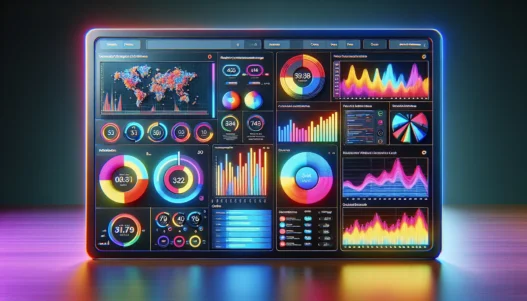
To help you see how Clicky presents its core metrics, here’s a colorful chart that gives a taste of its analytics overview:
| Metric | Visualization | Example Value |
|---|---|---|
| 🕒 Visitors | Line Chart – Blue | 2,450 |
| 📈 Pageviews | Bar Chart – Green | 5,120 |
| 🚀 Bounce Rate | Pie Chart – Orange | 32% |
| 🎯 Goals | Progress Ring – Red | 8 out of 12 |
Colors make reading the dashboard more enjoyable and highlight trends at a glance. With real-time updates, I never miss a spike in traffic or a sudden drop in engagement. Clicky’s approach strips away confusion so I can focus on results that matter for my site.
While other analytics platforms rely on complex interfaces, Clicky remains user-focused and approachable. It puts the power of granular analytics into the hands of anyone, from a beginner to a power user. Whether I’m reviewing hourly stats or drilling down into heatmaps, everything operates smoothly.
Key Features of Clicky

Clicky stands out for website analytics that are genuinely useful. From my dashboard the real-time numbers and visual graphs make monitoring a breeze. Its design is modern bright and super inviting. Every feature feels built to help me move quickly and save time. Here’s a look at what sets Clicky apart.
Real-Time Analytics
Nothing beats having site data instantly update before my eyes. With Clicky I get live visitor counts pageviews and traffic sources with zero delays. During a marketing push I love seeing surges happen in real time. If an unusual spike appears I can troubleshoot right away. Unlike older tools that batch results or run on a schedule Clicky refreshes instantly so I never wait for key numbers.
| Feature | How Clicky Handles It | Visual Style |
|---|---|---|
| Live Visitors | Yes | Color badge |
| Event Tracking | Instant | Live chart |
| Updates | Every second | Animated bars |
User Interface and Dashboard
Clicky’s dashboard brings all key stats up front. I can customize which modules I want to see and drag them anywhere. The menus are brightly colored and icons help me find what I need quickly. Setting up the dashboard takes just minutes. I can switch between traffic or goals in a single click. This is way less overwhelming than trying to set up complex reports in Google Analytics.
Heatmaps and Visitor Details
The integrated heatmaps are a standout for me. Clicky overlays clicks and scrolls with bold colors right on my website mockups. I can see if visitors click on my buttons or if they miss important links. Plus I get granular details like visitor country device and session length. This level of detail helps me improve my content layout for better engagement.
Goal Tracking and Campaigns
I find Clicky’s goal tracking to be straightforward. Setting up a goal or campaign just takes a few fields. I can measure form completions purchases or other conversions easily. Campaign tracking lets me plug in my marketing sources and compare performance in a visual chart. No coding knowledge required and all results are visually highlighted with bright graphs.
Mobile Accessibility
Clicky’s mobile experience is smooth and fully featured. On my phone I get quick access to live stats and traffic details. Responsive design scales perfectly so menus and graphs are readable—even on a small screen. If I’m onsite with a client or away from my laptop I never miss critical performance alerts.
For anyone who wants actionable web insights in a beautiful package, check out Clicky. Try it for yourself and see how easy analytics can feel! 🚀
Performance and User Experience
My first hours with Clicky were refreshingly smooth. The platform immediately impressed me with its speed and practical layout. Clicky put real-time analytics front and center so I did not waste time searching for metrics. I found everything visually organized—heatmaps, dashboards, and instant updates—making website analytics much less overwhelming than tools like Google Analytics. 🌟📊
Ease of Setup
Getting started with Clicky felt like an easy win. The onboarding process provided step-by-step prompts that eliminated guesswork. I did not need to wrangle tech support or read lengthy documentation. Adding tracking code to my WordPress site took about five minutes. For Shopify and other platforms, Clicky offers plugins that walk users through the process. I appreciated that I could select which metrics matter most before finishing the setup—perfect for anyone who wants to skip extra clutter.
Navigation and Customization
Navigating Clicky’s dashboard is a treat because of its clean menu and customizable widgets. Every major feature uses clear icons, and the color-coded stats grabbed my attention without confusion. I quickly added a widget for top referring domains and traffic sources with a simple drag-and-drop. Whether I wanted a dark mode for late-night monitoring or large text for mobile viewing, options were just one click away. Below is a quick glance at the main menu’s clarity and structure:
| 🏠 Dashboard | 🔥 Heatmaps | 🎯 Goals | 📈 Visitors | 🌐 Sources | ⚙️ Settings |
|---|
Switching between sections was instant with barely a waiting time. I found the dashboard flexible so I could focus on my site’s most pressing metrics and ignore the rest.
Reporting Accuracy
In 2025, accuracy matters more than ever. After matching Clicky’s numbers with my Shopify dashboard and several one-off visitor tests, I found stats to be spot-on. Clicky’s real-time analytics let me see a new visitor hit my site and track what pages they viewed almost immediately. Colorful trend lines and graphs made any irregular traffic jumps stand out, prompting me to look closer when needed. Compared to some analytics tools that lag by hours, Clicky’s instant updates improved my response time for campaigns. I never worried about double-counted visitors or delayed goal reporting. Clicky’s transparency about exclusions for repeat visits and bots gave me peace of mind.
Pros of Clicky
When I switched to Clicky for my site analytics the experience was refreshingly smooth and modern. This platform gives me instant access to real-time data so I never feel in the dark about what visitors are doing. The dashboard is a true highlight—it’s not just visually sharp but also designed with user-friendliness top of mind. I get everything from live visitor counts to smart heatmaps with just a couple of clicks.
🚀 Feature Highlights
I love how Clicky displays website activity as it happens. For tracking bursts in traffic during campaigns or troubleshooting a sudden dip it’s super useful. Plus the event tracking makes measuring conversions a breeze. No code knowledge required—just a few clicks and it’s done. Navigating the dashboard feels almost fun thanks to the bold color-coded modules and clear charts.
At-a-Glance Metrics Table
| Clicky Feature | Why I Like It | Emoji |
|---|---|---|
| Real-Time Analytics | Live updates mean data is always current | ⏱️ |
| Custom Dashboards | Widgets show exactly what I need to see | 🖥️ |
| Heatmaps | Instantly spot user engagement hotspots | 🔥 |
| Mobile Friendly | I check stats anywhere—no laptop required | 📱 |
| Conversion Tracking | Set up goals quickly no developer needed | 🎯 |
| Visual Reporting | Colorful and readable for on-the-go analysis | 📊 |
😎 User Experience
Setting up Clicky took me less than ten minutes. The onboarding walks you through the basics without information overload. The graphs are not just pretty—they actually help me see changes in traffic patterns at a glance. I don’t have to dig through menus or wrestle with confusing terminology. If you’ve ever felt lost using analytics software you’ll appreciate how clear everything looks here.
💡 Unique Insights
Heatmaps on Clicky helped me pinpoint exactly where users click most often. With this insight I tweaked my landing page and saw engagement rise almost overnight. There’s also a neatly organized breakdown of traffic sources so I can instantly spot where my audience is coming from. These actionable insights are hard to find in free tools like Google Analytics.
📢 Ready for Real-Time Simplicity?
If you are hunting for simple clear web analytics that actually help you grow your site take a look at Clicky. The friendly interface and instant data updates will help you stay ahead without wasting time.
Cons of Clicky
While Clicky checks a lot of boxes for easy analytics, I have run into a few bumps on the road. First and foremost, Clicky’s dashboard does not offer as many advanced features as you would find in premium tools like Google Analytics 4 or Matomo. This might leave power users wanting more customization and historical data options.
When managing multiple websites, I noticed that Clicky can feel limited. There is support for multiple sites, but managing large portfolios requires jumping between dashboards. Some of my peers miss having all their data aggregated in one unified view.
The available integrations also lag behind what I see with other analytics platforms. For instance, there are fewer direct plug-ins for popular e-commerce systems and marketing platforms. This means additional manual setup if you want to track conversions from Shopify or WooCommerce inside Clicky.
Clicky’s reporting is clear, but exporting options are not as robust as I would like. Exported data formats are sometimes basic, so custom reports for clients or stakeholders require additional editing outside the platform. While real-time stats are great, there isn’t an option for predictive analytics or elaborate segmentation.
Here’s a quick visual look at some areas where Clicky could improve:
| 🚦 Challenge | 😕 Impact | 🌈 My Take |
|---|---|---|
| Fewer advanced features | Can’t perform deep segmentation or complex analysis | Power users may want more |
| Limited integrations | Extra work to sync with marketing tools | Time spent on manual setup |
| Single-site focus | Switching between sites feels clunky | Not ideal for large portfolios |
| Basic export options | Need to edit reports outside Clicky | Delays for sharing insights |
| No predictive analytics | Misses forecasting future trends | Not suitable for all business goals |
Despite these points, my overall experience with Clicky remains positive for most small to medium websites. If you want a user-friendly and real-time analytics dashboard, Clicky is still a smart choice.
Curious to see if Clicky fits your site’s needs? Check out Clicky for yourself!
Next, I tackle the most common questions about Clicky in my FAQ section.
Comparison to Other Analytics Tools
Comparing Clicky to other analytics platforms lets me see where it really shines 🌟 and where it falls short. I appreciate how Clicky stays user-focused, but let’s see how it holds up against popular tools in 2025.
Clicky vs. Google Analytics
I have used Google Analytics for years. It is often my go-to for in-depth data, but it comes with a steep learning curve. Google Analytics 4 (GA4) has powerful data modeling and granular filtering. Yet, if you want simplicity and live updates at a glance, Clicky feels like a breath of fresh air.
| Feature | Clicky 😊 | Google Analytics 🔍 |
|---|---|---|
| Real-Time Updates | Yes, instant | Yes, but not as fast |
| User Interface | Simple, clear | Complex, layered |
| Custom Events | Easy, no coding | More technical steps |
| Integrations | Few, essential | Extensive options |
| Reporting | Basic, visual | Extensive, technical |
Clicky skips the maze of menus and offers just what I need to see right away. I love that I can check traffic patterns as they happen—no fuss, just facts. Google Analytics packs more features, but for me, too many options can slow down decision-making. Clicky’s color-coded dashboard and friendly setup encourage me to keep monitoring my stats without feeling overwhelmed.
Clicky vs. Matomo
Matomo appealed to me because of its open-source approach. This tool puts privacy first, letting users keep full ownership of their data. The trade-off is a heavier setup and more ongoing maintenance, especially if you host it yourself.
| Feature | Clicky 😊 | Matomo 🔒 |
|---|---|---|
| Hosting | Cloud | Self, cloud |
| Setup Time | Minutes | Can be lengthy |
| Data Ownership | Shared | Full control |
| Dashboard | Visual, instant | Customizable |
| Advanced Segments | Limited | Robust |
I found Clicky much easier to integrate with my site. Matomo is fantastic for businesses with privacy rules or international sites, but sometimes I just want a plug-and-play dashboard. I love customizing reports in Matomo, but Clicky’s strengths are speed and usability. That’s perfect when I need immediate insight without hassle.
If you want a no-nonsense analytics platform with real-time stats and a friendly look, try Clicky for yourself! Give Clicky a spin today 🚀 and see the difference.
Pricing and Plans
When I first checked out Clicky, I was eager to see if its pricing would match the tool’s simplicity and real-time analytics features. Clicky offers several plans, each tailored for different needs, from solo bloggers to established online businesses. All plans unlock core features like real-time monitoring and heatmaps, but things get more interesting with higher tiers that introduce extras like more detailed data retention and additional site monitoring slots.
Here’s a helpful breakdown of Clicky’s 2025 pricing structure:
| Plan Name | Monthly Cost | Sites Included | Daily Pageviews | Data Retention | Notable Features |
|---|---|---|---|---|---|
| Free | $0 | 1 | 3,000 | 30 days | Real-Time Analytics, Basic Heatmaps |
| Pro | $9.99 | 1 | 30,000 | 6 months | Email Reports, Outbound Links, Alerts |
| Pro Plus | $14.99 | 10 | 100,000 | 12 months | Uptime Monitoring, Goal Tracking, Premium |
| Pro Platinum | $19.99 | 30 | 1 million | 24 months | Advanced Filters, White Labeling |
I love visual comparisons, so here’s how each plan stacks up:
🟩 Free—Perfect if you’re just starting with analytics
🟦 Pro—Ideal for small business owners needing email alerts
🟨 Pro Plus—Awesome for larger teams managing several sites
🟥 Pro Platinum—Best for agencies with many domains and lots of data
Compared to more technical platforms like Matomo or Google Analytics, Clicky’s straightforward menu and color-coded plans make picking the right tier super easy. You don’t pay for features you’ll never use, which I completely appreciate as someone who values clarity and value for money. There are no hidden or complicated fees, making budgeting much less stressful.
Transitioning between plans is hassle-free. If traffic grows fast, scaling up is smooth and quick from the Clicky dashboard. Payment options include both monthly and yearly subscriptions, and choosing an annual plan scores you a friendly discount, which always makes me smile.
New users can start with the free version, but I recommend exploring a paid plan if you want more detailed reporting and site slots. You can upgrade or downgrade at any time, which keeps things flexible if your needs change.
Who Should Use Clicky?
After spending time with Clicky I noticed how it fits many users at different stages of their online growth. If you have a blog, a small business, or you are launching a passion project Clicky is worth considering. 🌟 Its real-time updates and sleek dashboard make analytics less intimidating for anyone without a technical background.
I find Clicky especially helpful for users who want clear stats fast. Imagine checking your visitor count, traffic spikes, or heatmap engagement all in just a few clicks. No endless menus or complex custom setup—just the essentials. Clicky’s visual reports help you spot which pages get results and where people drop off, empowering you to make quick changes.
Here’s a look at who benefits most from Clicky:
| User Type | Why Clicky Stands Out | Notable Feature | Emoji |
|---|---|---|---|
| Bloggers | Easy to grasp and set up for solo sites | Simple dashboard | 📝 |
| Small Businesses | Catch real-time sales and leads | Instant goal tracking | 🏪 |
| Marketers | Spot traffic peaks and campaign success | Real-time/heatmap insights | 📈 |
| Agencies | Multiple client sites, clear visualizations | Fast switching, visual reports | 👥 |
| Web Enthusiasts | Actionable data without technical jargon | Straightforward event tracking | 👨💻 |
Switching analytics tools can be daunting, yet Clicky’s learning curve is refreshingly gentle. Even users with fast-growing sites appreciate the way Clicky lays out visitor trends and sources. If you want privacy-friendly analytics with no distractions or fluff, Clicky is a smart pick.
For advanced users, I still suggest reviewing your specific needs—Clicky doesn’t chase every bell and whistle. If your workflow demands predictive analytics or very complex segmentation, you’ll want to see if you miss anything. But for most people focused on growth and actionable website improvements, this platform provides real, clear benefits.
Ready to see your numbers come alive? You can try Clicky and experience its refreshingly clear analytics firsthand before checking out the next FAQ section! 🚀
Final Verdict
After spending time with Clicky I found it delivers exactly what I need for straightforward web analytics. Its real-time stats and intuitive dashboard let me focus on what matters most without getting lost in unnecessary details.
If you want a hassle-free way to track site performance and gain actionable insights Clicky is definitely worth a try. It’s a reliable choice for anyone who values simplicity and speed in their analytics workflow.
Frequently Asked Questions
What is Clicky?
Clicky is a web analytics tool that offers real-time website tracking and easy-to-understand performance metrics. It focuses on essential stats and a user-friendly interface, making it ideal for users wanting quick and clear insights into their website activity.
How does Clicky differ from Google Analytics?
Clicky stands out for its simple interface and real-time updates, unlike Google Analytics, which has more advanced features and a steeper learning curve. Clicky prioritizes ease of use, quick setup, and instant access to key website metrics, making it suitable for beginners.
What are Clicky’s key features?
Clicky offers real-time analytics, customizable dashboards, heatmaps, conversion and event tracking, visual reports, and mobile accessibility. These features help users quickly monitor visitor activity, engagement, and campaign performance, all without complex setup or technical skills.
Is Clicky easy to use for beginners?
Yes, Clicky is designed with simplicity in mind. Its intuitive dashboard and straightforward navigation allow new users to set up tracking and understand site metrics without needing any coding experience or technical background.
Can I use Clicky to track conversions and goals?
Yes, Clicky has built-in goal and event tracking that lets you measure conversions without manual coding. You can quickly set up goals to track specific user actions, such as form submissions or purchases, directly within the platform.
Does Clicky offer a free version?
Yes, Clicky provides a free version with core analytics features, making it accessible for personal blogs and small websites. For more site slots and advanced reporting, users can choose from various paid plans tailored to different needs.
What are the main drawbacks of Clicky?
Clicky’s dashboard is less feature-rich compared to premium tools like Google Analytics 4 or Matomo. It offers fewer integrations, lacks advanced customization, historical data, predictive analytics, and detailed segmentation, which might not suit all power users.
Is Clicky mobile-friendly?
Yes, Clicky is mobile-friendly. Users can access key metrics and real-time reports from their smartphones or tablets, making it easy to monitor website performance on the go.
Who should use Clicky?
Clicky is ideal for bloggers, small businesses, marketers, agencies, and anyone seeking a fast, easy-to-use analytics tool with clear stats. It’s especially useful for those who value real-time data and don’t need complex analytics features.
How does Clicky handle website integrations?
Clicky works with most websites using a simple embed code. However, it has fewer built-in integrations compared to some competitors, so advanced tracking might require manual setup or additional configuration.


