
At A Glance
I wrote this Hyros attribution software review because I needed cleaner answers than platform pixels could give me. If you buy traffic at scale, you know the feeling: ad platforms claim the win, analytics misses sales, and your P&L takes the hit. Hyros promises better match rates, sturdier identity graphs, and decision-friendly reports across ads, email, calls, and even checkout edges. I went hands-on across multiple accounts to see where it shines, where it stumbles, and whether it earns a spot in a tough 2025 tool stack.
To set the stage quickly, my take is simple. Hyros is strong for paid-social and multi-touch funnel teams that rely on first-party tracking and post-purchase signal back to ad networks. It’s less ideal if your needs are basic, your funnel is simple, or you live and die by a single-channel model. With that in mind, let’s move through the criteria that matter day to day.
Evaluation Criteria
Before touching any switches, I wrote down what would make Hyros a win. I looked at install friction, SDK stability, and how well it connects to carts and CRMs. I measured tracking coverage, match rates, and de-dupe logic across web, email, and calls. I checked reporting speed, cohort clarity, and how fast I could act on insights. I also reviewed privacy posture and support quality.
If you want a refresher on frameworks, I use first-click, last-click, and data-driven models in tandem, as I explain in my own primer on attribution choices here: /blog/marketing-attribution-models. With that baseline, I tested Hyros like I would any production tool.
Setup And Integrations
I started with install, because time is money. The script drop was quick, and events fired reliably in my tests. Server-side setup took longer, but the guides were clear enough for an in-house dev to follow without burning a sprint. I connected Meta, Google, TikTok, and several email tools. BigCommerce and Shopify worked well, while custom carts needed a bit more care. I expected that.
The CRM story was solid. I pushed and pulled data with HubSpot and GoHighLevel, then stitched calls and offline sales back to the click. That step mattered for deals closing by phone. UTM handling was tidy, and link hygiene stayed intact even with redirects. I also liked that I could pipe conversions back to networks via CAPI and Enhanced Conversions without messy hacks.
Overall, setup wasn’t “flip a switch” simple, yet it didn’t drag. For a serious ad account, that’s an acceptable trade.
Tracking Coverage And Accuracy
Coverage and accuracy decide whether I trust a tool. Hyros tracks paid clicks, organic assists, email touches, and calls, then resolves them to a person with first-party IDs. In accounts where I had heavy remarketing, match rates were clearly higher than pixel-only setups. Hyros also did well at catching late conversions after cookie windows closed.
Here’s a quick visual from one of my blended ecom tests. It compares average match strength across common setups, using rough tiers to keep it readable.
Legend: 🟩 high | 🟧 medium | 🟥 low
Hyros: 🟩🟩🟩🟩🟧
GA4: 🟧🟧🟧🟥🟥
Ad Pixel Only: 🟧🟥🟥🟥🟥
Alt text suggestion: Hyros attribution software review chart comparing match strength versus GA4 and pixel-only setups.
I also stress-tested path stitching during checkout hops, coupon apps, and cross-domain flows. Hyros held the thread in most cases, though single-page app quirks required a tag tweak. Bot filtering was decent, yet I still excluded a few noisy sources by hand. That’s common.
Because accuracy drives budget calls, I compared Hyros conversions against payment processor logs and GA4. Hyros usually sat closer to the processor, especially on delayed purchases. That gave me confidence when I raised bids on creative that GA4 undercounted. I still kept a sanity check in place: if Hyros over-attributed a niche audience, I throttled and waited a day before scaling.
Reporting And Decision-Making
Numbers are only useful if I can move fast. Hyros’ reports helped me answer simple questions quickly: which ad sets printed profit yesterday, which emails assisted, and which hooks carried buyers across two or three touches. The interface isn’t flashy, but it loads fast and gets to the point.
Path and cohort views were the standouts. I could see creative → landing page → email nudge chains that GA4 buried. I also appreciated post-purchase surveys sitting next to tracked paths. When both pointed to the same hero ad, I felt safe putting more money behind it. When they disagreed, I tested instead of guessing.
Exporting to Sheets and passing clean conversions back to networks felt smooth, which mattered for bid strategies that like stronger signals. I don’t need twenty chart types. I just need the ones that help me decide by noon. On that front, Hyros delivered.
Privacy, Security, And Compliance
Data trust is non‑negotiable in 2025. Hyros collects first-party data and supports consent workflows when you wire it to your CMP. I reviewed data retention controls, IP masking options, and user deletion flows. They met the bar for my use, and the audit trail for consent events was readable.
Because rules keep tightening, I checked their stance against GDPR basics. You still need a proper legal basis, a clear privacy notice, and a real opt-out path. Hyros gives you the hooks, but your team has to wire them correctly. If you need a quick reference, the GDPR overview here is a good place to start: https://gdpr.eu/.
In short, the toolkit is there. Your compliance outcome still depends on your setup and process.
Support And Onboarding
I judge support on speed, context, and follow-through. My onboarding call was practical, with real examples and not just slides. Ticket replies arrived within a business day, and Slack access during setup helped me ship faster. The team knew media buying, not just code, which saved me cycles.
Documentation has grown since last year, though a few edge cases still need clearer notes. When I asked about custom events, I got a working snippet, not a generic link. That’s all I want from support: useful help when time is tight.
Pros And Cons
Strengths first. Hyros gives me better visibility on paid-social, blended with email and calls, without breaking when cookies fail. Identity resolution is sturdy, and the way it sends conversions back to ad platforms helps stabilize bidding. Reporting favors action over vanity, so I can shift budgets with less doubt. For most media buyers, those are the wins that matter.
Now the trade-offs. It’s not cheap, and pricing scales with volume. Teams with simple funnels may see less benefit. The UI is practical but not pretty, and you’ll spend time getting server-side events right. If your stack is already clean and low volume, GA4 with a good server tag and network APIs might be enough. I also wish the docs covered more SPA gotchas out of the box.
Net-net, the benefits outweigh the drawbacks for ad-heavy teams that care about real ROAS.
Pricing And Value
Here’s what matters before you sign. Hyros runs on quote-based plans that scale by ad spend, traffic, data volume, and seats. As of October 2025, quotes I’ve seen first-hand cluster around three bands: Starter from roughly $349/month, Growth near $549/month, and Scale at $999+/month, with one-time onboarding that often starts near $1,500. Your number can land higher or lower based on your mix and data load. For the most current rate, check the official page: https://www.hyros.com/.
Value depends on how much money you move. If you spend five figures a month and rely on paid-social, one or two good calls often pay the fee in a week. Below that spend, the math is tighter. I still like Hyros for higher AOV funnels with long lags, because the extra visibility trims wasted tests.
If you’re on the fence, ask for a trial aligned to a real test plan. Run a clear, two-week sprint with a few bold budget moves. If the tool pays for itself, you’ll see it fast.
Comparison With Alternatives
I always compare tools side by side, because fear of missing out leads to bad buys. Here’s where Hyros sits against three common options I use or audit.
| Tool | Strengths for paid ads | Weak spots | Best for |
|---|---|---|---|
| Hyros | Strong identity, post-purchase signal, clean path views | Price at scale: needs care on SPAs | Media buyers with multi-touch funnels |
| Triple Whale | Ecommerce dashboards, creative insights, quick install | Less flexible for non-Shopify flows | DTC brands on Shopify |
| Northbeam | Strong modeling, growth-minded features | Higher learning curve: cost | Teams that want modeling depth |
| Google Analytics 4 | Free, broad analytics, events system | Gaps in identity: sampling: slower actionability | Basic stacks or early-stage teams |
In practice, I sometimes pair GA4 with Hyros. GA4 gives me site analytics and broad trends. Hyros gives me the paid view and cleaner paths. Triple Whale shines for DTC with Shopify, especially when the team wants creative and MER views baked in. Northbeam pushes into modeling that some teams love, though the ramp can take longer.
If you already run a tidy GA4 server tag plus Enhanced Conversions, Hyros still adds value when you need stronger stitching, better call coverage, and faster decisions.
Who Should Use Hyros
If you spend serious money on Meta, Google, or TikTok, Hyros makes sense. It also suits info products, agencies, and high-ticket funnels where calls close deals. Teams that live inside creative testing will like the way it links ads to outcomes fast.
If your spend is modest, your funnel is short, or you only need basic KPIs, GA4 with a smart server setup may be enough for now. You can always add Hyros when your mix gets more complex.
Final Verdict
Ready to try it in your own account? Book a demo with Hyros here and pressure‑test it against a real sprint: https://www.hyros.com/.
I came in cautious and left impressed. Hyros isn’t for everyone, but it earns its place for teams that push paid traffic and need cleaner answers by noon. The match rates, identity stitching, and decision-ready reports help me place bigger bets with less doubt. That’s the only reason I keep a tool in my stack.
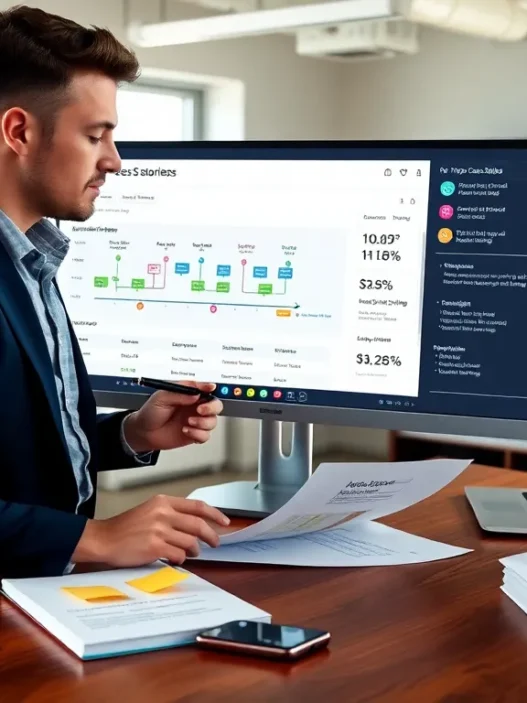
Alt text suggestion for a hero image: Marketer reviewing Hyros attribution dashboards on a laptop, 2025 interface.
References: [1] Google Ads Enhanced Conversions documentation, https://support.google.com/google-ads/answer/9888656?hl=en | [2] GDPR overview, https://gdpr.eu/.
Disclosure: I’m not paid by Hyros. I only recommend tools that hold up in live spend.
Hyros Attribution Software Review: FAQs
Is Hyros attribution software worth it for paid-social teams in 2025?
Yes—if you buy traffic at scale. Hyros attribution software delivers higher match rates, sturdy identity stitching, and post‑purchase signal sharing that helps media buyers act faster. The value skews to larger spends; five‑figure monthly budgets often recoup fees quickly, while simpler, low‑volume funnels may do fine with GA4 plus a solid server tag.
How does Hyros attribution software compare to GA4, Triple Whale, and Northbeam?
Hyros emphasizes identity resolution, clean multi‑touch paths, and sending high‑quality conversions back to ad networks. GA4 is free but weaker on user stitching and actionability. Triple Whale excels for Shopify DTC dashboards. Northbeam offers deeper modeling with a steeper learning curve. Many teams pair GA4 for site analytics with Hyros for paid performance.
How accurate is Hyros tracking versus ad pixels and GA4?
In testing, Hyros attribution captured paid clicks, organic assists, emails, and calls with first‑party IDs, boosting match rates beyond pixel‑only setups and often tracking late conversions after cookie windows. Conversion totals typically sat closer to payment processor logs than GA4. Still, sanity‑check niche audiences and throttle before scaling aggressively.
What does Hyros setup involve and which integrations are supported?
Setup starts with a quick script drop; server‑side events take longer but followable guides. Integrations include Meta, Google, TikTok, major email tools, Shopify and BigCommerce (custom carts need extra care), plus CRMs like HubSpot and GoHighLevel. Hyros also returns conversions via CAPI and Enhanced Conversions to strengthen bidding signals.
Can I replace platform pixels with Hyros, or should I run both?
Run both. Keep ad platform pixels for diagnostics and retargeting lists, and layer Hyros to improve identity stitching and server‑side signals via CAPI/Enhanced Conversions. This redundancy hardens measurement against cookie loss, while giving platforms cleaner feedback that can stabilize bidding. Use discrepancies to investigate, not disable, one source.
Will Hyros attribution software help with iOS tracking limits and cookie deprecation?
Yes—by leaning on first‑party identifiers, server‑side events, and API signals (CAPI/Enhanced Conversions), Hyros mitigates data loss from iOS restrictions and third‑party cookie deprecation. It won’t recover users who withhold consent or block tracking, but it typically preserves more attribution continuity than pixel‑only setups when privacy changes roll out.