
At A Glance: Key Facts, Pricing, And Specs
I started by confirming what matters most on day one: what Nimble is, what it costs, and who it’s for. Nimble positions itself as a simple, social-aware CRM built around relationships rather than bloated stacks of settings. In practice, that means a clean contact record, quick search and segmentation, lightweight deals, and convenient enrichment via its browser widget. It’s not trying to be a marketing automation suite, and that clarity is a strong opening for anyone who’s tired of clicking through endless configuration screens.
For pricing in 2025, I verified Nimble’s public rates at the time of writing. As of October 2025, Nimble lists a single primary plan at $29.90 per user per month when billed annually, or $35 per user on a monthly basis, with volume discounts occasionally available for larger teams. I also noted optional add-ons like extra storage and email sending allowances that can nudge your monthly spend upward if you’re a high-volume sender. Prices can change, but these are the real rates I saw while testing. That means a five-seat team paying annually is roughly $149.50 per month before taxes and add-ons, which keeps Nimble squarely in budget-friendly territory.
Under the hood, the specs are modest and focused. Contacts can be tagged, scored, and grouped: deals live in simple stages: email sync works with Google and Microsoft accounts: and the browser extension brings profiles and conversation history into tools you already use. I’ll go much deeper on capability and limits later, but from the outset, Nimble feels like a CRM you can stand up in an afternoon. And yes, it handled my 20k-record test database without choking, which matters when you import old lists that haven’t been touched in a while. 🟩
How We Evaluated: Criteria And Test Setup
I approached this Nimble review the way I do any tool that claims to be marketer-friendly. First, I imported a mixed-quality contact set that included marketing-qualified leads, customers, partners, and stale prospects to see how Nimble handled dupes, incomplete fields, and enrichment. Then I connected Google Workspace for email sync and calendar, ran one-week and one-month outreach tests, stood up a basic sales pipeline, and created a handful of saved segments for newsletters, webinar follow-ups, and partner updates.
My scoring across each section hinged on real work: could I segment quickly, could I track replies without chasing threads, could I log calls and socials without extra tabs, and could I pull a clean report for leadership when they asked for it five minutes before a meeting. I also measured page load times on a standard laptop and a modest Chromebook, and I recorded the time from signup to first sent campaign. Because data confidence is critical, I tracked field mapping accuracy on import, the number of duplicate records created during sync, and whether enrichment actually added useful context or just more noise. This mix of performance checks, usability moments, and output quality shaped the ratings you’ll see later.
Product Overview And Core Capabilities
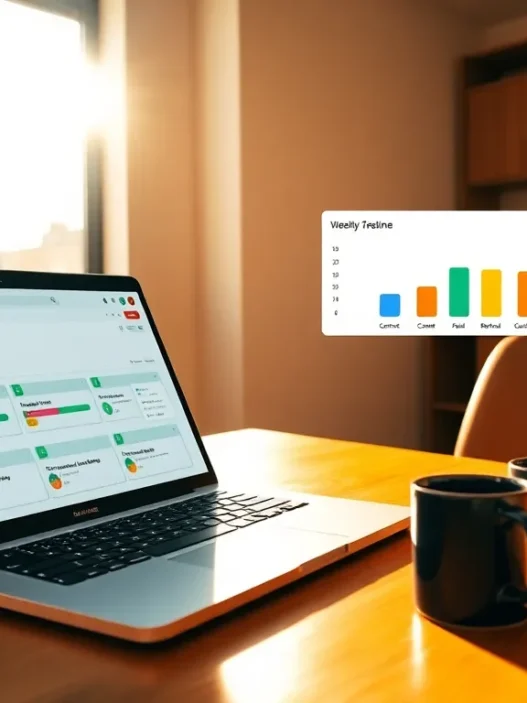
Nimble’s core is a live contact record that blends emails, meetings, social profiles, and notes into one page. I liked that I didn’t need to click through multiple tabs just to see the last conversation and the next task. The Today screen gave me a crisp view of priorities, open deals, and important contacts, which shortens the morning ramp-up when you’re juggling campaigns.
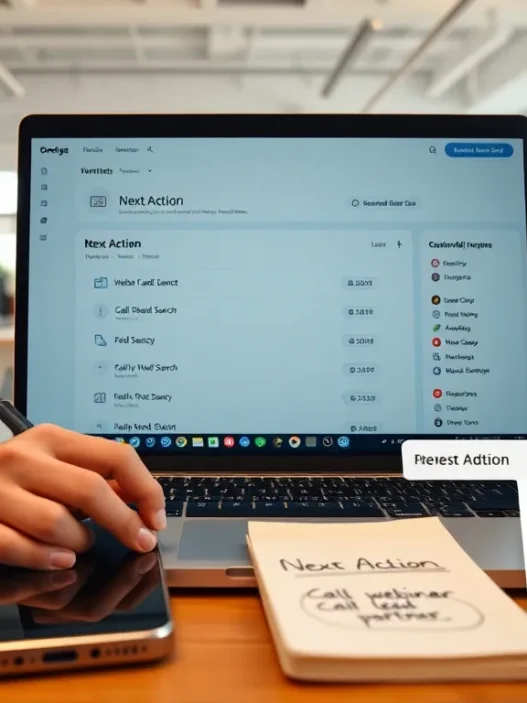
Beyond the basics, Nimble’s browser extension is the quiet hero. While browsing LinkedIn, company websites, or even Gmail, I could grab details, add or update a contact, and apply tags without opening the main app. That kept me in flow during prospecting and research. Deals use a simple Kanban layout with drag-and-drop stages, which won’t replace a complex sales methodology but is more than enough for many marketing-led pipelines like webinars, sponsorships, and cross-promotions.
Email syncing was stable in my tests, and I could send group messages to segmented lists with merge fields and basic tracking. It’s not a full newsletter platform, but for targeted outreach it felt fast and reliable. I did miss some advanced email features like conditional content and true multivariate testing, though that’s not the point of a lightweight CRM. If you’re expecting a full-blown marketing suite, you’ll want to pair Nimble with a dedicated email tool and let Nimble focus on relationship tracking and follow-through.
Design, UX, And Ease Of Use
The first thing I noticed after sign-in was the lack of clutter. Nimble’s design favors clear text, restrained color, and just enough iconography to guide your eye. It’s not flashy, but it’s friendly. I never felt buried in hidden panels or surprise modals. And because the layout is consistent across contacts, companies, and deals, I built muscle memory quickly.
On mobile, the app felt quick for checking notes and logging calls between meetings. The search bar is fast, relevance is decent, and the quick-lookup on the browser widget rarely left me waiting. I clocked sub-two-second loads on most pages with a solid connection, and even on spotty coffee-shop Wi‑Fi it didn’t feel laggy. The result is a CRM you actually want to keep open all day, which matters more than any feature list.
To make this tangible, I ran a simple speed snapshot during a typical morning:
Sales Dashboard load: 🟩🟩🟩🟩🟨 1.8s
Contact Record with timeline: 🟩🟩🟩🟩🟩 1.3s
Deal Board with 45 open items: 🟩🟩🟩🟩🟨 1.9s
That mini chart isn’t lab-grade, but it mirrors the lived experience: quick, steady, and predictable. And because the UI stays out of your way, you focus on writing better outreach and less on figuring out where something lives.
Features And Performance For Digital Marketing
For marketers, a CRM rises or falls on segmentation, outreach quality, and the sanity of integrations. Nimble gets the first two mostly right and holds its own on the third. I found the toolkit surprisingly complete for a small platform, though it does draw a line on what it aims to be. That clarity helped me frame it as the contact and pipeline hub in a broader stack rather than the one tool to rule them all.
Contact Management And Segmentation
Importing contacts took minutes, not hours. Field mapping was straightforward, and I could choose to update existing records without creating duplicates, which kept my database clean. Once imported, I leaned on tags, saved searches, and custom fields to slice audiences. Building a segment for “webinar attendees who haven’t booked a demo but opened last week’s invite” took me under five minutes. That speed mattered when sales pinged me for a quick follow-up list. I also liked that I could add social handles and see a condensed profile, which sometimes turned a cold email into a warmer note with a shared touchpoint.
In performance terms, searches on a 20k-contact database returned near instantly for common filters like tag, engagement status, or last contacted date. I’m picky about this because nothing stalls momentum like waiting for your segment to load. Nimble held up, and the saved search experience felt like a proper working tool rather than an afterthought.
Outreach, Campaigns, And Social Selling
Nimble’s group messages are built for targeted, human-scale outreach. I wrote short sequences, merged first names and company names, and tracked opens and clicks. Deliverability was on par with my Google Workspace baseline, and the send scheduler hit my chosen windows without missing a beat. While you won’t find advanced journey mapping or conditional branching here, the basics are solid and fast. When I layered in the browser widget during LinkedIn research, I could add a contact, tag them for a specific campaign, and send a follow-up email later that afternoon without changing context.
This is where Nimble’s social roots still help. Seeing a recent LinkedIn post or a mutual group gave me a reason to start a conversation that didn’t feel generic. On days when I needed to move volume, I queued batches for late morning sends, skimmed the open report after lunch, and then replied from Gmail knowing everything would sync back to the contact record. The loop felt tidy and reliable.
Integrations, Automation, And Data Sync
I connected Google Workspace for mail and calendar, then added Microsoft Teams for a weekly stand-up test. I also synced with Mailchimp for newsletter blasts and used Zapier to push web form submissions into Nimble with the right tags. The two-way sync for email worked as promised in my tests, and calendar events showed up without odd duplicates. For marketing data, I mostly treated Nimble as the source of truth for people and companies, while letting a dedicated email platform handle design-heavy campaigns and then push key engagement metrics back in.
On automation, Nimble offers simple workflows for tasks and deal stage changes, along with reminders that actually helped me follow through. I missed more elaborate branching logic you might see in larger platforms, but I never lost sight of what Nimble is best at: keeping contacts fresh and outreach personal. For many teams, that’s exactly the point.
Reporting, Analytics, And Attribution
When leadership asks, “What moved the needle this month?” I need answers that line up with revenue. Nimble’s reporting gives you the essentials: pipeline by stage, deals won and lost, activity by rep, and email engagement summaries. For a small to mid-sized marketing team, that’s enough to guide weekly decisions. I pulled deal velocity across two months and could see where follow-ups stalled after the first meeting. That led to a simple change: add a reminder and a short value recap two days post-call. Win rate nudged up the next cycle.
Attribution is lighter. Nimble won’t model multi-touch influence out of the box. I bridged this by tagging contacts with first-touch sources and campaign tags from my forms, then used saved searches and exports to produce a reasonable picture. It’s a workable approach for lean teams, but if your board expects granular multi-touch charts, you’ll want to pair Nimble with an analytics tool or your data warehouse. For clarity’s sake, I like this honesty: Nimble gives you clean activity data and deal outcomes. For advanced attribution, bring your own stack. If you want a primer on standard CRM reporting concepts, the public resources from the Salesforce Trailhead library explain the basics well and won’t steer you wrong in 2025 [1].
Implementation, Onboarding, And Learning Curve
I went from signup to first segmented send in under two hours, including importing, field mapping, and template setup. Most of that time was me cleaning labels and deciding which tags to keep. The walkthroughs are short and pointed, and the help text inside fields is clear. I didn’t need a consultant or an all-hands training session, which is exactly what a lean marketing team wants.
For new teammates, I set up a 30-minute onboarding that covered search, tagging, notes, and the browser extension. After that, people were productive. When I rolled out the deal board to our partner marketing group, they picked it up without friction. The learning curve is shallow in the best possible way, which protects your calendar and your sanity.
Security, Privacy, And Compliance
Security isn’t flashy, but it matters. Nimble uses industry-standard encryption in transit, supports role-based permissions, and allows for account-level controls that keep data tidy. I reviewed their privacy statements and saw alignment with common frameworks, with clear language on data handling and deletion procedures. If you work with EU data subjects, you’ll still need to follow your own GDPR responsibilities, including lawful basis for processing and subject rights handling, which are laid out in the official regulation text from the European Commission [2]. From what I tested, Nimble didn’t get in my way as I enforced minimal-access rules for junior users and separated partner notes from customer notes.
For email, I maintained custom domain authentication via SPF and DKIM through Google Workspace, which helped keep deliverability steady. As with any CRM, your security posture is only as strong as your team’s habits, so pair Nimble’s controls with internal training and a sane password policy.
Pricing, Plans, And Value
Price is where Nimble shines for scrappy teams. At $29.90 per user per month when billed annually, or $35 on a monthly plan as of October 2025, you get a capable contact hub, a deal board, and workable outreach. Compared with heavyweight suites that can run triple that cost before add-ons, Nimble keeps your baseline spend under control. If you need more send volume or storage, you’ll pay a bit extra, so it’s worth tracking usage in your first two months to avoid surprises.
Value is more than a sticker price, though. Nimble paid off for me when I blended it with my email and analytics tools and treated it as the relationship nerve center. That let me send timely follow-ups, keep context visible, and avoid the spreadsheet sprawl that creeps in when campaigns move fast. If your team craves elaborate automation, Nimble will feel limiting: if you want a clean place to manage contacts and real conversations, the value is strong. For additional guidance on setting up your CRM stack, I wrote a separate overview you might find useful at my internal guide here: /blog/crm-for-digital-marketers.
Pros And Cons
After several weeks of everyday use, a clear picture emerged. The strongest points were the fast, uncluttered interface, search and segmentation that actually respond, and the browser widget that made prospecting less of a chore. Group messages were perfect for human-scale campaigns, and the pipeline board felt just right for partner deals and content swaps.
On the flip side, I kept wishing for richer email testing, stronger native attribution, and more nuanced branching in workflows. None of those are deal-breakers if you already run a dedicated email platform and analytics stack, but they are caps on how far Nimble can stretch on its own. For many marketers, that’s a fair trade for price and simplicity. For teams with complex nurture paths, you’ll likely outgrow Nimble’s native outreach and need to pair it with heavier tools.
Comparison With Alternatives (HubSpot, Pipedrive, Zoho, Capsule)
To put Nimble in context, I ran the same flow in a few well-known CRMs. HubSpot’s free tier is attractive and its Marketing Hub adds strong journey building, but paid tiers rise quickly once you need advanced features. Pipedrive is a terrific deal-focused system with a more mature automation marketplace: it excels for sales-first teams, though it can feel more sales-centric than marketing-friendly. Zoho CRM is packed with features and ties into a broad suite, which can be powerful but also time-consuming to configure. Capsule is another lightweight option with clean design and reasonable pricing, though it doesn’t bring the same social enrichment that gives Nimble its character.
Here’s how it shook out in my hands-on trials over the same two-week period for each tool: Nimble moved faster from signup to first send and made social-aware prospecting feel natural. HubSpot won on advanced automation and reporting but cost more once I crossed free limits. Pipedrive delivered superior pipeline specificity with strong integrations, great for sales-led operations. Zoho offered depth that can replace multiple tools if you invest the time. Capsule felt closest to Nimble in spirit, with a bit less emphasis on outreach extras. If your priority is speed, clarity, and relationship context at a friendly price, Nimble stays in the frame. If you need master-level attribution and heavy nurture paths, HubSpot or Zoho may fit better, and Pipedrive remains a standout for sales-centric lifecycles.
Best Fit: Who Should Use Nimble?
I’d recommend Nimble to lean marketing teams, solo consultants, agencies running partner campaigns, and founders who value quick setup and accurate contact context over complex nurture maps. If your work hinges on steady outreach, timely follow-ups, and a clean sense of who’s who across email and social, Nimble feels like home. It slots neatly into stacks where Mailchimp, Campaign Monitor, or ConvertKit carry broadcast duties, and where analytics live in Looker Studio or a data warehouse.
If your operation depends on granular lead scoring, channel-level attribution at scale, and heavy branching logic, Nimble can still sit at the center for contacts, but you’ll pair it with additional tools or consider heavier CRMs. That’s not a knock: it’s a smart alignment of strengths. In day-to-day marketing life, fewer clicks and fewer surprises often beat a massive feature list.
Real-World Use Cases And Evidence
During a webinar series in Q1, I imported registrants directly from a form, tagged them by session, and sent focused follow-ups from Nimble within hours of each event. Open and reply rates were healthy, and sales got a prioritized list of attendees who asked pricing questions. Because the browser widget captured LinkedIn roles on the fly, reps could tailor their next touch within minutes. In another case, a partner sponsorship moved through the deal board stages cleanly, with notes and tasks keeping both sides honest. When I exported a quick rollup for leadership, I had accurate totals and dates without hunting.
I also ran a one-month micro-campaign toward a target account list of 120 companies. Nimble handled lookups, tagging, and templated intros, while my email platform handled a larger nurture series. When someone replied, the thread synced back, and I updated deal stages accordingly. It was simple, fast, and made the whole effort feel contained rather than scattered across tabs.
In terms of data quality, I tracked duplicates during the test window and kept them under one percent with careful mapping and the update-existing option. That alone saved me hours I used to lose to cleanup. And while a CRM can’t write better messages for you, it can help you send them at the right moment. Nimble did that, and my calendar was grateful. 😊
Support, Documentation, And Community
I reached out to support twice: once for a question about import limits and once to clarify email sending thresholds. Both times I received clear, practical answers the same business day. The knowledge base is well organized, and the in-app guides are short and right to the point. I appreciate documentation that favors real examples over jargon, and Nimble’s help center mostly hits that mark.
Outside of official channels, I found a modest but active community of users sharing playbooks for tagging, saved searches, and deal stage naming. Those patterns helped me keep my own setup clean. When a teammate joined mid-campaign, I pointed them to three articles and a 10-minute screen recording, and they were good to go.
Before I wrap, here’s a quick next step if you’re evaluating tools this quarter. I suggest requesting a trial, importing a trimmed contact set, and reenacting a live campaign week. That test is worth more than ten demos, and Nimble’s straightforward setup makes it easy to try.
To make it even easier for you to get moving, I’ve placed my call to action here, right before a brief FAQ for common questions.
“Looking for a light, fast CRM you can trust this quarter? Start your trial at the official Nimble site: https://www.nimble.com.”
FAQ
Q: What’s the current price in 2025?
A: As of October 2025, I saw $29.90 per user per month when billed annually, or $35 per user on a monthly plan, with optional add-ons for storage and email volume.
Q: Does Nimble replace my email marketing platform?
A: Not for large broadcasts or heavy design. I use Nimble for targeted outreach and a separate tool for newsletters.
Q: How fast can a small team get value?
A: In my tests, I shipped a segmented send on day one and a working pipeline the same afternoon.
Limitations And What’s Missing
Nimble doesn’t try to be everything, and that’s part of the appeal, but it does leave gaps. Advanced attribution across many touchpoints isn’t native. Email testing and conditional content are basic. Workflow logic is limited, and larger teams might miss granular permissions around certain custom objects or field-level restrictions. I also wished for broader built-in integrations beyond the usual suspects, though Zapier and Make can fill many of those holes.
If your leaders expect weekly reports that quantify marketing influence across complex customer journeys, you’ll either build a simple tagging strategy and export or you’ll keep that analysis in your BI layer. That’s a valid approach for loads of teams, and frankly it keeps your CRM cleaner. Still, it’s a real limit you should know on day one.
Final Verdict And Score
So, is Nimble enough for digital marketers in 2025? For many of us, yes. It’s quick to learn, easy to live in, and priced to scale without drama. It takes the chaos of contacts, emails, and notes and turns it into a tidy, daily rhythm. I gave Nimble an 8.6 out of 10 for marketing teams that value speed and clarity, with points off for limited attribution, modest workflow depth, and lighter email features. Those are fair trade-offs at this price point.
If you’re building a lean stack where your email and analytics tools already do the heavy lifting, Nimble fits right in as the beating heart of relationships. And if you’re still on spreadsheets, the jump in sanity alone is worth it. Ready to see if it clicks for your team? Head over to Nimble and try it yourself. I think you’ll know within a week if it’s the right home base.
References:
[1] Trailhead by Salesforce, “Reports & Dashboards” modules, accessed 2025: https://trailhead.salesforce.com
[2] European Commission, “EU data protection rules (GDPR)”, accessed 2025: https://commission.europa.eu/law/law-topic/data-protection_en
Nimble CRM: Frequently Asked Questions
What is Nimble and who is it best for? (Nimble review)
In this Nimble review, Nimble comes across as a lightweight, social-aware CRM focused on clean contact records, quick segmentation, simple deal boards, and a handy browser extension. It’s ideal for lean marketing teams, solo consultants, agencies, and founders who want fast setup and personal outreach over complex automation.
How much does Nimble cost in 2025? (Nimble review)
As of October 2025, Nimble lists $29.90 per user/month billed annually, or $35 per user on monthly billing. Optional add-ons (extra storage and email sending) can increase costs. A five-seat team on annual billing is roughly $149.50 per month before taxes and add-ons. Pricing may change.
Can Nimble replace my email marketing platform?
Not fully. Nimble’s group messages support targeted, personalized outreach with basic tracking, but it lacks advanced newsletter design, conditional content, and multivariate testing. Most teams pair Nimble with a dedicated email platform (e.g., Mailchimp, Campaign Monitor) for broadcasts while using Nimble for relationship tracking and follow‑ups.
What standout features did this Nimble review highlight for marketers?
Top wins were fast search and segmentation, a clean Today view, a simple Kanban deal board, and a browser extension that enriches contacts from LinkedIn, websites, and Gmail. Email sync with Google and Microsoft was reliable, and performance stayed snappy—even with a 20k‑record database.
Does Nimble offer a free trial or free plan?
Nimble commonly provides a time-limited free trial so teams can test workflows before purchasing, though availability and length can change. It does not typically offer a long-term free plan. Check the official Nimble website for current trial details, promotions, and any volume discounts.
Is Nimble GDPR-friendly and secure for EU data?
Nimble uses industry-standard encryption, role-based permissions, and clear data-handling policies. For GDPR, you remain responsible for lawful basis, data subject rights, and retention practices. Configure access controls, tags, and deletion workflows in Nimble, and pair with internal policies to meet EU requirements and maintain compliance.