
At A Glance
Streak lives directly inside Gmail, turning threads into trackable boxes you can move through customizable stages. That native feel is the hook. I never have to jump to a separate web app to log a note or change a pipeline status. For solo marketers and lean teams, this saves time on the small things that add up.
I approached Streak with three questions: How quickly can I go from install to running an active campaign pipeline? Does the Gmail embed handle heavy sending without slowing down? And can the system give me the bare-minimum attribution and reporting I need to justify budgets? On the surface, the answers are promising. The extension installs in minutes. The UI mirrors Gmail’s rhythms. And while reporting isn’t meant to rival heavyweight CRMs, it covers the daily decisions I make to keep revenue flowing.
Here’s a quick visual snapshot for campaign fit in 2025: Marketing feature fit, Email outreach 🟢🟢🟢🟢 | Pipelines 🟢🟢🟢🟡 | Reporting 🟢🟡🟡🟡 | Automation 🟢🟢🟡🟡. It’s tidy, fast, and built for people who already live in Gmail. If you need complex territory management or multi-object modeling, you’ll likely look to HubSpot or Salesforce instead. But for inbox-first execution, Streak holds its own.
Evaluation Criteria
I reviewed Streak with a marketer’s lens, not a general sales lens, because the day-to-day looks different. I evaluated setup speed, Gmail performance, pipeline and contact handling, email tooling for campaigns, automation for repeatable tasks, reporting and attribution for decision-making, integrations with core marketing tools, and security posture. I also looked at pricing through the reality of mixed teams: a few users sending sequences, a few needing read-only visibility, and a manager who cares about metrics and compliance.
To keep things fair, I ran the same test sequences and pipeline structures I use when benchmarking Copper, Pipedrive, and HubSpot CRM. I also checked how Streak handles common marketing edge cases: multiple leads in a single thread, forwarded partner intros, and the classic “contact changed jobs” situation. With that, let’s talk onboarding.
Setup And Onboarding
Installation was fast. I added the Chrome extension, granted access, and Streak immediately overlaid pipeline controls on my Gmail inbox. Within ten minutes, I had a “Campaign Outreach” pipeline with stages for Sourced, Contacted, Warm, Meeting, and Won/Lost. The builder is simple and lives right where I’m already working.
Importing contacts from a CSV worked cleanly, and I liked that I could map fields without jumping to a buried settings page. The first hurdle came with shared inboxes. Streak supports shared pipelines and permissions, yet coordinating who owns which box still requires clear team norms. That’s more a process note than a tool flaw, but you’ll feel it during the first week.
What stood out was how quickly I could link existing email threads to pipeline boxes. I didn’t need to copy-paste or context-switch: I clicked “Add to Box” and kept typing. For onboarding new team members, the learning curve is gentle. If they know Gmail, they’ll find their way around Streak in a morning. Training materials are clear, and the in-app hints help new users avoid cluttering pipelines with redundant fields.
Core Features And Performance
Streak’s core strength is that it treats Gmail as home base. Pipelines, contacts, and sequences sit right beside your inbox. For marketers, this removes a lot of toggling and lost context. The tradeoff is that some advanced CRM modeling is outside scope. For many campaigns, that’s a fair trade.
Pipeline And Contact Management
I built multiple pipelines for PR outreach, partner recruitment, and webinar invites. Each pipeline supports custom fields, color-coded stages, and saved views. The Kanban-style board is quick, and I could drag a lead from Contacted to Warm while typing a reply in the same window. That felt natural and fast.
Contact records are threaded by email history, which is perfect when you’re juggling brand advocates, affiliates, and editors. I liked the “recent activity” pane that groups notes, tasks, and attachments. The weak spot is complex account hierarchies. If you need parent-child companies or many-to-many relationships, you’ll miss the depth you get in HubSpot or Salesforce. For newsletter growth, partner programs, and media outreach, though, Streak’s approach is refreshingly direct.
Performance held steady with thousands of emails in my inbox. Search stayed quick, filters rendered in a beat, and there was no notable lag while switching between views. If your Gmail is overloaded with labels and filters, you may see occasional pauses on older machines, but on a modern laptop it ran smoothly for me.
Email, Sequences, And Mail Merge
Streak’s sequences cover the basics I expect: personalized merge fields, scheduled sends, reply detection, and per-step editing. I set up a four-touch outreach for partner recruitment with dynamic snippets like first name, company, and last action. Deliverability behaved as I’d expect from regular Gmail sending, which is a plus for warm inboxes.
Mail merge from Google Sheets is useful when you have a curated list from an event or webinar. I appreciated that I could pause a single recipient mid-cadence without breaking the rest of the run. The editor is simple but gets the job done. If you want granular sending windows per time zone or advanced A/B testing across steps, rivals like Close or Apollo will go further. For most marketing outreach, Streak’s sequencer is focused and practical.
Automation, Tasks, And Workflows
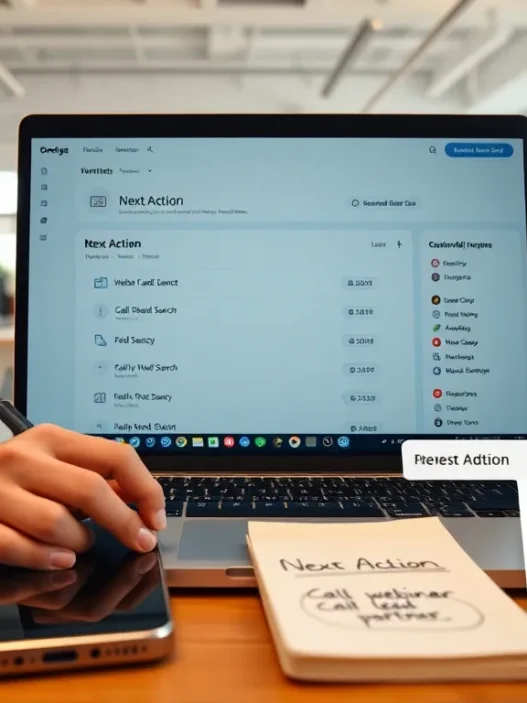
Streak includes workflow rules like “when a box moves to Warm, assign a task to schedule a call,” or “when a reply arrives, stop the sequence.” I leaned on these to keep my pipeline clean. Adding SLA-style due dates and reminders helped me stay on top of follow-ups without mental strain.
The automation canvas isn’t a complex flowchart builder, and that’s fine. I could string together triggers and actions fast, and I didn’t feel locked into one brittle path. If you’re orchestrating multi-channel journeys with ads and product events, you’ll need external tools. But for inbox-first work, content placements, link-building, sponsorship outreach, Streak moves the needle without fuss.
Marketing Workflow Fit
Day to day, the reason to choose Streak is rhythm. I’m already in Gmail, so logging context after a call or nudging a warm lead takes seconds. During a webinar campaign, I tracked registrants who asked questions, tagged the right follow-up content, and moved them into a nurture stage, all from the same window where the replies arrived. That tight loop matters when timing is half the game.
For PR pushes, Streak is strong. I import a vetted list, run a short sequence with tight personalization, and then handle all replies inside the thread that created the relationship. For partner and affiliate recruiting, it’s similar. I keep notes and contracts attached to the box and route legal review as a task to a teammate who sees exactly where things stand.
The edge cases are in multi-touch, multi-channel campaigns where attribution spans ads, CRM, and product analytics. Streak can track email touches and pipeline movement, and it plays nicely with Google Sheets and Zapier, but it won’t be your single source of truth for everything performance-related. I pair it with a dedicated analytics stack when I’m reporting on paid plus lifecycle.
Data, Reporting, And Attribution
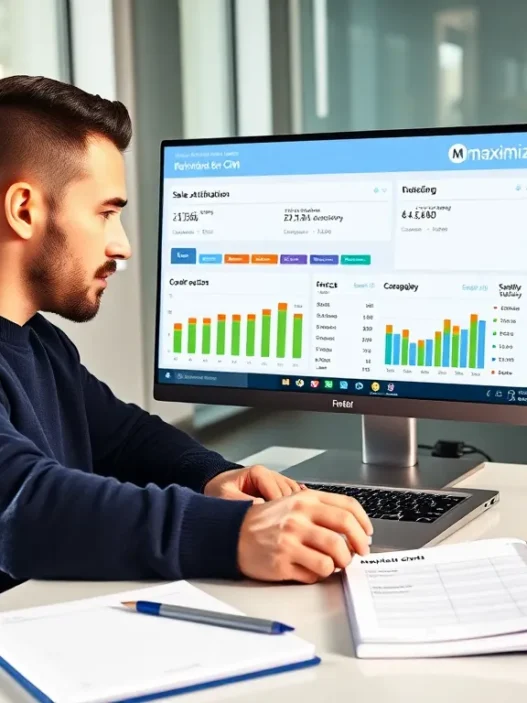
Reporting focuses on pipeline velocity, stage conversion, and sequence outcomes. I pulled a stage-by-stage view that told me where outreach stalled, and I created saved reports for weekly standups. The numbers were reliable enough for tactical decisions: which subject lines spark replies, which sources produce meetings, and how long leads sit idle.
Attribution beyond email requires creative stitching. With sheet-based exports and Zapier, I pushed key events into a warehouse and blended with ad platform data. It’s workable for a small team. It’s not meant to mirror enterprise BI setups, and the product doesn’t claim that. When I needed board-ready attribution for a multi-million dollar budget, I ran Streak for outreach and used external reporting for the blended picture.
One subtle win: because Streak sits in Gmail, the data you get on individual threads is rich and easy to read. I could scroll a record and instantly grasp the story: first touch, last reply, documents sent, and the moment momentum shifted. That kind of narrative context beats a chart more often than not, even if I still love a tidy dashboard.
Integrations And Ecosystem
Streak’s best partner is Google’s own suite. Google Sheets powers simple mail merges and light data ops. Google Drive attachments sit alongside notes, which makes handoffs easier. Through Zapier and Make, I tied Streak to webinar tools, Slack notifications, and a lightweight data warehouse. Webhooks exist for custom builds if your team has dev resources.
Compared to ecosystems like HubSpot’s, you won’t find a catalog of hundreds of native marketing integrations. But the essentials are covered, and I rarely hit a hard wall. When I needed to feed newsletter signups from a landing page into a warm-up pipeline, a single Zap did the job. If your team already standardizes on Google Workspace, the alignment feels natural.
Security, Privacy, And Compliance
Because Streak lives in Gmail, security is top of mind. Two-factor authentication, permissioning for shared pipelines, and role-based access are there. Data transmission uses modern encryption, and Streak outlines its approach to handling Gmail data transparently. If you work in regulated spaces, always align with your legal team, but for most marketing teams the posture is sound and documented.
I reviewed Streak’s public material and Google’s guidance on third-party access within Workspace. It’s worth bookmarking Google’s security whitepaper to share with stakeholders who ask how add-ons interact with Gmail. You can read more in Google’s official documentation here: https://cloud.google.com/security/overview. I also recommend reviewing Streak’s own security page before rolling out to a large team.
Support, Documentation, And Community
Docs are clear and searchable, and they do a good job showing how to finish common tasks without jargon. During testing, I submitted a question about sequence reply detection in shared pipelines. I received a direct, helpful answer the same day. That level of responsiveness gives me confidence to roll Streak out to teammates who aren’t power users.
There’s a steady library of tutorials and a community of Gmail-first operators who share quick patterns. I’d like to see more marketing-specific playbooks, PR, affiliate, and launch management, but the building blocks are there. If your team values doing rather than tinkering, the guidance will suit you.
Pricing And Value For Money
As of 2025, Streak’s publicly listed prices are straightforward: a Free plan with core CRM basics: Solo at around $19 per user per month: Pro at around $59 per user per month: and Enterprise at around $129 per user per month, with annual billing typically reducing the effective rate. Month-to-month pricing tends to be higher. For the very latest numbers, check the pricing page on Streak’s site before you budget, since promotions and billing cycles can change during the year.
Value depends on where you spend most of your day. If your team lives in Gmail, Streak’s time savings compound. I’ve seen teams reclaim hours every week by skipping context switches and manual logging. If your marketing motion requires heavier analytics or complex territory rules, you may pay for features elsewhere that are absent here, but you’ll also avoid paying for a bloated stack you don’t need. In my view, Pro hits the sweet spot for active senders who want sequences and reporting without the overhead of an enterprise platform.
Pros And Cons
Streak’s strengths are speed, inbox-native workflows, and approachable automation. I moved faster because the tool stays out of the way. I could build a pipeline, fire off a targeted sequence, and handle replies without flipping between apps. The Gmail-first design also helps with deliverability because you’re not pushing mail through a separate sender that raises flags.
The tradeoffs are mostly about depth. Reporting covers the day-to-day but won’t satisfy teams that need layered attribution or complex revenue models. Multi-object relationships are limited compared to traditional CRMs, which matters if you manage agencies, brands, and multiple contacts in intricate structures. And while sequences are solid, advanced send management and multi-channel steps still belong to tools like HubSpot or Close.
If those tradeoffs match your reality, fast campaigns, tight teams, and inbox-first ops, Streak shines. If not, you won’t be surprised: the product never pretends to be something it isn’t.
Comparison With Alternatives
Copper and Pipedrive feel like classic CRMs brought down to earth for small teams. They have stronger object modeling and broader reporting out of the box. HubSpot CRM layers in sophisticated marketing features, from forms to ads, but you can end up paying for modules you don’t use. Salesforce is the enterprise standard with limitless customization, and that strength comes with setup and admin overhead.
Streak is different. It starts with Gmail and adds the minimum needed to run a pipeline, sequences, and light automation. For marketers who get work done in the inbox, that’s a winning angle. For teams that need a central brain to manage every data object in the company, Streak isn’t trying to be that. I’ve run outreach-heavy programs faster in Streak than in heavier CRMs because I avoid context switching. But when I needed territory management, custom objects, and robust BI, I reached for other tools without regret.
Who Should Choose Streak (And Who Shouldn’t)
If you’re a digital marketer who spends most of your day in Gmail, pitching editors, recruiting partners, managing sponsorships, Streak fits like a glove. You’ll appreciate how your email history becomes your source of truth, and how quickly you can nudge a deal forward while you’re already in the conversation.
If your work depends on multi-channel attribution, layered approvals, and complex account structures, you’ll be happier with a full-featured CRM like HubSpot or Salesforce. You can still use Streak for inbox-based tasks, but it won’t replace a system that holds every object and metric across your go-to-market universe. In short: inbox-first teams should start here: modeling-heavy teams should start elsewhere.
Practical Tips To Get The Most Out Of Streak
Start by mirroring your actual campaign stages. Don’t copy a sales template: write the stages you already say out loud in standup. Then keep your fields tight, only what you’ll read and update. Your future self will thank you during a deadline week.
Build short, high-quality sequences and keep personalization pieces ready in a Google Sheet. I keep a column of relevant proof points for each niche, so I can merge the right one on the first touch. After the first week, prune your automations. If a rule didn’t trigger essential work or reduce mental load, cut it. The lighter your setup, the faster your team moves.
Finally, give every teammate a clear rule for ownership inside shared pipelines. Who moves a box after a meeting? Who tags legal or finance? Write it once, share it, and stick to it. If you want a simple checklist to kickstart that process, I keep this handy resource bookmarked: /blog/crm-setup-checklist. It’s brief and practical, which is exactly what you need on day one.
Final Verdict
Streak earns a spot in my 2025 toolkit for inbox-first marketing. It’s quick to set up, easy to teach, and strong where I spend my time, Gmail. I can build pipelines, run targeted sequences, and keep context without juggling tabs. The limits are clear: reporting is focused on operational decisions, and complex modeling isn’t the goal. For many teams, that clarity is a plus.
If you’re ready to try it, I recommend starting a real campaign on day one so you feel the rhythm immediately. A partner outreach or PR sprint is perfect. And if you need enterprise modeling or board-ready attribution, keep your primary CRM or analytics stack and let Streak handle the inbox work it was built for.
Before you wrap, grab the current pricing and plan details straight from the source and take it for a spin: Streak, https://www.streak.com.
I’m confident saying this: for digital marketers who live in Gmail, Streak gets out of your way and helps you move faster. If that’s you, it’s worth a week-long trial in production, not a toy sandbox.
Streak Review: Frequently Asked Questions
What is Streak CRM and how does it work in Gmail?
Streak is a Gmail-native CRM that turns email threads into trackable boxes you move through custom pipeline stages. You manage contacts, notes, tasks, and sequences right inside your inbox. In this Streak review, the key benefit is speed: no context switching, faster outreach, and quick pipeline updates.
How fast is setup and onboarding in Streak?
Setup is quick. Install the Chrome extension, grant access, and Streak overlays controls in Gmail. You can build a working campaign pipeline in about 10 minutes, import a CSV with mapped fields, and link existing threads to boxes. The learning curve is light—if you know Gmail, you’ll onboard in a morning.
In this Streak review, does the Gmail embed slow down during heavy outreach?
Performance held steady in testing with thousands of emails. Search and filters stayed responsive, and sequences behaved like normal Gmail sending, which helps deliverability. You might see brief pauses on older machines with heavily labeled inboxes, but on modern laptops the Gmail embed stayed smooth during active campaigns.
What reporting and attribution can I expect from Streak?
Reporting covers essentials: pipeline velocity, stage conversion, and sequence outcomes for daily decision-making. You’ll see where outreach stalls and which sources spark replies. For multi-channel or board-level attribution, Streak is limited. Many teams pair it with Google Sheets, Zapier, and a warehouse for blended reporting beyond this Streak review’s inbox-first scope.
Streak pricing 2025: which plan is best for marketers?
Public pricing typically includes Free (basics), Solo (~$19/user), Pro (~$59/user), and Enterprise (~$129/user), with annual discounts. Pro is the sweet spot for active senders needing sequences and reporting without enterprise overhead. Prices can change—always confirm current rates on Streak’s site before budgeting for your team.
Can I use Streak with Outlook, and are there email sending limits?
Streak is built for Gmail/Google Workspace and doesn’t run in Outlook. Sending limits follow Google’s policies, not Streak’s. Typical caps are roughly 500/day for free Gmail and up to 2,000/day for many Workspace tiers, subject to reputation and abuse safeguards. Check Google’s latest limits for your specific plan.