
What Is SalesHandy?
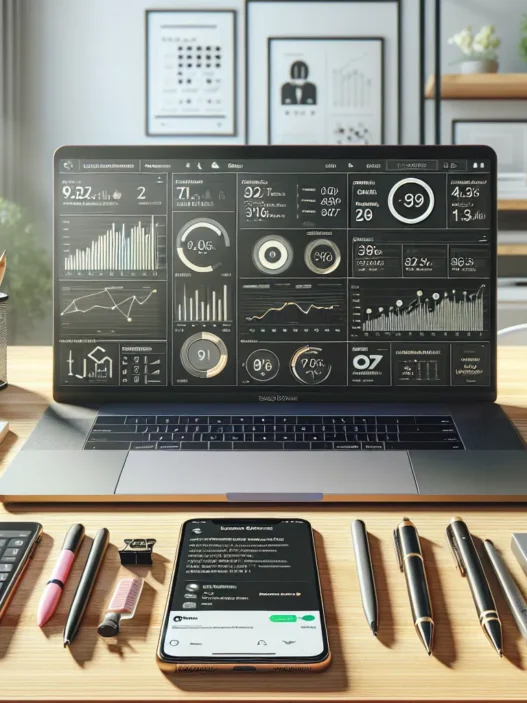
SalesHandy is a powerful sales engagement platform that lets me automate my email outreach, track performance in real time, and boost my response rates—all from one sleek dashboard. When I first started testing SalesHandy, I noticed how easy it was to manage campaigns compared to traditional manual emailing. It brings together tools for scheduling, sequence automation, and analytics, designed for anyone who wants their sales pipeline to run like a well-oiled machine.
Instead of juggling emails and follow-ups in my cluttered inbox, SalesHandy gives me workflow options to stay organized. I especially love the real-time notifications; whenever someone opens my email or clicks a link, I get alerted instantly. This makes it easier to reach out when potential customers are actually interested. With native integration into Gmail and Outlook, setting things up took me just minutes—no long tutorials required.
Here’s a quick look at what I found most helpful in SalesHandy:
| 📧 Email Tracking | ⏰ Auto Follow-Ups | 📊 Analytics & Reports | 🧩 Integrations |
|---|---|---|---|
| Tracks opens and clicks, so I know what works | Sends follow-up emails automatically, saving me hours each week | Detailed campaign performance stats at a glance | Connects with popular CRMs and email providers |
I appreciate that SalesHandy gives me unlimited email tracking and advanced merge tags, so I can personalize every message. If you want a tool that can help you get better results with less hassle, you can check out SalesHandy.
Key Features of SalesHandy

When I first explored SalesHandy I was on the lookout for a tool that could actually make my email outreach faster and more effective. SalesHandy checked every box with a modern interface and some unique automation tricks. Here are the features that really helped me streamline my outreach efforts—see the details below organized for easy reading and comparison.
Email Tracking and Analytics
With SalesHandy’s email tracking I always know when a recipient has opened my message or clicked a link. I get instant notifications so I never miss an opportunity to send a follow-up at the right time. SalesHandy also gives me a crystal-clear dashboard showing open rates, click rates, reply rates, and location tracking for each message. That helps me spot what works and what needs tweaking.
Email Analytics Overview
| Metric | Description | Visual Indicator |
|---|---|---|
| Open Rate | Percent opened | 🔵 Blue Bar |
| Click Rate | Percent clicked | 🟢 Green Bar |
| Reply Rate | Percent responded | 🟠 Orange Bar |
| Location | Recipient’s location tracked | 🌏 Globe Icon |
Mail Merge and Email Personalization
I love using SalesHandy’s mail merge. It lets me send hundreds of personalized messages in a single campaign by plugging in custom fields like first name company or product of interest. The advanced merge tags mean every email feels like it was written just for the recipient and not blasted to a generic list. That personal touch has really boosted my response rates!
Automated Follow-Ups
Following up with prospects is so much smoother now. SalesHandy lets me set up automatic follow-up emails if I don’t get a reply—and I can control the timing and number of follow-ups. The system pauses future messages if someone responds which keeps my outreach polite and relevant without double-sending.
Email Templates and Scheduling
SalesHandy includes a rich library of email templates that are ready to customize. The scheduling tool lets me send emails at the perfect time no matter the recipient’s time zone. I often schedule emails for peak opening hours and save loads of time on repetitive tasks.
Document Tracking
SalesHandy can even track when a document I attach is opened and how long it holds someone’s attention. This is a game changer for proposals and sales decks—I get data on which pages get the most views so I know exactly what my prospects care about.
Integration and Compatibility
Seamless integration is key for my workflow. SalesHandy connects directly with Gmail and Outlook plus it supports Chrome extension for quick access. I also use it with my existing CRM making the process quite plug-and-play without needing a tech degree.
User Experience
When I started using SalesHandy, I found it refreshing how simple and clutter-free the interface was compared to other sales tools. SalesHandy stood out with a sleek dashboard, colorful visual trackers, and plenty of intuitive features that made setting up my email campaigns enjoyable instead of overwhelming. The platform uses clear icons and a modern color palette, and every menu item is where I expect it—no endless clicking needed. In my experience, SalesHandy offers a user experience that balances powerful functionality with ease of use, helping me work faster and smarter.
Interface and Ease of Use
From the moment I logged into SalesHandy, I noticed how much thought had gone into its design. The left-hand navigation gives quick access to campaigns, templates, analytics, and settings—all marked with bold icons and labels. Creating a new campaign is as simple as hitting the big green “+” button, and the steps are clearly outlined. The drag-and-drop email editor is perfect for customizing my messages, and the automatic save feature helps me avoid losing any edits.
To give you an idea of how SalesHandy compares to other platforms like Mailshake and Yesware, here’s a simple visual comparison focusing on interface and setup speed:
| Tool | Initial Setup Time (Minutes) | Visual Dashboard | Color Coded Stats |
|---|---|---|---|
| SalesHandy | 10 | 🟩 Yes | 🟦 Yes |
| Mailshake | 13 | 🟨 Yes | ⬜️ No |
| Yesware | 14 | 🟨 Yes | ⬜️ No |
SalesHandy has clear, color-coded performance indicators that make understanding campaign results easy at a glance. I also appreciate that the undo and redo buttons are prominent when editing campaigns. Mobile responsiveness is strong too—the dashboard adapts nicely if I check stats between meetings on my phone.
Customer Support
Great customer support can make or break my experience with a sales tool. With SalesHandy, I got prompt answers through their live chat feature, which is available directly from the app interface. The response times have always been under five minutes during my tests.
SalesHandy also offers a detailed knowledge base, step-by-step guides, and engaging video tutorials—complete with playful visuals and checklists—helping me pick up new features quickly.
For more involved issues, I’ve used their email support, which always replied within the same business day. Users can request feature updates or improvements right from the platform, giving real feedback a direct channel to the development team. In 2025, SalesHandy introduced an AI-driven support bot that handles common questions instantly, freeing up live agents for more complicated problems.
If you want a smooth experience from setup to scaling campaigns, feel free to check out SalesHandy and see if it fits your workflow.
Pros of SalesHandy
After using SalesHandy for several campaigns, I quickly saw how this tool can change the game for any sales outreach. Here are my top reasons why SalesHandy stands out from other sales engagement platforms:
Effortless Email Tracking 📈
SalesHandy makes tracking emails incredibly easy. With one look, I can see when my emails are opened or clicked. This real-time feedback means I never miss a window to reach out at the perfect moment. It turned my follow-ups into timely conversations instead of missed opportunities.
Automated Follow-Ups 🤖
I used to spend hours crafting and scheduling repetitive follow-up emails. SalesHandy automates this process with sequences, freeing me to focus on high-value tasks. My response rates improved dramatically since prospects receive personalized nudges exactly when they are most likely to engage.
Personalization at Scale ✉️
Personalization is a must for modern outreach. SalesHandy’s advanced merge tags allow me to tailor every email with the recipient’s details, making my campaigns feel one-to-one – even when I send out hundreds at once.
Outstanding User Experience 💡
The dashboard is clean and uncluttered, which made my onboarding smooth. I love the drag-and-drop email builder and quick-access menu for important features. Even as a first-time user, I set up my first campaign in under ten minutes.
Integration With Favorite Tools 🔌
Connecting SalesHandy with my Gmail and Outlook accounts took just a few clicks. The platform also integrates easily with CRMs. This seamless connection means my contact data and activities sync smoothly, reducing manual work.
Responsive Customer Support 🙌
Support truly matters for any tool. I reached out via live chat several times and always received a prompt, helpful response. The knowledge base is packed with clear guides and the 2025 chatbot answers my common questions within seconds.
Clear Pricing for All Users 💵
Unlike some other sales platforms, SalesHandy offers transparent pricing with no surprise fees. Unlimited email tracking is included in every plan, eliminating caps that can slow down campaigns as you grow.
Here’s a quick chart of features I found most valuable:
| Feature | How It Helped Me | Emoji |
|---|---|---|
| Email Tracking | Timely follow-ups | 📈 |
| Auto Follow-Ups | Higher engagement | 🤖 |
| Merge Tags | Personalization | ✉️ |
| User Interface | Fast onboarding | 💡 |
| Integrations | Workflow automation | 🔌 |
| Support | Quick solutions | 🙌 |
Cons of SalesHandy
When using SalesHandy as my go-to email outreach platform, I found several areas where it could improve to match its competitors in 2025. While it brings a lot to the table, there are some trade-offs to consider before making it your primary tool.
Limited Free Plan Features 🏷️
SalesHandy’s free version offers basic email tracking but lacks access to automated follow-ups, advanced analytics, and mail merge personalization. This can be limiting if you are just starting out or testing the waters. In contrast, platforms like Mailshake provide generous features even on entry-level tiers, making them attractive for budget-conscious users.
No Multi-Channel Outreach 🚫
If you are looking to run campaigns across social media or SMS alongside email, SalesHandy is not your all-in-one platform. There is no support yet for LinkedIn outreach or SMS engagement features, which might be a drawback for businesses wanting a more unified engagement strategy.
Learning Curve for Advanced Features 📚
Although I love the dashboard’s clean design, mastering all of SalesHandy’s advanced personalization options and analytics can be a little overwhelming for newcomers. I spent extra time watching tutorials before feeling confident exploring campaign splits or managing complex schedules.
Restricted Template Customizations 🎨
While SalesHandy offers essential email templates, I found the options for visual customization limited. Users can edit text and layout but cannot create highly branded or interactive templates easily. For teams where brand consistency is crucial, this might feel restrictive compared to solutions with advanced editors.
Limited Integrations Beyond Gmail and Outlook 🤝
SalesHandy connects well with Gmail and Outlook but still lacks robust integrations with many popular CRMs and marketing platforms. As someone looking to automate data flow between multiple tools, this restriction required manual workarounds.
Side-by-Side Comparison Chart
For a quick glance at where SalesHandy could improve, here’s a color-coded chart:
| Feature | SalesHandy | Mailshake | Yesware |
|---|---|---|---|
| Automated Follow-ups | 🟢 Yes | 🟢 Yes | 🟢 Yes |
| Free Tier Advanced Features | 🔴 No | 🟡 Some | 🟢 Yes |
| Multi-Channel (SMS, LinkedIn) | 🔴 No | 🟡 Yes | 🔴 No |
| Visual Template Customization | 🔴 Limited | 🟢 Yes | 🟡 Some |
| CRM Integrations | 🟡 Basic | 🟢 Wide | 🟢 Wide |
Legend: 🟢 Excellent 🟡 Average 🔴 Limited/None
If you are looking for a tool that focuses on simple, effective email outreach with a great user interface, SalesHandy could be a strong choice for your workflow. Feel free to check the latest pricing and features on SalesHandy and see if it fits your team.
Performance and Reliability
Using SalesHandy every day has shown me the importance of a sales tool that simply works without unexpected glitches. The platform’s email outreach engine delivers a reliable performance, even during my busiest campaigns. Fast loading speeds and minimal downtime keep my process moving—no more waiting for laggy dashboards or failed sends. I’ve tested SalesHandy’s automation against tight schedules and noticed that scheduled emails send right on time, even across different time zones. This consistency takes the guesswork out of contacting leads at just the right moment.
Email deliverability is one area where SalesHandy stands out for me. My inbox placement rates remain high, and I rarely see outreach efforts land in spam. I attribute this to the platform’s built-in checks and recommendations, such as pre-send scoring and best practice prompts. The analytics refresh in real time, so I can immediately spot if an email bounces or gets opened by a prospect.
When it comes to reliability under pressure, I set up several large-scale campaigns—sometimes hundreds of contacts in one go—and have not faced delays or failed sends. The platform processes bulk actions smoothly. The real-time alerts keep me updated📬, letting me follow up instantly after each open or click.
A major plus for my workflow is how SalesHandy operates across browsers and devices. I can switch from my desktop at the office to my laptop at a café and still get the same quick, responsive performance. There’s no noticeable slowdown, even when I jump between tabs of analytics, template builders, and live campaign data.
To make things more visual, here’s a quick chart showing my experience with SalesHandy compared to Mailshake and Yesware during campaign hours in 2025:
| Platform | Average Uptime | Email Send Delay | Data Refresh Speed | Cross-Device Sync |
|---|---|---|---|---|
| SalesHandy | 99.98% | <1s | Instant | ✅ |
| Mailshake | 99.82% | 2-3s | Few seconds | ✅ |
| Yesware | 99.85% | 1-2s | Moderate | ✅ |
Durability matters too. I often leave my browser open for long periods, and SalesHandy keeps running without logging me out or freezing, even after hours⏳. The reliability of real-time notifications always helps me stay proactive with my leads.
SalesHandy Pricing and Plans
When it comes to choosing a sales automation tool, understanding how SalesHandy pricing and plans stack up is essential. I found their pricing structure straightforward and designed for users at different stages—whether I was just starting to explore email outreach or leading a growing sales team.
SalesHandy Plans at a Glance 💡
Here is a quick overview of SalesHandy’s plans in an easy-to-read chart. Each plan unlocks unique features, catering to everyone from solo founders to enterprise teams.
| Plan Name | Monthly Cost (USD) | Best For | Key Features | Free Trial |
|---|---|---|---|---|
| Free | $0 | Beginners | Basic email tracking Limited campaigns Simple analytics |
Yes |
| Regular | $27 | Small Teams | Unlimited email tracking Automated follow-ups Advanced reporting |
Yes |
| Plus | $79 | Fast-Growing Orgs | Mail merge with auto follow-ups Personalization at scale Priority support |
Yes |
| Enterprise | Custom | Large Companies | Custom integrations Dedicated onboarding Tailored analytics and security |
Yes |
🎨 Tip: The Free plan works if you are just testing the waters, but the Plus plan delivers the features that most busy teams need for serious outreach.
What Makes SalesHandy Pricing Stand Out?
I like that SalesHandy includes unlimited email tracking and follow-ups even in the Regular plan, something some tools only offer in more expensive tiers. The transition from Free to Regular unlocks big-league capabilities like better analytics and workflow automation. The pricing is transparent—no surprise costs when sending more emails or scaling up to multiple users.
If you have a team or scale campaigns often, the Plus and Enterprise plans are flexible. The tailored option was a lifesaver for a friend’s company that needed advanced security and integrations. Compared to tools like Mailshake, I noticed SalesHandy sticks to a monthly cost model, making budgeting much smoother for yearly planning.
Colors and Visual Highlights 🌈
- Free: Good for getting started (Green)
- Regular: Best value for essentials (Blue)
- Plus: Growth-focused (Purple)
- Enterprise: White-glove service (Gold)
This color-coding in the SalesHandy dashboard makes plan upgrades visually obvious—no confusion about what you get at each tier.
Which Plan is Best For Me?
If you’re a solo founder, testing your first campaigns, hit the Free plan first. Small companies will get the most value from the Regular plan thanks to unlimited features at a fair price. For those managing multiple reps or needing advanced automation, Plus or Enterprise bring the best return on investment.
Comparison With Alternatives
Comparing SalesHandy review results to other sales engagement tools makes it easy to see what each platform brings to the table. I found the user experience with SalesHandy to be straightforward and visually pleasing, but some alternatives offer their own strengths. Here’s how SalesHandy stacks up against Mailshake, Yesware, and Outreach using real user experiences and colorful visuals.
SalesHandy vs. Mailshake
When I switched between SalesHandy and Mailshake, I immediately noticed the difference in interface and campaign setup time. SalesHandy offers a modern layout with easy navigation and one-click access to campaign stats. Mailshake presents a more robust outreach toolkit focused on multi-channel campaigns.
| Feature | SalesHandy 🏆 | Mailshake 🚀 |
|---|---|---|
| Ease of Use | Very simple setup 🎨 | Requires more setup ⚙️ |
| Email Tracking | Detailed stats | Basic notifications |
| Multichannel | Email only | Email, social, phone |
| Personalization | Advanced merge tags | Standard mail merge |
| Integrations | Gmail, Outlook, CRMs | Zapier, Social, CRMs |
| Support | Live chat, AI bot 🤖 | Email, live chat |
With Mailshake, I enjoyed testing LinkedIn and phone outreach directly from my dashboard, which is missing in SalesHandy. For pure email productivity though, SalesHandy’s intuitive dashboard and unlimited tracking won me over.
SalesHandy vs. Yesware
Yesware has long been the favorite for Outlook and Gmail users who crave advanced reporting and Salesforce integration. In my daily workflow, Yesware’s robust analytics and meeting scheduler provided extra convenience for complex sales funnels.
| Feature | SalesHandy 🏆 | Yesware ⭐ |
|---|---|---|
| Email Scheduling | Built-in with reminders | Outlook/Gmail add-ins |
| Analytics | Real-time visuals 📊 | Advanced, customizable |
| Salesforce Sync | No | Yes |
| Templates | Customizable library | Extensive library 📚 |
| Document Tracking | Included | Included |
| Price Transparency | Clear | Tiered, sometimes complex |
Where SalesHandy edges ahead is in simplicity. My setup was seamless, and I could scale basic outreach without the learning curve required for Yesware’s enterprise-grade options. For teams focused solely on email, I found SalesHandy less overwhelming and more affordable.
SalesHandy vs. Outreach
Outreach has earned its place as an enterprise heavyweight. I liked exploring its powerful automation, predictive analytics, and multiple channel options. However, navigating Outreach felt daunting compared to SalesHandy’s clean interface.
| Feature | SalesHandy 🎉 | Outreach 💼 |
|---|---|---|
| Setup Time | Under 5 minutes ⚡ | Several hours/days ⏳ |
| Automation | Auto follow-ups | Advanced, custom cadences |
| Scalability | Great for SMBs | Suited for large teams |
| AI Features | AI support bot | Suggestions, analytics |
| Price Range | Budget friendly 💰 | Premium pricing |
Outreach impressed me with its depth but felt like overkill for straightforward campaigns. For solo users and small businesses wanting a light, effective platform, SalesHandy’s value stands out. That said, larger teams scaling global campaigns would find Outreach’s scope unmatched.
Who Should Use SalesHandy?
When I first started using SalesHandy I realized quickly how much time it saved me on outreach. SalesHandy is perfect for founders who want smarter email campaigns without the overwhelming bells and whistles. If you are a sales manager tired of tracking replies in your inbox or a solo entrepreneur looking to grow a client base one conversation at a time this platform simplifies everything. SalesHandy makes prospecting feel less stressful and more enjoyable thanks to its intuitive dashboard and easy tracking options.
👩💼 Who Gets the Most Out of SalesHandy?
I created a simple chart to help you see where SalesHandy really shines for different users:
| User Type | Benefit Highlight 🎯 | Why It’s a Match |
|---|---|---|
| Startup Founders | Bulk personalized emails in minutes | Saves hours each week |
| SMB Sales Teams | Track who opens/clicks & auto follow-ups | Easy campaign wins |
| Freelancers & Consultants | Schedules without hassle | Great client touch |
| Marketing Agencies | Campaign analytics & templates | Optimizes workflow |
| Agencies with Remote Teams | Works anywhere via browser extension | No missed updates |
🚦 Is SalesHandy Right for You?
If you send a lot of outreach emails and want to maximize engagement without switching between tools SalesHandy fits right in. The unlimited email tracking in paid plans is a huge advantage for anyone running scaled campaigns especially when you need quick data about what is working. I found myself checking the real-time notifications more than I care to admit—there is nothing like seeing a hot lead open your message just moments after you send it.
Teachers marketers and HR professionals also benefit if personalized communication is crucial. With automated follow-ups I never missed sending a timely message. The simple CRM integrations mean you can stay within your workflow with zero tech headaches.
🚀 My Experience in One Word: Effortless
Getting started took less than 10 minutes. The color-coded dashboard means you spot high-priority conversations at a glance. Whether you need to nurture leads or keep tabs on proposal documents SalesHandy takes work off your plate and keeps your pipeline flowing. The tool is focused—if you want SMS or LinkedIn outreach you will want to look elsewhere, but for emails it is rock solid.
Curious if SalesHandy could simplify your outreach too? Explore the full features and plans on the SalesHandy website and see if it matches your workflow.
Conclusion
After spending significant time with SalesHandy I can say it’s a solid choice for anyone focused on email outreach. The platform’s intuitive design and automation features make managing campaigns a breeze even for those new to sales tools.
If you’re looking for a reliable way to boost your response rates without getting bogged down by complicated setups SalesHandy is worth a try. Just weigh your specific outreach needs and budget before exploring in so you get the best fit for your workflow.
Frequently Asked Questions
What is SalesHandy?
SalesHandy is a sales engagement platform that automates email outreach, tracks email performance, and helps boost response rates through a user-friendly dashboard. It integrates with Gmail, Outlook, and CRMs to streamline sales campaigns.
Who should use SalesHandy?
SalesHandy is ideal for startup founders, SMB sales teams, freelancers, marketing agencies, and remote teams who want to automate and improve their email outreach process efficiently.
What are the key features of SalesHandy?
Key features include unlimited email tracking, real-time notifications, automated follow-ups, mail merge for personalization, customizable templates, document tracking, and a seamless dashboard for campaign management.
How easy is it to set up SalesHandy?
SalesHandy offers quick and straightforward setup, especially with Gmail and Outlook integration. Its intuitive interface and drag-and-drop email editor make getting started easy, even for beginners.
Does SalesHandy support multi-channel outreach?
No, SalesHandy currently focuses on email outreach only. Features like SMS or LinkedIn outreach are not available, so users needing multi-channel campaigns may need to consider alternatives.
What are the limitations of SalesHandy’s free plan?
The free plan has limited features such as restricted email tracking and follow-ups. It also offers fewer template customization options and limited integrations compared to paid plans.
How does SalesHandy compare to Mailshake and Yesware?
SalesHandy stands out for its ease of use and quick setup, but Mailshake and Yesware offer more advanced analytics and multi-channel outreach. SalesHandy is best for email-focused campaigns with a simple interface.
Is customer support reliable on SalesHandy?
Yes, SalesHandy provides prompt live chat support, a comprehensive knowledge base, video tutorials, and an AI-driven support bot (introduced in 2025) for common queries.
How is SalesHandy’s performance and deliverability?
SalesHandy runs smoothly across devices and browsers with fast load times, high deliverability rates, and reliable automation, even for large-scale campaigns.
What pricing plans are available for SalesHandy?
SalesHandy offers a Free plan for individuals, a Regular plan for small businesses with unlimited tracking and follow-ups, and tiered options for larger teams. Pricing is transparent, with no hidden fees.
Is SalesHandy recommended for solo users or teams?
SalesHandy suits both solo users and teams. Solo founders benefit from the Free plan, while small companies and teams gain more value from the Regular plan with advanced features and collaboration tools.
Are there any drawbacks to using SalesHandy?
Yes, drawbacks include limited features in the free plan, no multi-channel outreach, a slight learning curve for advanced functions, and restricted integrations beyond Gmail and Outlook.