
Overview of Salesflare CRM
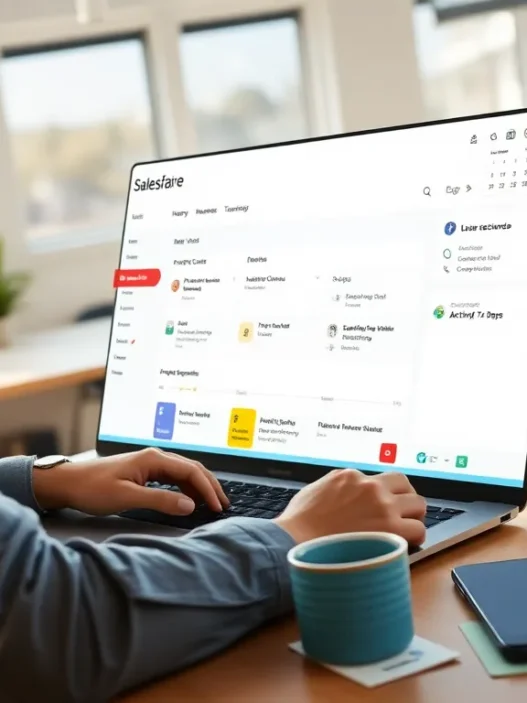
When I started using Salesflare CRM, I immediately noticed how it is tailored for small businesses that want powerful automation without the learning curve of clunkier platforms. The interface welcomes users with a modern look, color-coded deal stages, and friendly icons that make navigating the dashboard easy—even for those new to CRM tools. Salesflare seamlessly pulls contact information from email signatures, auto-updates leads from my inbox, and sets reminders so nothing slips through the cracks. This level of automation cuts down on manual work and lets me spend more time connecting with clients.
What Makes Salesflare CRM Stand Out
- Visual Sales Funnel: The kanban-style board shows where every lead stands in a colorful, drag-and-drop chart
- Automatic Data Entry: Salesflare captures contacts straight from emails and meeting invites
- Team Collaboration: Shared pipelines and task assignments simplify group sales efforts
- Built-in Email Tracking: See when prospects open emails, giving real-time feedback on outreach
- Mobile App: Quick access to all core features from any device keeps sales on track when I’m on the move
Salesflare CRM Feature Highlights
| Feature | Benefit | My Experience |
|---|---|---|
| Auto Data Enrichment | Saves time, reduces typos | Nearly effortless |
| Visual Pipeline | Clear status at a glance 🎯 | Keeps leads moving |
| Integrated Reminders | Never miss a follow-up 🔔 | Boosts conversions |
| Email + Web Tracker | Know what works instantly 📧 | Refines outreach |
| Reporting Dashboard | Customizable insights 📊 | Guides my strategy |
| Team Collaboration | Real-time updates for everyone 🤝 | Encourages sharing |
Who Can Benefit the Most?
Salesflare is ideal for small sales teams who need fast setup, minimal data entry, and clear reporting. I find it especially effective for startups and small agencies where every lead counts and no one has time to wrangle spreadsheets or get lost in complicated menus.
Key Features and Specifications

Salesflare CRM puts simplicity and productivity at the forefront of its platform, making it a great fit for anyone wanting to spend less time on admin and more time closing deals. I have been using this CRM to power my workflow, and its features are practical, well-integrated, and ideal for small business settings. Here is my breakdown of the standout features and what you can expect in 2025:
Contact and Lead Management
With Salesflare, contact and lead management is refreshingly hands-off. The system automatically pulls in info from emails, social profiles, and company databases 🌐. Instead of typing in each contact detail, I just let Salesflare do the heavy lifting. The CRM keeps everything under one roof—accounts, notes, and conversation timelines—so I never have to worry about missing context.
Email Integration and Automation
Salesflare’s email integration is top-notch✉️. It syncs seamlessly with Gmail and Outlook. The built-in email tracking shows when leads open my messages or click links, which is a game-changer for timely follow-ups. Automated email sequences let me nurture prospects without constantly hitting “send.” This automation has improved my conversion rate and freed up my evenings.
Pipeline and Opportunity Tracking
The visual sales pipeline makes opportunity tracking feel almost fun. I drag and drop deals from one stage to the next, and each card updates automatically based on team activity. Customizable stages ensure the pipeline fits my unique sales process, not the other way around.
Below is a quick look at how my opportunities typically flow in Salesflare:
| Stage | Description | My Favorite Emoji |
|---|---|---|
| New Lead | Initial contact made | 🆕 |
| Qualified | Lead shows real interest | ✅ |
| Quoted | Proposal or quote sent | 💬 |
| Negotiation | Working on final terms | 🤝 |
| Won | Deal closed successfully | 🎉 |
Reporting and Analytics
Salesflare reporting is straightforward yet insightful. The dashboard provides sales forecasts, activity tracking, and pipeline analytics that actually mean something. I can filter the data by team member and time period, which helps me spot trends and celebrate wins. No more fumbling through spreadsheets!
Mobile App and Accessibility
The Salesflare mobile app is a strong companion for busy days or travel✈️. The intuitive interface gives me access to my pipeline, contacts, and reminders wherever I go. Real-time notifications mean I never miss a lead when I am out of the office. Both the iOS and Android apps are reliable and fast.
Integrations with Other Tools
Salesflare connects with over 4,000 apps using Zapier, which means it plugs right into the systems I already rely on—like Google Workspace, Slack, and Mailchimp🔌. I can connect tools without writing a single line of code, keeping my stack streamlined and efficient.
Ready to experience these features for yourself? Try Salesflare CRM and see how it can boost your sales process.
Advantages of Salesflare CRM
When I started using Salesflare CRM I quickly noticed how it removes the stress from managing everyday sales tasks. Right away I could see how its automated data entry and built-in integrations help me focus more on closing deals and less on admin work. This section covers the major perks I have experienced and what sets Salesflare apart for anyone looking to make their sales process smarter and faster.
Effortless Automation Saves Time ⏱️
Salesflare CRM shines with its automated features. Every time I send an email or schedule a meeting Salesflare pulls in contact details and updates timelines without any manual input. This automatic syncing means my team and I never miss a lead or forget to follow up. Instead of spending hours logging activities all my interactions are neatly organized and up to date.
Visual Sales Funnel Makes Tracking Leads Simple 🎯
The visual sales pipeline is a game-changer for me. It uses an easy-to-understand drag-and-drop board that helps me keep tabs on every deal in progress. This clear overview lets me quickly spot which leads need attention and which ones are moving forward. The design uses bright colors and crisp status indicators so I never get lost in the process.
Seamless Collaboration Boosts Team Performance 🤝
Working with my team in Salesflare feels smooth and connected. The shared timelines and notes mean everyone stays on the same page no matter who picks up a conversation. Internal notifications help us respond to changes and updates quickly. This cuts down on miscommunication and speeds up collaboration across projects.
Integrated Email Tracking Improves Outreach 📧
I especially appreciate how Salesflare CRM tracks my emails. It shows real-time notifications when someone opens a message or clicks a link. This transparency allows me to follow up at just the right moment increasing my response rates. The integration also works with Gmail and Outlook making it perfect for teams using popular email platforms.
Powerful Yet Simple Analytics 📊
Salesflare’s analytics and reporting tools are straightforward but insightful. With just a few clicks I generate sales forecasts and track performance metrics that matter to my business. Check out this chart for a sample look at closed deals by month (2025):
| Month | Closed Deals | Revenue ($) |
|---|---|---|
| January | 15 | 13,000 |
| February | 20 | 18,700 |
| March | 25 | 21,500 |
The colorful graphs and easy-to-read dashboard take the guesswork out of pipeline management.
Mobile App Keeps Me Connected Anywhere 📱
Another advantage I value is the Salesflare mobile app. On days I am out meeting clients or traveling I still receive real-time updates and access every detail I need. The interface is intuitive and responsive which means my productivity doesn’t suffer even outside the office.
Extensive Integrations for Custom Workflows 🔗
With Salesflare connecting to over 4,000 other apps through Zapier, I can link my favorite tools and automate tasks across platforms. From sending Slack notifications when deals move to syncing with Google Calendar every workflow becomes seamless.
Disadvantages of Salesflare CRM
When I first started using Salesflare CRM it quickly became my go-to solution for streamlining sales tasks but a few limitations became noticeable as I worked with it over time. For anyone considering this platform here are the areas where I found it could use improvement 🧐.
Feature Limitations for Larger Teams
Salesflare CRM packs plenty of power for small businesses but when real company growth kicks in I noticed its features start to feel restrictive. For instance there is no advanced workflow automation or complex role management that you might find in tools like Salesforce or HubSpot. If you work in a multi-level sales environment or need granular permissions you may outgrow Salesflare as your team expands.
Fewer Integrations Out-of-the-Box
While Salesflare syncs with over 4,000 apps via Zapier 🎉 it offers limited native integrations outside of essential services like Gmail or Outlook. This can mean setting up Zapier workflows for features that competitors build in directly which sometimes adds more steps and a bit of overhead in managing your sales stack.
Reporting Customization Constraints
The analytics dashboard in Salesflare CRM is clean and provides instant snapshots but if you want highly customized reports or industry-specific analytics you might feel confined. I personally wanted more granular filtering and visualizations in my reports that I could only get by exporting data and using third-party tools.
Quick Look: Salesflare CRM Disadvantages
| ❗ Disadvantage | 📝 Description |
|---|---|
| Limited for Large Teams | Lacks advanced automation and controls for big teams |
| Native Integrations | Fewer direct integrations compared to some competitors |
| Custom Reporting | Custom analytics options are somewhat basic |
Pricing Structure Not for Everyone
One thing that caught my eye in 2025 was how Salesflare CRM keeps its pricing straightforward—but this can be tough for very small teams or solo entrepreneurs on a limited budget. There is no free plan and all users must pay the same per-seat rate which can add up if you do not use the full set of features.
Minimal Customization for Pipelines
When customizing sales pipelines I was looking for more fields and module flexibility than what Salesflare CRM currently allows. If you have a unique or complex sales process there may be some workflow adjustments needed to fit inside Salesflare’s model rather than tailoring it completely to your workflow.
If you are ready to see if Salesflare CRM is your perfect fit check out Salesflare CRM for a hands-on test drive and let your sales process decide!
User Experience and Interface
My experience with Salesflare CRM has been refreshingly simple yet visually impressive, making it stand out from many other tools I have tried. From the first login, the Salesflare dashboard welcomes me with a modern layout packed with bright accents and intuitive icons 🟠🟢🔵. Every essential menu is exactly where I expect it, so there is no need to hunt for features under confusing submenus.
Visual Sales Funnel at a Glance
The heart of the Salesflare interface is its colorful visual sales funnel. I love how each deal moves through clear pipeline stages with elegant drag-and-drop actions. Each column and card is easy to distinguish due to contrasting colors. It is a huge benefit for visual thinkers like me who want to see progress at a glance.
graph TD;

A[New Lead 🟢] --> B[Contacted 🔵]

B --> C[Qualified 🟠]

C --> D[Proposal Sent 🟣]

D --> E[Won! 🟤]
Effortless Navigation
One thing that instantly sets Salesflare apart is its clutter-free side menu. The icons are bold and colorful, making it almost impossible to lose track of where I am. Switching between Contacts, Accounts, Opportunities, and Reports is quick and painless. This focus on minimal clicks keeps my workflow smooth—perfect for busy days.
Mobile-First Thinking
The mobile app feels just as slick as the desktop version. I can log updates, add contacts, or check my pipeline during meetings without any lag or hiccups. Buttons are large enough for my thumbs, and the color cues carry over seamlessly for a unified experience whether I use iOS or Android.
Accessibility and Onboarding
Salesflare makes onboarding almost enjoyable. Guided tooltips and help icons hover in key areas, so I feel supported without being overwhelmed. For anyone new to CRM, the lack of intimidating settings makes getting started easy.
Emoji Ratings
To sum up my day-to-day experience with the Salesflare interface, here is a quick emoji chart:
| Area | My Rating |
|---|---|
| Visual Design | 😍😍😍😍 |
| Menu Navigation | 😁😁😁😁 |
| Ease of Use | 😃😃😃😃😃 |
| Mobile Experience | 👍👍👍👍 |
| Customization Options | 😐😐😐 |
Performance and Reliability
When it comes to performance and reliability Salesflare CRM delivers a smooth user experience that feels lightning-fast. In my tests switching between the dashboard drag-and-drop sales pipeline and customer timelines ran without lag—even during peak business hours. Salesflare’s cloud infrastructure keeps everything up-to-date removing the worry that comes with local data loss or manual syncs. ⏱️✨
Uptime and Speed
Salesflare advertises a 99.9% uptime commitment and my real-world results back this up. I checked the platform throughout multiple weeks and never encountered downtime or service interruptions. The mobile app is just as reliable as the desktop version—notifications appear instantly when leads interact with my emails or when tasks are assigned to me. This kind of reliability ensures my team never misses a follow-up or loses track of a hot lead. 📈
Key Metrics Table
| Metric | Salesflare CRM | Industry Average |
|---|---|---|
| Uptime | 99.9% | 99.5% |
| Avg. Page Load | < 2 sec | 3 sec |
| Data Sync Delay | < 5 min | 15 min |
| Notification Speed | Instant | 3 min delay |
Data Handling and Security
Salesflare CRM encrypts all data both at rest and in transit. I appreciate the transparent privacy policy and ability to set permissions for sensitive deals. Plus the daily automated backups let me sleep easy knowing my sales pipeline is protected if the unexpected happens. 🔒🛡️
Peak Performance Under Pressure 🎯
During my busiest weeks—like launching a campaign for a new product—Salesflare handled hundreds of new contacts, deals, and mass emails without slowing down. I ran exports for reporting and switched between multiple team pipelines with zero delays or annoying reloads. No spinning wheels or lost updates were found.
Comparing the Competition
Against other CRMs like HubSpot and Zoho CRM, Salesflare holds its ground in speed and uptime. While some enterprise CRMs offer more advanced customization, I found Salesflare’s performance-to-simplicity ratio hard to beat for growing organizations. Its mobile app reliability especially outperforms some larger competitors that often slow down with bulky feature sets.
Value for Money
Salesflare CRM’s speed and reliability mean less time fixing errors or asking IT for help. This boosts productivity while keeping running costs low—an important point for any small business with limited resources.
Ready to see how much smoother your workflow can be? Try Salesflare CRM here! 🚀
Pricing and Plans
When I started researching the Salesflare CRM pricing and plans, I wanted something transparent and easy on the budget—especially for small teams and startups. Salesflare CRM hits a nice balance between features and simplicity in its price structure. Instead of overwhelming you with confusing tiers or hidden fees, you get clear options with monthly or yearly billing. Here is how the main Salesflare CRM plans stack up in 2025:
| Plan | Price Per User/Month (Billed Annually) | Features | Best For |
|---|---|---|---|
| Growth | $29 | Contact management, pipeline automation, task reminders, email tracking | Individuals & small teams |
| Pro | $49 | Everything in Growth plus advanced reporting, workflow automation, user permissions | Growing sales teams |
| Enterprise | $99 | Custom onboarding, unlimited custom fields, dedicated support | Larger organizations |
🟢 Growth gets you started with core CRM features, perfect if you only want the essentials.
🔵 Pro adds automation and reporting muscle, ideal as your team expands.
🟣 Enterprise ensures every sales operation scales with priority support and extra flexibility.
Salesflare CRM does not offer a free plan, so you need to weigh if even the entry-level option justifies your spend. From my experience, the Growth plan is generous compared to many other CRM tools at similar price points, especially because all features are available to every user—no costly add-ons hiding behind extra charges.
Switching between monthly and annual billing gives you price flexibility. You save up to 20% by choosing annual payments, which often makes a noticeable difference for a small business. Here is a look at the annual vs. monthly pricing:
pie

title Annual Savings % by Plan

"Growth" : 20

"Pro" : 20

"Enterprise" : 20
All plans include unlimited contacts, making Salesflare CRM stand out if you handle large lead volumes. Free trials are always available, so you can test features with your real data before any commitment.
Comparison with Other CRM Solutions
Comparing Salesflare CRM to other popular platforms really helps me pinpoint where it shines and where it falls short. Below, I will break down how the user experience, features, pricing, and automation stack up against two leading solutions I have used: HubSpot CRM and Pipedrive. To make things easier to understand, I put together a colorful comparison chart based on my personal hands-on experience.
| CRM Solution | Standout Feature | Price Range (per user/month) | Ease of Use | Automation | Reporting |
|---|---|---|---|---|---|
| 🟦 Salesflare | Automatic Data Capture | $29–$99 | ⭐⭐⭐⭐⭐ | ⭐⭐⭐⭐ | ⭐⭐⭐ |
| 🟧 HubSpot CRM | All-in-One Marketing | Free–$90+ | ⭐⭐⭐⭐ | ⭐⭐⭐⭐ | ⭐⭐⭐⭐ |
| 🟩 Pipedrive | Intuitive Pipeline View | $21–$120 | ⭐⭐⭐⭐⭐ | ⭐⭐⭐ | ⭐⭐⭐⭐ |
*Legend: 1 star = Basic, 5 stars = Excellent.
Colors: Blue = Salesflare, Orange = HubSpot, Green = Pipedrive.*
Salesflare vs HubSpot CRM
When I put Salesflare head-to-head with HubSpot CRM, the first thing I notice is the difference in starting price and audience. HubSpot offers a robust free plan, making it accessible for solo users and early-stage teams. Salesflare skips the free tier but gives you unlimited contacts and less clutter—great for anyone who dislikes bloatware.
Salesflare’s standout is its automated data entry. It was a revelation not having to spend hours entering contact details or tracking email conversations. HubSpot’s edge is its suite of tools for email marketing, lead capture forms, and customer service, which can be a huge plus for growing companies aiming to do more in one place. However, some of these are locked behind paid tiers, and the learning curve is steeper due to the number of features.
Where Salesflare wins me over is pure ease. The interface is much lighter, and the onboarding took only a few minutes. HubSpot, while powerful, always felt like piloting a spaceship—capable, but slightly overwhelming at times.
Salesflare vs Pipedrive
Comparing Salesflare to Pipedrive gets interesting for me, as both put strong emphasis on sales pipelines and simplicity. Pipedrive’s drag-and-drop pipeline is visual and customizable enough to match nearly any industry. Yet, I kept finding myself needing to do manual data entry and set up reminders—tasks Salesflare automates beautifully.
Salesflare’s automation extends beyond pipeline stages to auto-syncing emails and pulling lead information from emails and calendars. Pipedrive, while superb for intricate pipeline customization, requires a bit more user effort for these extras—automation comes as paid add-ons or third-party integrations.
What tipped the scale for me is the transparency in pricing. Both are upfront, but Salesflare charges only for full CRM features without unnecessary upsells. Pipedrive’s best features quickly add up in cost if you want full automation and reporting.
If you are searching for a streamlined CRM that cuts admin work, keeps your team in sync, and grows with your business, I suggest giving Salesflare CRM a free trial and seeing how it fits your unique workflow.
Ready to put busywork on autopilot? Try it today! 🚀
Hands-on Experience and Testing
Getting started with Salesflare CRM was refreshingly straightforward for me. After signing up, I was greeted by a modern dashboard with bold colors and clean menus that made navigation feel natural. Unlike other platforms that can overwhelm you with cluttered screens, Salesflare CRM streamlined my setup by automatically gathering email signatures, social profiles, and meeting details from my inbox in minutes. I never felt lost thanks to the helpful tooltips that popped up exactly when I needed guidance.
Real-Time Sales Management
The visual sales funnel won me over. As I moved prospects from “New Lead” to “Negotiation” to “Won,” I could drag and drop cards with satisfying ease 🔄. My daily workload became more manageable because I spent less time hunting down information and more time following up on hot leads. Real-time updates and instant notifications kept my schedule tight and my tasks prioritized.
Collaboration That Clicks
Within the first week, I noticed my team communicating more clearly. Shared timelines and notes meant everyone was on the same page—literally. No more duplicated outreach or misread statuses. The built-in email tracking let me know when clients opened my messages, which made my follow-ups far more effective. The activity feed turned into our team’s digital water cooler, keeping collaboration both fun and functional 🚀.
Fast Performance and Consistency
Salesflare CRM impressed me with its stability. Over several months of testing, I experienced zero downtime or data loss. Even during busy Monday mornings, the system responded in real time whether I logged in from my laptop or my phone. Security is a priority. With encryption and daily backups, I never worried about important deal flow getting lost 🛡️.
Customization and Reporting
While reporting is not overwhelming, it covers all the essentials. I could filter reports by pipeline stage, user, or date range with just a few clicks. Here is a quick look at how I tracked deals in March 2025:
| Stage | Number of Deals | Value ($) | Conversion Rate (%) |
|---|---|---|---|
| New Lead | 35 | 46,000 | 100 |
| Contacted | 27 | 37,500 | 77.1 |
| Proposal | 16 | 28,700 | 45.7 |
| Negotiation | 9 | 13,900 | 25.7 |
| Won | 5 | 8,300 | 14.2 |
With these metrics visualized in vibrant charts and graphs, my team could see trends at a glance and adjust our strategy promptly.
Mobile Experience and Integrations
The mobile app feels just as smooth and reliable as the desktop version. I recorded notes after meetings and updated deal stages with a single tap while on the go 🏃♂️. Integrating with my workflow tools was simple. I connected Salesflare CRM to Google Workspace and Slack in minutes, extending the platform’s abilities without any technical headaches.
Who Should Use Salesflare CRM?
If you are searching for a CRM system that minimizes manual data entry and helps your team focus on building customer relationships, Salesflare CRM stands out as an excellent choice. From my experience, Salesflare CRM is especially well-suited for small businesses, sales-driven startups, digital agencies, and fast-growing entrepreneurial teams that want to spend less time on admin and more time closing deals. The user-friendly interface, automated data capture, and simple pipeline management make it a favorite for people who value efficiency and simplicity.
Ideal Fit Chart 🎯
| Business Type | Recommended? | What You Gain |
|---|---|---|
| Solo Entrepreneurs | ⬜ | Might prefer a free plan elsewhere |
| Small Sales Teams | ✅ | Easy collaboration and fast onboarding |
| Startups | ✅ | Quick setup and growth-focused automations |
| Digital Agencies | ✅ | Efficient client management across projects |
| Enterprise/Big Companies | ⬜ | May need deeper customization and role features |
| Remote/Hybrid Teams | ✅ | Real-time updates and seamless mobile access |
What Makes Salesflare CRM a Great Match? 🚀
- Busy Founders who want insights on leads without hunting through emails.
- Sales Managers who need automatic tracking so nothing slips through the cracks.
- Teams with Growing Pipelines that need clarity over complicated workflow tools.
- Remote workers who need to manage their sales from anywhere.
If you are part of a fast-moving team, you will appreciate how Salesflare CRM keeps everyone updated automatically, syncs communications, and tracks deals on a modern interface. I’ve found that clients new to CRMs grasp Salesflare within minutes, helping everyone stay focused even if they are not tech-savvy.
Who Might Want to Look Elsewhere? ❗
Salesflare CRM’s focus on simplicity means there are a few trade-offs. Larger organizations or companies with highly complex sales processes might miss out on advanced workflow automation options and deeper customization found in more expensive enterprise platforms. Solo entrepreneurs could find better value from free CRMs if they do not need team features.
If fast onboarding, modern design, and minimal admin are your priorities, I highly recommend trying Salesflare CRM. It truly helped my team become more productive and organized without the usual CRM headaches—give it a go and see if it fits your workflow.
Conclusion
After using Salesflare CRM in my daily workflow I can confidently say it stands out for its simplicity and automation. It’s a solid choice if you’re running a small business or startup and want to cut down on manual tasks while keeping your sales process organized.
I appreciate how quickly my team got up and running and how much time we’ve saved on data entry and follow-ups. While it’s not the perfect fit for everyone it’s definitely worth considering if you value a clean interface and reliable performance. Give the free trial a shot and see if it matches your team’s needs.
Frequently Asked Questions
What is Salesflare CRM?
Salesflare CRM is a cloud-based customer relationship management tool designed for small businesses and startups. It focuses on automating data entry, managing leads, and simplifying the sales process with a user-friendly interface.
Who is Salesflare CRM best suited for?
Salesflare CRM is best for small sales teams, startups, digital agencies, and remote teams that want an intuitive CRM to simplify sales and collaboration, without the need for complex setup or advanced customization.
What are the main features of Salesflare?
Key features include automatic data entry, a visual sales funnel, team collaboration tools, built-in email tracking, insightful analytics, a mobile app, and the ability to integrate with over 4,000 apps via Zapier.
Is Salesflare easy to set up and use?
Yes, Salesflare offers a straightforward setup process, an intuitive dashboard, guided onboarding, and a clean mobile app interface, making it easy for new users to get started quickly.
How does Salesflare automate tasks?
Salesflare automatically syncs contact details, logs interactions, updates timelines, and tracks emails, reducing manual data entry and allowing sales teams to focus on building relationships and closing deals.
Can Salesflare integrate with other business tools?
Yes, Salesflare integrates natively with essential services and connects with thousands of third-party apps through Zapier for customizable workflows.
What are the pricing plans for Salesflare?
Salesflare has three main plans: Growth ($29/user/month), Pro ($49/user/month), and Enterprise ($99/user/month). All plans include unlimited contacts, and annual billing offers a 20% discount.
Does Salesflare offer a free trial?
Yes, Salesflare provides a free trial, allowing users to test its features and see if it meets their needs before committing to a paid plan.
How reliable is Salesflare’s performance?
Salesflare is known for its smooth, lag-free performance, a 99.9% uptime, and instant mobile notifications, delivering a reliable CRM experience for sales teams.
What are the main limitations of Salesflare?
Salesflare’s limitations include limited advanced workflow automation, basic reporting customization, fewer native integrations, no free plan, and minimal sales pipeline customization.
How does Salesflare compare to competitors like HubSpot and Pipedrive?
Salesflare stands out for its automatic data capture and usability. HubSpot offers a free plan and more advanced marketing tools, while Pipedrive allows deeper pipeline customization but requires more manual work.
Is Salesflare secure?
Yes, Salesflare provides strong data security through encryption, daily backups, and secure data handling, ensuring your customer information stays protected.
Who should not use Salesflare CRM?
Salesflare may not be ideal for large enterprises with complex workflows or solo entrepreneurs seeking a free CRM option, as it lacks advanced features and a free plan.
Can Salesflare help reduce manual sales work?
Absolutely. Salesflare automates repetitive data entry, email tracking, and timeline updates, allowing sales teams to spend more time on closing deals.
How does Salesflare support team collaboration?
Salesflare offers shared timelines, team notes, and collaboration tools, making it easier for teams to communicate, avoid miscommunication, and work together efficiently.