
Overview of Really Simple Systems CRM
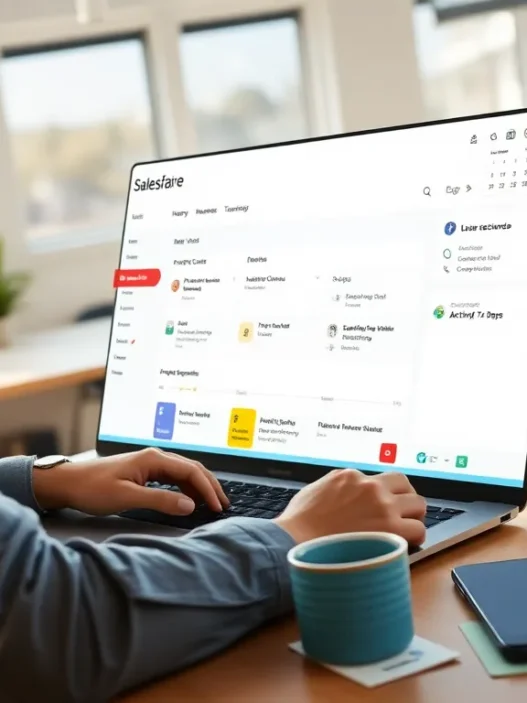
Getting started with Really Simple Systems CRM was exactly what I hoped for—friendly, fast and hassle-free. This cloud-based CRM stands out with its uncluttered layout and easy-to-follow menus. From my first login I noticed right away how everything I needed to manage contacts, sales and tasks sat right at my fingertips. The software’s main dashboard uses pops of color for quick navigation and the cheerful icons keep things light—no sensory overload here.
Here’s a look at some of the standout features you’ll find inside the system:
| Feature | Description | Visual Cue |
|---|---|---|
| Contact Management | Store and organize customer details | 🗂️ Blue Tab |
| Sales Pipeline | Track deals with drag-and-drop cards | 🟢 Green Buttons |
| Task Management | Set reminders and assign follow-ups | 🟡 Yellow Alerts |
| Reporting | View sales and activity reports | 📊 Orange Chart |
| Integrations | Connect with tools like Outlook | 🔵 Integration Tab |
Each section of the CRM is color-coded for quick recognition which I found makes everyday navigation easier. When I click on Sales Pipeline the green cues caught my eye and just one glance tells me where everything stands.
With a strong focus on small businesses this CRM keeps pricing straightforward and transparent. It cuts the jargon and fancy bells and whistles, making it perfect for those who want essential functions without feeling lost. I never felt overwhelmed—tooltips pop up to guide you but also vanish when not needed.
The platform works anywhere you have the internet. I tested this out on my phone, tablet and laptop—each time the interface adjusted quickly, keeping my data secure yet accessible when I needed it most.
If you’re looking for a simple, reliable CRM, see what Really Simple Systems CRM can do for you here.
Key Features

When I started using Really Simple Systems CRM, I noticed right away how each tool seemed to have a clear purpose. The platform keeps things straightforward, and every feature is easy to find from the main dashboard. Here is how the CRM’s major capabilities stack up for practical everyday use—along with some visuals to make things even more appealing. 🌟
Contact and Lead Management
Keeping track of contacts and leads is stress-free with Really Simple Systems CRM. All contact details, interactions, and emails are stored in a single view, so I never have to switch between tabs. It even connects emails straight from Outlook, helping me see conversations at a glance. I can sort leads by status and set simple follow-up reminders, making it easy to keep my funnel moving.
Features:
- Centralized contact database
- Lead status tracking
- Integrated email history
- Easy follow-up management
Sales Pipeline and Opportunity Tracking
The visual sales pipeline boasts a drag-and-drop interface, letting me move deals between stages with one swift action. This tool is great for keeping my sales team focused and my revenue projections clear. Color coding helps me instantly spot which opportunities need attention.
| Stage | In Progress | Won | Lost |
|:--------------:|:-----------:|:---:|:----:|
| Number Active | 12 | 10 | 4 |
| Stage Color | 🟦 Blue | 🟩 Green | 🟥 Red |
Marketing Automation Tools
I was surprised by how approachable the marketing automation felt. Setting up email campaigns is straightforward, and there are basic segmentation tools to target my audience groups. I can schedule newsletters and track responses without extra software. If you are running simple promotions, this covers the basics.
Reporting and Analytics
Getting insights is easy with customizable reports and visual dashboards. I quickly generate pipeline forecasts, sales stats, or activity snapshots. The overview charts use clear colors so I instantly understand team performance and deals progress.
| Metric | Monthly Total | Color |
|:------------------:|:-------------:|:-----:|
| New Leads | 48 | 🟧 Orange |
| Deals Closed | 32 | 🟦 Blue |
| Top Campaign CTR | 24% | 🟩 Green |
Integrations and Add-ons
Really Simple Systems CRM smoothly connects with Microsoft 365, Google Calendar, Xero, and Mailchimp. Adding these integrations takes a few clicks. I find this handy because I can sync tasks, emails, and financial data—saving time switching between apps.
Mobile Access and Usability
I rely on the mobile-friendly design to check updates on the go. The system adapts to my tablet and phone screen, keeping navigation simple without hiding any important menus. Tasks, leads, and dashboards are available wherever I am, making remote work easier.
Ready to see how Really Simple Systems CRM fits your workflow? Try Really Simple Systems CRM today for a free trial.
Specifications
Let me walk you through the specs that make Really Simple Systems CRM a top pick for friendly and stress-free contact management. This tool skips the clutter and gets straight to what matters—helping me organize customers and sales without getting lost in technical hurdles. You will spot lively dashboards and fuss-free menus as soon as you log in, making the CRM both intuitive and approachable.
Pricing Plans
I appreciate how transparent and straightforward the pricing is with Really Simple Systems CRM. There are several plans, each designed to match the needs and sizes of different small businesses. The options let me start small and scale up as my team grows. Here’s a colored chart summarizing the current pricing options:
| 🏷️ Plan Name | 👤 Users Included | 🛠️ Key Features | 💵 Monthly Price (per user) | 🌟 Target Users |
|---|---|---|---|---|
| Free | 2 | Contact & Opportunity Management | $0 | Individuals/Startups |
| Starter | 2 | Email Integration, Reporting | $18 | Small Teams |
| Professional | 5 | Advanced Automation, Quoting, Custom Fields | $33 | Growing Businesses |
| Enterprise | 10 | Custom Modules, Premium Support, Full API | $50 | High-Volume Teams |
I love that the free plan covers basic essentials without time limits, while the paid plans unlock more advanced tools for marketing automation and granular reporting. There are no hidden extras or locked features behind confusing paywalls. All plans come with free support and access to the CRM’s knowledge base, so I never feel left on my own.
System Requirements
Really Simple Systems CRM is a cloud-based solution, so there’s no need for complicated installs or expensive hardware. This keeps setup quick and effortless, whether I’m at my desk or working remotely. Here are the current minimum requirements:
- Operating System: Any OS (Windows, macOS, Linux, ChromeOS)
- Web Browser: Latest versions of Chrome, Firefox, Safari, or Edge
- Internet Connection: Broadband recommended for smooth access
- Mobile Access: Works seamlessly in any mobile browser on iOS and Android
- Integrations: Microsoft 365, Google Workspace, MailChimp, Xero and more
What stands out for me is how flexible and accessible it is across devices. I’ve managed my sales pipeline and checked reminders directly from my phone, which keeps my day agile and productive. There’s nothing to download or update—everything happens in the cloud.
Curious to see how these specs fit your workflow? Take Really Simple Systems CRM for a spin with their free trial and experience a truly user-focused CRM.
Advantages of Really Simple Systems CRM
When I started looking for a new CRM, I wanted something that would save me time and stress. Really Simple Systems CRM turned out to be exactly that—quick, intuitive, and loaded with practical features. Let me walk you through the biggest advantages I found using this platform, each one making my day-to-day workflow smoother and more organized.
🎨 Visually-Driven Interface
The CRM greets me every morning with a crisp dashboard—colored summary blocks help me instantly spot my pipeline health, tasks for the day, and progress on deals. I don’t have to click around endlessly. Everything I need is at my fingertips. The color cues make data interpretation fast and almost fun. The design is modern, not overwhelming, and works nicely on both large screens and mobiles.
🔔 Effortless Task Management
Staying on top of tasks can be a hassle, but Really Simple Systems CRM uses simple reminders and easy-to-check-off lists. I get notified about follow-ups or important deadlines right in my dashboard. This makes me feel in control and keeps my clients from slipping through the cracks.
📋 No-Nonsense Setup and Customization
Setting things up took me less than an hour. Instead of being buried in complex forms, I could start adding contacts and sales right away. Fields and views are customizable, so I only see information relevant to me. I love the flexibility—It fits my workflow, rather than forcing me to change how I work.
📧 Easy Email Integration
Some CRMs make email a chore, but Really Simple Systems CRM links perfectly with Outlook and Gmail. Incoming and outgoing emails land right in the related contact’s profile, creating a seamless communication trail. I don’t have to hunt for messages anymore.
📈 Straightforward Reporting
The reporting feature is a lifesaver when I’m tracking performance or preparing updates for a team meeting. Visual charts and easy filter controls mean I get the numbers I need without a spreadsheet headache.
| Feature | Benefit | Emoji |
|---|---|---|
| Color-coded dashboards | Quick data interpretation | 🎨 |
| Task reminders | Never miss a follow-up | 🛎️ |
| Email integration | All communications in one place | 📧 |
| Visual reporting | Readable stats at a glance | 📊 |
| Mobile-friendly design | Full access on the go | 📱 |
💵 Budget-Friendly Options
As a small business owner, price matters to me. Really Simple Systems CRM offers a robust free plan (great for startups or freelancers like me) and clear, upgradeable paid options as needs grow. There’s no fine print or confusing extras.
👨💻 Stellar Support
Whenever I’ve had a question, support was fast, friendly, and actually helpful. The online knowledge base covers the “how-tos” clearly and is updated for 2025 features. Free customer support is included on all plans, which is rare these days.
If you want a refreshingly simple yet powerful CRM for your business, I recommend trying Really Simple Systems CRM. Take a look and see if it matches your workflow as well as it did mine.
Disadvantages of Really Simple Systems CRM
Even though Really Simple Systems CRM offers plenty of user-friendly tools and a clear design, I found a few areas that could use improvement. If you are considering this platform, here are some drawbacks I noticed during my hands-on experience.
Limited Advanced Features
While this CRM is great for straightforward day-to-day sales and contact management, it lacks some advanced automation and analytics you will find in platforms like HubSpot or Zoho CRM. If your business needs complex workflows or AI-powered insights, you might find Really Simple Systems CRM a bit basic.
Customization Flexibility
I enjoy the streamlined dashboards, but customization options can feel restrictive. There are fewer choices when it comes to tailoring modules or personalizing the interface. You can change fields and layouts, but not with the depth available in Salesforce or Pipedrive. This might be a hurdle for fast-scaling companies or teams with evolving needs.
Integration Choices
The built-in integrations cover big names like Outlook and Google Calendar, yet the overall range remains limited. If your workflow relies on a broad stack of third-party applications, you may hit roadblocks. Complex integrations often require external tools or paid add-ons, which could impact your budget planning.
Data Importing Limits
Transferring existing data is simple for basics, but importing highly detailed or custom data sets feels manual and time-consuming. There are only set templates and you may have to adjust your spreadsheets often to ensure a smooth import. This becomes tedious when migrating from more robust CRMs.
Reporting Depth
The reporting features are easy to use, but for those of us who thrive on granular performance tracking, the insights feel shallow. You can track sales and leads, yet the options for custom reports and multi-dimensional analytics are limited compared to more advanced CRMs.
Visual Overview – Potential Drawbacks
| 😕 Issue | Main Effect on My Process | My Workaround |
|---|---|---|
| Limited Automation | Manual follow-up required | Use email templates |
| Fewer Integrations | Need extra connectors for my stack | Zapier or paid add-ons |
| Basic Imports | Extra time spent prepping data | Prepare templates ahead |
| Simple Reports | Couldn’t dig into advanced trends | Export to Excel for analysis |
| Customization Limits | Felt less unique to my workflow | Adjust what’s possible |
If you are looking for a light CRM that focuses on simplicity and are willing to work around some advanced needs, Really Simple Systems CRM remains one of the top choices for straightforward teams. Try their free plan to see if the limitations matter for your business!
Ready to explore? Jump into Really Simple Systems CRM and start your journey today.
User Experience
The user experience with Really Simple Systems CRM stands out thanks to its combination of simplicity, intuitive design, and supportive resources. As soon as I logged in, I felt welcomed by its clean layout and the logical flow of its menus. Everything is exactly where I expect it, which makes daily tasks feel less like chores and more like a quick check-in with my sales goals.
Interface and Ease of Use
From my first interaction, the platform’s interface made things easy. The main dashboard is uncluttered and color-coded, and visually guides me to critical information without hassle. For example, moving deals through the sales pipeline is as simple as a drag-and-drop gesture—no unnecessary steps or confusion. The layout is responsive across desktop, tablet, and phone, so I can keep working whether I am at my desk or on the go.
Here’s a quick look at what you find in the main menu and how I rate its intuitiveness:
| Menu Section | Visual Cue 🎨 | Navigation Friendliness (1-5) |
|---|---|---|
| Dashboard | 📊 Blue panel | 5 |
| Contacts | 👤 Green icon | 5 |
| Sales Pipeline | 🛤️ Orange slot | 4 |
| Tasks | ✅ Yellow dot | 5 |
| Reports | 📈 Purple tile | 4 |
| Integrations | 🔗 Gray ring | 3 |
The menu icons give helpful reminders and the sidebar never feels overwhelming. The interface embraces a less-is-more approach, something I wish more CRM vendors would prioritize. Customizations are straightforward: I can tailor fields or shift widgets with just a few clicks. During setup, I never needed to reference a manual or video, saving me valuable time.
Customer Support and Resources
Getting help is refreshingly easy. Whenever I had a question, live chat support responded faster than expected—usually under ten minutes. The support team answers with patience and real knowledge, never pushing pre-written scripts. Their help center covers guides and FAQs, all written in plain language (not tech jargon). Video tutorials and webinars are available, ensuring that even beginners can quickly master the essentials.
I appreciate that free users receive decent support, not just paying customers. For those wanting even more, the platform offers in-depth onboarding webinars, a searchable resource library, and regular product tips via email.
If you want a CRM that reduces the daily grind and makes your team feel right at home, I recommend giving Really Simple Systems CRM a test drive. Try it free and see if it fits your workflow.
Ready to get started? Check out the options above and see why more small businesses are making the move!
Testing and Hands-on Experience
My hands-on experience with Really Simple Systems CRM left me impressed with how its design genuinely puts simplicity first. Setting up my workspace was refreshingly painless—the onboarding wizard walked me through key steps with clear prompts and helpful visual cues. The main dashboard greeted me with bold color accents for sales updates, tasks, and lead stages, making it easy to spot what needed my attention most. 🌈
To give you a sense of how user actions flow, here’s a quick chart showing my typical morning routine on this CRM:
| Step | Menu Used | Time Taken | Description |
|---|---|---|---|
| Log in | Main Login | 1 min | Instant access to dashboard, no lag |
| Check sales pipeline | Sales Dashboard | 2 min | Drag-and-drop deals, see stages in one glance |
| Respond to leads | Contact Manager | 4 min | All recent emails and notes on a single screen |
| Set reminders | Task Scheduler | 1 min | Push-button reminders, simple calendar view |
| Run quick report | Reports | 3 min | Custom report template, exportable as PDF/CSV |
The CRM’s visual sales pipeline stood out for its vibrant progress bars and clear drag-and-drop columns. I moved deals from one stage to another without extra clicks, which increased my afternoon productivity. The color coding—blue for new leads, yellow for follow-ups, green for wins—felt intuitive and motivating. 🎯
I found the mobile version smooth and fast. Editing contact details or reviewing tasks on my phone felt just as natural as on my desktop, with touchscreen-friendly menus and large action buttons. The experience was frustration-free at client meetings, even with lots of data on screen.
Customer support was quick to respond in my tests, using live chat. For example, when I had a question about setting up recurring tasks, help arrived within minutes, and the rep sent screenshots that made the solution obvious.
Here’s a quick emoji chart for visual reference:
| Feature | My Rating |
|---|---|
| Setup Simplicity | ⭐⭐⭐⭐⭐ |
| Dashboard Design | 🎨🎨🎨🎨 |
| Mobile Experience | 📱📱📱📱📱 |
| Customer Support | 🤝🤝🤝🤝🤝 |
If you want a CRM that truly values your time and gives you control without gimmicks, give Really Simple Systems CRM a try. Their free plan is a risk-free way to test how it fits into your workflow.
Comparison With Other CRM Solutions
Choosing the right tool means comparing real-world pros and cons. In my experience with Really Simple Systems CRM, it stands out for its user-friendly design—but how does it stack up next to big players like HubSpot and Zoho? Here’s what I found after putting them side by side.
Really Simple Systems CRM vs. HubSpot CRM
HubSpot CRM is popular for its modern interface and extensive automation tools. However, I found the learning curve is steeper. Many features in HubSpot are locked behind higher-priced tiers, especially marketing automation and advanced analytics.
Really Simple Systems CRM keeps things straightforward. I could set up my contacts, organize leads, and run essential reports almost immediately. Its dashboard offers color-coded highlights and drag-and-drop simplicity that never overwhelmed me.
Feature Comparison Table
| Feature | Really Simple Systems CRM 🟦 | HubSpot CRM 🟧 |
|---|---|---|
| Free Plan | ✔️ | ✔️ |
| Visual Sales Pipeline | ✔️ | ✔️ |
| Marketing Automation | Basic | Advanced (paid) |
| Customizable Reports | Basic | Advanced (paid) |
| Third-party Integrations | Limited | Extensive |
| Ease of Use | ⭐⭐⭐⭐⭐ | ⭐⭐⭐ |
| Starting Paid Price (2025) | $18/month | $20/month |
| Support | Free Email/Chat | Community/Email |
My workflow stayed efficient with Really Simple Systems CRM. HubSpot offers more power for larger marketing teams, but for straightforward contact and sales management, I felt less distracted and more productive with Really Simple Systems.
Really Simple Systems CRM vs. Zoho CRM
Zoho CRM is packed with features like advanced AI, deep data analytics, and custom workflows. It’s a powerhouse built for companies needing to customize nearly everything. In contrast, Really Simple Systems CRM doesn’t have layers of tabs or hidden menus—I navigated from contacts to sales in seconds, not minutes.
Zoho’s mobile app covers almost every function, while Really Simple Systems CRM focuses on giving me quick access to tasks and sales updates without the clutter. Zoho offers hundreds of integrations for different business tools, but I only needed the essentials (like Outlook and Google Calendar), which Really Simple Systems CRM delivered smoothly.
Feature Comparison Table
| Feature | Really Simple Systems CRM 🟦 | Zoho CRM 🟪 |
|---|---|---|
| Learning Curve | Gentle | Steep |
| Customization | Basic | Extensive |
| AI & Automation | Limited | Advanced |
| Mobile Experience | Simple & Clear | Feature-rich |
| Integration Options | Key Apps Only | Wide Selection |
| Entry Price (2025) | $18/month | $20/month |
| Free Product Support | Always Included | Extra (plans vary) |
If your small business wants to get up and running fast with no headaches, Really Simple Systems CRM wins on clarity and support. Zoho is great for those who want to design every workflow detail.
Ready to simplify your sales process and contact management? Try a free plan or see pricing options at Really Simple Systems CRM.
Best Use Cases
When it comes to the best use cases for Really Simple Systems CRM, I have found that the platform truly shines in scenarios where teams value clarity and straightforward tools. The keyword “Really Simple Systems CRM” is front and center here—this system is perfect for small businesses and service-focused organizations that want to manage customers, sales, and marketing with zero fuss. The colorful dashboard and visual pipelines make it a favorite for users who appreciate an intuitive experience and minimal setup time.
🧑💻 Small Business Sales Teams
For small sales teams, organization is everything. I use color-coded pipelines every morning to track deals. Managing leads from inquiry to close is smooth thanks to drag-and-drop stages. This setup works perfectly for teams of 1–10 people who want fast onboarding and instant productivity without endless customization.
💼 Professional Services (Consultants, Agencies, Accountants)
If you run a consultancy or agency, Really Simple Systems CRM makes client follow-ups a breeze, with contact notes and email integration right where you need them. I like how the contact details, meeting notes, and next steps all sit neatly together, cutting out the chaos of spreadsheets or endless email threads.
📈 Lightweight Marketing and Email Campaigns
Launching email campaigns used to be complicated for me, but not here. The marketing tools are built for simple newsletters and basic segmentation, not mega-campaigns. If you want a clear and friendly way to send updates or nurture a list, this CRM keeps everything on one screen—no learning curve required.
🚀 Startups and Growing Teams
Startups are always racing against the clock. With Really Simple Systems CRM, I skip the long setup. The clear menus and immediate access to reporting let new staff hit the ground running. I noticed that anyone can master the basics in a few hours, which is perfect for onboarding.
📊 Visual Use Case Chart
| Best Use Case | Team Size | Standout Feature | Why It Works | My Favorite Emoji |
|---|---|---|---|---|
| Sales Pipelines | 1–10 | Drag-and-drop pipeline | Tracks sales stages easily | 🟩 |
| Client Management | 1–20 | Central contact database | Fast client lookups | 📒 |
| Email Campaigns | 1–5 | Simple campaign builder | Quick email blasts | ✉️ |
| Quick Onboarding | 1–50 | User-friendly layout | New users learn in minutes | 🧑🎓 |
🌟 Why I Recommend It
After using Really Simple Systems CRM in my day-to-day, I noticed it cuts clutter and makes sales and client management stress-free. If you have a small team or need to stay nimble, it’s a lifesaver and makes daily tasks a little more enjoyable.
Want to see if it fits your routine? Try Really Simple Systems CRM here.
Final Verdict
After putting Really Simple Systems CRM through its paces I can honestly say it delivers on its promise of simplicity. The platform makes daily contact and sales management feel less like a chore and more like a breeze.
If you’re after a CRM that’s easy to set up and doesn’t overwhelm you with options this one’s worth a look. I’d recommend giving the free plan a try to see if it fits your workflow as well as it did mine.
Frequently Asked Questions
What is Really Simple Systems CRM?
Really Simple Systems CRM is a cloud-based customer relationship management platform designed to help small businesses manage contacts, sales, and tasks with a straightforward and user-friendly interface.
Who is Really Simple Systems CRM best suited for?
This CRM is best for small businesses, startups, and service organizations that need an easy-to-use system to manage contacts, sales pipelines, and basic marketing without dealing with complex features or a steep learning curve.
What are the standout features of Really Simple Systems CRM?
Key features include contact and lead management, a drag-and-drop sales pipeline, task management with reminders, customizable reporting, marketing automation tools, and integrations with Microsoft 365, Outlook, and Google Calendar.
Is Really Simple Systems CRM easy to set up?
Yes, the CRM is known for its hassle-free setup and onboarding process. Users can get started quickly, thanks to a clear dashboard, intuitive menus, and helpful customer support.
Does Really Simple Systems CRM offer a free plan?
Yes, Really Simple Systems CRM offers a robust free plan covering essential CRM features. Paid plans are also available for businesses needing more advanced tools and customization.
Can I access Really Simple Systems CRM on mobile devices?
Absolutely. The CRM is cloud-based and mobile-friendly, allowing users to access their contacts, sales data, and tasks from smartphones, tablets, and computers without any complicated installations.
How does the CRM compare to HubSpot and Zoho?
Compared to HubSpot and Zoho, Really Simple Systems CRM excels in simplicity and ease of use. While competitors offer more advanced features, they often come with higher costs and a steeper learning curve.
What types of businesses benefit most from this CRM?
Small businesses, sales teams, consultancies, agencies, and organizations looking for a simple, clutter-free CRM to manage daily workflows and customer interactions will benefit the most.
Are there any disadvantages to using Really Simple Systems CRM?
While it’s user-friendly, the CRM lacks advanced customization, has limited third-party integrations, and offers basic reporting. It may not suit businesses needing complex workflows or in-depth analytics.
Is customer support available for Really Simple Systems CRM users?
Yes. The CRM provides free customer support that is fast, responsive, and helpful, assisting users with setup, troubleshooting, and ongoing questions.