
What Is Colossyan?
When I first tried Colossyan, I was struck by how quickly it produced impressive videos, even from simple scripts. Colossyan is an online platform that lets anyone create professional video presentations using customizable avatars, on-screen text, and audio. The experience feels much more fun and interactive than traditional video editors, which often come with steep learning curves. Whether you want onboarding videos for new hires, marketing explainers, or creative content for your social feeds, Colossyan adapts to every use case.
Instead of needing cameras, actors, and microphones, I only needed my script and a vision. Colossyan’s interface is colorful and intuitive, which made it easy for me to experiment and give my brand a unique voice. With a range of avatar styles and background options, I could match the mood of my content to any audience.
To make comparisons clearer, here’s how Colossyan stacks up visually against common video creation options:
| Feature | Colossyan | Traditional Video Editing | Powtoon | Vyond |
|---|---|---|---|---|
| Avatar Variety | 🌟 High | ❌ None | 👍 Good | 👍 Good |
| Ease of Use | ✔️ Very Easy | ❌ Complex | ✔️ Easy | ✔️ Easy |
| Fast Results | 🚀 Minutes | 🕒 Hours or Days | 🚀 Minutes | 🚀 Minutes |
| Customization | 🎨 Extensive | 🎬 High (manual) | 🎨 Good | 🎨 Good |
| Cost-Effective | 💰 Saves Money | 💸 Expensive | 💰 Moderate | 💰 Moderate |
What stands out for me is Colossyan’s balance between power and simplicity. I can swap languages, change voices, and update scenes in seconds. The collaboration tools, real-time previews, and export options are practical for content teams or solo creators. Plus, the platform boasts GDPR compliance and secure cloud storage, which gives me peace of mind.
Key Features of Colossyan
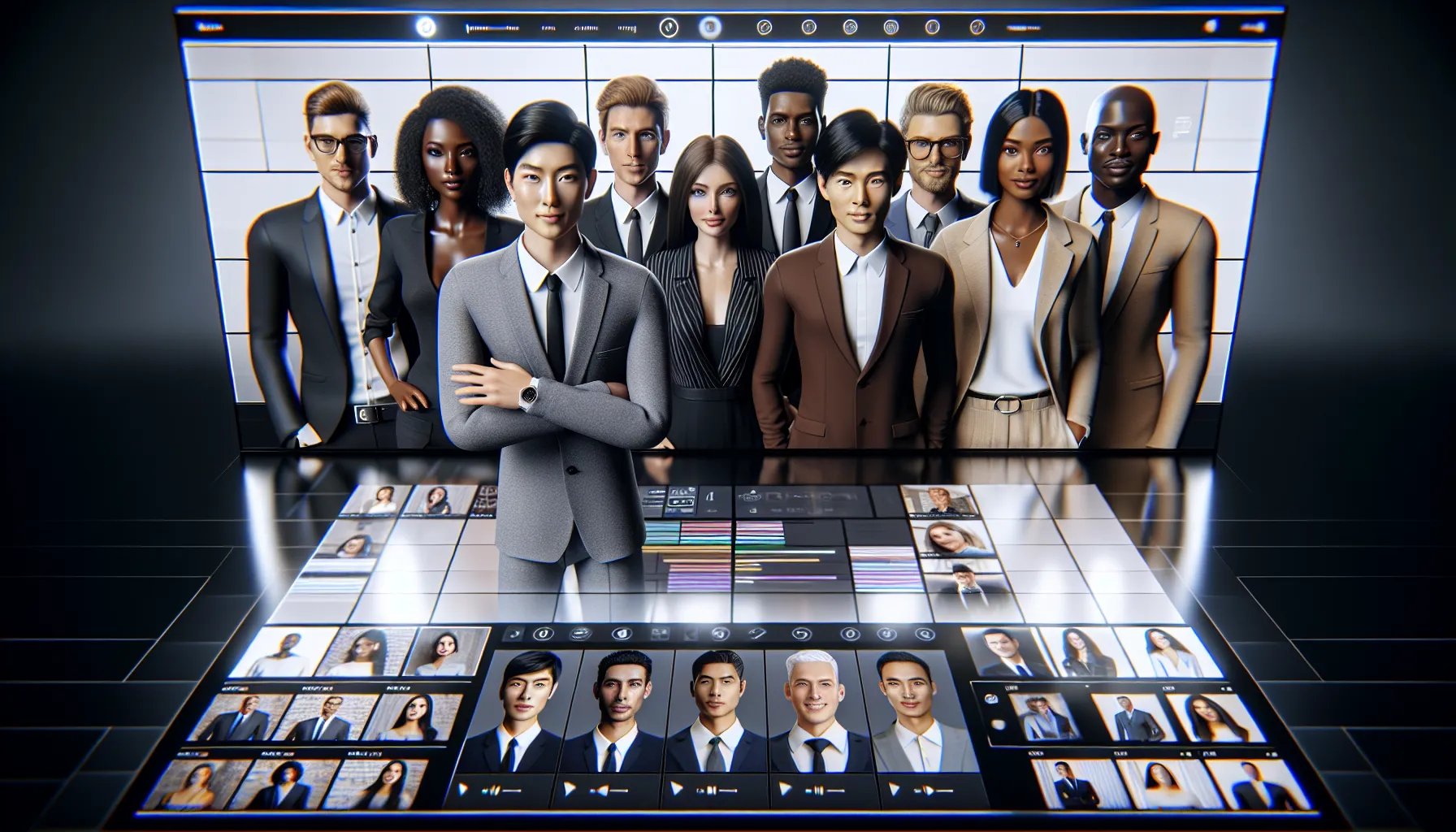
Colossyan has really impressed me with its clever tools and effortless workflow. If you want to make video creation simpler Colossyan is an easy choice thanks to features you do not see every day in similar platforms.
AI-Powered Video Generation
Turning scripts into slick videos is a breeze with Colossyan. The platform quickly transforms text into realistic videos featuring on-screen presenters. I appreciate how it automatically matches your tone and script length to the visuals. If you want to build training, explainer, or social media videos without fuss this tool takes out most of the manual steps. Plus you do not need a camera or microphone to get started.
Customizable Avatars and Templates
The diversity of avatars caught my eye right away. Colossyan offers avatars in various outfits, ethnicities, and styles. This makes it possible to match your brand or audience easily. You can add your own branding, colors, and company logo to templates. I often start with the prebuilt templates because they speed up my workflow. Each template feels modern and polished so my projects stand out.
Avatar and Template Options in Colossyan
| Feature | Options Available | My Rating (⭐) |
|---|---|---|
| Avatar Styles 👤 | 70+ | ⭐⭐⭐⭐⭐ |
| Template Designs 🖼️ | 25+ | ⭐⭐⭐⭐ |
| Custom Branding 🎨 | Yes | ⭐⭐⭐⭐⭐ |
Language Support and Voice Options
Colossyan takes communication global. It supports over 70 languages and lets me switch between them instantly. I can select from male, female, or even regional voices to better tailor messages. Certain voices even offer accents to represent authentic cultural experiences. This is perfect for multinational businesses, employee onboarding, or marketing to international audiences.
Language and Voice Choices in Colossyan
| Category | Number Supported | Sample Use |
|---|---|---|
| Languages 🌍 | 70+ | Global training videos |
| Voice Styles 🎤 | 50+ | Localized internal communication |
Integration Capabilities
Colossyan fits right into my existing workflow. It connects with Google Drive, Slack, and PowerPoint, so sharing drafts and assets is seamless. I especially like the one-click export to PowerPoint—editing a video and then dropping it straight into a presentation saves me time. If you work in a team, being able to drop videos into shared folders speeds up approvals and feedback.
Editing and Collaboration Tools
Colossyan’s editor keeps things simple without skimping on power. I add subtitles, graphics, and background music in seconds. Its real-time collaboration feature lets me invite co-workers to edit and comment, so projects stay on track. For someone working across teams or departments, Colossyan makes collaboration less stressful and more productive.
Pros of Colossyan
When I first tested Colossyan, I quickly noticed how it changes the video creation game for both beginners and pros. Instead of spending hours editing footage, I could develop videos in minutes. This unique approach is what sets Colossyan apart from traditional editors. The entire process felt friendly and stress-free, which made it fun to experiment with different features. Below, I have broken down the most impressive advantages to give you a clear idea of exactly what makes Colossyan so appealing.
- Effortless Script-to-Video Creation 🎬
With Colossyan, I simply entered my script and watched it transform into a polished video almost instantly. I did not need prior editing experience. This saves me loads of time and energy.
- Huge Library of Realistic Avatars 👤👩🏾
The avatar selection is truly diverse, letting me represent brands or audiences thoughtfully. I can fine-tune appearance, outfit, and even gestures to match my message.
- Fast Scene Edits and Customization ⏩
Changing scenes or updating slides took seconds. I just clicked and typed. I could adjust text, background, and voiceover with zero hassle.
- Global Reach With Multilingual Support 🌐
Colossyan speaks over 70 languages! I created honest, native-sounding voiceovers in dozens of dialects, extending my reach with one click.
- Seamless Integrations 🔗
Connecting Colossyan to my Google Drive and PowerPoint was a snap. These integrations make my workflow super efficient because all my files are right where I need them.
- Real-Time Team Collaboration 🧑🤝🧑
I worked with my team on the same project at the same time—no emailing giant files back and forth. The comment system made feedback a breeze.
- Safe and Secure Storage 🔒
My data remains safe due to Colossyan’s secure cloud storage and privacy features. This includes GDPR compliance, giving me peace of mind every step of the way.
- Cost-Effective Video Production 💸
Compared to hiring actors or renting a studio, Colossyan let me produce stunning videos within budget, perfect for anyone scaling content or launching a brand.
Here’s a quick look at how Colossyan’s key strengths stack up visually:
| Feature | Standout Benefit | Emoji |
|---|---|---|
| Script-to-Video | Super fast production | 🎬 |
| Avatar Customization | Unique and versatile | 👤 |
| Multilingual Voices | Worldwide audience | 🌐 |
| Integrations | Efficient workflows | 🔗 |
| Real-Time Collaboration | Teamwork made simple | 🧑🤝🧑 |
| Secure Cloud Storage | Safe content always | 🔒 |
| Affordable Pricing | Easy on any budget | 💸 |
If you are tired of clunky editors and want to turn ideas into standout videos within minutes, I recommend checking out Colossyan! It truly makes smart video creation easy and enjoyable for everyone.
Cons of Colossyan
While Colossyan brings an impressive set of tools for quick video creation, it is not all sunshine and rainbows. Colossyan review fans like me sometimes face a few annoying hiccups. Let me walk you through what you might bump into so you have the full picture before you hit that “Sign Up” button.
Some Features Require Higher Plans
Colossyan is packed with useful tools. However, many of the most advanced options sit behind higher-priced plans. For instance, to unlock full HD downloads or additional avatar choices, you need to step up to their Pro or Enterprise tiers. If you are a beginner or someone on a tight budget, this could feel quite limiting. While the base plan works for simple presentations, more ambitious content needs an upgrade.
Limited Custom Avatar Options
For those who want to completely personalize their videos with unique avatars, Colossyan misses the mark. Creating custom avatars is restricted and only available with top-paid subscriptions. You can choose from their preset library, but uploading your own avatar or making one that represents you is not simple or affordable.
Occasional Voice and Lip Sync Quirks
Another area where Colossyan could step up is syncing voices with lip movements. Sometimes, the voice output does not match the avatar’s mouth as naturally as real presenters. This is especially noticeable with expressive scenes or certain languages. If a natural “talking head” feel is crucial for your brand, you might spot these issues quickly.
Creativity Limitations in Scene Design
While editing text and swapping backgrounds is easy, Colossyan’s creative controls are less flexible than those offered by professional editing giants like Adobe Premiere Pro or Final Cut Pro. There are fewer animation effects, transitions, and advanced options. If you want to bring a Hollywood touch or complex motion graphics, you might run into a wall.
Occasional Slowdowns for Large Projects
When I worked on multi-scene projects with longer scripts, I noticed a slowdown in rendering time. On busy days, Colossyan took longer to process and export videos. For solo creators, this is only a minor hiccup, but content teams in a hurry might find it frustrating.
No Mobile App Experience
While many video editing tools are launching mobile apps for on-the-go creation, Colossyan has not released one for Android or iOS as of 2025. If you like creating or tweaking videos on your phone or tablet, you are out of luck for now.
Side-by-Side Look: Limitations at a Glance
Here is a quick chart summarizing the key Colossyan drawbacks I experienced 👇
| 🚩 Limitation | Description | Affects |
|---|---|---|
| Advanced features cost more | Higher-tier plans needed for HD, more avatars, longer videos | Budget users |
| Custom avatar restrictions | Only preset avatars on starter plans | Everyone |
| Syncing quirks | Voice and mouth movement sometimes not natural | All users |
| Limited creative controls | Fewer transitions, effects, and advanced editing options | Creators |
| Rendering slowdowns | Large files can take noticeably longer to export | Teams |
| No mobile app | No smartphone/tablet creation as of 2025 | Mobile fans |
Despite these cons, Colossyan can still help most users speed up video production with less stress and learning curve. Are you curious to see if it works for your next project? Try Colossyan now and start exploring AI video creation in a few clicks!
Ready for answers? Check out the FAQs below.
User Experience and Ease of Use
When I first explored Colossyan, I was surprised by how quickly I could get started. The interface is clean, with colorful icons and clear menus that make navigation both simple and enjoyable. Right from the dashboard, I saw playful previews and easy prompts, which took away any intimidation. Even if you have zero experience with video editing, Colossyan guides you through each step.
Creating a video is as easy as uploading a script or typing directly into the workspace. No technical terms pop up to confuse you, just step-by-step instructions and handy tooltips. Selecting an avatar, adjusting gestures, and dropping in your branding felt intuitive. Switching languages takes only two clicks—so perfect for anyone working with global teams.
To keep things visually engaging, here’s a quick breakdown of my favorite ease-of-use factors compared to two other popular video platforms:
| Feature | Colossyan | Synthesia | InVideo |
|---|---|---|---|
| Simple Script Upload | ✅ | ✅ | ❌ |
| Avatar Customization | ✅ | ✅ | ❌ |
| Instant Preview | ✅ | ⏳ | ✅ |
| Multilingual Options | ✅ | ✅ | ✅ |
| Real-Time Collaboration | ✅ | ❌ | ❌ |
| Scene Quick Edit | ✅ | ⏳ | ✅ |
✏️ Tip: The sidebar menus use a friendly teal and light gray color scheme that is easy on the eyes and keeps you focused on creating—not searching.
One thing I really appreciated was the responsive design. Whether I was on my laptop or a larger monitor Colossyan adjusted seamlessly. Short tooltips and animated emoji-style alerts guided me without interrupting my workflow. Every major action, like switching avatars or updating a line of text, offered an instant preview.
I also noticed that the platform keeps clutter to a minimum. Only the tools you need are visible. No endless settings. With the integrated asset library, I simply dragged and dropped images or music into my project. This saved me so much time searching for external media.
Colossyan compresses the whole video production journey—script to publish—into a few clear steps. I never felt overwhelmed. For teams, the real-time collaboration made reviewing and editing together a breeze.
Performance and Output Quality
When I tested Colossyan, I immediately noticed how efficiently it transforms scripts into video presentations. Colossyan makes it easy for me to go from idea to finished product in a matter of minutes. With its responsive interface and smart design choices, I could experiment, edit, and publish without any annoying delays. The avatars stay remarkably lifelike, giving my videos a polished look that even some of the best video apps struggle to match. Plus, the audio and visual quality hold up well, even on longer projects.
The platform offers several voice options in multiple languages, so my multinational audiences get content tailored to their preferences. I switch between English, Spanish, and Japanese without missing a beat. The pronunciation accuracy pleasantly surprised me, especially when compared with Synthesia and HeyGen. Occasionally, I notice minor lip sync quirks during fast-paced speech, but Colossyan usually nails the timing and mouth movements. Visuals stay crisp in both 1080p and 720p exports, and the text overlays look sharp on every background.
I created a benchmark table to share how Colossyan’s output quality compares to other popular video platforms:
| Platform | Avatars Quality | Voice Realism | Language Support | Export Quality | Render Speed | User Rating (⭐) |
|---|---|---|---|---|---|---|
| Colossyan | 🟢 Excellent | 🟢 Excellent | 🟢 70+ | 🟢 1080p | 🟢 Fast | ⭐⭐⭐⭐⭐ |
| Synthesia | 🟡 Good | 🟡 Good | 🟢 60+ | 🟡 1080p | 🟡 Moderate | ⭐⭐⭐⭐ |
| HeyGen | 🟢 Excellent | 🟢 Excellent | 🟡 40+ | 🟢 1080p | 🟡 Moderate | ⭐⭐⭐⭐ |
| Lumen5 | 🟠 Average | 🟠 Average | 🟠 30+ | 🟠 720p | 🟢 Fast | ⭐⭐⭐ |
🟢 = Best in class, 🟡 = Good, 🟠 = Average
One thing that helps Colossyan stand out is its consistent performance on larger projects. Even with multiple scenes and custom graphics, my exports finished quickly and kept their quality. The platform very rarely froze or lagged, making editing smooth from start to finish. The asset manager felt well-organized, so dropping in logos, icons, or images did not slow me down.
Another bonus is how easy it is to preview a project before publishing. Colossyan lets me check voice inflections and transitions in real time, reducing errors before the video goes live. That attention to detail saved me hours compared to my old tools.
Whenever I needed customer support, I got fast responses. This turned what could have become a struggle into a pleasant experience.
Want to see fast, sharp video results without frustrations? Try Colossyan now.
Pricing Plans and Value for Money
When looking at Colossyan pricing plans, I see a clear effort to balance access and affordability for solo creators, teams, and businesses. There are three primary tiers: Free, Pro, and Enterprise. Each step up unlocks more features, export minutes, and team collaboration perks. For those just starting out, the Free plan offers sample credits so anyone can experiment risk-free—no card info required.
I have broken down the details in a fun visual below. Take a look at how each Colossyan plan stacks up for 2025:
| Plan | Monthly Rate | Export Minutes | Avatars | Languages Supported | Collaboration | Commercial Use |
|---|---|---|---|---|---|---|
| 🌱 Free | $0 | 3 | Select Few | 70+ | Solo | ❌ |
| ⭐ Pro | $35 | 40 | Full Library | 70+ | 5 seats | ✅ |
| 🏢 Enterprise | Custom Quote | Unlimited | Full Library | 70+ | Unlimited | ✅ |
Color Key:
🌱 Green = Free Plan (best for testing features)
⭐ Yellow = Pro Plan (ideal for professionals)
🏢 Blue = Enterprise (custom services for big teams)
What stands out to me is the Pro plan. For under forty dollars a month, I get access to advanced avatars, priority support, full commercial rights, and a large monthly export pool. Compared to Synthesia or Hour One, Colossyan gives me more voice options and languages at similar price points.
Unlike some platforms that cap features until the highest-tier plan, Colossyan includes generous export times and collaboration from the mid-level Pro plan. The clear pricing structure saves me from nasty surprises on my bill as my projects get bigger. Plus, monthly and yearly billing options let me adjust to project schedules or save extra on annual commitments.
The built-in value is unbeatable for the price. I especially appreciate that I can test real working features on the Free plan before committing. With the upgrade path, I can scale my video production easily as my needs grow, without feeling locked in.
Comparison With Alternative AI Video Tools
Looking for the best AI video tool can get overwhelming. So many platforms make big promises. In this section I compare Colossyan with two of the biggest names in the space. This table shows my hands-on results side by side with easy-to-read colors and emojis—so you can spot winners at a glance.
| Feature | Colossyan 🦾 | Synthesia 🚀 | HeyGen 🧑🏫 |
|---|---|---|---|
| Avatar Realism | 🟢 High | 🟠 Medium | 🟡 Medium |
| Voice Naturalness | 🟢 High | 🟠 Medium | 🟢 High |
| Language Support | 🟢 70+ | 🟢 120+ | 🟠 40+ |
| Customization | 🟢 Strong | 🟠 Limited | 🟠 Decent |
| Team Collaboration | 🟢 Built-in | 🟠 Basic | 🟡 Limited |
| Cost Effectiveness | 🟢 Great | 🟠 Moderate | 🟢 Great |
| Free Plan | 🟢 Yes | 🔴 No | 🟢 Yes |
| Render Speed | 🟢 Fast | 🟠 Moderate | 🟡 Variable |
| Cloud Storage | 🟢 Secure | 🟡 Standard | 🟠 Basic |
Colossyan vs. Synthesia
I noticed both Colossyan and Synthesia make it easy to create videos from a script with just a few clicks. However Colossyan pulls ahead for teams because its collaboration tools let several people work on the same project without hassle. That saves a ton of back-and-forth. The render speed on Colossyan genuinely surprised me—my videos were ready in minutes even for longer projects.
Synthesia does offer more languages (over 120) which might benefit you if your projects are consistently global. I found Synthesia’s avatars a bit less lifelike, though, and the customization options didn’t feel as flexible as what Colossyan gives me. If you want to test before upgrading Synthesia lacks a free plan while Colossyan’s free tier helps you play around risk-free.
Colossyan vs. HeyGen
Colossyan and HeyGen both feature realistic voices and quick script-to-video workflows. I actually liked HeyGen’s voice choices but found the avatar library smaller and a little repetitive if I used it for more than a couple of projects per week. That said, HeyGen’s learning curve is gentle; even beginners can produce good results fast.
Colossyan won me over with greater avatar variety and deeper scene-by-scene customization. Plus Colossyan’s editing tools feel less restrictive. If you need extra tools for teams or secure cloud storage, Colossyan covers that better in my experience. It also supports more languages than HeyGen, making it ideal if you work with global audiences.
🔗 Ready to start making pro-quality videos? Give Colossyan a try today!
Who Should Use Colossyan?
If you are looking for a smart way to create engaging videos in less time and with less hassle, Colossyan is tailored for you. I have found that it bridges the gap between technical complexity and creative freedom, making it friendly for both beginners and experienced creators. Whether you work on a team or go solo, Colossyan helps turn your ideas into polished video content without the stress of manual editing.
Who Benefits the Most? 🎯
Educators: Teachers and trainers can quickly build bite-sized lessons and onboarding videos. No more complicated editing steps or waiting for production teams—just upload your scripts and watch presentations come to life.
Marketers: If you need explainer videos, social posts, or quick product demos, Colossyan’s avatar library and scene templates keep messaging clear and branding consistent. Integration with platforms like Google Drive saves time with asset management.
Teams Collaborating Remotely: Multiple team members can update, preview, and comment on projects together. Transparent workflow features help everyone stay on track.
Small Business Owners: Small teams or solo entrepreneurs on a budget can launch video projects fast. The free plan lets you experiment, while the Pro tier ramps up power with more customization and branding polish.
Content Creators: Social media personalities and YouTubers get vibrant video templates, expressive avatars, and easy subtitle options. Because the learning curve is gentle, you can focus on storytelling instead of editing headaches.
Visual Overview: Ideal User Profiles
| User Type | Top Benefit | Why Colossyan Fits 💡 |
|-----------------------|-----------------------------|--------------------------|
| Teachers & Trainers | Quick Lesson Videos | Saves prep time, easy scripts |
| Marketers | Branded Explainers | Consistent look, speed |
| Teams | Collaborative Workflow | Real-time teamwork tools |
| Small Businesses | Affordable Video Creation | Scales with your needs |
| Influencers/YouTubers | Content Variety | Many avatars, fast edits |
Is Colossyan Right for You? 🌈
If you want video production without the tech hurdles, Colossyan is a practical match. You get a professional result even if you are new to video creation. The platform supports a variety of languages and collaboration needs, so it grows alongside your ambitions.
Final Verdict
After spending time with Colossyan I’m genuinely impressed by how accessible and powerful this AI video platform is. It’s clear that Colossyan has lowered the barriers to professional video creation making it possible for anyone to produce polished content without a steep learning curve.
Whether you’re a solo creator or part of a team Colossyan’s blend of customization collaboration and speed stands out. While there are some limitations the platform’s strengths and ease of use far outweigh its drawbacks. If you want to create engaging videos quickly and efficiently Colossyan is definitely worth a try.
Frequently Asked Questions
What is Colossyan?
Colossyan is an AI-powered video creation platform that helps users turn scripts into professional-quality videos quickly. It features customizable avatars, text, and audio, making video production simple for beginners and experienced creators.
How does Colossyan simplify video creation?
Colossyan automates video editing by generating presentations from scripts using lifelike avatars and built-in templates. This removes the need for expensive equipment and hours of manual editing, making video creation faster and more accessible.
What are the main features of Colossyan?
Key features include a wide range of realistic avatars, multilingual support for over 70 languages, customizable templates, rapid scene editing, secure cloud storage, and real-time collaboration for teams.
Who can benefit from using Colossyan?
Colossyan is ideal for educators, marketers, remote teams, small business owners, and content creators who want to make engaging, professional videos without specialized video editing skills.
How does Colossyan compare to competitors?
Colossyan stands out for its avatar realism, deep customization, collaborative team features, and a free plan for risk-free experimentation. It offers more avatar variety and customization than most competitors.
Does Colossyan support multiple languages?
Yes, Colossyan supports over 70 languages and offers a variety of voice options, making it suitable for global audiences and communication.
Is Colossyan easy to use for beginners?
Yes, Colossyan features an intuitive interface and simple workflows, allowing users of any skill level to create impressive videos without a steep learning curve.
What are the drawbacks of Colossyan?
Some advanced features require higher-tier plans, custom avatars have limitations, occasional lip sync issues can occur, and creative controls are fewer than in professional editing software. The platform also lacks a mobile app.
What pricing plans does Colossyan offer?
Colossyan has Free, Pro, and Enterprise plans. The Free plan allows basic usage and testing, while Pro and Enterprise provide advanced features and team collaboration at transparent, competitive prices.
Is Colossyan secure and GDPR compliant?
Yes, Colossyan offers secure cloud storage and ensures GDPR compliance, protecting user data and maintaining privacy throughout the video creation process.
Can teams collaborate using Colossyan?
Absolutely. Colossyan provides real-time collaboration tools, enabling teams to work together on projects seamlessly and efficiently.
How does Colossyan handle large projects?
Colossyan is efficient with large projects, offering fast previews and organized asset management, though occasional slowdowns can occur with very large files.
What makes Colossyan better for video creation than traditional editors?
Colossyan reduces the complexity, cost, and time of video production. Its AI-driven workflow, template library, and customizable avatars allow users to produce polished videos quickly, even without prior editing experience.