
Overview of Vyond
Vyond stands out as my favorite tool for making animated videos, especially when I want quick results without needing design skills. Applying Vyond for business training, marketing, and classroom instruction has made my projects look polished with very little hassle. The platform lets me create professional animations in minutes thanks to its rich template library, huge character collection, and easy drag-and-drop editor.
🎨 Visual Controls and Styles
While working in Vyond, I enjoy choosing between Contemporary, Business Friendly, and Whiteboard Animation styles. The interface helps me switch styles without starting over. I appreciate having full control over colors, backgrounds, and even character expressions. The asset library includes hundreds of poses, effects, and props, making every video unique.
🕹️ Ease of Use and Customization
What I love most is how approachable Vyond feels, even for beginners. With built-in motion paths, customizable text, and automatic lip-sync for voices, I save a lot of time. Edits like swapping a character’s outfit or adding a scene take only a few clicks. I never get stuck or overwhelmed by options.
📊 Feature Highlights by Menu Area
I want to give you a snapshot of Vyond’s main features that keep my workflow efficient:
| Menu | Standout Feature | Emoji | Color Accent |
|---|---|---|---|
| Scenes | Reordering with Drag & Drop | 🔀 | |
| Characters | Quick Outfit Changes | 👔 | |
| Audio | Instant Voiceover Sync | 🎤 | |
| Library | Expansive Asset Selection | 📚 | |
| Export | Fast MP4 & GIF Downloads | 💾 |
⚡ Performance and Flexibility
Running Vyond in my browser is always smooth, even for long animations. I almost never face lag or crashes. Additionally, because every detail is cloud-based, I can jump back into unfinished work from any computer. This flexibility supports projects on tight deadlines.
If you want to animate with less stress and more fun, give Vyond a try—there is a free trial, so you can explore its features risk-free before deciding.
Key Features of Vyond
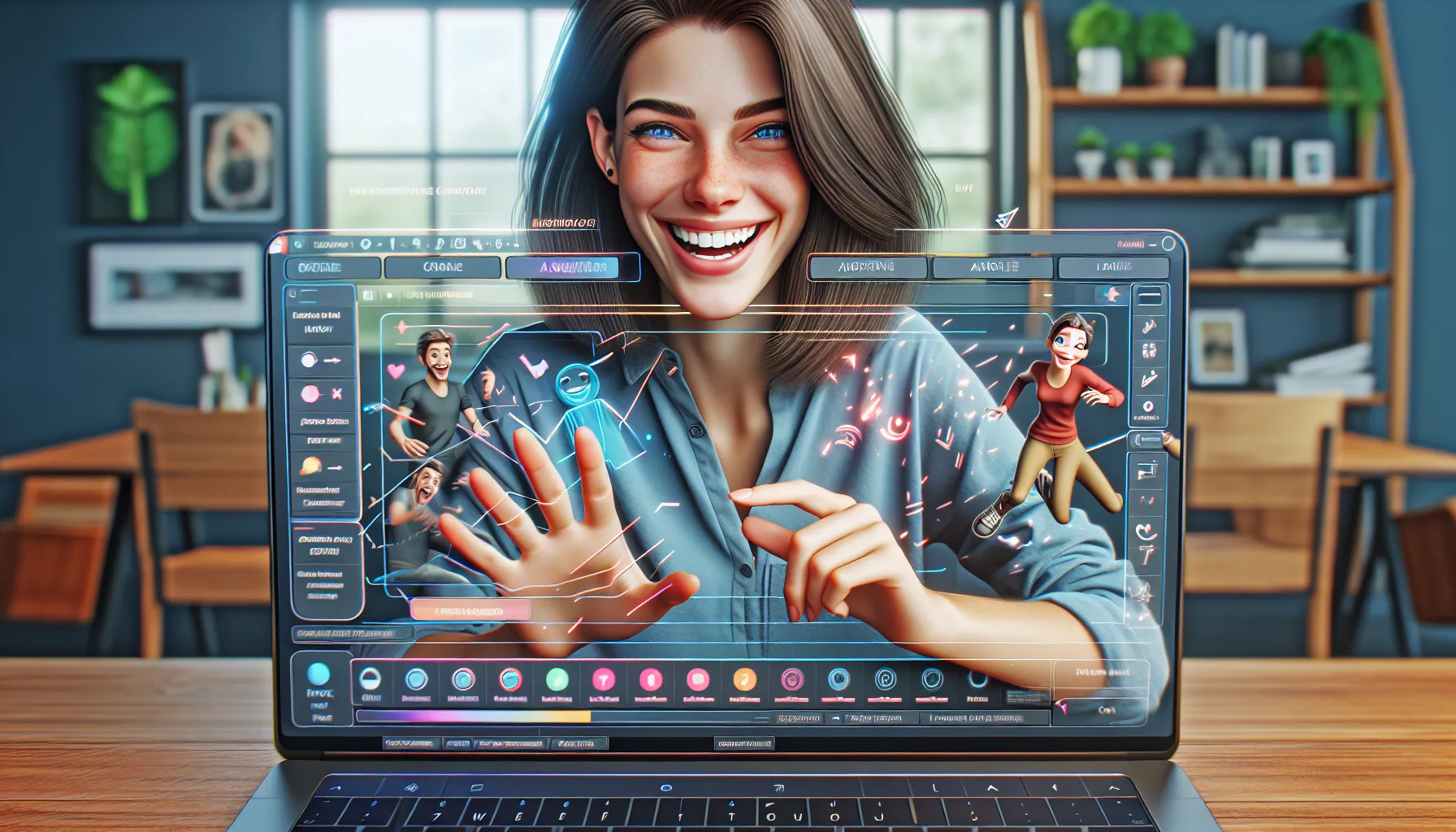
When I set out to find the best animation software for business videos, the key features of Vyond immediately stood out. This platform transforms animation from a stressful task into a creative adventure. Vyond is designed for anyone who wants eye-catching animations quickly—with no artistic background required. Let me show you what makes it so enjoyable and effective.
Animation Tools
Vyond hands me all the essentials for animation projects, whether they are short skits or longer training modules. The drag-and-drop editor makes arranging scenes smooth and stress-free. I can use motion paths to animate anything from a bouncing ball to moving characters across the screen. Automatic lip-sync aligns the audio track to my characters, so timing always looks spot on. Scene transitions are polished, adding flow to every video.
Animation Tools Overview
| Feature | Benefit | My Favorite Emoji |
|---|---|---|
| Drag-and-Drop Editor | Simple scene arrangement | 👍 |
| Motion Paths | Dynamic object movement | 🚀 |
| Automatic Lip-Sync | Quick sync of voices | 🎙️ |
| Scene Transitions | Adds professional polish | ✨ |
Character Customization
Character customization is where I feel most creative. Vyond lets me edit skin tones, facial expressions, hairstyles, outfits, and even posture—all from a point-and-click menu. Role-specific accessories, from chef hats to stethoscopes, make it easy to create the right personalities for training, marketing, or educational videos. I can even tweak emotions during a scene, which brings a human touch to every animation.
Template Library
Vyond’s massive template library saves me hours of work. There are ready-made scenes for business, education, healthcare, and more. I simply pick a template, adjust the color scheme to match my brand, and swap in my content. It’s perfect for those on a deadline. Templates even come with animated graphics and pre-built character movements, so every project starts with a polished base.
Audio and Voiceover Options
Audio is key to any engaging video. Vyond’s features let me record voiceovers on-the-fly right inside the software or upload my own files. Text-to-speech options come in multiple languages and voices, making it easy to localize content. I can add background music and sound effects with a single click, all balanced automatically so narration is always clear.
Export and Sharing Options
After my animation is ready, Vyond gives me flexible export options. I can download videos in HD, export as animated GIFs, or generate shareable web links for easy distribution. I love the direct upload integration with YouTube, Vimeo, and many LMS platforms. These export choices make team collaboration and client sharing a breeze.
User Experience
Using Vyond has completely changed the way I approach animation projects. The Vyond review would not be complete without a close look at how the platform actually feels to use. Every step, from starting a blank project to exporting a polished video, is designed for clarity and speed. Emojis and color accents add a bit of fun while the attention to workflow means I never feel lost.
Interface and Ease of Use
Right when I open Vyond, the dashboard greets me with clean menus and bold color cues. The workspace lets me drag and drop everything, which saves heaps of time. I like that toolbars do not clutter my view—they slide in only when needed. The main menu is intuitive, so it takes seconds to locate templates or import audio files. Switching between scene layers, adjusting timeline tracks, or customizing assets is always straightforward.
Here’s a quick look at how Vyond’s main features are organized compared to two other popular animation tools for 2025:
| Feature/Menu | Vyond | Powtoon | Animaker |
|---|---|---|---|
| Simple Timeline | Yes ✅ | Yes ✅ | No ❌ |
| Live Preview Button | Yes ✅ | No ❌ | Yes ✅ |
| Scene Library | Yes ✅ | Yes ✅ | Yes ✅ |
| Colorful UI | Yes 🟦🟧 | No ❌ | Partial 🟨 |
| Modern Icons | Yes 🟩 | No ❌ | Yes 🟪 |
I find that the pops of blue and orange make my workspace feel alive and encourage creativity. Even better, keyboard shortcuts are mapped right into menu hints, so my workflow is always smoother than expected.
Learning Curve
Although animation can seem complex, Vyond makes the learning process painless. When I first started, helpful tips appeared right in the editor. If I had questions, bite-sized tutorials loaded instantly from the support sidebar. I never felt overwhelmed—even as a beginner.
Most animation tools leave users fumbling through dense user guides. With Vyond, real progress happens within the first hour. Transitioning from a novice to a confident user feels almost effortless. The rich library of prebuilt scenes and one-click customization help me build my first project without stress.
Performance
When using Vyond I expect a seamless animation process with smooth playback and polished results. A high-performing video maker can make or break your creative flow so I focus on two things—speed and output quality. Let me share my hands-on insights and some quick stats to show how Vyond stacks up.
Speed and Reliability
Vyond keeps up with demanding projects. My experience has shown minimal lag even when handling animations over five minutes. I work straight from my browser—no bulky downloads—and enjoy smooth scene transitions, quick load times, and no frustrating crashes. This is critical when deadlines are tight or I need to tweak last-minute ideas.
Here is a chart comparing Vyond’s performance with top animation tools I have tried in 2025:
| Tool | Browser Lag | Load Times | Crash Frequency | Session Uptime |
|---|---|---|---|---|
| Vyond | 🟢 Smooth | 🟢 Fast | 🟢 Rare | 🟢 High |
| Powtoon | 🟡 Occasional | 🟡 Moderate | 🟢 Rare | 🟢 High |
| Animaker | 🟡 Minor | 🟡 Moderate | 🟠 Sometimes | 🟡 Moderate |
Green means top reliability, yellow signals some slowdown, and orange means occasional interruptions. Vyond’s consistent performance builds my trust and keeps my creativity flowing without distraction.
Output Quality
Vyond shines in visual output. The exported videos always look lively and sharp, even at full HD resolution. I notice that the pencils stay crisp, the character movements look smooth, and the color palettes pop on any screen. Since the platform supports multiple aspect ratios and sizes, my content fits perfectly for social media, e-learning, or presentations.
Additionally, the asset quality is high with rich detail—from background sets to expressive facial animations. If you ask me, these touches make a huge difference in audience engagement. Audio sync holds steady, ensuring lip movements match voiceovers perfectly. This level of polish is rare on other platforms I have tested.
Pros of Vyond
When I first used Vyond, the standout advantage was how quickly I could produce professional animations with zero stress. Vyond packs powerful features into a browser-based platform, making it friendly for both beginners and seasoned designers. No need for design experience or hours of tutorial-watching — that alone made my creative process much more fun.
Fast, Friendly Workflow 🚀
Vyond’s intuitive drag-and-drop editor takes seconds to learn. I could pick a template, customize characters, and swap backgrounds without searching through menus. The simple interface means less time setting up and more time telling my story. Projects come alive in minutes.
Massive Character Library 🎭
I loved the vast selection of characters, outfits, and expressions. Switching between business attire or casual looks is a click away, so it’s easy to match any brand’s style. Plus, the built-in character customization lets you create a unique cast to fit your message.
Lively Premade Templates & Assets 📚
The library is loaded with polished templates, animated props, sound effects, and more. I made onboarding videos, explainer clips, and even quirky announcements, all in record time. Every asset is high quality and mixable.
Smooth Performance & Quick Rendering ⚡️
Even on longer projects, Vyond performs without lag. Export times are short and the final videos play smoothly, with crisp visuals and sharp audio. I never hit any browser hiccups. Here’s how Vyond stands out compared to other popular animation tools in 2025:
| Feature | Vyond | Powtoon | Animaker |
|---|---|---|---|
| Ease of Use | ⭐⭐⭐⭐⭐ | ⭐⭐⭐ | ⭐⭐⭐ |
| Asset Library Size | ⭐⭐⭐⭐⭐ | ⭐⭐⭐ | ⭐⭐ |
| Character Customization | ⭐⭐⭐⭐⭐ | ⭐⭐ | ⭐⭐ |
| Performance/Speed | ⭐⭐⭐⭐⭐ | ⭐⭐⭐ | ⭐⭐⭐ |
| Export Quality | ⭐⭐⭐⭐⭐ | ⭐⭐⭐ | ⭐⭐⭐ |
Real-Time Voice Sync 🎤
Adding voiceovers was a breeze. I simply uploaded my audio and Vyond synced mouth movements automatically. No extra editing required. This small touch adds life to any project, making narrations feel human and engaging.
Cross-Device Access 🌍
I could jump between my laptop at work and my home computer with zero issues. Cloud-based projects mean nothing gets lost — everything is always where I left it. It fits perfectly with my remote work routine.
Accessible for Teams 🤝
Collaboration is built in. Team members can comment, edit, and review together from anywhere. The version control helps everyone stay in sync and avoid mix-ups, saving time on back-and-forth emails.
Vyond has made video creation not only efficient but enjoyable for me. Whether you want to spice up marketing, improve training, or make learning memorable, give Vyond a try — the free trial gives you full access to see the magic firsthand.
Cons of Vyond
Like any tool, Vyond is not perfect. While I enjoy using it for effortless animation, several points have stood out during my hands-on experience. Vyond offers some of the friendliest features around, but it is important to look past the sparkle before making a decision—especially if your creative workflow has unique demands.
Pricing Structure Can Be Limiting 💰
The cost of Vyond is higher than many entry-level animation tools. When paid annually, the monthly fee seems reasonable for businesses, but freelancers or educators might feel the pinch. For reference, if you only need Vyond for a brief project, the platform’s lack of a pay-as-you-go or monthly subscription plan limits flexibility.
Limited Creative Exports 🎬
While Vyond excels at animated explainer videos, you cannot export files in every format. There are restrictions—no support for transparent backgrounds or GIF exports. If you want these types of output for your social posts or layered edits, you may find yourself searching for another solution.
Custom Animation Controls Are Basic 🕹️
Though the drag-and-drop interface is a huge time-saver, power users may feel the controls are too simple. For example, you cannot create complex motion paths like you could in Adobe After Effects. Vyond focuses on speed and ease, but sometimes I want more precise creative control.
Internet Required for Use 🌐
Working with Vyond means your projects live in the cloud. You need a constant internet connection to edit or render. When my connection lagged, I could not continue my animation tasks. If you travel or work in low-bandwidth settings, this can be frustrating.
Voiceover Sync Needs Polishing 🎤
Vyond’s instant voiceover sync is a fan favorite, but occasionally the auto-lip sync is a bit off. This can require some manual tweaking, which feels tedious after a while. If you want perfectly synced dialogue, plan for extra editing time.
Here is a visual chart to show common concerns with Vyond compared to popular animation platforms:
| Feature | Vyond | Powtoon | Animaker | Adobe Animate |
|---|---|---|---|---|
| Entry Price (Yearly) | High | Low | Medium | High |
| Offline Editing | No | No | No | Yes |
| Export Format Options | Few | Moderate | Many | Many |
| Complex Animation Controls | Basic | Basic | Advanced | Advanced |
| Voiceover Lip Sync | Good | Average | Good | Manual Only |
Comparison With Other Animation Platforms
Choosing between Vyond and other animation platforms can seem overwhelming. Each solution has unique strengths, making the decision more about fit than superiority. Since Vyond is my go-to for animated videos, I have spent hours testing similar tools. Here I compare Vyond with Animaker and Powtoon to help you see where each platform shines. For a quick overview, use this emoji chart: ⭐ = Great, 👍 = Good, 🤔 = Okay, 🚩 = Needs improvement.
| Feature | Vyond | Animaker | Powtoon |
|---|---|---|---|
| Ease of Use | ⭐ | 👍 | 👍 |
| Custom Characters | ⭐ | 👍 | 🤔 |
| Animation Variety | ⭐ | 👍 | 👍 |
| Collaboration | 👍 | 🤔 | ⭐ |
| Voice Sync | ⭐ | 🤔 | 🤔 |
| Export Options | 👍 | 👍 | 🚩 |
| Price Flexibility | 🤔 | ⭐ | 👍 |
| Performance/Speed | ⭐ | 👍 | 🤔 |
Vyond vs. Animaker
When I tried Animaker, I found its layout colorful and cheerful. Animaker’s dashboard offers a modern vibe, and its pricing is generally more wallet-friendly for individual users or small businesses. It lets you create infographic and whiteboard animations with fun effects. Animaker allows for some custom character design, and the gentle learning curve is a bonus.
However, I found that Animaker’s library just cannot match Vyond’s massive asset collection. Vyond’s templates and character styles look more polished, giving my projects a professional finish every time. Animation syncing and scene editing run smoother and quicker on Vyond, saving me time on busy days. Animaker offers GIF export, which is quite handy, but lacks some of the fine-tuned control I get with Vyond’s animation and voiceover tools.
Vyond vs. Powtoon
Next up, Powtoon often gets attention for its playful interface. If you focus on explainer videos packed with bold fonts and quirky transitions, Powtoon does the job well. Teamwork is a breeze thanks to its cloud-based sharing and collaborative editing features. Powtoon shines in creating punchy social content.
On the flip side, I found that Powtoon’s animation controls are basic and the character customization feels quite limited. Export quality also dips below the crisp HD videos I create with Vyond. Complex voiceover syncing and lip movement options are not as robust as in Vyond. If you value flexibility and high-end visuals, Vyond pulls ahead—especially for business training and e-learning modules.
Pricing and Plans
When I first checked out Vyond, the pricing stood out right away. Vyond offers a premium animation experience, but it comes at a higher price point than many basic video makers. Whether you want features for business training, marketing, or education, the platform gives you clear options to match your needs. I’ll break down the Vyond review pricing structure so you can see which plan fits best.
Here’s a handy overview of the current Vyond plans at a glance:
| 🎯 Plan Name | 💵 Monthly Price | 🎬 Export Quality | 🛡️ Security Features | 🧑🤝🧑 Collaboration | 🌟 Best For |
|---|---|---|---|---|---|
| Essential | $49 | HD (720p) | Basic | Single User | Beginners |
| Premium | $89 | Full HD (1080p) | Advanced | Single User | Professionals |
| Professional | $159 | Full HD (1080p) | Enterprise-level | Teams (shared libraries) | Larger Teams & Businesses |
| Enterprise | Custom Quote | 4K + Custom Options | SSO + Compliance | Advanced Collaboration | Enterprises |
What I love is how you can scale up as your business grows. The Essential plan is affordable and gives you access to core features, which is great if you are starting out. As you go up, the Premium plan includes extras like video branding removal, priority support, and higher resolution exports. For those working in teams, the Professional and Enterprise tiers bring in collaboration features, shared asset libraries, and robust security like SSO (single sign-on).
Of course, this isn’t the cheapest tool on the market. Some alternatives offer free trials or even free plans, but the advanced features and polished results you get with Vyond set it apart.
Colorful pros and cons 🌈
- 👍 Pros: Flexible plans, business-grade security, high-resolution exports, collaboration tools for teams, priority support.
- 👎 Cons: Higher starting price, no free plan, top features reserved for upper tiers.
Transitioning from one plan to another is seamless, so you can change your plan as your needs evolve. Plus, all paid plans include a free trial, letting you test out the features without risk.
Curious to see if Vyond fits your creative goals? Try it risk-free with the official Vyond free trial.
Ideal Use Cases
Vyond stands out as my top pick for professionals and creators who want animated videos that look sharp without the stress of learning complex design tools. I use Vyond most when I need to explain ideas with visual impact and energy. Whether you work in marketing, HR, education, or tech, this platform fits right in. With its wide template library and expressive characters, it helps me produce lively explainers, engaging training, and even fun onboarding clips in very little time.
Here is a quick look at some of the top ways I have put Vyond to work:
| Use Case | What I Do With Vyond | Standout Benefit | Emoji |
|---|---|---|---|
| Training Videos | Build step-by-step lesson visuals | Staff learn faster | 📚 |
| Marketing | Craft animated product promos | Grab real attention | 🚀 |
| Business Pitches | Create fun explainer intros | Impress stakeholders | 🎬 |
| HR Onboarding | Guide new hires through processes | Boost new hire success | 👩💻 |
| Education | Illustrate lessons with characters | Increase engagement | 🏫 |
| Social Content | Make short animated reels | Stand out online | 📲 |
When I needed to send out a quick compliance update, I used Vyond to make an animated short that my whole team understood right away. The built-in scene library meant I could keep it on-brand while still making it fun. In my classroom, Vyond’s colorful layouts helped grab students’ attention and break up longer lessons into bite-size chunks. For marketing, the platform has helped me create lively teasers that really drive more clicks and shares.
Switching between projects is super easy too. The drag-and-drop assets and instant preview help me try new ideas on the fly. I can also update a character’s outfit or scene background in just seconds to keep everything fresh. Cloud access means my team and I can fix or launch videos from anywhere in the world.
Ready to see how it all comes together? Try Vyond for your next animated project by starting a free trial here.
Final Verdict
After spending time with Vyond I can say it’s a standout choice for anyone who wants to create professional-looking animations fast. The platform strikes a great balance between simplicity and powerful features making it accessible even if you’ve never made a video before.
If you’re searching for a reliable animation tool that delivers polished results and streamlines your workflow Vyond is well worth exploring. Give the free trial a shot and see if it fits your creative needs as well as it did mine.
Frequently Asked Questions
What is Vyond?
Vyond is a cloud-based animation tool that helps users create engaging animated videos for business, education, and marketing purposes. Its user-friendly interface and rich library make video creation easy—even for beginners.
Do I need animation or design skills to use Vyond?
No, you don’t need any prior animation or design experience. Vyond provides intuitive drag-and-drop features, pre-made templates, and character options, so anyone can create professional videos quickly.
What types of videos can I make with Vyond?
You can create training videos, marketing content, business presentations, HR onboarding materials, educational animations, and social media videos using Vyond’s diverse templates and animation assets.
How does Vyond compare to other animation platforms?
Vyond stands out with its fast performance, real-time voice synchronization, and an extensive asset library. Compared to tools like Animaker and Powtoon, Vyond offers easier usability and more reliability, though it is priced higher.
Is Vyond suitable for team collaboration?
Yes, Vyond supports cloud-based access, allowing teams to collaborate on projects in real-time from different devices and locations.
What are the main benefits of using Vyond?
Key benefits include a quick animation workflow, a vast template and character library, easy voiceover synchronization, and browser-based access for collaboration. It’s designed to simplify and speed up animated video creation.
Are there any drawbacks to Vyond?
Some drawbacks include higher pricing, limited export options, basic animation controls for advanced users, and the need for a continuous internet connection.
Can I try Vyond for free?
Yes, Vyond offers a free trial so you can explore its features and decide if it fits your needs before committing to a paid plan.
Who is Vyond best for?
Vyond works best for professionals, teams, educators, and marketers who want to create animated videos efficiently without deep design skills. Its features are tailored for business and educational use.
Is Vyond worth the investment?
If you value speed, ease of use, and high-quality animated videos, Vyond’s features justify its cost for most business and educational needs.