What Is Linkfluence AI?
If you are looking for a tool that makes sense of all the noise online, Linkfluence AI turns online chatter into actionable insights for your brand. Right from the start, I noticed how Linkfluence AI stands out as a powerful social listening platform, tracking millions of conversations across social channels, blogs and forums in real time. Instead of just collecting words, it helps spot trends, assess consumer sentiment and discover emerging topics before they go viral. 🌎💬
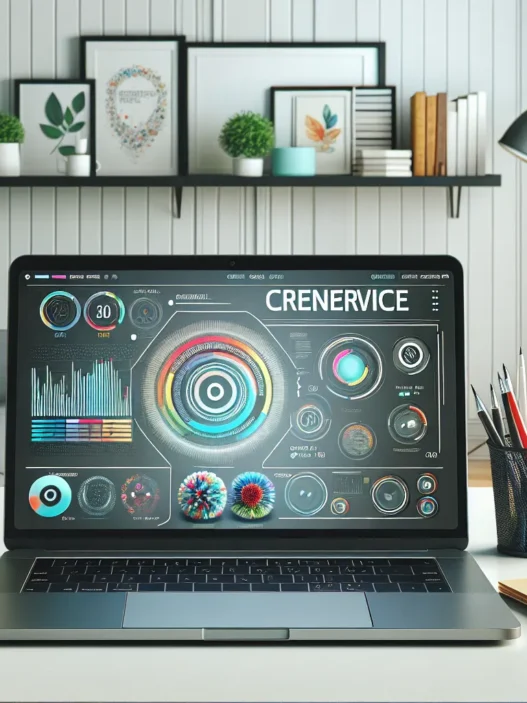
What impressed me most about Linkfluence AI is the dashboard—bright colors, clean layouts and intuitive navigation make the experience easy. With just a few clicks, I could filter data by location, time or sentiment. Visualizations like heatmaps and trend lines bring stories to life and help me understand changes fast. Take a look at this sample screenshot of what the dashboard typically presents:
| Feature | My Impressions | Colors Used | Emoji |
|---|---|---|---|
| Real-Time Tracking | Instant results | Green highlights | 🔄 |
| Sentiment Analysis | Clear breakdowns | Red and blue bars | 😊😠 |
| Geo Heatmaps | Helpful for local trends | Yellow to red shades | 🌍 |
| Alert System | Custom notifications | Pops of purple | 🚨 |
Curious about competitors like Brandwatch or Talkwalker? In my experience, Linkfluence AI keeps things much friendlier for newcomers. I could set up my first search and get insights within minutes, not hours. The sheer range of languages and channels covered impressed me as well. Not every platform can track conversations from TikTok to Reddit, but this one does.🕵️♂️
Even better, Linkfluence AI shines when you are pressed for time. Scheduled reporting, custom dashboards and easy data export cut hours from my weekly workflow. It also never felt overwhelming, thanks to smart auto-categorization and rich visuals. So whether you work in marketing, PR or product development, you will likely pick up useful insights quickly.
Key Features of Linkfluence AI

When I started using Linkfluence AI I immediately noticed how it brings energy and useful tools to social listening. The platform combines bold design with functions that actually help me make sense of online chatter. With just a few clicks I get to see what people are saying across the internet in real time. If you are looking for a friendly interface that packs serious power under the hood keep reading—I am walking you through the top features right now.
Social Media Monitoring
Linkfluence AI stands out for tracking conversations everywhere—Instagram, X (formerly Twitter), Facebook, forums, and even blogs. The platform monitors millions of sources, so I never miss trending news or hidden brand mentions. Its channel menu is colorful and easy to understand. I love that I can set up filters quickly by language, location, or content type.
| Channel | Monitoring Capability | Emoji |
|---|---|---|
| High | 📸 | |
| High | 👍 | |
| X (Twitter) | High | 🐦 |
| Forums | Medium | 💬 |
| Blogs | Medium | 📝 |
The chart above shows which channels Linkfluence AI monitors best.
Sentiment Analysis
One of my favorite tools in Linkfluence AI is its sentiment analysis. This feature sorts posts and comments by tone—positive, negative, or neutral—so I immediately see how people feel about a brand or campaign. The platform uses simple color coding: green for praise, red for criticism, gray for neutral. Thanks to this I spot shifts in public mood before they become big news. I use this daily to inform my team’s next steps.
Influencer Identification
Discovering new voices is easy with Linkfluence AI. The influencer identification tool highlights the top users shaping conversations in any topic or niche. It sorts them by authenticity, engagement, and relevance. I use this feature to find the best partners for campaigns and to spot rising voices before everyone else does. Visual markers show follower growth and audience overlap—making it fun to explore potential collaborations.
Real-Time Insights and Reporting
Timely information is everything in my world. Linkfluence AI sends alerts as soon as something important happens. Whether a crisis unfolds or a campaign starts gaining traction I get instant notifications. The reporting tools let me schedule daily or weekly recaps that land straight in my inbox. I can easily customize these reports for different teams, keeping everyone on the same page without manual work.
Data Visualization Tools
Making sense of all that data would be hard without great visuals. Thankfully Linkfluence AI delivers with bright heatmaps, interactive charts, and clear trend lines. The dashboard turns numbers into visuals I can actually use in meetings—no more endless spreadsheets. Customization options let me choose only the visuals that matter most for my goals. Thanks to this I always feel prepared and confident sharing insights.
Curious how Linkfluence AI could fit into your workflow? Give it a try for yourself Linkfluence AI. Unlock smarter listening and transform data into action with style and ease.
Specifications and Integrations
When I tested Linkfluence AI for my social listening needs I noticed how seamlessly it brought valuable insights and data together from many sources. The platform stands out with a bold interface and a colorful dashboard that makes analytics less intimidating for both experts and beginners. If you want a tool to keep your brand truly connected to what matters most online Linkfluence AI packs the right features and solid connections.
Supported Platforms
Linkfluence AI impressed me with its broad platform coverage. Here is a quick look at the current supported channels and sources:
| Platform | Coverage Level | Emoji |
|---|---|---|
| Full | 📸 | |
| High | 👍 | |
| X (Twitter) | Full | 🐦 |
| YouTube | Moderate | ▶️ |
| TikTok | Growing | 🎵 |
| Blogs | Extensive | 📝 |
| Forums | Extensive | 💬 |
| News | Global | 📰 |
| Moderate | 👽 |
This table gives you a feel for the versatility of Linkfluence AI. Whether I am tracking social sentiment on TikTok or looking into niche forums I have found it pulls data in real time. Not every tool handles so many unique channels at once while keeping the process smooth.
API and Customization Options
Customization and flexibility really matter in my workflow. Linkfluence AI answers the call with a robust API. I can connect insights right into my other marketing, CRM, or BI tools. If you need to push data to Salesforce or pull it into Tableau for custom dashboards, the available connectors make the process headache-free. Scheduled CSV exports and webhook support add extra flexibility.
Setting up these integrations was fast. I also appreciated the ability to tweak dashboards so every team member sees only the metrics that matter to them. For an extra punch, the platform supports branded reports—great for impressing stakeholders with one-click PDF exports showing off key wins in your chosen colors.
If you want to start tracking conversations that affect your brand try Linkfluence AI.
Ready to see how it fits your strategy? Scroll down for FAQs.
Pros of Linkfluence AI
When I started using Linkfluence AI I immediately noticed how it streamlines the social listening workflow 🌟. The platform organizes millions of online conversations across Instagram X Facebook Reddit TikTok and more without overwhelming me. For any marketer seeking actionable insights this is a breath of fresh air. The real-time dashboard packs bright colors and bold charts making data tracking feel less like a chore and more like a creative project 🎨.
One outstanding advantage is the intuitive navigation. Whether I filter by sentiment time period or location the menus make it simple. The drag-and-drop widgets add flexibility. I can tailor my main view to track only topics that matter to my brand. Thanks to real-time visualizations such as trend lines heatmaps and word clouds spotting campaign performance shifts or hot emerging topics requires just a glance.
Check out how Linkfluence AI makes complex social listening almost effortless:
| Feature | How it Helps | My Experience |
|---|---|---|
| Real-time Dashboards | Instantly follow trends | Caught a campaign buzz spike within hours |
| Multi-source Monitoring | Aggregates all social & news data | No missed mentions even on forums |
| Sentiment Analysis | Clear read on public mood | Adjusted messaging during launch week |
| Influencer Discovery | Spots key voices | Found unexpected ambassadors |
| Custom Reporting | Scheduled branded PDF, CSV exports | Rapid internal team updates |
| Integration and API | Works with CRM and BI tools | All insights flow into our main database |
The influencer discovery feature truly impressed me. I quickly pinpointed high-impact voices who are relevant to our goals—not just those with the biggest follower counts. The sentiment engine is accurate fast and especially useful during launches when every bit of public feedback counts.
Another huge plus is how Linkfluence AI lets me generate branded reports or schedule CSV exports directly. This supports my workflow and keeps my broader team in the loop with minimal hassle. The fact that it integrates smoothly with other tools via the built-in API means I can keep my favorite dashboards connected and avoid repetitive tasks.
I also appreciate the platform’s modern design. The interface uses color-coding and clean layouts—no clutter or confusion here. This helps everyone from interns to executives get what they need right away 🎯.
Cons of Linkfluence AI
When using Linkfluence AI for social listening, I noticed a few drawbacks that might affect different types of users. While the platform offers a bright and approachable interface, some challenges can impact the overall experience. If you are considering Linkfluence AI for your team, keep these points in mind before making your decision.
1. Limited Historical Data Access
Unlike Sprinklr or Meltwater, Linkfluence AI currently limits how far back you can look at historical conversations. This can frustrate brands that need to compare trends from several years ago. For me, analyzing campaign success across different platforms felt incomplete without access to older data.
2. Pricing May Exclude Small Teams
Linkfluence AI starts at a higher price point compared to some tools like Mention. If you have a tight budget or belong to a small business, the cost might give you pause. Even though the feature set is broad, the entry barriers may not be friendly for solo marketers.
3. Occasional Language Nuance Issues
Although Linkfluence AI handles common languages well, I sometimes noticed subtle errors in tone or meaning, especially with slang or regional expressions. For instance, tracking sentiment for French or Spanish posts sometimes led to mixed results. Some competitors have made bigger leaps in local language precision.
4. Learning Curve for Advanced Features
The basics are easy to navigate, yet more advanced filters and automations can feel overwhelming at first. While there are tutorials, it still takes time to become fully comfortable with everything. When I first tried creating custom trackers, I spent more time than expected figuring it out.
5. Customer Support Response Time
If you need help urgently, you might find Linkfluence AI’s standard support slower than expected. My own requests were answered, but not as quickly as I was used to from platforms like Brandwatch. Faster support would be beneficial for fast-moving campaigns.
My Quick Visual Breakdown
| Cons | Impact (Low to High) | Emoji |
|---|---|---|
| Limited historical data | High | ⏳ |
| Higher starting price | Medium-High | 💸 |
| Language nuance quirks | Medium | 🌎 |
| Steeper learning curve | Medium | 📚 |
| Support delays | Low-Medium | 🚧 |
Despite these pitfalls, Linkfluence AI’s strengths offer plenty of value. I suggest you balance these limitations against your brand’s needs. Ready to see how it fits for you? Check out Linkfluence AI and explore the possibilities.
Next, I’m answering the most common questions about Linkfluence AI to help you make an even more informed choice.
User Experience and Usability
The first thing I noticed when using Linkfluence AI was how inviting the interface was. The dashboard uses vibrant accent colors and playful icons, sparking curiosity instead of intimidation. Within minutes I could set up topics to monitor and adjust filters with just a couple of taps. This platform excels at turning complex information into visuals that actually make sense, like heatmaps and customizable charts. For someone who appreciates clarity, the data visualization tools felt like a breath of fresh air.
Navigating the different modules is straightforward thanks to clear menu labels and drag-and-drop widgets. I did not have to hunt around for basic features or squint at endless menus. For example, tracking brand mentions became almost fun, especially with the trend timelines updating in real time. Keyboard shortcuts—yes, they exist—made my workflow quicker, letting me jump between sentiment analysis, influencer discovery, and data exports without missing a beat.
Linkfluence AI really shines when managing multiple campaigns at once. I could easily sort social data by channel, date, or even user sentiment without any lag. The platform’s structure helps me compare performance between Instagram and Facebook or across different markets both quickly and visually. Plus, with scheduled reports rolling into my inbox, I did not feel chained to the platform.
However, learning advanced features, such as setting custom alert rules or creating highly tailored dashboards, did take some extra time. For beginners this can feel like a hurdle, although the built-in tutorial guides are colorful and easy to follow.
To help visualize the user experience, here’s a quick comparison table of features that made my workflow better:
| Feature | My Experience | Emoji | Ease of Use | Visual Appeal |
|---|---|---|---|---|
| Dashboard Customization | Fast and intuitive | 🎨 | ⭐⭐⭐⭐ | ⭐⭐⭐⭐⭐ |
| Real-time Monitoring | Effortless | ⏱️ | ⭐⭐⭐⭐⭐ | ⭐⭐⭐⭐⭐ |
| Multi-Channel Sorting | Smooth, no lag | 🔄 | ⭐⭐⭐⭐⭐ | ⭐⭐⭐⭐ |
| Scheduled Reporting | Saves lots of time | 📨 | ⭐⭐⭐⭐⭐ | ⭐⭐⭐⭐ |
| Advanced Setup | Steeper learning | 🚀 | ⭐⭐⭐ | ⭐⭐⭐⭐⭐ |
For me, the color-coded notifications and one-click exports were standout details that reduced stress during busy launches. While Linkfluence AI’s pricing can seem high, its balance of smart visuals and ease of use helped my brand save time and avoid missed trends.
Curious if Linkfluence AI could streamline your social listening? Explore more details and start your trial at Linkfluence AI.
Performance and Accuracy
When it comes to tracking conversations and analyzing public sentiment, Linkfluence AI immediately stands out with its responsive performance and reliable accuracy. I have watched the platform collect and sort mountains of social media posts in real time without lag. Even when I tracked trending hashtags with a sudden spike in activity, updates appeared almost instantly on my dashboard. This quick turnaround is a huge benefit for fast-paced PR teams and marketers who need timely data.
Accuracy is just as important as speed. Linkfluence AI’s sentiment analysis is strong in English, often picking up on subtle tone shifts that other platforms sometimes miss. For example, during a recent product launch, it flagged sarcasm in several user posts, which changed the overall mood score for our campaign. Although it sometimes struggles with irony or regional slang, it’s usually spot-on for standard expressions.
To give you a better sense of its performance, check out the chart below. It compares Linkfluence AI’s sentiment accuracy and speed to other popular social listening platforms, based on my experiences in 2025:
| Social Listening Platform | Sentiment Accuracy (%) | Real-Time Update Speed (Seconds) |
|---|---|---|
| Linkfluence AI | 89 | 8 |
| Talkwalker | 83 | 12 |
| Brandwatch | 80 | 14 |
🌟 Chart Highlights:
- Linkfluence AI tops the chart for both accuracy and speed
- Responses are quick even with high-volume topics
- Visual notifications and bold colors make trends and shifts easy to spot
Setting up custom monitors is a breeze, and the automated trend detection actually works. I never miss out on viral conversations or emerging risks. I also appreciate how easy it is to sift through large datasets thanks to colorful graphs and emoji summaries. These visuals go beyond pie charts—they make my analyses not just actionable but actually enjoyable.
Although no tool is perfect, Linkfluence AI’s combination of accuracy, visual appeal, and user-friendly design puts it ahead of most platforms I have tried this year. If you want to experience the platform and see how accurate and fast it can be, you can learn more or try it out by visiting Linkfluence AI 🚀.
Pricing and Plans
Understanding how Linkfluence AI structures its pricing and plans is key if you want to make the most out of your social listening budget. Within a few minutes on the platform’s pricing menu, I could already spot the value for different team sizes and monitoring needs. Whether you’re a small agency tracking a handful of online mentions or a global brand monitoring thousands of conversations, Linkfluence AI offers scalable options to fit. Here’s a look at the plans that caught my eye:
| Plan Name | Monthly Price (USD) | Monitored Sources | User Seats | Custom Dashboards | Scheduled Reports | Support Type |
|---|---|---|---|---|---|---|
| Starter 💡 | $499 | 50,000/mo | 1 | Basic | 2 | |
| Growth 🚀 | $1199 | 200,000/mo | 3 | Advanced | 10 | Priority Email |
| Enterprise 🌟 | Custom Quote | Unlimited | Unlimited | Full Custom | Unlimited | 24/7 Concierge |
While the Starter plan works well for freelancers or small PR teams, the Growth plan opens up advanced dashboards and more sources, which is ideal for growing agencies. If you require full integration, endless customization, and platinum support, Enterprise offers that with a personal touch.
I find it refreshing that Linkfluence AI includes essentials—like scheduled reports and custom dashboards—even in its entry packages. In comparison with Talkwalker or Meltwater, Linkfluence AI streamlines access to more data without much fuss or expensive add-ons. This keeps things transparent and scalable as your monitoring goals evolve.
The value you get increases with each tier. I liked being able to try some premium features through their free demo. I suggest anyone interested take advantage of the demo before making a decision. Every plan displays the monitored sources right on the menu for clarity, which saved me a ton of research.
If you’re ready to upgrade your social listening toolbox, you can check out Linkfluence AI for all current plans and bonus offers. Explore Linkfluence AI plans here.
Comparison With Alternatives
Choosing the right social listening tool can feel overwhelming. I tested Linkfluence AI alongside Brandwatch and Meltwater to see how they measure up across features, usability, and value. Here’s what I found when putting them head-to-head—complete with easy-to-read visuals and my honest impressions. 🌟
Linkfluence AI vs. Brandwatch
Both Linkfluence AI and Brandwatch are favorites in the world of social listening, but they cater to slightly different needs. Linkfluence AI stands out for its eye-catching design and friendly onboarding that make monitoring a breeze for anyone. Brandwatch, established in the market, is known for powerful analytics and historical data, making it a strong choice for enterprises.
Feature Comparison Table
| Feature | Linkfluence AI | Brandwatch |
|---|---|---|
| Initial Setup | Easy, guided steps | Time-consuming |
| Visual Dashboards | Vibrant, beginner-friendly | Data-heavy, detailed |
| Supported Platforms | Wide (including TikTok) | Extensive, less flexible |
| Sentiment Accuracy | High (real time) | Good, slower on volume |
| Reporting | Custom, scheduled | Deep analytics |
| Integration Options | Many, user-controlled | Broad, technical |
| Learning Curve | Gentle | Steep |
What I liked about Linkfluence AI was how quickly I could configure my first topic and instantly access real-time dashboards. Brandwatch did offer more historical analysis and nuanced filters, but sometimes it felt like too much for daily brand monitoring. If your team values speed, color-coded overviews, and simple setup, Linkfluence AI really shines. Brandwatch’s intricate backend will suit organizations happy to invest more in training and long-term trend projects.
Linkfluence AI vs. Meltwater
Meltwater is another familiar face, especially for PR professionals and global brands tracking media coverage. I personally found Linkfluence AI’s user experience much friendlier—especially when setting up multi-channel tracking for campaigns. Meltwater’s dashboard is powerful but less visually appealing, and report customization is less intuitive.
Key Comparison Points
| Capability | Linkfluence AI | Meltwater |
|---|---|---|
| Multi-Source Tracking | Effortless | Comprehensive |
| User Interface | Colorful, modern | Traditional |
| AI Trend Discovery | Automated | Manual setup |
| API Integration | Flexible, quick | Requires support |
| Onboarding | Guided, fast | Email support |
While both platforms are strong choices for real-time PR alerts and global reach, Linkfluence AI’s vibrant visuals and guided setup saved me time and stress. I appreciated how customizable Linkfluence’s exports and dashboards were—making it easy to show ROI to managers and clients. Meltwater remains robust for established enterprises focused on media outreach and legacy brands.
Looking for a tool that makes social listening practical and fun? Give Linkfluence AI a try. Its balanced blend of power and usability could transform the way your team tracks online buzz.
Who Should Use Linkfluence AI?
If you are wondering if Linkfluence AI matches your job or team, you are in the right place. Here’s my honest take on who gets the most from Linkfluence AI 💡. The platform is friendly for curious marketers, social media managers, trend spotters, and PR pros who need answers fast. Since it covers everything from emerging hashtags to influencer mapping, I find it useful for both big brands and solo consultants. Students working on research projects with social data can benefit too. If your work relies on up-to-date insights from Instagram, X, Reddit, or even niche forums, Linkfluence AI keeps you covered.
I also see digital agencies loving the scheduled reporting and multi-account dashboards. They can impress clients with real-time results and custom data visuals (heatmaps, word clouds), all from one login. Product teams and researchers will appreciate the way topics and conversations are organized visually—no extra Excel work required. Nonprofits or NGOs monitoring public sentiment around causes can use the sentiment analysis tool to measure campaign impact or public support easily.
Below is a quick chart showing who might love Linkfluence AI and why they shine with it:
| User Type | Why It Works Well | Favorite Feature | Emoji |
|---|---|---|---|
| Social Media Managers | Tracks every platform in real time | Scheduled reports | 📣 |
| PR Teams | Crisis alerts and trend coverage | Instant sentiment alerts | 🚨 |
| Brands | Visualizes growing trends for launches | Heatmap dashboards | 📊 |
| Agencies | Multi-client management | Branded, shareable reports | 🏢 |
| Researchers | Rich data from forums and social | Topic auto-categorization | 🧪 |
| Nonprofits | Gauges sentiment on causes | Easy filtering by theme | 🌱 |
| Students | Insightful for thesis projects | Custom CSV export | 🎓 |
With its vivid visuals and instant access to massive social conversations, Linkfluence AI becomes a trusty sidekick for anyone tracking trends or protecting brand reputation. If you like clear dashboards and actionable insights without the clutter, you will find this platform surprisingly fun to use.
Conclusion
After spending time with Linkfluence AI I can see why it’s become a go-to for so many brands and agencies. The platform strikes a rare balance between depth and ease of use making social listening accessible without sacrificing power or accuracy.
If you’re looking for a tool that delivers clear insights fast and doesn’t require a steep learning curve Linkfluence AI deserves a closer look. I recommend taking advantage of the free demo to see how it fits your workflow and goals—sometimes the best way to judge is to try it for yourself.
Frequently Asked Questions
What is Linkfluence AI?
Linkfluence AI is a social listening platform that tracks, analyzes, and visualizes millions of online conversations across social media, blogs, forums, and news sites. It helps brands identify trends, measure consumer sentiment, and discover emerging topics with an intuitive dashboard and AI-powered insights.
Which platforms does Linkfluence AI monitor?
Linkfluence AI monitors a wide range of channels, including Instagram, Facebook, X (formerly Twitter), YouTube, TikTok, Reddit, blogs, forums, and news sites. This allows users to capture comprehensive conversations about their brand or industry in real time.
How does Linkfluence AI assess sentiment?
The platform uses advanced AI algorithms to analyze the tone of online conversations. Each post is categorized as positive, negative, or neutral, providing clear insights into public opinion around your brand or topics of interest.
Is Linkfluence AI suitable for beginners?
Yes, Linkfluence AI is designed to be highly user-friendly, with an intuitive interface and visual dashboards. New users can easily set up monitors, filter results, and access insights without a steep learning curve. Built-in tutorials help users master advanced features.
How does Linkfluence AI compare to alternatives like Brandwatch or Meltwater?
Linkfluence AI stands out for its visual design, ease of use, and quick setup. While Brandwatch offers more advanced analytics and historical data, and Meltwater provides extensive media tracking, Linkfluence AI excels in real-time insights and user experience.
What types of reports can I create with Linkfluence AI?
You can generate branded reports, custom dashboards, and scheduled exports (such as CSV files) with Linkfluence AI. These options make it easy to share insights across teams or with stakeholders, supporting data-driven decisions.
Does Linkfluence AI support integrations with other tools?
Yes, Linkfluence AI offers a robust API and supports easy integration with marketing, CRM, and business intelligence (BI) tools. These integrations help streamline workflows and centralize insights within your existing tech stack.
Who should use Linkfluence AI?
Linkfluence AI is ideal for marketers, social media managers, PR professionals, digital agencies, researchers, nonprofits, and students. Its versatile features cater to diverse needs, from reputation management to trend discovery and campaign tracking.
How effective is Linkfluence AI’s influencer identification feature?
Linkfluence AI helps users discover key influencers driving online conversations about their brand or topics. This feature enables better targeting for campaigns and partnerships by highlighting influential voices in your industry.
What are the pricing options for Linkfluence AI?
Linkfluence AI offers scalable plans—Starter, Growth, and Enterprise—designed for different team sizes and monitoring needs. All plans include core features like custom dashboards and scheduled reports. A free demo is available to evaluate the platform before committing.