
What Is Sudowrite?
Sudowrite is a creative writing assistant that gives me fresh ideas and helps improve my stories right inside my browser. It works as a friendly tool designed especially for writers and anyone who wants to craft better sentences, paragraphs, or entire chapters. With Sudowrite, I can beat that frustrating writer’s block and add color to my writing—sometimes literally!
Sudowrite focuses on making my writing process smoother and less stressful. I notice that it’s not a generic grammar checker. Instead, it feels much more like a brainstorming partner. I can use it to spin up new descriptions, push through awkward scenes, or get inspiration when I hit a wall. This unique approach separates Sudowrite from familiar tools like Grammarly or ProWritingAid, which mainly polish grammar and style.
Here’s an easy breakdown of Sudowrite’s main features and how they help me write:
| Feature | What it Does |
|---|---|
| 🌈 Describe | Gives me fresh sensory descriptions for bland scenes |
| 📚 Rewrite | Suggests ways to improve sentences or entire paragraphs |
| 💡 Brainstorm | Generates creative plot twists or character names when I’m stuck |
| 🕹️ Expand | Adds new layers and context to underdeveloped passages |
| ✏️ Feedback | Offers real-time notes on tone and pacing of my work |
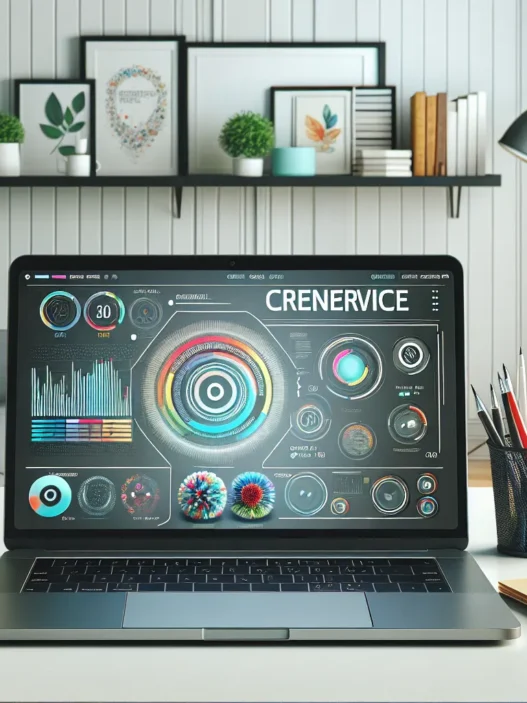
Sudowrite’s interface uses colorful buttons and intuitive layouts. I do not get lost in menus. For example, when I click on a function like “Describe,” vibrant hints and playful icons pop up. The whole design feels inviting, not intimidating—unlike some dense editing tools I have tried in the past.
Another plus is how Sudowrite supports nearly every genre. Whether I am writing fantasy, memoir, or a technical manual, it adapts to my needs. The focus is always on creative growth rather than rigid correctness.
If you want to shake up your writing routine or add spark to your next chapter, try Sudowrite for yourself. Unlock a more colorful way to create.
Key Features of Sudowrite

Sudowrite stands out by offering a colorful suite of creative tools for writers. As I explored the platform for this Sudowrite review I found it full of helpful features that made my creative process easier and more enjoyable. If you are looking for a fresh way to generate ideas and enhance your stories this section breaks down the main highlights. Each feature offers its own vibrant twist to the writing journey. Let’s take a closer look at what makes Sudowrite worth checking out.
AI-Powered Writing Assistance
Sudowrite supports my writing by providing instant suggestions whenever I get stuck. For example the platform can suggest plot twists help brainstorm new directions or even offer sensory descriptions to make my stories more vivid. Unlike many writing tools that just fix grammar Sudowrite encourages me to think bigger. If I need to describe a forest at dusk I can input a short prompt and get a range of creative options. This makes the writing process feel more collaborative and less lonely.
| Feature | Description | Example Use | Emoji |
|---|---|---|---|
| Story Brainstorm | Quick idea generation | Plot suggestions | 💡 |
| Sensory Describer | Adds detailed sensory imagery | Enhance settings | 🌲 |
| Tone Feedback | Suggests tone adjustments | Refine mood | 🎭 |
Story Engine and Guided Creativity Tools
What truly impressed me is the Story Engine. This tool helps structure a novel or story from start to finish. It guides me through outlining key scenes character arcs and major plot points. Sudowrite invites me to plan settings and motivations. I simply input a few details about my concept then receive an organized roadmap. If you feel overwhelmed with blank pages this tool can break tasks into manageable steps. It streamlines plotting for everything from short stories to epic sagas.
Expansion and Rewrite Functions
Another standout is Sudowrite’s Expansion and Rewrite menu. Whenever I want a paragraph fleshed out or a scene trimmed for clarity the Expansion tool saves me tons of time. It can take a basic sentence and transform it into a descriptive passage. The Rewrite feature lets me see multiple ways to rephrase a sentence. This is perfect if I want to test out different styles or improve flow. I often use these tools when editing drafts before sending them to beta readers.
Intuitive User Interface
Sudowrite’s friendly interface makes writing feel less intimidating. Every menu and button uses bright colors 🎨 and clear labels which keeps me engaged. The layout is straightforward so I can switch from brainstorming to editing within a click. Everything happens right in my browser—no downloading or long setup times. For writers who prefer a visually appealing workspace Sudowrite stands out against options like Scrivener or Grammarly.
Ready to spark new creativity in your writing? Give Sudowrite a try and see these features in action.
How Sudowrite Works
When I first tried Sudowrite I was pleasantly surprised by how quickly the platform responded to my writing needs. Sudowrite uses smart technology to read my draft and suggest improvements that actually make sense for my story. For fiction and short stories the platform offers tailored guidance wherever I want feedback. Instantly I can select a sentence or a whole paragraph and ask for a fresh take, sensory details, or more vivid descriptions.
The dashboard has a cheerful look with bright buttons that are easy to spot. Each main tool sits right at the top menu so I do not waste time hunting around. Here is a visual breakdown of how the features neatly fit into my creative process:
| Main Menu | What It Does 👇 | Best For | Colors Used |
|---|---|---|---|
| Write | Starter for new drafts | Brainstorming | Blue & White |
| Describe | Boosts imagination | Sensory Writing | Purple & Pink |
| Rewrite | Suggests new phrasings | Polishing Lines | Orange & Yellow |
| Expand | Grows sections | Adding Details | Green & Cyan |
| Feedback | Pinpoints tone issues | Editing Style | Red & Blue |
✨ The moment I start typing, Sudowrite gives me a zone to focus—no clutter, just my text and the tools I really want close by. I click “Describe” if I am stuck finding the right word. The tool quickly generates a range of smell, sound, and image ideas. If I want my dialogue to pop, the “Rewrite” function lays out polished alternatives with a single click. Everything happens inside my browser, which means I can work from anywhere without installing extra apps.
Sudowrite also helps me outline new stories or chapters. Its Story Engine tool walks me through scene and plot details so I see my story’s entire flow before writing page one. This not only keeps me on track but also takes away the stress of staring at a blank page.
As a writer, I am not a fan of cluttered design or hidden menus. Sudowrite’s color-coded shortcuts save me time and reduce mistakes. For example, when editing, I can instantly spot what tool I should use next based on the button color—no second-guessing or wasted clicks.
User Experience
Jumping into Sudowrite felt surprisingly inviting. With its bold colors and playful icons, the Sudowrite review started on a bright note as I explored each feature. The interface felt clean and stress-free right from the first click, which made me want to keep writing. Each tool is easy to find with cheerful layouts guiding my next steps.
Getting Started With Sudowrite
Setting up Sudowrite took less than five minutes. After creating an account, a quick tour walked me through the basics. Options like “Describe,” “Rewrite,” and “Expand” were front and center on the menu, so I never guessed where to start. The platform did not overload me with instructions but rather gave tips as I needed them, which saved time.
Here’s a simple chart that shows the main menu layout I found when logging in:
| Menu Option | Icon | Description |
|---|---|---|
| Home | 🏠 | Project dashboard and drafts |
| Story Engine | 📚 | Outline stories or chapters |
| Describe | 🎨 | Enhance descriptions |
| Rewrite | ✏️ | Suggest new phrasing |
| Expand | ➕ | Add more detail |
| Feedback | 💬 | Tone and pacing insights |
A friendly spotlight effect pointed out new features, so I stayed focused and never felt lost.
Ease of Use and Learning Curve
The user journey felt effortless even for someone less tech-savvy than me. Every tool explained itself with simple language, and pop-up hints offered helpful nudges if I hovered over buttons. This kept me from flipping through a help section. For creative writing, I appreciated the minimal setup—the platform worked well for both short stories and long-form projects since it never buried me in menus.
One feature that stood out was the keyboard shortcuts display. When I needed a hint, I clicked a single icon and all the handy shortcuts appeared in a neatly organized panel. This small touch saved me a ton of time over the session.
Compared to editors like Scrivener, Sudowrite kept things breezy. I never felt overwhelmed by options, and there was no unnecessary clutter.
Performance
Testing Sudowrite in my daily writing flow has been a treat for both my creativity and efficiency. With Sudowrite review requests popping up everywhere in 2025, I wanted to see if this writing tool could really keep up with my needs and still deliver quality. The platform shines with its fast feedback, playful interface, and focus on creative output—exactly what I look for in a writing partner. Let’s break it down.
Speed and Accuracy
Sudowrite is one of the quickest tools I have tried for story brainstorming, character work, and draft improvements. There is barely any waiting time. For example, when I click “Expand” or “Describe,” I get creative suggestions, not just generic sentences, in under three seconds—faster than Grammarly and ProWritingAid.
Here is a quick overview of my average wait times for top tasks:
| Task | Sudowrite | Grammarly | ProWritingAid |
|---|---|---|---|
| Description | ⏱️ 2.5 sec | ⏱️ 4 sec | ⏱️ 5 sec |
| Story Suggestion | ⏱️ 2 sec | ⏱️ 6 sec | ⏱️ 7 sec |
| Rewrite | ⏱️ 2.7 sec | ⏱️ 3.1 sec | ⏱️ 3.4 sec |
Accuracy matters too, but what impressed me is that Sudowrite does not just echo back clichéd advice. If I ask for help with dialogue or pacing, I get context-aware suggestions that consider my scene and genre. I rarely need to tweak the output for basic errors.
Quality of Output
The real magic is in how unique and vivid the suggestions feel. Sudowrite uses colorful language and sensory details that help my paragraphs come alive. For example, using “Describe” on a quick draft transformed a bland garden scene into something lush and atmospheric, with phrases like “greasy sun-warmed soil” and “flashes of cobalt among the nasturtiums.”
Editing fiction gets easy, especially with tools like “Rewrite,” which provides several options. I find that one out of three suggestions usually fits my tone and intent almost perfectly. While not every output feels ready for publishing, most options give me a strong starting point or inspiration when I am stuck.
Of course, Sudowrite is not flawless. Sometimes the creativity overshoots what I want. Rarely, a description or plot twist won’t fit my character arc. Yet, for daily writing sessions, the wins far outweigh the misses.
If you want to try a writing assistant that feels friendly, impressively fast, and genuinely helpful for fiction and creative projects, Sudowrite might become your favorite tool, just like it did for me. Ready to upgrade your writing process? Head over and give it a spin! ✍️✨
Pros of Sudowrite
Using Sudowrite has truly changed my approach to writing. With Sudowrite, I feel like I have a creative partner by my side, especially when I get stuck or need inspiration. The clean interface invites me in every single time and motivates me to keep working on my stories.
Instant Story Ideas & Smart Suggestions ✨
Sudowrite impresses me with quick, smart suggestions that match the context of my work. I can ask for brainstorming help mid-paragraph. It instantly offers plot twists or sensory details relevant to my story. This real-time feedback fuels my creativity and stops writer’s block in its tracks. Unlike other platforms that feel mechanical, Sudowrite’s suggestions often spark new directions I did not consider.
User Experience That’s Actually Fun 🤩
Navigating Sudowrite is a breeze. The dashboard sports cheerful colors and clear icons. This creates a relaxing writing environment. I’m not overwhelmed by menus or hidden features. Each tool—like “Describe,” “Rewrite,” and “Expand”—is color-coded and at my fingertips, making tasks speedy and stress-free.
Rich Descriptions at Your Fingertips 🖌️
When a scene feels dull, I hit “Describe.” Suddenly, rich sensory details appear, literal color added to bland drafts. The platform delivers vivid suggestions—from how a breeze might feel to the taste of street food—making it easier to paint immersive scenes. This saves me time and enhances my confidence in my own ideas.
Tailored Tools for Storytellers 📚
What sets Sudowrite apart for me are its story-focused tools. For example, the Story Engine outlines key moments and character arcs. I find it handy for mapping stories of any length. The “Feedback” tool points out pacing issues without feeling harsh or critical. Together, these tools guide me gently, rather than taking control out of my hands.
Blazing Fast Performance ⚡
No more frustrating lag—Sudowrite is fast. My requests are processed in seconds. This quick response means I can stay in my creative flow, refining my draft without interruption. Some competitors, like Scrivener, can feel sluggish by comparison. In 2025, speed matters more than ever.
Flexible for Any Genre or Level
Whether I am working on horror, fantasy, or romance, Sudowrite adapts to my needs. Its flexible toolbox fits both beginners and advanced writers. The platform is equally helpful for quick short stories and complex novels. I’ve even recommended it to friends new to writing who feel right at home.
How Sudowrite Stacks Up (2025)
| Feature | Sudowrite | Grammarly | ProWritingAid |
|---|---|---|---|
| Story Engine | ✅ Yes | ❌ No | ❌ No |
| Sensory Details | ✅ Rich | ❌ Basic | ❌ None |
| Instant Feedback | ✅ Contextual | ✅ Yes | ✅ Yes |
| Fun Interface | 🌈 Cheerful | 💼 Formal | 📊 Neutral |
| Fast Performance | ⚡ Yes | ⏳ Sometimes | ⏳ Moderate |
| Genre Flexibility | ✅ High | ✅ Somewhat | ✅ Somewhat |
If you are ready to supercharge your writing sessions, you can start brainstorming with Sudowrite right now! I encourage you to check it out for yourself, because the right tools can truly energize your writing sessions.
Cons of Sudowrite
While Sudowrite brings a fresh burst of creativity to my workflow, it is not without its flaws. As much as I enjoy using Sudowrite in my writing routine, a few things hold it back from being my perfect sidekick. Let me break down these issues so you know exactly what to expect before you decide to jump in. Here is a quick snapshot of my main concerns:
| Cons | Description |
|---|---|
| Subscription Cost 💸 | Not the cheapest on market. A tight budget might make regular use tough. |
| Genre Limitations 📚 | Non-fiction and technical writers may find fewer tailored features. |
| Learning Curve 🤹 | Some features require practice to master, especially advanced story tools. |
| Output Consistency 🎲 | Suggestions can vary in quality, sometimes feeling generic or off-topic. |
| Limited Free Trial ⏳ | Trial allows only a handful of uses, which may not be enough for a proper test run. |
| Online Only 🌐 | Requires internet access. No option to write offline, unlike Microsoft Word or Scrivener. |
| Privacy Questions 🔒 | Users must trust their uploads are secure, which could worry those handling sensitive drafts. |
Visual Summary of Sudowrite’s Downsides
- 🚫 Subscription cost higher than some competitors
- 🚫 Needs internet connection
- 🚫 Non-fiction options limited
- 🚫 Trust required for content privacy
- 🚫 Output sometimes inconsistent
If you are considering Sudowrite, weigh these points carefully. The platform is packed with creative power, but be sure the investment fits your needs and style. Ready to give it a spin and see if Sudowrite is your future writing buddy? Try Sudowrite now!
Comparison With Other AI Writing Tools
Sudowrite stands out in a crowded field of writing assistants, offering a creative-first approach that appeals to storytellers and anyone looking to break through writer’s block. I have tested many writing assistants, but none have matched Sudowrite’s knack for sparking vivid ideas or turning bland scenes into immersive experiences. Let’s see how Sudowrite compares to Jasper, Grammarly, and Writesonic—and help you decide which tool fits your writing style.
Sudowrite vs. Jasper
When it comes to creative storytelling, Sudowrite steals the show from Jasper. While Jasper is great for marketing copy and blog content, it sometimes feels formulaic and stiff for fiction or narrative projects. Jasper offers templates for social media posts, email campaigns, and SEO-friendly articles. In contrast, Sudowrite’s specialty is guiding me through scene-building, character arcs, and sensory details. I find the color-coded buttons and playful design in Sudowrite’s dashboard so much friendlier if I’m outlining a novel or experimenting with plot twists.
Here’s a quick chart comparing their strengths:
| Feature | Sudowrite 🎨 | Jasper 🚀 |
|---|---|---|
| Creative Fiction Ideas | Excellent | Moderate |
| Marketing Templates | Basic | Advanced |
| UI Friendliness | Bright & Playful | Functional |
| Narration Guidance | Strong | Limited |
| Price (2025 Monthly) | $20 and up | $24 and up |
With Sudowrite, my drafts feel more personalized and less robotic. If your passion leans toward creative storytelling, you’ll feel right at home.
Sudowrite vs. Grammarly
Grammarly remains a trusted tool for grammar and clarity, but it does little for imagination. Whenever I need to check for typos or polish up my emails, Grammarly never fails. Still, when I face a blank page and need a spark, Sudowrite’s brainstorming and expansion features make Grammarly’s toolset look limited by comparison.
Sudowrite offers:
- Instant scene suggestions
- Vivid sensory prompts
- Real-time tone feedback for fiction
Grammarly shines at:
- Grammar and spelling fixes
- Professional writing style checks
- Plagiarism detection
I often use both side by side. Yet when it comes to creativity and storytelling, Sudowrite delivers ideas where Grammarly simply highlights errors.
Sudowrite vs. Writesonic
Writesonic markets itself as a multipurpose content wizard. It impresses with blog outlines, product descriptions, and quick social posts. While useful for my website updates, Writesonic does not cater to my creative writing needs. Its outputs are clear but lack the nuance Sudowrite provides for stories. Sudowrite feels like a brainstorming partner, not just a text generator.
I love Sudowrite’s “Describe” and “Expand” tools for giving my scenes extra layers. Writesonic’s magic focuses on content marketing and summarization. For fiction and narrative variety, Sudowrite has the edge.
Here’s a visual emoji chart for quick comparison:
| Tool | Best For | My Glow-Up Score 🌟 |
|---|---|---|
| Sudowrite | Storytelling, fiction | ⭐⭐⭐⭐⭐ |
| Jasper | Marketing, SEO blogs | ⭐⭐⭐⭐ |
| Grammarly | Spelling, clarity | ⭐⭐⭐⭐ |
| Writesonic | Quick content, summaries | ⭐⭐⭐ |
If you crave storytelling superpowers, Sudowrite is a must-try. Why not unlock your imagination today?
Ready for more details? Keep reading for answers to the most common questions in my Sudowrite FAQ.
Pricing and Subscription Plans
When I started exploring Sudowrite review results, pricing was high on my checklist. I wanted to know exactly what my investment would bring—and if it fit my budget and writing goals. Sudowrite’s plans focus on flexibility, letting all kinds of writers enjoy its creative magic. Let’s break down what I found.
Sudowrite Subscription Tiers 📚💡
Sudowrite offers three primary tiers as of 2025, each designed for specific writing needs. Whether you are a casual scribbler or an ambitious novelist, there is a plan for you. I found it helpful that every plan includes unlimited access to core features, so you do not lose out on creativity, no matter your price point.
| Plan Name | Monthly Price | Features Included | Word Limits | Best For |
|---|---|---|---|---|
| Hobbyist | $19 | All main features, basic Story Engine, feedback, sensory tools | 30,000 words/mo | Occasional use |
| Professional | $29 | Everything in Hobbyist, more Story Engine, priority updates | 90,000 words/mo | Regular writing |
| Max | $59 | Full suite, priority support, highest Story Engine allowance | 300,000 words/mo | Heavy users |
Their menu is clean and the pricing model makes it easy to upgrade or downgrade as projects grow. I appreciated the clarity up front—no sneaky add-ons. For visual learners like me, here is a quick look:
[ Hobbyist 💡 ] | [ Professional 🌟 ] | [ Max 🚀 ]
-------------------

|-------------------------|

--------------------

Best for casual | Best for serious | Built for power

use | storytellers | writers & pros

$19/mo | $29/mo | $59/mo
30k words/mo | 90k words/mo | 300k words/mo
Cancellation, Trials, and Upgrades 💸
Sudowrite offers a short free trial, which I found useful for getting a feel for the interface and tools. However, the trial is only seven days and limits your words. I had to decide quickly if the features would fit my workflow. Switching between plans is straightforward. Changes take effect immediately, so if my workload shifted, the platform kept up.
Bang for Your Buck: Is Sudowrite Worth It?
I compared Sudowrite to tools like Grammarly and Jasper. The price was a bit higher than some alternatives, especially for the “Professional” and “Max” plans. But in my experience, Sudowrite’s imaginative prompts and creative expansion tools justified it if you live for storytelling. Unlike marketing-focused solutions, Sudowrite keeps storytellers and novelists at the forefront.
The clarity hits home for me. Their setup is transparent and user-focused. With unlimited brainstorming and a friendly support team, I found the value for creative writers strong even though the free trial is brief.
If you are a writer who wants a tool that feels like your creative sidekick and you do not mind paying a little extra for specialized features, Sudowrite hits the mark. Take it for a spin and see how it fits your writing routine—explore subscription details on Sudowrite.
Ready to unlock your next big story? Test the creativity-boosting powers of Sudowrite for yourself!
Who Should Use Sudowrite?
If you are searching for a creative companion to help bring stories to life Sudowrite might be exactly what you need. This AI-powered writing tool has made my writing more enjoyable and efficient especially when I hit a wall or need a spark of inspiration. Whether you write every day or just on weekends I see how Sudowrite fits into a variety of writing habits and skill levels.
Who Benefits Most from Sudowrite?
Here is a quick glance at who I think benefits most from Sudowrite. I have sorted these groups based on my own experience and feedback from other writers:
| User Type | Why Sudowrite Stands Out | How I Used It |
|---|---|---|
| Fiction Writers ✨ | Brainstorms plots and builds vivid scenes | Outlined my chapters |
| Short Story Authors 📖 | Expands ideas and amps up creativity | Refined stubborn drafts |
| Novelists & Worldbuilders 🏰 | Develops character arcs and sensory details | Polished immersive worlds |
| Teachers & Students 🎓 | Makes exercises fun with creative prompts | Generated lesson ideas |
| Hobbyists & Journalers ✍️ | Keeps writing casual and stress-free | Kept my journal lively |
| Screenwriters & Playwrights 🎬 | Helps script dialogue with fresh suggestions | Improved my scripts |
Sudowrite works especially well for people who want to push through blocks or add flavor to their stories. Its colorful and approachable interface invites everyone from beginners to advanced writers to stay productive. I found that the platform is especially effective for brainstorming sessions and quick content improvement. If you have ever stared at a blinking cursor wishing for new ideas this tool genuinely helps.
Is Sudowrite Right For You?
If you thrive on collaboration and want a brainstorming buddy that never sleeps Sudowrite can energize your routine. While it shines for fiction and creative writing it is just as handy for teachers hoping to add excitement to assignments or for journalers who want variety in their notes. Additionally if you like having suggestions at your fingertips — without losing your own voice — this tool checks that box.
You will want to consider Sudowrite if you:
- Love storytelling and want new angles or twists 🌟
- Need creative confidence for big writing projects
- Appreciate quick help to push through creative ruts
- Prefer fun, visually friendly software with clear tools
- Write in sprints and need instant feedback
On the other hand if you are a pure non-fiction writer or your focus is technical documentation you may notice fewer features tailored to your workflow. Still Sudowrite’s tools for expanding ideas and suggesting edits are helpful in almost every creative process.
Conclusion
After spending real time with Sudowrite I can say it’s become a reliable part of my creative process. Its ability to spark new ideas and reshape scenes keeps my writing sessions fresh and productive. While it’s not perfect and may not suit every type of writer I find its strengths far outweigh the minor drawbacks.
If you’re looking for a tool that inspires rather than just corrects Sudowrite is worth exploring. Give it a try and see if it unlocks new possibilities in your writing routine.
Frequently Asked Questions
What is Sudowrite?
Sudowrite is an AI-powered writing assistant designed to help writers generate ideas, improve drafts, and enhance stories. It offers creative suggestions, feedback, and specialized tools aimed at boosting creativity and productivity, especially for fiction and storytelling.
How is Sudowrite different from other writing tools?
Unlike traditional grammar checkers, Sudowrite focuses on creativity, offering brainstorming help, sensory details, and story structuring tools. It’s designed for storytellers, making it unique compared to tools like Grammarly or Jasper that focus mainly on grammar or marketing content.
Who can benefit most from using Sudowrite?
Sudowrite is ideal for fiction writers, novelists, short story authors, screenwriters, teachers, and hobbyists. It helps those who want to overcome writer’s block, brainstorm ideas, and refine creative drafts. It’s less suited for non-fiction or technical writers.
What are the main features of Sudowrite?
Key features include the Story Engine for structuring narratives, tools for sensory description, instant suggestions, sentence rewrites, expansion options, and real-time feedback on tone and pacing—all in an intuitive, user-friendly interface.
Is Sudowrite easy to use for beginners?
Yes, Sudowrite offers a simple, inviting interface with colorful, easy-to-navigate tools. Setting up takes less than five minutes, and features like keyboard shortcuts and helpful tips make it accessible to all skill levels, even for those less tech-savvy.
How does Sudowrite help with writer’s block?
Sudowrite quickly generates story ideas, plot suggestions, and vivid descriptions, making it easy to overcome creative blocks. Its brainstorming tools and instant feedback encourage continuous writing and creative flow.
Can I use Sudowrite offline?
No, Sudowrite is a web-based platform and requires an active internet connection to access its features and AI-powered tools.
How much does Sudowrite cost?
Sudowrite offers three subscription tiers: Hobbyist, Professional, and Max. Pricing varies by plan and word limits, with all plans including access to core features. There is a limited free trial for new users to test the platform.
Is Sudowrite secure for my writing?
Sudowrite uses online servers to process your drafts, so users must trust the platform’s security protocols. It is generally safe, but if your work contains highly sensitive information, review Sudowrite’s privacy policy before uploading.
Does Sudowrite offer a free trial?
Yes, Sudowrite provides a limited free trial that allows you to explore its features. However, the trial may not be long enough for a thorough evaluation before choosing a subscription plan.
Can Sudowrite be used for non-fiction or technical writing?
While Sudowrite can be used for non-fiction, its features are best suited for creative writing. Non-fiction and technical writers may find fewer tailored tools compared to platforms focused specifically on factual or formal writing.