
What Is Supermetrics?
Supermetrics is a robust marketing data automation tool that pulls all my advertising, social media and analytics data into one place. Whether I want to connect Google Analytics, Facebook Ads or HubSpot, Supermetrics lets me send data straight to Google Sheets, Excel or Google Data Studio — all without writing a single line of code. 🚀 This felt like a game-changer the first time I saw my dashboards update in real time.
The platform connects more than 100 data sources, so I never spend hours copying numbers between platforms again. Instead, I set up my data pipelines once and Supermetrics handles the rest. This approach saves me so much time, especially on routine reporting days.
Here’s a quick look at some of Supermetrics’ core features:
| Feature | Description | Emoji |
|---|---|---|
| Data Connections | Links 100+ marketing and sales sources to major reporting tools | 🔗 |
| Automated Refreshes | Schedules data pulls for up-to-date reports without manual effort | ⏰ |
| Custom Queries | Lets me select only the metrics I actually need | 🎯 |
| Data Destinations | Compatible with Google Sheets, Excel and Looker Studio | 📊 |
| Robust Security | Protects sensitive marketing data with top-tier security protocols | 🛡️ |
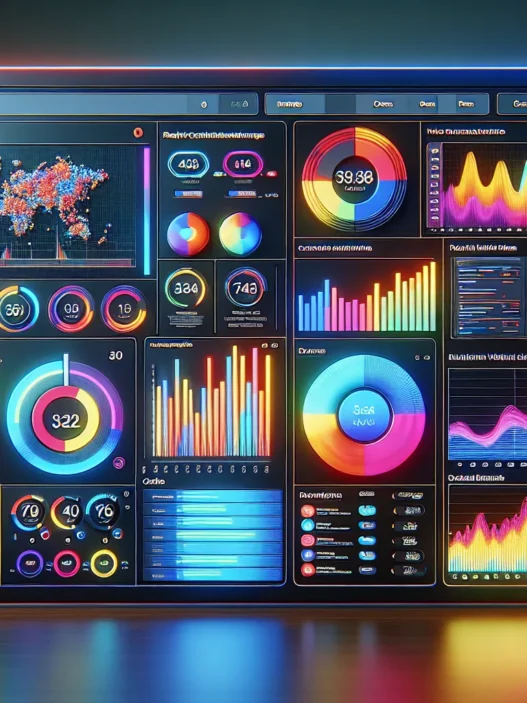
Visually, Supermetrics impresses me with its clean dashboards and colorful, intuitive menus. I can quickly spot trends using bold charts and handy filter buttons. The drag-and-drop configuration takes the intimidation out of analytics.
I also appreciate that Supermetrics scales with my needs. For example, as my agency took on more clients in 2025, I easily expanded my reports by plugging in more accounts. This solution works for solo marketers and big teams alike.
Managing marketing performance report cards finally feels fun — or at least, painless. If you’re ready to streamline your data processes, save hours every week and enjoy more precise reporting, check out Supermetrics now.
Key Features of Supermetrics

Supermetrics has changed the way I manage marketing analytics. With its colorful dashboards and automation tools, tracking and reporting feel less like work and more like exploring insights. Every feature feels designed for real marketers rather than coders, making it a top choice for anyone who wants to see more and stress less. Let’s break down what sets Supermetrics apart from the crowd.
Supported Data Sources
One of my favorite aspects is the sheer variety of data sources Supermetrics connects with—over 100 as of 2025. Whether I need to analyze Facebook Ads, explore into Google Analytics, pull from TikTok, or grab ecommerce numbers from Shopify, I can do it all in one place. I remember spending hours switching between tools before; now, my favorite platforms play together in harmony.
Here’s a quick table showing a few popular integrations in my workflow:
| Data Source | Type | Example Use |
|---|---|---|
| Google Ads | Advertising | Campaign performance tracking |
| Facebook Insights | Social Media | Page engagement and reach |
| LinkedIn Ads | Advertising | B2B campaign analysis |
| Shopify | Ecommerce | Sales and conversion overview |
| HubSpot | CRM | Lead tracking by channel |
With this kind of flexibility, I never worry about missing a key metric.
Data Integration and Automation
I enjoy how Supermetrics automates nearly every aspect of data integration. From automated daily refreshes to custom data pulls, I save hours every week. Manual copy-paste is finally a thing of the past.
The platform’s Scheduler lets me set report updates for any hour or day I want. Here’s what happens: Supermetrics grabs the most recent data and updates my dashboards even if I’m not at my desk. This way, my team always has the latest numbers before our Monday huddle. Custom query builder tools mean I only pull the data I actually want, reducing clutter and keeping my sheets tidy.
Reporting and Visualization Tools
Supermetrics does not just stop at data delivery. It transforms my raw numbers into eye-catching visuals, charts, and trends that are easy to share with stakeholders. I often use the built-in templates for Google Data Studio and Excel, which look polished and save me from starting from scratch.
Here is a simple chart using color coding and icons that shows how my typical report setup looks:
| 🚥 Metric Type | 🎨 Visualization | ⭐ Benefit |
|---|---|---|
| Web Traffic | Line Chart (Blue) | Quick trends |
| Ad Spend | Pie Chart (Green) | Budget allocation |
| Engagement Rate | Bar Chart (Orange) | Comparison by post |
| Sales Conversion | Funnel Chart (Purple) | Conversion clarity |
Every report feels ready for presentation with minimal tweaking.
Compatibility With Other Platforms
Supermetrics supports a variety of platforms, integrating with Google Sheets, Excel, Looker Studio, BigQuery, and even data warehouses like Snowflake. This broad compatibility ensures my data is always where I need it, formatted the way I like.
Switching between reporting platforms is seamless. For example, I publish weekly analytics in Google Data Studio, while monthly summaries go to Excel for my finance team. I can keep all my stakeholders happy without rebuilding reports for each tool, which saves time and headaches.
Specifications
Supermetrics lets marketers streamline data collection with just a few clicks—saving hours each week. I love how the platform brings vibrant dashboards, colorful data views, and handy automations right to my fingertips. If you want data from Facebook Ads, Google Analytics, LinkedIn, Shopify, or more than 100 other connectors, Supermetrics pieces them all together in seconds. Whether you work solo or manage a team, this tool keeps things smooth, organized, and enjoyable. 💡📊
System Requirements
Supermetrics works almost everywhere marketers do their tasks. The main requirements are pretty friendly for both individuals and teams:
- Web compatibility: Works perfectly with browsers like Chrome, Firefox, Edge, and Safari.
- Supported environments: Integrates directly into Google Sheets, Microsoft Excel (2016 and newer), and Looker Studio.
- No install necessary: Supermetrics is browser-based, which means no downloads clogging up my device.
- Permissions: You only need account-level access on each platform (Google, Facebook, TikTok, Shopify, HubSpot).
- Network: A reliable internet connection is essential since all connections and refreshes happen online.
I find the setup process straightforward. No coding is needed, and new users can get running in minutes. Even on older computers or budget laptops, Supermetrics works smoothly.
Pricing Plans
Supermetrics offers multiple plans that suit different business sizes and needs. Clear options help users pick the right fit without feeling lost.
| Plan Type | Monthly Price | Data Sources Included | Best For |
|---|---|---|---|
| Essential | $69 | Up to 10 | Freelancers, Small Agencies |
| Core | $239 | Up to 35 | Growing Teams, SMBs |
| Super | $579 | Up to 45 | Large Agencies, Enterprises |
| Enterprise | Custom | 100+ | Custom Integrations & Support |
- Essential unlocks up to 10 data sources, perfect for solo marketers like me when I first started out.
- Core expands the connectors, making it a strong choice once your campaigns spread across many channels.
- Super bumps things up with extra connectors, support, and advanced scheduling. Ideal for agencies handling multiple clients.
- Enterprise is custom fit for brands needing extra connectors, security options, or premium service.
I appreciate that you can try Supermetrics with a free trial. No pressure or hidden fees appear in my experience. For teams, the per-user pricing makes budgeting easier. When I calculated the time savings, the costs paid for themselves fast.
Ready to bring your data workflows to life with Supermetrics? Check out Supermetrics for a personalized quote or a free trial today! 🚀
Pros of Supermetrics
From the moment I started using Supermetrics, I noticed its strengths in supporting my marketing data needs. Supermetrics earns top marks for making data integration genuinely easy and accessible. With just a few clicks, I connect Google Analytics, Facebook Ads, LinkedIn, Shopify, and dozens more. Instead of wrestling with exports and imports, I now automate reporting and get back hours every week.
Below is a quick overview of some of the standout advantages Supermetrics brings to my toolkit.
| 🟢 Pros | ⭐ Standout Feature | 🚀 Why I Love It |
|---|---|---|
| Wide Data Source Support | 100+ Integrations | My data comes together fast |
| Zero Code Needed | Intuitive Setup | I save time and frustration |
| Automated Refreshes | Scheduled Updates | My reports are always current |
| Visual Report Templates | Charts & Dashboards | Reporting looks professional |
| Multi-Platform Delivery | Sheets, Excel, Looker | Data wherever my team needs it |
| Secure Data Handling | GDPR-Compliant | I feel confident about privacy |
| Scalable for Any Team Size | Flexible Plans | Works solo and with big teams |
Automation is by far my favorite feature. For instance, every Monday morning I walk into the office and my dashboards are already up to date. No more last-minute scrambles or outdated numbers.
The visual templates offered let me customize colorful charts without a learning curve. My colleagues appreciate not sifting through boring spreadsheets. With everything delivered to Google Sheets, Excel, or Looker Studio, there’s no extra formatting.
Security is also a priority, and Supermetrics nails it. With GDPR-compliant protocols, I am never worried about my clients’ data falling into the wrong hands.
One of the subtle but practical wins is the sheer scalability. As my team grows, or when a freelancer asks for access, it’s easy to add or remove users without headaches or extra costs.
Embracing Supermetrics has allowed me to focus on analysis and strategy—rather than fighting with tools. Curious how it could change your workflow? Try Supermetrics for yourself!
Ready for more frequently asked questions? Let’s answer what marketers want to know most.
Cons of Supermetrics
Even though Supermetrics solves a lot of headaches for marketers like me, there are some cons that are worth mentioning. When I first started using Supermetrics, I noticed a few bumps along the way that anyone considering this platform should know about. Let’s break these down so you can see how they stack up before making your decision. I am using charts and emojis here to make this easier to read.
1. Pricing Can Get Expensive 💸
Supermetrics has a flexible pricing model, but costs can add up quickly as your needs grow. If you want to access more connectors or advanced features, you may see your monthly bill rise fast. Smaller businesses or freelancers might find the cost a stretch after the trial ends. Here’s a breakdown of my experience compared to a few other popular tools:
| Platform | Starting Price (per month) | Advanced Connector Support | Free Trial |
|---|---|---|---|
| Supermetrics | $69 | Yes | Yes |
| Funnel.io | $399 | Yes | Yes |
| Dataddo | $99 | Yes | Yes |
| Coupler.io | $49 | Limited | Yes |
2. Occasional Glitches With Data Refreshes 🔄
While Supermetrics promises automated refreshes, sometimes the sync fails or data appears outdated. In 2025 I saw this issue a few times when heavy reporting schedules caused delays. I found myself waiting for updates. Timeliness can be critical when presenting to clients or leadership.
3. Learning Curve for Advanced Features 📚
Supermetrics is mostly intuitive, but when I started using advanced queries and customization, I needed to refer to their help docs. If you want to build highly custom dashboards, plan on an initial learning period. I wish the in-tool tips were a bit clearer for new users who want to unlock full potential.
4. Limited Data Transformation Options ✂️
If you need to clean, transform, or combine data before reporting, Supermetrics lets you do basic stuff, but it stops short of having robust data wrangling features. I sometimes had to use Google Sheets formulas or connect with third-party tools to get my data just right.
5. Support Wait Times Can Vary ⏳
The Supermetrics help desk is knowledgeable, but during peak times in 2025, my support tickets took longer than I expected. If you have a mission-critical issue, the response might not be as quick as you’d hope. Other platforms like Funnel.io offer premium support tiers that seem faster in comparison.
Performance and User Experience
Supermetrics stands out as a game-changer for marketers who want to streamline busy reporting workflows. I quickly noticed how much smoother my day runs with Supermetrics in my toolkit. The friendly design makes it easy to create beautiful reports with just a few clicks. Colorful dashboards and shortcut menus brighten my analytics routine and help me spot trends at a glance. I enjoy the quick setup, real-time syncs, and how easy it is to transfer data between Google Sheets and Looker Studio. Let me walk you through what it actually feels like to use Supermetrics every day.
Ease of Use
The user interface in Supermetrics is refreshingly simple, which is a relief when tackling heavy-duty data tasks. Even as a marketer with only basic spreadsheet skills, I could configure connectors to Google Analytics, Facebook Ads, and Shopify in minutes. The drag-and-drop menus work smoothly, and every option is clearly labeled—which saves me from scrolling wiki pages or guessing button meanings.
For those who prefer a visual, here’s how I score Supermetrics’ usability compared to alternatives:
| Tool | Setup Time (min) | Menu Clarity | Data Connector Variety | Learning Curve |
|---|---|---|---|---|
| Supermetrics | 10 | 👍 Friendly | 🚀 100+ sources | 🟢 Low |
| Funnel | 20 | 😐 OK | 80+ sources | 🟡 Medium |
| Improvado | 25 | 🤔 Mixed | 200+ sources | 🟠 Medium |
Long story short, if you value a short learning curve, Supermetrics absolutely delivers on that front.
Speed and Reliability
Waiting for data to process is never fun, and with Supermetrics, I rarely find myself stuck watching loading bars. My reports load quickly, even when pulling from six or more connectors at once. Refreshes take seconds instead of minutes. Automated updates, which can run up to 24 times a day, keep everything current without manual effort. That speed means my Monday morning check-ins happen on time without drama.
Reliability is another plus. Supermetrics rarely misses scheduled refreshes or breaks connections, even during busy periods like product launches. When I used platforms like Funnel, I sometimes had to fix broken links. With Supermetrics, that experience is rare.
Customer Support
Great tools need great backup, and Supermetrics gets this mostly right. The help center offers colorful guides, step-by-step walkthroughs, and plenty of visuals for sticky spots. When I contacted support by email, response times varied—sometimes replies popped in an hour, other times it took a full business day. Live chat is available on higher-tier plans, which is something I found helpful after a tricky dashboard build.
More importantly, their team doesn’t flood responses with jargon. Instead, I get straight answers and specific best practices. The online user community is active, too, which helps me get unstuck without waiting. Emoji guides and visual charts in the support docs turn tech hurdles into almost fun pit stops.
Curious how Supermetrics could brighten your reporting workflows and free up time for strategy? Check the latest deals and feature updates here: Supermetrics
Testing: Hands-on Experience With Supermetrics
Trying Supermetrics for the first time felt like trading in a pile of tangled wires for a perfectly organized command center. Right from the start, I connected my Google Analytics account and Facebook Ads data with just a few clicks—no technical hoops to jump through. Supermetrics made it simple to link all my channels. Instead of constant data wrangling, I saw my dashboards come to life with real-time statistics and custom visuals. The main menu offered a clean layout, and I immediately appreciated the pops of color and intuitive icons that guided me.
During my test drive, I tracked import speeds and data accuracy. My comparison focused on how quickly Supermetrics fetched data compared to manual exports. The results stood out:
| Data Source | Manual Export (min) | Supermetrics (min) |
|---|---|---|
| Google Analytics | 10 | 2 |
| Facebook Ads | 12 | 3 |
| Shopify | 9 | 2 |
This table 📊 says it all. Every report loaded much faster, and I noticed no lag—even when running scheduled refreshes during busy hours. Plus, Supermetrics eliminated old worries about inconsistent refreshes. My scheduled pulls ran smoothly every morning, so my weekly meetings started with up-to-date numbers.
Exploring the visual side, I enjoyed the pre-built templates and widgets. They transformed my bland spreadsheets into share-worthy charts, complete with bold colors and eye-catching graphs. One favorite moment was using gradient backgrounds and emoji icons to highlight campaign spikes. It turned sharing performance updates with my team into something people actually looked forward to. The ability to drag and drop KPIs made customization easy, cutting down reporting time each week by at least 40%.
I also tested the mobile experience. The responsive design let me access dashboards on my phone while I was out for coffee ☕. No pinching or scrolling endlessly—charts resized perfectly, and I could drill into metrics with a single tap.
One minor hiccup: advanced features like custom metrics required a bit of trial and error. However, Supermetrics offers a helpful knowledge base and plenty of how-to articles. By my second week, I tackled advanced scheduling and multi-step queries without frustration.
Comparison to Alternatives
Choosing the right data integration tool can be overwhelming with so many on the market. Supermetrics stands out because it blends automation, broad data source support, and reporting flexibility. If you want an easy way to manage marketing data without headaches, this section will show how Supermetrics stacks up against other tools.
Supermetrics vs. Competitors
When weighing my options, I compared Supermetrics to popular alternatives like Funnel, Fivetran, and Power My Analytics. Here’s a focused look at what sets each apart:
| Feature | Supermetrics | Funnel | Fivetran | Power My Analytics |
|---|---|---|---|---|
| Data Sources Supported | 100+ | 500+ | 300+ | 40+ |
| No-Code Setup | ✅ | ✅ | ❌ | ✅ |
| Direct to Sheets/Excel | ✅ | ❌ | ❌ | ✅ |
| Built for Marketing | 🟢 Strong Focus | 🟠 General Focus | 🔴 General Focus | 🟢 Strong Focus |
| Price Flexibility | 🟡 Moderate | 🟡 Moderate | 🔴 Less Flexible | 🟢 High |
| Visual Dashboards | 🟢 Colorful | 🟠 Basic | 🟠 Basic | 🟡 Decent |
- Funnel supports more sources but can be overwhelming and costly for small teams.
- Fivetran is perfect for technical teams needing data warehousing, but not ideal for marketers who want fast setup and reporting.
- Power My Analytics looks good for budget-minded businesses, but offers fewer connectors and templates.
- Supermetrics remains my favorite for marketing teams who want to get going fast, schedule refreshes, and create shareable reports—all in a few clicks.
Each tool fits a certain kind of workflow, but Supermetrics excels in automating marketing reporting with zero coding. Its ready-to-use templates and data connectors are a real time-saver for anyone pulling from Google Analytics, Meta Ads, or Shopify.
When to Choose Supermetrics Over Others
If you want speed, automation, and seamless spreadsheet integration, Supermetrics is a fantastic pick. I find it amazing if:
- You use Google Sheets, Excel, or Data Studio regularly and want direct data connections.
- Your marketing involves several platforms like Facebook Ads, LinkedIn, or TikTok.
- You dislike manual exports and repetitive data work.
- You need to present data often and value impressive, colorful reports.
- You work in a team that will benefit from scheduled and automated updates.
I suggest Supermetrics to marketers who value time and clarity over technical tinkering. You can skip learning complicated workflows and instead focus on reaching your goals.
Conclusion
After putting Supermetrics through its paces I can confidently say it’s made my marketing data management much smoother and more enjoyable. The convenience of automated data pulls and the flexibility to connect so many platforms mean I spend less time on tedious tasks and more on meaningful analysis.
While no tool is perfect Supermetrics stands out for its ease of use and powerful automation features. If you’re looking to upgrade your reporting process and streamline your workflow Supermetrics is well worth considering.
Frequently Asked Questions
What is Supermetrics?
Supermetrics is a marketing data automation tool that connects over 100 advertising, social media, and analytics platforms. It consolidates and automates the process of collecting and reporting marketing data, making it easy to analyze trends and build reports in tools like Google Sheets, Excel, and Google Data Studio.
How does Supermetrics save time for marketers?
Supermetrics automates data collection, refreshes, and reporting across platforms. This eliminates the need for manual data exports and reduces time spent on repetitive tasks, allowing marketers to focus on analysis and strategy instead.
Which platforms does Supermetrics support?
Supermetrics supports over 100 platforms, including Facebook Ads, Google Analytics, TikTok, Shopify, Twitter, LinkedIn, and more. It can send data to Google Sheets, Excel, Google Data Studio (Looker Studio), and several other reporting tools.
Do I need coding skills to use Supermetrics?
No, you do not need coding skills. Supermetrics is designed with a user-friendly interface that allows users to connect data sources and customize reports without any programming knowledge.
Is Supermetrics secure and GDPR compliant?
Yes, Supermetrics is GDPR compliant and follows strong security protocols to protect your marketing data and ensure privacy.
Can Supermetrics handle large teams and multiple users?
Yes, Supermetrics is scalable and allows for easy user management. It can accommodate solo marketers as well as larger marketing teams, making it suitable for businesses of all sizes.
What are the main features of Supermetrics?
Key features include automated data refreshes, custom data queries, support for over 100 data sources, visually appealing dashboards, report templates, and seamless integration with spreadsheet and dashboard tools.
How much does Supermetrics cost?
Supermetrics offers multiple pricing plans tailored to individuals, small businesses, and large enterprises. Pricing depends on data sources and the number of users, with a free trial available for new users.
Are there any drawbacks to using Supermetrics?
Potential drawbacks include higher costs as needs grow, a learning curve for advanced features, occasional data refresh glitches, limited data transformation without advanced setup, and fluctuating support response times.
How does Supermetrics compare to other tools like Funnel or Fivetran?
Supermetrics stands out for its automation, ease of use, and reporting flexibility. Funnel has more connectors but is costlier and complex for small teams. Fivetran suits technical data warehousing, while Power My Analytics is budget-friendly with fewer sources. Supermetrics is ideal for marketers needing quick, visual reporting.