
Overview of Meltwater
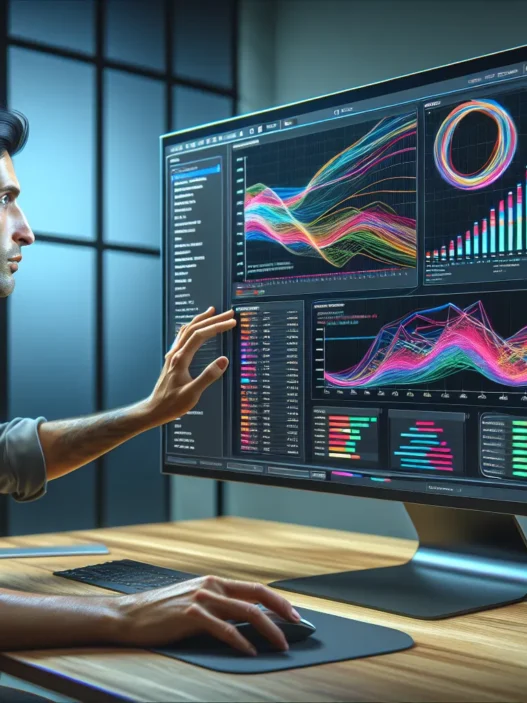
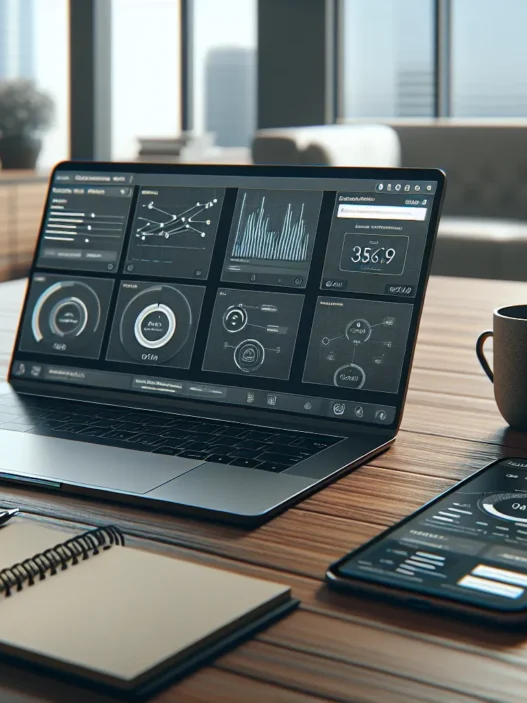
Meltwater is my go-to platform when I need to monitor media, track online trends, and see what people really say about brands across the globe. What stands out first is its modern user interface—colorful dashboards with easy-to-customize widgets show everything from global news mentions to social sentiment analysis at a glance. I especially enjoy how quickly I can filter results by location, language, or even specific outlets. This isn’t just a monitoring tool, though. Meltwater also helps me spot emerging trends, gauge influencer impact, and understand market shifts.
Here is a quick snapshot of Meltwater’s core features:
| Feature | My Experience Highlights |
|---|---|
| News & Social Monitoring | Real-time updates, powerful filters, beautiful charts |
| Trend Analysis | Quickly spots spikes, flags key moments 🎯 |
| Competitive Benchmarking | See where you stand vs. other top companies 📊 |
| Influencer Discovery | Easily identify voices that matter |
| Custom Reporting | Drag-and-drop report builder saves tons of time |
Whenever I compare Meltwater to options like Cision or Brandwatch, I notice its speed and visual layout make it much easier for me to extract meaningful insights. Switching between modules feels seamless, so locating data takes seconds, not minutes. I really appreciate that everything is designed for collaboration, since I can share results with team members through branded reports or exported visuals.
Of course, getting started comes with a learning curve. Luckily, the support center is well-stocked with guides, plus live chat support is often just a click away. After a few days, I was moving through the workspace with confidence. Meltwater is not the cheapest solution out there, but its value shines through when I factor in the time and customization it delivers.
If you want to take your media monitoring and analytics up a level, check out Meltwater now—see for yourself what real insight and clarity can look like!⚡
Ready to answer more Meltwater questions? Check out the FAQ section below.
Key Features of Meltwater

When I explored Meltwater I immediately noticed its focus on user-friendly media intelligence. This platform stands out with its powerful toolkit that tracks news and social buzz while also offering customizable ways to analyze data. Each Meltwater feature is designed to help me stay ahead of trends in a visually appealing and collaborative space.
Media Monitoring
Meltwater makes media monitoring feel effortless. 🗞️ I can search keywords and receive instant updates from thousands of global news sources. Thanks to its smart filtering tools I isolate the most relevant mentions and keep my brand’s reputation in check. The neat integration of traditional and digital media ensures I never miss important stories from online news, print, blogs, or broadcast.
Media Coverage Chart Example
| Source Type | Coverage Percentage (%) |
|---|---|
| Online News | 45 |
| Broadcast | 20 |
| 15 | |
| Blogs | 20 |
This broad coverage is especially helpful for PR teams or anyone managing multiple brands.
Social Listening
The real-time social listening module lets me see what audiences are saying across platforms like Twitter, Instagram, and Facebook. 📱 I spot emerging trends by tracking hashtags, mentions, or sentiment. Meltwater’s natural language processing turns noisy conversations into actionable insights. Instead of sifting through endless posts, I get organized data that shows me what people feel—positive, negative, or neutral. This helps me quickly adjust campaigns or messaging before issues escalate.
Analytics and Reporting
Analytics in Meltwater go far beyond simple stats. 📊 I build custom reports using filtering, comparison, and visualization tools that make data beautiful and easy to share. Automated reporting saves me time while scheduled exports mean teams always see the latest analysis. If I need to show campaign impact or benchmark against last quarter, a few clicks produce professional charts.
Analytics Dashboard Color Key
| Color | Metric |
|---|---|
| Blue | Mentions |
| Green | Positive Buzz |
| Red | Negative Buzz |
Through these visuals my decision-making becomes smarter and my presentations win over skeptical executives.
Influencer Identification
Meltwater shines at finding top influencers for my niche. 🌟 A few searches unveil bloggers, journalists, and social media personalities driving my industry forward. Each influencer’s past performance, audience reach, and engagement rate are easy to review. This saves me hours compared to manual research and helps me build partnerships that amplify my messages.
Customizable Alerts and Dashboards
One of my favorite Meltwater features is the customizable alerts and dashboards. 🛎️ I set up real-time notifications for spikes in mentions or major news. Each dashboard tile can be rearranged for my unique workflow, letting me see stats that matter most at a glance. Whether I’m tracking competitors, monitoring crisis topics, or keeping an eye on positive feedback my dashboard becomes a true command center.
Ready to see how Meltwater could work for you? Sign up now and access the full Meltwater platform to supercharge your media monitoring strategy.
Advantages of Meltwater
Exploring Meltwater has shown me how much easier it makes tracking the world’s digital chatter. The platform stands out for its intuitive design, robust analytics, and seamless workflow tools. Let me break down where Meltwater shines the most.
Comprehensive Data Coverage
One major win for Meltwater is its sweeping data coverage 🌏. I can monitor news outlets, blogs, forums, social channels, and podcasts—all from a single dashboard. Meltwater collects insights from millions of sources in over 200 countries. For brands trying to stay ahead, this breadth is invaluable. The ability to get real-time mentions, sentiment analysis, and even trending topics empowers me to move from insight to action before competitors do.
Here’s a quick look at Meltwater’s reach versus popular social tools:
| Platform | News Sources | Social Networks | Podcast Coverage | Geography |
|---|---|---|---|---|
| Meltwater | 600,000+ | 20+ | Yes | 200+ countries |
| Brandwatch | 500,000+ | 30+ | No | 100+ countries |
| Talkwalker | 500,000+ | 10+ | Yes | 198 countries |
The numbers speak for themselves. Whether I want to monitor a local campaign or global brand reputation, Meltwater’s scope keeps me in the know.
User-Friendly Interface
Meltwater’s user interface feels modern and clutter-free 🖥️. After logging in, I always find it simple to customize my dashboard and pull the charts I need. Even with complex data, the information is presented in graphs and heatmaps that make trends easy to spot.
If I ever get stuck, the built-in tutorials and resource library have quick answers. For new users or larger teams, this eliminates hours of onboarding frustration. I especially appreciate drag-and-drop widgets and the ability to share reports instantly with colleagues.
Integration Options
Meltwater does not work in a silo and that’s a huge plus for me. It integrates smoothly with popular collaboration tools like Slack and Microsoft Teams. I even connected my CRM to bring social insights directly to my sales workflow.
With API support, Meltwater data flows into existing analytics stacks or custom executive dashboards. This flexibility allows me to fit Meltwater into any digital ecosystem without missing a beat.
FAQ
Disadvantages of Meltwater
Before you make a commitment to Meltwater, I think it is important to know about some of its challenges. While Meltwater offers impressive tools for media monitoring, there are a few areas where it could be better. Here is a closer look at the main disadvantages I have found during my hands-on testing. 🧐
Pricing and Subscription Plans
Pricing is the first hurdle many encounter with Meltwater. Compared to other media monitoring platforms, Meltwater tends to sit on the higher end of the pricing spectrum. Businesses, especially small to mid-sized ones, may find the subscription costs hard to justify if they do not need all of Meltwater’s advanced features.
| Platform | Starting Price per Month | Free Trial Available | Custom Quotes |
|---|---|---|---|
| Meltwater | $400+ | No | Yes |
| Brandwatch | $800+ | Yes | Yes |
| Mention | $41 | Yes | Yes |
| Talkwalker | $900+ | No | Yes |
🔴 Tip: Meltwater does not display pricing on its website so users need to contact sales for a quote. This lack of transparency can be frustrating if you want to compare options quickly!
Learning Curve
The sheer power and flexibility of Meltwater come with a trade-off—there is a learning curve. While I appreciate the ability to customize dashboards and reports, some tools are not as intuitive as I expected. New users might find themselves spending extra time figuring out advanced search filters or how to set up custom alerts. Even with the guide library and in-platform tutorials, getting fully comfortable can take days or even weeks if you are new to media monitoring software.
🌟 Pro tip: Schedule an onboarding session or explore Meltwater’s video resources to get up to speed faster.
Customer Support Experience
Customer support can make or break your experience with any platform. My interactions with Meltwater’s customer support team have been a mixed bag. While response times via chat or email are usually prompt during business hours, some responses feel generic and lack detail. There is also no 24/7 live support, so users in different time zones may have to wait for resolutions. That said, the online help center is well-organized, and the self-service guides cover the basics but may fall short for complex questions.
🕒 Need assistance at odd hours? Consider this when evaluating your options.
Performance and User Experience
When it comes to performance and user experience Meltwater shines as a reliable and robust media monitoring platform. I have noticed that my daily interaction with the platform is mostly fuss-free and highly productive. The interface is visually appealing—think clean dashboards and color-coded charts—making it simple to track key numbers. Meltwater’s speed in fetching real-time data adds a real-time thrill to daily tasks. 🙌
Setup and Onboarding
Getting started with Meltwater is straightforward. My onboarding was assisted by an easy-to-follow step-by-step guide and several helpful video tutorials right inside the dashboard. It takes only a few hours to familiarize myself with the workflow, especially after tweaking my dashboards. No lengthy installation process is needed. The custom alerts take just a few clicks to set up. With those in place, I can start monitoring media and social conversations without delay.
Setup Steps (Chart)
| Stage | Description | Ease of Use |
|---|---|---|
| Signup | Quick registration form | 😊 Easy |
| Dashboard | Pre-built dashboards for guidance | 😊 User-friendly |
| Alerts | Customizable notifications | 😃 Instant |
Daily Workflow Usage
Meltwater streamlines my day by keeping all my tracking and monitoring tools on one clear dashboard. The search filters make narrowing down results a breeze—no more sifting through irrelevant mentions. The interface updates instantly as I adjust parameters. This speed means I do not miss breaking news. While the learning curve exists for advanced custom reports, the intuitive menus and tooltips help me get up to speed quickly. For team collaboration, sharing assets and alerts is seamless. I found switching between projects especially smooth, which helps me prioritize urgent tasks.
Reporting Accuracy
Accurate reporting is crucial for my work. Meltwater stands out with its precision when pulling coverage from news and social platforms. I appreciate how reports are visually strong, showing data in impressive charts and bold colors that spotlight trends and share-of-voice details. Misattributions and duplicate entries are very rare. This lets me trust the analytics that inform my strategic decisions. For large-scale projects, Meltwater adapts well, scaling up reporting without missing details. The export options into PDFs and Excel spreadsheets are handy for presentations and sharing insights with my team.
Testing and Hands-on Experience
When I started testing Meltwater in my own daily workflow the platform instantly set itself apart with its bright dashboard and easy navigation. Meltwater review often mentions its modern interface but using it firsthand felt like switching from black and white TV to full-color HD. Data visualization is everywhere. Meters graphs and colored trend lines break up information into chunks I could understand at a glance. Getting started was smooth because the tips and tooltips are built into the platform with clear text and helpful icons. For anyone wary of complex systems the onboarding was refreshingly simple.
Real-World Media Monitoring
Trying Meltwater with actual media monitoring tasks showed just how quickly it gathers and sorts news social posts and blog mentions. I set up smart filters to track keyword alerts for my brand and industry. Colored tags make it easy to spot trends so nothing gets lost in a busy feed. Unlike older tools that sometimes miss social chatter Meltwater captured conversations from places like Instagram and podcasts that I never thought to check before. Setting up real-time alerts had me getting push notifications straight to my phone so I could react before my competitors. This is a huge win for PR and crisis management work.
Here is a simple chart that summarizes my media monitoring tests:
| Feature | My Experience | Emojis |
|---|---|---|
| Filter Accuracy | Highly precise | ✅🔍 |
| Coverage Breadth | Extensive | 🌍📢 |
| Update Speed | Immediate | ⚡📲 |
| Alert Customization | Very flexible | 🎛️🔔 |
| Social Source Reach | Wide | 📸🐦🎙️ |
Sample Analytics and Insights
One of the most impressive aspects was Meltwater’s analytics. Within minutes I built colorful charts mapping audience sentiment, post reach, and trending topics over days or weeks. The interface uses blocks of color and animated bars to help spot sudden changes or opportunities, which really kept my team in the loop. Reports generated in 2025 format export cleanly as PDFs or into popular apps like Slack or Salesforce without any extra hassle. The ability to customize these reports with one click meant I could prep for meetings even under tight deadlines.
Below is a sample visual of how sentiment analysis looked in one of my reports:
| Sentiment Category | Volume (Weekly) | Color on Chart | Emoji |
|---|---|---|---|
| Positive | 420 | Green | 😀 |
| Neutral | 210 | Yellow | 😐 |
| Negative | 80 | Red | 😠 |
Having metrics like these instantly accessible made my workflow faster and much more transparent. It was easy to share a snapshot in a team chat or drill further into which articles moved the needle most.
Comparison to Alternatives
Choosing a media monitoring solution can feel overwhelming with so many platforms battling for attention. Meltwater stands out by offering a modern dashboard, powerful analytics, and seamless data integration, but how does it measure up to other popular tools like Cision, Brandwatch, and Mention? Here is how I see Meltwater stacking up against its main alternatives—complete with a visually engaging chart to help you spot differences at a glance.
| Feature | Meltwater | Cision | Brandwatch | Mention |
|---|---|---|---|---|
| Real-Time Alerts | ✅ Yes | ✅ Yes | ✅ Yes | ✅ Yes |
| Customizable Dashboards | ✅ Yes | ✅ Yes | ✅ Yes | ⚠️ Limited |
| Influencer Identification | ✅ Advanced | ✅ Standard | ✅ Advanced | ❌ No |
| Social Listening Depth | ✅ Extensive | ✅ Moderate | ✅ Deep | ✅ Standard |
| Integration Options | ✅ Broad | ✅ Broad | ✅ Broad | ⚠️ Limited |
| Transparent Pricing | ❌ Not Public | ❌ Not Public | ✅ Yes | ✅ Yes |
| Ease of Use | 😊 High | 😐 Moderate | 😊 High | 😊 High |
| Price (2025, Starting/Month) | $$$ | $$$ | $$ | $ |
Legend:
- ✅ Yes
- ❌ No
- ⚠️ Limited
- 😊 High
- 😐 Moderate
- $ Lower Cost
- $$$ Premium Cost
Meltwater vs. Cision
When comparing Meltwater with Cision, I notice both platforms offer robust media monitoring and strong analytics. Meltwater’s interface impresses me the most—it feels cleaner and is much easier to customize. I move through dashboards faster and filter news with less hassle. Cision does have an edge with its extensive journalist database but can feel dated and bulky during reporting.
For influencer discovery, Meltwater’s AI-driven suggestions help me find fresh voices in my industry—a feature I use daily. While both platforms deliver real-time alerts, I find Meltwater’s notifications to be more actionable and timely. On the flip side, neither company publishes pricing, which makes side-by-side cost comparison a bit frustrating for teams with strict budgets.
Meltwater wins me over for ease of use, real-time insight, and a visually engaging workspace that keeps my team on the same page.
Meltwater vs. Brandwatch
Brandwatch stands out for its deep social listening and strong focus on audience insights. I appreciate Brandwatch’s robust keyword tracking and sentiment analysis, especially if my campaign skews heavily toward social media. However, when I need to monitor traditional media outlets, blogs, and podcasts alongside social feeds, Meltwater’s broader coverage becomes more valuable to my workflow.
Customization is another distinction. Both platforms offer beautiful dashboards, but Meltwater makes it quicker to tailor views, automate reporting, and share insights with colleagues. Brandwatch’s interface is crisp and its pricing is published online (which is helpful), so budget planning is more transparent from the start.
If your priority is tracking every nuance of the social conversation, Brandwatch might suit you. For all-around media coverage—including news, blogs, and influencers—Meltwater brings more sources together in one workspace.
Meltwater vs. Mention
Mention offers a streamlined experience tailored primarily for small to midsize brands, and the barrier to entry is much lower thanks to its open pricing and easy setup. In my experience, Mention is fantastic for quick setup, light-weight tracking across social channels, and straightforward reporting. The learning curve feels minimal, and onboarding takes almost no time.
However, as soon as I need richer analytics, multi-channel coverage, or influencer mapping, Meltwater reveals its true power. Meltwater’s dashboards and advanced alerting keep me one step ahead, especially during crisis management or when presenting visual data to executives.
If you are looking for a budget-friendly, entry-level solution, Mention ticks the right boxes. But when it comes to depth of insights, customization, and integrating with professional workflows, Meltwater holds the advantage.
Ready to upgrade your media monitoring and analytics game? Explore Meltwater now—see how it can transform your media intelligence strategy! 🚀
Conclusion
After spending time with Meltwater I can say it stands out for its modern interface and powerful analytics that make media monitoring much more efficient. The platform’s ability to pull insights from a huge range of sources is impressive and the customizable dashboards really help streamline daily workflows.
While pricing and the learning curve might give some users pause I’ve found the value in its comprehensive features and time-saving tools. If you’re ready to invest in a robust media intelligence solution Meltwater’s capabilities could be a game changer for your business.
Frequently Asked Questions
What is Meltwater used for?
Meltwater is a media monitoring and analytics platform. It helps businesses track news, monitor social media conversations, analyze trends, discover influencers, and generate detailed reports—all from one dashboard.
How does Meltwater help with media monitoring?
Meltwater allows users to monitor news outlets, blogs, forums, social platforms, and podcasts. It collects real-time information and provides smart filters to quickly find relevant coverage about a brand, industry, or competitors.
What are Meltwater’s key features?
Key features include real-time media monitoring, social listening, trend analysis, influencer discovery, customizable dashboards, advanced analytics, and custom reporting. It also integrates with popular collaboration and CRM tools.
Is Meltwater easy to use for beginners?
While Meltwater has a modern, user-friendly interface, there can be a learning curve due to its advanced tools. However, onboarding guides, tutorials, and support resources help new users become proficient quickly.
How customizable are Meltwater’s dashboards and alerts?
Meltwater offers highly customizable dashboards and alerts. Users can tailor notifications and data views to their needs, streamlining workflows and ensuring important information is always accessible.
How does Meltwater compare to competitors like Cision, Brandwatch, and Mention?
Meltwater stands out for its modern dashboard, powerful analytics, and influencer identification. Cision is known for its journalist database, Brandwatch for social listening, and Mention for affordability. Meltwater lacks transparent pricing but offers superior customization.
Does Meltwater provide real-time alerts?
Yes, Meltwater delivers real-time alerts for relevant news and social mentions. These timely notifications are especially valuable for PR, crisis management, and staying updated on conversations around your brand.
What types of data sources does Meltwater cover?
Meltwater pulls content from millions of sources, including news sites, blogs, forums, social media channels, and podcasts. It covers over 200 countries, ensuring broad and comprehensive monitoring.
Is Meltwater suitable for small businesses?
Meltwater is feature-rich but may be costly for small businesses. Its higher pricing and lack of transparent cost details make it more attractive to larger companies with significant media monitoring needs.
What are Meltwater’s main disadvantages?
The main drawbacks are its higher pricing, lack of transparent website pricing, a learning curve for new users, and mixed customer support experiences. Users may also find the absence of 24/7 live support challenging.