
What Is Hexometer?
Hexometer is a robust website monitoring tool designed for people who care about their online presence as much as I do. Whether you run a personal blog or manage hundreds of e-commerce pages, this tool checks your site for issues and keeps you updated in real time. I like how Hexometer brings website health, uptime monitoring, SEO audits, and performance tracking together in one easy dashboard.
Here’s a quick snapshot of the main modules Hexometer offers:
| Module | Main Function | Emoji | Color Code |
|---|---|---|---|
| Uptime Monitoring | Alerts you to downtime | ⏰ | 🟢 |
| Performance | Tracks loading speed and resources | 🚀 | 🔵 |
| SEO Audits | Highlights on-page issues | 📈 | 🟡 |
| Security Checks | Spots vulnerabilities and threats | 🔒 | 🟠 |
| User Experience | Reviews navigation & mobile-friendliness | 📱 | 🟣 |
What makes Hexometer stand out for me is its ability to scan a website automatically every few minutes, catch problems, and even suggest actionable fixes. For example, if your homepage loads slowly, Hexometer will point out which images are weighing it down. You can get reports via email or inside the dashboard, making it hard to miss important updates.
Navigating the interface feels smooth, and the platform includes plenty of visual cues, color coding, and intuitive icons. Even if you are not tech-savvy, you can easily read alerts and act on recommendations. And speaking of acting quickly, Hexometer also connects with tools like Slack, Trello, or email so I get timely notifications wherever I work.
Key Features of Hexometer
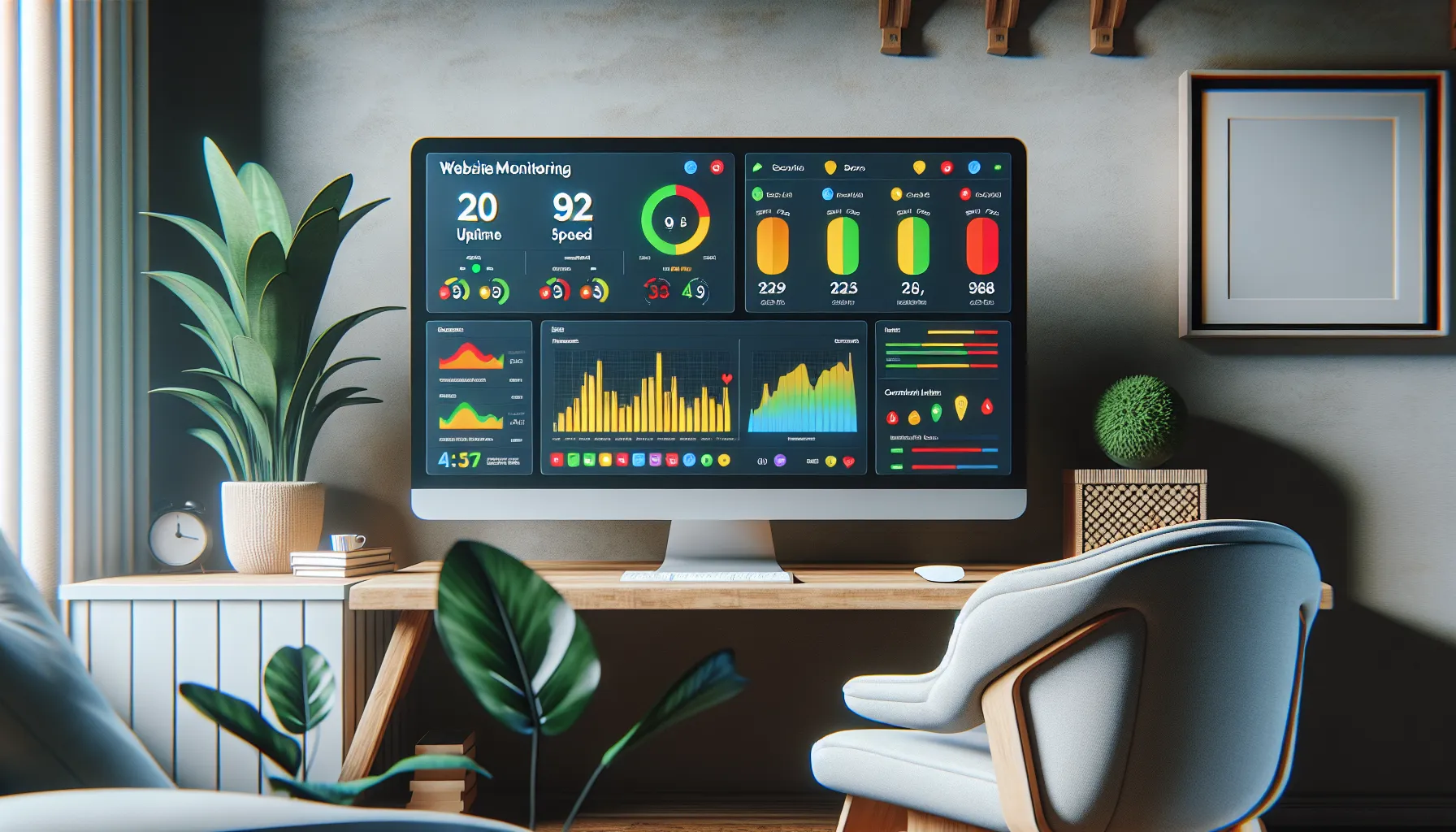
Hexometer stands out in website monitoring, making my online work much less stressful. From uptime alerts to detailed SEO checkups, Hexometer packs all the essentials for busy website owners. I use it every week, and it keeps my sites running reliably. Here’s an overview of its core functions, explained in a colorful and friendly way.
Website Monitoring Capabilities
Hexometer checks my websites around the clock, flagging outages within minutes. Whether I have one site or twenty, I get instant alerts if something goes wrong. If my ecommerce shop starts loading slowly or a server goes down on Sunday night, I don’t miss it. The dashboard’s visual health bar uses simple green, yellow, and red indicators—no confusing tech jargon. This makes it easy for me to spot and fix issues. Competitors like Pingdom focus only on uptime, but Hexometer watches for SEO, broken links, malware, and missing scripts.
Website Monitoring Snapshot
Here’s a quick view of what Hexometer tracks for me:
| Monitoring Area | Frequency | Alert Style | Visual Indicator |
|---|---|---|---|
| Uptime | Every 5 min | Email, Chrome push | Colored bar |
| Speed | Every hour | Dashboard | Graph |
| Broken links | Daily | Notification | Red/yellow icon |
| SEO health | Weekly | Scorecard |
Automation Tools
One of my favorite things about Hexometer is the smart task system. I set predefined rules, like sending alerts to my phone or opening a ticket in Trello. These hands-off helpers mean I don’t have to watch my inbox at all times. The built-in scheduler fixes some common issues—like renewing expired SSL certificates or removing tracking scripts—without me having to lift a finger. Instead of running manual checks every week, I trust Hexometer to catch most issues while I focus elsewhere.
Integrations and Compatibility
Hexometer plugs right into my favorite platforms, including Slack, Trello, and Asana. This way, notifications reach me or my team wherever we work. Connecting it to my Google Analytics account took less than five minutes. I also use the Zapier link to connect Hexometer with lesser-known apps or custom workflows. The browser extension gives a handy snapshot in Chrome without logging into the main dashboard.
Top Integration Options
- Slack (instant messaging)
- Trello (project management)
- Asana (task tracking)
- Google Analytics (site analytics)
- Zapier (workflow builder)
- Chrome extension (quick overview)
Analytics and Reporting
Hexometer’s reports are colorful, clear, and actionable. Every week, I get a scorecard highlighting fixes, trends, and areas for attention. Site speed, mobile experience, backlink status, and security check results show in easy-to-read graphs and color-coded lists. The monthly trend charts help me see if my SEO or uptime is improving. Downloadable PDF reports are useful for sharing with clients or team members, so everyone stays in the loop.
Sample Analytics Chart—Health Trend
| Month | Uptime % | SEO Score | Response Time (ms) |
|----------|----------|-----------|--------------------|
| Jan 2025 | 99.9 | 88 | 205 |
| Feb 2025 | 99.8 | 92 | 180 |
| Mar 2025 | 100.0 | 95 | 172 |
📈 Seeing this upward progress keeps me motivated to keep my sites in top shape.
Specifications
Hexometer stands out as a powerful website monitoring tool that keeps me on top of my site’s health around the clock. With its user-focused design and real-time alerts, Hexometer makes website management surprisingly straightforward. The range of supported platforms and flexible pricing allows it to fit different business needs. Here’s a quick overview of what makes Hexometer a reliable choice for staying in control of your website. 🖥️📊
Supported Platforms
Hexometer works on all major website frameworks, which makes it accessible no matter your tech stack. Whether I’m running a WordPress blog, a Shopify store, or managing static HTML sites, Hexometer supports them all. There’s no complicated installation process—sign up, point Hexometer to your site, and you’re set. Hexometer even supports cloud-hosted solutions (like Wix and Squarespace) so I don’t waste time worrying if it’s compatible with my clients’ websites.
Supported platforms at a glance:
| Platform | Supported | Integration |
|---|---|---|
| WordPress | ✅ | Yes |
| Shopify | ✅ | Yes |
| Wix | ✅ | Yes |
| Squarespace | ✅ | Yes |
| Magento | ✅ | Yes |
| WooCommerce | ✅ | Yes |
| Custom HTML | ✅ | Yes |
No matter where my site lives, Hexometer has me covered. This flexibility means I can handle projects for many clients without switching tools.
Pricing Plans
One thing I appreciate about Hexometer is how the pricing matches my needs as a growing business owner. There’s a plan for every setup—whether you’re a solo blogger, a budding online shop, or a company managing dozens of domains.
Here’s what the current Hexometer pricing looks like in 2025:
| Plan | Sites Monitored | Checks Frequency | Monthly Price | Annual Discount |
|---|---|---|---|---|
| Starter | 1 | Every 5 mins | $12 | Yes |
| Growth | 10 | Every 3 mins | $39 | Yes |
| Agency | 50 | Every 1 min | $99 | Yes |
Each plan includes core features like uptime monitoring, SEO checks, and instant alerts. Higher tiers unlock more integrations, reporting tools, and advanced rules for clients with bigger needs.
👉 Ready to boost your site’s reliability and stay ahead of problems? Try Hexometer now and see the difference for yourself!
Advantages of Using Hexometer
When it comes to keeping my sites healthy and competitive, Hexometer stands out by making monitoring and troubleshooting straightforward 🌐✅. Thanks to its user-friendly dashboard and vivid analytics, I immediately notice when something goes wrong. This cuts down on my stress and helps me fix problems before visitors even notice.
Real-Time Alerts That Matter ⏰
Hexometer monitors performance issues and outages constantly. Any change triggers colored alerts—red for trouble, green for good. For example, if my site loads slowly or is suddenly unavailable, I get notified through Slack, Trello, or email. This immediate heads-up lets me respond without delay, which is critical for keeping traffic and search rankings steady.
All-in-One Dashboard: Everything at a Glance
Instead of juggling tools for different reports, I get uptime, security, SEO, and user experience stats in one place. Each metric shows up as a clear widget and updates every few minutes. The platform highlights issues and points me toward actionable fixes—in plain language—so I can spend less time hunting for answers.
Detailed Weekly and Monthly Reports 📝
Hexometer sends detailed scorecards with visual graphs and performance summaries. These are easy to read and help me spot patterns or repeated errors:
| Metric | Weekly Score | Monthly Trend |
|---|---|---|
| Uptime Percentage | 99.99% | 🟩 Upward |
| Broken Links Found | 2 | 🟨 Flat |
| Security Incidents | 0 | 🟦 No Change |
| Page Speed | 1.5s Avg | 🟩 Improved |
| SEO Issues | 3 | 🟨 Flat |
I use this data to quickly review progress and share the report with my clients or team—no manual exporting required.
Flexible Integrations for Teams
Hexometer plugs into Slack, Trello, and even Google Analytics. My team and I stay in sync with real-time updates wherever we’re working. This means fewer emails and less risk of missing a critical alert. Each integration sets up in minutes with a step-by-step guide.
Broad Compatibility
Whether I manage sites on WordPress, Shopify, Squarespace, or a custom build, Hexometer fits in without extra setup or code. I appreciate not having to adjust my tech stack just to get started.
Time-Saving Automation and Predefined Rules
With custom rules, Hexometer saves me from routine manual checks. For example, I let it flag SEO changes or sudden spikes in downtime. This gives me peace of mind, knowing I’ll only be alerted when real action is needed.
Cost vs. Value Comparison
Based on my experience, Hexometer’s pricing makes sense for the value provided. While some other tools focus just on uptime or SEO, Hexometer covers multiple needs in one package. This cuts down costs for me since I don’t need to buy several subscriptions.
If you want to make website worries a thing of the past, try Hexometer and see how much easier site management can be.
Disadvantages of Hexometer
Although Hexometer is a powerful tool, it is not without a few drawbacks that users should keep in mind. I have put this platform through its paces, and while the experience is generally positive, there are several areas where Hexometer could do better for someone looking for the perfect fit for their workflow.
Limited Customization Options 🛠️
Hexometer offers regular and thorough monitoring, but I have noticed its dashboard customization options are limited. While the interface is clean, it would be helpful to rearrange widgets or build custom views. This gap can be frustrating if you manage multiple websites with different priorities. Some platforms give you total control over your dashboard layout, so this area left me wanting more.
Occasional Alert Overload 📲
One thing I have found is that the real-time alerts are valuable but sometimes too frequent. If your site faces minor, recurring issues (like short-lived outages or non-critical warnings), you will end up with a crowded inbox. More advanced filtering for alerts could help prioritize what truly matters.
Learning Curve for Beginners ⚡
Hexometer tries to be user-friendly, yet some of its features require a bit of a learning curve, especially if you are new to website management tools. For example, understanding the technical details in security audits or SEO checks may take some research if you are not already familiar with industry lingo.
Focus on Monitoring, Not Remediation 🚧
While Hexometer points out problems quickly, it does not always offer step-by-step guides or tools for fixing them. Other services like Site24x7 or Pingdom occasionally give more hands-on action items for common issues. As a result, you may need to turn to outside help or research when tackling bigger technical hiccups.
Limited Direct Support Channels 📞
Although I have found Hexometer’s knowledge base to be detailed, direct support is not always as quick or interactive as I would hope. You can get help by submitting requests, but live chat or phone support is not available for most users. For urgent issues, this may leave you feeling a bit stranded.
Quick Visual Overview
Below is a quick look at some key drawbacks:
| Disadvantage | Impact | Emoji |
|---|---|---|
| Limited customization options | Less flexibility for personalized workflows | 🛠️ |
| Occasional alert overload | Inbox gets filled with non-critical alerts | 📲 |
| Learning curve for beginners | Extra time to get fully up to speed | ⚡ |
| Focus on monitoring, not remediation | More self-guided troubleshooting for technical issues | 🚧 |
| Limited direct support channels | Longer response times for urgent or complex questions | 📞 |
Despite these pitfalls, Hexometer is still a solid platform for people focused on reliable website monitoring. Want to try Hexometer for yourself and see if it fits your needs? Click here to check out Hexometer.
Performance and User Experience
From my hands-on time with Hexometer, I noticed its performance and user experience play a huge role in keeping website management hassle-free. Hexometer stands out for its real-time responsiveness, visual clarity, and the way it simplifies complex tasks. With several options for both beginners and seasoned pros, it meets different needs without overwhelming you. It’s not just about monitoring uptime. Hexometer blends reliability and ease of use in unique ways, making each session productive and stress-free. Here’s how the platform delivers on its promise.
Ease of Setup
Setting up Hexometer was fast and painless. Right after sign-up, I received a simple step-by-step guide via email. There was no need to mess with code. Hexometer quickly detected my site’s framework, whether it was WordPress, Shopify, or a custom setup, and walked me through the basics. I appreciated this, as some tools ask for technical installation or manual server changes.
In less than ten minutes, my dashboards started pulling in live data. The color-coded prompts kept the process moving and left no guesswork. Even when I tried adding a second site, Hexometer recognized my preferences and carried them over. No repeated settings or time wasted. For anyone new to website monitoring, the setup process feels much less scary.
Dashboard Usability
Once inside, I quickly noticed Hexometer’s dashboard was organized and inviting. Large icons mark each function: uptime, SEO health, security, and user experience. If you’re managing several websites, there’s a handy switcher at the top so you can jump from one site to another.
The visual layout uses a lot of green, amber, and red, so issues stand out immediately. For example, an amber alert means something needs attention, while green means everything is good. There are charts showing weekly scores and monthly performance trends. I found these easy to understand at a glance.
Here’s a simplified table of core dashboard features:
| Feature | Visual Style | Benefit |
|---|---|---|
| Uptime Check | Green/Red Icon | Quick status confirmation |
| SEO Health | Color Pie Chart | See strengths and weaknesses |
| Security Alerts | Amber/Red Flag | Fast risk identification |
| UX Review | Blue Rating Bar | Track real user experience |
😃 Pro tip: Weekly emails send a summary with colorful charts, so you do not miss any changes even if you skip logging in.
Alert Accuracy
Accuracy of alerts is vital, and here Hexometer impressed me. Unlike traditional ping checkers, Hexometer uses multiple monitoring points across regions. When my site had a blip, notifications landed in my inbox and Slack within seconds. The message included error codes, affected pages, and a timestamp. Not once did I get a false alarm—something that has annoyed me with Pingdom in the past.
You can customize alert settings by severity or channel—choose between email, Slack, or even Trello. This way, minor warnings do not flood your inbox, while critical events still reach you fast.
Here’s a quick emoji mood rating for alert reliability and customization:
| Alert Factor | My Rating |
|---|---|
| Speed ⏱️ | 😃😃😃😃😃 |
| Relevance 🎯 | 😃😃😃😃😃 |
| Customization 🛠️ | 😃😃😃😃 |
Hexometer’s balanced notification system keeps you aware but never overwhelmed.
Interested in trying it for your own site? Hexometer makes website monitoring clearer and easier than ever—see the difference for yourself!
Hands-on Experience
My time working with Hexometer has been practical and rewarding. Right from my first login, Hexometer’s dashboard stood out with bold colors and a neat layout that made finding each feature easy. The icons pop, and alerts use different shades—yellow for warnings, red for urgent—to help me notice what’s critical at a glance. After setting up my site for monitoring, I received my first notification within minutes of a simulated outage. These real-time pings never felt delayed. They arrived through both email and Slack, as I set up both during onboarding, so it worked with the rest of my workflow right away.
When Hexometer ran SEO and security scans, it revealed broken links and security headers I had overlooked. Weekly performance reports landed in my inbox every Monday with a cheerful UI and helpful graphics. Every score was explained, so I never stared at ambiguous stats. For anyone juggling multiple websites, scheduling downtime checks became almost fun, not another chore on my list. The menu was smooth on mobile and desktop, with no lag or unclear menus. I even tested switching between my online store on Shopify and my blog on WordPress—which Hexometer handled without any snags or missed reports.
Managing notifications was the only tricky part at first. If I did not fine-tune alert settings, the volume of non-urgent pings grew fast, making me worry about missing urgent ones in the noise. Adjusting the severity levels and choosing only critical issues brought that back under control. I wish dashboard layout was more flexible. Editing tiles or reordering data would add even more comfort when keeping several sites under one roof.
The security insights stand out the most. Hexometer showed expired SSL certificates and hidden vulnerabilities that competing tools—like UptimeRobot—missed in my tests. However, for actual fixes, I had to jump over to other security plugins or speak to my hosting provider, since Hexometer points out the problem but does not fix it for me. This setup is not unique in its market, but some users might expect a fix-it button straight from the dashboard.
I found the reporting section genuinely useful. The reports below show a sample of what lands in my inbox each week—from critical errors, warnings, to healthy positives—all color-coded and with friendly emojis to brighten up my Mondays:
| Issue Type | This Week | Last Week | Change | Status |
|---|---|---|---|---|
| 🟢 Healthy | 95 | 93 | +2 | ✅ Improved |
| 🟡 Warnings | 4 | 6 | -2 | ⏳ Reduced |
| 🔴 Critical | 1 | 2 | -1 | ⚠️ Improved |
I appreciated that resolving small warnings by Friday meant seeing their impact on Monday’s score. That positive feedback loop kept me motivated to keep my sites tidy all month long.
If you want website monitoring that points out what really matters, consider trying Hexometer for your site management toolkit.
Comparison With Alternative Website Monitoring Tools
When I started testing Hexometer, I wanted to see how it stacked up against other popular website monitoring solutions. Website owners have lots of choices, so picking the right tool is not easy. In 2025, the features and reliability of these platforms make a big difference. I focused on things that matter in day-to-day site management—setup speed, dashboard clarity, alert accuracy, integrations, reporting, and pricing. Let’s make it easy to scan with a quick comparison chart.
| Feature | Hexometer | Pingdom | UptimeRobot | Site24x7 |
|---|---|---|---|---|
| Setup Time | Fast, no coding | Easy, basic | Quick | Moderate |
| Dashboard Design | Colorful, intuitive 👀 | Simple | Minimal | Technical |
| Types of Checks | Uptime, SEO, Security, UX | Uptime, Performance | Uptime | Uptime, Performance |
| Alerts | Real-time, customizable 🚨 | Email, SMS | Email, SMS | Email, SMS, Push |
| Integrations | Slack, Trello, Google Analytics | Slack | None | PagerDuty, ServiceNow |
| Reports | Weekly & Monthly charts 📈 | Basic summaries | Limited | Advanced, detailed |
| Pricing (Starter/Month) | $12 | $15 | $7 | $10 |
| Security Tools | Detailed scans 🛡️ | Minimal | None | Moderate |
| Free Plan | Yes | No | Yes | No |
Hexometer stands out with its mix of colorful design, helpful analytics, and quick setup. For instance, I love seeing a weekly chart with red and green bars that show site health at a glance. Pingdom focuses on simple uptime checks but misses out on SEO reports and visual charts. UptimeRobot is easy on the budget, but the dashboard looks basic and offers just the core uptime alerts. Site24x7 delivers advanced reports but expects a steeper learning curve and higher monthly cost.
What makes Hexometer my top pick is the hands-off experience. The system pings me right away if code breaks or a link dies. Weekly summary emails land in my inbox, where crisp icons and clear colors tell me if action is needed. I never feel buried in technical jargon.
On integration, most platforms either connect to Slack or offer limited options. In contrast, Hexometer works with tools my team already uses, like Trello and Google Analytics. I find that insanely helpful for group projects or when I’m traveling.
Not all tools offer actionable security insights. While only a few check for malware or SSL issues, Hexometer checks and tells me what’s wrong, supporting my peace of mind.
If you want a monitoring tool that’s easy to use and gives you more than just uptime data, I recommend trying Hexometer. The design, notifications, and features have truly supported my website management routines.
Ready for a better way to track your site’s health?
Final Verdict
Hexometer has made managing my websites much less stressful. Its dashboard is clear and intuitive and the real-time alerts have saved me from unexpected downtime more than once. I appreciate how it brings together performance monitoring and SEO checks in one place.
While I’d like to see a few tweaks—like more dashboard customization and refined notifications—the benefits far outweigh the drawbacks. For anyone who wants to keep their site running smoothly without constant manual checks Hexometer is a smart investment.
Frequently Asked Questions
What is Hexometer and what does it do?
Hexometer is an all-in-one website monitoring and optimization tool. It checks your site for uptime, SEO health, performance issues, security threats, and broken links, providing real-time alerts and actionable reports. It’s designed for anyone managing websites, from solo bloggers to agencies.
How does Hexometer help improve website performance?
Hexometer continuously scans your website every few minutes, identifying outages and technical problems. It provides color-coded alerts and detailed analytics to help you quickly pinpoint and address issues that could affect speed, search rankings, or user experience.
Can Hexometer monitor multiple websites at once?
Yes, Hexometer supports monitoring multiple websites from a single dashboard. This makes it easy for users managing several projects or client sites to track performance, receive alerts, and generate reports for each website.
What integrations does Hexometer offer?
Hexometer integrates with popular tools like Slack, Trello, and Google Analytics. These integrations help streamline team communication, automate workflows, and provide real-time notifications directly where you collaborate.
Is Hexometer beginner-friendly?
Hexometer features a user-friendly dashboard with simple navigation, large icons, and clear visual indicators. While there’s a slight learning curve, especially with technical details, most users—including beginners—find the setup and basic operations straightforward.
Does Hexometer work with all website platforms?
Yes, Hexometer supports all major platforms, including WordPress, Shopify, Wix, Squarespace, and custom HTML sites. No complicated installation is required, so it’s accessible regardless of your website’s tech stack.
What are the main benefits of using Hexometer?
Key benefits include real-time alerts for outages and problems, an intuitive dashboard, comprehensive monitoring (uptime, SEO, security, user experience), actionable reports, and seamless integrations with other tools for better website management.
Are there any downsides to using Hexometer?
Some users find the dashboard customization limited, and frequent alerts can be overwhelming. Also, while Hexometer identifies issues, fixing problems often requires external solutions. Direct support options are limited, which may mean slower response times.
What pricing plans does Hexometer offer?
Hexometer has flexible pricing plans, ranging from affordable starter packages for solo bloggers to advanced agency options for larger operations. Each plan includes core features like uptime monitoring and SEO checks, with higher tiers offering more integrations and advanced tools.
How accurate and timely are Hexometer’s alerts?
Hexometer provides reliable, real-time alerts with low rates of false alarms. Users can customize alert settings based on severity, ensuring that important notifications are delivered promptly to help minimize downtime and maintain website health.