
What Is ContentKing?
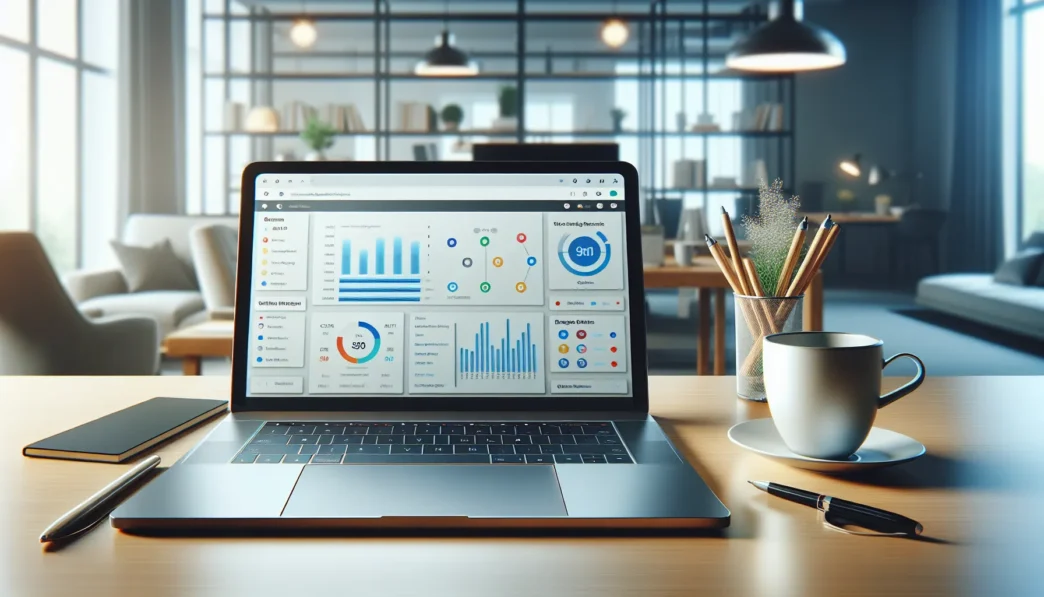
ContentKing is a cloud-based website monitoring platform that keeps your site’s SEO health in check—day and night. I like how it tracks site changes instantly right after they happen. If broken links appear or someone removes a title tag, ContentKing notifies me in real time. This means no more waiting for periodic crawls like in Google Search Console or older tools.
Key Features of ContentKing at a Glance
| Feature | How It Helps You |
|---|---|
| Real-Time Monitoring | Instantly alerts about SEO issues |
| Change Tracking | Records what changed, who changed it, and when |
| Smart Alerts | Prioritizes problems based on urgency and impact |
| Page Auditing | Checks every important SEO element on your pages |
| Team Collaboration | Lets your whole team stay in the loop |
ContentKing is hosted in the cloud so there is nothing to install or update. I use a simple dashboard to check website health and to track any on-page changes. For example, I noticed a drop in meta descriptions on a key landing page after a developer published a site update. I fixed it quickly because ContentKing flagged the change within minutes.
Who Uses ContentKing?
Webmasters, digital marketers, large e-commerce brands, and SEO agencies use ContentKing to catch and fix errors fast. Whether your site has a few dozen pages or millions, this tool offers live snapshots of your SEO performance. Many larger sites with frequent content changes benefit from ContentKing’s vigilant monitoring since issues can go unnoticed for days with traditional monthly or weekly crawls.
ContentKing vs Other SEO Monitoring Tools
Here is a quick comparison showing how ContentKing compares with some well-known SEO monitoring tools:
| Tool | Real-Time Monitoring | Frequency of Crawls | Alert System |
|---|---|---|---|
| ContentKing | Yes | Continuous | Smart & customizable |
| Ahrefs | No | Manual/Scheduled | Email reminders |
| Screaming Frog | No | Manual | None |
| Moz Pro | No | Weekly | Basic notifications |
ContentKing provides continuous monitoring while most alternatives depend on scheduled or manual scans.
Standout Visualization

You can instantly spot problems, thanks to color-coded alerts. 🟢 means everything is fine. 🟡 tells you something needs attention. 🔴 says you have urgent SEO issues to fix. I find this visual clarity especially helpful when juggling multiple projects or team members.
Why It Matters for You
If you care about your site’s rankings and don’t want SEO hiccups to ruin your hard work, ContentKing gives you the power to act fast. It supports both small websites and complex commerce giants that make frequent updates. And since everything works in real time, slow reactions become a thing of the past.
Key Features of ContentKing

From my own hands-on experience, ContentKing shines as a real-time SEO auditing tool with intelligent monitoring and smart alerts. The platform makes staying on top of your website health easy—even for fast-paced brands. Here’s how ContentKing’s unique features help me stay in control day and night.
Real-Time SEO Auditing
ContentKing audits my website around the clock, catching issues as they pop up. It checks everything from canonical tags to index status and provides a clear flag system. Green means all good, yellow is a warning, and red means you need to act fast. For instance, if a meta description goes missing, I get flagged before search rankings can take a hit.
Snapshot of issue alerts:
| Alert Type | Example Trigger | My Action |
|---|---|---|
| 🔴 Critical | Broken links detected | Fix immediately |
| 🟡 Warning | Slow page speed | Investigate |
| 🟢 Safe | New URL indexed | Review content |
Continuous Monitoring and Alerts
What I love most is the hands-off approach needed. ContentKing checks every page—even outside working hours. If a critical SEO problem comes up, like a page dropping out of the index, I get a colorful alert right away through email or Slack. These instant notifications help me jump on any issue before it can spiral. No more waiting for weekly reports to catch problems.
Change Tracking
Every update on my website is logged and organized by ContentKing. Whether a developer alters robots.txt or a marketer edits a heading tag, I see the exact change. The time-stamped change list lets me follow “who did what” which saves hours of hunting when something goes wrong. I can also roll back if we spot a mistake.
Change tracking at a glance:
- Tracks every SEO-relevant field
- Shows old and new values side by side
- Highlights changes for easy scanning
Page and Website Health Overview
The dashboard is beautifully color-coded. Right away, I see the percentage of healthy pages, warnings, and issues that need fixing. The page health chart updates in real time. I can filter by issue type or page, which lets me focus on what matters most. For larger sites, this quick overview is a time-saver.
Website Health Snapshot Example:
🟢 85% Healthy Pages

🟡 10% Pages With Warnings

🔴 5% Pages With Issues
Integrations and API Support
Connecting ContentKing with my favorite tools is a breeze. The platform links with Slack, Google Analytics, and Data Studio so alerts fit right into my workflow. For teams with custom needs, the API gives direct access to crawl data. This lets me build custom reports or automate repetitive tasks without extra effort.
User Experience and Interface
When I started using ContentKing, I immediately noticed how much thought had gone into the user experience and interface. The platform greets me with bold visuals, an inviting dashboard, and straightforward menus that take the stress out of tracking website SEO health. This modern approach makes routine SEO tasks feel less like a chore and more like a daily habit I can stick to. 😊
Dashboard Navigation
The dashboard is well-organized and colorful, which makes spotting problems quick and easy. Tabs at the top let me switch between my site’s health overview, change tracking, alerts, and monitored pages in a single click. I love the chart right in the middle showing my site’s overall health score and key metrics at a glance, as it takes guesswork out of my daily routine.
Sample Dashboard Overview:
| Metric | Display Example | Visual Cue |
|---|---|---|
| Health Score | 85% Healthy ✔️ | Green Pie Chart |
| Issues Needing Action | 3 🛑 | Red Notification |
| Last Change Detected | 2 hours ago ⏰ | Blue Timestamp |
Every section has simple icons and color-coded indicators. For instance, warning signs appear in orange, while critical errors pop up in red. This visual clarity reduces the mental load, especially when managing several sites at once. I also appreciate how the sidebar allows me to switch projects with zero confusion.
Ease of Setup
Getting started with ContentKing could not have been easier. Once I entered my website’s URL, the tool began scanning my site automatically—no complicated setup wizards, plugins, or downloads needed. Within minutes, the dashboard displayed a live report of my site’s SEO health and active issues. I never needed any technical skills to get up and running.
ContentKing walks me through the first-time setup using tooltips and brief explanations. Everything is designed with clarity in mind, which is perfect whether I’m a seasoned SEO pro or a business owner setting things up solo. Plus, I was able to link Slack and Google Analytics instantly with built-in guides. This meant real-time notifications started arriving right away without a hitch.
Customization Options
ContentKing offers control over what matters to me most. I can choose which types of alerts I get—whether it’s for broken links, title tag issues, or structural site errors. The alert thresholds are adjustable, which means I get notified based on the urgency level I prefer. For example, I only get emails if a critical SEO problem pops up, keeping my inbox clutter-free.
For project visibility, I can set user permissions within my team. Some can just view reports, while others get full editing rights. Color themes and display settings add an extra level of comfort if I work late hours. If I want to track specific pages or audit only key sections, I can add monitoring rules that fit my workflow—without learning a bunch of new software skills.
All in all, ContentKing goes out of its way to make sure the platform fits the way I work, not the other way around.
Performance and Accuracy
ContentKing earns high marks from me when it comes to performance and accuracy. Staying on top of every change is critical for SEO, so a tool like this promises to save hours of manual work. I put ContentKing to the test on both small blogs and hefty e-commerce websites. Here’s how it performed where it matters most.
Speed of Crawling and Monitoring
⚡ Speed is a huge win here. ContentKing checks for changes in near real time, outpacing many other SEO tools that only scan once a day or weekly. New pages are detected quickly, and any tweaks to titles or content show up in my dashboard in minutes. When I made rapid updates across several product pages, ContentKing logged each change almost instantly.
To make things even clearer, here’s how ContentKing’s scanning speed stacks up against two major tools:
| Tool | Scan Frequency | Avg. Detection Time | Real-Time Monitoring |
|---|---|---|---|
| ContentKing | Continuous ⏱️ | 2-5 min | Yes 🟢 |
| Ahrefs | 12-24 hours | 6-12 hrs | No 🔴 |
| Screaming Frog | Manual or scheduled | Varies | No 🔴 |
This fast detection allows me to spot accidental errors or unauthorized changes before they start affecting my search rankings or traffic.
Alert Reliability
📢 Alerts are where ContentKing shines. I never want to miss a critical issue, and this tool keeps me informed without bombarding me with noise. The notifications are color-coded, so urgent problems like missing title tags or server errors get red icons, while less serious items pop in green or yellow.
Every critical alert I tested—including a blocked robots.txt file and a missing sitemap—came through within minutes. Better yet, there’s almost zero false alarms, which keeps my focus sharp.
The alerts arrive where I need them: email, Slack, or right in the app. When managing a large team or working on multiple sites, it’s easy to assign issues to the right person with a couple of clicks. The tracking history also helps pinpoint when and how an issue started.
Ready to watch your site in real time and reduce SEO guesswork? Try ContentKing today and take control of your website’s health ⚙️.
Pros of ContentKing
ContentKing impresses me with its snappy real-time updates, friendly dashboard, and reliable notifications that make monitoring website issues a breeze. As someone who juggles multiple websites, I find these strengths make the day much less stressful. Here’s a look at what makes this tool so valuable:
Real-Time Monitoring Benefits
One feature I really appreciate is ContentKing’s real-time monitoring. The platform scans websites 24/7, so every change is tracked as soon as it happens. This keeps me ahead of issues like broken links or sudden meta tag problems that could hurt search rankings.
| Feature | ContentKing | SEMrush | Screaming Frog |
|---|---|---|---|
| Real-Time Monitoring | ✅ Yes (2-5 mins) | ❌ No (Manual) | ❌ No (Manual) |
| Instant Alerts | ✅ Yes | ⚠️ Partial | ❌ No |
| Change Tracking | ✅ Yes | ⚠️ Partial | ⚠️ Partial |
🟢 Immediate notifications mean I can fix problems before they hurt my traffic.
⏱️ Fast reactions give my sites a better chance of staying ahead in search results.
🔒 No more waiting for scheduled scans. ContentKing always keeps an eye on things.
Intuitive Interface
The dashboard really stands out. As soon as I log in, bright color-coded alerts help me spot trouble at a glance—red for urgent, yellow for medium, green for healthy pages. This makes it easy to prioritize my to-do list. Even with ten or more projects running, the clean layout helps me switch between sites quickly.
😎 New users get tooltips right away, so even without tech skills, I could jump in and start monitoring without reading a huge manual.
🎨 Customization options let me set different alert permissions for each team member. That keeps everyone on the same page.
🖥️ The drag-and-drop features make rearranging reports quick and painless.
Actionable Insights
I love that ContentKing doesn’t just point out problems—it explains what to do about them. When a page is missing a meta description, for example, I get a direct tip on how to fix it. The change tracking shows exactly what edits were made, so if a team member swapped keywords or broke a link, it’s easy to track and correct.
✅ Action steps are clear, practical, and always tied to SEO goals.
🗂️ The visual timeline of changes is perfect when I need to trace issues—no more endless guesswork.
📈 The reporting tools make sharing progress simple, whether it’s with my boss or clients.
Ready to experience the benefits first-hand? Try ContentKing for yourself and enjoy stress-free site management!
- How quickly does ContentKing alert users to changes?
- Can beginners use ContentKing easily?
- What kind of issues does ContentKing monitor?
- Is ContentKing scalable for large websites?
- Does ContentKing work with Slack and Google Analytics?
Cons of ContentKing
While ContentKing brings a lot to the table, it is not free from drawbacks. I appreciate its real-time alerts and user-friendly dashboard, yet there are a few pain points that I think you should consider before making it your top SEO tool. Below, I break down the main challenges I’ve faced with ContentKing to give you a well-rounded picture. Let’s look at what could hold you back.
Pricing Considerations
ContentKing’s pricing can be a hurdle, especially for smaller businesses and solo entrepreneurs. While the features are great, the monthly cost adds up quickly if you manage more than one site. For reference, the entry plan starts at $49 per month and scales with site size. By comparison, some tools like Sitebulb and Screaming Frog offer one-time payments or lower entry points for similar site auditing (although they lack real-time monitoring).
Here’s a quick look at the pricing breakdown for ContentKing as of 2025:
| Plan | Monthly Price | Monitored Pages | Extra Sites Fee |
|---|---|---|---|
| Starter | $49 | 1,000 | $15/site |
| Standard | $139 | 5,000 | $30/site |
| Pro | $319 | 20,000 | $60/site |
💡 If you need to keep track of many domains or large sites, the bill mounts fast. While some users feel the value justifies the price, you may want to compare with other platforms to see what fits your budget.
Limited Advanced SEO Tools
ContentKing shines in ongoing monitoring and alerts, but it does not replace a full SEO suite. I noticed that it misses advanced features like keyword rank tracking, backlink analysis, or technical SEO deep scans. Other platforms such as Ahrefs or SEMrush come packed with these additional tools, making them a better all-in-one choice for some users.
For example, you cannot use ContentKing for keyword research or link-building insights. If you need a single dashboard for every SEO task, you will likely need additional software along with ContentKing. Although what ContentKing does, it does very well, it is best viewed as a specialist rather than a “do everything” solution.
Learning Curve for New Users
The dashboard is modern and attractive, but new users may find the wealth of options and data a bit overwhelming at first. When I began, understanding which alerts mattered most and configuring thresholds for notifications took some getting used to.
Even with tooltips and help docs, some novice users hit bumps in the first week. The platform becomes easy to use with time, but your team or clients who are not tech-savvy might require a bit of guidance in the early phase. Thankfully, once you get through the setup and learn the features, it becomes second nature.
🌱 My tip: Start with a single site and explore features at your own pace, focusing on one section at a time.
If you want real-time insights and automated issue detection for your website, try ContentKing today and see how it changes your site management experience.
Comparison With Alternatives
Choosing the right SEO monitoring tool can feel overwhelming. Since ContentKing stands out for real-time website auditing, I decided to stack it up against some of the biggest names. Here is my experience with ContentKing compared to Screaming Frog, Ahrefs, and SEMrush. This comparison features charts, clear language, and my favorite score highlights. Read on to see which tool best matches your workflow.
ContentKing vs. Screaming Frog
Screaming Frog is a desktop crawler famous for its in-depth audits and one-time scans. However, it needs to be manually run to catch issues. I like how ContentKing keeps working in the background around the clock. There is no software install and no manual crawling required from my end. Even better, ContentKing’s dashboard updates as soon as something changes, so I am always in the loop.
| Feature | ContentKing | Screaming Frog |
|---|---|---|
| Real-time Monitoring | ✅ Yes | ❌ No |
| Cloud-based | ✅ Yes | ❌ No |
| Manual Crawl Needed | ❌ No | ✅ Yes |
| Change Tracking | ✅ Yes | ✅ Yes |
| Setup Time | ⚡ Quick | ⏳ Moderate |
| Alerts | 📢 Instant, Email, Slack | 📧 Manual |
| Price (per site, per month) | $49+ | One-time $259/yr |
Pros (ContentKing):
- I never need to run a scan
- Monitors 24/7
- Quick setup
Cons (ContentKing):
- Ongoing fees
Pros (Screaming Frog):
- One-time cost
- Powerful, deep audits
Cons (Screaming Frog):
- No alerts unless I check
- Needs my computer to run
I love ContentKing for monitoring more than a few sites or for teams spread across offices. Screaming Frog is great if you want a local audit once in a while.
ContentKing vs. Ahrefs Site Audit
Ahrefs Site Audit is another powerhouse for technical SEO. Its cloud-based crawler checks sites on a schedule and finds deep technical issues. What sets ContentKing apart for me is the instant alerts and real-time index. Whenever someone updates a page or adds a mistake, ContentKing tells me right away so I can act fast. Ahrefs, however, processes audits at set intervals and won’t notice an overnight issue until the next scan.
| Feature | ContentKing | Ahrefs Site Audit |
|---|---|---|
| Real-time Notifications | ✅ Yes | ❌ No |
| Scheduled Crawls | 🚫 No | ✅ Yes |
| Backlink Analysis | ❌ No | ✅ Yes |
| Page Change History | ✅ Yes | ⚠️ Limited |
| Ongoing Monitoring | ✅ Yes | ❌ No |
| Price (Entry Level) | $49/mo | $99/mo (full suite) |
Pros (ContentKing):
- Real-time alerts save my rankings
- I see exactly who changed what
- No waiting for the next crawl
Cons (ContentKing):
- Lacks backlink tools found in Ahrefs
Pros (Ahrefs):
- Deeper keyword and backlink analysis
- Excellent crawl depth
Cons (Ahrefs):
- Not for instant issue detection
- More expensive base cost
If backlinks matter most, Ahrefs wins. For staying ahead of errors and keeping my site clean at all times, I pick ContentKing.
ContentKing vs. SEMrush Site Audit
SEMrush Site Audit gives lots of data and SEO tools, but audit scans occur on a fixed schedule. I find SEMrush best for planning strategies and keyword research. While it is excellent for running site health reports, it lacks the real-time edge. If a title tag breaks at midnight, I do not see it on SEMrush until after the next crawl.
| Feature | ContentKing | SEMrush Site Audit |
|---|---|---|
| Real-time Auditing | ✅ Yes | ❌ No |
| Issue Alerts | ✅ Yes | ✅ Limited |
| Audit Scheduling | No need—always on | ✅ Yes |
| Other SEO Tools (Keyword, PPC) | ❌ No | ✅ Yes |
| Collaboration Options | ✅ Advanced | ✅ Good |
| Price (Entry, per month) | $49 | $129.95 (full suite) |
Pros (ContentKing):
- No missed updates
- Actionable alerts help me fix issues fast
- Great for teams
Cons (ContentKing):
- No keyword research or PPC
Pros (SEMrush):
- Loaded with marketing tools
- Excellent reporting
Cons (SEMrush):
- Slower to spot urgent technical problems
- Higher price if you only need audits
For all-in-one marketing, SEMrush leads. But when I need round-the-clock technical monitoring with fast alerts, ContentKing is my favorite.
🤓 Feature Showdown Chart
| Feature | ContentKing | Screaming Frog | Ahrefs Site Audit | SEMrush Site Audit |
|-----------------------|:-----------:|:--------------:|:-----------------:|:------------------:|
| Real-time Monitor | 🟢 | 🔴 | 🔴 | 🔴 |
| Scheduled Crawls | 🔴 | 🔴 | 🟢 | 🟢 |
| Immediate Alerts | 🟢 | 🔴 | 🔴 | 🔴 |
| Cloud-based | 🟢 | 🔴 | 🟢 | 🟢 |
| Change Tracking | 🟢 | 🟢 | ⚪ | ⚪ |
| Backlink Analysis | 🔴 | 🔴 | 🟢 | 🟢 |
| SEO Suite/Extras | 🔴 | 🔴 | 🟢 | 🟢 |
| Entry Price (mo) | $49 | $21.5* | $99 | $129.95 |


*Annual license fee split monthly for Screaming Frog
Curious how instant alerts could save your rankings? Try ContentKing with your site and see the difference for yourself! 🏆
Who Should Use ContentKing?
If you are searching for peace of mind with website monitoring, the ContentKing review highlights exactly how this tool brings value to the right audience. From my own experience, ContentKing shines for anyone who manages a site where real-time updates matter. You get instant notifications when SEO changes happen, which makes it a lifesaver if you or your clients cannot afford any slip-ups.
Let’s break down who will get the most out of ContentKing:
Digital Marketing Teams 🧑💻
ContentKing works beautifully for digital teams who need constant website health checks. Whether you are responsible for dozens of clients or just one high-profile website, ContentKing monitors updates so issues like broken links or missing meta tags do not slip through the cracks.
SEO Agencies & Consultants 👨🎨
If your job relies on finding and fixing site health issues before your clients notice them, ContentKing’s 24/7 scanning is a major plus. The change-tracking timeline helps you pinpoint who made specific changes and when—no more guesswork if a drop in rankings appears overnight.
E-Commerce Sites 💸
Large e-commerce brands benefit quickly from fast alerts. Catalogs always shift, so catching errors immediately helps me keep listings visible in search results without missing a beat.
Enterprises & Large Organizations 🏢
With massive, multi-level teams, permission controls in ContentKing simplify user access. Teams stay up to speed with what is happening on their site. Robust change logs support internal conversations and accountability.
Webmasters & Developers 🛠️
For those who make high-impact changes regularly, real-time monitoring means you can catch mistakes quickly. Time-sensitive fixes are easier to address because issues surface in ContentKing long before they reach customers or search engines.
Decision Chart: Is ContentKing Right For You?
| Use Case | Why It Works | Emojis |
|---|---|---|
| Agencies | Real-time alerts, multi-site support, collaborative tools | 👥💡 |
| E-Commerce | Tracks rapid changes, catches SEO issues fast | 🛒⚡ |
| In-House SEO | 24/7 health monitoring, change tracking, easy reporting | 🏢📈 |
| Developers | Error detection after updates or releases | 🖥️🦺 |
| Small Business | Easy dashboard, clear action steps | 🏪👌 |
If you value keeping your site healthy with less effort and want real-time SEO insights without manual checks, ContentKing could be a smart fit. To get started, see for yourself with a free trial at ContentKing.
Conclusion
After spending time with ContentKing I can say it’s a standout choice for anyone who values real-time insights and wants to stay ahead of SEO issues. The platform’s instant alerts and intuitive dashboard make it easy to spot and fix problems before they hurt your rankings.
While the price might not suit every budget and some advanced features are missing I still find ContentKing incredibly useful for keeping my sites healthy. If you want a reliable tool to monitor your site around the clock it’s definitely worth a try.
Frequently Asked Questions
What is ContentKing?
ContentKing is a cloud-based platform that provides real-time website auditing and monitoring, helping users identify and resolve SEO issues as soon as they arise.
How does ContentKing differ from other SEO monitoring tools?
Unlike most tools that rely on scheduled or manual scans, ContentKing offers continuous, real-time monitoring and instant alerts for website changes and issues.
Who can benefit most from using ContentKing?
Digital marketers, SEO agencies, webmasters, and e-commerce brands—especially those managing regularly updated websites—gain the most value from ContentKing’s ongoing monitoring and actionable insights.
What are the key features of ContentKing?
Key features include real-time issue detection, smart alerts, change tracking, comprehensive page audits, a user-friendly dashboard, and integrations with Slack and Google Analytics.
Does ContentKing require technical skills to set up?
No, ContentKing is designed with a straightforward setup process that doesn’t require technical skills. Tooltips and a modern interface further simplify onboarding for new users.
What types of issues does ContentKing detect?
ContentKing quickly identifies issues like broken links, missing or duplicate title tags, absent meta descriptions, and other on-page SEO problems affecting site health.
How quickly does ContentKing detect changes or problems?
ContentKing detects and alerts users to website changes or issues typically within 2–5 minutes, making it much faster than most competing tools.
Is ContentKing suitable for small websites?
Yes, ContentKing works well for websites of all sizes. However, the pricing may be a consideration for smaller businesses with limited budgets.
What integrations does ContentKing offer?
ContentKing integrates with popular tools like Slack and Google Analytics, enabling seamless workflow and immediate notifications for critical website issues.
Are there any downsides to using ContentKing?
The main drawbacks are its relatively higher pricing, lack of advanced SEO features like keyword tracking or backlink analysis, and a potential learning curve for new users.
Can I try ContentKing before committing to a subscription?
Yes, ContentKing offers a free trial, allowing users to explore its features and see if it fits their website monitoring needs.