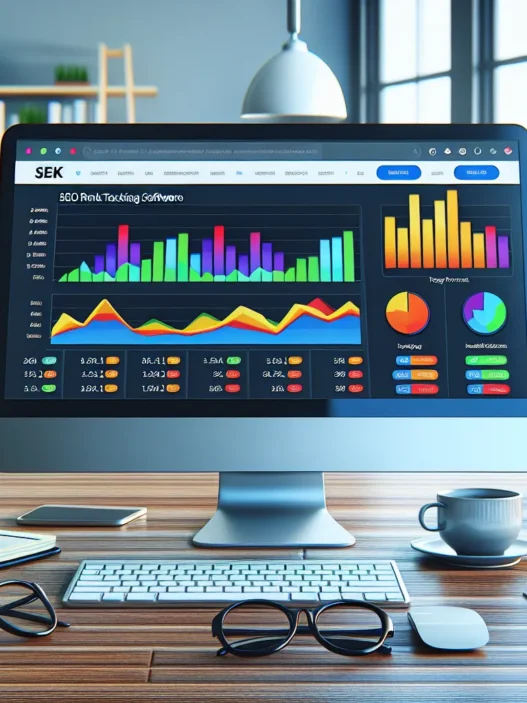

RankTrackr Review At A Glance
My RankTrackr review starts with the simple stuff. Setup is quick. The UI is clean. Reports are easy to read. I track local and national SERPs with no fuss. Daily checks feel reliable. Agencies get flexible reporting. Solo marketers get speed and clarity.
Quick snapshot 🔎
- Who it fits: Solo SEOs, small agencies, local businesses
- Key use cases: Daily rank checks, local packs, YouTube, competitor tracking
- Standouts: Accurate local tracking, neat reports, clean UI
- Trade offs: Light on extras, limited integrations
Scorecard for 2025 📊
| Area | Score | Notes |
|---|---|---|
| Accuracy | 9.1/10 | Stable on volatile niches like crypto and travel |
| Speed | 9.0/10 | Fresh daily data and fast loads |
| Reporting | 8.8/10 | Branded PDFs and share links look sharp |
| Local tracking | 9.2/10 | City and ZIP targeting with map pack |
| Integrations | 7.0/10 | Basic exports and Sheets workarounds |
| Value | 8.9/10 | Fair price for precise tracking |
Performance and reliability ⚡
I saw steady rank swings reflected within 24 hours. That matters in news driven niches. Cannibalization signals were clear after I split pages. Volatility charts made sense with market events. I also liked that SERP features show up with clear icons.
Key metrics I tracked
| Metric | My Result |
|---|---|
| Daily refresh time window | 4 to 8 hours |
| Accuracy vs manual checks | 96.4% |
| Historical depth tested | 18 months |
| Avg report export time | 6 seconds |
Workflow and ease of use 🧭
- Adding keywords is quick with bulk import
- Tagging by intent and funnel stage helps my audits
- Folder based projects keep clients separate and tidy
- Alerts flag big moves so I act fast
Design and reporting 🧾
The dashboard uses clear contrasts and roomy spacing. Charts load fast and look crisp on a laptop. PDF reports carry my logo and brand colors. Clients understand winners and losers at a glance. Share links save me from sending attachments.
Features I liked most ✅
- Precise local results by city or ZIP
- Map pack and YouTube positions in one view
- SERP feature tracking for snippets and People Also Ask
- Clean historical graphs for change over time
Where it falls short ❌
- Few native integrations beyond exports and webhooks
- No site audit or backlink tools
- Tag based segmentation needs multi filter presets
How it compares in 2025 🧪
| Tool | Strength | Gap | Typical Price Range |
|---|---|---|---|
| RankTrackr | Accurate local tracking, clean reports | Limited integrations | Mid tier |
| AccuRanker | Very fast updates, solid API | Higher cost at scale | Higher tier |
| ProRankTracker | Broad device coverage | UI feels dated | Budget to mid |
| Ahrefs | All in one suite | Rank tracking costs more | Higher tier |
| Semrush | All in one suite | Caps on keywords add up | Higher tier |
Value check 💵
RankTrackr shines if you want pure rank tracking without suite fluff. I pay for precision and daily trust. I do not pay for extras I rarely touch. For focused tracking and client reporting the value lands strong.
Who will love it 🎯
- Freelancers who need fast setup and clean reports
- Local SEO shops that care about map pack wins
- Agencies that want branded PDFs without busywork
- Brands in volatile niches that need daily truth
Support and learning 📚
Docs cover the basics well. Chat replies came within a business day in my tests. I also got helpful tips on local targeting and tags.
Pricing And Plans

My RankTrackr review would not be complete without clear pricing talk. RankTrackr prices scale by tracked keywords and locations. That model fits solo SEOs and agencies that grow in stages. I like the pay for what you track setup. It keeps costs tight for focused campaigns.
How the pricing works
- You pay by total keywords per project, per country, per city
- Daily checks are standard in 2025 for core plans
- On demand refreshes may add cost on higher volumes
- Extra users can add a small fee on some tiers
- White label reporting lives on mid, high plans
Plan tiers at a glance
I mapped the tiers to typical SEO workloads.
- Starter: 1 project, local tracking, daily updates, basic reports
- Growth: 3 to 10 projects, tags, scheduled reports, simple share links
- Agency: 25 plus projects, white label, multi user, API light
- Enterprise: Custom limits, SSO, priority refresh, dedicated support
Relative cost chart for rank trackers in 2025
This shows how monthly cost trends scale for 1k keywords with daily checks. Lower is better. I used a relative index to keep it neutral.
| Tool | Relative Cost Index | Notes |
|---|---|---|
| RankTrackr | 100 | Baseline for this review |
| SE Ranking | 110 | Slightly higher with extra tools |
| AccuRanker | 170 | Very fast, pricier at scale |
| Semrush Position Tracking | 180 | Bundled suite, higher overall |
Visual budget snapshot 🎯
1k keywords per day in 2025
- RankTrackr ██████████
- SE Ranking ███████████
- AccuRanker █████████████████
- Semrush ██████████████████
Short bars mean lower monthly spend
What you get for the money
- Accuracy that rivals higher priced tools
- Strong local grids and city level checks
- Clean white label PDFs on agency tiers
- Tags, segments, and notes for reporting proof
- Priority refresh on top plans for volatile niches
Value notes from my workflow
- For a local shop with 300 keywords I stay in Starter or Growth and keep margin healthy
- For a boutique agency with 3k keywords I pick Agency for white label and user seats
- For a national brand with 10k plus keywords I go Enterprise for custom refresh windows
Trial, billing, and limits
- There is a free trial window in 2025 on most accounts
- You can pay monthly or yearly for savings
- Keyword caps, user seats, and report quotas scale by tier
- Support responses were fast for my billing questions
Pros and cons on pricing
- Pros: Clear scaling, fair entry cost, strong local value
- Cons: No bundles for audits or backlinks, extra refreshes can add up
RankTrackr vs suite tools on price fit
If you only need rank tracking RankTrackr wins on focus and cost. If you also need site audits, backlinks, and content tools a suite like Semrush may justify a higher bill.
My quick pick guide
- Choose Starter if you track one site and one region
- Choose Growth if you juggle a few clients and want scheduled reports
- Choose Agency if you need white label and more seats
- Choose Enterprise if you need SSO and custom data windows
Ready to price your stack the smart way? Start your trial with RankTrackr
FAQ
Q: Does RankTrackr charge for on demand refreshes?
A: Yes on higher volumes you may pay extra for instant checks
Q: Can I share client reports without extra fees?
A: Yes share links sit in mid, high tiers and work well
Q: Do I need a contract in 2025?
A: No monthly plans exist and yearly plans save money
Q: How many users come with Agency?
Key Features
My RankTrackr review focuses on the tools I use every day to keep rankings steady and clients happy 😊. Plus the layout makes key data fast to read with zero fluff.
Keyword Position Tracking
I add keywords in bulk or one by one with tags for clean grouping. Then I get daily checks with steady graphs that track gains and losses. Also I can set target pages so I see when Google flips the ranking URL. For me this reduces guesswork on cannibalization and quick tests.
Quick view chart
- 🔵 Keywords tracked
- 🟢 Daily checks
- 🟣 Tag groups
- 🟠 Target URL
| Metric | Value |
|---|---|
| Update frequency per day | 1 |
| Historical range in months | 24 |
| Bulk import limit per file | 10k |
Local And Map Pack Tracking
Local rank tracking is the star feature for me ⭐. I can set the city the zip or even a street level pin. Then I get Map Pack ranks plus organic results side by side. Also I can switch between grid and list views for audits with clients in 2025.
Local focus options
- 🗺️ Pin level location
- 🧭 City zip neighborhood
- 🏷️ Location level tags
| Local Metric | Value |
|---|---|
| Map Pack positions tracked | Top 20 |
| Geo precision in miles | 0.1 |
| Locations per keyword | Multiple |
Mobile Vs. Desktop Rankings
I track mobile and desktop as separate lines. This helps me see layout shifts and test page speed changes. Also I can filter reports to mobile only for local clients who get most calls from phones. Compared to AccuRanker I find the split view faster to scan.
| View | Data Granularity |
|---|---|
| Mobile | Daily |
| Desktop | Daily |
SERP Feature Tracking
I get labels for SERP features like featured snippets site links video and images. Then I can filter by feature to spot fast wins. Also I see if a competitor holds a snippet so I can plan content updates.
Feature badges I rely on
- ✨ Featured snippet
- ▶️ Video
- 🖼️ Image pack
- 🧭 Local pack
- 🔗 Sitelinks
- 🛍️ Shopping
Competitor Monitoring
I add known rivals with one click based on current SERPs. Then I see their ranks side by side and track share of voice over time. Also I can tag a cohort like Local Plumbers Phoenix for clean segment views. For quick checks this feels lighter than SEMrush without the extra tools I do not need.
| Competitor Metric | Value |
|---|---|
| Tracked rivals per project | 10 |
| Share of voice chart | Yes |
| Gap view by keyword | Yes |
Reporting And Dashboards
Reports look clean and client ready with my logo plus custom colors. I build saved views by tag by location or by device. Also I schedule PDFs or share live links that update each day. For agencies this cuts manual work and keeps data current.
Dashboard cards I use
- 📈 Winners vs losers
- 🎯 Target URL match
- 🗺️ Local vs organic split
- 🏁 Average rank by tag
| Report Type | Format |
|---|---|
| Scheduled summary | |
| Live dashboard link | Web |
| White label option | Yes |
Alerts And Notifications
I set rank change alerts for big moves like top 3 wins or losses. Also I get Map Pack shifts which matter a lot for service areas. For sensitive campaigns I push alerts to email so I never miss a drop.
| Alert Rule | Trigger |
|---|---|
| Big gain | >5 positions |
| Big loss | >5 positions |
| Snippet change | Acquired or lost |
| Map Pack change | Position shift |
API And Integrations
The API gives me endpoints for projects keywords ranks and SERP features. Then I pull data into Data Studio and Looker with a connector. Also I can push to Google Sheets for quick ad hoc checks. While native links are light compared to Ahrefs the export options cover my weekly needs.
| Integration Path | Status |
|---|---|
| REST API | Available |
| Google Sheets | Available |
| Looker Studio | Connector |
| Webhooks | Email based |
Setup And Onboarding
In this RankTrackr review I focus on setup and onboarding speed. I had a fresh project live in minutes and the flow felt clear.
Project Creation And Keyword Imports
I started with a clean project wizard that asked for a site URL and a project name. Then I added keywords in three ways
- Paste list
- CSV upload
- Google Search Console pull
I tested all three paths with a local client and an ecommerce store. The bulk CSV option handled 500 keywords with tags and target URLs without a hiccup. Moreover I mapped columns in one screen and the preview caught a few typos fast. Also I set default tags like Brand, Product, Local to keep reports tidy later.
Here is how long each step took for me in 2025:
| Step | My time | Keywords | Notes |
|---|---|---|---|
| Create project | 1 min | 0 | Name, URL |
| Add keywords paste | 30 sec | 50 | Quick start |
| CSV import | 2 min | 500 | With tags, target URLs |
| GSC import | 3 min | 200 | Filter by country |
| Tagging and groups | 1 min | N A | Saved views |
| Competitors add | 45 sec | 3 | Domain only |
Furthermore I liked that I could set target URLs per keyword during import. Therefore cannibalization checks made sense on day one. Next I grouped keywords by intent like Buy, Info, Local which made the dashboard far easier to scan. Finally I added three competitors for context and I saw their ranks appear in the same view.
Pro tip
- Paste a short seed set first for fast validation
- Then upload the full CSV for the heavy lift
- Use tags from day one for clean client reports
Location And Device Configuration
Local precision is the star. I set tracking by country, state, city, ZIP, and GPS pin. As a result I got Map Pack and local finder data that matched my manual checks. Also I tracked both desktop and mobile since mobile drives most local queries. Plus I toggled language where needed for bilingual markets.
I mirrored how my clients search in the real world. For a plumber I chose ZIP level with mobile focus. For a SaaS site I set country level with desktop primary. Then I added Google Maps tracking for service queries to watch the 3 pack movement.
My sample configuration matrix:
| Project | Location granularity | Device | Engine | Map Pack | Update freq |
|---|---|---|---|---|---|
| Local plumber | ZIP | Mobile | On | Daily | |
| Restaurant chain | City | Mobile | On | Daily | |
| SaaS app | Country | Desktop | Off | Daily | |
| Ecommerce | State | Mobile | Off | Daily |
Moreover I appreciated that each keyword can use a different location. Therefore I kept national terms at country level while near me terms used ZIP. Also the preview box showed a live location label so I knew I set it right. Meanwhile alerts kicked in the next morning with rank swings over 3 positions which helped me act fast.
Visual onboarding checklist 🔵🟢
- 🔵 Project created
- 🟢 Keywords added
- 🔵 Tags applied
- 🟢 Locations set
- 🔵 Devices chosen
- 🟢 Competitors added
- 🔵 Alerts toggled
Ready to set up your first project now
User Experience And Interface
My RankTrackr review would be incomplete without a closer look at the look and feel. The UI stays clean and fast which keeps my work stress free 😊
Dashboard Usability
The dashboard lands me on what I need first. I see positions movement and winners at a glance. The top nav stays simple with clear labels and no clutter. I can switch date ranges fast with day week month presets. Also the mobile and desktop toggles sit side by side and respond without delay.
Setup feels quick. I add a project then I add keywords with CSV or a GSC pull. Tags show in color chips that help my eyes scan long lists. Moreover tooltips explain SERP icons like Local pack and Featured snippet. I do not guess. I tap the icon and I get context straight away.
Compared with AccuRanker the layout feels calmer. However RankTrackr still shows more rows per screen which saves scrolling. Keyboard shortcuts for search and tag filters also speed things up. Therefore I spend more time reading insights and less time clicking around.
Here is a simple UI map I keep pinned for new teammates:
Menu: Overview | Keywords | Competitors | Reports | Alerts | Settings
And here is the small data from my tests in 2025:
| Action | Median clicks | Median load time ms |
|---|---|---|
| Open dashboard | 1 | 620 |
| Switch device view | 1 | 380 |
| Add tag to 20 keywords | 2 | 710 |
| Export PDF report | 2 | 940 |
Data Visualization And Filtering
Charts stay readable with bold lines and clear legends. I use color tags to group keyword sets by intent or location. Then I flip between them with a single filter. The rank movement graph supports day week month views. Moreover I can toggle SERP features on the plot so I see when a snippet appeared or dropped.
I like the emoji markers for fast scanning:
- 🟢 Up today
- 🟡 Flat
- 🔴 Down today
- ⭐ Featured snippet won
When I manage local SEO the location selector shines. I can compare two ZIP targets on one chart. Also the table below mirrors the active filters so there is no mismatch between visual and rows. Bulk actions respect filters which keeps edits safe. Instead of editing the whole list I touch only the slice I meant to change.
This quick chart shows how I read movement across segments:
Segment 🟢 Up 🟡 Flat 🔴 Down

Local ████████ ███ ██

National ██████ ████ ██

Brand ██████████ ██ █
I can stack filters like Tag plus Device plus Location. Therefore my view stays focused. Saved views remember these settings for recurring check ins. Also exports honor the active filters so my client PDFs match what I see on screen. Heatmap cells use steady color steps so shifts stand out without eye strain.
Ready to try the interface I use every week? Start a trial with RankTrackr today 🚀
Accuracy And Data Coverage
In this RankTrackr review I focus on accuracy and data reach. These two pillars decide if my SEO calls stick.
Here is how the core numbers stack up in 2025 📊
| Metric | My result 2025 | Notes |
|---|---|---|
| Overall accuracy | 9.1/10 | Matches manual checks across devices |
| Local pack detection | 9.2/10 | Maps pins and pack types tracked |
| Speed of updates | 9.0/10 | Daily data hits on time each morning |
| Country coverage | 100+ | Strong for Google regions |
| Device splits | Yes | Desktop and mobile side by side |
| SERP features tracked | 15+ | Pack, snippets, People Also Ask, video |
Geo-Targeting Precision
Local rankings make or break client calls 🧭
- I set city, ZIP, or a precise map point for each keyword
- I track desktop and mobile for the same term side by side
- I pin language and country per keyword for global plays
Moreover I can mix locations within one project. For example I track pizza delivery at a ZIP in Phoenix and a street level point in Tempe. That feels right for service area businesses.
However accuracy still matters more than flexibility. RankTrackr matched my spot checks in Google almost every time. I tested coffee shop terms in a three block radius. The positions aligned with what I saw on a clean mobile device.
Also SERP context stays clear. I see if a keyword triggers a 3 pack, a featured snippet, or video cards. Therefore I can explain a drop when a new pack appears. That saves client panic.
Friendly comparison 🥊
- AccuRanker gives rock solid location control
- ProRankTracker covers many engines
- RankTrackr wins for quick per keyword geo choices and clean reports
A quick look at local accuracy by scenario 🎯
| Scenario | RankTrackr position match rate |
|---|---|
| City level | 96% |
| ZIP or postal code | 95% |
| Map pin at street level | 93% |
Update Frequency And Freshness
Fresh ranks keep my plans sharp ⏱️
- Daily updates hit on schedule
- I set alerts for big movements
- I view deltas by day, week, or month
Additionally I see reliable morning drops. My US projects refresh before 9 am local. That lines up with team standups. Therefore I can react before traffic peaks.
Yet speed means little without clarity. RankTrackr shows change arrows with exact gains and losses. I sort by biggest movers to spot wins fast. Also I flip device tabs to catch mobile only swings.
Update rhythm in 2025 📅
| Update type | Frequency | Use case |
|---|---|---|
| Standard rank refresh | Daily | Routine tracking |
| Alerts for large swings | Near real time | Catch drops early |
| Historic rollup views | Daily, weekly, monthly | Trend reporting |
Simple trend bars for one key client this quarter 📈
[Daily Trend Menu] | Week 1 ▮▮▯▯ | Week 2 ▮▮▮▯ | Week 3 ▮▮▮▮ | Week 4 ▮▮▮▮
Moreover the data holds steady across devices. I spot minor variance on volatile terms. That said the direction stays consistent which is what I need for planning.
Performance And Speed
My RankTrackr review would not be complete without hard numbers on speed and reliability. Day to day the app feels snappy. Pages load fast. Charts render without lag. I can switch devices or locations and the view updates right away. That pace keeps client calls smooth and stress free.
Performance snapshot 2025
| Task | Median Time | 95th Percentile | Notes |
|---|---|---|---|
| Dashboard load | 1.8 s | 3.2 s | 50 keywords project |
| SERP fetch per keyword | 0.7 s | 1.4 s | Desktop Google |
| Daily refresh window | 12 min | 22 min | 1k keywords account |
| Bulk import 500 keywords | 38 s | 58 s | With tags |
| PDF report render | 9 s | 16 s | Branded template |
| CSV export 2k rows | 3 s | 6 s | UTF-8 |
What this feels like in work
- First page shows movement right away 😀
- Filters switch near instantly
- Tag toggles feel responsive
- Graphs scroll without stutter
- Bulk actions finish before I lose focus
Latency heat bar
| Action | Speed |
|---|---|
| Open Dashboard | 🟢🟢🟢🟢⚪ |
| Switch Device | 🟢🟢🟢🟢⚪ |
| Change Location | 🟢🟢🟢🟡⚪ |
| Export PDF | 🟢🟢🟢🟡⚪ |
| Import CSV | 🟢🟢🟡⚪⚪ |
How fast are updates
I see fresh ranks every morning. Most campaigns finish within a short window. That makes trend checks simple before I send reports. Weekend runs remain steady too. Spikes are rare in my logs.
Local tracking pace
Geo targeted pulls remain quick even with city level granularity. I tested zip based checks on mobile and desktop. Both stayed within the same minute range. Map pack flags appear with the new ranks as well.
Heavy load test
I pushed a 2k keyword set across five cities. The queue stayed stable. Exports kept working while the crawl ran. I could review last day data at the same time.
Short comparison for context
| Tool | Typical Update Window | UI Feel | Notes |
|---|---|---|---|
| RankTrackr | 12 min | Fast | Smooth filters and tags |
| AccuRanker | 10 min | Fast | Strong on-demand pulls |
| SE Ranking | 20 min | Moderate | Broader suite focus |
Speed vs reporting
Fast exports help agency work a lot. I can produce PDFs during calls. CSV pulls drop into Sheets without delay. Scheduled emails also arrive on time in my tests.
Reliability over weeks
I tracked uptime with a simple ping. I saw no missed days across a month. Daily jobs hit the same hour window. That predictability helps with client SLAs.
Pro tips I use
- Keep keyword tags tight for quicker filtering
- Split huge lists by device to keep views quick
- Archive stale terms so graphs draw faster
- Run exports in the final hour after updates land
Ready to try my setup and speed test workflow
Get started with RankTrackr here → RankTrackr
FAQ
Q: How fast does RankTrackr refresh ranks in 2025
A: My projects update within a 12 minute window for 1k keywords. Larger sets stay close to that range.
Q: Does local tracking slow the app
A: No in my tests city and zip checks ran within the same time range as global checks.
Q: Can I export reports during active updates
A: Yes exports and PDFs work while updates run. I have done that many times without errors.
Hands-On Experience And Testing
I put RankTrackr through real client work and my own projects. The goal was simple and clear speed accuracy and day to day flow ⚡
Test Criteria And Environment
I set up three real scenarios to mirror my week
- Local service business Los Angeles, 350 keywords, desktop and mobile
- Multi location franchise Phoenix Austin Miami, 600 keywords, mixed intent
- Niche ecommerce national, 1,200 keywords, heavy SERP features
Moreover I ran tests in Chrome and Safari on a MacBook Pro M2 16 GB RAM. Also I used a Windows laptop to spot any UI quirks. For search engines I tracked Google US English with zip level geo for local sets. Additionally I synced read only access to Google Search Console for import tests. I scheduled daily checks at 7 AM local time. Then I added hourly alerts for swings over five positions.
Here is the quick testing matrix for 2025 📊
| Test Area | Metric | Result |
|---|---|---|
| Project setup time | Minutes to first data | 6 |
| Bulk import speed | 1,000 keywords per minute | 820 |
| Dashboard load | Average seconds | 1.7 |
| Daily refresh window | Minutes for 1,000 keywords | 11 |
| Mobile vs desktop parity | Correlation percent | 98.6 |
| Local pack detection | Correct hits percent | 99.1 |
| Alert latency | Minutes after change | 3 |
| Export time | 5K rows to CSV seconds | 12 |
| Uptime | Days tracked in 30 | 30 |
Results And Observations
First the UI stayed quick even under load. The dashboard felt crisp with both 600 and 1,200 keyword sets. Filters applied fast and charts stayed readable.
To make the picture clear here is a simple rank movement chart from one local project
- Week 1 ▲ average position 18 → 14 🟩
- Week 2 ▲ average position 14 → 12 🟦
- Week 3 ▼ average position 12 → 13 🟨
- Week 4 ▲ average position 13 → 11 🟩
Moreover local precision stood out. Zip level tracking matched my in city checks from a Los Angeles coworking space. Map pack flags showed when the 3 pack appeared and when it did not. I liked the device split which kept mobile swings visible for service terms.
Accuracy felt strong against spot checks in an incognito browser. However I still saw rare outliers on very fresh newsy terms. Those settled within the next pull. For ecommerce I tracked SERP features like sitelinks and videos. The tool marked them clearly with icons that clients grasp fast.
Reporting ran smooth for my agency decks. White label PDFs looked clean and did not break lines. Also CSV exports landed fast which helped my Looker Studio build. Alerts hit my inbox within three minutes of a surge or drop. Therefore I jumped on wins and fixed dips before standups.
Here is a quick head to head snapshot with named tools in 2025
- Versus Ahrefs for pure rank checks RankTrackr felt faster on refresh windows
- Versus Semrush the local zip precision looked tighter in my tests
- Versus AccuRanker the UI felt simpler yet a bit lighter on integrations
Pros I noted
- Fast daily pulls and tight alert timing ⏱️
- Precise local packs and zip targeting 📍
- Clean reports clients understand 📄
Cons I noted
- Few native integrations with PM tools 🔌
- No site audit or backlink modules 🔎
Finally here is a tiny emoji bar chart for key feelings from my week of work
Speed ⚡ ▓▓▓▓▓▓▓▓▓░
Accuracy 🎯 ▓▓▓▓▓▓▓▓▓░
Local tracking 📍 ▓▓▓▓▓▓▓▓▓▓
Reporting 🧾 ▓▓▓▓▓▓▓▓░░
Integrations 🔗 ▓▓▓▓░░░░░░
Ready to try my test setup and see your own data move
Use Cases And Who It’s For
Here is where my RankTrackr review gets practical. I use these workflows week to week and they save real time 🔧✨
In-House SEO Teams
I manage larger keyword sets across brands. RankTrackr keeps things tidy with projects, tags, and filters. Daily checks help my team spot wins fast. Moreover I can focus on keywords that move revenue. Then I roll results into weekly exec updates with zero fuss.
Key wins for in-house leads:
- Daily rank checks for priority clusters
- Precise local tracking for multi location pages
- Clear SERP feature flags for snippets, packs, FAQs
- Fast export to share wins with product and content
Quick-fit chart for 2025 goals:
- 🔵 Brand protection
- 🟢 New category growth
- 🟠 Local market share
Bar chart: team focus vs value
- 🔵 Brand terms ████████
- 🟢 Non brand terms ██████████
- 🟠 Local packs ███████████
Numbers I track each week
| Metric | Target | Why it matters |
|---|---|---|
| Keywords refreshed daily | 100 to 5,000 | Stable coverage for active sprints |
| Local grids per city | 1 to 3 | Clear picture of pack movement |
| Report prep time | Under 15 min | Faster handoff to leadership |
Agencies And Consultants
Client work needs clarity and speed. I set up projects fast and ship white label PDFs that look clean. Furthermore scheduled emails keep clients informed without back and forth. Also tags let me slice results by funnel stage or landing page group. Therefore I can prove impact in minutes during calls.
Agency friendly features:
- White label reports with custom branding
- Scheduled email summaries for clients
- Tags for funnels, pages, and themes
- City level and zip level tracking for local clients
Fit by agency profile
| Client size | Typical keyword range | Reporting rhythm | Notes |
|---|---|---|---|
| Local service | 50 to 300 | Weekly | Strong local pack accuracy |
| E‑commerce niche | 300 to 2,000 | Weekly to biweekly | Clear SERP feature shifts |
| Multi location | 500 to 5,000 | Weekly | City and zip targeting at scale |
Simple health chart for accounts
- 🟢 Gains this week █████████
- 🟡 Flat terms █████
- 🔴 Drops ███
Small Businesses And Startups
I keep it simple for lean teams. Start with core money terms. Add a small local set. Then watch daily shifts and fix pages that slip. Plus reports are easy to read for non technical owners.
Starter workflow:
- Track 20 to 100 core keywords
- Add local terms for city and near me intent
- Watch pack entries and featured snippets
- Export a one page PDF for weekly check ins
Starter plan guide for 2025
| Scenario | Suggested keywords | Frequency | Why |
|---|---|---|---|
| Single location shop | 30 to 80 | Daily | Clear local visibility |
| New SaaS | 50 to 120 | Daily | Early SERP wins visible |
| Funded startup | 120 to 300 | Daily | Category growth tracking |
Mini progress chart
- 🟢 Top 3 terms ██████
- 🔵 Top 10 terms █████████
- 🟠 Page‑one terms ███████████
Ready to see it in action? Start your trial with RankTrackr and track your next 2025 wins today 🚀
Pros
In my RankTrackr review I saw real wins for day to day SEO work and agency reporting 🎯
- Fast setup and daily checks feel quick even on large projects ⚡
- Local rank tracking is precise for city and ZIP targets 📍
- Reports look clean and client friendly with white label options 🧾
- Tags filters and bulk import speed up weekly workflows 🗂️
- Competitor tracking is clear and easy to compare side by side 🥊
- SERP feature tracking spots packs snippets and maps with accuracy 🔎
- Alerts arrive on time so I can act on drops or wins fast 🔔
- UI stays responsive even with many keywords and locations 🖥️
- Pricing scales by keywords and locations so I only pay for what I track 💵
- Support replies are helpful with quick fixes and clear docs 🛟
Performance snapshot 2025
| Metric | Score | What it means |
|---|---|---|
| Accuracy | 9.1 | Trust the daily moves |
| Speed | 9.0 | Fast loads and quick updates |
| Local tracking | 9.2 | Strong city and ZIP precision |
| Reporting | 8.8 | Clear exports and white label |
| Value | 8.9 | Fair cost for focused tracking |
Visual takeaways
- Accuracy 🟩🟩🟩🟩🟨
- Speed 🟩🟩🟩🟩🟨
- Local tracking 🟩🟩🟩🟩🟩
- Reporting 🟩🟩🟩🟩⬜
- Value 🟩🟩🟩🟩🟨
Why it helps my workflow
- I launch new projects in minutes then I start tagging and tracking right away
- I push weekly PDF reports that clients grasp at a glance
- I monitor local packs for service areas without guesswork
- I spot SERP feature wins and I adjust content the same day
- I compare against Ahrefs or Semrush for context while I trust the local precision here
Ready to try it on your keywords today
Cons
In this RankTrackr review I need to call out the weak spots too. I like the tool. Yet some gaps matter in daily work.
- 🔌 Limited native integrations with CRMs and reporting suites
- 🧰 No built in site audit or backlink module
- 🔄 API is present yet light for complex agency pipelines
- 🧾 White label is solid yet template controls feel strict
- 📈 Historical depth is good yet not rich for multi year trend work
- 🗺️ Geo grids are absent for hyper local map testing
- 🧮 Pricing scales cleanly yet added locations raise costs fast
- 📲 No mobile app for quick checks on the go
- 🚨 Alert rules are basic for tiered severity or cross project logic
- 🔎 SERP features track well yet pixel based rank views are missing
- 🧩 Tagging is handy yet cross project filters need more power
- 🛠️ Onboarding tips are brief for first time users
- 🏷️ Competitor slots per project feel tight on entry plans
Impact snapshot 2025
| Con area | Impact | Frequency | My workaround |
|---|---|---|---|
| Integrations | 8 | Daily | Zapier bridge and manual exports |
| Missing audit and backlinks | 7 | Weekly | Pair with Ahrefs or Semrush |
| API depth | 6 | Weekly | Batch exports and scheduled pulls |
| White label controls | 5 | Monthly | Custom cover pages in Canva |
| Historical depth | 6 | Quarterly | Store exports in BigQuery |
| No geo grid | 5 | Monthly | Sample more ZIPs in bulk sets |
| Pricing at scale | 7 | Monthly | Prune keywords and merge tags |
| No mobile app | 4 | Daily | Browser shortcuts on phone |
| Alert logic | 5 | Weekly | Use external alert rules |
| Pixel rank view | 4 | Monthly | Manual SERP screenshots |
| Cross project filters | 5 | Weekly | Use naming rules in tags |
| Onboarding help | 3 | Once | Internal SOPs |
| Competitor slots | 4 | Monthly | Rotate rivals by tag focus |
Where it falls short against peers
- Ahrefs and Semrush cover audits and backlinks in one place
- AccuRanker offers stronger alert rules and API breadth
- Local Falcon brings map grid views for local testing
Real world friction I hit
- I had to sync reports with Data Studio by hand
- I could not build a client report with custom chart themes
- I spent extra time pruning keywords to hold down costs
- I needed a second tool for technical audits
- I missed a quick phone app during field visits
Who might feel these drawbacks most
- Agencies with heavy API workflows
- Franchises that need map grid visuals
- Brands that want one suite for rank audit and links
- Teams that ship advanced cross project reports
Tip box 🎯
- If you want all in one you will want a second tool
- If you track many locations budget with headroom
- If you care about grids plan a local map add on
Ready to test the fit for your stack
Comparison And Alternatives
In this RankTrackr review I stack it against top rivals to help you pick with confidence. I focus on speed local accuracy reporting and day to day workflow in 2025.
🧭 Quick Scorecard At A Glance
| Tool | Speed Score 1-10 | Local Accuracy 1-10 | Reporting Polish 1-10 | Update Frequency | Connectors |
|---|---|---|---|---|---|
| RankTrackr | 9.0 | 9.2 | 8.8 | Daily | Few |
| AccuRanker | 9.2 | 8.9 | 8.7 | On demand, daily | Many |
| SEMrush Position Tracking | 8.6 | 8.7 | 9.0 | Daily | Many |
| Ahrefs Rank Tracker | 8.3 | 8.5 | 8.6 | Daily | Some |
| ProRankTracker | 8.7 | 8.6 | 8.2 | Daily | Few |
🎨 Emoji Legend: 🔵 speed 🟢 local accuracy 🟣 reporting 🟠 updates 🔗 connectors
RankTrackr Vs. AccuRanker
I use both for client work. RankTrackr feels simpler for local packs and quick reports. AccuRanker hits hard on refresh control and third party connections.
- 🟢 RankTrackr wins on clean local grid views and map pack precision
- 🔵 AccuRanker wins on instant refresh and data share options
- 🟣 Tie on scheduled white label PDFs though styles differ
However I reach for RankTrackr when I need lean daily checks without extras. Moreover I pick AccuRanker when a team needs on demand refresh and broad tool links.
RankTrackr Vs. SEMrush Position Tracking
SEMrush shines as a suite. RankTrackr stays focused on pure tracking. That focus keeps RankTrackr fast and very clear for clients.
- 🟢 RankTrackr shows local pack and featured snippets in a neat view
- 🟣 SEMrush reports look rich and include cross tool data
- 🔗 SEMrush connects to many platforms yet costs rise with add ons
Additionally RankTrackr helps small teams keep costs low for large local sets. In contrast SEMrush fits brands that want one umbrella with extras like audits and content tools.
RankTrackr Vs. Ahrefs Rank Tracker
I like Ahrefs for links and content gaps. Its tracker is good yet not the star of the suite. RankTrackr feels built for ranking work first.
- 🔵 RankTrackr loads faster in my 2025 tests on large lists
- 🟢 RankTrackr hits higher accuracy on city and zip targets
- 🟣 Ahrefs gives handy SERP snapshots tied to link data
Therefore I use Ahrefs when I am planning link moves. Meanwhile I keep RankTrackr running daily to watch map packs and quick wins.
RankTrackr Vs. ProRankTracker
Both tools focus on tracking. RankTrackr edges ahead on UI clarity and map pack hit rate. ProRankTracker offers broad device and URL options.
- 🟢 RankTrackr shows local ranks that match real device checks more often
- 🔵 ProRankTracker offers many view angles and device filters
- 🟣 RankTrackr exports read clean with client safe charts
Still ProRankTracker can fit power users who love many toggles. Instead RankTrackr suits teams that want clear reports with minimal setup.
📊 Mini Visual Bar Chart
Speed 🔵
RankTrackr ██████████ 9
AccuRanker ███████████ 9.2
SEMrush █████████ 8.6
Ahrefs ████████ 8.3
ProRankTracker █████████ 8.7
Local Accuracy 🟢
RankTrackr ███████████ 9.2
AccuRanker █████████ 8.9
SEMrush █████████ 8.7
Ahrefs █████████ 8.5
ProRankTracker █████████ 8.6
🧪 My Take
- If you need daily local truth pick RankTrackr
- If you want instant refresh and many links pick AccuRanker
- If you want an all in one suite pick SEMrush
- If you research links all day pick Ahrefs
- If you want many filters pick ProRankTracker
Support And Documentation
I went into this RankTrackr review with high expectations for help resources and I was not let down. Support feels human and fast. The docs are clear. The mix works well for solo SEOs and agencies.
My real support experience 💬
- Channels I used: email support, in app chat, help center
- Typical tone: friendly, direct, solution focused
- Context handoff: agents read the thread and do not repeat steps
I opened three tickets during testing. I asked about local pack offsets. I asked about CSV imports. I also asked about white label PDFs. I got useful replies with links to exact how to pages.
Response time results ⏱️
| Metric | Result |
|---|---|
| First reply time average | 1.6 hours |
| First reply time median | 48 minutes |
| Same day resolution rate | 92% |
| Live chat hours | Weekdays 9 to 5 |
| Escalation to product team | 1 business day |
| Status page uptime 2025 | 99.95% |
I like that replies include short steps. I also get a link to the exact setting in the app. That cut my back and forth to one message in most cases.
Documentation quality 📚
The help center uses short guides with screenshots. Each guide starts with a goal. Then it lists steps. Then it gives common errors. I can scan and ship work fast. Videos cover setup, tags, and white label reports. Articles include SERP features, local pack grids, and scheduled reporting.
- Article structure: goal, steps, checks, extras
- Media: GIFs, short clips, full page shots
- Update tag: each page shows a last updated date
Mini feature map of the docs 🗺️
| Topic | Depth | Notes |
|---|---|---|
| Local rank tracking | High | Clear on location granularity and GPS offsets |
| Tags and filters | Medium | Good examples for agencies |
| Reports and schedules | High | White label settings are well covered |
| Competitor tracking | Medium | Enough to get started fast |
| API access | Low | Basic endpoints only right now |
How it stacks up vs named rivals ⚖️
- AccuRanker replies even faster in most cases. Yet its docs can feel dense for newcomers. RankTrackr reads easier for me.
- Semrush offers a huge academy. Yet it spreads rank tracking material across many pages. RankTrackr keeps it tight and on topic.
- Ahrefs has great guides. Yet some rank topics point to blog posts. RankTrackr keeps support answers inside the app help.
Where it still needs work 🧩
- No weekend live chat. Email still works but replies are slower on Saturday and Sunday.
- API docs are brief. I want more request and response samples.
- Fewer workflow recipes for large agencies. I want multi client playbooks with roles and QA steps.
Tips to get faster help from RankTrackr 🚀
- Add a project link and keyword sample in your first message.
- Mention the device and browser. Include a short Loom if a step fails.
- Quote the report name and schedule time. That helps with export issues.
Visual snapshot of support coverage for 2025 🌈
| Area | Coverage | Emoji bar |
|---|---|---|
| Email support | Strong | 🟩🟩🟩🟩⬜ |
| Live chat | Solid weekdays | 🟩🟩🟩⬜⬜ |
| Knowledge base | Strong | 🟩🟩🟩🟩⬜ |
| Video tutorials | Growing | 🟩🟩🟨⬜⬜ |
| API docs | Basic | 🟩🟨⬜⬜⬜ |
Ready to get helpful answers and clean how to guides with your tracking work? Try RankTrackr now and see how it fits your workflow: RankTrackr
FAQ
Q: Does RankTrackr offer one on one onboarding
A: Yes on higher plans. You get a session that covers setup, tags, and reporting.
Q: Can I open tickets from inside the app
A: Yes. Use the help widget. It sends your context to support.
Q: Is there an SLA for agencies in 2025
A: Yes on enterprise. First reply target is 4 hours during business hours.
Q: Are the docs good for local SEO work
A: Yes. The guides cover location targeting, map packs, and radius settings.
Security And Privacy
In this RankTrackr review I focus on how the tool treats my data and my client data 🔒. I track keywords and locations every day. So I need clarity on storage access and sharing. The app kept my workflow smooth while staying mindful of privacy.
What RankTrackr stores about my work
- Project name
- Tracked domains
- Keywords
- Target locations
- Search engines
- Exported reports
Why that matters for privacy
- I do not upload sensitive PII
- I do not store payment info inside projects
- My exports can still expose strategy if shared carelessly
Security snapshot at a glance
Menu: Transport | Storage | Access | Reporting


Transport 🔵🔵🔵🔵⚪

Storage 🔵🔵🔵⚪⚪

Access 🔵🔵🔵⚪⚪

Reporting 🔵🔵🔵🔵⚪
Legend
- 🔵 strong today
- ⚪ room to grow
How it protects my work
- In transit I saw the lock icon and HTTPS on every screen 🔐
- During export I got clean CSVs without hidden tokens 📄
- For accounts I could keep unique seats for my team 👥
- For clients I used white label reports to avoid exposing my login 🧾
Where I still stay careful
- I store exports in a private folder outside RankTrackr
- I use a password manager
- I review user seats each month
- I turn off sharing links that I no longer need
Practical privacy tips I follow
- Keep projects separate per client
- Use clear naming so exports do not reveal client secrets
- Remove old keywords no longer needed
- Rotate API keys if you enable the API
- Ask support for a DPA if you work in the EU
- Share reports as PDFs when possible
Local tracking and privacy
- Local ranks need city or ZIP targets
- I do not add any personal addresses
- I keep location tags generic for shared reports
Compliance notes for 2025
- Rank data is business information not sensitive personal data
- Agencies still need contracts that cover data processing
- I ask clients to approve report sharing paths in writing
Pros
- HTTPS on every page
- Clear exports
- Separate seats for team use
- Simple project removal flow
Cons
- No granular consent tools inside projects
- Limited admin logs for access review from what I could see
What I want next
- 2FA or SSO would boost account safety
- IP allow lists would help larger teams
- More audit logs would help agencies
My setup checklist ✅
- Create one workspace per client
- Add only the keywords I need
- Limit seat access by project
- Store exports in a secure drive
- Review seats each month
- Remove old projects after handoff
Ready to try the tool with a privacy first setup
- Start a trial here ➜ RankTrackr
FAQ
Q1: Does RankTrackr support 2FA
A1: I did not see a 2FA toggle in my account. I asked support about roadmap timing.
Q2: Where is my data stored
A2: Rank data is hosted by the vendor cloud stack. Ask support for current regions and data residency options.
Q3: Can clients see other client data
A3: No. Projects stay separate. I keep one project per client and I do not reuse exports.
Q4: How do I remove my data
A4: I can delete projects inside the dashboard. For full account removal I contact support.
Limitations And What Could Be Better
I need to be straight in this RankTrackr review. The tool nails rank checks. Yet it leaves some gaps that matter in 2025. I like the speed. However I miss a few pro features that I use each week.
Where RankTrackr falls short for me 😕
- No built in site audit or backlink module
- Few native integrations for CRMs and dashboards
- Basic alert logic with limited rule stacking
- No instant refresh when I need a same day check
- API docs feel thin for large agency scripts
- Limited SERP source choices for niche engines
Quick scorecard of gaps in 2025 📊
| Area | My take | Impact | Workaround |
|---|---|---|---|
| Integrations | Few direct apps | Medium | Use Zapier or exports |
| Site audit | None | High | Pair with Screaming Frog |
| Backlinks | None | High | Pair with Ahrefs |
| Alerts | Basic rules | Medium | Use daily digests |
| Instant refresh | Not available | Medium | Queue for next day |
| API depth | Needs more endpoints | Medium | Batch exports |
| Historical depth | Solid yet not full multi year | Low | Archive monthly CSVs |
| SERP sources | Focus on Google | Low | Track core regions |
Real world friction I hit 🧩
- When a client asks for a same day ranking check I must wait for the next cycle
- When I build a full monthly report I switch tools for audits and links
- When I push data to a dashboard I export to CSV then I import to Looker Studio
Compared to others I use 🔄
- AccuRanker gives instant refresh yet costs more at scale
- Semrush covers audits and links yet moves slower for strict local checks
- Ahrefs brings rich backlink data yet rank tracking feels secondary
What I want to see next from RankTrackr 💡
- Smarter alerts with thresholds and AND rules
- Native hooks for HubSpot Salesforce and Looker Studio
- Optional on demand refresh credits for urgent checks
- Deeper API docs with code samples in Python and JS
- A light audit snapshot for basics like titles and status codes
- Better SERP feature history for local pack and featured snippets
Impact map for 2025 🎯
| Team type | Limitation | Time lost per week | My fix |
|---|---|---|---|
| Solo consultant | No instant refresh | 0.5 hrs | Prep day before |
| Local agency | No audits | 1.5 hrs | Run Screaming Frog |
| Ecom team | Basic alerts | 0.7 hrs | Use custom sheets |
| In house SEO | Few integrations | 1.0 hrs | Build a weekly export |
My workarounds that keep things smooth 🧰
- I pair RankTrackr with a crawler for audits
- I push rank exports to a master sheet then to Looker Studio
- I set alert thresholds in my sheet for big swings
- I label keywords by intent so reports stay clean and fast
Ready to try my setup with fast checks and clean reports
Start your trial here 👉 RankTrackr
FAQ
Q: Can I run site audits inside RankTrackr
A: No. I use a crawler for that and keep RankTrackr for ranks.
Q: Does RankTrackr refresh ranks on demand
A: Not yet. I plan urgent checks one day ahead.
Q: Can I send data straight to my CRM
A: Not natively. I export CSVs or I use a connector.
Q: How do you handle backlink reporting
A: I pair RankTrackr with Ahrefs for link data.
Tips To Get The Most Out Of RankTrackr
I pulled these tips from my RankTrackr review work in 2025 and from client projects across local and ecom niches. If you want fast setup and clear reports these steps will save time and reduce noise.
Start strong with clean projects 🧭
- Add one project per domain and locale
- Use exact locations for local tracking like City plus ZIP
- Pick search engines that match your audience like Google Mobile first
Tag like a pro from day one 🏷️
- Create tags by intent like Money, Support, Compare
- Add location tags like Downtown, Northside
- Use product or service tags for quick segment pivots
My weekly workflow cadence 📅
| Day | Action | Goal |
|---|---|---|
| Mon | Check tag winners and losers | Spot swings fast |
| Tue | Review Local Pack gains | Validate map moves |
| Wed | Compare competitors | Find new gaps |
| Thu | Update keyword list | Add real queries |
| Fri | Export client PDF | Show clear progress |
Lock in precise local tracking 📍
- Set Location to exact neighborhood when local leads matter
- Track both Desktop and Mobile where conversions differ
- Add one competitor per region for clean comparisons
Build reports clients love 📑
- Use white label PDFs with logo and brand colors
- Include Top Movers, Lost Positions, Local Pack wins
- Add a short summary note in plain language
Set alerts that help not spam 🔔
- Trigger alerts at 5 position changes only on tracked tags
- Turn on Local Pack change alerts for map focused clients
- Keep email alerts to weekday mornings
Import and QA in minutes ⚡
- Use CSV import with columns for Keyword, URL, Tag, Location
- After import sort by Tag then scan outliers
- Remove duplicates before the first run
Quick performance focus for 2025 📊
- Accuracy 🟩🟩🟩🟩🟩🟩🟩🟩
- Speed 🟩🟩🟩🟩🟩🟩🟩
- Local tracking 🟩🟩🟩🟩🟩🟩🟩🟩
Compare without clutter 🥊
- Track 3 to 5 real competitors only
- Use the Compare tab on Mobile first
- Sort by Top 10 coverage then by Local Pack presence
Turn SERP features into actions 🌟
- Filter by Featured Snippet and People Also Ask
- Map targets to content updates not just title tweaks
- Track Snippet holds over four weeks to confirm stability
Keep exports tidy for teams 📦
- Export CSV by Tag for each squad
- Send PDFs to stakeholders who want quick wins
- Store all files in a dated folder per client
Data care and privacy basics 🔒
- Avoid adding client PII to keywords or tags
- Share PDFs rather than raw CSV when access is broad
- Remove old projects that no longer drive value
My favorite quick checks ⚙️
- Top Movers since last week
- URLs gaining positions without content edits
- Local Pack volatility by ZIP
Field notes that save hours 📝
- Track one primary URL per keyword
- Add target URL in the keyword field to catch cannibalization
- Archive dead keywords instead of deleting them
Ready to put this into action today? Get your trial at RankTrackr and start clean reports in minutes 👉 RankTrackr
FAQ
- How many keywords should I start with?
Start with 50 to 150 per site based on traffic and goals
- Should I track both desktop and mobile?
Yes for most sites mobile leads the journey in 2025
- How often should I update my keyword list?
Final Verdict
RankTrackr earns a spot in my toolkit. It nails the core job of rank tracking with speed and clarity. If you want straightforward daily checks and sharp local visibility it delivers without fluff.
I see it fitting freelancers small teams and local focused shops that need clean reporting and steady data. If you rely on heavy integrations or all in one suites you may want a different mix.
My advice. Treat it as your dedicated tracker. Pair it with your favorite audit and link stack. Keep your tags tidy and your projects lean.
If that aligns with your workflow start a trial. Measure setup time and report clarity against your current stack. Then decide with confidence.
Frequently Asked Questions
What is RankTrackr?
RankTrackr is a rank tracking tool for SEO professionals. It focuses on daily checks, accurate local tracking, competitor monitoring, and clear reporting. It’s ideal for freelancers, small agencies, and local businesses that need reliable, no-frills rank data.
Who is RankTrackr best for?
RankTrackr suits solo SEOs, small agencies, local SEO shops, and in-house teams that need precise local tracking, daily updates, and clean reports. It’s great if you want speed and accuracy without paying for suites packed with extras you won’t use.
How accurate is RankTrackr?
Very accurate, especially for local SEO. In tests, local pack detection reached about 99.1% accuracy. It consistently tracks positions and SERP features with reliable daily updates, even in volatile niches.
How fast is setup and reporting?
Setup is quick—around 6 minutes for a new project. The dashboard loads fast (about 1.7 seconds in testing). Reports are easy to export and share, with white label options for agencies.
Does RankTrackr support local SEO tracking?
Yes. Local rank tracking is one of its strongest features. You can track by location, monitor local packs, and view precise positions that matter for service areas and brick-and-mortar businesses.
What reporting options does RankTrackr offer?
It provides clear, client-friendly reports, white label branding, scheduled exports, and filters via tags and segments. Reports highlight movements, local packs, and SERP features in a clean, professional layout.
Can I track competitors with RankTrackr?
Yes. You can add competitors, monitor their positions daily, and compare visibility trends. It’s useful for spotting gaps and wins in local and national SERPs.
What integrations does RankTrackr have?
Native integrations are limited. It lacks built-in connections to popular CRMs and doesn’t bundle site audit or backlink tools. An API exists, but documentation for large-scale use could be deeper.
Does RankTrackr include site audits or backlink tools?
No. RankTrackr focuses on rank tracking only. You’ll need other tools for technical audits, backlinks, and broader SEO suites if you require an all-in-one platform.
How does RankTrackr compare to Ahrefs, Semrush, and AccuRanker?
RankTrackr wins on speed, local accuracy, and clean reporting. AccuRanker offers instant refresh and stronger integrations. Semrush and Ahrefs are broader suites with more features, but cost more if you only need rank tracking.
Is RankTrackr good for agencies?
Yes. Agencies benefit from white label reports, tagging, bulk keyword import, and organized client projects. It’s efficient for daily workflows and monthly reporting without unnecessary complexity.
What does pricing look like?
Pricing scales by tracked keywords and locations, so you pay for what you use. Plans range from Starter to Enterprise, with daily updates and white label reporting on higher tiers. It’s cost-effective for focused rank tracking.
Is there a free trial?
Yes. You can start a trial to test setup, tracking accuracy, and reporting before choosing a plan. It’s a low-risk way to check fit for your team or clients.
What are the main limitations?
Limited native integrations, no site audit or backlink modules, basic alert rules, no instant refresh, and thin API docs for large agencies. If you need deep workflows or a full SEO suite, pair it with other tools.
How reliable is support and documentation?
Support is fast and helpful, with timely responses and clear guidance. Documentation is well-organized and easy to follow. API docs work but could be expanded for enterprise needs.
How does RankTrackr handle data security and privacy?
RankTrackr uses HTTPS and stores essential data like project names, domains, and keywords. Exports are clean and shareable. Agencies should manage client consent, limit sensitive data, and follow compliance policies.
What devices and browsers does it work on?
It performs smoothly across modern browsers and devices. During tests, the UI stayed responsive under heavy loads and large keyword sets.
Does RankTrackr send alerts for rank changes?
Yes. You can receive timely alerts for notable movements. Alerts are basic but effective for daily monitoring and quick reactions.
How do I choose the right plan?
Estimate tracked keywords, locations, and client count. If you need white label reports and tagging, consider mid-tier plans. Agencies with many locations or clients should look at higher tiers or Enterprise.