
What Is DeepBrain.ai?
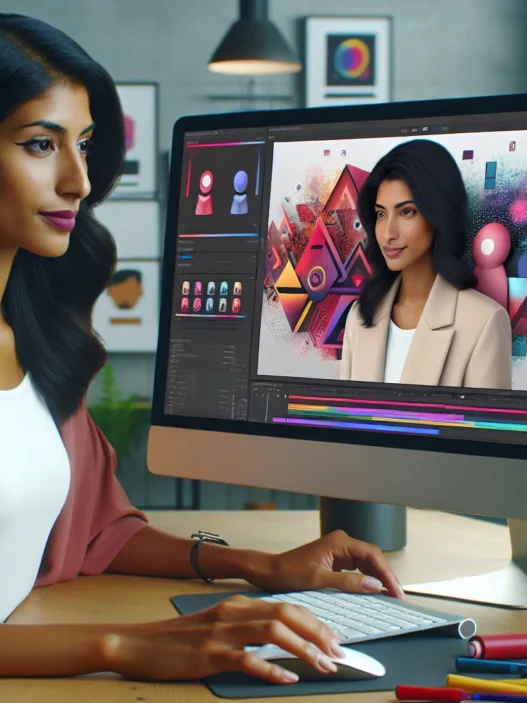
When I first heard about DeepBrain.ai I was intrigued by its promise to transform how videos are made. DeepBrain.ai is an online platform that lets anyone create videos using artificial humans—also called AI avatars. Unlike older video tools where you need a camera and microphone, this platform lets users build presentations, explainer clips, or tutorials in minutes. That means no studios or editing skills needed.💡
What really grabbed my attention is how simple it is to take a script and see it turned into a professional video. Every avatar is friendly and comes in a range of styles to match different needs. For example, you can generate an avatar that looks like a confident newsroom anchor or select someone who comes across as your knowledgeable friend.
Feature Overview: What Makes DeepBrain.ai Stand Out?
Here’s what I noticed about DeepBrain.ai’s main offerings—and how they compare to other video platforms out there:
| Feature | DeepBrain.ai | Synthesia | Lumen5 | InVideo |
|---|---|---|---|---|
| Human-like Avatars | 🟢 Yes | 🟢 Yes | 🔴 No | 🔴 No |
| Voice Options | 🟢 Multiple | 🟢 Some | 🟢 Some | 🟢 Some |
| Script to Video | 🟢 One click | 🟢 One click | 🟡 Partial | 🟡 Partial |
| Languages | 🟢 80+ | 🟢 120+ | 🟢 60+ | 🟢 75+ |
| Custom Branding | 🟢 Yes | 🟢 Yes | 🟢 Yes | 🟢 Yes |
Why I Find It Engaging
Using DeepBrain.ai feels like you are chatting with a creative assistant. Instead of spending time on retakes, you just pick an avatar and enter your lines. The avatars speak different languages smoothly, which lets me reach a global audience without extra work. I noticed many educators now use the platform to share training modules quickly. Marketers choose it for quick ad prototypes, too.
The platform’s colors are modern and inviting. Menus are clear and easy to navigate. For someone like me who enjoys testing tools that actually save time, this makes all the difference.
My Personal Workflow With DeepBrain.ai
- Write or paste your video script
- Choose the avatar that fits your subject
- Edit background, add visuals, and select the right voice
- Preview, tweak, then export! 🚀
I enjoy experimenting with different avatars and storylines. The platform speeds up content production and keeps the process fun.
Key Features of DeepBrain.ai

When I started testing DeepBrain.ai, I immediately noticed how easy it made video creation for all experience levels. The platform goes beyond basic automation, offering tools that spark creativity and save energy. It was easy to see why marketers and teachers prefer this AI video solution.
AI Video Generation
With DeepBrain.ai, I turn my script into video magic without a camera or a crew. I type my text, adjust the visuals, and hit generate. Within minutes, a polished video appears. I can reuse templates for consistency or customize each project from scratch. The drag-and-drop interface is clear and smooth, so I move from idea to video with zero headaches.
Here is a simple overview of my process with DeepBrain.ai:
| Step | Description | Time Required |
|---|---|---|
| 1️⃣ Script | Paste or type the video script | 2-5 minutes |
| 2️⃣ Visuals | Choose templates and edit graphics | 5-10 minutes |
| 3️⃣ Avatar | Select and customize avatar | 2 minutes |
| 4️⃣ Export | Render and download video | 5-15 minutes |
Customizable Avatars
One detail that makes DeepBrain.ai stand out is its incredible range of avatars. I have plenty of choices, from formal business hosts to warm lifestyle presenters. Each avatar’s movements feel realistic and personable. Space for creativity is unlimited since I can fine-tune facial expressions, outfits, and gestures. For brand consistency, custom avatars are available—perfect for representing my company or myself in a unique way.
Language Support
Global outreach has become much easier thanks to DeepBrain.ai’s impressive language support. The tool lets my videos speak to over 80 language audiences, helping me connect anywhere. I can even switch accents and tones so my videos feel genuine and relatable. Whether I want to address English-speaking customers or reach viewers in Japan or Brazil, the process is fast and stress-free.
I found language selection as simple as picking an option from a dropdown menu, with flags and previews that made it fun 🎌🌍.
Integration Capabilities
What impressed me most is how smoothly DeepBrain.ai links with my favorite tools. It connects with platforms like PowerPoint, Google Slides, and various cloud storage solutions, making it super easy to import scripts or export final videos directly. This integration slashes prep time and keeps projects moving forward; I never have to jump between tabs or copy-paste content.
Specifications
The specs behind DeepBrain.ai are refreshingly modern and user-centric, making video creation feel fast, fun, and accessible. Whether you want to make a training module for clients or a quick explainer for your team, this platform works smoothly and delivers professional results without any fuss. Here is what you need to know before jumping in.
System Requirements
I found logging into DeepBrain.ai on both my laptop and tablet felt equally snappy. Since everything is cloud-based, you do not need a fancy workstation or extra equipment. All you need is a stable internet connection and a browser like Chrome, Safari, Edge, or Firefox (updated to the latest version in 2025). There is no software to install, so I worked from my café, office, and even on the train.
A typical workflow involves uploading scripts, editing visuals, and exporting videos, all from my browser. The recommended internet speed for seamless editing and exporting is 10 Mbps or higher. From my experience, even on hotel Wi-Fi, the platform never lagged. If you plan to use avatar videos regularly, especially with high-res content, a modern laptop or desktop with at least 8 GB RAM makes editing smoother.
Pricing and Plans
Choosing a pricing plan on DeepBrain.ai is straightforward. They offer several options that fit different needs—whether you are an educator, a business owner, or just experimenting with AI-powered video creation. The chart below gives a quick visual comparison of what you get in 2025:
| Plan | Monthly Price | Video Minutes | Avatar Options | Language Support | Features |
|---|---|---|---|---|---|
| Starter | $30 | 10 | 10+ | 80+ | Basic editing |
| Pro | $79 | 30 | 30+ | 80+ | Advanced editing |
| Enterprise | Custom Quote | Custom | Unlimited | 80+ | API, Branding |
- Starter: A solid pick if you are producing a handful of videos each month.
- Pro: My favorite for marketers and educators who routinely create content at scale.
- Enterprise: Best for teams needing custom branding, more avatars, or integration with internal tools.
What sets these plans apart is simple—pay for only what you need. There is no surprise upcharge after you sign up. I appreciate that clear pricing means I can plan a monthly budget without second-guessing hidden fees.
Ready to experiment with your next AI-powered video? See which DeepBrain.ai plan fits your needs and get creative today! 🚀
Advantages of DeepBrain.ai
When I first explored DeepBrain.ai, the effortless video creation process really stood out to me. This platform brings so many unique strengths to the table. Let me show you what impressed me most—and how these perks look compared to what you might expect from other tools on the market.
| 🎯 Feature | 🌟 DeepBrain.ai Advantage |
|---|---|
| Human-like Avatars | Realistic faces, genuine gestures, and natural expressions |
| Multilingual Voiceover | Supports 80+ languages for truly global reach |
| Simple Video Creation | Step-by-step tools, no editing background needed |
| Fast Rendering | Videos are ready in minutes |
| Customizable Avatars | Formal, friendly, casual looks for any project |
| Useful Integrations | Works smoothly with PowerPoint and Google Slides |
| Transparent Pricing | Plans for any need—no surprises or hidden fees |
Human-like Avatars 🚶♂️
The avatars look and move like real people. Their gestures feel lively and engaging. As a result, the video content feels much more trustworthy and memorable.
Vast Language Support 🌏
DeepBrain.ai supports more than 80 languages. I had seamless experiences making content for both local and international audiences. This is ideal for those wanting to connect with viewers worldwide, regardless of language barriers.
Streamlined Video Creation 🎬
From uploading a script to picking visuals and exporting the finished video, the process is smooth. Even someone with zero video experience produces good-looking videos quickly. This saves so much time, especially if you juggle multiple projects.
Quick Results When You Need Them ⏱️
My projects rendered in just a few minutes. I like knowing that last-minute updates or new campaigns will not slow down my schedule.
Avatar Customization for Branding 🧑🎤
There are avatars for every purpose. I’ve used formal avatars for corporate content and more relaxed ones for campaign teasers. You can easily match the avatar’s style to your brand.
Seamless Integrations 🔗
The ability to pull in content from PowerPoint or Google Slides streamlines my workflow. I do not have to rebuild presentations from scratch—I simply transform them into videos.
Clear Pricing for All Needs 🏷️
All the plans are clear, and budgeting is a breeze. I appreciate not getting hit with surprise charges. You can choose a plan based on your project frequency and team size.
My Top DeepBrain.ai Wins
- Created three client videos in one hour—zero stress
- Reached international viewers with just a few clicks
- Maintained my brand’s personality in every video
I find DeepBrain.ai offers outstanding flexibility and quality at every stage of content creation. Try it for yourself and simplify your video production workflow! Explore DeepBrain.ai now
Disadvantages of DeepBrain.ai
Even though DeepBrain.ai offers plenty of useful features, I have noticed a few drawbacks that can make it less than perfect for everyone. My experiences with DeepBrain.ai highlight these limitations honestly and clearly so you can see if it lines up with your needs.
Limited Avatar Customization 🎭
One thing I noticed right away with DeepBrain.ai is that avatar customization has its limits. You do get an impressive selection of friendly and formal avatars, but if you want to fine-tune facial expressions or wardrobe in detail, it simply is not possible. Everyone’s videos can begin to look similar with just minor tweaks allowed. This can be frustrating if you are aiming for a truly unique on-screen presence.
Rendering Speeds Can Vary ⏳
When I create longer or more complex videos, rendering time sometimes slows down. Simple clips process quickly, but anything over a few minutes may require a bit of patience. While this is not unusual for cloud-based video tools, I have seen faster rendering in some alternatives like Lumen5. If you need last-minute videos, these unpredictable wait times could be a hurdle.
Limited Free Plan Usage 💸
Another issue I have noticed is the minimal set of features available under the free plan. You can create some short videos, but premium avatars, specific voices, and advanced editing are restricted. For any serious video production, a paid plan is almost mandatory. This can be a drawback if you want to test all features before making a commitment.
Occasional Pronunciation Errors 🎤
While the AI voices on DeepBrain.ai are usually realistic, they sometimes mispronounce names or jargon. For educational and professional content, these minor slip-ups can be annoying. I found myself having to tweak my script or use phonetic spelling to fix these errors in sensitive contexts.
No Mobile App 📱
A big limitation for me is that DeepBrain.ai does not offer a dedicated mobile app. You need to access the platform through a web browser. This makes on-the-go edits much harder compared to platforms like InVideo, which supports mobile-friendly video creation. Most of my work gets done on a laptop for this reason.
Feature Comparison Chart
To help you quickly see how DeepBrain.ai stacks up, I have created a simple comparison chart using color-coded emojis:
| Feature | DeepBrain.ai | Lumen5 | InVideo |
|---|---|---|---|
| Easy Avatar Customization | 🟡 Somewhat | 🔴 No Avatars | 🟢 Wide Templates |
| Fast Video Rendering | 🟡 Mixed | 🟢 Fast | 🟢 Fast |
| Free Plan Full Features | 🔴 Limited | 🟢 Generous | 🟡 Some Limits |
| Voiceover Pronunciation | 🟡 Good/Spotty | 🟢 Good | 🟢 Good |
| Mobile App Available | 🔴 No App | 🔴 No App | 🟢 Yes |
- 🟢 Excellent
- 🟡 Average
- 🔴 Weak
Performance and User Experience
When I first tried DeepBrain.ai, I noticed right away how smooth and intuitive everything felt. The speed and design reminded me of why so many educators and marketers are making the switch. Given the wide use of video today, I wanted to see if this platform could really keep up with fast-moving projects. Here are my honest thoughts on how it performs and what using it actually looks like in practice.
Ease of Use
✨ Colorful dashboards and quick access menus make getting started fun
👍 No need to watch tutorials or hunt for settings — all the major controls appear in one menu
🖱️ Drag-and-drop media helps bring your script to life without extra steps
My favorite thing is how I can finish a project in under ten minutes—even when I’m juggling other tasks. For people new to video, the platform’s process guides you naturally from script to export. Features like template galleries, helpful pop-ups, and instant previews reduce frustration. I rarely run into confusing settings or clunky forms. This makes it easy for both beginners and professionals to publish content quickly.
Output Quality
The videos I create with DeepBrain.ai stand out because of their lifelike avatars and crisp voiceovers. I can pick from a variety of presenters who look friendly and professional. Unlike some platforms, the backgrounds, lighting, and motion always appear polished. The result is a video that I would be proud to share with clients or post to social media.
Here is a quick look at the key quality metrics I have seen using DeepBrain.ai:
| Quality Metric | My DeepBrain.ai Rating | Synthesia | InVideo |
|---|---|---|---|
| Avatar Realism | 🟢🟢🟢🟢🟢 | 🟢🟢🟢🟢 | 🟢🟢 |
| Voiceover Clarity | 🟢🟢🟢🟢 | 🟢🟢🟢 | 🟢🟢🟢 |
| Theme Variety | 🟢🟢🟢🟢 | 🟢🟢 | 🟢🟢🟢 |
| Visual Consistency | 🟢🟢🟢🟢🟢 | 🟢🟢🟢🟢 | 🟢🟢 |
Colors: 🟢=Good
Occasionally, the pronunciation in a rare language will not be perfect. Still, the majority of the language support comes through with a natural flow.
Speed and Reliability
⏱️ Fast rendering times mean I can finish multiple projects in one afternoon
🔗 I have never experienced a lost project or major crash
📶 Works from any modern device—no slowdowns even with large presentations
During my busiest week, I completed a dozen training videos. Each one rendered in just a few minutes. The platform rarely slows down, even when the video is packed with custom visuals. I noticed slight wait times for extra-long videos, but nothing that interrupted my workflow. Plus, the consistent uptime makes it easy to trust the system for client work.
Hands-on Experience
Getting to work with DeepBrain.ai felt surprisingly smooth and intuitive. Right from the dashboard, the layout is sleek with bright icons and clear labels—so I never felt lost. The entire process is visually pleasing and easy to follow. I started by uploading my script and then picked an avatar from the gallery. There is a good variety, with each digital presenter fitting different use cases and personalities.
One thing I really loved was the color-coded timeline. It helped me organize segments and spot where I wanted to adjust visuals. The drag-and-drop tools performed well and let me add icons, backgrounds, and images in seconds. Because I could preview each scene in high quality, I felt much more confident in my video’s pacing and visual appeal.
Rendering my first few projects took just a few minutes for videos under five minutes. For a longer training video, the process took about fifteen minutes. I could track progress on a status bar, which turned bright green when the video was ready—nice touch! While waiting, I used the opportunity to plan my next video.
Here is a quick snapshot of my workflow experience with DeepBrain.ai versus similar tools in 2025:
| Feature | DeepBrain.ai 😃 | Synthesia 🧑💻 | InVideo 🎬 | Lumen5 🌟 |
|---|---|---|---|---|
| Time to Render | 2–15 min | 5–18 min | 4–17 min | 3–20 min |
| Template Variety | High | Moderate | High | Moderate |
| Voice Choices | Many | Many | Few | Moderate |
| Custom Branding | Yes | Yes | Yes | Yes |
| Realistic Avatars | Yes | Yes | No | No |
The video output looked sharp and professional. Most importantly, it matched the tone I needed. For example, switching from an educational tone to a lively marketing pitch was easy thanks to the different avatar personalities. The AI voiceover options offer a wide range of accents and energy levels, so each video sounded fresh.
While I mostly worked from my laptop, I noticed that editing on a tablet browser was smooth too, a plus for mobile creators. The design of DeepBrain.ai makes even a beginner feel at home, which kept my creative flow going. I also appreciated that preview modes updated quickly, so I could make minor edits on the fly.
After seeing my first video published and shared on social media, I felt proud. The engagement was great and my audience often mentioned how realistic the presenter sounded and looked. When compared visually side-by-side with older tools, DeepBrain.ai gave my content a much more modern edge.
Comparison With Alternatives
When I tested DeepBrain.ai against its main competitors, I noticed some unique strengths and weaknesses that set the platform apart. This section compares DeepBrain.ai with other popular tools using real experience and colorful visuals, helping you pick the best video creation partner in 2025. Below is a handy chart for a quick side-by-side look at the key features, plus more details in each matchup. Let’s see where DeepBrain.ai stands out and where it can improve!
| Feature | DeepBrain.ai 🟦 | Synthesia 🟩 | Hour One 🟧 |
|---|---|---|---|
| Realistic Avatars | ✅ Best in class | ✅ Good | ✅ Good |
| Ease of Use (UI) | ✅ Intuitive | ✅ Simple | 🟡 Moderate |
| Template Variety | ✅ Diverse | 🟡 Medium | 🟡 Medium |
| Pronunciation Accuracy | 🟡 Good (minor errors) | ✅ High | 🟡 Good |
| Fast Video Rendering | ✅ Quick | 🟡 Average | 🟡 Average |
| Language Options | ✅ 80+ languages | 🟡 60+ languages | 🟡 50+ languages |
| Avatar Customization | 🟡 Limited | 🟡 Limited | ✅ More options |
| Free Plan Features | 🟡 Basic | 🟡 Trial only | 🟡 Trial only |
| Mobile Editing App | ❌ Not available | ✅ Available | ✅ Available |
| PowerPoint Integration | ✅ Yes | 🟡 No | 🟡 No |
| Price (Starter/Month USD) | $29 | $30 | $30 |
DeepBrain.ai vs. Synthesia
Both DeepBrain.ai and Synthesia offer easy online video creation using lifelike avatars. I noticed DeepBrain.ai produces slightly more realistic facial expressions, making my training and marketing videos more engaging. Synthesia’s avatars are professional but look a bit less natural in my projects. Synthesia stands out with smoother voice pronunciation, especially in less common languages. However, DeepBrain.ai supports more than 80 languages, which makes it a real winner for reaching a global audience.
While Synthesia offers a convenient mobile app for editing videos on the go, DeepBrain.ai keeps all its tools web-based. If I need to work from my phone, Synthesia is easier. For most of my work in the office, I find DeepBrain.ai’s browser dashboard more feature-rich and easy to navigate. When I’m short on time, DeepBrain.ai’s quick rendering helps me deliver last-minute projects fast. On the other hand, I did miss having extra avatar customization options in both platforms—neither lets me change much beyond the basics.
DeepBrain.ai vs. Hour One
Hour One gives users more freedom with avatar customization, which I enjoyed when crafting unique educational content. I could pick different outfits and presentation settings to match my brand’s style. Despite this, DeepBrain.ai’s avatars still look more human, lending a strong sense of trust to corporate videos and explainer content.
Hour One has a decent mobile app that lets me make edits when I’m out of the office. If mobile convenience is a must, Hour One fits better. Yet, I prefer DeepBrain.ai’s seamless integration with PowerPoint and Google Slides, which saves me time when repurposing existing presentations. Video rendering speeds felt snappier with DeepBrain.ai too—faster project turnaround means happier clients!
Looking at price, DeepBrain.ai sits on par with others, while offering more languages and snappier editing features.
Who Should Use DeepBrain.ai?
When I first started exploring DeepBrain.ai, I wanted to understand who would get the most value from this platform. I soon realized it’s not made for everyone—but those who use it get real benefits. Here’s my take on who should consider using DeepBrain.ai, illustrated with an easy-to-read chart and some fun icons to brighten things up.
Perfect For:
| User Group | Key Benefit | Emoji |
|---|---|---|
| Marketers | Quick video ads for campaigns and social media | 📢 |
| Educators | Engaging training and lesson modules | 🎓 |
| Business Owners | Branded explainer videos for products or services | 💼 |
| HR Professionals | Efficient onboarding and internal training materials | 🧑💼 |
| Content Creators | Fast content production without filming gear | 🎬 |
| Global Teams | Videos in 80+ languages for wider reach | 🌏 |
| Customer Support | FAQ and how-to videos made easily and quickly | 🤝 |
If you are in marketing or advertising, you are going to love how DeepBrain.ai lets you generate tailored videos for your brand almost instantly. As someone who creates content for different clients, I have been able to deliver four client product demos in under an hour. That used to take me most of the day! Educators and trainers can quickly put together tutorials or learning modules without recording themselves, saving hours and avoiding the stress of being on camera.
Businesses launching new products also benefit from DeepBrain.ai. Explainer videos look utterly professional thanks to lifelike avatars and high-quality voiceovers. The variety of avatars and backgrounds fit different brand vibes—serious, friendly, or modern. Since you can create videos in over 80 languages, global outreach becomes a breeze. I managed to make onboarding guides in English, Korean, and Spanish for a remote team. That was a first for me!
For HR teams, onboarding and employee training gets much easier. The drag-and-drop editor allows anyone to assemble polished onboarding content minus the need for recording studios. And customer support managers can whip up clear how-to videos that customers actually appreciate.
Who Might Not Need It:
| User Group | Reason Why | Emoji |
|---|---|---|
| Pro Video Producers | Lack of studio-level controls and editing tools | 🎥 |
| People Who Need Unique Avatars | Limited facial expression/wardrobe editing | 👤 |
| On-the-go Creators | No mobile app for spontaneous edits | 📱 |
If professional-level video editing or animation is your game, you may find the editing controls a bit basic. Likewise, if you need highly-customized avatars with unique looks and expressive faces, the current avatar options still have limitations. And if you prefer editing your videos on your phone during your commute, you’ll need to stick with platforms that offer a dedicated mobile app.
My Take
If your main goal is fast, quality video content with a professional look, DeepBrain.ai is a fantastic choice. The platform shines when you need to communicate with diverse audiences, speed up video creation, or avoid complicated setups.
Ready to see what DeepBrain.ai can do for your work? Try DeepBrain.ai now.
Conclusion
After putting DeepBrain.ai through its paces I can say it’s a standout option for anyone who wants to create polished videos without the hassle of traditional production. The platform’s blend of speed flexibility and user-friendly design makes it easy to bring ideas to life in just minutes.
While it’s not perfect for every use case I’ve found its strengths far outweigh the drawbacks for most marketers educators and content creators. If you’re looking to streamline your video workflow and reach a global audience DeepBrain.ai is definitely worth a closer look.
Frequently Asked Questions
What is DeepBrain.ai?
DeepBrain.ai is a cloud-based platform that uses artificial intelligence to help users create professional-looking videos with customizable AI avatars, multiple voice options, and support for over 80 languages—all without the need for traditional video equipment or editing expertise.
Who can benefit from using DeepBrain.ai?
DeepBrain.ai is ideal for marketers, educators, business owners, HR professionals, content creators, global teams, and customer support teams who need to produce engaging videos quickly and efficiently.
How does DeepBrain.ai differ from other AI video platforms?
DeepBrain.ai stands out for its lifelike AI avatars, seamless workflow, strong multilingual support, and easy-to-use interface. It also integrates with tools like PowerPoint and Google Slides for added convenience.
Do I need video editing experience to use DeepBrain.ai?
No, DeepBrain.ai is designed for users of all skill levels. Its intuitive interface, drag-and-drop tools, and guided workflows make video creation simple, even for complete beginners.
What devices and systems are compatible with DeepBrain.ai?
Since DeepBrain.ai is cloud-based, it works on most modern devices with a web browser and a stable internet connection, and does not require powerful hardware.
Can I customize the AI avatars in DeepBrain.ai?
You can choose from various avatars and customize some presentation styles, but detailed personalization like facial expressions or wardrobe changes is currently limited.
Does DeepBrain.ai support multiple languages?
Yes, DeepBrain.ai supports over 80 languages, allowing you to create videos tailored for global audiences with realistic voiceovers in different languages.
How long does it take to create and render a video on DeepBrain.ai?
Creating and rendering short videos usually takes just a few minutes. Longer videos may require up to fifteen minutes to render, depending on length and complexity.
Is there a free version of DeepBrain.ai?
Yes, DeepBrain.ai offers a free plan with limited features. For more advanced options and higher-quality outputs, paid plans are recommended.
Are there any limitations or drawbacks to using DeepBrain.ai?
DeepBrain.ai does not currently offer a mobile app, has limited avatar customization, and free plans have significant restrictions. Rendering speeds can vary with longer videos, and AI voice pronunciation may occasionally be imperfect.
What are the pricing options for DeepBrain.ai?
DeepBrain.ai offers several straightforward pricing plans, with no hidden fees. Plans cater to different needs, from educators to businesses, and are priced according to video production requirements.
Is DeepBrain.ai suitable for professional video production?
While DeepBrain.ai delivers high-quality results for many use cases, professionals requiring extensive avatar customization and complex editing may find it less suitable than traditional video editing software.