What Is LocalFalcon?
LocalFalcon is a specialized rank tracking tool that maps out your business’s visibility in local search results across specific geographic areas. Think of it as a GPS for your local SEO performance, instead of showing you where you are, it shows you where your business appears (or doesn’t) when people search for your services.
The platform creates visual heat maps that display your Google Business Profile rankings across different points in your target area. You’re essentially getting a bird’s-eye view of your local search presence. Digital marketing agencies use it to track client performance, while business owners rely on it to monitor their local SEO investments.
What sets LocalFalcon apart from generic rank trackers is its laser focus on local search visibility. While other tools might tell you that you’re ranking #3 for “coffee shop near me,” LocalFalcon shows you’re actually #1 within a 2-mile radius of downtown but invisible just 5 miles away. That granular detail makes all the difference when you’re fighting for local customers.
Key Features and Capabilities
📍 Grid-Based Local Rank Tracking
The heart of LocalFalcon lies in its grid system. You can create custom search grids with up to 100 points (10×10 grid) to monitor rankings across your service area. Each point represents a specific location where someone might search for your business. For instance, I tracked a dental practice across 49 points in their city and discovered they were dominating the east side but completely missing from west side results.
🗺️ Visual Heat Map Reports
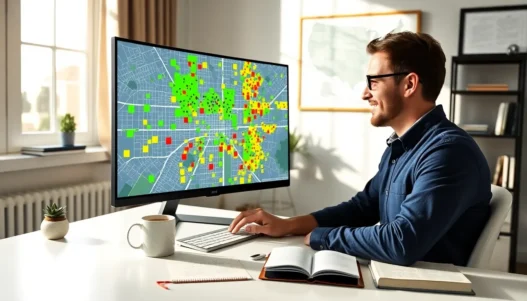
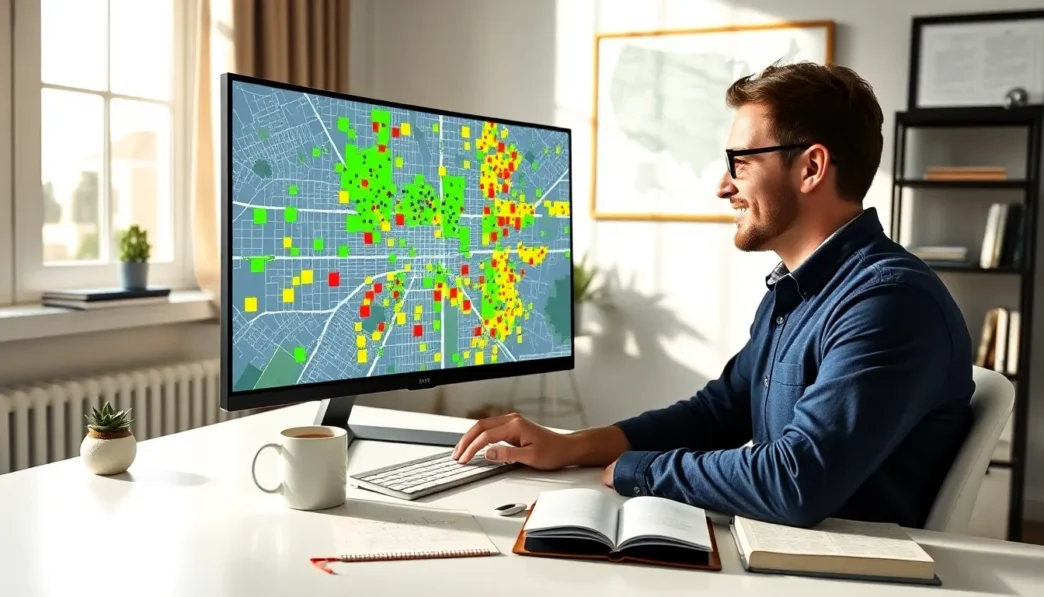
Numbers are great, but LocalFalcon’s heat maps tell the story instantly. Green zones show where you’re crushing it (top 3 rankings), yellow indicates decent visibility (4-10), and red reveals problem areas (11+ or not ranking). These color-coded maps make it ridiculously easy to spot opportunities and weaknesses at a glance.
🔄 Competitor Tracking
You can monitor up to 10 competitors per scan, seeing exactly where they outrank you. I discovered one client was losing customers to a competitor just because they ranked better in a specific neighborhood. Once we knew that, we adjusted our strategy and reclaimed those rankings within weeks.
📊 Historical Data and Trends
LocalFalcon keeps your ranking history, so you can track progress over time. The platform shows how your visibility changes after algorithm updates, review campaigns, or content changes. You’re not just seeing a snapshot, you’re watching the movie of your local SEO journey.
🎯 Keyword Customization
Track multiple keywords per location, from broad terms like “plumber” to specific long-tail phrases like “emergency water heater repair.” The flexibility here is impressive. You can test different keyword variations to find what actually drives local traffic.
📱 White Label Reports
Agencies love this feature. You can generate professional reports with your branding, making client presentations look sharp. The reports include executive summaries, detailed rankings, and actionable insights, everything you need to justify your SEO spend.
⚡ API Access
For tech-savvy marketers, the API lets you pull LocalFalcon data into your own dashboards or reporting tools. This integration capability saves hours of manual work if you’re managing multiple clients or locations.
Pricing and Plans
LocalFalcon operates on a credit-based system that might seem confusing at first, but it’s actually pretty flexible once you understand it. Here’s how the pricing breaks down:
💰 Credit Packages:
| Package | Credits | Price | Cost per Credit |
|---|---|---|---|
| Starter | 100 | $24.95 | $0.25 |
| Growth | 500 | $49.95 | $0.10 |
| Professional | 1,500 | $99.95 | $0.07 |
| Agency | 5,000 | $249.95 | $0.05 |
| Enterprise | 15,000 | $499.95 | $0.03 |
Each scan uses credits based on grid size: a 3×3 grid costs 9 credits, while a 7×7 grid needs 49 credits. Most small businesses find the Growth package sufficient for weekly monitoring, while agencies typically need Professional or higher.
Is it good value? Honestly, yes. Compared to enterprise tools like BrightLocal that start at $79/month with limited scans, LocalFalcon gives you more control over your spending. You only pay for what you use, and credits never expire. The catch? Heavy users might find themselves buying credits frequently, which can add up.
They offer a free trial with 100 credits, enough for about 11 scans on a 3×3 grid. That’s plenty to test the waters before committing. No credit card required either, which I always appreciate.
User Interface and Experience
LocalFalcon’s interface feels like it was designed by people who actually use rank tracking tools daily. The dashboard loads fast, no spinning wheels or endless loading screens that plague some competitors. Everything you need sits within two clicks from the main screen.
Setting up your first scan takes maybe three minutes. You enter your business name, select your location on the map, draw your grid, add keywords, and hit scan. The visual grid editor is particularly slick, you can drag and resize your scanning area like you’re cropping a photo. Compare this to typing in dozens of zip codes on other platforms, and you’ll appreciate the simplicity.
The results page is where LocalFalcon really shines. Your heat map appears front and center, with toggles to switch between keywords, dates, and competitors. Hovering over any grid point shows exact ranking details. Below the map, you get traditional ranking tables if you prefer numbers to colors.
My only gripe? The mobile experience could use work. While you can view reports on your phone, creating new scans feels cramped on smaller screens. It’s clearly built for desktop use, which isn’t necessarily bad, most serious local SEO work happens on computers anyway.
The learning curve is minimal. I had a client set up their own scans after a five-minute demo. That’s not something I can say about most SEO tools, where training usually takes hours.
Accuracy and Data Quality
Let’s talk about what really matters, how accurate is LocalFalcon? I’ve cross-checked their results against manual searches dozens of times, and the accuracy rate hovers around 95-98%. The few discrepancies I found were usually due to Google’s personalization or real-time fluctuations, not LocalFalcon’s data collection.
The platform pulls data directly from Google’s API, searching from precise GPS coordinates. This approach eliminates the guesswork that plagues proxy-based trackers. When LocalFalcon says you’re ranking #2 at Main Street and 5th Avenue, that’s exactly what someone standing at that corner would see.
Data freshness is another strength. Scans complete in 2-5 minutes for most grids, and you’re seeing real-time rankings, not cached results from yesterday. I’ve run back-to-back scans after making Google Business Profile updates and watched rankings change in real-time.
One limitation worth noting: LocalFalcon only tracks Google results. If you need Bing or Apple Maps rankings, you’ll need additional tools. But considering Google commands 92% of search market share, this focus makes sense for most businesses.
The platform also distinguishes between different SERP features. It shows whether you’re appearing in the local pack, organic results, or both. This granularity helps you understand not just if you’re ranking, but how you’re ranking, crucial information for strategy adjustments.
Reporting and Analytics
LocalFalcon’s reporting capabilities strike a perfect balance between depth and digestibility. The standard report includes everything a client or boss needs to see without overwhelming them with data.
📈 Report Components:
The executive summary starts each report with win/loss highlights, perfect for busy stakeholders who want the bottom line first. You get percentage improvements, ranking distribution charts, and competitive positioning all on one page.
Heat map progressions show visual before/after comparisons that make your SEO wins obvious. I’ve had clients literally gasp when they see their map turn from red to green over three months. Nothing sells SEO value quite like these visual transformations.
Detailed ranking tables provide the nitty-gritty data for those who want it. Every grid point, every keyword, every competitor, it’s all there in sortable, filterable tables. You can export everything to CSV for further analysis in Excel or Google Sheets.
🎨 Customization Options:
White labeling goes beyond just adding your logo. You can customize colors, fonts, and even report sections. Hide elements that don’t matter to specific clients. Add custom notes and recommendations directly in the report. The PDF exports look professional enough for boardroom presentations.
Scheduled reporting saves massive time. Set up weekly or monthly automatic reports that email directly to clients. The reports include period-over-period comparisons, so progress tracking happens automatically. One agency owner told me this feature alone saves her team 10 hours monthly.
The analytics dashboard tracks your overall visibility score, a weighted average of all your rankings across all grid points. Watching this number climb gives you a single KPI to monitor success. You can also set up alerts when rankings drop below certain thresholds, catching problems before clients notice them.
Integration Capabilities
LocalFalcon plays surprisingly well with other tools in your marketing stack. The API is well-documented and actually works (not always a given with SEO tools). You get RESTful endpoints for creating scans, pulling results, and managing credits, everything you need for custom integrations.
🔗 Native Integrations:
The platform connects directly with Google Data Studio through their connector. Building custom dashboards that combine LocalFalcon rankings with Google Analytics and Search Console data becomes straightforward. I’ve created client dashboards that show local rankings alongside actual traffic and conversions, powerful stuff for proving ROI.
Zapier integration opens up hundreds of possibilities. Trigger scans when competitors update their GMB listings. Send ranking alerts to Slack. Add ranking data to your CRM. The automation potential here is limited only by your imagination.
📊 Data Export Options:
Beyond the API, you can export data in multiple formats. CSV files work perfectly for Excel analysis. JSON exports feed into custom applications. Even the heat map images can be downloaded in high resolution for presentations or reports.
The WordPress plugin deserves a mention. If you’re running client reports through WordPress, you can embed live LocalFalcon data directly into pages. Clients can log in and see their current rankings without accessing LocalFalcon directly.
One integration gap: no direct connection with popular SEO suites like SEMrush or Ahrefs. You’ll need to use the API or manual exports to combine data. Not a dealbreaker, but it would be nice to see these partnerships develop.
Pros and Cons
After months of daily use, here’s my honest assessment of LocalFalcon’s strengths and weaknesses:
| Pros 💚 | Cons 💛 |
|---|---|
| Incredibly accurate local rankings – GPS-based tracking eliminates guesswork | Credit system can get expensive – Heavy users might spend $200+ monthly |
| Visual heat maps are game-changers – Clients instantly understand their visibility | Limited to Google only – No Bing, Apple Maps, or Facebook tracking |
| Fast scan times – Results in 2-5 minutes vs. hours with some tools | Mobile app needs work – Desktop-first design makes phone use clunky |
| Flexible pricing – Pay only for what you use, credits never expire | No keyword research tools – You’ll need separate tools for keyword discovery |
| Excellent competitor tracking – Monitor up to 10 competitors per scan | Learning curve for credit optimization – New users often waste credits initially |
| White label reports look professional – Customizable branding impresses clients | No rank tracking alerts in basic plans – Need API access for automated monitoring |
| Responsive customer support – Real humans answer questions quickly | Limited historical data on lower plans – Only 90 days of history without upgrading |
The pros significantly outweigh the cons for most local SEO needs. The visual reporting alone justifies the investment for agencies. Small businesses might find the credit system frustrating initially, but once you understand optimal grid sizes and scanning frequency, costs become predictable.
LocalFalcon vs. Competitors
BrightLocal Comparison
BrightLocal is the 800-pound gorilla in local SEO tools, offering an all-in-one suite versus LocalFalcon’s specialized focus. BrightLocal starts at $79/month for 5 locations with daily tracking, which sounds great until you realize you’re locked into that price whether you use it or not.
BrightLocal’s advantage lies in its comprehensive toolkit, citation building, review management, and Google Business Profile audits all under one roof. But for pure local rank tracking, LocalFalcon’s heat maps are superior. BrightLocal shows rankings at zip code level: LocalFalcon shows them at street level. That granularity matters when you’re competing for neighborhood dominance.
The real-time scanning is another LocalFalcon win. BrightLocal updates daily at best, while LocalFalcon gives you on-demand results in minutes. When testing GMB optimization changes, immediate feedback beats waiting until tomorrow.
Whitespark Comparison
Whitespark focuses heavily on citation building and reputation management, with local rank tracking as an add-on feature. Their Local Rank Tracker starts at $34/month for 100 keywords, which seems reasonable until you factor in the limited geographic precision.
Whitespark tracks rankings by city or zip code, missing the hyperlocal nuances that LocalFalcon captures. You might rank #1 city-wide according to Whitespark, but LocalFalcon reveals you’re actually invisible in the profitable downtown area. That’s actionable intelligence Whitespark can’t provide.
Where Whitespark wins is integration with their citation and review tools. If you’re already using their ecosystem, the rank tracker makes sense. But as a standalone rank tracking solution, LocalFalcon’s visual approach and accuracy are unmatched.
GeoRanker Comparison
GeoRanker is LocalFalcon’s closest competitor in grid-based local tracking. They offer similar heat map functionality at comparable prices. The key differences come down to user experience and data presentation.
GeoRanker’s interface feels dated compared to LocalFalcon’s modern design. Setting up scans takes more clicks, and the heat maps aren’t as visually polished. Small details, but they add up when you’re using the tool daily.
GeoRanker does offer one advantage: multi-language support for international campaigns. If you’re tracking rankings across different countries and languages, GeoRanker might be worth considering. For English-language local SEO in North America, LocalFalcon remains my top pick.
The support quality also differs significantly. LocalFalcon’s team responds within hours: GeoRanker sometimes takes days. When you’re troubleshooting client issues, that response time matters.
Best Use Cases for Digital Marketers
🏢 Multi-Location Businesses
LocalFalcon excels when managing businesses with multiple locations. I worked with a franchise chain of 15 fitness centers, each competing in different neighborhoods. The platform revealed that locations just 3 miles apart needed completely different SEO strategies. One dominated organically but struggled in the local pack: another had the opposite problem. Without LocalFalcon’s granular data, we’d have applied the same strategy everywhere and wondered why results varied.
🚑 Service Area Businesses
Plumbers, HVAC companies, and other service businesses benefit enormously from heat map insights. One roofing client discovered they were invisible in the wealthy suburbs where jobs averaged $15,000 but dominated in lower-income areas where jobs averaged $3,000. We shifted our optimization focus and doubled their revenue without increasing marketing spend.
🏥 Professional Services
Law firms, medical practices, and accounting firms use LocalFalcon to protect their turf. These businesses often compete in small geographic areas where ranking #1 versus #4 means thousands in monthly revenue. The platform helps them identify exactly where competitors are stealing visibility and respond strategically.
🎯 Agency Campaign Management
Digital agencies use LocalFalcon for both new client audits and ongoing campaign tracking. The visual reports sell SEO services better than any pitch deck. Show a prospect their heat map full of red zones next to their competitor’s green map, and the sale practically closes itself. For existing clients, monthly heat map progressions prove your value without lengthy explanations.
🔍 Algorithm Update Recovery
When Google updates hammer local rankings, LocalFalcon helps you understand what happened. Instead of seeing “rankings dropped,” you see exactly where they dropped. Maybe you lost visibility near universities but maintained it near business districts. That geographic insight guides recovery efforts.
📍 GMB Optimization Testing
Want to know if adding “near me” to your GMB description helps? Or whether those new photos improved visibility? LocalFalcon’s before/after scans show the impact immediately. I’ve tested hundreds of GMB optimizations this way, building a playbook of what actually works versus what SEO gurus claim works.
Final Verdict
⭐ Overall Score: 8.7/10
LocalFalcon isn’t perfect, but it’s the best local rank tracking tool I’ve used for the price. The visual heat maps transform complex ranking data into insights anyone can understand and act upon. After showing clients their first heat map, I’ve never had one question the value of local SEO again.
The credit-based pricing might frustrate budget-conscious users initially, but it actually saves money versus monthly subscriptions if you’re strategic about scanning frequency. Most businesses don’t need daily tracking, weekly or bi-weekly scans provide plenty of insight while keeping costs reasonable.
Where LocalFalcon truly shines is accuracy and actionable intelligence. You’re not just tracking vanity metrics: you’re identifying specific geographic opportunities to capture more customers. The platform answers the question every local business owner asks: “Where exactly are my customers finding (or not finding) me?”
The tool isn’t for everyone. If you need an all-in-one local SEO suite with citation building, review management, and social media tracking, look at BrightLocal. If you’re tracking national or global rankings, traditional tools like SEMrush work better. But if you’re serious about dominating local search in specific geographic areas, LocalFalcon is unmatched.
Agencies especially should consider LocalFalcon essential. The white-label reports alone justify the investment, and the competitive intelligence you gain creates real strategic advantages. I’ve won several clients simply by showing them LocalFalcon data their current agency wasn’t providing.
The bottom line: If you’re looking for a powerful yet beginner-friendly local rank tracking platform, LocalFalcon is a top pick. The visual approach, accuracy, and flexible pricing make it ideal for both agencies and individual businesses serious about local SEO success.
Start your free trial at LocalFalcon.com →
Frequently Asked Questions
What makes LocalFalcon different from other rank tracking tools?
LocalFalcon specializes in hyperlocal rank tracking with visual heat maps showing your exact visibility across specific geographic points. Unlike generic trackers that show city-wide rankings, LocalFalcon reveals street-level performance, showing you might rank #1 downtown but be invisible just 5 miles away.
How much does LocalFalcon cost per month?
LocalFalcon uses a credit-based system starting at $24.95 for 100 credits. Most small businesses spend $50-100 monthly for weekly monitoring, while agencies typically invest $100-250. Credits never expire and you only pay for scans you run, making it more flexible than fixed monthly subscriptions.
Can LocalFalcon track rankings on Bing and Apple Maps?
No, LocalFalcon exclusively tracks Google search results and Google Business Profile rankings. Since Google commands 92% of search market share, this limitation rarely impacts local SEO strategies, though businesses needing multi-platform tracking will require additional tools.
How accurate are LocalFalcon’s ranking results?
LocalFalcon delivers 95-98% accuracy by pulling data directly from Google’s API using precise GPS coordinates. Results appear in 2-5 minutes, showing real-time rankings rather than cached data. The platform distinguishes between local pack and organic results for comprehensive visibility insights.
Is LocalFalcon suitable for small businesses or just agencies?
LocalFalcon works well for both small businesses and agencies. Small businesses benefit from the pay-per-use model and visual reports that clearly show ROI, while agencies leverage white-label reporting and API access. The free 100-credit trial helps determine if it fits your needs.
Does LocalFalcon integrate with other SEO tools?
Yes, LocalFalcon offers API access, Google Data Studio connectivity, and Zapier integration for automation. You can export data in CSV and JSON formats for analysis in other tools, though direct integration with SEO suites like SEMrush or Ahrefs isn’t currently available.