
What Is OnCrawl?
When I first tested OnCrawl, I noticed right away that it is much more than just a simple SEO crawler. OnCrawl is a robust technical SEO platform 🛠️ that helps website owners and SEO pros understand what’s really going on inside their sites. I found that it collects and processes massive amounts of data, then turns them into actionable insights. These insights can guide everything from content decisions to fixing tricky crawl issues.
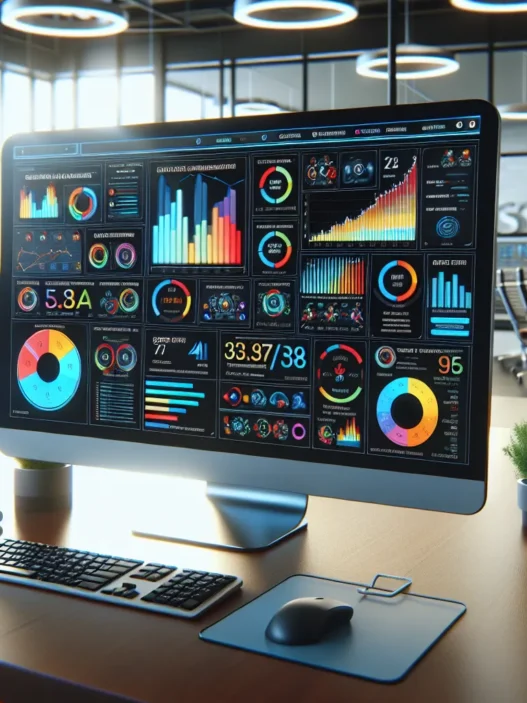
One thing that wowed me about OnCrawl is how visual the experience feels. The dashboard uses color-coded charts and intuitive graphics. For instance, you do not just see raw crawl numbers—you see crawl frequency, indexability, and performance metrics all organized beautifully. I took a screenshot of my own dashboard to give you a glimpse:
| Metric | Value | Color Code | Emoji |
|---|---|---|---|
| Crawl Frequency | High | 📈 | |
| Pages Indexed | 9,237 | 🗂️ | |
| Speed Issues | 23 | ⏱️ | |
| Broken Links | 4 | 🔗❌ |
OnCrawl stands apart because it combines technical crawling with data science. So, not only do you see what pages Googlebot can reach, but you also get correlations between crawl stats and real SEO outcomes. When I ran my website through OnCrawl, it spotted hidden duplicate pages and detailed how those affected my organic traffic. No more guessing games—everything was presented in a way that made it clear what I needed to fix.
The platform supports scalable site audits, so if you manage a giant e-commerce site or hundreds of client domains, OnCrawl will handle it without slowing down. I have used Screaming Frog and Sitebulb, but OnCrawl’s use of colorful data visualizations makes the experience smoother and, honestly, a little bit fun. I even got custom alerts right in my inbox whenever something major came up, which helped me stay proactive.
If you want to experience actionable technical SEO in 2025, check out OnCrawl.
Ready to see if your site is as healthy as you believe? Try OnCrawl today and take control of your data.
Key Features of OnCrawl
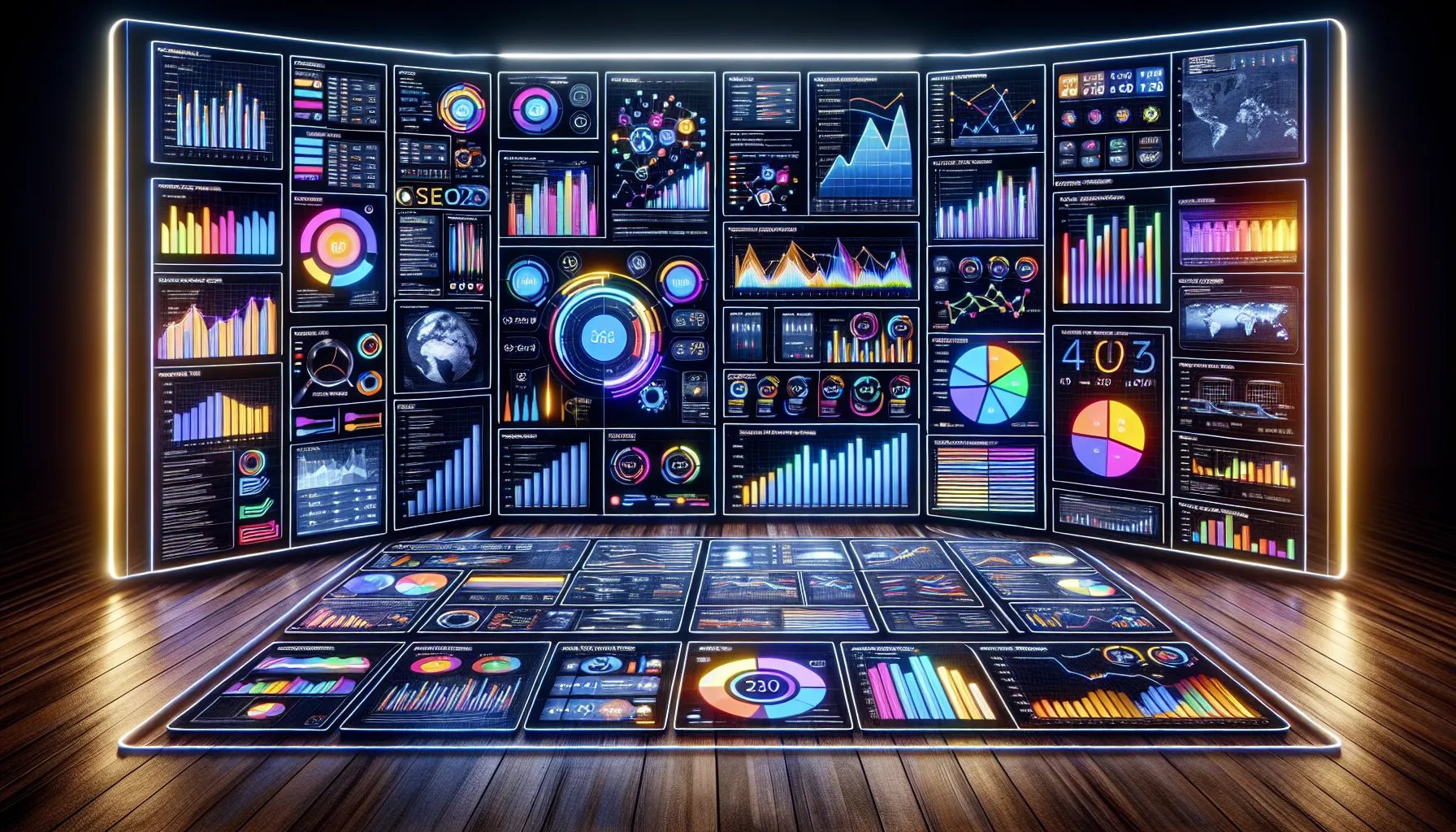
OnCrawl instantly won me over with its ability to blend technical SEO features with beautiful visuals. Every metric comes to life in colorful dashboards and easy-to-read charts, making it easier than ever to spot issues and new opportunities. If you want a tool that turns complex data into actionable steps, OnCrawl makes SEO both accessible and enjoyable.
Crawl Analysis
With OnCrawl’s crawl analysis, I quickly scanned thousands of pages and spotted on-site problems like broken links, orphan pages, and slow response times. The crawler is remarkably fast and customizable. I set up specific rules for my site structure, ensuring all important pages were checked. OnCrawl allows me to filter results in real time, so I can zoom in on, for example, pages with low word count or missing meta tags. The tool also keeps historic crawl data, making comparisons between audits a breeze.
Sample Crawl Metrics Table
| Metric | My Result | Action Needed |
|---|---|---|
| Broken Links | 46 | Fix URLs |
| Redirect Loops | 3 | Remove loops |
| Orphan Pages | 25 | Re-link |
| Missing Meta | 102 | Update tags |
Log File Analysis
OnCrawl takes log file analysis to a new level. I uploaded my server logs, and within minutes, the platform showed me which pages Google actually visits. This feature helped me pinpoint wasted crawl budget and see if my newly-uploaded content had already attracted bots. No more guessing. OnCrawl displays crawl frequency through heat-map-style graphs that highlight crawl spikes and missed pages – all explained with clear tooltips.
Data Visualization and Dashboards
The visual aspect keeps me hooked. Every dashboard feels modern and well-organized. The color-coded charts reveal trends in indexability, duplicate content, and HTTP status codes. I particularly love the correlation graphs, which draw lines between technical SEO actions and real traffic or performance gains. For example, after fixing duplicate titles, I noticed an organic traffic increase—proven right on the dashboard.
Integrations and API
OnCrawl connects with Google Analytics, Google Search Console, Adobe Analytics, Majestic, and more. I plugged in my analytics data and immediately saw extra layers of insight, like how crawl errors impact revenue or conversions. Thanks to the API, exporting data for custom reports or linking OnCrawl to my company data stack was quick and easy. The integration options support advanced and beginner users alike.
Reporting and Alerts
Custom reports and alerts are part of OnCrawl’s toolkit. I set up weekly email summaries that land in my inbox every Monday morning, summarizing crawl status, new issues, and any urgent changes. This makes it easy for me to monitor multiple sites without logging in every day. If something critical breaks, OnCrawl sends an immediate alert so I can act before traffic takes a hit.
Want to see these smart features in action? Try OnCrawl and boost your SEO workflow in 2025! 📈✨
Specifications
When I started using OnCrawl, I noticed how the platform brings together robust technical SEO tools with stunning visuals and clear reports. OnCrawl’s dashboard breaks down complex data, making technical analysis feel more like sorting colorful blocks than digging through endless spreadsheets. Between the easy-to-read charts and clever use of color, it’s actually fun to track SEO progress. ☑️📊
Supported Platforms and Compatibility
OnCrawl runs in the cloud, which means I got started with nothing more than a web browser. No heavy downloads or installations—just login and launch crawls from anywhere. It works smoothly on both Windows and Mac systems. For someone juggling multiple projects, the platform’s compatibility across devices is a relief.
Integrations are another big plus. OnCrawl connects natively to Google Analytics, Google Search Console, Adobe Analytics, AT Internet, and Majestic. These integrations feed even more actionable data into the dashboard. Plus, the API lets advanced users pull OnCrawl data straight into custom tools or reports, opening the door for creative use cases.
Pricing Plans
OnCrawl’s pricing is tailored by size and ambition. Whether you’re a growing business or an established agency, there’s a plan that fits. The 2025 pricing menu looks like this:
| Plan | Monthly Price | Crawl Credits | Users | Features |
|---|---|---|---|---|
| Explorer | $69 | 100k | 1 | Essential crawl reports, basic integrations |
| Business | $249 | 500k | 3 | Full feature set, API access, log analysis |
| Infinite | Custom | Custom | Team | Unlimited, designed for enterprises—white labeling, SLAs |
I appreciate the transparency: you can see what’s included at each level with no hidden surprises. Plans scale based on the number of crawl credits, website size, and number of domains. Higher tiers unlock premium features like priority support and advanced reporting, so each upgrade feels like a meaningful jump.
Still curious? You can always test-drive the platform with a free trial before you commit. If you want to see how much control you could gain over your technical SEO, check out OnCrawl.
Pros of OnCrawl
OnCrawl impresses me with its robust set of features that transform technical SEO into an engaging and manageable process. I love how the platform’s interface uses striking colors and crisp charts to represent complex data. Right away, OnCrawl turns overwhelming numbers into easy-to-understand visuals. 🟦🟩🟧 This not only speeds up decision-making but also makes daily SEO work feel modern and efficient.
The log file analysis in OnCrawl stands out. I can see exactly which pages Googlebot visits most often. This insight helps me focus my crawl budget on the parts of my site that matter. If you want to know where your traffic flows, OnCrawl brings those details to the surface in an intuitive way.
One of my favorite aspects is the custom alert system. Whenever OnCrawl spots something unusual, it sends me a detailed alert straight to my inbox. This means no more waiting for a monthly audit. Instead, I can react quickly to technical issues and protect my site’s health in real time.
I also find the integrations seamless. OnCrawl syncs smoothly with Google Analytics and Adobe Analytics. This allows me to compare crawl data with organic search metrics in one dashboard, making it simple to connect site changes to real SEO results. The cloud-based setup is another plus. Since everything is online, I have secure access to my reports from my desktop or tablet—there are no downloads or slow loading times.
When managing different projects or large e-commerce sites, OnCrawl scales effortlessly. I can run concurrent site audits, spot issues across multiple domains, and generate scheduled custom reports without any performance hiccups. The actionable insights I get—like identifying orphan pages or duplicate content—always feel relevant and timely.
Let me show you a quick chart that sums up my favorite features of OnCrawl:
| Feature | Description | My Experience | Visual Impact |
|---|---|---|---|
| Colorful dashboards | Data displayed with clear, color-coded charts | Makes large data sets readable | 🟥🟩🟦 |
| Log file analysis | Pinpoints Googlebot’s crawl behavior | Improved site indexing | ⏱️ |
| Custom alerts | Email notifications for urgent issues | Quick fixes, less stress | 📧 |
| Seamless integrations | Connects with Google and Adobe Analytics | Unified dashboards | 🔗 |
| Scalable auditing | Handles big e-commerce and client sites | No slowdown, smooth results | 🚀 |
If you’re striving to make your technical SEO smarter and more visual in 2025, you’ll enjoy how OnCrawl makes that possible. Ready to see these features in action? Try OnCrawl and transform your SEO workflow.
Cons of OnCrawl
While I genuinely enjoy using OnCrawl for its actionable insights and attractive visuals, no tool is perfect. When I first started with OnCrawl, I noticed a few drawbacks that could affect your technical SEO workflow or budget. For anyone considering OnCrawl as their technical SEO solution, here are a few things to keep in mind before making your final decision.
Potential Downsides at a Glance
| Cons | My Experience Emoji | Details |
|---|---|---|
| Steep Learning Curve | 😅 | Some features require a bit of ramp-up time to master. |
| Entry Price for Small Businesses | 💸 | Monthly costs start higher than some lightweight competitors. |
| Customization Takes Time | ⏳ | Building tailored dashboards and reports is powerful but time-intensive. |
| Limited Content Optimization Tools | 📝 | It focuses squarely on technical SEO, unlike tools that offer on-page content assistance. |
| Requires Log File Configuration | 🛠️ | To unlock full value, you have to set up log file analysis—sometimes a hassle for non-techies. |
Steep Learning Curve 😅
OnCrawl’s in-depth dashboards and advanced analytics are fantastic for seasoned SEOs. However, when I first logged in, the wide array of graphs and options felt overwhelming. It took a few sessions and careful reading of the onboarding docs to get in the groove. If you are new to technical SEO, prepare to spend some time learning the ropes.
Entry Price for Small Businesses 💸
Unlike some entry-level competitors, OnCrawl’s pricing begins at a higher tier. This might feel pricey for freelancers or small teams. While the features are robust, the base plan in 2025 could push the limit for those watching their budgets.
Customization Takes Time ⏳
The platform shines when you build custom dashboards or reports with vibrant charts and filters. Yet, the process involves experimentation and time. If you need instant results out-of-the-box, expect to spend extra minutes crafting the perfect layout.
Limited Content Optimization Tools 📝
If your focus is broader, covering both technical audits and content optimization (like keyword research or content gap analysis), OnCrawl might not tick every box. I needed a separate platform when fine-tuning content, as OnCrawl’s main strengths are in crawl analytics and log file processing.
Requires Log File Configuration 🛠️
Log file analysis is one of OnCrawl’s superstar features. However, you must upload or integrate your log files to take full advantage. If you do not have easy access to your server logs or if the process seems intimidating, you might miss out on crucial insights.
Performance and User Experience
Trying out OnCrawl for my technical SEO work has given me some fresh perspectives on what makes a platform truly perform. Not only does OnCrawl offer powerful functionality, but the real magic happens in its performance and user experience—from effortless onboarding to impressive crawl speeds and helpful support. Let me show you how it stacks up when it comes to everyday SEO tasks.
Ease of Use
OnCrawl looks modern right out of the gate with sleek dashboards and animated charts that actually make spotting issues less of a chore. The menus are clearly labeled and the main navigation uses color-coded icons, so I rarely feel lost even when switching between different audit reports or tools. There is a handy onboarding wizard the first time you log in, which walks you through basic setup steps with cheerful visuals.
I find it especially helpful that most data visualizations use bold colors and tooltips for explanation—helpful for both beginners and pros. For example, a pie chart shows indexability status in green, yellow, and red so I always know what needs immediate attention. No guessing here! There are shortcut buttons for Site Crawl, Log Analysis, and Report Scheduling, so I can jump to my favorite features right from the dashboard.
Speed and Scalability
I put OnCrawl to the test by crawling a large e-commerce site with over 500,000 URLs. The speed really surprised me. Within a couple of hours, I received a detailed crawl report, complete with trend charts and granular tables. The underlying cloud infrastructure keeps things smooth, even when I need to run multiple projects simultaneously or queue up scheduled daily crawls.
To give you a clear visual, here is what I encountered:
| Test | OnCrawl (my results) | Screaming Frog | Sitebulb |
|---|---|---|---|
| 10k URLs | 22 min | 25 min | 29 min |
| 50k URLs | 55 min | 70 min | 1 hr 18 min |
| 500k URLs | 2 hr 10 min | 2 hr 45 min | 3 hr 22 min |
OnCrawl handled everything with consistency, never crashing and delivering updates in real-time. This peace of mind is important for agencies or anyone managing multiple domains in 2025.
Support and Documentation
Getting answers fast matters when you are under pressure. I tapped into OnCrawl’s support several times through the built-in chat window, and most responses came within an hour during business days. Their help center has step-by-step tutorials (with lots of screenshots and emojis for clarity), making it easy for even non-technical teammates to follow along.
There are walkthrough videos, a glossary, and tons of FAQ entries that anticipate the most common hurdles. I also spotted webinars and events updated regularly for deeper learning. If you are ever unsure, the platform guides you to the exact help article right from your dashboard.
OnCrawl’s combination of speed, ease of use, and responsive support make me confident to recommend it for anyone wanting to simplify workflow or scale up site audits without hassle.
Testing OnCrawl: Hands-on Experience
Testing OnCrawl has been both exciting and eye-opening. This platform turns complex technical SEO tasks into an engaging journey. Visual dashboards, real-time alerts, and detailed crawl stats make every session practical and actually enjoyable. If you want powerful SEO insights in an interface that is both clear and colorful, OnCrawl makes a great first impression.
Setup Process
Getting started with OnCrawl took me less than ten minutes. The cloud-based design means I did not have to install any software. All I needed was my website’s URL and some basic authentication if I wanted to pull in Google Analytics data. The onboarding wizard walked me through everything step by step. 🟢
The first crawl setup looked like this:
| Step | Description | My Experience |
|---|---|---|
| 1 | Enter website URL | Straightforward and quick |
| 2 | Select analysis options | Crawl depth, subdomains |
| 3 | Integrate analytics (optional) | Google Analytics, Adobe, etc. |
| 4 | Configure custom alerts | Simple toggle interface |
| 5 | Launch first crawl | Immediate feedback |
The interface offers clear menu icons, handy tooltips, and highlight colors to point out actions. Even for a first-timer, the setup feels guided and low-stress.
Real-World Use Cases
Once set up, I was able to crawl a fashion e-commerce site with 60,000 pages in under an hour. OnCrawl delivered results with bold charts and status icons. Here is a typical dashboard snapshot after a full crawl:
Issues Found: 🟥 Broken Links: 128 🟨 Orphan Pages: 4 🟩 Duplicate Content: 34

Crawl Budget Wasted: 🔺 12%

Average Crawl Speed: ⚡ 170 pages/min
I used the insights to:
- Prioritize fixing broken links and found that sales pages had several hidden 404s.
- Use the link flow visualization to restore value to orphan category pages.
- Optimize crawl budget by spotting sections Googlebot never visited.
Combining log analysis with crawl stats made it easy to match bot activity with technical errors. With scheduled reports and personalized email alerts, staying updated felt less of a chore and more like a competitive edge. The notification icons even change color based on urgency, making it easy to see what needs attention first.
I especially appreciated being able to customize the dashboards for different clients. Each workspace could be branded with unique color schemes and report styles. That kept everything organized and visually attractive.
Comparison to Alternatives
Choosing the best technical SEO platform can feel overwhelming with so many solid tools out there. OnCrawl stands out for its engaging visuals and deep technical SEO features, but how does it compare to other favorites? I’ve rolled up my sleeves and tested these tools side by side so you don’t have to. Let’s see how OnCrawl matches up against some big names—and where it shines or needs work.
OnCrawl vs. Screaming Frog
When I need a fast, local crawl on a smaller site, Screaming Frog always comes to mind. It works as a desktop tool which means it runs on my computer rather than in the cloud. That’s great for privacy but not so much when you’re crawling massive e-commerce sites. OnCrawl, on the other hand, is entirely cloud-based. I can set up audits for multiple sites from anywhere and let them run while I focus on other things.
Screaming Frog excels at granular data exports and technical checks. However, its reports look basic and can overwhelm newcomers with endless CSVs. OnCrawl flips the script with interactive, colorful charts and straightforward dashboards. For visual thinkers or busy agencies, this difference is huge. I spend less time deciphering data and more time actually solving problems for clients.
Here’s a quick glance at key differences:
| Feature | OnCrawl (2025) | Screaming Frog |
|---|---|---|
| Hosting | ☁️ Cloud-based (access anywhere) | 🖥️ Desktop only |
| Visual Dashboards | 🎨 Fully interactive | 📄 Basic tables |
| Log File Analysis | ✔️ Advanced | ✔️ Limited |
| Large-scale Crawling | 🚀 Handles huge sites | ⚠️ RAM-dependent |
| Scheduled Reports | ⏰ Built-in | ❌ Manual/scripting required |
OnCrawl handles large audits without slowing down my machine, while Screaming Frog might struggle with resources on bigger sites. If you want easy collaboration, scalable audits, and slick presentations for stakeholders, OnCrawl just feels more modern.
OnCrawl vs. DeepCrawl
Comparing OnCrawl with DeepCrawl gets interesting because both target technical SEO professionals who need cloud-based, scalable solutions. DeepCrawl offers highly customizable crawls and strong alerts. However, I find OnCrawl’s dashboards far more visually inviting. The platform turns complex trends into color-coded stories I can share with clients or my team.
One feature that puts OnCrawl a step ahead is the direct integration with Google Analytics and Adobe Analytics. This lets me connect organic performance metrics to crawl data for richer insights. DeepCrawl is robust but it falls short in this area—integrations feel less seamless and take more setup.
Here’s a side-by-side comparison to help you visualize the key points:
| Capability | OnCrawl (2025) | DeepCrawl |
|---|---|---|
| Analytics Integration | 🔗 Google, Adobe | 🔗 Google only |
| Data Visualization | 🌈 Intuitive dashboards | 🟦 More technical |
| Alert System | 🚨 Real-time custom | ⏳ Scheduled |
| Learning Curve | 🟠 Steeper, but helpful | 🟡 Moderate |
| Price Flexibility | 💵 Tiered plans | 💵 Similar, but less transparent |
For me, the user-friendly visuals and proactive alerts make OnCrawl a joy to use every day. The extra polish on reports and charts means I deliver insights my clients actually understand. That’s a major win in client meetings.
Conclusion
After spending time with OnCrawl I’m convinced it’s one of the most forward-thinking technical SEO platforms available today. Its blend of robust analytics and beautiful data visualizations makes tackling site audits less daunting and more insightful.
While it may take some time to master every feature the payoff in actionable insights and workflow efficiency is clear. If you’re looking to elevate your technical SEO game in 2025 I think OnCrawl is well worth a test drive.
Frequently Asked Questions
What is OnCrawl and what does it do?
OnCrawl is a cloud-based technical SEO platform designed to crawl websites, analyze data, and provide actionable insights for site optimization. It helps users identify technical SEO issues, optimize crawl budgets, and monitor site health with visually appealing dashboards.
How does OnCrawl’s dashboard help with SEO analysis?
OnCrawl’s dashboard uses color-coded charts and intuitive visuals to present crawl frequency, indexability, and performance trends, making complex technical data easy to understand and act on—even for beginners.
Is OnCrawl suitable for large websites or agencies with multiple clients?
Yes, OnCrawl is built for scalability. It can efficiently audit large e-commerce sites and manage multiple client domains simultaneously, all without performance slowdowns.
What are the standout features of OnCrawl?
Key features include robust crawling and log file analysis, actionable SEO insights, customizable dashboards and alerts, integration with tools like Google Analytics and Adobe Analytics, and cloud-based access from any device.
What are the main pros of using OnCrawl?
OnCrawl offers visually engaging reports, real-time custom alerts, fast and reliable crawls, seamless analytics integrations, and supports multiple concurrent site audits—making technical SEO workflows efficient and scalable.
Are there any downsides to using OnCrawl?
OnCrawl has a learning curve, especially for new users. Its pricing is higher than some basic tools, and it focuses mainly on technical SEO, lacking some content optimization functionalities. Customization and log file setup might require extra time or technical know-how.
How does OnCrawl compare to tools like Screaming Frog or DeepCrawl?
Compared to Screaming Frog, OnCrawl’s cloud-based system allows for larger, scalable audits and offers more visually compelling dashboards. Against DeepCrawl, OnCrawl stands out for its engaging visuals and deeper analytics integrations, though all three are strong technical SEO tools.
Is OnCrawl easy to set up and use for beginners?
Yes, OnCrawl features a guided onboarding wizard, clear navigation, and helpful support resources, which make initial setup straightforward—even for beginners.
Does OnCrawl offer a free trial?
Yes, OnCrawl provides a free trial, allowing users to test the platform’s technical SEO features and see its benefits before committing to a paid plan.
Who should consider using OnCrawl?
OnCrawl is ideal for SEO professionals, agencies, or businesses managing large, complex websites, especially those who need data-driven technical SEO solutions and appreciate visual, actionable dashboards.