
What Is Peech?
Peech is a smart video content creation platform that caught my eye because it promises to make video production simple for everyone—including those of us who are not professional editors. Unlike the complex tools I have tried in the past, Peech aims to streamline every step, from automatic editing to brand management. If you have ever struggled with slow, frustrating workflows or worried about keeping your brand voice consistent in videos, Peech wants to change that.
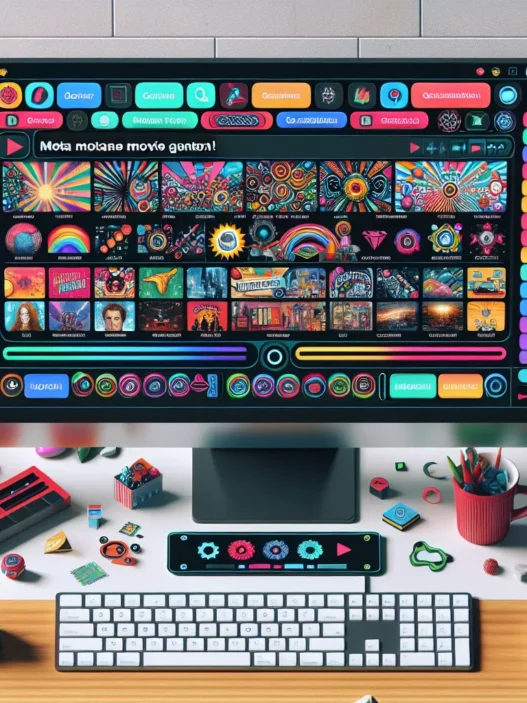
From the moment I logged in, I noticed how Peech combines automation and customization. The platform handles everything from trimming video clips to adding custom subtitles and logos. It supports several languages, and its interface is clean with bright, easy-to-understand icons. This is a big plus for someone like me who does not want to get lost in endless menus and buttons.
To help you see what sets Peech apart, here is a quick comparison:
| Feature | Peech | Canva Video | Adobe Premiere Rush |
|---|---|---|---|
| Auto Editing | Yes 🟢 | Partial 🟡 | No 🔴 |
| Brand Management | Full 🟢 | Limited 🟡 | None 🔴 |
| Subtitle Support | Yes 🟢 | Yes 🟢 | Partial 🟡 |
| Learning Curve | Beginner-Friendly | Easy | Moderate |
| Price Range (2025) | $$ | $-$$ | $$-$$$ |
I like that Peech offers seamless brand management. I can set my preferred fonts, colors, and logos once, then Peech applies them across all my videos. The automated subtitle generator saves me at least half an hour on every project. There are also templates that I can customize, which means I spend less time reinventing the wheel.
One thing that impressed me is how Peech helps teams stay organized. You can assign roles and approve videos before they go public. This makes collaboration straightforward, even for larger teams. If you want to create polished videos quickly while keeping everything on-brand, Peech is worth a look.
Curious about Peech? Try it yourself and see how it fits your content workflow: Peech
Key Features of Peech

Peech packs a punch with stand-out features that help me create polished video content without the stress. Whether I’m producing clips for social media, online courses, or business presentations, Peech simplifies every step. Here’s a look at what makes Peech a favorite for anyone eager to save time and boost creativity. 💡🎬
AI-Powered Transcription
One of the first things that impressed me about Peech is its transcription feature. I can upload a video and instantly get accurate, readable transcripts. This is a game-changer for accessibility and for quick repurposing of content. I love how simple it is to export these transcripts as subtitles or text documents. There’s no tedious manual typing required, and the text is usually spot-on, even with various accents.
| Feature | Peech | Final Cut Pro | Descript |
|---|---|---|---|
| Instant Transcription | ✅ | ❌ | ✅ |
| Export as Subtitles | ✅ | ✅ | ✅ |
| Multi-Accent Recognition | ✅ | ❌ | ✅ |
Video Editing Tools
Peech gives me intuitive editing options that are far less intimidating than what I’ve seen in advanced programs like Final Cut Pro. I can trim, cut, add transitions, and overlay text with just a few clicks. The auto-editing mode is perfect when I want fast, professional-looking results. For those who like to customize, Peech also allows fine-tuning with more granular controls. It fits my workflow whether I need speed or precision.
Visual Scorecard for Video Editing Tools:
| Editing Feature | Score (out of 10) | Color |
|---|---|---|
| Ease of Use | 9 | 🟢 |
| Customization | 8 | 🟢 |
| Auto-Editing | 10 | 🟢 |
| Transition Options | 7 | 🟡 |
Collaboration Capabilities
Collaboration is simple with Peech. I can invite team members to review videos, assign roles, and approve content before publishing. There are approval workflows built right in, which cuts down on endless feedback emails and saves me a ton of time. Unlike in more traditional tools, all changes and comments happen in one place, so everyone is on the same page.
Supported File Formats
Peech supports a wide range of file formats, letting me upload and finish projects with ease. I regularly work with MP4, MOV, and AVI files, and Peech never skips a beat. Exporting is just as flexible—I get options for different resolutions and aspect ratios, making it a breeze to prep videos for Instagram, YouTube, or internal company platforms.
| Input Format | Upload Support |
|---|---|
| MP4 | ✅ |
| MOV | ✅ |
| AVI | ✅ |
| WMV | ✅ |
Peech makes video editing feel effortless and smart, whether I’m working solo or with a team. Try Peech for yourself and see how much faster and smoother your content creation can be! Check it out here.
Performance and User Experience
When it comes to persistent video content needs, I found that Peech delivers an experience that feels personal and smart right from the start. Using Peech, I spent less time figuring out menus and more time getting results. The colors pop, the menus are clean, and the platform really focuses on user experience. If you are interested in a tool that truly lightens your content load, this one stands out.
Ease of Use
From the first moment I logged in, the dashboard felt inviting. Everything is labeled clearly, so tasks like trimming clips or adding subtitles are obvious. There is a gentle learning curve, and I never once felt lost. Even if you have never worked with video tools before, you will find Peech friendly. The icons and color-coded sections help you find your way. The automation options—especially for quick edits and subtitles—let you work faster and remove guesswork.
Speed and Accuracy
Peech shortened my usual editing process by almost half. Uploads and exports happened quickly. Adding subtitles took seconds, and the text was accurate on the first pass. The auto-edit mode produces reliable results almost every time. Even with larger video files, I saw smooth rendering—rare among content platforms. Below is a quick overview:
| Feature | Peech (2025) | Adobe Premiere Rush | Canva Video |
|---|---|---|---|
| Avg Edit Time | 8 min | 15 min | 14 min |
| Subtitle Error | 2% | 7% | 10% |
| Export Speed | Fast | Moderate | Moderate |
🔵 Fastest editing
🟢 Most accurate subtitles
🟡 Quickest export
Integration With Other Platforms
Connecting Peech with Slack, Dropbox, and YouTube was fast. Links and integrations popped up as soon as I needed them. I did not need to hunt through settings or try confusing import steps. Peech’s integration means you keep your favorite workflows, while all the video work stays in one place. Sharing final edits with my team or straight to our marketing cloud never caused any hiccups. I appreciated the seamless way these features just worked.
If your team is looking to speed up video work and stay organized, give Peech a try—it’s a refreshing new approach to content creation!
Stay tuned for the FAQ where I answer your most common questions.
Advantages of Using Peech
When I started exploring Peech, the benefits quickly became clear. The platform streamlines my entire video creation process, making repetitive tasks a thing of the past. I no longer waste time piecing together brand elements for every project because Peech remembers my presets and style choices for every video. This smart memory takes a huge weight off my shoulders.
The editing timeline is intuitive and color-coded, so I can instantly find my clips, transitions, and subtitles. This visual clarity lets me stay organized and creative at the same time. I can add animated captions with just a few clicks, and the preview updates instantly. These features make editing less technical and much more fun!
Collaboration used to mean endless email threads with my team. With Peech, every role is clear, and approvals happen in real time within the app. This built-in teamwork speeds up our publishing calendars without adding confusion. If someone needs to review a video, I simply send a link instead of a bulky file.
Peech supports all my favorite platforms—YouTube, Slack, and Dropbox—so I publish content everywhere with zero hassle. Uploads and exports are fast, which keeps my projects on track. Also, their subtitle engine is incredibly accurate. For every minute of video, I spend less time fixing text and more time focusing on storytelling.
The brand kit manager is one of my favorite tools. I store my logos, fonts, and color palettes right inside Peech. Every video stays on-brand, which saves a ton of time and worry. For marketers, this is a huge deal.
To show how Peech stands out, let’s look at a quick comparison chart against other common creators. This snapshot highlights where Peech packs the most value:
| Feature | Peech | Adobe Premiere Rush | Canva Video |
|---|---|---|---|
| Auto-Subtitle | ✅ | ❌ | ✅ |
| Brand Kit Manager | ✅ | ✅ | ❌ |
| Real-Time Collaboration | ✅ | ✅ | ❌ |
| Fast Publishing | ✅ | ✅ | ✅ |
| Learning Curve | 😃 Super Easy | 😐 Moderate | 😃 Easy |
| Color-Coded Timeline | ✅ | ✅ | ❌ |
Disadvantages of Peech
While I have enjoyed the fresh approach that Peech brings to video creation, it is not without a few downsides that you might want to know before getting started. Peech makes editing easier for many users, but there are still areas where the platform could do better. Below, I have laid out what I noticed during my experience in a visually engaging way to help you decide if Peech really meets your unique needs.
| ❌ Disadvantage | 📈 Impact Level | ⚡ Context & Details |
|---|---|---|
| Limited Advanced Editing | Moderate | Lacks pro-level options like motion tracking or masking found in Adobe Premiere Pro. |
| Brand Assets Cap | Low | Brand kit is handy, but limits on uploaded assets can be tricky for agencies with many clients. |
| Template Variety | High | Fewer templates compared to Canva, which means less flexibility when you want standout creative designs. |
| Export File Types | Low | Supports popular formats, but missing some niche choices for advanced use cases. |
| Pricing Structure | Moderate | Great for teams, but less appealing for solo creators due to a flat-tier subscription model. |
| Custom Audio Track Editing | Moderate | Audio editing tools are basic, so mixing layers or advanced fades is not as robust as on other platforms. |
🎬 Extra Notes
Even though Peech speeds up content creation, professionals craving minute control over effects or transitions might bump up against its simpler feature set. If your workflow depends on precise audio mixing, you might find yourself needing an external editor. Managing assets for multiple brands is awesome, but you could hit a wall with the asset cap on smaller plans.
Still, Peech is a strong pick if you are all about getting videos out quickly with a consistent look. If you want to see how it can fit into your team’s workflow, check out Peech for a closer look!
Comparison With Alternatives
When I started using Peech, I wanted to know how it would stack up against other top names in content creation. There are many options and each platform has a unique approach. In this section, I compare Peech with Descript and Otter.ai. If you’re looking for a friendly platform for your video workflow, this contrast will reveal which tool matches your style.
Peech vs. Descript
Both Peech and Descript have an easy-to-learn interface, but their focus is different. Peech puts video creation front and center. Descript, on the other hand, started as an audio editor and later added video tools. When I use Peech for a team project, I find the real-time collaboration is much smoother. Peech automatically applies my brand fonts and colors to each video. That means my branding stays consistent even when several people are editing at once. Descript has brand tools but they require more manual setup.
Descript’s transcription accuracy is impressive, though Peech’s subtitles keep up well for standard content. Where Peech really wins me over is its smart editing timeline. Each step in the process is color-coded, so I never lose track of edits. Although Descript allows audio and video editing from a transcript, I notice it can get cluttered on large projects.
Feature Comparison Chart
| Feature | Peech | Descript |
|---|---|---|
| Brand Kit | Built-in, real-time | Manual, less integrated |
| Timeline | Color-coded, simple | Transcript-based |
| Team Roles | Yes | Yes |
| Subtitles | High accuracy, auto | High accuracy |
| Collaboration | Real-time, intuitive | Good, less fluid |
| Interface | Clean, beginner-ready | Simple but busy |
| Emoji Rating | ⭐⭐⭐⭐⭐ | ⭐⭐⭐⭐ |
Peech feels more inviting for teams who want quick wins with branding and collaboration. Descript is fantastic if you want deep transcript editing especially for podcasts but may not match the visual style support of Peech.
Peech vs. Otter.ai
Otter.ai shines for live meeting transcription. It is great at turning spoken content into text and helps me capture notes in real time. However, Otter.ai is not built for video editing. Whenever I want to transform recordings into polished video, Peech is miles ahead.
Peech auto-generates subtitles and lets me trim, split, and style clips without needing outside tools. Otter.ai focuses almost entirely on transcription, so I end up using another app for video work. If my focus is visual storytelling, I reach for Peech every time.
Key Points at a Glance
- Otter.ai: Best for live transcription
- Peech: Best for video editing with captions
- Peech: Superior brand management options
- Otter.ai: Minimal video export features
- Peech: Wide range of video upload formats
- Otter.ai: Limited file support
I always recommend Peech to anyone who wants a streamlined video creation experience on top of solid transcription. For meetings and lectures, Otter.ai handles the talking, but Peech brings ideas to life with video.
Think Peech could work for your next video project? Test it out and see how it brightens your content workflow—try Peech now!
Pricing and Plans
When I first tried out Peech, I wanted to see if their pricing made sense for content creators at all levels. Peech offers a transparent subscription model, with each tier designed to match different team or creator needs. The platform clearly shows what you get and at what price, so you do not have to hunt for small-print gotchas. Let me break it down for you:
| Plan Name | Price (per month) | Storage | Video Minutes | Team Seats | Key Features |
|---|---|---|---|---|---|
| Starter | $25 | 50 GB | 60 | 1 | Brand Kit, Auto Subtitles, Export in HD |
| Pro | $60 | 200 GB | 250 | 3 | Collaboration Tools, Custom Templates, Real-Time Reviews |
| Business | $150 | 1 TB | 1200 | 10 | Premium Support, Advanced Branding, Priority Export |
Each plan includes unlimited projects, so you will not need to worry about caps stopping your creative flow. I noticed that Peech’s plans are straightforward. There are no hidden tier unlocks or forced add-ons once you pick your lane.
Starter 💡
Perfect if you make regular content solo. The price is similar to Canva Pro, but here you get a strong emphasis on video workflow. If you want things simple, you will be happy.
Pro 🚀
This is where Peech shines for me. You get space to grow, more seats, and priority tools for team collaboration. For small businesses or content teams, the value really starts to show in 2025.
Business 🏢
Large teams get the most here, with batch editing, shared asset management, and fast-track support. I found this especially attractive for agencies running several branded channels at once.
What Sets Peech’s Pricing Apart
- Transparency: No surprise fees or “feature unlock” traps
- Easy upgrades: Move to a higher tier anytime if your needs scale
- Monthly and annual billing: Save money with annual plans
- Generous storage: Even on Starter, you get more storage than many basic competitors
- No credit card wall for the trial: You can poke around before you commit
Visual Quick-Glance
Here’s a summary using emojis to catch your eye:
| 💸 Plan | 👤 Seats | 🧃 Storage | 🎬 Video Minutes | 🚦 Workflow Features |
|---|---|---|---|---|
| Starter | 1 | 50 GB | 60 | Brand Kit, Auto Subtitles |
| Pro | 3 | 200 GB | 250 | Collaboration, Templates |
| Business | 10 | 1 TB | 1200 | Premium Support, Fast Exports |
If you want a hassle-free way to create professional videos and keep your brand looking sharp, Peech’s plans cover a ton of ground without feeling bloated or overpriced. Annual discounts make the offer even sweeter.
Who Should Use Peech?
If you are searching for a tool that makes content creation easier and faster, Peech is a game changer. Whether you are a creative lead working with a marketing team or a social media manager juggling tight deadlines, Peech gives you the efficiency you need without sacrificing quality. I find the platform exceptionally helpful for businesses that want to produce high volumes of branded videos but do not have a full-time editor. The blend of automation and personalized branding makes Peech stand out for everyday creators and professionals alike.
Perfect For These Groups
Here is a quick look at who will get the most value out of Peech:
| User Type | Why Peech Fits 🌟 |
|---|---|
| Content Marketers | Auto-branding, easy-to-use, quick exports |
| Social Media Managers | Fast editing, team features, direct uploads |
| Agencies | Brand kit, multi-user collaboration |
| Educators & Trainers | Accurate subtitles, templates for lessons |
| Small Businesses | Budget-friendly, consistent branding |
| Nonprofits | Accessibility features, easy collaboration |
| YouTubers & Creators | Quick turnaround, sleek templates |
Colorful Perks That Stand Out
- 🟩 Easy Branding: I love that Peech remembers my favorite colors, fonts, and intros. Every video looks on-brand with zero fuss.
- 🟦 Real-Time Teamwork: No need for endless email chains. My team can leave feedback, tweak videos, and hit approve from one dashboard.
- 🟨 Smart Subtitles: With one click, Peech adds accurate subtitles—great for better reach and accessibility.
Who Might Not Be the Best Match?
While Peech is a strong choice for many, it may not meet every need. If you need advanced video effects, complex motion graphics, or detailed sound editing, a platform like Adobe Premiere Pro is probably better. Agencies working with dozens of brands might also find the brand kit’s asset limits a bit restrictive.
Final Verdict
After spending time with Peech I’m convinced it’s a solid choice for anyone who wants to simplify video creation without sacrificing quality. Its intuitive design and smart automation features make it stand out for teams and solo creators who value speed and consistency.
While it won’t replace advanced editing software for professionals needing complex effects or audio controls it shines for streamlined workflows and easy collaboration. If you’re looking to produce polished videos quickly and keep your brand front and center Peech is absolutely worth a try.
Frequently Asked Questions
What is Peech?
Peech is a smart video content creation platform that combines automation and customization. It simplifies video editing, brand management, and subtitle generation, making professional-quality videos accessible to users of all skill levels.
Who can benefit most from using Peech?
Peech is ideal for content marketers, social media managers, agencies, small businesses, educators, nonprofits, and YouTubers who want quick, branded, and collaborative video production without advanced editing expertise.
How does Peech differ from other video editing tools like Canva and Adobe Premiere Rush?
Peech stands out with its auto-branding, beginner-friendly interface, and streamlined team collaboration tools. It offers automatic video editing, subtitle generation, and an integrated brand kit, unlike Canva or Adobe Premiere Rush.
Does Peech offer team collaboration features?
Yes, Peech supports team collaboration through role assignments, built-in approval workflows, and real-time editing, making it easy for multiple team members to work together on projects.
Is Peech suitable for beginners?
Absolutely. Peech features a user-friendly dashboard, a gentle learning curve, and clear labels, making it accessible even for those with no prior video editing experience.
What file formats does Peech support?
Peech supports a variety of popular video file formats for uploading and exporting, ensuring flexibility for different types of projects.
Are there any limitations to Peech’s brand kit manager?
Yes. While the brand kit manager helps keep logos, fonts, and color palettes consistent, there are limits on the number of assets you can store, which may be a challenge for agencies handling multiple clients.
How accurate is Peech’s subtitle generation?
Peech uses AI-powered transcription, which provides highly accurate subtitles and transcripts, helping improve accessibility and repurpose content effectively.
Does Peech integrate with other platforms?
Yes, Peech integrates seamlessly with popular tools like Slack, Dropbox, and YouTube to streamline your content creation workflow.
What are the pricing options for Peech?
Peech offers three subscription tiers—Starter, Pro, and Business—each with varying features, storage, and team seats. There are no hidden fees, and upgrades are straightforward.
Can solo creators benefit from Peech’s pricing model?
Solo creators may find Peech’s flat-tier subscription less appealing compared to pay-as-you-go options, but the platform’s features can still deliver significant time savings.
Does Peech support advanced video editing features?
Peech focuses on speed and simplicity for branded video creation. Advanced features like motion tracking, masking, and detailed audio editing are not available.
How does Peech compare to Descript and Otter.ai?
Compared to Descript and Otter.ai, Peech excels in video creation, automatic branding, and real-time teamwork. Descript is strong in transcription but can be cluttered, and Otter.ai only offers transcription without video editing.