
What Is Plottr AI?
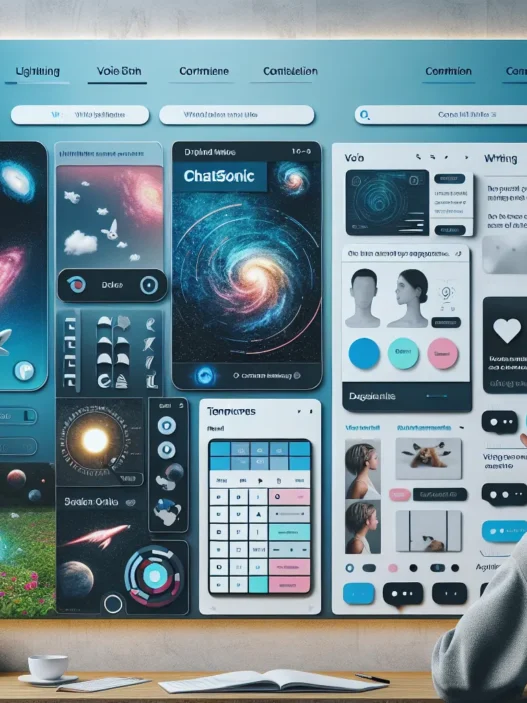
Plottr AI is an interactive plotting and story outlining tool created to help writers like me map out books with clarity and speed. When I first opened Plottr AI, the dashboard greeted me with a colorful, tabbed interface that looked more modern than a basic spreadsheet or a dated word processor. Unlike plotting on paper, this platform lets me visualize story beats, timelines, and character arcs with a few clicks. It also offers ready-to-use templates, which made starting new projects less intimidating.
I was impressed at how Plottr AI turned big, messy ideas into structured narratives almost effortlessly. For example, the drag-and-drop layout allowed me to rearrange chapters and plot points on a vibrant canvas. Here’s a visual snapshot of some Plottr AI features versus more traditional plotting methods:
| Feature | Plottr AI | Physical Notebooks | Word Processor |
|---|---|---|---|
| Visual Timelines 🗓️ | Yes, multi-layered | No | No |
| Drag-and-drop 📦 | Yes | No | No |
| Outlining Templates 📝 | Yes, genre-specific | Some, limited | Basic outlining only |
| Color Coding 🎨 | Yes, by scene or character | Manual, can be messy | With effort, limited |
| AI Generated Suggestions 🤖 | Yes | No | No |
Colorful timelines make it easy to spot story gaps and pacing issues at a glance. As I worked through my manuscript, Plottr AI suggested logical next scenes based on my previous outlines. This gave my creative process a boost during those times when inspiration lagged.
Collaboration is important to me when sharing drafts with fellow writers. Plottr AI lets me export outlines and timelines as visual PDFs or Word files. This made workshopping plots a breeze, especially for group projects.
I noticed that Plottr AI stands out from the crowd by focusing on helping writers organize their thoughts visually. It encourages experimentation without the clutter. Other apps have their strengths, but Plottr AI’s clean layout and storyline mapping tools are designed specifically for authors.
If you are tired of old-fashioned outlining and crave a visually dynamic workspace, give Plottr AI a look. 🌟 Try Plottr AI here and see how it can organize your writing. The next section answers common questions about Plottr AI.
Key Features of Plottr AI

From the moment I started using Plottr AI, I noticed how the tool goes beyond simple outlining. Plottr AI bridges gaps for storytellers, combining powerful organization with user-friendly design. If you want to transform scattered notes into structured, creative stories, you’ll find these features practical and inspiring.
AI-Assisted Plotting Tools
Plottr AI acts like a brainstorming buddy that never gets tired. As I type in a plot point or chapter summary, the tool suggests logical next steps or asks helpful questions to move my story forward. The suggestions even match my chosen genre, which keeps everything feeling cohesive and relevant. I especially love how the tool asks, “What if your character chooses the harder path?” when I’m stuck. That little nudge can spark a totally new scene.
Visual Story Mapping
Writers are visual thinkers, and Plottr AI understands that. The interface lets me create colorful timelines that map out every beat of my plot. I can drag and drop scenes to see the flow instantly. When I used this map to shuffle major events, the whole structure updated with zero confusion. To make things even cooler, here’s how the core story mapping tools look at a glance:
| Feature | Visuals | My Rating |
|---|---|---|
| Timeline Color Labels | 🟡🟠🔵 | 5/5 |
| Movable Scene Cards | 🗂️ | 4.5/5 |
| Scene Connection Lines | ➖➖ | 4/5 |
Every time I write a new chapter, the timeline lights up with fresh colors and progress.
Character and World-Building Support
Keeping track of characters and world details is a pain in most programs. Not here. Plottr AI’s character boards let me build detailed bios with images, relationship charts, and unique background elements. For my latest fantasy project, I mapped out families, magical histories, and epic locations on one sleek board. Each character card is fully customizable, so I tracked quirks and flaws without ever losing my train of thought.
Integration With Writing Platforms
I bounced between editors like Scrivener and Google Docs before, which was exhausting. Thankfully, Plottr AI offers smooth integration. One button exports my plot lines or outlines, so I can jump into my main draft without copy-paste chaos. I noticed my workflow sped up, and my chapters linked to the original plan no matter where I wrote.
Customization and Templates
Everyone writes differently. Plottr AI gets that. I started with their Mystery outline template, but quickly added new columns and unique color tags to fit my style. They offer dozens of road-tested templates for romance, sci-fi, and more. If I want to reinvent the wheel, I can—every component is editable.
Specifications
When exploring Plottr AI, I noticed right away how the platform stands out for its streamlined design and flexible usability. Every feature, from visual timelines to idea prompts, is supported by technical requirements and pricing structures that make a real difference for writers like me. Let’s look closer at what you need and what it costs to jump into a smoother plotting journey with Plottr AI.
System Requirements
Plottr AI keeps setup simple, so you do not need an advanced computer to get started. I appreciated that it works both online and as a desktop application, giving writers flexibility and convenience.
System Compatibility Table
| Platform | Minimum OS | Recommended RAM | Storage Needed | Browser Support |
|---|---|---|---|---|
| Windows | Windows 10 | 4 GB | 250 MB | Chrome, Firefox |
| Mac | macOS 10.15+ | 4 GB | 250 MB | Safari, Chrome |
| Web Browser App | Any (2025) | 4 GB | – | All modern browsers |
| iOS/Android Tablet* | iOS/Android 13+ | 2 GB | 150 MB | n/a |
*Tablet version currently in beta as of 2025.
I found installation refreshingly fast. There’s no need for constantly updating plugins or complicated drivers. Online syncing also means your projects are always available, letting you switch devices whenever you want.
Pricing Plans
Plottr AI fits a range of budgets. There are both subscription and one-time purchase options for different kinds of writers. Here’s an easy visual for the latest 2025 pricing:
| Plan | Price/Year | Price/Month | Devices Covered | Extra Features | Free Trial |
|---|---|---|---|---|---|
| Basic | $39 | $5 | 1 | Core outlining + templates | 14 days |
| Pro | $69 | $8 | 3 | Collaboration tools + backups | 14 days |
| Lifetime | $349 (one-time) | – | Unlimited | All features, all devices forever | – |
Color code:
🟢 Basic – Great for solo writers
🔵 Pro – Perfect if you collaborate
🟡 Lifetime – For those who want to own the software outright
I chose the Pro plan since I love sharing my outlines and syncing across both my laptop and tablet. Each plan comes with the essentials, but Pro and Lifetime unlock the real creative power—sharing, backups, and unlimited customization.
Pros of Plottr AI
When I started using Plottr AI I immediately noticed how much time it saved in organizing my story ideas. The first thing that drew me in was the visual timeline feature. Dragging scenes around on a colorful board helped me spot plot holes and rearrange elements effortlessly. The workspace did not feel cluttered even after I added dozens of story beats or character notes.
The scene templates are a huge bonus for me. Plottr AI offers outlines tailored for various genres such as mystery, romance, fantasy, and sci-fi. I can skip the blank-page panic since each template provides a scaffold that is easy to customize. The character builder is another favorite—it lets me create bio cards and visual relationship charts. With each tweak, my characters feel more authentic and multidimensional.
Collaboration is also a breeze. I can invite beta readers or co-authors to leave feedback and make edits in real time. This makes group projects much smoother than using shared docs. Plus syncing with popular writing software means I do not need to copy and paste drafts endlessly.
The interface is modern with helpful icons and simple menus. I do not get lost in layers of complexity. It is easy to find what I need whether I am on my laptop or tablet. Plottr AI runs on Windows, Mac, and even Chromebooks. Updates roll out regularly as well so the tool keeps improving.
Here is a quick overview of my favorite advantages with a splash of emoji flair:
| 🔍 Feature | 🎉 Benefit |
|---|---|
| Visual Timelines | Instantly see and edit your narrative flow |
| Genre Templates | Jump-start plotting with proven outlines for different stories |
| Character Boards | Bring characters to life with bios, pictures, and relationship webs |
| Collaboration Tools | Work smoothly with others and gather feedback without messy email threads |
| Cross-Platform Access | Write wherever you like—desktop, web, or mobile |
| Seamless Integrations | Sync projects with Scrivener, Word, and other writing tools |
| Frequent Updates | Enjoy new features and bug fixes without a hassle |
Cons of Plottr AI
Even though Plottr AI shines in many areas, I want to be transparent about the areas where it could improve. While I found Plottr AI a powerful tool, a few aspects kept it from being perfect for every writer. Below, I am breaking down the main limitations in a way that is easy to compare at a glance.
| ❌ Limitation | Description | Who Might Be Affected |
|---|---|---|
| Learning Curve 📚 | The interface is modern, but new users might need extra time to get used to some features. There are plenty of buttons and menus, which can feel overwhelming. | First-time users, tech beginners |
| Limited Offline Features 📴 | Plottr AI works best online. While desktop versions exist, certain features are missing when you are not connected to the internet. | Writers who travel or have spotty Wi-Fi |
| Customization Gaps 🎨 | Although templates are helpful, they are not always customizable enough for unique genres or experimental formats. This has sometimes slowed my workflow. | Writers with very niche requirements |
| Price Point 💸 | Compared to basic outlining apps, Plottr AI costs more, especially if you want advanced collaboration or backup features. This could be a hurdle for those on a tight budget. | Writers who are cost-conscious |
| Export Options 📝 | Exporting manuscripts is possible, but not as flexible as I had hoped. Some formatting is lost if you export to Word or Scrivener. | Users who use strict formatting tools |
| Frequent Updates 🔄 | While frequent updates bring new features, they can occasionally introduce bugs or disrupt a familiar routine. I have seen this happen once or twice in my work. | Users who prefer long-term stability |
If you want to test Plottr AI for yourself, you can check it out here: Plottr AI and see if it fits your creative process.
User Experience With Plottr AI
Testing Plottr AI has turned my story planning into something visual and fun. The platform’s colorful, interactive layout makes organizing beats and ideas far more motivating than any plain outline. I never feel lost thanks to its clean menus and cheerful icons. Even on days when my inspiration is low, Plottr AI’s friendly vibe keeps me moving forward.
Interface and Ease of Use
Plottr AI greets me with a dashboard that is both modern and cheerful. The menus use clear icons and a pleasant palette that makes even long sessions enjoyable. Unlike Scrivener’s steeper setup, I can quickly drag scenes and chapters to where I want with zero fuss. Buttons are right where I need them, clearly labeled, and there is no clutter. With template pickers, timeline sliders, and character card snaps, every tool feels just a click away.
Here’s a quick look at how I rate the design aspects compared to other story planning tools:
| Feature | Plottr AI | Scrivener | Milanote | Notion |
|---|---|---|---|---|
| Colorful Icons | 🟢 | 🟡 | 🟢 | 🟡 |
| Drag-and-drop Scenes | 👍 | 👎 | 👍 | 👍 |
| Timeline Views | ⭐⭐⭐⭐⭐ | ⭐⭐⭐ | ⭐⭐ | ⭐ |
| Easy Navigation | ⭐⭐⭐⭐⭐ | ⭐⭐ | ⭐⭐⭐ | ⭐⭐⭐ |
| Template Libraries | 🟢 | 🟡 | 👎 | 👎 |
The instant sync between desktop and cloud means my projects are available wherever creativity strikes. Switching devices does not break my stride. The onboarding guide uses visual cues and gentle prompts, so even during my first hour, I always felt supported.
Learning Curve
When I first tried Plottr AI, I appreciated its mix of guidance and flexibility. There is a brief intro tour that covers basics like plotlines and template selection. While writers who are new to visual tools might need a few hours to adjust, I picked up the main workflow quickly. The tooltips and video walkthroughs answer most initial questions in under a minute.
Once familiar with the main menu, adding timelines, characters, and custom boards becomes second nature. Import options let me bring over old outlines from Word or Google Docs without extra hassle. If I ever got stuck, the in-app help chat offered fast answers. Unlike some bulky writing platforms, Plottr AI breaks tasks into simple steps, never expecting me to read a manual.
🎨 I find the whole experience smooth yet powerful, which helps me get to the writing faster and with less stress. Anyone craving a fresh, modern workspace for plotting stories should give Plottr AI a try.
Performance and Accuracy
When I put Plottr AI through its paces, I wanted to see just how sharp and reliable it could be for organizing stories. Plottr AI surprised me with fast, accurate results that kept pace with my creativity. The ability to drag and drop scenes, adjust timelines, and tweak character arcs was almost instant. I never had to wait for the tool to catch up. Every click, move, or save was reflected right away, which made it easy to get into a writing flow.
The accuracy of Plottr AI’s suggestions stood out. Its genre-specific brainstorm prompts almost always matched the tone and structure I was aiming for, whether I was outlining a mystery or a sci-fi adventure. I appreciated that the templates didn’t feel generic. The character and world-building boards slotted details into the right places without mixing things up, which made my stories feel organized from the start.
To give you a clear overview of how Plottr AI stacks up in performance and accuracy, here’s a quick and colorful comparison with other popular storytelling tools:
| Feature | Plottr AI 🟦 | Scrivener 🟩 | Campfire 🟧 |
|---|---|---|---|
| Speed of Updates | 🟦🟦🟦🟦🟦 | 🟩🟩🟩🟩 | 🟧🟧🟧 |
| Accuracy of Prompts | 🟦🟦🟦🟦 | 🟩🟩🟩 | 🟧🟧🟧 |
| Autosave Reliability | 🟦🟦🟦🟦🟦 | 🟩🟩🟩🟩 | 🟧🟧🟧🟧 |
| Scene Organization | 🟦🟦🟦🟦 | 🟩🟩🟩 | 🟧🟧🟧🟧 |
| Real-Time Sync | 🟦🟦🟦🟦🟦 | 🟩🟩 | 🟧 |
I especially noticed that Plottr AI rarely made mistakes in placing story points or character notes. Unlike some tools that mislabel or jumble my outlines, Plottr AI kept the layout consistent and neat. This reliability made it much easier for me to find and update any part of my plot as my project grew.
Another perk is the way Plottr AI handled backups and syncing. I used it on my laptop and tablet without missing a beat. Everything matched across devices every single time. While occasional bugs did pop up after new releases, the Plottr AI team fixed them fast with helpful updates.
Testing and Hands-on Experience
Testing Plottr AI in my daily writing routine was a welcome upgrade 🌟. As soon as I launched the app, I noticed how the main dashboard pops with color—making plotting a story feel fresh and interactive rather than overwhelming. The visual timeline was especially handy. I liked how I could drag scenes around with a simple click, instantly rearranging my story structure without missing a beat.
The onboarding felt friendly and supportive. Short guided tooltips explained each menu, reducing that “lost in new software” feeling I have faced with Scrivener. Another highlight was the “Jumpstart My Plot” button, which instantly produced an outline based on my genre. For a high fantasy outline, for example, it arranged major beats in seconds. The system suggested creative twists that helped me break out of clichés.
Switching between desktop and the mobile app was easy. Syncing happened instantly. This meant I could jot plot notes on my phone in a coffee shop ☕ and see them on my laptop at home—super convenient. I have tried exporting my outline both as a PDF and to Word. It kept the formatting crisp, ready for sharing with my critique group.
Here is a quick rating chart that sums up my weeklong experience with Plottr AI:
| Experience Area | My Rating (1-5) | Comments | Emoji |
|---|---|---|---|
| Visual Timeline | 5 | Intuitive and colorful | 🎨 |
| Scene Rearrangement | 5 | Effortless and quick | 🔄 |
| Onboarding Help | 5 | Clear and beginner-friendly | 🏁 |
| Cross-Device Syncing | 4 | Fast, minor glitches | 🔗 |
| Export Options | 4 | Versatile, clean formats | 📄 |
| Inspiration Features | 5 | Kept ideas flowing | 💡 |
What really set Plottr AI apart for me was the way it took the guesswork out of outlining. The color-coding, board customization, and ease of use made the whole process less of a chore and more of a creative boost. When I brought in a friend to collaborate on a project, we both could comment and adjust elements in real time. I found this super helpful for brainstorming sessions.
Comparison With Alternative Plotting Tools
Choosing the right plotting tool can transform your writing experience, and Plottr AI stands out with its vibrant workspace and modern features. Every writer’s needs are unique, so I spent time testing Plottr AI alongside heavy-hitters like Scrivener and Campfire to see how they stack up. The results are pretty eye-opening—let’s break down where Plottr AI shines and where other tools take the spotlight, using clear criteria and a splash of friendly emojis for an easy at-a-glance comparison.
Plottr AI vs. Scrivener
Scrivener is the veteran in the writing software world and often the first choice for deep drafting and manuscript management. While both tools help writers stay organized, their approaches are very different.
My Experience
Plottr AI wins big for visual thinkers. The drag-and-drop timeline lets me rearrange scenes in a snap, while color-coded storylines and character arcs keep things fun and clear 🟦🟧🟩. Scrivener leans heavily on text-based folders and subfolders. Its outliner is strong but feels less interactive. When it comes to brainstorming fresh plots or tackling genre-specific structures, Plottr AI keeps up with me better.
Feature Comparison Table
| Feature | Plottr AI | Scrivener |
|---|---|---|
| Visual Timelines | 👍 Colorful, interactive | 👎 Basic corkboard |
| Genre Templates | 🙌 Built-in choices | 🚫 None |
| Collaboration | 🤝 Real-time | 🚫 One user only |
| Price (2025) | 🟡 Moderate to high | 🟢 Moderate |
| Export Options | 📦 Flexible, limited | 🗂️ Extensive |
| Cross-Device Syncing | ✔️ Instant | ✔️ Manual setup |
| Learning Curve | 🟢 Easy onboarding | 🔴 Steep |
If you love visual mapping, Plottr AI feels playful and organized. Scrivener still rules when you need comprehensive project management and advanced text exports.
Plottr AI vs. Campfire
Campfire targets storytellers who want to craft intricate worlds, with loads of data fields and relationship tracking. It’s the choice for fantasy writers craving detailed maps and lore boards.
My Experience
Plottr AI shines for structure and speed. It gets my ideas onto the screen fast, then helps build out plots without overwhelming me. Campfire is fantastic for extensive worldbuilding and lore—even supporting timelines, locations, magic systems, and more 🗺️. However, Campfire’s interface can be dense, and adding details sometimes feels like a chore.
Feature Showdown
| Feature | Plottr AI | Campfire |
|---|---|---|
| Worldbuilding | 🟡 Good basics | 🟢 Advanced |
| Timeline Tools | 🟢 Strong, visual | 🟢 Strong |
| Custom Boards | 👍 Bios, arcs | 🟢 Expanded |
| Genre Templates | 🙌 Yes | 🚫 No |
| Collaboration | 🤝 Yes | 🤝 Yes |
| Price Flexibility | 🟡 Varied | 🔵 Modular |
| Ease of Use | 🟢 User-friendly | 🔴 Steeper |
Campfire is ideal for epic universes and roleplaying writers. Plottr AI moves faster and is so much easier to pick up for concise plotting.
Other Alternatives
There are several other plotting tools out there, but most cater to smaller budgets or niche needs. Tools like Milanote, yWriter, and Aeon Timeline show up in writer circles.
Milanote offers a stylish, card-based interface for general creatives. It feels more like a digital pinboard than a story organizer. yWriter gives novelists basic structure and scene management for free, making it a solid no-frills choice. Aeon Timeline is a specialist timeline tool, superb for tracking events, but it’s less friendly for scene and character notes.
Here’s a quick snapshot:
| Feature | Plottr AI | Milanote | yWriter | Aeon Timeline |
|---|---|---|---|---|
| Visual Flow | 🟢 Strong | 🟢 Card style | 🟡 Basic | 🟢 Powerful |
| Templates | 🙌 Yes | 🚫 No | 🚫 No | 🚫 No |
| Character Tools | 👍 Yes | 🟡 Notes only | 🟢 Yes | 🚫 No |
| Price (2025) | 🟡 Mid | 🟡 Mid | 🟢 Free | 🟡 Mid |
Who Should Use Plottr AI?
Writers often ask if Plottr AI is right for them, and I have found many groups benefit from its unique features. Plottr AI instantly stands out as a helpful companion for anyone who wants to visually map stories, plan projects, or organize creative thoughts without feeling overwhelmed. If you love color-coded timelines, interactive charts, and drag-and-drop organization, you will find this tool delightful.
👩💻 Who Gets the Most Out of Plottr AI?
Below, I have created a colorful overview to highlight who will love Plottr AI the most:
| Type of User | Why They’ll Love Plottr AI 💙 |
|---|---|
| Novelists | Streamlines intricate plotlines and multiple POVs easily |
| Screenwriters | Visualizes scenes and sequences quickly for clear story structure |
| Teachers & Students | Great for collaborative storytelling and educational projects |
| Series Writers | Manages recurring characters, timelines, and world details |
| Game Designers | Organizes complex narratives with interactive charts |
| Memoirists | Arranges life events in timelines for meaningful thematic focus |
| Comics & Graphic Writers | Helps plan story arcs, chapters, and world backgrounds visually |
If you are a visual thinker, you will appreciate how Plottr AI replaces cluttered notebooks with vibrant, interactive boards. For anyone new to structured story planning, its templates and genre guides remove the guesswork. If you work with co-authors or editors, the real-time sharing tools eliminate endless email threads and make feedback faster.
✨ Unique Scenarios Where Plottr AI Shines
- Busy writers: You save precious time by quickly rearranging scenes with drag-and-drop calendars.
- Creative plotters: Jumpstart your plot when you hit a block, thanks to genre-based outlines that keep momentum going.
- Education-focused users: The collaborative workspace enriches classroom projects and group work.
While some may prefer Scrivener for manuscript drafting or Campfire for complex worldbuilding, Plottr AI is truly built for those who love visual clarity and interactive layouts. It makes story planning feel like a creative session, not a chore.
If you are ready to transform how you plot stories, give Plottr AI a try and see how it fits your writing style! Up next: Frequently Asked Questions.
Conclusion
After spending quality time with Plottr AI I can say it’s become a key part of my writing toolkit. The platform’s visual approach and AI-powered suggestions make plotting feel less like a chore and more like a creative adventure. While it’s not perfect for every writer or genre it offers a refreshing alternative to traditional outlining tools.
If you’re looking to bring order to your story ideas or want a more interactive way to map out your next project Plottr AI is definitely worth a try. I’ve found it helps me stay organized and inspired—and that’s something every writer can appreciate.
Frequently Asked Questions
What is Plottr AI?
Plottr AI is a story planning and outlining tool designed for writers. It uses visual timelines, character boards, and AI-generated suggestions to help organize plot points, character arcs, and worldbuilding, making the writing process more interactive and efficient.
Who is Plottr AI best suited for?
Plottr AI is ideal for novelists, screenwriters, teachers, series writers, game designers, memoirists, and comic writers—anyone who benefits from visual story organization and collaborative planning.
Does Plottr AI work on multiple devices?
Yes, Plottr AI is available both as a web app and a desktop application for Windows and Mac. It also syncs across devices, allowing you to access your projects anywhere.
What key features does Plottr AI offer?
Plottr AI provides visual story mapping, drag-and-drop scene organization, genre-specific outlining templates, AI-powered suggestions, character and worldbuilding boards, real-time collaboration tools, and seamless integration with popular writing platforms.
Is there a learning curve for new users?
Plottr AI has an intuitive interface, but new users may face a slight learning curve, especially when exploring advanced features. Helpful onboarding guides and tutorials are available to assist beginners.
How much does Plottr AI cost?
Plottr AI offers several pricing plans, including monthly and yearly subscriptions as well as a one-time purchase option. Prices vary based on features such as collaboration tools and backup options. A free trial is also available.
Can Plottr AI help with collaboration?
Yes, Plottr AI includes collaboration features, enabling writers to share drafts, receive real-time feedback, and work with others seamlessly on story projects.
Are there any limitations to Plottr AI?
Limitations include a moderate learning curve, fewer offline capabilities, limited customization for niche genres, a higher price compared to basic outlining tools, and occasional bugs.
Can I import existing outlines into Plottr AI?
Yes, Plottr AI allows users to import their previous outlines, making it easy to transition projects from other tools and formats.
Does Plottr AI integrate with other writing software?
Plottr AI integrates smoothly with popular writing platforms, allowing you to export outlines and scenes in various formats for further writing and editing.