

What Is SessionCam?
SessionCam is a user experience analytics platform that helps me see exactly how people interact with my website. By tracking every mouse movement, click, scroll, and form input, SessionCam gives me a clear picture of the customer journey. This lets me quickly spot usability issues, find conversion bottlenecks, and understand which parts of the site are getting the most attention. If a spike in cart abandonment happens on my site, I can watch recordings to figure out what went wrong.
What really sets SessionCam apart is its unique combination of features. I get session replay, heatmaps, conversion funnels, and powerful form analytics all in one place. The dashboard is colorful, intuitive, and easy to use even if I am not a data specialist. Real-time reporting means I can make changes and watch the results unfold almost instantly.
Here is a simple comparison of SessionCam’s core analytics features:
| Feature | SessionCam | Google Analytics | Hotjar | Crazy Egg |
|---|---|---|---|---|
| Session Replay | ✅ | ❌ | ✅ | ✅ |
| Heatmaps | ✅ | ❌ | ✅ | ✅ |
| Form Analytics | ✅ | ❌ | ❌ | ✅ |
| Real-Time Reporting | ✅ | ✅ | ✅ | ❌ |
Besides top-level insights, SessionCam uses machine learning to automatically show me “struggle pages,” where visitors have trouble. Instead of sifting through hours of video, I get highlighted sessions that matter most. This alone saved me countless hours.
The best part is everything is accessible right from the cloud. No complex installation or IT headaches. I was up and running with SessionCam in minutes and immediately started gathering actionable data to optimize my site.
Ready to boost your website’s performance? Try SessionCam and transform your user insights today! 🚀✨
Key Features of SessionCam
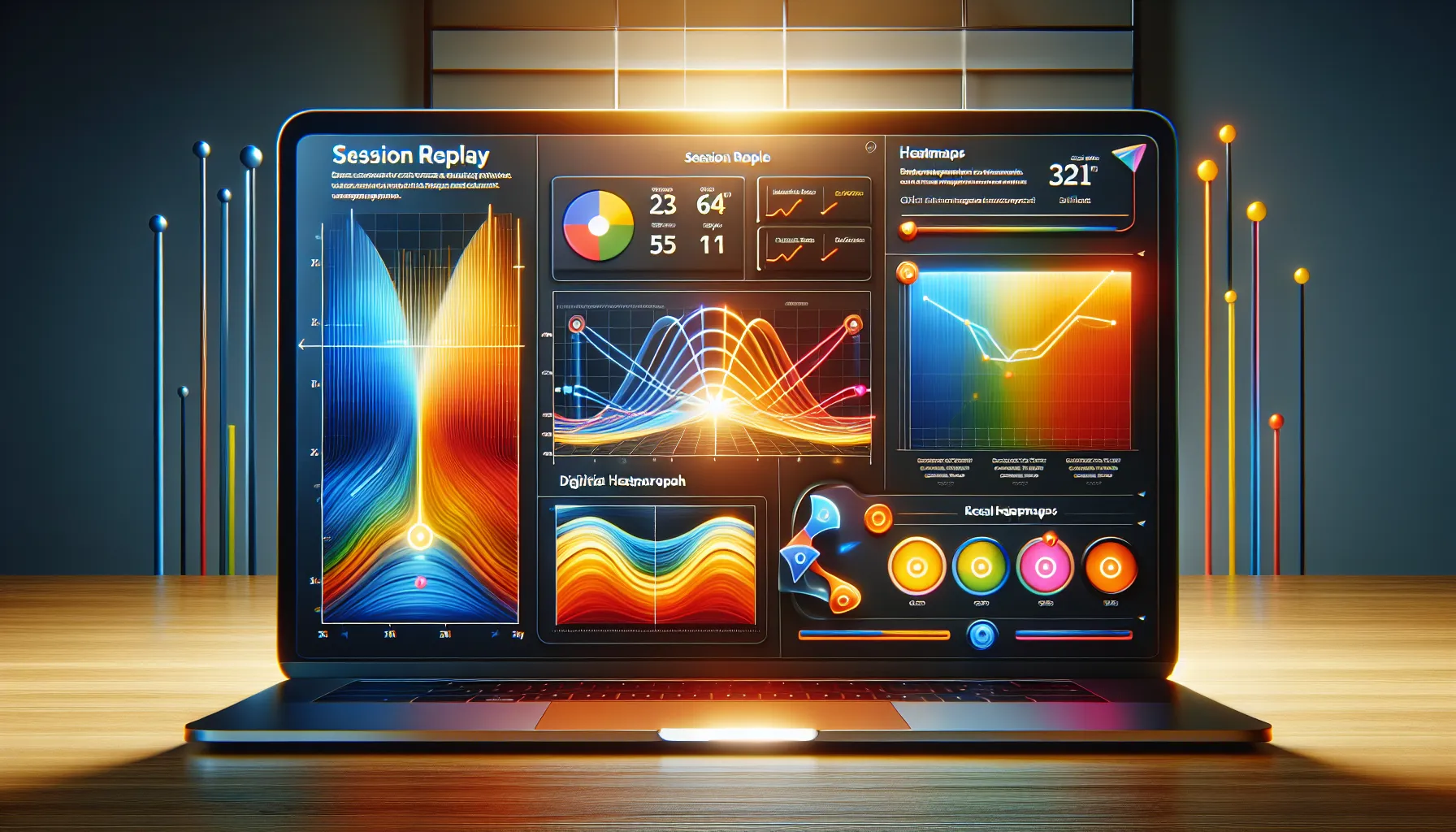
SessionCam stands out for me because it quickly uncovers exactly how visitors interact with my website. This platform turns complex analytics into an easy-to-understand visual story. From session replay to clever heatmaps, I can see the whole customer journey at a glance. The mix of intuitive dashboards, actionable alerts, and clear metrics makes the review process as exciting as it is informative.
Session Replay
Session replay lets me watch real customer interactions as if I’m looking over their shoulder. I instantly see every mouse movement, scroll, click, and hesitation. These replays spotlight confusing navigation or frustrating moments that users experience. If visitors abandon their carts or leave a form incomplete, I can watch those sessions and form a real sense of what went wrong.
🎦 Session Replay Benefits Chart
| Feature | Helps with | Example Use |
|---|---|---|
| Full journey | UX troubleshooting | Finds dropped steps |
| Real-time view | Conversion analysis | Spots hesitation areas |
| Event tracking | Engagement boosting | Sees what users ignore |
Heatmaps and Analytics
SessionCam’s heatmaps paint a bright visual layer across every page which makes spotting activity hot zones and cold spots effortless. I use these analytics to see exactly where users linger and what gets ignored. The tools include click, movement, and scroll heatmaps which help me optimize call-to-action buttons and page layouts without guesswork.
🔥 What I Love (and Learn) from Heatmaps
- Red zones = high engagement
- Blue zones = missed opportunities
- Scroll depth shows where content loses attention
With these colors and metrics, quick tweaks yield measurable improvements.
Conversion Funnels
Tracking conversion steps has never been more straightforward. Conversion funnels in SessionCam show me, step by step, where users are dropping out before purchasing or signing up. I can isolate leaks in the funnel, compare different journeys, and work on those sticking points.
- Visual step-by-step funnel diagrams
- Filter by user segments or device
- Real-time funnel drop-off charts
This feature actually increased my own conversion rate once I addressed the main exit point the funnel flagged for me.
Form Analytics
SessionCam dives into form performance with real form analytics. I monitor each field to discover which ones frustrate or slow down customers. With field-level abandonment tracking, I spot if phone numbers or email fields cause too many bounces. It even tells me when users hesitate or overwrite data.
🌟 Form Trouble Spots Table
| Field Name | Abandonment % | Avg. Completion Time (s) |
|---|---|---|
| Name | 4% | 6 |
| 13% | 10 | |
| Phone | 17% | 15 |
| Address | 6% | 8 |
Error Detection and Alerts
Nothing’s worse than learning about a website error from a customer. SessionCam handles this for me with real-time error alerts. I set up notifications for JavaScript errors, slow load times, and failed transactions. When issues occur, I know instantly—and can watch the session replay to see exactly how it unfolded.
- Custom rule-based alerts
- Issue impact summaries
- Email or dashboard notifications
This one feature alone has saved me hours and helped me stay ahead of potential revenue loss.
User Experience and Interface
When I first logged into SessionCam, I was pleasantly surprised by how friendly and intuitive the user experience was. The entire dashboard gave me a sense of order. All the essential tools were easy to spot and only a click away. SessionCam presents analytics and insights in a way that feels effortless for both newcomers and experienced marketers. As someone who prefers not to get lost in confusing menus, I appreciated the clean side navigation and clear icons. SessionCam uses calming blues and subtle highlights, making daily website optimization a lot less overwhelming.
Interface at a Glance 🎨
I have compared several platforms, but SessionCam stands out for its modern design and thoughtful layout. The main dashboard blends data and visual storytelling to clarify trends instantly. Visual tools such as heatmaps and session replays are accessible from the left menu—no hide-and-seek needed! When I hover over analytics icons, tooltips pop up with quick explanations. I find this especially helpful if I forget what an icon represents.
Here’s a quick look at how I experienced the interface:
| Feature | My Experience | Visual Appeal | Navigation |
|---|---|---|---|
| Dashboard | Instantly informative | Soft blues, organized tiles | Effortless, logical |
| Heatmaps | Fun and colorful overlays | Engaging, quick to load | One click from main page |
| Session Replay | Crisp video playback | Highlighted scroll areas | Smooth, effective timeline use |
| Conversion Funnels | Clean flow view | Simple, clear colors | Step-by-step links |
| Form Analytics | Smart grouping, fast results | Contrasting yet calm colors | No digging required |
Personal Workflow Boost 🚀
Switching between session replays and heatmaps could not be easier. I often need to troubleshoot a steep drop-off in conversions, so toggling between the funnel view and replay sessions saves time. SessionCam’s search and filter tools are lightning fast, throwing results my way without lag. Plus, real-time alerts pop up right where I need them.
Accessibility & Responsiveness 💡
No matter if I stay at my desk or check updates from my phone, SessionCam’s interface adapts seamlessly. Responsive layouts keep every element in the right place. Accessibility features like large click targets and readable fonts make sure everyone feels comfortable using the platform.
Ease of Onboarding and Customization
I noticed SessionCam offers a smooth onboarding tour the first time I log in. Key features are highlighted with short prompts. I could personalize my dashboard, pin favorite reports, and adjust themes in just a minute. This customization really helps me focus on the insights that matter most to me.
Performance in Real-World Scenarios
When I put SessionCam to the test across live business sites, I quickly noticed how useful it was for uncovering hidden customer struggles and boosting page performance. SessionCam review tools made it easy to see real issues, not just vague analytics. For example, I watched session replays that highlighted where users got confused or backtracked, pointing to clear navigation improvements. Heatmaps showed me exactly where users clicked, scrolled, and hesitated—turning user activity into a color-coded visual story that revealed hot and cold spots on every page.🔥🟩🟨🟥
SessionCam’s speed impressed me. Changes in visitor data appeared within a few minutes, which meant I did not have to wait until the next day to adjust my page design. When I compared SessionCam to Hotjar or Crazy Egg, both speed and clarity stood out in favor of SessionCam. I also appreciated how the software flagged “struggle pages.” With just a click, I could review problem sessions and act quickly to resolve bottlenecks before my conversion numbers dipped.
Here’s a quick look at a typical week using SessionCam:
| Feature | My Usage Scenario | Time to First Insight | Engagement Rating (1-5) |
|---|---|---|---|
| Session Replays | Watching checkout flow | 10 minutes | 5 |
| Heatmaps | Tweaking landing page layout | 20 minutes | 4 |
| Funnel Analysis | Tracking product drop-offs | 30 minutes | 4 |
| Form Analytics | Fixing email capture forms | 15 minutes | 5 |
| Struggle Detection | Prioritizing urgent fixes | 10 minutes | 5 |
All feedback and insights appeared in a clean dashboard, which made it easy for me to share findings with my team, answer questions in meetings, or even send screenshots with a splash of color and clarity. Unlike some tools that bury you in endless numbers, SessionCam offers visuals that tell a story—making sense of thousands of data points with a quick glance.
What really set SessionCam apart for me was the combination of rapid feedback, visual engagement, and actionable insights. If you want to truly understand your users and remove friction from your web journey, I found SessionCam to be a reliable solution.
Ready to see your website through your customers’ eyes? Try SessionCam now and unlock user insights that lead to results.
Pros of SessionCam
When I started using SessionCam, I was immediately drawn to its practical benefits for anyone looking to improve their website’s user experience. The platform’s strengths set it apart in a crowded analytics landscape. Let’s explore what makes SessionCam such a reliable tool for gaining actionable website insights.
Session Replay Magic 🎥
SessionCam lets me watch real visitor sessions as if I were looking over their shoulder. There’s no guessing which elements cause issues—every scroll, click, and pause is captured. This feature alone helps me quickly spot friction points and awkward navigation.
Beautiful Visualizations with Heatmaps 🌈
I am a big fan of visual data. SessionCam’s heatmaps turn user interactions into color-coded maps. Hot zones catch my eye immediately, so I can spot patterns in clicks and engagement at a glance. This has helped me refine my calls to action and page layouts for better results.
Rapid Insight Generation ⏱️
SessionCam shines with its instant feedback loop. I do not have to wait days for reports. As website changes go live, results flow in within hours, making it easy to test, tweak, and get measurable results before the next campaign rolls out.
SessionCam Feature Satisfaction Chart
| Feature | Satisfaction Rating (1-5) | Most Useful For |
|---|---|---|
| Session Replay | 5 | Finding user pain |
| Heatmaps | 5 | Design optimization |
| Conversion Funnels | 4 | Conversion insights |
| Form Analytics | 4 | Form improvement |
| Real-Time Error Alerts | 4 | Reducing error rates |
Effortless Setup & Cloud-Based Access ☁️
No need for heavy installations or tricky configurations here. Setting up SessionCam is quick. I accessed the dashboard from anywhere, on any device, right after signing up. For busy teams, this flexibility saves valuable time.
Smart Struggle Detection 🚨
The machine learning ‘struggle page’ technology is a personal favorite. SessionCam flags pages where users have a tough time. I do not have to sift through endless recordings—the system guides me straight to the trouble spots, boosting productivity.
Real-Time Error Alerts 🚩
If a form field breaks or a button fails to load, SessionCam notifies me instantly. Quick alerts mean I resolve website problems before they hurt the user experience or lead to lost revenue.
Intuitive Dashboard & Stunning UI 🎨
The dashboard’s tile-based layout is visually calming and helps me find insights without stress. Whether I’m brand new or an experienced analyst, everything feels familiar and friendly, allowing me to focus on improvements instead of learning curves.
Data-Driven Decisions Pay Off 💸
After using SessionCam, my site engagement metrics improved steadily. The platform paid for itself within months by helping me raise conversion rates and lower bounce rates. With its budget-friendly plans in 2025, it offers solid value for growing businesses.
SessionCam continues to impress me with its rapid insights, actionable features, and easy setup. Ready to experience these advantages for yourself? Try SessionCam now and see just how much more your website could achieve.
Cons of SessionCam
While SessionCam has plenty of shining qualities, there are a few areas where I ran into roadblocks during my testing. It is important to be transparent about all sides when evaluating a platform as vital as SessionCam🧐.
Pricing Structure Lacks Entry-Level Flexibility
The first thing I noticed about SessionCam was its lack of a truly affordable entry-level plan. For small businesses or solo entrepreneurs watching their budgets, this platform starts at a higher monthly price than some other well-known user analytics tools. This can make it a stretch for those who are just starting or have a tight marketing budget.
SessionCam vs. Other Tool Prices (2025)
| Platform | Starting Price (per month) | Free Tier Available? |
|---|---|---|
| SessionCam | $99+ | ❌ |
| Hotjar | $39 | ✅ |
| Crazy Egg | $29 | ✅ |
Colors: Red = No free tier, Green = Free tier available.
Data Customization Can Be Limited
I appreciate robust analytics, but I found that customizing reports and filtering some user segments took more steps than I expected. While the dashboard covers the basics, it lacks the in-depth filters and advanced custom segmenting I’ve gotten used to in Google Analytics or Mixpanel. If you’re aiming for very granular visitor analysis, you might find yourself wishing for more flexibility.
Learning Curve for Power Features
SessionCam’s main tools are user-friendly, but when it comes to advanced features—like building custom funnels or creating detailed behavioral segments—the learning curve gets noticeably steeper. The documentation is thorough, but it still takes time to master the more sophisticated options. If you want to onboard your team fast, be ready to invest in some training.
Occasional Lag With High Traffic
On my busiest site, I noticed SessionCam could lag during playback of session replays when lots of traffic poured in at once. It didn’t always affect analytics, but it did slow down my workflow at times. For sites that get thousands of sessions per day, this might be something to consider.
Customer Support Hours Vary
Their support team has always helped me out, but I did run into slower response times on weekends or holidays. If you like 24/7 instant support, you may miss that always available lifeline.
Comparison With Alternatives
When I set out to review SessionCam, I wanted to make sure it could stand toe to toe with popular analytics platforms. SessionCam shines in unique ways, yet every tool brings its own flavor to the table. Let’s see how SessionCam matches up with Hotjar and FullStory. You can quickly spot the differences and strengths through the chart and highlights below. 🚦
SessionCam vs. Hotjar
Hotjar is a favorite among marketers for visual analytics, but SessionCam has certain advantages if you need advanced features for a fast-moving site. Here is how they compare:
| Feature | SessionCam | Hotjar |
|---|---|---|
| Session Replay | ✔️ Yes | ✔️ Yes |
| Heatmaps | ✔️ Yes | ✔️ Yes |
| Conversion Funnels | ✔️ Yes | ❌ No |
| Struggle Detection (AI) | ✔️ Yes | ❌ No |
| Form Analytics | ✔️ Yes | ✔️ Yes |
| Real-time Error Alerts | ✔️ Yes | ❌ No |
| Customization Flexibility | Medium | High |
| Price Entry Point | Higher | Lower |
SessionCam’s real-time error alerts were a lifesaver for me. I could spot issues as soon as they popped up. The platform’s conversion funnels tracked drop-off points with impressive clarity. However Hotjar’s lower price and broader feedback tools—like user surveys and polling—make it appealing for smaller businesses. Although SessionCam’s visuals are more advanced in heatmaps, Hotjar’s is a bit easier for beginners. If you want strong automation and instant alerts, SessionCam has the edge.
SessionCam vs. FullStory
FullStory stands out for its powerful search capabilities and industry-leading indexing, which appeals to brands with massive datasets. While both platforms offer excellent session recordings and crisp heatmaps, SessionCam gives me quicker insights straight from its dashboard. Here’s a comparison:
| Feature | SessionCam | FullStory |
|---|---|---|
| Session Replay | ✔️ Yes | ✔️ Yes |
| Heatmaps | ✔️ Yes | ✔️ Yes |
| Struggle Detection (AI) | ✔️ Yes | ✔️ Yes |
| Advanced Search | Medium | Very Strong |
| Data Privacy Customization | Standard | High |
| Performance on Large Datasets | Good | Best |
| Dashboard Clarity | Excellent | Good |
FullStory’s advanced search lets me filter customer journeys by super-detailed actions, which is great for forensic analysis. However SessionCam’s dashboard is friendlier and gets me answers faster, so I can act without wading through long lists or complex filter screens. For businesses craving deep data mining, FullStory wins. If you want immediate wins and actionable visual feedback, SessionCam is hard to beat.
If you’re looking for actionable insights, real-time guidance, and modern visualization to improve your site’s user experience, give SessionCam a test drive today! You’ll notice results faster than you think.
Pricing and Plans
When I first started looking into SessionCam, I noticed its pricing and plans structure was designed for growing websites and ambitious teams. It is not positioned as a budget tool, but it does offer a combination of flexibility and robust analytics that, in my experience, help justify the investment for serious site optimizers.
Here’s how SessionCam’s plans stack up in 2025:
| Plan | Best For | Monthly Price (USD) | Session Limit | Standout Features |
|---|---|---|---|---|
| Essential | Small/Medium Businesses | $119 | 10,000 | Heatmaps, Replay, Dashboard |
| Business | Established Teams | $279 | 50,000 | Conversion Funnels, Support |
| Enterprise | High-Traffic Sites | Custom | Custom | SLA, Dedicated Manager, Integrations |
Transparent Options for Different Needs 🔎
SessionCam clearly separates packages based on business size and website complexity. The Essential plan works well for moderate traffic sites, offering all the core features like heatmaps and session replays. If I need more firepower, the Business plan lets me access conversion funnels and unlocks responsive support. For enterprise needs, plans are fully customizable, with SLAs and dedicated account management, making it suitable for high-volume projects.
Add-Ons and Flexibility 🎯
A big plus for me is the flexibility to add features like extra session volume or integrations. The process is straightforward, and I do not feel forced to overpay for tools I might not use. This makes SessionCam approachable for a variety of teams, though the entry price is higher compared to platforms like Hotjar.
Is SessionCam Worth the Price? 💸
The short answer: if I want rapid, actionable insights to improve my site’s performance, it delivers. I like that all plans include SSL encryption, GDPR compliance, and access to new features as they drop in 2025. However, there is no free plan or trial, which could be a dealbreaker for someone with a tight budget.
SessionCam’s pricing matches its focus on actionable analytics and results, not the lowest cost. For me, the value comes from the speed and clarity of insights. When my time means money, SessionCam helps me optimize fast and with confidence.
Who Should Use SessionCam?
SessionCam is the perfect choice for anyone eager to see the full picture of how visitors use their website. I recommend SessionCam to marketers, UX specialists, product managers, and even C-suite executives who want fast and actionable data that actually moves the needle. Because SessionCam packs session replay, heatmaps, conversion funnels, and form analytics into an intuitive dashboard, it can power up teams who want to optimize web experiences based on real customer behavior.
Here’s who will get the most from SessionCam:
| User Type | Typical Goals | Why SessionCam Stands Out | Emoji |
|---|---|---|---|
| E-commerce Managers | Reduce cart abandonment, boost sales | Pinpoints friction in checkout process and navigation | 🛒 |
| Product Owners | Improve feature adoption | Shows exactly where users get stuck or drop off | 🚀 |
| Marketers | Increase conversion rates | Highlights which CTAs and content drive engagement | 📈 |
| UX/UI Designers | Optimize layouts and user flows | Uses visual heatmaps and real session footage for testing | 🎨 |
| Growth Teams | Test changes quickly, get fast feedback | Offers rapid insights on new feature performance | ⚡ |
SessionCam especially shines on sites with high traffic or complex user journeys. For example, if you work for a retail, finance, or travel brand, real-time struggle detection saves hours by flagging pain points before they become revenue sinks. I noticed SessionCam performed exceptionally well when stakes were high and small tweaks could lead to serious gains.
Although the platform isn’t always the best fit for brand-new or low-traffic sites, ambitious teams that crave insights instead of guesswork will appreciate its focused reporting. I would also recommend SessionCam to agencies managing multiple client sites, since its dashboard keeps findings organized and easy to share across teams.
If you want to understand the why behind your data, SessionCam adds a friendly and visual layer to your web analytics toolkit.
Ready to unlock smarter insights? Try SessionCam now and see customer behavior in action.
Final Verdict
After putting SessionCam through its paces I can say it’s a powerhouse for anyone serious about website optimization. The platform’s blend of real-time insights visual analytics and smart struggle detection helps me spot issues and make data-driven decisions fast.
While the pricing might be a hurdle for smaller teams the value it brings to larger or fast-growing sites is hard to ignore. If you’re looking to truly understand your visitors and boost performance SessionCam deserves a spot on your shortlist.
Frequently Asked Questions
What is SessionCam?
SessionCam is a user experience analytics platform that records every mouse movement, click, scroll, and form input on your website. It lets you observe real customer interactions, identify pain points, and optimize your website for better performance.
What are the main features of SessionCam?
Key features include session replay, heatmaps, conversion funnels, form analytics, real-time error alerts, and machine learning-based struggle detection. Its intuitive dashboard and cloud-based setup make it easy to use and accessible from any device.
How does SessionCam help improve website performance?
SessionCam provides visual insights into customer journeys, pinpoints usability issues, and highlights conversion barriers. By identifying friction points and drop-offs, you can make data-driven changes that enhance user experience and boost conversion rates.
Is SessionCam easy to set up?
Yes, SessionCam is cloud-based and requires no complex installation. You can start collecting data and accessing insights within minutes of adding their tracking code to your website.
Who should use SessionCam?
SessionCam is ideal for marketers, UX specialists, product managers, C-suite executives, e-commerce managers, and agencies seeking actionable data to optimize site engagement, reduce drop-offs, and improve customer experience.
How does SessionCam compare to Hotjar and FullStory?
SessionCam offers advanced features such as conversion funnels and real-time error alerts, making it suitable for larger and fast-moving sites. It is more user-friendly and offers quicker insights than FullStory, though Hotjar is more budget-friendly for basic analytics.
What are the pricing options for SessionCam?
SessionCam offers Essential, Business, and Enterprise plans, each with different session limits and features. The pricing is transparent but has a higher entry point compared to some competitors, and there is no free plan or trial.
Does SessionCam offer real-time data?
Yes, SessionCam provides real-time reporting and alerts, allowing you to monitor site performance and resolve issues as they arise for optimal customer experiences.
Are there any drawbacks to using SessionCam?
Some drawbacks include a higher starting price, limited entry-level options, occasional learning curves for advanced features, and varied customer support response times, especially during weekends or holidays.
What types of businesses benefit most from SessionCam?
SessionCam is best suited for growing businesses, high-traffic sites, and agencies managing complex user journeys. It’s especially valuable for organizations seeking rapid, actionable insights to drive UX and conversion improvements.