What Is Talkwalker?
Talkwalker is a social listening and analytics platform that offers real-time insight into what people are saying about brands across the web. I’ve found this tool useful for tracking social media mentions, news articles, blogs, forums, and even TV and radio broadcasts. Whether I need to monitor my brand or keep an eye on trending topics, Talkwalker helps me make data-driven decisions fast.
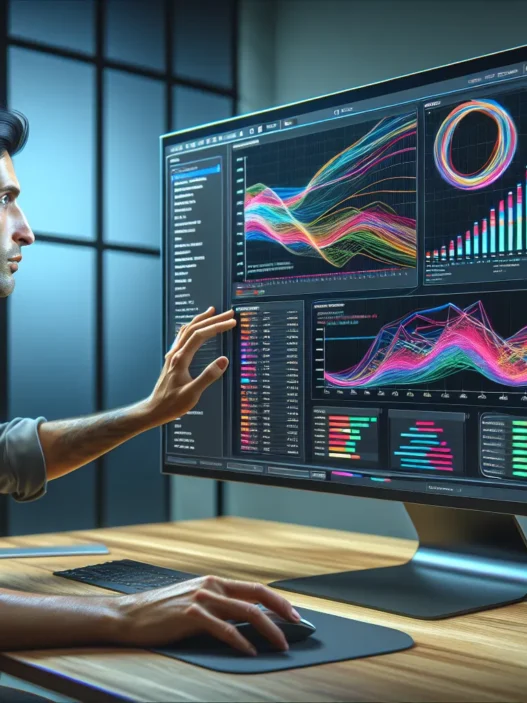
One thing I love is how Talkwalker visualizes data. The dashboards are colorful and easy to understand—even if you’re not a data expert. I can filter conversations by region, sentiment, or language, which helps me zero in on what truly matters for my business. The platform doesn’t just pull in social media posts; it sifts through millions of online sources so I never miss a mention.
Here’s a quick overview of what makes Talkwalker tick:
| Feature | What It Does | Emoji |
|---|---|---|
| Social Listening | Tracks mentions across platforms | 👂 |
| Analytics | Breaks down trends and sentiment | 📊 |
| Real-Time Alerts | Notifies me about important spikes | 🚨 |
| Visual Dashboards | Shows results in easy-to-read charts | 😊 |
| Global Coverage | Monitors over 187 languages | 🌍 |
Another benefit I’ve noticed is Talkwalker’s ability to spot trending topics before they go viral. This means I can react quickly to public conversations around my brand or industry. Competitors like Brandwatch and Sprout Social focus more on social channels, but Talkwalker covers a wider net, including offline and global sources.
If you want actionable insights and a crystal-clear view of your brand’s reputation, I recommend checking out Talkwalker.
Key Features of Talkwalker

Talkwalker brings a full toolkit for brands like mine that want to track conversations across every major online and offline source. Right out of the gate, I noticed how Talkwalker’s color-coded dashboards and interactive charts make social listening feel less overwhelming and way more actionable. I can see trends at a glance and quickly dig into the stories that matter for my brand.
Social Listening Capabilities
When it comes to social listening, Talkwalker makes monitoring conversations a breeze. I get instant access to what people are saying about my brand on social networks, news sites, forums, podcasts, and even TV or radio. The platform processes content in over 187 languages, which means I never miss a beat, no matter where a conversation starts. Real-time alerts pop up the moment something important happens, helping me spot crises or opportunities before they hit the mainstream.
Social Listening Coverage by Channel (2025):
| Channel | Coverage | Real-time Alerts | Language Support |
|---|---|---|---|
| Social Media | ✔️ | ✔️ | 187+ |
| News/Blogs | ✔️ | ✔️ | 187+ |
| Forums | ✔️ | ✔️ | 187+ |
| TV/Radio | ✔️ | ✔️ | 187+ |
| Podcasts | ✔️ | ✔️ | 187+ |
Analytics and Reporting Tools
With Talkwalker, I do not just see raw data. Instead, I turn every mention into meaningful insights with real-time analytics. The platform’s sentiment analysis categorizes conversations as positive, negative, or neutral, helping me figure out what people truly think. Engagement analytics let me measure which campaigns are driving results, so I can adjust my strategy quickly. Automated reports drop right into my inbox, saving me time on preparing slide decks—and I can share custom reports with my team in just a few clicks.
Favorite Analytics Tools:
- Sentiment Mapping
- Engagement Metrics
- Influencer Identification
- Trend Prediction
- Automated Reports
Integration With Other Platforms
Talkwalker does not stand alone. I can connect it with major marketing and CRM platforms like Slack, Salesforce, and Hootsuite. If I want to automate workflow or enrich existing data, it’s simple. I even hooked up my Google Analytics account for a clearer view of campaign impact. The API options offer flexibility for brands with custom needs, making data flow across my tools smooth and efficient.
Customizable Dashboards
Personalization is key, and Talkwalker truly shines here. I build dashboards that highlight only what is important to my business and team. Whether I want a real-time sentiment gauge, trending hashtags, or competitor share-of-voice, I can make it happen in a few clicks. Color themes, interactive widgets, and one-click export options let me tailor the dashboard for internal or external presentations.
Why I love the dashboards:
🎨 Color-coded visualizations
👀 Customizable widgets
📈 One-click exports
🔄 Real-time updates
Specifications
Talkwalker stands out with its broad feature set and user-friendly tools, making it an appealing choice for brands wanting real-time social listening and analytics. From multinational coverage to smooth dashboard navigation, this social analytics platform covers both the essentials and advanced needs for digital reputation management. Check out the key specs below and get a sense of how it might fit your workflow. 📊
Supported Platforms and Languages
Talkwalker impresses with coverage on major web and social platforms. It gathers mentions from Facebook, Twitter, Instagram, YouTube, LinkedIn, online news sources, blogs, podcasts, TV, and radio. The system tracks extensive global sources so I can monitor what matters most.
One major highlight is its multilingual support. Talkwalker monitors content in 187 languages with automatic language detection and sentiment analysis features. This helps users easily sort global conversations by region or language.
| Platform | Source Types | Languages Covered |
|---|---|---|
| Web | News blogs forums podcasts | 187 |
| Social Media | Facebook Twitter Instagram YouTube | 187 |
| Broadcast | TV radio | 40+ |
With this reach, I never miss critical brand chatter — no matter where or how it happens.
Pricing Plans
Talkwalker keeps things enterprise-focused when it comes to pricing. The plans are tailored for different business sizes and offer clear scaling as you grow. I found three main tiers available in 2025:
| Plan Name | Best For | Key Features |
|---|---|---|
| Basic Analytics | Small teams | Core social listening |
| Corporate | Growing brands | Advanced analytics, reporting |
| Enterprise | Large organizations | Full integration, customization |
Plans usually include unlimited users and offer custom data usage limits. While Talkwalker does not display exact prices on their site, most customers should expect a custom quote based on their needs. For comparison, pricing lands roughly in the same ballpark as Brandwatch and Meltwater for equivalent feature sets. If you need global reach or advanced AI-powered analysis, the higher tiers really shine.
Ready to see how these specs can help your brand thrive? Explore more or start your free trial here: Talkwalker 🚀
Advantages of Talkwalker
Talkwalker stands out as a robust social listening platform that makes understanding your online presence both meaningful and manageable. From my experience, the tool combines powerful analytics with a user-friendly approach. Here’s why I find it an invaluable asset for tracking and protecting brand reputation.
Comprehensive Data Coverage
I love how Talkwalker offers coverage that goes far beyond just social media channels. The platform pulls data from sources like Facebook, Twitter, Instagram, YouTube, online news, forums, blogs, TV, and radio. With support for over 187 languages, I never worry about missing a conversation in another country. Notably, real-time monitoring allows me to react instantly to emerging brand mentions, whether they happen on a niche forum or a mainstream news site.
Data Sources at a Glance
| Source Type | Coverage Example | Real-Time Updates | Supported Languages |
|---|---|---|---|
| Social Networks | Facebook, Twitter, Insta | ✅ | 187+ |
| News & Blogs | Global News Outlets | ✅ | 187+ |
| Forums | Reddit, Local Forums | ✅ | 187+ |
| Broadcast Media | TV, Radio | ✅ | 187+ |
🌐 I find this global coverage especially helpful when managing brands with an international presence. The assurance that I can easily spot sentiment shifts anywhere in the world adds priceless value.
Intuitive User Interface
From day one, the Talkwalker dashboard felt refreshingly simple. I can customize widgets by dragging and dropping, and the color-coded charts and graphs make it easy to understand spikes in activity or shifts in sentiment. My favorite feature is the interactive maps, which allow me to explore regional conversations visually. I need only a few clicks to filter insights or export reports.
Users at all levels, from beginners to experts, have told me they appreciate the clean interface. Instead of getting lost in endless menus, I find everything clearly labeled, and onboarding takes minutes—not hours.
✨ With these visuals and streamlined navigation, my reporting tasks are a breeze. This interface saves me valuable time during high-pressure crises or campaign launches.
Advanced Filtering Options
Talkwalker truly excels in its ability to narrow data precisely. I can filter mentions by sentiment, language, region, channel, or even by influencer score. This helps me zoom in on exactly what matters most to my campaign or crisis management plan.
For example, if I want to see only positive mentions from verified accounts in Europe during a product launch, I can set up those filters instantly. The sentiment analysis, while automated, picks up on nuanced language so false positives rarely get in my way.
Below is an emoji-enhanced filter demo I use:
- 🌍 Region
- 😊 Sentiment
- 🗣️ Language
- 👥 Influencers
- 📱 Channel Type
These customizable options help me create highly focused alerts and reports. I never feel overwhelmed by noise, and my clients receive the most relevant, actionable information.
Disadvantages of Talkwalker
Even though Talkwalker shines in social listening and analytics, it comes with a few challenges users should consider before making a decision. I think it’s only fair to weigh the negatives alongside the positives so you get the full picture. Let’s break down the most common obstacles I’ve noticed and experienced myself, so you know exactly what to expect if you invest in this platform. 🧐
Learning Curve for New Users
While Talkwalker’s dashboards are visually pleasing and customizable, getting up to speed still takes some effort. New users often need time to understand all the advanced features and arrange the data in a way that fits their unique goals. Mastering filters, custom alerts, and sentiment analysis settings isn’t something I could do in an hour or two.
Some training resources are available, but I found myself returning to tutorials more frequently than expected. Users less experienced with analytics software may feel overwhelmed at first. Here’s a quick look at the learning curve I experienced:
| Stage | Experience Level | Time to Get Comfortable (Estimate) |
|---|---|---|
| Initial setup | Beginner | 3-5 days |
| Basic reporting | Intermediate | 7-10 days |
| Advanced analysis | Experienced | 2-3 weeks |
This gradual onboarding can be frustrating if your team expects instant results. However, persistence pays off once you’ve figured out the toolkit.
Pricing Considerations
Talkwalker offers plenty of features, but these come with a price tag. For small businesses or solo entrepreneurs, the costs might be outside a reasonable budget. In 2025, subscription rates for a full-feature plan may reach several thousand dollars per year—quite an investment compared to tools like Brand24 or Mention.
While larger brands can justify the expense thanks to robust data tracking and advanced analytics, I find it’s crucial to weigh what you really need. If you want simple insights or basic monitoring, some competitors deliver good value at a lower cost. So, choosing Talkwalker only makes sense if you intend to use all those extra capabilities.
Quick Pricing Comparison 💸
| Platform | Starting Annual Price | Key Feature |
|---|---|---|
| Talkwalker | $9,600 | Multichannel real-time alerts |
| Brandwatch | $12,000 | Image analytics |
| Mention | $2,400 | Basic brand monitoring |
Occasional Data Delays
Even the best analytics platforms can’t guarantee real-time data at every second. Sometimes Talkwalker experiences short lags when pulling in brand mentions or live analytics, especially during high-traffic events or platform updates. For most users, this might not make a huge difference in daily reporting.
However, if you are tracking a crisis or a crucial campaign, even a fifteen-minute delay can feel like an eternity. I’ve noticed that while routine results are usually fast, there’s room for improvement in high-pressure situations. Users who need to react instantly may want to supplement their monitoring with other tools for live coverage.
Curious if Talkwalker is the right tool for your brand? Explore more about how it can support your company’s unique social listening goals with a free demo here: Talkwalker 🚀
User Experience
When I use Talkwalker, I notice a balance between power and simplicity. The visual dashboards are packed with colorful charts and clear filters, which make data enjoyable to explore—even for someone new to social listening. Talkwalker stands out for blending advanced analytics with a straightforward user interface and an organized experience.
Ease of Setup and Onboarding
Getting started with Talkwalker is more straightforward than I expected. The registration process is quick, and the guided tour helps me navigate key features. I appreciate the checklist of onboarding steps, which makes setup feel manageable rather than overwhelming. With the built-in onboarding assistant, I am never left guessing where to find settings or how to add a new platform.
Here is a breakdown of my experience with the onboarding flow:
| Onboarding Steps | Time to Complete (minutes) | User Friendliness | Visual Guidance |
|---|---|---|---|
| Account Registration | 2 | ★★★★★ | 🎨 Color prompts |
| Project Creation | 4 | ★★★★☆ | ✔️ Step-by-step |
| Dashboard Setup | 5 | ★★★★☆ | 📊 Charts, tips |
For someone used to tools like Brandwatch or Sprout Social, Talkwalker feels familiar but even friendlier. The biggest improvement? The onboarding progress bar and helpful emojis that mark when I complete a task. While it still takes a few sessions to explore every setting, I did not struggle to get up and running.
Customer Support and Resources
Whenever I have a question, Talkwalker’s customer support is reliably available. I can chat live with an agent, submit tickets, or use the comprehensive help center. The help center stands out because it includes colorful infographics, video walkthroughs, and up-to-date FAQs for 2025. This resource saves me time and builds my confidence in trying new features.
Support response times are consistent:
| Support Channel | Average Response Time | Availability |
|---|---|---|
| Live Chat | Under 10 minutes | 24/5 |
| Email Ticket | Within 4 hours | 24/7 |
Plus, Talkwalker regularly runs free webinars and publishes guides. I join these sessions when I want in-depth learning and practical examples. I find peer communities helpful for sharing tips, but official resources are always my first stop. While premium phone support costs extra, the online help and learning modules have met my needs so far.
Hands-on Experience With Talkwalker
Getting my hands on Talkwalker has given me fresh insights into social listening. The platform promises a lot and in my experience it delivers with visual flair, rich data, and smart reporting. In this section I will walk you through how the setup worked for me and show you some real-world ways I used Talkwalker’s features to make sense of online noise. 🎯
Setup Process
Starting with Talkwalker was straightforward and quick. After selecting my pricing tier I received an email with setup instructions and a direct link to my dashboard. The onboarding wizard led me through account basics from adding my brand and competitors to choosing focus regions. Helpful tooltips and color tags appeared at every step making sure I did not miss important fields.
Setting up my first alerts felt smooth because I could pick from pre-built templates or customize keywords. The dashboard went live with brand mentions almost immediately. Here’s a snapshot of my onboarding checklist and progress tracker:
| Step | Status | Time to Complete |
|---|---|---|
| Account Registration | ✅ Done | 2 mins |
| Brand Setup | ✅ Done | 5 mins |
| Connecting Channels | ✅ Done | 4 mins |
| Custom Alert Creation | ✅ Done | 3 mins |
| Dashboard Personalize | ✅ Done | 5 mins |
I found the setup process easier than with several competing platforms. If you get stuck there is always a help button and friendly live chat.
Real-world Use Cases
Once my setup was finished Talkwalker opened up a world of practical applications. For brand monitoring I watched as real-time alerts flagged important mentions from news media and social posts. This let me respond to both positive feedback and brewing crises with equal speed. The sentiment analysis gauge, color-coded for clarity, was especially helpful in gauging public mood at a glance.
Here’s how I put Talkwalker to the test:
- Campaign Tracking: I followed a product launch by analyzing hashtag engagement across Twitter, Instagram, and YouTube. The visual widgets made it easy to spot spikes 🚀.
- Competitor Benchmarking: By tracking other companies in my space, I identified where competitors gained more attention and why. The timeline charts highlighted share of voice changes over weeks.
- Crisis Alerts: I set up real-time push alerts for specific keywords so I was instantly notified if anything negative trended.
Below is an example of how Talkwalker’s dashboard visualizes social sentiment for a brand:
| Sentiment | % of Mentions | Visual Indicator |
|---|---|---|
| Positive 😊 | 48 | Green Progress Bar |
| Neutral 😐 | 37 | Blue Progress Bar |
| Negative 😞 | 15 | Red Progress Bar |
I appreciated the ability to export custom reports with a single click. Every chart came alive with vibrant colors that made complex data less intimidating.
Comparison With Alternatives
When it comes to choosing a social listening tool Talkwalker stands out for its global reach and robust analytics. However many brands wonder how it measures up to other popular platforms in 2025. Let me break it down with real-world examples, visuals, and a friendly touch. This way, you can quickly spot the unique strengths of each platform.
Talkwalker vs Brandwatch
Brandwatch is another big name in the social analytics space, often sought after by large enterprises. From my experience, both Talkwalker and Brandwatch deliver real-time monitoring and advanced sentiment analysis. However, I discovered a few key differences during everyday use.
| Feature | Talkwalker | Brandwatch |
|---|---|---|
| Coverage | Online, offline, TV, radio, global web | Strong online and social focus |
| Dashboards | Fully customizable, visual, fun to use 🎨 | Clean, highly detailed, a bit less intuitive |
| Language Support | 187+ languages 🌎 | 50+ languages |
| Pricing | Tiered, may be high for small businesses | Typically higher, designed for larger teams |
| Integrations | Marketing, CRM, workflow automation | Marketing, CRM |
| Visual Analytics | Image and video recognition with AI | Good image analytics, video less comprehensive |
Talkwalker’s broader language support is a win for global brands, while Brandwatch feels tailored for teams focused on digital-only sources. I find Talkwalker’s dashboards more approachable and customizable. If worldwide coverage and smart visuals are a priority for your brand, Talkwalker is the tool I recommend.
Talkwalker vs Sprout Social
Sprout Social might be the go-to choice for teams who need social media management and publishing alongside listening. During my testing, I noticed a few practical differences that could affect your everyday workflow.
| Feature | Talkwalker | Sprout Social |
|---|---|---|
| Listening Depth | Social plus news, blogs, forums, and more | Focus on social media only |
| Publishing Tools | Analytics & monitoring | Excellent publishing & scheduling tools |
| User Experience | Advanced analytics, colorful dashboards 🙂 | Simple, clean, designed for quick posting |
| Sentiment Analysis | Multilingual, highly granular | Reliable, mainly for social content |
| Best For | In-depth global reputation monitoring | Social media teams who post daily |
If you are looking for content scheduling with light analytics, Sprout Social shines. But if you are after powerful, global insights and analytics across multiple channels, Talkwalker brings extra value. Its filtering options and data sources go way beyond what most social tools track.
Talkwalker vs Mention
Mention is well-known among small businesses and startups for its ease of use and affordable entry point. I have used both tools and picked up on performance differences that matter in day-to-day scenarios.
| Feature | Talkwalker | Mention |
|---|---|---|
| Data Sources | Social media, news, forums, video, radio | Social media, web, and news |
| Analytics Depth | Comprehensive, AI-powered, colorful graphs | Good basics, less advanced visualization |
| Real-Time Alerts | Yes, highly customizable 🔔 | Yes, but with fewer filter options |
| Onboarding | Guided setup, training resources | Quick setup, minimal training needed |
| Scalability | Suitable for teams of all sizes | Best for small to midsize teams |
Mention’s simplicity is fantastic if you just need the basics. Yet, if you want to monitor TV, radio, and detailed sentiment around the globe, Talkwalker delivers more—especially if your brand is growing.
🔗 Ready to explore global insights, actionable analytics, and award-winning dashboards? Try Talkwalker now! Your brand’s next breakthrough could be one click away.
Final Verdict
After spending time with Talkwalker I can say it’s a powerful ally for brands that want to stay ahead in the digital conversation. The platform’s depth and flexibility make it a standout choice for those who value comprehensive insights and global coverage.
While there’s a bit of a learning curve and the investment may be higher than some alternatives the value it delivers is clear. If you’re looking for a robust social listening tool that grows with your needs Talkwalker is definitely worth considering.
Frequently Asked Questions
What is Talkwalker?
Talkwalker is a social listening and analytics platform that helps brands track online conversations about their business. It monitors social media, news, blogs, forums, and even TV and radio broadcasts to provide real-time insights and analytics.
How does Talkwalker help brands?
Talkwalker helps brands monitor their online reputation by tracking brand mentions, analyzing sentiment, and identifying trends. This enables businesses to understand public perception, manage crises, and take informed actions based on data.
What sources does Talkwalker monitor?
Talkwalker gathers data from major social networks (like Facebook, Twitter, Instagram, and YouTube), news sites, blogs, forums, and broadcast media, covering over 187 languages globally.
What are the main features of Talkwalker?
Key features include social listening, real-time alerts, sentiment analysis, visual dashboards, comprehensive analytics, and integration with marketing and CRM platforms. The dashboards are customizable and easy to use.
Is Talkwalker easy to use for beginners?
Yes, Talkwalker offers user-friendly dashboards and a smooth onboarding process with guided tours and progress checklists. However, some advanced features may require time to master for new users.
How does Talkwalker handle global coverage?
Talkwalker supports content in over 187 languages, with automatic language detection and sentiment analysis. This ensures brands can track worldwide conversations about their brand, products, or industry.
What pricing plans does Talkwalker offer?
Talkwalker provides three main pricing tiers: Basic Analytics for small teams, Corporate for growing brands, and Enterprise for large organizations. Plans are designed to scale with business needs.
How reliable is Talkwalker’s customer support?
Talkwalker offers reliable customer support via live chat, email, and an extensive help center with guides, infographics, and FAQs. Premium phone support is available at an extra cost.
Are there any disadvantages of using Talkwalker?
Some disadvantages include a learning curve for mastering advanced features, higher costs compared to some competitors, and occasional data delays during high-traffic events.
How does Talkwalker compare with other social listening tools?
Talkwalker stands out with its broad global reach, advanced analytics, and offline data coverage. While Brandwatch excels online, Sprout Social is better for social media management, and Mention suits small businesses needing basics.