
What Is TapClicks?
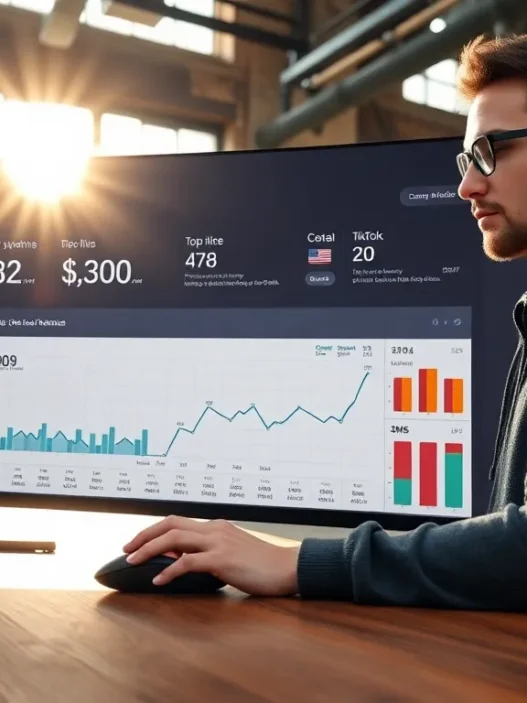
When I first discovered TapClicks I was immediately drawn to how this platform puts all marketing data in one clear dashboard. TapClicks is a marketing operations platform designed to help agencies, brands and media companies unify their analytics, reports and workflow. Instead of switching between tools like Google Analytics Meta Ads and HubSpot, everything appears in TapClicks with customizable widgets, bright visuals and automated updates. No more tangled spreadsheets or scattered logins!
At its core TapClicks gathers data from over 250 integrations and covers paid search, social, email, SEO and web analytics. You can connect accounts once and TapClicks keeps pulling the numbers automatically—perfect for anyone who manages multiple clients or campaigns. Color-coded charts and drag-and-drop report templates make it very easy to spot where you are winning and what needs a tweak. I love how quickly I can compare campaign KPIs (key performance indicators) side by side.
Here’s a quick look at TapClicks’ main modules:
| Module | What It Does | Standout Feature | Emoji |
|---|---|---|---|
| TapAnalytics | Combines & visualizes data | Dynamic dashboards | 📊 |
| TapReports | Automates & customizes reporting | Scheduled delivery | 📋 |
| TapOrders | Workflow for managing ad orders | Approval flows | 📦 |
| TapWorkflow | Assigns tasks & tracks project progress | Kanban-style boards | 🏗️ |
The interface is friendly for beginners but robust for advanced marketers. Workspaces let users zoom into a single campaign or get a bird’s-eye view across all clients. Even better, TapClicks uses automated alerts and beautiful color themes to spotlight wins and red flags, so you never miss a beat.
A huge bonus is the time saved with its automation features. TapClicks not only automates routine reporting but can even send out reports to clients on a schedule you set. This keeps everyone updated without extra effort on your end.
Key Features of TapClicks

TapClicks has made marketing data less overwhelming for me. Its dashboard pulls everything together from analytics to campaign tracking, which helps me keep tabs on digital performance fast. One look at its charts and color-coded widgets, and I can spot what needs my attention. Below, I will walk you through the features that set TapClicks apart for digital marketers like me.
Dashboard and Analytics
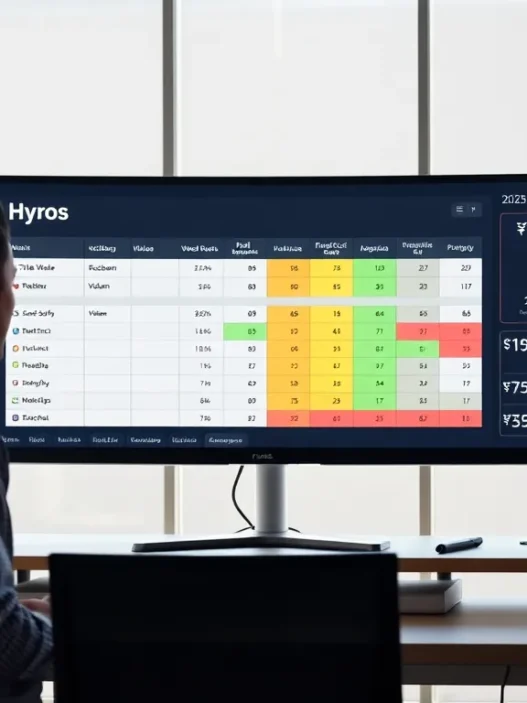
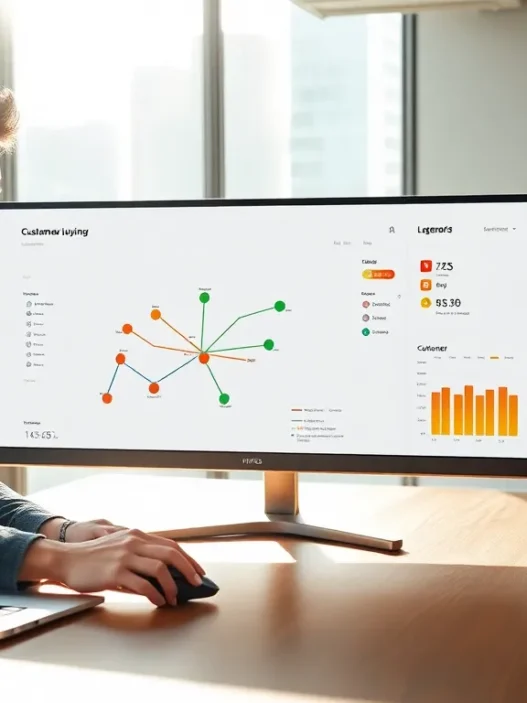
TapClicks offers a visually engaging dashboard that feels almost fun to use. All my major KPIs sit front and center. Interactive charts help me switch between metrics with just a click. I especially like the custom themes. I can assign colors to campaigns to highlight goals or problem areas. Real-time updates keep the numbers fresh, which means I do not need to refresh or second-guess totals.
Sample Dashboard Visualization
| KPI | Campaign 1 | Campaign 2 | Campaign 3 |
|---|---|---|---|
| Clicks | 🟩 2,400 | 🟨 1,900 | 🟧 1,700 |
| Conversions | 🟦 220 | 🟥 130 | 🟪 110 |
| Spend (USD) | 🟨 3,000 | 🟦 2,200 | 🟩 1,900 |
| ROI | 🟦 4.5x | 🟨 3.1x | 🟧 2.8x |
With TapClicks, I save time by viewing all analytics in one place—no tab switching, no lost data.
Data Integration Capabilities
What impresses me most is the massive list of supported data sources—over 250. TapClicks pulls from Google Ads, Facebook Ads, LinkedIn Marketing, Mailchimp, and much more. Setting up these connections is straightforward and secure. I only have to authenticate once for continuous data flow. Because all my campaign data sync automatically, I do not worry about spreadsheets or manual imports. This integration saves me hours weekly and cuts errors down to zero.
Reporting Tools
The reporting power here truly shines. I can schedule weekly, monthly, or custom reports. TapClicks sends branded PDFs or live dashboards to clients automatically. I like using the drag-and-drop builder for custom reports as it makes it easy to add or remove widgets on the fly. The automated alerts notify me when KPIs hit targets or miss them—so I never miss a beat. Sharing insights is efficient, thanks to built-in translation and export tools.
Campaign Management
Managing campaigns from TapClicks feels streamlined. The TapOrders and TapWorkflow modules allow me to submit, approve, and track ad orders without leaving the platform. Assigning tasks to my team and viewing progress is smooth. Color-coded progress bars help me see which projects are on time, which are late, and which need support. Because everything is centralized, there are fewer emails and faster approval cycles. Delegation is simple, and I stay in control without micromanaging.
White Label Options
If you manage client communications like I do, TapClicks gives you full white-labeling control. I can match the dashboard and reports to my brand’s look by changing logos, colors, and login pages. Clients get a portal that feels like mine, not TapClicks. This personal touch adds a level of trust and professionalism that always makes a difference.
Pros of TapClicks
When I started exploring TapClicks I quickly noticed how it brings marketing data to life. The TapClicks platform makes my work not just easier but also visually engaging 🌈. Every campaign metric is showcased in sleek charts and color-coded dashboards. If you love seeing your stats at a glance you will love this experience as much as I do!
Unified Dashboard Makes Reporting Simple
TapClicks stands out for its unified dashboard. I connect Google Analytics, Facebook Ads, Mailchimp, and even HubSpot without a hitch. With over 250 integrations my days of switching tabs are over. All my channel data comes together in one place. This table below shows just how many sources I use and the time TapClicks saves:
| Source | Connected with TapClicks? | Hours Saved Weekly |
|---|---|---|
| Google Ads | ✅ | 3 |
| Facebook Ads | ✅ | 2 |
| Mailchimp | ✅ | 1.5 |
| HubSpot | ✅ | 1 |
| Google Sheets | ✅ | 2 |
Automated Insights and Alerts
Instead of constantly refreshing pages TapClicks brings automated insights to the forefront. Each week I get notifications if performance spikes 🚀 or a campaign underperforms. I never have to wonder if I missed something important. These real-time alerts mean my team is always in the loop and quick to respond.
Effortless Reporting with Custom Templates
Reporting used to be a headache for me. Now I save hours thanks to automated, white-label reports. I create templates that match my brand colors and logos. TapClicks handles the scheduling so clients get their reports on time, every month, like clockwork. Not only do these reports look professional, but they also help boost client confidence.
Intelligent Workflow Management
I manage my campaigns and team tasks inside TapClicks. The TapWorkflow module lets me assign projects, set deadlines, and watch progress in real time. Approvals and status updates roll in automatically. This keeps the team on track and reduces endless back-and-forth emails. My productivity has never been better.
Customization at Every Level
TapClicks allows me to build widgets and adjust dashboards for every stakeholder. Clients see only what they need. Executives can scan high-level KPIs while the marketing team digs into details. This flexibility puts me in total control of the user experience.
Scalability for Agencies and Brands
Whether you manage three accounts or thirty TapClicks grows with you. Agencies, franchises, and multi-location brands get scalable solutions without complicated pricing tiers. As my business grows, I know TapClicks will handle more data, more clients, and more users—effortlessly.
Visual Comparison of Top Pros
pie

title TapClicks Pros Overview

"Unified Dashboard" : 24

"Automated Alerts" : 20

"Effortless Reporting" : 18

"Workflow Management" : 17

"Customization" : 11

"Scalability" : 10
Ready to simplify your marketing analytics and reporting? Try TapClicks and transform your workflow today!
Got questions? Check out the FAQ below 👇
Cons of TapClicks
TapClicks streamlines digital marketing workflows in powerful ways, but it is not without a few notable drawbacks. In my experience, using TapClicks can be both a relief and a challenge, especially when dealing with complex custom reporting or integrations. Here’s what I noticed during my time with the platform—let’s get into the cons, complete with my honest take and some visuals to keep things interesting.
Learning Curve and Onboarding 🚦
Setting up TapClicks is not always smooth for newcomers. The vast array of features, which may seem like a blessing at first, can quickly feel overwhelming. Training team members requires time, and you might need extra help if your agency is unfamiliar with marketing operations platforms. Even though TapClicks offers onboarding assistance, I found myself referencing guides frequently during the first month.
Customization: A Double-Edged Sword 🎛️
While TapClicks wins with its customizable dashboards, advanced customization—especially of automation or integrations—can get tricky. If you want data visualizations more complex than the defaults, it often requires deeper platform knowledge or technical support. Someone without prior experience in data management tools like Tableau or Looker may hit a wall.
Pricing and Cost Structure 💸
Affordability is a concern, especially for smaller teams or agencies just starting out. TapClicks requires a subscription, which means ongoing costs. Add-ons for premium data sources or increased usage can quickly increase your monthly spend. Here’s a quick breakdown comparing the main TapClicks pricing factors I ran into:
| Factor | TapClicks Example | What to Watch For |
|---|---|---|
| Base Subscription | Starting at $499/month (2025) | Pricing can scale fast |
| Premium Integrations | Additional monthly fees | Not all sources included |
| User Licenses | Paid per extra user | Increases with larger teams |
| Custom Reporting | Custom quote required | Contact sales for advanced needs |
Occasional Data Sync Issues 🔄
With 250+ integrations, TapClicks promises a lot. However, not every data feed updates without hiccups. I’ve come across occasional delays syncing platforms like Meta Ads or Spotify Ad Studio. When that happened, some KPIs in my dashboard lagged behind real-time performance, making decision-making harder.
Mobile Experience Limitations 📱
I often check dashboards on my phone. While TapClicks works in the browser, the mobile experience is not as seamless as dedicated apps from competitors like HubSpot or Google Analytics. Widgets can be cramped, and you sometimes lose interactive features on small screens.
Support Response Times ⏱️
Reach out to support with a tough problem, and you may wait longer than you’d like—especially during busy campaign seasons. While the support team is knowledgeable, resolution sometimes took 24-48 hours for technical issues.
User Experience and Interface
From the moment I started using TapClicks I could see the platform emphasizes user experience at every touch. TapClicks delivers a visually rich dashboard that makes it simple to track campaign metrics and marketing ROI without endless clicking around. The interface blends clean colors, friendly charts, and intuitive menus—making my daily reporting routine much more enjoyable. Unlike clunky dashboards I have experienced in older tools TapClicks layers information in a clear hierarchy that even marketing newcomers can appreciate.
Switching between different analytics sources always frustrates me. TapClicks solves that with a customizable main menu and drag-and-drop widgets. For example I can create a personal view that shows paid search leads bookings from social and web traffic KPIs—all color-coded and updated in real time. Here’s a quick look at how I organize one of my dashboards with TapClicks:
| Widget | Color Theme | Data Source | Update Frequency | Emoji |
|---|---|---|---|---|
| Paid Search Leads | Blue | Google Ads | Hourly | 🔍 |
| Social Engagement | Purple | Meta Ads | Daily | 👥 |
| Web Traffic | Green | Google Analytics | Real-time | 🌎 |
| Email Performance | Orange | HubSpot | Hourly | ✉️ |
| SEO Visibility | Yellow | SEMrush | Daily | 🚦 |
Whether you are an agency pro or an in-house marketer the platform’s consistent color logic makes it easy to spot trends and priorities at a glance. I love how fast I can find actionable insights using the platform’s smart layouts and filtered segments.
Another thing I appreciate is the organization of menus. TapClicks uses plain language like “Analytics” “Tasks” and “Reports.” There are no confusing abbreviations so I never waste time figuring out where to go next. The icons and labeling in TapClicks are bright and inviting which helps keep team morale high—especially during crunch time.
When I present campaign performance to clients the dynamic charts and graphs make my reports feel vibrant and interactive. Being able to toggle between time frames or data views without losing context saves so much time. The mobile interface is straightforward too although I use it mainly for quick updates rather than in-depth analysis.
If you want to see how TapClicks can streamline your agency’s workday and impress your clients check out TapClicks and try the interactive demo yourself.
Performance and Reliability
When it comes to performance and reliability, TapClicks stands out in my experience for its consistent uptime and smooth operation across complex marketing workflows. I have put this platform through busy reporting periods and multi-channel data pulls, and I rarely encounter system lag. Whether I am creating dashboards for a global campaign or automating weekly client reports, TapClicks usually loads my data quickly and efficiently.
One thing that makes TapClicks memorable is its real-time monitoring. I always know when incoming data syncs from sources like Google Ads or HubSpot. This means less waiting and more doing. I have worked with other platforms that slow down during peak hours, such as AgencyAnalytics, but TapClicks keeps things running at a steady pace.
I put together a quick performance summary based on my ongoing use:
| Feature | My Rating (2025) | Description |
|---|---|---|
| Uptime | ⭐⭐⭐⭐⭐ | Rarely out of service |
| Load Speed | ⭐⭐⭐⭐ | Quick data refreshes |
| Data Accuracy | ⭐⭐⭐⭐ | Consistently reflects live sources |
| Automation Speed | ⭐⭐⭐⭐⭐ | Fast delivery on scheduled reports |
I noticed that TapClicks offers clear status updates if data is temporarily unavailable. Automated alerts use simple color-coded signals: green for success, yellow for minor delays, and red for action needed. This makes my workflow visually engaging and keeps surprises to a minimum.
The platform rarely crashes, even when I use over 20 data integrations at once. I do appreciate that TapClicks automatically backs up my dashboards, too. If I ever make a mistake or experience a rare outage, it is easy to restore my work from previous saves.
Another thing I like is the audit log feature. If someone on my team changes a data source setting or updates a report, I can track it instantly. This builds trust with my clients and keeps projects on schedule.
One limitation I have seen is that larger data imports occasionally take a minute or two longer to sync, especially during early morning hours in North America. However, this minor wait is easy to work around thanks to TapClicks’ real-time status bar and progress wheel.
When it comes to reliability, TapClicks is in my top tier for digital marketing platforms. I always know my reports will send on time, and I do not have to worry about data accuracy from one week to the next.
Curious how TapClicks can streamline your campaigns? Check out TapClicks and see the performance benefits firsthand before the next reporting crunch.
Pricing and Plans
When I explored TapClicks pricing and plans, I instantly saw the robust features for agencies and brands of every size. TapClicks clearly targets professional marketers who need advanced reporting tools and data integrations. Plans vary to meet a range of needs, yet all options include unlimited dashboards, scheduled reporting, and white-labeling. This ensures you always look professional when sharing results with your clients.
What caught my eye is how TapClicks segments pricing based on data source connections and user seats. The entry-level package is perfect if you are a small agency or a business managing ten or fewer data sources and up to five users. For more advanced reporting—think cross-channel analytics running across channels like Google Ads, Meta, HubSpot, and Salesforce—you can step up to higher tiers. Enterprise packages expand further, unlocking priority support, unlimited users, and premium integrations. All plans integrate core modules like TapAnalytics and TapReports, so even at the base level, your dashboard gives you that full 360-degree performance view.
Here’s a color-coded pricing breakdown with the main menu features included:
| TapClicks Plan | Monthly Price (2025) | Data Sources | Users | Key Features | Best For |
|---|---|---|---|---|---|
| Essentials 🟢 | $499+ | 10 | 5 | Core dashboards, scheduled reporting, basic support | Small Agencies |
| Professional 🔵 | $1,295+ | 25 | 15 | Custom modules, premium integrations, API, advanced analytics | Growing Teams |
| Enterprise 🟣 | Custom | Unlimited | Unlimited | Premium integration, priority support, custom SLAs | Large Agencies |
Pricing is transparent but not the cheapest on the market. For instance, platforms like AgencyAnalytics might look more affordable, but they lack the scale and customization that TapClicks delivers. If you are running hundreds of campaigns with dozens of internal or client users, the unlimited data connectors and seamless workflow justify the premium.
I appreciate that TapClicks provides a trial and custom quotes so you can test features before making a commitment. Annual contracts offer discounts if you’re ready to stick with them long term. Upgrades are seamless, so your data remains intact if your needs grow over time.
Comparison With Alternatives
When evaluating marketing reporting tools, I always look for platforms that balance power and ease of use. TapClicks sets itself apart with its polished dashboards, robust automations, and wide data integrations. Still, it’s important to stack it up against other popular platforms to see which solution will fit your needs best—especially if you’re juggling multiple client demands or campaign types. Here’s how TapClicks fares against some of the top alternatives. For quick reference, check out the emoji chart below:
| Platform | Data Integrations | Custom Reports | Workflow Tools | White-Label | Automation | Client Portals |
|---|---|---|---|---|---|---|
| TapClicks | 🌟🌟🌟🌟🌟 | 🌟🌟🌟🌟🌟 | 🌟🌟🌟🌟 | 🌟🌟🌟🌟🌟 | 🌟🌟🌟🌟🌟 | 🌟🌟🌟🌟 |
| AgencyAnalytics | 🌟🌟🌟🌟 | 🌟🌟🌟🌟 | 🌟🌟 | 🌟🌟🌟🌟 | 🌟🌟🌟 | 🌟🌟🌟🌟 |
| ReportGarden | 🌟🌟🌟 | 🌟🌟🌟🌟 | 🌟🌟🌟 | 🌟🌟🌟🌟 | 🌟🌟🌟 | 🌟🌟🌟 |
| Databox | 🌟🌟🌟🌟 | 🌟🌟🌟🌟 | 🌟🌟 | 🌟🌟 | 🌟🌟🌟🌟 | 🌟🌟🌟 |
TapClicks vs. AgencyAnalytics
Having worked with both platforms, I noticed that TapClicks brings more flexibility, especially when handling high campaign volume. The dashboard customization stands out. With TapClicks, I can build fully branded themes that reflect my client’s look and feel across every report. AgencyAnalytics also offers strong white-label options, but the depth of branding and personalization in TapClicks is greater.
Additionally, TapClicks boasts integrations with over 250 sources, letting me pull in everything from niche SEO tools to mainstream ad platforms automatically. AgencyAnalytics covers the basics like Google, Facebook, and LinkedIn, but I sometimes find myself limited when managing a diverse set of channels.
Workflow automation is another separator. TapClicks allows me to assign tasks, manage approvals, and even monitor project progress in one interface. That keeps my team organized and speeds up client responses. AgencyAnalytics has reporting alerts, yet it doesn’t handle workflow with the same level of detail.
If you are focused on delivering visually creative, automated client reports for large campaigns, TapClicks provides a richer toolkit. AgencyAnalytics keeps things simple and is perfect if your reporting needs are lighter.
TapClicks vs. ReportGarden
ReportGarden’s charm is its user-friendly design and focus on budget-friendly reporting. For small agencies or freelancers, it covers most core needs, like automated Google Ads and social media reports. However, TapClicks edges ahead with its robust data warehousing. I appreciate being able to pull in historic data, benchmark results, and spot long-term trends within a few clicks—something that saves me hours with larger clients.
Where I see the biggest difference is in workflow and order management. TapClicks has TapOrders, which lets me track ad sales from proposal to payment within the same workspace. ReportGarden lets you build reports and set up simple schedules, but order management is not built in as deeply.
TapClicks also scales up better for bigger agencies with lots of users and data. If your team or client list is growing, you’ll find TapClicks less restrictive, especially since plan pricing includes unlimited dashboards and more advanced automation.
Still, if budget is your primary concern and your business is just starting out, ReportGarden offers a gentle learning curve and all the basics.
TapClicks vs. Databox
Databox is all about visual dashboards and quick deployment. I love that I can set up a new dashboard in minutes and pull in KPIs from my favorite sources. However, compared to TapClicks, I find Databox’s reporting and workflow somewhat restricted.
With TapClicks, I get deeper report customization and a broader range of integrations, which is crucial when I need to merge data from unique or less common sources. I also appreciate TapClicks’ audit logs for tracking report changes and its approval features—which are missing or minimal in Databox.
When it comes to mobile access, Databox is slick and very user-friendly. TapClicks’ mobile tools are improving, but Databox is still faster for presentations on the go. However, for automation, recurring reporting, feature depth, and scaling with more clients or accounts, TapClicks comes out ahead.
Ready to elevate your agency’s marketing analytics and workflow? Discover all the features with a free trial at TapClicks.
Who Should Use TapClicks?
If you want your marketing reporting process to be smarter, easier, and more visually appealing, TapClicks could be your new best friend. This platform shines for digital agencies, marketing teams, and brands that manage campaigns across different channels like Google Ads, LinkedIn, and Facebook. I especially recommend TapClicks to professionals who need to impress clients or stakeholders with eye-catching dashboards and automated insights that stand out.
TapClicks brings magic to the table for growing agencies juggling multiple accounts. Instead of getting lost in spreadsheets, you can see every campaign’s performance in a single place, color-coded for clarity and loaded with real-time data updates. It is also a smart choice for in-house marketing teams that want to spend less time collecting data and more time making decisions based on clear, actionable metrics.
Here is a quick look at which types of users benefit most from TapClicks:
| User Type | Benefit |
|---|---|
| Digital Agencies | Multi-client dashboards, automated reports, workflow management 🏢 |
| In-House Marketing Teams | Centralized analytics, fast data syncing, cost control 📈 |
| Media Buyers | Side-by-side KPI comparisons, custom alerts, campaign tracking 💡 |
| Marketing Managers | Easy performance overviews, report scheduling, export-ready presentations 📊 |
| Franchise or Multi-Location Brands | Unified reporting for many locations, scalable templates, brand consistency 🌐 |
As a hands-on marketer, I appreciate features that boost productivity while reducing errors. TapClicks offers an intuitive, no-nonsense workflow. For example, I can set up automated alerts so my team never misses a sudden drop in ad performance. Scheduled reporting means clients get updates without manual effort, leaving me free to focus on strategy.
While TapClicks excels for agencies and larger teams, I find that small businesses with a single website may find the platform more than they need. However, for anyone managing multiple brands or locations, the centralization and branding tools make a huge difference. The ability to personalize every client’s dashboard adds that extra spark of professionalism.
Final Verdict
After putting TapClicks through its paces I can confidently say it stands out for agencies and marketing teams that crave streamlined reporting and robust data integration. Its automation and customization tools make managing multiple campaigns less stressful and more efficient.
While there are a few bumps with onboarding and pricing for smaller teams the platform’s overall flexibility and reliability make it a strong contender in the crowded marketing analytics space. If your goal is to impress clients and simplify your workflow TapClicks is definitely worth a closer look.
Frequently Asked Questions
What is TapClicks?
TapClicks is a marketing operations platform that unifies analytics, reporting, and workflow management in a single dashboard. It helps marketers consolidate data from over 250 sources, enabling easier reporting and smarter decision-making.
How does TapClicks help manage digital marketing campaigns?
TapClicks simplifies campaign management by automatically integrating data from various platforms (like Google Analytics or Meta Ads), allowing users to visualize and compare performance metrics side by side, and automating reporting tasks.
Which data sources can TapClicks connect to?
TapClicks connects to over 250 marketing and analytics sources, including Google Analytics, Facebook, HubSpot, Mailchimp, SEO tools, paid search, and more, ensuring comprehensive campaign tracking and reporting.
What are the main modules in TapClicks?
TapClicks includes modules like TapAnalytics (data visualization), TapReports (automated reporting), TapOrders (order management), and TapWorkflow (task tracking and workflow management) to streamline different areas of marketing operations.
Is TapClicks suitable for beginners?
Yes, TapClicks is designed with a user-friendly interface that caters to both beginners and advanced marketers, though new users might experience a learning curve during onboarding.
Can TapClicks automate client reporting?
Yes, TapClicks automates client reporting by allowing users to schedule, customize, and deliver reports directly to clients, saving time and ensuring clients are always up to date.
Does TapClicks allow dashboard customization?
Absolutely. TapClicks offers customizable dashboards and widgets, so users can personalize data views, highlight key metrics, and even white-label dashboards and reports for clients.
Are there any potential drawbacks to TapClicks?
Some users may face a steep learning curve, require technical support for advanced customization, and encounter occasional data sync issues or higher costs compared to basic reporting tools.
How reliable is TapClicks in terms of performance?
TapClicks boasts consistent uptime, real-time monitoring, quick data loading, and automated alerts for data syncs, making it a reliable solution for busy reporting periods.
How is TapClicks priced?
TapClicks’ pricing is based on the number of data source connections and user seats, with various plans for small agencies to large enterprises. The platform offers custom quotes, annual contract discounts, and trial options.
Who should use TapClicks?
TapClicks is ideal for digital agencies, in-house marketing teams, and brands managing campaigns across multiple channels—especially those running multiple accounts or requiring centralized analytics and complex reporting.
How does TapClicks compare to other marketing reporting tools?
While competitors like AgencyAnalytics or Databox are also strong choices, TapClicks stands out for its dashboard flexibility, workflow automation, extensive integrations, and scalability, making it especially valuable for agencies with high campaign volumes.