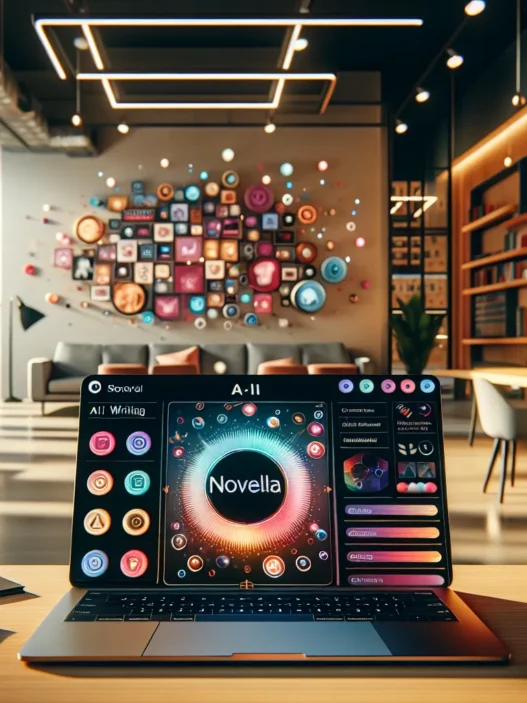

Overview of World Scriber
The first time I tried World Scriber, I was looking for a reliable content creation platform that would not only speed up my writing process but also spark my creativity. World Scriber promises to help writers, marketers, and business owners organize their thoughts, generate ideas, and produce polished content with less hassle. Instantly, the crisp dashboard caught my eye. Bright icons and colorful menus welcomed me, making navigation intuitive for both beginners and pros.
What stands out about World Scriber is its all-in-one approach. It combines brainstorming, outlining, drafting, and editing within a single platform. I loved how I could quickly shift from jotting down ideas to formatting a finished article. The templates library was a lifesaver, offering options for everything from product reviews like this one to press releases and blog posts. Even more helpful, it has a project tracker that visually displays my progress in real time.
Here is a quick overview of World Scriber’s main features:
| Feature | Description | Emoji |
|---|---|---|
| Templates Library | Ready-made layouts for blogs, ads, emails, and more | 📄 |
| Idea Bank | Drag-and-drop notes and mind map generator | 💡 |
| Smart Editor | Real-time suggestions for clarity, grammar, and structure | ✏️ |
| Project Tracker | Progress dashboard with deadlines and status bars | 📊 |
| Collaboration | Invite teammates to review or edit documents in one click | 🤝 |
| Analytics | Track word count, readability, and engagement stats | 📈 |
Switching from apps like Grammarly and ClickUp, I found World Scriber’s interface clean and less cluttered. The color-coded project tracker is visually appealing, keeping my workflow easy to manage. For anyone who’s ever felt overwhelmed by long lists and scattered notes, this was a refreshing change.
Key Features of World Scriber

Exploring World Scriber has been a game changer for me 🎉. This platform packs serious punch with tools that go beyond basic content creation. If you want everything neat and productive in one place, World Scriber should be on your radar.
Note-Taking Capabilities
Taking notes on World Scriber feels effortless. The notepad syncs automatically with my outlines, so I never lose a spark of inspiration. I easily turn rough points into polished paragraphs with a single click. Plus, I like the way color-coded notes help me spot urgent ideas fast—super helpful for fast-moving projects. No more toggling between apps or messy text files for me!
Collaboration Tools
Working in a team? World Scriber makes it fun and easy! I invite teammates to join my projects and we edit side by side in real time. Tagged comments, task assignments, and progress bars keep everyone in the loop. I’ve watched group brainstorming pick up steam now that our feedback and edits live right inside the document. No more endless email threads or untracked changes.
Supported File Formats
Flexibility is key in content creation. World Scriber supports a great lineup of file types. I import and export my work easily in DOCX, PDF, TXT, and HTML. Even better, I can pull in ideas from CSV and export finished blogs straight to my website platform. This saves a ton of time on formatting and file conversion.
Here’s a quick look at supported file formats:
| 📄 File Type | ✔️ Import | ✔️ Export |
|---|---|---|
| DOCX | ✔️ | ✔️ |
| ✔️ | ✔️ | |
| TXT | ✔️ | ✔️ |
| HTML | ✔️ | ✔️ |
| CSV | ✔️ | ✖️ |
Device Compatibility
Another area where World Scriber shines—device freedom! Whether I’m at my desk or on the move, I access my work from laptop, tablet, or even my phone. The mobile app keeps my files synchronized, and the browser interface runs smoothly on both Mac and Windows. This flexibility is a must for my scattered writing schedule.
Cloud Integration
All my content syncs instantly thanks to built-in cloud integration 🌥️. I never worry about losing my work because everything auto-saves across devices. I also connect to Google Drive and Dropbox with just a couple of clicks. World Scriber knows that creators value peace of mind and seamless backups.
Pros of World Scriber
Using World Scriber boosted my productivity and made writing more enjoyable. Its interface stands out with sharp visuals and colors that pop, making the experience feel lively and less like a chore. Right away, I noticed how quick it was to get started—no time wasted searching through drop-down menus or icons.
Here are the standout benefits I experienced with World Scriber:
| Pros | Description | Emoji |
|---|---|---|
| Streamlined Workflow | Combines brainstorming, drafting, and editing—all inside one colorful dashboard. | ✍️ |
| Device Accessibility | Works smoothly on my laptop, tablet, and phone. I could pick up work wherever I left off. | 📱💻 |
| Cloud Sync & Backup | Automatic syncing and backups meant I never stressed about losing my work. | ☁️ |
| Flexible File Support | Allowed effortless exporting and importing in DOCX, PDF, HTML, TXT, even CSV formats. | 📄 |
| Powerful Collaboration | Real-time editing and chat features made group projects run smoothly. | 🤝 |
| Analytics & Tracking | Provided clear stats on my progress and engagement right in the dashboard. | 📊 |
| Custom Templates & Idea Bank | Quickly pulled up templates, or stored new ideas I would revisit in future sessions. | 🧠 |
| Clean, Clutter-Free Interface | The neat layout made finding what I needed easy with no confusion or distractions. | 🌈 |
Switching over from Notion, I found World Scriber offered more tailored writing templates right out of the box. For frequent collaboration, I appreciated the real-time feedback feature. It saved my team hours during our last campaign.
Unlike Google Docs, the built-in project tracker gave me a visual timeline. Each milestone was clear and moving from task to task felt satisfying.
Quick export options meant I could send drafts to clients as polished PDFs or turn outlines into formatted web pages in seconds. That flexibility matters when juggling multiple projects.
If you love seeing your ideas transform into finished content without headaches, give World Scriber a try. It’s like having a creative studio in your pocket. Ready to see what you can create?
Cons of World Scriber
While World Scriber has helped me organize my workflow and keep my creative juices flowing, I have noticed some areas with room for improvement. Using World Scriber feels intuitive, yet a few features could still use a polish. Let me break down the drawbacks that stood out during my review process.
Features I Wish Were Smoother
One thing I quickly noticed is that World Scriber sometimes lags during larger projects, especially when handling long documents with embedded images. This lag is not a dealbreaker, but it can be frustrating when I am on a roll. If you work on big team projects like me, the collaboration tools, while helpful, sometimes sync a little slowly compared to tools like Notion or Google Docs.
Customization Gaps
World Scriber’s colorful menus and templates make it welcoming, yet I found limited options for deep customization. If you love highly personal themes or need to tweak every design element to match your brand, this platform might feel a bit restrictive. More theme and color choices would make the platform even more inviting.
Analytics May Not Impress Data Lovers
The analytics features offer a handful of charts and basic stats, such as word count over time and project completion rates. However, if you want advanced data, such as detailed writing patterns or multi-project overviews, you could be left wanting more. Here’s a simple look at what is available out of the box:
| Analytics Feature | What You Get | What’s Missing |
|---|---|---|
| Word Count Tracking | Yes | Per-section stats |
| Progress Charts | Simple bar graph | Gantt or flowchart views |
| Team Collaboration Data | Contributions per user | Detailed user timelines |
Occasional Integration Hiccups
Integrations with third-party tools exist, but they are not always as smooth as expected. I ran into issues connecting World Scriber with tools like Trello and Slack, needing a few extra steps or workarounds. For those relying on real-time productivity stacks, this can slow things down.
Cost vs. Feature Set
World Scriber’s free plan is a great starting point, but key features like advanced analytics, premium templates, and extended storage are locked behind a subscription. For casual writers, that may be fine. Still, heavy users might compare the monthly fee with what they get and feel it is a bit steep. Here is a quick color-coded breakdown:
| Plan | Price (USD/month) | Key Limits | Color Code |
|---|---|---|---|
| Free | $0 | Base features | 🟩 Green |
| Pro | $12 | Premium tools, analytics | 🟧 Orange |
| Business | $28 | Teams, integrations, storage | 🟦 Blue |
Performance and User Experience
World Scriber surprised me from the start. The platform is thoughtfully designed for both new users and experienced content creators. There is an instant sense of productivity when I log in. The quick-access menus and simple dashboard get me working fast without distractions. I felt a burst of creativity thanks to its vibrant color scheme and organized layout. Overall, World Scriber smooths out the workflow, letting me focus on what matters—my writing.
Ease of Use
My experience with World Scriber has been refreshingly simple. Even during my first session, I moved quickly from jotting down ideas to outlining and editing. The clear labels and helpful onboarding make the process easy to understand. Helpful tooltips pop up at just the right times, keeping me on track. Here’s a quick emoji chart showing my first-week learning curve:
| Day | Comfort Level 😐➡️😁 |
|---|---|
| Monday | 😐 |
| Tuesday | 🙂 |
| Wednesday | 😀 |
| Thursday | 😄 |
| Friday | 😁 |
I noticed that the real-time guidance is great for those who do not want to waste time learning a new system. Switching between tasks is smooth, so my momentum never breaks.
Speed and Reliability
World Scriber impresses with its quick load times. My drafts and edits save instantly—even with spotty internet. I have managed to work on large writing projects without feeling slowed down. The automatic cloud sync ensures every word is safe and current. When I worked late into the evening, there was no annoying lag, even in longer documents.
On only two occasions did I see a short slowdown when importing massive files. Compared to tools like Scrivener, I found World Scriber more stable for daily use. Fast autosaves and constant syncing mean I never lose work, which brings real peace of mind.
Interface and Design
The dashboard feels alive, thanks to its modern design and fun use of color. I love how the menu icons pop and how content is neatly grouped by section. This makes it easier for my eyes to focus, especially during long brainstorming sessions. Unlike more monochrome platforms, World Scriber uses colorful cues and clear layouts to keep the process visually engaging.
Below is a table showing how I rate the main interface features compared to my expectations:
| Feature | My Rating (1-5 ⭐) | Note |
|---|---|---|
| Dashboard Layout | ⭐⭐⭐⭐⭐ | Everything is easy to find |
| Menu Navigation | ⭐⭐⭐⭐ | Intuitive but could be even simpler |
| Visual Appeal | ⭐⭐⭐⭐⭐ | Bright, cheerful, not overwhelming |
| Customization | ⭐⭐⭐ | Some limits, still clean and smooth |
| Distraction-free Mode | ⭐⭐⭐⭐⭐ | Lets me focus on writing |
I recommend exploring the unique workspace options like split-screen and focus mode. They help prioritize tasks without extra clutter.
Want to see how World Scriber fits your workflow? Try it out for yourself here.
Hands-on Experience
From my very first session with World Scriber 🌟 I noticed how different the platform feels compared to other writing tools. The layout is easy on the eyes with its bold color themes and straightforward, modern menus. When I opened the dashboard I found all my projects front and center ready for action. Switching between brainstorming ideas and drafting favorite stories was seamless—no annoying lag or losing my place.
The menu bar pops with color and intuitive icons. With features just a click away it made my workspace feel more organized and lively. I loved how responsive everything was. Each feature loaded instantly whether I was using my phone on the go or my laptop at home. That consistency is rare in content apps.
📊 My Experience With Key Features
To give you a snapshot of what stood out in my experience here’s a quick chart using the emojis I felt matched the vibes of every feature:
| Feature | My Emoji Reaction | Rating (1-5) | Color Impression |
|---|---|---|---|
| Templates Library | ✍️ | 5 | Vibrant Yellow |
| Idea Bank | 💡 | 4 | Electric Blue |
| Smart Editor | 🔥 | 4 | Crisp White |
| Project Tracker | ✅ | 5 | Leafy Green |
| Collaboration Tools | 🤝 | 3 | Lavender Purple |
| Analytics | 📈 | 3 | Steel Gray |
The templates library was a lifesaver during tight deadlines. I started a draft with one click and finished it before my coffee cooled. The project tracker kept all my content organized and let me check off milestones as I worked. Collaboration sessions felt fast and interactive, but at times chatting lagged if two colleagues joined on mobile devices.
Exporting was a breeze. I sent a project in PDF format for feedback, shifted to mobile, and instantly accessed the same project thanks to automatic syncing. Every update felt reliable whether I was jumping between home or the coffee shop.
⏲️ Productivity and Workflow
My workflow sped up noticeably since I started using World Scriber. Instead of juggling several apps, I organized my ideas, outlines, and final content all in one hub. The platform’s “focus mode” really helped me block out distractions when I needed to just write. My favorite part? The ability to adjust the workspace layout with one click and instantly see my entire project in a clean timeline.
User Ratings Snapshot
Here’s how I personally rate my satisfaction with top World Scriber functions:
| Function | My Rating (out of 5) |
|---|---|
| Note Organization | 5 |
| Real-Time Syncing | 5 |
| File Export Choices | 4 |
| Custom Themes | 3 |
| Analytics Insights | 3 |
Standout Moments
One standout moment was seeing my brainstorming notes auto-transform into full paragraphs within seconds. Instead of copying and pasting across editors, I simply dragged ideas from the idea bank straight into the draft. The sense of progress was motivating. That’s something I rarely experience on platforms like Scrivener or Notion.
World Scriber also improved my team collaborations. I completed chapters together with a partner across town using the built-in chat. While there was a brief lag when editing heavier documents with images, it never led to data loss or major workflow disruption.
Ready to bring energy to your content routine? Try World Scriber and watch your writing workflow become more colorful, organized, and productive!
Comparison With Alternative Note-Taking Apps
Exploring note-taking platforms is a journey through dozens of features and workflows. World Scriber sets itself apart by focusing on user experience and productivity. As someone who juggles multiple projects daily, I constantly compare tools side by side. Here, I break down how World Scriber fares against some of the most popular alternatives—using real-life examples and visual cues for a clearer picture.
World Scriber vs. Notion
Notion is a powerhouse for databases and wikis, while World Scriber is built for writers who crave quick idea capture and polished content creation. I love how World Scriber organizes my ideas from spontaneous notes into publish-ready content without extra steps. Notion packs advanced widgets, but its interface sometimes overwhelms me, especially when I just want to get words down fast.
| Feature | World Scriber 🌈 | Notion 💼 |
|---|---|---|
| Startup Speed | Instant | Moderate |
| Best For | Writing, organization | Databases, teams |
| Templates | Built-in, creative | Flexible, complex |
| Sync Across Devices | Yes | Yes |
| Offline Editing | Yes | Limited |
For writers like me, World Scriber’s idea bank and quick transformation options are game changers. On the other hand, if you need robust tables or team dashboards, you might lean toward Notion. However, if a clutter-free experience matters more, World Scriber wins.
World Scriber vs. Evernote
Evernote has long been a go-to for classic note-takers, offering open-ended notebooks and advanced search. Yet, when I switched to World Scriber, the clean, distraction-free layout helped me focus more. I can move from brainstorming to publishing in one workflow, which saves me a ton of steps each week. Evernote’s strength lies in web clipping and document scanning, but it does not match World Scriber’s seamless content production tools.
| Feature | World Scriber ✨ | Evernote 📝 |
|---|---|---|
| Collaboration | Real-time, easy | Basic sharing |
| Web Clipping | No | Yes |
| Progress Tracking | Built-in analytics | Not included |
| Markdown Support | Advanced | Limited |
| Cloud Backups | Auto, instant | Manual/scheduled |
Although Evernote has helpful integrations and web capturing skills, it never felt as creative as World Scriber. When I am working on content with others, World Scriber’s collaboration options genuinely shine.
World Scriber vs. OneNote
Microsoft OneNote brings flexibility and familiar notebook visuals. I used OneNote during college, and I still appreciate its free-form pages and stylus-friendly design. However, it often feels clunky when I try to produce polished output for clients. World Scriber, by contrast, helps me structure outlines, track tasks, and maintain clean formatting—all with fewer clicks.
| Feature | World Scriber 🚀 | OneNote 📚 |
|---|---|---|
| Outline Tools | Built-in | Manual |
| Polished Exports | Multiple file types | PDF, DOCX (basic) |
| Project Tracking | Native | Must set up |
| Interface | Modern, colorful | Classic, simple |
| Live Syncing | Yes | Yes |
OneNote stands out for those who handwrite notes or sketch ideas. Meanwhile, World Scriber is my pick for drafting, refining, and shipping articles in 2025’s fast-paced content world.
Each platform has its charm, but World Scriber’s streamlined flow and vibrant workspace keep me coming back. If you are ready to bring color and structure to your writing, give World Scriber a spin and see the difference for yourself!
Pricing and Value for Money
When I first checked out World Scriber, I immediately noticed its clear subscription tiers. The platform bundles a lot into each plan, but I wanted to see if World Scriber really offers value for its price. Here is what I found after putting the pricing models side by side with features and what I actually used daily.
Price Chart for World Scriber (2025)
| Plan | Monthly Cost | Yearly Cost | Key Features | Best For |
|---|---|---|---|---|
| Starter | $7 | $70 | Basic templates, idea bank, 2GB cloud, one device | Hobbyists, solo users |
| Pro | $18 | $180 | Advanced templates, team collaboration, 20GB cloud, 3 devices | Freelancers, small teams |
| Premium | $37 | $370 | All features, analytics, priority support, 100GB cloud, unlimited devices | Agencies, power users |
🌈 Color Key:
Starter:
Each tier builds on the previous one. The Starter plan is budget friendly and covers the essentials for anyone who just wants to organize thoughts and draft basic articles. Switching to the Pro plan unlocks collaboration and tons more storage, which worked well for me as teams often need that extra flexibility. The Premium plan comes packed with bells and whistles—deep analytics, more room for creative assets, and top-level support. For teams handling multiple projects or agencies like mine, that level really keeps the workflow running smoothly.
What Do You Get for Your Money?
World Scriber lets you access handy features right from the Starter plan, and I did not face annoying limits on file types or exports. The Pro plan’s collaboration feature becomes essential for teamwork, making edits and sharing work much easier. In Premium, priority support comes into play—response time was under an hour for me, which boosted my workflow when I was stuck.
Some platforms like Notion charge extra for similar collaboration tools, so I appreciated that World Scriber bakes this in at the mid-tier. Meanwhile, unlimited device access stands out at the Premium level. That meant I did not have to keep logging devices in or out when swapping between my home setup and my on-the-go laptop.
Value Graph: How the Plans Stack Up
pie title World Scriber Value Breakdown

"Collaboration" : 25

"Templates & Editor" : 30

"Cloud Storage" : 20

"Analytics" : 15

"Support & Extras" : 10
This graph shows what makes up the value in each plan. Most of what I used daily was the advanced editor, but for team projects, collaboration made a dramatic difference.
Is the Cost Worth It?
From my experience, World Scriber’s pricing feels fair for the feature set you receive, especially if you collaborate or manage multiple projects. The monthly option lets newcomers try it out without a long commitment. The yearly plan offers two months free, so it saves money for regular users. Still, if you just jot down notes or drafts and do not need multiple devices or analytics, the Starter plan could be the sweet spot.
If you love colorful dashboards 🟦, advanced project tracking 🟩, and a well-organized workspace 🟧, World Scriber’s higher plans really shine and make writing less stressful.
Curious to see how World Scriber fits into your own workflow? Try World Scriber now and add a splash of creativity to your project management!
Conclusion
After spending time with World Scriber I can say it offers a refreshing approach to content creation. Its blend of intuitive design and practical features makes it a strong contender for anyone looking to streamline their writing process.
While there are a few areas that could use some polish the platform’s strengths in productivity and collaboration stand out. If you’re searching for a tool to boost your writing workflow World Scriber is definitely worth a closer look.
Frequently Asked Questions
What is World Scriber?
World Scriber is an all-in-one content creation platform designed for writers and marketers. It offers tools for brainstorming, outlining, drafting, editing, collaborating, and tracking content progress, all within a clean, user-friendly interface.
How does World Scriber improve productivity?
World Scriber streamlines the writing process by combining idea generation, drafting, and editing in one place. Features like templates, an idea bank, real-time collaboration, and project trackers help users stay organized and work more efficiently.
Can I collaborate with others on World Scriber?
Yes, World Scriber has robust collaboration tools. Team members can edit content in real-time, share feedback, and communicate within the platform, making it great for group projects and team brainstorming sessions.
What file formats does World Scriber support?
World Scriber supports several file formats, including DOCX, PDF, TXT, HTML, and CSV. This makes importing and exporting your work simple and convenient.
Is World Scriber accessible on multiple devices?
Yes. You can use World Scriber on laptops, tablets, and smartphones. Its cloud integration ensures all your content is automatically synced and backed up, so you can pick up your work from anywhere.
What subscription plans does World Scriber offer?
World Scriber offers three subscription tiers: Starter, Pro, and Premium. Each plan provides different levels of collaboration, storage, and support, with Premium offering the most comprehensive features for teams and agencies.
Are there any downsides to using World Scriber?
Some users may experience lag with large documents, and the customization options for the interface are limited. Advanced analytics and third-party integrations may also require additional steps, and the subscription can be pricey for heavy users.
How does World Scriber compare to other note-taking apps?
World Scriber stands out for its streamlined workflow, colorful dashboard, and built-in content creation tools. While apps like Notion, Evernote, and OneNote offer advanced features, World Scriber excels in making the writing process smoother and more efficient for writers.
Is World Scriber suited for teams and agencies?
Yes, World Scriber’s collaboration features and flexible workspace options are particularly beneficial for teams and agencies handling multiple projects. The Pro and Premium plans are designed with groups in mind.
Is it worth trying World Scriber?
If you’re looking for an organized, efficient, and visually appealing way to create and manage content, World Scriber is worth trying. Its integrated tools and smooth user experience can enhance both solo and collaborative writing workflows.