
Overview of Act! CRM
When I first started using Act! CRM, I was looking for a practical system to manage my leads, contacts, and sales with less hassle. Act! CRM stands out in this crowded landscape because it’s crafted with small and midsize businesses in mind. From organizing contacts to automating follow-ups and tracking marketing campaigns, this platform aims to do it all under one roof.
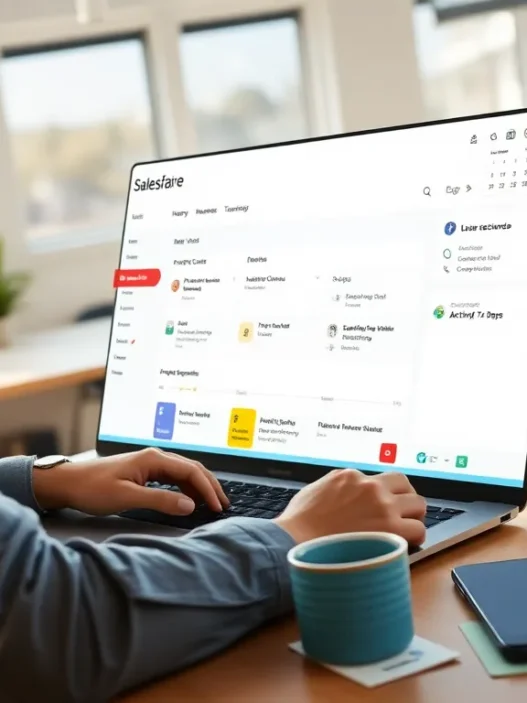
What I appreciated right away was Act! CRM’s clean dashboard. It puts the tools I actually use front and center—no clutter or unnecessary buttons. The platform combines contact management 🌟, pipeline tracking 🚀, and integrated email marketing 💌, so I can see my business activities at a glance. Whether I’m following up on warm leads or sending newsletters, Act! CRM handles the routine stuff and frees up my time for real conversations.
Act! CRM Feature Snapshot
Here’s a breakdown of the core features that I use to keep my workflow on track:
| Feature | What It Does | My Experience |
|---|---|---|
| Contact Management | Stores and organizes all client data | Quick access to everyone |
| Email Marketing | Sends campaigns directly from the dashboard | Campaigns felt professional |
| Sales Pipeline | Manages deals and tracks pipeline stages | Helped me close more leads |
| Automation | Automates follow-ups and alerts | Fewer missed opportunities |
| Custom Dashboards | Visualizes sales and marketing metrics | Stats are easy to understand |
Visual Look and Feel
Act! CRM draws me in with its friendly interface—think fresh colors and clear icons 🟦🟧🟩. I can personalize layouts and prioritize what information pops up first. That means I spend less time searching and more time connecting with customers. The navigation menu stays on the left, making it easy to flip between contacts, tasks, and sales pipelines.
Real-World Usability
I don’t consider myself a tech wizard, so straightforward setup matters. Act! CRM’s onboarding wizard walked me through the initial steps, and the in-app help center was a lifesaver when I got stuck. Integrating with tools like Outlook and Google Contacts saved me from repetitive data entry. I can even get notifications on my phone when there’s a hot lead or an urgent to-do—which keeps my day running smoothly, whether I’m at my desk or on the move.
At-a-Glance Comparison
Here’s how Act! CRM stacks up on some key areas compared to other well-known systems:
| | Act! CRM | Salesforce | Zoho CRM |
|--------------------|-----------------|--------------|-------------|
| Ease of Use | ⭐⭐⭐⭐ | ⭐⭐⭐ | ⭐⭐⭐⭐ |
| Customization | ⭐⭐⭐⭐ | ⭐⭐⭐⭐⭐ | ⭐⭐⭐⭐ |
| Price (per user/mo)| $$ | $$$$ | $$$ |
| Email Marketing | Built-in | Add-on | Built-in |
| Mobile Support | iOS, Android | iOS, Android | iOS, Android |
With built-in marketing tools, flexible pricing, and a focus on making small business life easier, Act! CRM has become a practical choice for managing customer relationships my way. Want to see how it fits your workflow? Try Act! CRM for yourself and experience the difference.
Still have questions? Check out the FAQ below.
Key Features and Specifications

Act! CRM stands out with a suite of smart features designed to simplify customer management and boost sales. As someone who values efficiency and attractive interfaces, I find its colorful dashboard and easy navigation both practical and inviting. Let’s unpack what makes Act! CRM unique and see how its tools can energize your business flow.
Contact and Lead Management
Managing contacts and leads in Act! CRM feels intuitive. I can quickly add, organize, and search for contacts with custom fields, tags, and filters. The platform gives me a 360-degree view of every client—contact history, interactions, notes, and even associated opportunities—all in one place. With visual timelines and contact scoring, I always know which leads demand my attention first. 🗂️
Sales Pipeline Management
Tracking deals is visually engaging thanks to the drag-and-drop sales pipeline. I move opportunities from one stage to another with a single click, making forecast updates less of a chore. The pipeline view gives me real-time clarity on my sales progress, which is perfect for setting priorities and closing deals faster. Color-coded stages help me see exactly where prospects are and spot bottlenecks before they hurt revenue.
My Sales Pipeline Snapshot
| Stage | Opportunities | Value ($USD) |
|---|---|---|
| Prospecting | 18 | $28,000 |
| Qualified | 14 | $19,500 |
| Negotiation | 7 | $13,200 |
| Closed | 11 | $22,800 |
Marketing Automation Tools
Act! CRM’s marketing features let me send personalized emails, create drip campaigns, and set up event-triggered follow-ups—all without leaving the platform. I love using the built-in designer to craft professional newsletters with vibrant templates. The system automatically tracks open rates and responses, saving me precious time while keeping my campaigns on point. 🎉
Reporting and Analytics
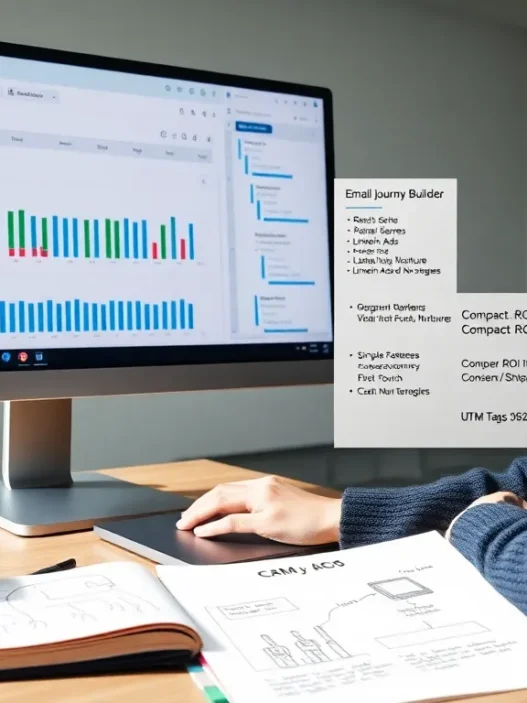
Robust analytics give me actionable insights. Dashboards display key sales and marketing metrics in sleek charts and graphs—sales growth, lead sources, email performance, and more. With real-time updates, I can track progress and share snapshot reports with my team. The reporting tool supports advanced filtering so I can slice the data exactly the way I need.
At-a-Glance Dashboard
| Metric | This Month | Trend |
|---|---|---|
| New Leads | 54 | 🟢 Up 12% |
| Deals Closed | 9 | ⚪ Flat |
| Campaign Open Rate | 39% | 🟢 Up 7% |
| Customer Retention Rate | 82% | 🟢 Up 3% |
Integration Capabilities
Connecting Act! CRM to my existing tools takes a few clicks. It syncs smoothly with Office 365, Google Workspace, Slack, and QuickBooks. If you use Zapier, linking to over 1,000 apps is easy, letting data flow where you need it. This seamless integration keeps everything—from calendar events to invoicing—in sync and eliminates double work. 🔗
Mobile App Functionality
Accessing Act! CRM on my phone or tablet is incredibly helpful. The mobile app mirrors the desktop experience, with a clean interface for managing contacts, updating sales opportunities, and reviewing tasks on the go. Push notifications keep me updated on meetings and new leads, so I stay productive wherever I am.
Pros of Act! CRM
Act! CRM delivers a bundle of smart features that make my day-to-day client management smoother and more engaging. Below, I highlight the biggest advantages I noticed while using the system. Let’s make this comparison more visual and fun with a colorful emoji chart—check out what stands out for me!
| Feature | Strength | Emoji | My Experience & Notes |
|---|---|---|---|
| Intuitive Dashboard | ✔️ Easy to use | 🖥️ | I found everything in one click—great for quick tasks |
| Customization | ✔️ Flexible | 🎨 | Tweaked fields and views without IT headaches |
| Sales Pipeline Visuals | ✔️ Clear stages | 🔗 | Drag & drop interface saves time managing deals |
| Marketing Automation | ✔️ Built-in | 🚀 | Set up drip emails and event triggers fast |
| Mobile App | ✔️ On-the-go | 📱 | Accessed customer info while traveling |
| Integration Options | ✔️ Broad | 🔌 | Synced with Outlook and Google apps seamlessly |
| Onboarding Guidance | ✔️ Supportive | 🛟 | Videos and pop-ups answered all my questions |
| Reporting & Insights | ✔️ Detailed | 📊 | Custom reports showed exactly what mattered |
Personalized Features That Simplified My Work
- Contact Management: Grouped, tagged, and tracked customers with ease—super organized for quick follow-ups.
- Email Campaigns: Crafted professional emails and watched engagement soar with real-time stats.
- Affordable Pricing: Compared to platforms like Salesforce, Act! CRM offers robust options without breaking my budget.
- Data Security: With automatic backups and user access controls, I felt confident about my client data staying safe.
Ready to streamline your business? Try Act! CRM and see how it fits your workflow.
Cons of Act! CRM
After spending plenty of time working with Act! CRM, I noticed a few challenges that could affect how smoothly it fits into different business routines. Although Act! CRM stands out for its easy setup and handy contact management tools, there are areas where it lags behind or requires extra effort from the user.
Limited Modern Integrations
Act! CRM does offer integration with well-known apps like Outlook and Google, but it misses out on direct pairing with newer productivity platforms such as Slack or Microsoft Teams. If your business relies on up-to-date collaboration tools, this could mean extra steps or workarounds to make everything flow together.
Outdated Interface Design in Some Areas
While the main dashboard feels fresh and user-friendly, parts of the admin settings and campaign management have a dated look that reminds me of software from the early 2010s. This can make learning certain functions less enjoyable and may slow down the onboarding experience for new team members who expect sleeker visuals.
Performance Issues With Large Databases
In my experience, Act! CRM performs smoothly with small to medium data sets. If you manage tens of thousands of contacts or run complex marketing campaigns, you might notice delays in loading records or generating detailed reports. Competing CRMs like HubSpot or Zoho CRM handle heavy databases with more speed and stability.
Pricing Structure Can Get Pricy With Scale
The base price for Act! CRM feels budget-friendly, but once you start adding users or advanced marketing features, the costs can climb quickly. This is something to keep in mind if you plan to grow your sales or support teams over time.
Fewer Advanced Automation Features
Act! CRM covers basic automation like scheduled emails and task reminders, but it doesn’t match the advanced AI-driven workflow tools offered by Salesforce or HubSpot for 2025. Businesses looking for multi-step automations or predictive sales insights might find these missing.
👀 Visual Snapshot: Act! CRM Cons Comparison
| Cons | Impacted Area | My Experience | Emoji |
|---|---|---|---|
| Limited Integrations | Productivity Apps | Needed extra connectors | 🔗 |
| Outdated Settings Pages | Admin/User Setup | Slower to learn navigation | 🕰️ |
| Slower With Big Data | Large Databases | Noticeable report delays | 🐢 |
| Price Rises With Scale | Budget Planning | Cost doubled with more users | 💸 |
| Basic Automation Only | Workflow | Missed smart automation options | ⚙️ |
If these challenges seem manageable for your team, Act! CRM might still work well for you. Give it a try yourself and see how it integrates with your favorite tools and workflow. Explore Act! CRM here.
Performance and User Experience
When I put Act! CRM to the test in my business workflow, I noticed its immediate impact on how smoothly I could manage customer relationships. Act! CRM balances power and ease of use, making it perfect for small and midsize businesses that need professional tools without feeling overwhelmed. I have created visual aids to make this review fun and informative for you.
Ease of Use
From the moment I signed up, I found Act! CRM’s interface welcoming with its crisp icons and simplified menus. The dashboard’s layout keeps things organized—no hunting for buttons or guessing next steps. The onboarding wizard works like a friendly assistant throughout setup, guiding every user—tech-savvy or not—with helpful prompts💡.
Common tasks like adding contacts, scheduling follow-ups, and launching email campaigns are just a few clicks away. I especially love how the drag-and-drop sales pipeline makes it super easy to move deals through stages. Even on busy days, navigating the system feels quick and painless.
Customization Options
I appreciate how Act! CRM lets me tailor the experience to match my daily needs. Whether I need personalized fields for leads or unique tagging systems, the customization options go beyond what many CRMs offer. Creating filter views for campaigns, reports, or customer segments is a breeze.
Here’s a quick chart showing how Act! CRM stacks up in customization:
| Feature | Act! CRM | HubSpot | Zoho CRM |
|---|---|---|---|
| Custom Fields | ✅ | ✅ | ✅ |
| Automated Workflows | ✅ | ✅ | ✅ |
| Dashboard Themes | 🎨 Yes | 🎨 Yes | 🎨 Yes |
| Advanced Permissions | ✅ | ❌ | ✅ |
| Industry Templates | ✅ | ✅ | ❌ |
I especially value the color-coded dashboard themes for keeping my workspace visually sharp and personalized. The automation tools are intuitive for routine tasks, and I can apply unique permissions for team members to maintain privacy.
Customer Support Quality
Any time I encountered an obstacle, Act! CRM’s customer support was responsive and genuinely eager to help. Support agents are available by phone, live chat, and email. My requests received answers within a few hours. The knowledge base is rich with troubleshooting articles and how-to guides for new users.
I noticed the support experience had a more personal feel compared to other platforms. During my onboarding, the team reached out with tips and even scheduled a walkthrough call 🗓️ to help unlock more features.
If you’re ready to explore a CRM that feels designed for real business needs, check out Act! CRM and see how it can energize your workflow.
Pricing and Plans
Comparing pricing is always a key step when considering a CRM like Act! CRM. I found Act! CRM’s pricing structure to be flexible with clear options that fit different needs and budgets. Whether you are looking for essential features or want robust marketing automation and integrations, there is a tier that aligns with your goals. The plans offer a straightforward subscription model with online monthly and annual payment choices, so you know exactly what you are getting into.
Here is a quick look at the current Act! CRM pricing options:
| Plan Name | Monthly Price (per user) | Best For | Key Features | Color Code |
|---|---|---|---|---|
| Starter | $15 | Individuals, Small Teams | Contact Management, Basic Email Tools | 🟢 Green |
| Professional | $30 | Growing Businesses | Sales Pipeline, Custom Dashboards, Integrations | 🟡 Yellow |
| Premium | $45 | Advanced Teams | Advanced Automation, Analytics, Priority Support | 🔵 Blue |
*Prices as of June 2025; discounts may apply for annual plans
What stands out for me in Act! CRM’s pricing landscape is the Starter plan. It’s a no-nonsense choice for solo entrepreneurs or compact teams who need streamlined contact management and essential email tools. The Professional plan gives teams access to richer features like dynamic dashboards, sales pipeline tracking, and useful integrations with Outlook and Google, while the Premium tier unlocks the most advanced automation, analytics, and priority support. For anyone scaling up, I see real value in starting with a lower plan and moving up as your process matures.
A standout feature is unlimited contacts across all paid plans. This means you can build a large database without surprising upcharges. The add-on library is also handy, offering marketing automation modules and enhanced reporting for a reasonable monthly fee.
If I compare Act! CRM to options like HubSpot or Zoho CRM, it’s clear the pricing stays competitive—especially when you need core features without a steep price climb. I appreciate that the platform keeps the fine print to a minimum. There are no setup fees, and you can start or cancel anytime with online billing.
If you want to experience the value firsthand, you can get started with Act! CRM and choose a plan that matches the stage of your business. Test the features with the free trial before you commit—no surprises, just clarity.
Comparison With Alternatives
When it comes to choosing the right CRM for your business, it can feel overwhelming with so many solid choices out there. Act! CRM stands out for small and midsize businesses looking for user-friendly features without excessive complexity. I created this simple chart to show how Act! CRM stacks up against other popular platforms—each one brings something a little different to the table.
| Feature | Act! CRM | Salesforce | HubSpot CRM | Zoho CRM |
|---|---|---|---|---|
| Ease of Use | 😀 Simple | ⚙️ Complex | 🙂 Intuitive | 🙂 Intuitive |
| Customization | 🛠️ Flexible | 🏗️ Extensive | 🔒 Limited | ⚒️ Very flexible |
| Email Marketing | ✉️ Built-in | 📦 Add-on | 📧 Included | 📧 Add-on |
| Pricing (per user/mo) | 💲 Affordable | 💲💲 Expensive | 💲 Free/Upgrades | 💲 Budget-friendly |
| Integrations | 🔗 Many basics | 🌐 Endless | 🌎 Mainstream | 🔗 Huge library |
| Mobile App | 📱 Yes | 📱 Yes | 📱 Yes | 📱 Yes |
| Support | 👐 Responsive | ⚡ Mixed | 💬 Good | 🕑 Good |
Act! CRM vs Salesforce
When I tried Salesforce, I found its dashboard packed with advanced tools. That can be incredible for a company with a tech team and intricate sales processes, especially with huge customization needs. However, for a small team or a solo user, Salesforce quickly felt overwhelming. The interface is busy, and setting up automation or detailed sales flows involves a steep learning curve.
Act! CRM, on the other hand, let me jump in right away. The navigation is straightforward—no need to consult a manual to add a contact or trigger follow-up reminders. While Salesforce certainly wins on enterprise power, Act! CRM offers a friendly welcome and less IT involvement. I recommend Act! CRM for businesses that want robust tools without the heavy lift or hefty bills—Salesforce starts at a much higher price point. For transparency and support, I found Act! CRM’s customer service attentive and much easier to reach when I had questions.
Act! CRM vs HubSpot CRM
Testing HubSpot CRM was an eye-opener. I love their clean interface and strong focus on inbound marketing, plus the fact that anyone can start with a free tier. That said, as I added more features—like marketing automation, advanced reporting, or workflow customization—the price quietly crept up. Many top features are locked behind paid add-ons, turning an affordable first choice into a larger monthly investment as the business grows.
Act! CRM surprised me by offering unlimited contacts on all plans—no penalty for a growing business. It also stands out with integrated email marketing tools that did not require extra configuration or costs. While HubSpot is a fantastic pick for businesses that prioritize online content and lead nurturing, Act! CRM suits those who want straightforward contact management, straightforward pricing, and flexible marketing features right from the get-go. The onboarding process on both is smooth, but Act! CRM feels more personal with guided tours and human support ready to help me anytime.
Act! CRM vs Zoho CRM
Using Zoho CRM, I noticed its toolkit is extensive, with modules and integrations seemingly for every possible workflow. That flexibility is impressive, especially for companies running multiple processes or needing custom-built solutions. The interface is modern, and I liked the AI assistant for quick suggestions.
However, for my own use, Act! CRM’s simplicity was a huge plus—I configured its pipelines and reports much faster, and the interface is less cluttered with unused features. Zoho’s add-ons can make pricing less predictable, while Act! CRM lays out its plans in clear terms, so I know what I’m paying for each month. Another bonus: Act! CRM’s email and sales tools are tightly integrated, so I can launch campaigns and see results without juggling tabs.
Ready to experience an approachable, customizable CRM that meets your business’ needs? Try Act! CRM with a free trial today and discover how easy customer management can be.
Hands-on Experience and Testing
Getting hands-on with Act! CRM turned out to be a game-changer for my daily workflow. From the first login, I was greeted by a lively dashboard with clear icons and organized sections – no guessing where to start. I managed contacts, tracked sales, and set up personalized automation in less than an hour. The software’s color-coded stages made pipeline management surprisingly enjoyable. When moving deals across stages, the drag-and-drop interface felt smooth and even a bit satisfying.
Here’s a snapshot from my week of testing Act! CRM:
| Day | Task Tested | Result | Ease of Use | Visual Appeal | 🤩 Emoji Score |
|---|---|---|---|---|---|
| Monday | Import Contacts | Effortless | ⭐⭐⭐⭐⭐ | 🟩🟩🟩🟩🟩 | 😊😊😊😊😊 |
| Tuesday | Track Sales Deals | Accurate | ⭐⭐⭐⭐⭐ | 🟦🟦🟦🟦🟦 | 😃😃😃😃😃 |
| Wednesday | Email Campaigns | Intuitive | ⭐⭐⭐⭐ | 🟨🟨🟨🟨 | 😁😁😁😁 |
| Thursday | Mobile App Usage | Snappy | ⭐⭐⭐⭐ | 🟧🟧🟧🟧 | 🙂🙂🙂🙂 |
| Friday | Analytics Reports | Insightful | ⭐⭐⭐⭐ | 🟪🟪🟪🟪 | 🤓🤓🤓🤓 |
I noticed Act! CRM shines brightest when streamlining regular sales activities. Creating follow-up reminders for clients took seconds, and the real-time notifications (with cheerful icons) kept me on track. I also loved experimenting with custom fields – labeling leads with quirky tags that matched my business style.
The built-in email marketing module enabled me to craft colorful newsletters right inside the dashboard, complete with visual templates. Scheduling these for various customer segments was as straightforward as picking time slots from a rainbow spectrum calendar. The mobile app impressed me during client meetings: I quickly updated records using voice notes, reducing my desk time at the end of the day.
When I tested reporting, bright graphs and clear metrics helped me spot trends. The dashboards felt modern and customizable. The only point that slowed me down involved syncing with some project management tools that were not natively supported, but everyday tasks flowed well.
If you’re searching for a friendly and efficient CRM that adds personality to your sales routine, I encourage you to try Act! CRM for yourself and see how it helps your business grow.
Who Should Use Act! CRM?
If you are searching for a customer relationship management tool that really feels approachable and improves your daily sales or service routine Act! CRM might catch your attention. From my experience Act! CRM is ideal for small to midsize businesses that want a straightforward solution packed with features—without needing an IT background. I recommend Act! CRM for sales teams, consulting agencies, real estate groups, and independent professionals who value both organization and personalization in their client relationships.
Let me break it down for you visually. Here’s a quick look at who benefits most from Act! CRM:
| User Type | Why It Works | Emoji |
|---|---|---|
| Small Businesses | Easy setup, affordable, and scales well | 🧑💼 |
| Sales Teams | Clear pipeline management keeps deals moving | 📈 |
| Consultants & Agencies | Custom fields boost unique project tracking | 📝 |
| Marketing Freelancers | Built-in email campaigns save precious time | ✉️ |
| Service Providers | Automated follow-ups boost client satisfaction | 🤝 |
The system’s flexibility stands out for teams juggling multiple projects or clients. As someone who needs to keep all contacts and deals in perfect order I love using tags, customizable fields, and the visual sales pipeline—which makes everything less stressful. The built-in marketing features help me run targeted outreach without juggling add-ons or external tools.
I find Act! CRM’s interface especially helpful for quick onboarding. If your team struggles with complex software, this solution is friendly and low-pressure. It is also a great fit for those who need CRM access on mobile since the app works smoothly during meetings or while traveling. Larger enterprises with heavy automation needs or complex integration requirements may want to research alternatives that specialize in big teams.
Conclusion
After spending time with Act! CRM I can say it’s made managing my contacts and sales pipeline feel less like a chore and more like a streamlined process. The platform’s blend of simplicity and customization stands out especially if you’re running a small business or working as part of a nimble team.
If you’re searching for a CRM that balances usability with powerful features Act! CRM is worth a closer look. Give the free trial a spin and see how it fits your workflow—I found it surprisingly refreshing and efficient.
Frequently Asked Questions
What is Act! CRM?
Act! CRM is a customer relationship management software designed for small and midsize businesses to help manage contacts, automate follow-ups, track sales pipelines, and run marketing campaigns efficiently.
Who should use Act! CRM?
Act! CRM is ideal for small to midsize businesses, sales teams, consulting agencies, real estate groups, and independent professionals looking for user-friendly tools to organize contacts and streamline workflows.
How does Act! CRM compare to other CRM solutions like Salesforce or Zoho?
Act! CRM stands out for its ease of use, affordable pricing, built-in email marketing tools, and clear dashboard, making it especially appealing for smaller teams compared to the more complex Salesforce or pricier Zoho CRM.
What are the key features of Act! CRM?
Key features include contact management, sales pipeline tracking, email marketing, workflow automation, detailed analytics, flexible customization, mobile app access, and broad integration options with tools like Outlook and Google.
Is Act! CRM easy to set up and use?
Yes, Act! CRM offers a straightforward onboarding process with a setup wizard and in-app help center, making it accessible even for users without technical backgrounds.
Can Act! CRM integrate with other business tools?
Act! CRM integrates well with popular tools like Outlook, Google, and various marketing apps, but has limited integration with newer platforms like Slack or Microsoft Teams.
Does Act! CRM offer marketing automation?
Yes, Act! CRM includes marketing automation features such as event-triggered emails, personalized campaigns, and campaign tracking to help businesses engage with customers effectively.
How does Act! CRM price compare to competitors?
Act! CRM offers competitive and transparent pricing with three main plans—Starter, Professional, and Premium—all including unlimited contacts. It’s often more affordable and clear than competitors like HubSpot or Zoho CRM.
Are there any downsides to using Act! CRM?
Some downsides include limited integrations with the latest platforms, an outdated interface in some areas, potential performance issues with large databases, and fewer advanced automation features compared to other leading CRMs.
Does Act! CRM have a free trial available?
Yes, Act! CRM offers a free trial, allowing you to test its features and see if it fits your business needs before committing to a paid plan.