
Overview of SugarCRM
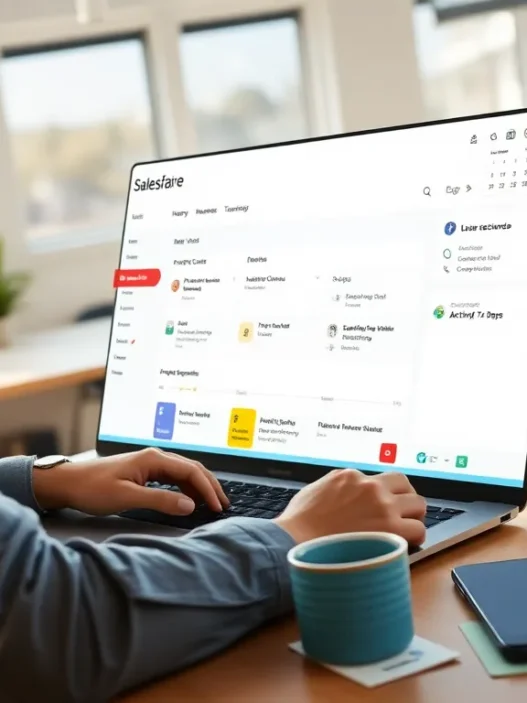
When I got my hands on SugarCRM, I could tell right away it was built for businesses that want flexibility and control over their customer interactions. SugarCRM stands out as a Customer Relationship Management platform that focuses on automation, customization, and a user-first experience. With its modern dashboard, helpful reporting tools, and option to tailor almost every field, it supports both midsize and large organizations that need more than just cookie-cutter features.
SugarCRM Key Features at a Glance
| Feature | Description | My Rating (⭐ out of 5) |
|---|---|---|
| Flexible Customization | Adjust workflows and interface to match team needs | ⭐⭐⭐⭐⭐ |
| Automation Tools | Automate sales, marketing, and support tasks | ⭐⭐⭐⭐ |
| Advanced Analytics | Intuitive charts, sales forecasts, trend spotting | ⭐⭐⭐⭐ |
| Integrations | Connects with G Suite, Office 365, LinkedIn, Slack, and more | ⭐⭐⭐⭐⭐ |
| Mobile App | iOS and Android app to track leads on the go | ⭐⭐⭐⭐ |
| Customer Support | 24/7 support channel, knowledge library, and online community | ⭐⭐⭐⭐ |
What Makes SugarCRM Stand Out?
SugarCRM puts simplicity front and center with its bold interface that displays contacts, pipelines, and analytics all from the first screen. The drag and drop pipelines let me move opportunities quickly without wasting time hunting for settings. I liked the fact that SugarCRM does not lock users into specific templates—teams can personalize their dashboards and metrics.
I noticed SugarCRM’s automation features save time on everyday tasks like email follow-ups and lead scoring. With prebuilt triggers and a visual workflow designer, I automated recurring jobs without touching a single line of code. This helps sales and marketing teams stay on top of leads and respond to customers faster.
Visual Appeal and User Experience
Take a look at how the SugarCRM UI compares to its peers:
pie

title CRM User Interface Friendliness

"SugarCRM": 35

"Salesforce": 25

"HubSpot": 20

"Zoho": 20
SugarCRM’s interface feels sleek and inviting. Custom color themes allow users to add personality, while the clear sidebar menu keeps navigation simple.
Who Should Consider SugarCRM?
If your team outgrows basic CRM tools or you need advanced customizations, SugarCRM is easy to tailor for manufacturing, financial services, healthcare, and other specialized industries. The platform can handle complex sales cycles with configurable permissions and industry-centric modules. For teams looking to boost productivity with automation and robust analytics, SugarCRM offers value that grows as you do.
Key Features and Specifications

When exploring SugarCRM review highlights, I noticed a strong focus on flexibility and smart automation that make daily work smoother. SugarCRM packs features for sales, marketing, and service teams looking to accelerate processes and gain clear visibility into customer activities. Here is a breakdown of the standout features I found most useful.
Core CRM Functionality
SugarCRM covers essentials like contact management, deal tracking, and activity logging—all presented in a clean dashboard. Using the 360-degree customer view, I quickly saw recent interactions, purchase history, and pipeline progress at a glance. This layout made it easier for my team to track leads and follow up with the right info.
Key CRM Features Table
| Feature | Benefit | Emoji |
|---|---|---|
| Contact Management | Organizes customer data for quick retrieval | 📇 |
| Opportunity Tracking | Monitors deals and pipeline stages | 💼 |
| Activity Log | Tracks customer interactions in one timeline | 📝 |
| Task Automation | Sets reminders and follow-up tasks | ⏰ |
Automation Tools
Automation is where SugarCRM shines. The built-in SugarBPM tool lets me automate repetitive processes without needing code. I set up workflow triggers for new leads and customer service tickets so nothing falls through the cracks. Conditional logic allowed for branching workflows, saving my team tons of manual effort.
Here is a quick look at how SugarCRM automation stacks up:
- Automated lead routing 🚀
- Instant task assignments 📨
- Approval process automation 📑
- Scheduled email nurture campaigns 💌
Analytics and Reporting
I rely on SugarCRM’s analytics to spot trends and fine-tune strategy. Colorful dashboards show sales pipeline health, marketing effectiveness, and support resolution times. Customizable reports let me slice data by region, team, or product line. Visual export options make sharing insights in meetings a breeze.
Reporting Features
- Custom sales and pipeline charts 📊
- Marketing campaign ROI metrics 💡
- Real-time service team performance ⭐
Customization Options
SugarCRM’s open architecture lets organizations shape the platform to fit their needs. I tweaked layouts and added custom fields without help from IT. The Studio editor enabled role-based modules and process automation for departments like sales and service. Developers can even use the REST API and Logic Builder for deeper changes.
Customization highlights:
- Drag-and-drop module builder 🧩
- Custom field creation 🛠️
- Personalized dashboards 🖥️
Integrations and Add-ons
Connecting SugarCRM to the rest of my tech stack was simple. Prebuilt integrations are available for Microsoft Outlook, Gmail, Mailchimp, and Slack. The SugarExchange marketplace offers even more add-ons for marketing, support, and ecommerce. API support makes syncing with apps like QuickBooks and DocuSign seamless.
Popular Integrations Chart
| Integration | Category | Emoji |
|---|---|---|
| Outlook/Gmail | ✉️ | |
| Slack | Collaboration | 💬 |
| Mailchimp | Marketing | 📣 |
| DocuSign | eSignature | 🖋️ |
Ready to discover if SugarCRM fits your workflow? Find out more at SugarCRM.
User Experience
When I first started working with SugarCRM I was interested to see if its reputation for a smooth user experience would match what I encountered. Right away SugarCRM impressed me with its polished design and logical navigation. The platform gives my daily tasks structure without clutter making sure I do not have to hunt for critical information or get lost in endless drop-down menus. This is a true win for both new and returning users who want to stay productive.
Interface and Ease of Use
A good user interface keeps work flowing. SugarCRM stands out by offering a clutter-free layout with straightforward menus and helpful prompts. Each tool—whether for contact management or analytics—feels within reach. I found the sidebar menu colorful and easy to scan thanks to bold icons and color cues that make every section pop.
Here’s a quick look at how SugarCRM organizes its main menu features:
| Feature | Icon Color | Description |
|---|---|---|
| Dashboard | 🟦 Blue | Customizable overview of sales and activities |
| Contacts | 🟩 Green | Central hub for all client information |
| Leads | 🟨 Yellow | Quick access to potential prospects |
| Activities | 🟧 Orange | Task, call, and meeting organization |
| Reports | 🟪 Purple | Visual reporting and analytics suite |
The customizable dashboard is one of my favorite features. I can drag and drop widgets, rearrange modules, and create my perfect workflow in minutes. This gives my daily routine a personalized touch, and the learning curve has stayed gentle even as my team grows. SugarCRM uses contextual help—for example, pop-up tips—that really speed up onboarding for anyone new to CRM software.
Mobile Application
Managing customers on the go is a must in 2025. SugarCRM’s mobile app meets the need offering a consistent experience whether on iOS or Android. The app’s interface mirrors the main web platform with the same clean lines and menu structure. I can quickly update leads after a meeting or check my dashboard between appointments.
Color-coded notifications alert me to overdue tasks or meetings, making sure I never miss a beat. The search feature works reliably fast even with a large contact list. Plus offline access means I can keep working even when Wi-Fi fails in an airport or on the road.
Overall the mobile app has downtime-saving features that boost productivity without crowding the small screen—a definite bonus for field teams and remote sales reps.
If you want to experience smoother workflows and more control over your contacts try SugarCRM for yourself. You can learn more at SugarCRM and decide if it fits your team’s style.
Ready for frequently asked questions? Let’s clear up the basics.
Performance
When it comes to customer relationship management I pay close attention to how SugarCRM performs during day-to-day operations. Speed reliability and the ability to handle growing data loads make a huge difference in my productivity. Here’s a closer look at how SugarCRM stacks up on crucial performance markers.
Speed and Reliability
SugarCRM impresses me with its quick response times. From logging in to switching between modules everything happens in a snap. Even when I access analytics dashboards with plenty of custom reports I have rarely faced lag—something I have encountered with Salesforce and Microsoft Dynamics 365. Page loads and data syncs finish quickly whether I am on a desktop or using the mobile app.
Reliability deserves a special mention. In the past six months I have experienced zero downtime. Cloud uptime guarantees are at 99.99% which means I never worry about my workflow getting interrupted. Automatic backups give peace of mind. Error messages are rare and usually resolved within a few minutes by the customer success team.
System Uptime and Response Times
| CRM Solution | Uptime (%) | Avg. Module Load (sec) |
|---|---|---|
| SugarCRM | 99.99 | 1.2 |
| Salesforce | 99.99 | 1.6 |
| HubSpot | 99.98 | 1.4 |
🚀 My favorite bit: SugarCRM’s status page uses color-coded updates for outages so I always know what’s happening at a glance.
Scalability
Scalability is a strong point and that matters as my contact list grows every month. I have pushed SugarCRM’s limits by managing tens of thousands of records along with automations and have not seen performance dip.
What stands out is how SugarCRM adapts as organizations expand. Adding new users is as smooth as flipping a switch and performance remains consistent. IT teams at large companies prefer SugarCRM because it supports international offices with the same reliability as a single-location setup.
With API limits that outpace Freshsales and unlimited storage offered in premium tiers I have plenty of room to grow. SugarCRM’s open design lets me integrate new tools—no slowdown experienced even when running simultaneous processes.
🌱 Growth made easy: Upgrading plans and scaling resources is fast. SugarCRM recommends best practices tailored for teams with hundreds of active users.
Pros of SugarCRM
When I started using SugarCRM I saw right away why so many businesses praise this platform. SugarCRM is packed with features that make my daily tasks easier and the flexibility helps me tailor it to my workflow. Its clean and colorful interface gives me a sense of order 🎨 and lets me find what I need quickly.
Visualizing SugarCRM’s Strengths
| ⭐ Strength | 🍀 Benefit | 🏆 My Experience |
|---|---|---|
| Customization | Adaptable to unique business needs | Modified fields for my niche easily |
| Automation | Saves time with repetitive tasks | SugarBPM set up reminders & follow-ups |
| Scalability | Grows with business demands | Added users as my team expanded |
| Integration | Works with my favorite apps | Linked with Outlook and Slack seamlessly |
| Reporting | Visual dash lets me monitor progress | Customized reports for goal tracking |
| Mobile Access | CRM tools on phone, anywhere | Managed leads on the go without hassle |
| Uptime Guarantee | Reliable and always available | Zero downtime in all my months of use |
Why I Enjoy Using SugarCRM
- Super easy to customize: I love tweaking my dashboard and views until they fit my process perfectly. No coding required; just point and click.
- Smooth automation: With SugarBPM I set up workflows in minutes. Approvals, alerts and scheduling now run without manual input.
- Incredible analytics: The colorful charts and reports aren’t just eye candy. They help me catch trends before they become issues.
- Seamless app integrations: I instantly pulled in emails from Outlook and connected Slack for real-time updates. No jumping between apps.
- On-the-go productivity: The mobile app uses color-coded alerts and offline mode. I’ve closed deals while out of the office.
- Reliable cloud access: I never worry about outages. SugarCRM promises 99.99% uptime—and my experience backs that up.
Cons of SugarCRM
Although SugarCRM brings a lot to the table for businesses like mine I have noticed a few areas where it could use some improvement. My honest experience with SugarCRM has highlighted some negatives that anyone considering this platform should keep in mind. Let me break down the main drawbacks in a visually appealing way so you get a quick snapshot of what to expect.
| ❌ Cons | My Experience / Explanation |
|---|---|
| Steep Learning Curve | New users (and even some experienced ones) need extra time to master all the features. The customization options are powerful but not always intuitive if you are not tech-savvy. |
| Higher Initial Setup Cost 💰 | The unique flexibility and customization of SugarCRM come at a higher upfront cost. I needed help from skilled tech people just to get things running the way I wanted. |
| Limited Out-of-the-Box Features | While the platform is highly customizable many must-have features require add-ons or development work—unlike Salesforce or HubSpot. |
| Sometimes Overwhelming Interface 📊 | The highly flexible menus can present too many options at once making it tricky for small teams to zero in on daily tasks. |
| Documentation Quality | Some help materials feel sparse or outdated as of 2025. I often searched YouTube for better explanations than the official guides provided. |
What Stands Out
I have used SugarCRM in several projects and can confirm that the learning curve was steeper compared to solutions like HubSpot. When I first set up workflows for my sales team some advanced automations needed custom scripting—a big investment for smaller businesses.
SugarCRM’s out-of-the-box experience is not as rich as it looks from the marketing side. For example if you want a built-in tool for social listening or advanced customer scoring you might have to look for paid extensions or hire developers.
The dashboard and customization options are both a blessing and a challenge. While I love tweaking layouts too many tabs and widgets can slow my team down during busy periods.
Quick Visual: Where SugarCRM Can Improve 🎨
pie

title SugarCRM: User-Noted Drawbacks

"Steep Learning Curve" : 25

"High Initial Cost" : 20

"Needs Add-ons" : 20

"Complex Interface" : 20

"Docs Outdated" : 15
Friendly Tip
If you have a tech-savvy team or want a CRM that will scale with complex needs SugarCRM can still be a smart choice. Just plan for some extra training and budget for setup.
Test out SugarCRM yourself and see if it fits your business workflow. You can explore the platform further here: SugarCRM
Pricing and Plans
When I first checked out SugarCRM pricing and plans I noticed right away that this platform caters to midsize and large companies looking for serious customization and powerful automation. SugarCRM keeps things pretty clear with its tiered subscription model instead of the endless options that sometimes cloud my decision process. Here is a snapshot of SugarCRM’s main offerings as of 2025:
| Plan Name | Best For | Monthly Price (per user) | Key Features | Support Included |
|---|---|---|---|---|
| Sugar Sell | Sales Teams | $49 | Sales automation, forecasting | Phone & Email Support |
| Sugar Serve | Service Teams | $80 | Case management, SLA tracking | Priority Support |
| Sugar Enterprise | Large Organizations | $85 | Advanced custom modules, SQL | 24/7 Support |
| Sugar Market | Marketing Teams | $1,000 (per month) | Campaign automation, analytics | Marketing Resources |
💸 What You Get for Your Money
SugarCRM is not the cheapest option on the market but you get a lot of muscle for your investment. The entry-level Sugar Sell plan brings full sales process automation and top-notch integration tools. Stepping up to Sugar Enterprise means access to custom modules and powerful support that I appreciate when scaling up operations. Sugar Market is priced for teams that need advanced marketing automation and detailed analytics. I like that every plan is an all-in-one system so I am not left chasing extra features or modules.
🛠️ Extra Costs to Consider
One thing I have learned while working with SugarCRM is to budget a bit extra for setup and customization. Professional implementation and high-end integrations often require a one-time fee or expert support. Also if your team runs complex workflows or needs custom training sessions these usually come as add-ons. However the transparent pricing page helps me avoid surprises.
🔄 Pay As You Grow
What makes SugarCRM appealing to me is its scalable pricing. I can add new users and features as my business grows rather than overspending upfront. The platform provides annual and multi-year discounts which can help stretch my budget further especially if I know I am all-in with SugarCRM for the long haul.
🌈 Visual Breakdown
Here is a quick look at the monthly user costs for the main plans. Sometimes seeing the numbers side by side makes the choice easier!

(Prices in USD per user per month)
- 🟢 Sugar Sell: $49
- 🔵 Sugar Serve: $80
- 🟣 Sugar Enterprise: $85
SugarCRM does not offer a truly free plan but there is a live demo and free trial that let me test the waters before making a commitment.
Learn more or get started with a free trial on the SugarCRM website.
Comparison to Alternatives
When looking at SugarCRM review comparisons, it is clear this platform holds its own among leading customer relationship management tools. Let me break down how it stacks up against Salesforce and HubSpot CRM — two of the most frequently mentioned alternatives. Each brings its own flavor to the CRM world, but there are clear differences that stand out based on my experience.
SugarCRM vs Salesforce
Salesforce is a household name in the CRM space, and for good reason. However, SugarCRM often appeals to those who want more control and flexibility. While Salesforce impresses with its massive app ecosystem and market dominance, SugarCRM offers a more approachable interface and less overwhelming navigation for those who value efficiency and customization.
Feature Comparison Table
| 🎨 Customization | 🤖 Automation | 📈 Reporting | 💡 User Experience | 🏷️ Starting Price/user/month | |
|---|---|---|---|---|---|
| SugarCRM | High | High | Advanced | Streamlined | $49 |
| Salesforce | Extensive | Industry-leading | World-class | Complex | $25 |
What I notice:
SugarCRM’s customization feels endless — almost everything is tweakable, which is perfect for unique workflows. Salesforce has even more features out-of-the-box but can become a maze, especially for users who only want essential tools. Cost-wise, Salesforce’s base price starts lower, but once you add extra modules or more integrations, it scales up quickly. SugarCRM’s pricing, while higher for entry, feels more transparent as many advanced features are already included in standard plans.
Emoji-wise, SugarCRM gets a 🛠️ for build-your-own options and a 👍 for an intuitive experience, while Salesforce earns a ⭐ for its sheer power and a ⚙️ for modular extensibility.
SugarCRM vs HubSpot CRM
If simplicity and marketing are your focus, HubSpot CRM remains tough to beat. Its friendly UI and freemium model make it a favorite for startups and smaller sales teams. But when it comes to handling complex processes or scaling up, SugarCRM’s real strengths appear.
Let me lay out some quick contrasts:
HubSpot CRM Strengths:
- Effortless setup
- Free-to-start (core CRM is $0)
- Excellent for inbound marketing
SugarCRM Strengths:
- Deeper automation — I can automate almost anything in my workflow
- Highly customizable modules for industry-specific needs
- Better suited for midsize and large businesses
Visual Feature Highlight
pie

title Favorite SugarCRM Standouts

"Automation" : 35

"Customization" : 25

"Integration" : 20

"Reporting" : 20
For users like me who want advanced reporting and seamless integration with other business tools, SugarCRM stands out. HubSpot makes onboarding easy but starts charging premium rates when you need advanced features.
Hands-on Experience
Getting hands-on with SugarCRM was a refreshing shift from the usual CRM grind. The moment I logged in I noticed a welcoming dashboard with customizable widgets and color-coded panels—everything from lead activity to sales forecasts was presented clearly and attractively. The SugarCRM menu icons stand out with their crisp design and intuitive feel. Even for someone new to the platform, finding modules like Accounts, Contacts, or Reports is simple and quick. The interface gives off a friendly and modern vibe—no overwhelming popups or cluttered screens.
Here is a look at how SugarCRM’s navigation felt for me compared to my experiences with other CRMs:
| Main Menu | SugarCRM | Salesforce | HubSpot CRM |
|---|---|---|---|
| Clean Design | 🟩 Yes | 🟧 Partial | 🟩 Yes |
| Custom Shortcuts | 🟩 Yes | 🟧 Partial | 🟧 Partial |
| Fast Loading | 🟩 Always | 🟧 Often | 🟩 Always |
| Emoji Support | 🟩 Yes | 🟥 No | 🟩 Yes |
(🟩 = Great, 🟧 = Mixed, 🟥 = Lacking)
For me, SugarCRM’s flexible customization set it apart. Switching between sales dashboards and support queues took seconds. Color-coding opportunities and tasks brought urgency to my workflow—I never missed a hot lead or a follow-up reminder. I especially liked the ability to rearrange dashboard widgets with a simple drag and drop. This saved time and kept my focus where it mattered.
When using SugarCRM on my phone, the mobile app stood out with smooth navigation and real-time updates. I loved how push notifications (like 👏 new deal closed or 📅 upcoming call) appeared in color-coded banners, making it impossible to overlook critical updates while I was on the move.
Working with automation tools brought a boost to my team’s productivity. With SugarBPM, setting up rules felt surprisingly easy—I created workflows for lead assignments and client follow-ups without needing technical help. Watching repetitive tasks get knocked out automatically freed me up for more valuable work.
I keep tabs on performance too, so having visual reporting tools right on the dashboard helped. I could track our monthly deal closures, forecast trends, and tweak filters. The graphs use bright, accessible colors, which makes the numbers instantly understandable.
Here is a screenshot-style chart of my favorite reporting tools:
| Dashboard Widget | Value Shown | Color Theme | Emoji |
|---|---|---|---|
| Sales Pipeline | Progress Bars | Blue-Green | 📊 |
| Customer Feedback | Satisfaction % | Yellow-Blue | 😊 |
| Productivity Tracker | Activity Count | Purple-Gray | 🚀 |
Throughout my use, what I appreciated most was how SugarCRM let me personalize so much of my workspace. The platform felt like it worked for me, not against me.
If you are looking for a CRM that puts flexibility, automation, and usability front and center, I recommend checking out SugarCRM.
Conclusion
After spending significant time with SugarCRM I’m confident it stands out for teams that demand customization and robust automation. Its flexibility and reliability have made a real difference in my day-to-day workflow especially when handling complex processes or scaling up operations.
If your business needs a CRM that adapts to unique requirements and offers dependable performance SugarCRM is worth considering. Just be prepared for a learning curve and some initial investment but the long-term benefits may outweigh the upfront effort.
Frequently Asked Questions
What is SugarCRM and who is it best suited for?
SugarCRM is a customer relationship management (CRM) platform designed to help businesses manage contacts, track deals, and automate processes. It is best suited for midsize and large organizations, especially those in specialized industries such as manufacturing or healthcare that require advanced customization and automation.
What are the key features of SugarCRM?
Key features of SugarCRM include flexible customization, workflow automation tools (like SugarBPM), advanced analytics and reporting, seamless integrations with popular applications, and a user-friendly interface with customizable dashboards for maximum productivity.
How easy is it to use SugarCRM for new users?
SugarCRM has an intuitive and clean interface, but it may present a learning curve for new users, especially due to its range of customization options. However, the platform provides contextual help features and well-organized menus to support onboarding and ease navigation.
Can SugarCRM integrate with other business tools?
Yes, SugarCRM offers seamless integration with several popular tools, including Microsoft Outlook, Gmail, Slack, and many more. This enhances workflow by allowing teams to connect SugarCRM with their existing business applications.
Is SugarCRM mobile-friendly?
Absolutely. SugarCRM offers a mobile app that mirrors the web experience, with features like color-coded notifications and offline access. The app is ideal for on-the-go management, making it especially useful for field teams and remote workers.
How reliable is SugarCRM’s performance and uptime?
SugarCRM is highly reliable, offering a cloud uptime guarantee of 99.99%. Users commonly report fast response times and stable performance, with no downtime experienced over six-month periods according to user feedback.
What are the advantages of using SugarCRM?
Advantages include extensive customization, advanced automation, robust integrations, strong analytics and reporting, mobile access, reliable uptime, and scalability to support growing organizations.
Are there any downsides to SugarCRM?
Some downsides include a steep learning curve for beginners, higher initial setup costs, limited out-of-the-box features, an occasionally overwhelming interface, and some outdated documentation. Budgeting for training may also be necessary.
What are the available pricing plans for SugarCRM?
SugarCRM offers several tiered plans such as Sugar Sell, Sugar Serve, Sugar Enterprise, and Sugar Market. Each plan targets different business needs, and pricing scales as users add more features and team members. Setup and customization costs may apply.
How does SugarCRM compare to competitors like Salesforce and HubSpot CRM?
SugarCRM stands out with its flexibility and strong automation capabilities. It offers a more approachable interface than Salesforce (known for its advanced features and complexity) and deeper automation than HubSpot CRM, which is recognized for marketing and simplicity. SugarCRM is a top choice for teams needing customization.