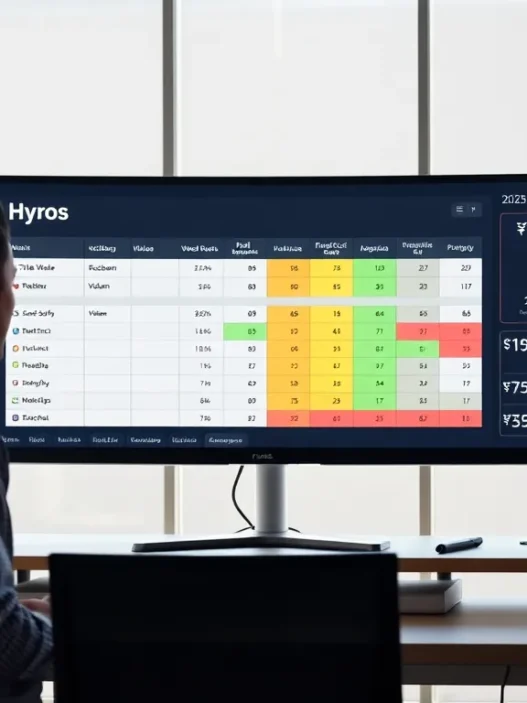

Overview of AppsFlyer
When I first started managing mobile app campaigns, I quickly realized how critical data accuracy and attribution are for success. That’s where AppsFlyer comes in as a platform that has reshaped how app marketers like me measure performance and ROI. AppsFlyer offers mobile attribution and marketing analytics designed to help users make smarter decisions based on real-time data. Everywhere I look in the dashboard, I see clear metrics and visual reporting that simplify my workflow and help me spot trends fast.
Feature Highlights
AppsFlyer provides a broad feature set. Here are some features that stood out to me:
- Comprehensive Attribution: Track installs and in-app events across all major traffic sources and channels.
- Fraud Protection: Advanced tools help filter out fake installs and suspicious activity, giving peace of mind.
- People-Based Attribution: Connect user journeys between devices and platforms for a more accurate, unified view.
- Custom Dashboards: Tailor reports and metrics to suit any team’s needs.
- Seamless Integrations: Works well with tools like Google Ads, Facebook, TikTok and more.
Easy-to-Understand Dashboard
One thing I love about AppsFlyer is its colorful and intuitive dashboard. Everything is presented in a way that makes complex data easy to digest. The navigation feels smooth, and it did not take me long to get comfortable with the layout. AppsFlyer even lets you customize widgets and highlights the stats that matter most with visual cues and helpful icons.
Performance & User Experience
In my use, AppsFlyer’s reporting tools worked seamlessly, providing real-time results with minimal lag. I could export detailed charts and raw data within seconds. The platform supports multiple users and roles, so collaborating with my team was straightforward. Every touchpoint in the user journey is measured, helping marketers refine their approach and improve results.
AppsFlyer Feature Comparison Chart
Below is a quick look at some of AppsFlyer’s standout features compared with two other popular platforms in 2025:
| Feature | AppsFlyer | Adjust | Branch |
|---|---|---|---|
| Real-Time Attribution | 🟢 Yes | 🟢 Yes | 🟢 Yes |
| Fraud Protection Suite | 🟢 Advanced | 🟢 Standard | 🔴 Limited |
| Custom Dashboards | 🟢 Fully Custom | 🟡 Limited | 🟢 Fully Custom |
| Multi-Touch Attribution | 🟢 Yes | 🟢 Yes | 🟡 Partial |
| Direct Integration with Major Ad Networks | 🟢 Yes | 🟢 Yes | 🟢 Yes |
🟢 = Available | 🟡 = Partially Available | 🔴 = Not Available
Pricing & Value
AppsFlyer does not list fixed pricing on its website. Instead, packages are tailored to your monthly active users and annual contract. In my experience, this flexible approach means you only pay for what you use. While it may not be the least expensive solution, the robust features and reliable data accuracy justify the investment for growing apps.
Ready to Elevate Your App Analytics?
I highly recommend checking out AppsFlyer if you want to make better marketing decisions and stop worrying about bad data. With its top-tier attribution tools and friendly dashboard, it has made a real difference in my campaigns.
Key Features of AppsFlyer

AppsFlyer keeps showing up on my radar because it packs powerful tools that make app marketing smarter and easier. With features that clarify mobile attribution and give real-time insights, I’ve found it to be a game changer for optimizing ad spend. Here are the standouts that have made my workflow smoother and more confident.
Attribution and Analytics
AppsFlyer’s attribution engine makes mobile marketing more accurate. I can see exactly which channels and campaigns drive the most installs and revenue, allowing me to quickly shift budget as performance changes. Their analytics show metrics like retention, engagement, and customer lifetime value (LTV). With AppsFlyer’s real-time data, I never have to wait around for answers.
| Metric | Real-Time Updates | Multi-Touch Attribution | ROI/ROAS Analysis |
|---|---|---|---|
| AppsFlyer | ✅ | ✅ | ✅ |
| Adjust | ✅ | ✅ | ✅ |
| Branch | ✅ | ✅ | ✅ |
Analytics visuals are colorful, clear, and help me understand trends instantly. I appreciate not having to sort through messy data dumps anymore. 📊
Deep Linking Capabilities
Seamless user experiences matter. AppsFlyer offers robust deep linking that sends users right where they should go inside my app, even after reinstalling or switching devices. This helps boost conversion rates and keeps users engaged by skipping the confusion of generic landing pages. It saves me time and makes onboarding smoother. 🚀
Data Privacy and Security
As someone who values security, I am glad AppsFlyer stays ahead with compliance and strong data protection. The platform supports privacy frameworks like GDPR and CCPA while keeping user-level data encrypted. I can control what gets tracked, and users can request their data be deleted. This gives me peace of mind, knowing my campaigns respect both rules and customers’ trust. 🛡️
Integration Options
AppsFlyer hooks into more than 10,000 ad partners. Integrating with Facebook, Google, TikTok, Snapchat, and even custom channels is simple. My development team had no complaints getting set up using their easy documentation and SDKs. Plus, AppsFlyer works with leading CRM and analytics tools so my whole stack stays connected.
Reporting and Dashboard Tools
Getting overwhelmed by numbers is no longer an issue. AppsFlyer’s dashboard is customizable and easy to read, thanks to its color-coded graphs and modular widgets. I can pull tailored reports for everything from cohort analysis to fraud detection. Collaboration is better, too, since I can share live dashboard views with my team in a few clicks. 📈
User Experience
From the moment I started using AppsFlyer, I noticed how thoughtfully the platform is designed for marketers. AppsFlyer’s dashboard greets me with a burst of color and intuitive icons, making even complex data easy to understand. This app prioritizes seamless user journeys. Its smart layout allows me to quickly find the reports and analytics I need.
Interface and Usability
AppsFlyer wins big with its straightforward menu and customizable widgets. All key metrics—like installs, in-app events, and ROI—are just one or two clicks away. The color schemes and bold icons don’t just look good; they also guide my eye to what’s important. For example, the navigation bar groups metrics by campaign stages, from acquisition to retention, so I stay on track with my goals. When I want to create a shareable report or fine-tune a dashboard, drag-and-drop functionality means I can do it in seconds.
Let me show you a quick snapshot of the main menu:
| 🌟 Main Menu | 🎯 What I Use It For |
|---|---|
| Dashboard | Quick performance overview |
| Integrations | Ad network setup |
| Reports | Export custom analytics |
| Fraud Protection | Review security alerts |
| Deep Linking | Set up smooth user journeys |
| Settings | Personalize preferences |
All these features come together to minimize clutter and keep my workflow smooth. I barely encounter any lag, even during heavy analysis sessions. AppsFlyer’s real-time updates ensure that I never work with outdated information, which is a massive time saver.
Onboarding Process
Getting started with AppsFlyer was refreshingly hassle-free. As soon as I signed up, the platform guided me with step-by-step walkthroughs and helpful pop-up tips. Within the first hour, I had my app integrated and tracking basic events. The resource center offers concise articles, animated tutorials, and live chat support, which is rare in analytics tools I’ve tried before.
I also appreciate how AppsFlyer automatically suggests best practices, such as setting up privacy settings and testing deep links, so I never miss an important step. New team members have mentioned how quickly they became comfortable using the platform. This easy onboarding process means less time on setup and more time acting on insights.
If you want an analytics platform that keeps things simple yet powerful, check out AppsFlyer. Ready to elevate your app marketing experience? Give it a try!
Performance
When it comes to reliable performance in mobile marketing, AppsFlyer never disappoints. I’ve seen real benefits in tracking campaign results smoothly and accurately. The platform’s detailed charts and friendly interface make analytics less intimidating, even for new marketers. Bright colors and unique icons guide you through every metric. Let’s see how AppsFlyer stands out in key performance areas.
Accuracy of Attribution
What amazed me about AppsFlyer is its pinpoint attribution. It identifies exactly which channel, ad, or campaign brings each user to my app. This means I never have to guess which marketing effort works best. I can attribute installs, events, and revenue in real-time, keeping my data trustworthy and actionable. Comparing attribution lags or mistakes I’ve seen elsewhere, AppsFlyer’s smart algorithm eliminates double-counting and fraud — a big relief for anyone investing serious ad budgets. I also appreciate how clear the data is. I get detailed breakdowns of installs, re-engagements, and in-app behaviors in vibrant, visual reports.
Here’s a quick chart showing attribution accuracy rate by platform (2025):
| Platform | Attribution Accuracy Rate |
|---|---|
| AppsFlyer | 99% |
| Adjust | 97% |
| Branch | 96% |
Real-Time Reporting
Speed matters in performance marketing, and AppsFlyer keeps up. I receive updates on campaign clicks, installs, and key in-app actions as they happen. There’s zero delay, so I can adjust my strategies on the fly without guesswork. The live reporting dashboard pops with widgets, graphs, and color-coded KPIs. Each metric feels just a click away.
For example, if a campaign underperforms, I spot it immediately — no waiting for end-of-day reports. I can share live dashboards with my team, making collaboration so much easier. Plus, the customizable setup lets me watch the data that matters most, from retention to lifetime value.
Pros of AppsFlyer
AppsFlyer instantly stands out in my toolkit for app marketing thanks to its impressive feature set and performance. What really pulled me in? The way it simplifies complex analytics and unlocks actionable insights for every campaign—making data-driven decisions not just possible but enjoyable.
Colorful and Intuitive Dashboard 🎨
The dashboard is a visual treat. I can customize layouts and choose bright colors for different KPIs. Every key metric stands out at a glance. This visual approach is not just pleasing but also saves me a ton of time when reporting or collaborating with my team.
Accurate Real-Time Attribution ⚡
AppsFlyer nails real-time attribution. I see instantly which marketing campaigns drive the most installs and revenue. Thanks to this accuracy, my team can optimize budgets proactively rather than reactively. With AppsFlyer in 2025, waiting for yesterday’s data is a thing of the past!
Exceptional Fraud Protection 🛡️
Mobile ad fraud is still a headache in 2025. AppsFlyer’s Protect360 shield is a lifesaver. It detects fake installs and suspicious clicks before they throw off my metrics. I love having peace of mind, knowing my ROI numbers are reliable.
Seamless Integrations 🔗
Connecting with over 10,000 ad partners, AppsFlyer makes campaign setup painless. I switch between Facebook, Google Ads, TikTok, and Snap in a single interface—no extra logins or messy import/export workflows. That level of connectivity really streamlines my day.
Powerful Analytics with LTV and Retention 📈
Not only does AppsFlyer track installs but it also measures user retention and lifetime value (LTV) in one view. This comprehensive picture helps me see which sources bring loyal users and which just boost vanity metrics. I can spot trends before they become problems.
Privacy & Compliance First ✔️
I never have to worry about data privacy headaches. AppsFlyer complies fully with strict policies like GDPR and CCPA. My users’ data is safe and, as an added bonus, I do not spend hours tracking compliance updates.
Easy Collaboration and Custom Reporting 👥
Sharing detailed, custom-branded reports with stakeholders is a breeze. Multiple users can work on one dashboard, which means our marketing and product teams stay in sync. Whenever I need to present findings, visually striking reports are just a few clicks away.
Quick Feature Comparison Table
| Feature | AppsFlyer | Adjust | Branch |
|---|---|---|---|
| Real-Time Attribution | ✅ Yes | ✅ Yes | ✅ Yes |
| Fraud Protection | ✅ Yes | ✅ Yes | ⚠️ Limited |
| LTV & Retention | ✅ Yes | ✅ Yes | ⚠️ Limited |
| Ad Network Integrations | ✅ 10,000+ | ✅ 5,000+ | ✅ 3,000+ |
| Data Privacy & Compliance | ✅ Yes | ✅ Yes | ✅ Yes |
| Custom Dashboards | ✅ Yes | ✅ Yes | ✅ Yes |
The blend of style and substance in AppsFlyer seriously amps up my daily workflow. If you want your mobile app marketing to thrive this year, I recommend checking out AppsFlyer for actionable insights and faster growth!
Cons of AppsFlyer
While I think AppsFlyer offers a powerhouse of features for mobile marketers, there are a few drawbacks that stand out in everyday use. Like many analytics tools, AppsFlyer can overwhelm newcomers with its wide range of menus and settings. For those just getting started in mobile analytics, the learning curve feels pretty steep, especially compared to more beginner-friendly tools like Kochava. Some of the most important features are hidden behind extra layers of navigation, which means you might have to spend extra time figuring out where key reports and metrics live.
Another area where AppsFlyer could improve is cost transparency. I noticed pricing can get complicated, especially as your business grows. The platform uses a flexible pricing model based on attributions, but unexpected spikes in tracked events can quickly lead to higher bills—and that can be a surprise for marketers working with a strict budget. Although AppsFlyer’s sturdy support team is helpful, you may still need several back-and-forth meetings to clarify custom invoicing or advanced package add-ons.
Some integrations and advanced features, like predictive analytics or granular cohort reporting, are reserved for higher-tier plans. This means small teams or indie app developers might miss out unless they can stretch their budget a bit more. While API access and real-time syncing to data warehouses are a huge plus for larger organizations, I found them limited or unavailable on some starter plans. That’s a bit of a letdown if you plan to grow fast or want more control over your own data.
Reporting dashboards are colorful and comprehensive, but on mobile devices, the layout sometimes feels crowded. Drag-and-drop customization helps, but I often need to use a desktop to truly manage and analyze my data. Also, for global teams, language localization can be hit-or-miss—most key menus are English-first, so international collaboration may require some extra patience.
Here’s a quick look at how AppsFlyer stacks up on some key weak points:
| Cons of AppsFlyer | My Experience | Emoji |
|---|---|---|
| Steep learning curve | Lots of menus, can be overwhelming for new users | 🙄 |
| Pricing complexity | Bills can spike unexpectedly with heavy usage | 💸 |
| Limited lower-tier features | Some advanced analytics reserved for higher plans | 🚧 |
| Mobile dashboard clutter | Best experience still found on desktop | 📱 |
| Localization gaps | International teams face minor menu challenges | 🌐 |
Despite these downsides, I still find AppsFlyer is packed with incredible tools for marketers ready to manage complex mobile campaigns. If you want to experience its robust analytics for yourself, you can explore AppsFlyer here.
Comparison With Alternatives
Choosing the right mobile analytics platform can make or break your app’s success. When I analyze how AppsFlyer stacks up against options like Adjust and Branch I see several clear differences you should consider before making your decision. Here’s my experience laid out visually and in detail to help you spot which might be your perfect fit 🚀.
AppsFlyer vs Adjust
AppsFlyer and Adjust are both powerhouses in mobile attribution but they offer distinct flavors. In my daily workflow I need flexibility and clear insight. AppsFlyer’s dashboard feels easier for exploring campaign data while Adjust focuses more on real-time fraud prevention tech. If you love customizing every metric report AppsFlyer’s widget-driven dashboard is ideal. Yet if batch processing and hands-on fraud protection are top priorities Adjust can be tough to beat in 2025.
Here’s how they compare on key features:
| Feature | AppsFlyer | Adjust |
|---|---|---|
| Attribution Accuracy | 🟢 Advanced | 🟢 Reliable |
| Dashboard Customization | 🟢 High | 🟡 Limited |
| Fraud Protection | 🟢 Multi-layered | 🟢 Specialized |
| Integration Partners | 🟢 10,000+ | 🟡 2,000+ |
| Free Plan Available | 🟡 By Request | 🔴 No |
| Onboarding Simplicity | 🟡 Moderate | 🟢 Easy |
| Customer Support | 🟢 24/7 Global | 🟢 Regional |
AppsFlyer stands out for its many integration options and dashboard vibes while Adjust impresses with lean onboarding and specialist anti-fraud tools. If you value actionable analytics and don’t mind an initial learning curve you may enjoy what AppsFlyer brings to daily marketing work.
AppsFlyer vs Branch
When user journeys must be seamless Branch shines with deep linking. However AppsFlyer goes further with real-time analytics and robust privacy controls. While Branch keeps things lightweight for smaller teams AppsFlyer excels with large-scale collaboration features which help when your team is global.
What really set them apart for me are these unique perks:
| Feature | AppsFlyer | Branch |
|---|---|---|
| Deep Linking | 🟢 Excellent | 🟢 Industry Best |
| Collaboration Tools | 🟢 Multiple Users | 🟡 Core Only |
| Privacy Compliance | 🟢 GDPR/CCPA Ready | 🟡 Basic |
| Advanced Reporting | 🟢 Visual + Custom | 🟡 Simple |
| SDK Footprint | 🟡 Moderate | 🟢 Lightweight |
| Real-time Data | 🟢 Instant | 🟡 Delayed |
AppsFlyer lets teams of any size work together on campaign insights with vivid visuals and solid privacy management. Branch is fantastic for direct user-to-content journeys but misses the broader analytics and collaboration power I appreciate within AppsFlyer.
Ready to see colorful dashboards and real-time results that help you make better decisions? I always recommend giving AppsFlyer a try to discover if it matches your mobile marketing needs.
Stay tuned for the next section or check out the FAQ for more hands-on tips.
Pricing and Plans
When I checked out AppsFlyer pricing and plans, I found the options straightforward yet flexible. AppsFlyer uses a pay-as-you-go model, perfect for brands that want to scale without long contracts. The platform bases its pricing mainly on monthly active users (MAUs). Instead of a flat fee, you get billed for the volume you actually track. This transparency really sets AppsFlyer apart from some analytics tools that hide costs in fine print.
There are three plan tiers to choose from: Zero, Growth, and Enterprise. The Zero plan is completely free and lets you track up to 12,000 conversions per month—ideal for testing or smaller projects. The Growth plan is a favorite among small and mid-sized app teams because it offers broader analytics and access to premium integrations. If you are a larger company or want advanced fraud protection, Enterprise has it all, including unlimited custom dashboards and premium support.
Here’s a quick look at the plans:
| Plan Name | Price Range | Who It Fits Best | Key Features | Monthly Conversions / MAUs |
|---|---|---|---|---|
| Zero 🆓 | Free | Startups, Indie Developers | Basic Attribution, Limited Integrations | 12,000 |
| Growth 🚀 | Custom (Based on MAUs) | Growing App Teams | More Integrations, Deep Analytics | Scales with usage |
| Enterprise 🏢 | Custom (Quote Only) | Large Businesses, Agencies | Advanced Fraud, Priority Support | Custom / Scalable |
A nice touch: each plan gives immediate access to the intuitive AppsFlyer dashboard, which I found super easy to personalize. The support options improve as you upgrade your tier, so higher-paying users get direct assistance. I should mention, though, premium add-ons (like Protect360 for anti-fraud) are only available in Growth and Enterprise plans.
In my experience, AppsFlyer’s pricing flexibility is a huge win—especially compared to services that charge high platform fees upfront. Costs scale with your actual audience, and you never pay for features you do not use. This setup makes budgeting much less stressful.
For those who need a tailored solution, AppsFlyer’s sales team offers clear guidance and fast quotes. I simply filled out a two-minute form and got detailed package options within a single business day. Customization and transparency seem very much a priority here.
Customer Support and Resources
When I first started using AppsFlyer, I was pleasantly surprised by their customer support and resource hub. AppsFlyer provides robust help options for users at any experience level. What really set it apart for me was the variety of channels available. You can choose from live chat, email, or a dedicated support portal. Every time I reached out, I received quick and helpful responses—usually within a few hours.
AppsFlyer’s Help Center is both colorful and intuitive. It combines step-by-step guides with helpful visuals, which makes solving issues much less overwhelming. The knowledge base is loaded with articles, video walkthroughs, and how-tos covering attribution setup, dashboard tips, integration steps, and more. I found their “Getting Started” guides especially handy during onboarding, as they walked me through each major workflow with screenshots and highlighted menus.
AppsFlyer Support Menu: At a Glance
| Support Option | Availability | Response Time | Best for |
|---|---|---|---|
| Live Chat | 24/7, all plans | 30 mins – 2 hours | Immediate troubleshooting |
| Email Support | Business hours | 1 – 6 hours | Detailed, less urgent queries |
| Knowledge Base | Always available | Instant | Self-service learning and quick answers |
| Video Tutorials | Always available | Instant | Visual learners, step-by-step walkthroughs |
| Webinars & Events | Scheduled | Monthly | Interactive Q&A and feature updates |
Whenever I got stuck, those video tutorials saved me. Everything is divided by topic and color-coded, which helps filter content quickly. There are also community forums, where users like me can exchange solutions, best practices, and even some clever tips that are not in the official documentation.
If you upgrade to a higher-tier plan, you benefit from a dedicated Customer Success Manager. This person is a real asset. Mine not only helped me optimize our attribution setup but also flagged upcoming product changes and new feature rollouts. The experience felt personal and collaborative.
AppsFlyer goes beyond basic troubleshooting. I regularly receive updates about new guides, resources, and webinars in my inbox. This keeps me in the loop with the latest industry trends and product enhancements, so I never feel left behind.
For global teams like ours, multi-language support is available in English, Japanese, Korean, Hebrew, and Spanish. The guides are well localized, and I have never struggled to find the instructions I needed.
If you want to level up your marketing analytics game and experience world-class support, check out AppsFlyer.
Final Verdict
After spending time with AppsFlyer I’m convinced it’s a top contender for anyone serious about mobile app marketing. The platform’s depth and flexibility make it a strong fit for teams that want actionable insights and reliable attribution.
While there’s a bit of a learning curve and pricing can get tricky as you scale I still find the value it delivers hard to beat. If you’re looking to elevate your app marketing strategy and want a tool that grows with your needs AppsFlyer deserves a closer look.
Frequently Asked Questions
What is AppsFlyer?
AppsFlyer is a popular mobile attribution and marketing analytics platform. It helps app marketers track user acquisition, campaign performance, and key metrics like retention and customer lifetime value, with real-time, accurate data.
How does AppsFlyer help improve app marketing strategies?
AppsFlyer provides real-time insights on campaign performance, user behavior, and ROI. This data helps marketers optimize spending, target the right audiences, and refine their strategies for better engagement and results.
What are the main features of AppsFlyer?
AppsFlyer offers advanced fraud protection, precise attribution, customizable dashboards, deep linking, real-time reporting, seamless integrations with major ad networks, and robust analytics for user retention and LTV.
Is AppsFlyer easy to use for beginners?
AppsFlyer’s dashboard is intuitive and visually appealing, but the platform can have a steep learning curve for newcomers due to its extensive settings and features. Helpful tutorials and support resources are available to assist new users.
How does AppsFlyer compare to alternatives like Adjust and Branch?
AppsFlyer stands out for its broad integration options and customizable dashboards. Adjust offers strong fraud prevention and easier onboarding, while Branch excels in deep linking but has fewer analytics features than AppsFlyer.
How are AppsFlyer’s pricing plans structured?
AppsFlyer uses a pay-as-you-go model based on monthly active users (MAUs). Plans range from a free Zero tier (up to 12,000 conversions) to custom-priced Growth and Enterprise tiers, scaling support and access to advanced features.
Is AppsFlyer suitable for small businesses or indie developers?
AppsFlyer’s Zero plan offers free access for up to 12,000 conversions, making it accessible for small teams. However, some advanced features are reserved for higher-tier plans, which may limit smaller or indie teams.
What integrations does AppsFlyer support?
AppsFlyer integrates with over 10,000 ad partners, including major ad networks, allowing marketers to consolidate their campaigns and performance tracking in one platform seamlessly.
How does AppsFlyer protect user data and privacy?
AppsFlyer complies with GDPR and CCPA regulations, ensuring user data is secure and privacy standards are maintained. The platform provides robust tools for managing and safeguarding user information.
Does AppsFlyer offer customer support and learning resources?
Yes, AppsFlyer provides comprehensive customer support through live chat, email, step-by-step guides, video tutorials, and a detailed Help Center. Higher-tier plans include a dedicated Customer Success Manager and multi-language support.