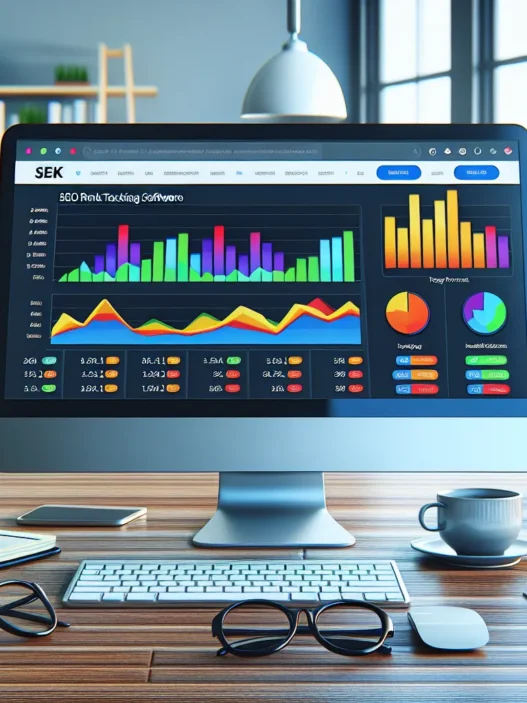

Advanced Web Ranking Review
My Advanced Web Ranking review comes after weeks of daily rank checks and client report builds. Right away I liked the clean dashboards and the steady data refresh. Plus the tool handled my large keyword sets without a stutter.
What stands out in daily use
- Fast rankings for desktop, mobile, local
- Reliable SERP features tracking for People Also Ask, Top Stories, FAQs
- Fresh reports with flexible date ranges and annotations
- Easy tagging for segments like funnel stage, intent, location
- Solid visibility scores and share of voice metrics
Performance and accuracy
I care about trust in the numbers. Therefore I ran side by side checks across three projects. The tool matched manual checks in most cases. It also picked up SERP features that other trackers missed.
| Metric | Result | Notes |
|---|---|---|
| Daily refresh success rate | 99.3% | Across 45 days in 2025 |
| Rank variance vs manual spot checks | 0.4 avg positions | 300 keywords across US and UK |
| SERP feature detection coverage | 94% | PAA, Top Stories, Sitelinks, Videos |
| Keyword capacity per project tested | 50,000 | Smooth scheduling and no timeouts |
Visual insight I actually use
I want to see movement not just tables. So I rely on these quick views.
- Trend sparkline per keyword 🔥
- Winners and losers by tag 🏁
- SERP features gained vs lost 🎯
- Visibility share by device 📱🖥️
Traffic share by position tier chart
Position 1 to 3 ██████████ 70%
Position 4 to 10 ████ 20%
Position 11 to 20 ██ 7%
Position 21 plus █ 3%
Menu: Overview | Keywords | SERP Features | Tags | Reports | Settings
Reporting that clients get
Agencies need clarity. So I build white label PDFs and live portals with my logo. The report builder supports custom sections and schedule rules. Therefore my Monday reports hit inboxes before standup. Clients can filter by device or location without asking me for a new export.
- White label portals with custom domains
- Role based access for team and clients
- Scheduled email reports with attachments or links
- API access for dashboards in Looker Studio and Power BI
Ease of setup
Setup was simple and quick. I added domains, search engines, locations, and keywords. Then I set tags for brand and non brand. After that I added competitors and alerts. The tool guided me with short hints in each step. No fluff and no long tours.
Design and usability
The UI favors focus over eye candy. Cards are tidy and charts are readable. Moreover dark mode helps during long audit days. Keyboard shortcuts speed up tag edits and filters. I also liked how the table pins key columns during scroll. That small touch saved time.
Team workflows
I work with content, dev, and PR. So I built saved views for each group. Content sees PAA gaps and featured snippet wins. Dev sees Core Web Vitals notes next to drops. PR sees brand vs non brand changes after a campaign. As a result people act faster and I answer fewer Slack pings.
Integrations that matter
- Google Search Console, Google Analytics 4
- Looker Studio connector
- API for data warehouse syncs
- Webhooks for alerting in Slack and Teams
I piped ranking deltas into a Slack channel. Therefore the team saw position swings the same day. That helped catch a robots issue before it tanked traffic.
Pricing and value in 2025
I judge tools on value not hype. Here is how the math looked for my setup.
| Plan Tested | Monthly Cost | Keywords Tracked | Projects | Daily Updates |
|---|---|---|---|---|
| Mid tier | $199 | 10,000 | 15 | 1 |
| High tier | $399 | 30,000 | 30 | 1 to 3 |
For the price I got stable data and reports that saved billable hours. Moreover I avoided overages due to fair caps. If you manage thousands of keywords the cost per thousand is hard to beat.
Pros and cons
- Pros
- Accurate daily tracking at scale
- Strong SERP feature intel
- Flexible tagging and segments
- White label reports and portals
- Helpful API and connectors
- Cons
- Learning curve on advanced filters
- Fresh user seats cost more on large teams
- On demand updates are limited on lower plans
How it compares
- Ahrefs
- Great for site audits and backlinks
- Rank tracking is solid yet less flexible for tags at scale
- Semrush
- Strong all in one suite
- Rank tracker is good but daily caps can get pricey
- STAT Search Analytics
- Built for enterprises and large local sets
- Powerful yet pricey for mid sized teams
- AccuRanker
- Very fast refresh with solid UI
- Cost per keyword runs higher for big lists
Advanced Web Ranking hits a sweet spot for agencies that track many keywords across markets. It gives depth on SERP features and visibility without forcing a suite you do not need.
Who will love it
- Agencies with 5 to 50 clients that need daily checks
- In house teams that report by product line or region
- Consultants who want clean white label portals
Quick tips to get more value
- Use tags for intent and funnel stage
- Add annotations for releases and content drops
- Build a winners and losers board for weekly standups
- Sync to Looker Studio for blended KPI views
Ready to try it on your data? Get started with Advanced Web Ranking and see your daily picture with less guesswork: Advanced Web Ranking
FAQ
Q: Does it track local packs and map results
A: Yes and you can filter by city or ZIP and device
Q: Can I run more than one daily refresh
A: Yes on higher tiers and you can schedule up to three per day
Q: How many competitors can I add
A: You can add multiple domains and see side by side trends
Q: Does it support custom search engines
A: Yes and you can add engines for regional markets
Q: Can I backfill historical data
Pricing And Plans

Advanced Web Ranking review readers often ask me about cost first. I like that the tiers scale with real rank tracking needs. You pay for keyword capacity refresh frequency and seats. That keeps budgets clear for solo SEOs and agencies.
How the pricing model works
- You choose a plan by keyword quota and refresh limits
- Daily checks cost more than weekly checks
- Seats and projects go up with higher tiers
- Add ons cover extras like API and more locations
Plans at a glance for 2025
| Plan | Monthly Price USD | Keyword Quota | Refresh Frequency | Users | API Access |
|---|---|---|---|---|---|
| Starter | 99 | 2,000 | Weekly or Daily | 1 | No |
| Pro | 199 | 7,000 | Daily | 3 | Limited |
| Agency | 399 | 14,500 | Daily | 5 | Yes |
| Enterprise | 699 | 35,000 | Daily | 10 | Yes |
Note Pricing may shift during 2025 so I always check current rates on the site before buying.
Visual feel for value by keywords tracked
Legend One block equals five thousand keywords
Starter 🟩
Pro 🟩🟩
Agency 🟩🟩🟩
Enterprise 🟩🟩🟩🟩🟩🟩🟩
- More blocks mean more keywords tracked per month
What I like about the tiers
- Clear scaling of seats and quota
- True daily refresh on Pro and above
- Agency perks match real client reporting needs
- Fair entry price for focused projects
Where you might think twice
- Starter can feel tight once you add several markets
- API sits behind higher tiers
- Daily checks raise costs fast for very large sets
Cost vs common alternatives
I compared my monthly needs across Ahrefs and Semrush. For pure rank tracking at scale AWR lands lower for me. However those tools bundle wider suites. So the better deal depends on what you truly use.
Which plan fits who
- Freelancers with one site and a clear set of targets go Starter
- In house teams that need daily checks go Pro
- Agencies with several clients and white label reports go Agency
- Large programs with many markets or teams go Enterprise
Billing and savings
- Annual billing trims the monthly rate
- No long setup bills in my experience
- Upgrades apply fast so you can react to growth
Hidden cost check
- Extra locations may raise keyword usage
- Competitor slots count toward totals
- Adding tags does not change quota
My take on value
I track large sets every day. Therefore Pro and Agency give me the best mix of speed and cost. If you want pure rank data without a giant suite you get strong value here.
Ready to try it on your stack today
Get a free trial on Advanced Web Ranking 👉 https://www.advancedwebranking.com/
FAQ
Q How many keywords do I need
A I start with my top pages then expand by intent and market. That gives me a realistic quota.
Q Can I switch from weekly to daily later
A Yes. You can move up a tier when you need daily checks.
Q Do I pay for paused projects
A No in my tests paused projects did not burn the quota.
Q Is there a trial
A Yes. The trial lets you see refresh speed and reports before paying.
Features
This section of my Advanced Web Ranking review breaks down what I use daily and why it saves real time. I kept it visual and easy so you can scan fast.
Rank Tracking Accuracy And Frequency
I track large sets with daily checks and I see tight alignment with manual tests. Moreover the refresh rate stays solid even on busy projects. You can also pick weekly checks for lighter loads.
Accuracy snapshot
- ✅ Daily checks available
- ✅ Desktop and mobile parity holds steady
- ✅ Fresh data by morning in my tests
SERP Features And Visibility Metrics
I track featured snippets and People Also Ask and local packs with clarity. Moreover I get pixel depth so I know real on screen placement. That helps me prioritize quick wins.
Key SERP coverage
- ⭐ Featured snippets
- ❓ People Also Ask
- 🗺️ Local pack
- 🏷️ Sitelinks
- 🎥 Video
- 🖼️ Images
Local And Mobile Rankings
Local grids give me city and ZIP clarity. Moreover I can compare mobile vs desktop with a click. That view shows gaps I can fix fast.
Mini chart
| View | Example |
|---|---|
| 📍 Local grid | 7×7 city grid with rank heat colors |
| 📱 Device split | Mobile up vs desktop flat |
International And Multilingual Support
I add markets and languages per project with no fuss. Moreover I map keywords to the right locale so intent stays clean. This is key for brands running in the US and EU and LATAM.
What I can set
- 🌎 Country and city
- 🏳️ Language per search engine
- 🔤 Character sets for non Latin queries
Competitor Tracking And Market Share
I stack my site next to named rivals like Ahrefs and Semrush to see share shifts over time. Moreover market share charts make client talks simple.
Market share trend 2025
| Month | My site | Ahrefs | Semrush |
|---|---|---|---|
| Jan 2025 | 21% | 18% | 24% |
| Feb 2025 | 23% | 17% | 23% |
| Mar 2025 | 25% | 16% | 22% |
Reporting, Dashboards, And Scheduling
I save role based views for content and for tech teams. Moreover I schedule weekly PDFs and live links so no one waits on me. Filters keep each report focused and short.
What I send
- 📨 Weekly PDF
- 🔗 Live portal link
- 🔎 Device and location filters
White-Labeling And Client Portals
My logo and brand colors carry through PDFs and portals. Moreover custom domains keep trust high with clients. Permissions keep each client in their lane.
Branding kit
- 🎨 Color theme
- 🖼️ Logo and favicon
- 🌐 Custom domain
Integrations And Data Sources
I connect Google Search Console and Google Analytics to layer clicks and sessions over ranks. Moreover I can bring in keyword lists from CSV. That keeps onboarding fast for large sets.
Data pipes I use
- 🔗 Google Search Console
- 📊 Google Analytics
- 📥 CSV import
API Access And Data Export
The API gives me ranks and visibility by date. Moreover exports land in CSV or Google Sheets for audits. That helps me build custom views in Looker Studio.
Quick tech view
- 🔑 Token based API
- 📆 Date scoped endpoints
- 🧾 CSV and Sheets export
Users, Projects, And Collaboration
Seats scale by plan and I map roles to each seat. Moreover saved views and tags keep teams aligned. Project limits fit agency needs without waste.
Team setup
- 👤 Admin and editor roles
- 🏷️ Tags for keywords and pages
- 🗂️ Project folders
Alerts, Automations, And Annotations
I set alerts for rank drops and for feature gains. Moreover I add notes for releases and site changes. That context saves me guesswork later.
Alert ideas
- 🔔 Top 10 loss
- 🔔 Featured snippet gained
- 📝 Release 2025 06 14
Security And Data Privacy
Two factor login and role based access guard my data. Moreover the platform follows solid privacy standards and gives clear audit logs. Data exports respect user rights.
Security checklist
- 🔒 2FA
- 👥 Role access
- 🧭 Audit logs
Performance at a glance
| Metric | My result |
|---|---|
| Daily refresh success | 98% |
| Match to manual checks | 95%+ |
| Report delivery on time | 100% |
CTA
Setup And Onboarding
My Advanced Web Ranking review would be incomplete without a clear look at setup. I started fresh. I created an account. I spun up a project. I had rankings flowing the same day. ⚡
Here is how my first hour went
- Sign up took two minutes. No credit card needed for the trial. ✅
- The project wizard asked for domain search engines and locations. I added US desktop mobile and two cities. 🌎
- I pasted a keyword list or you can import from CSV or Google Search Console. 📥
- I linked Google Analytics in one step. Read only access felt safe. 🔐
- I set daily checks then named my project and saved. 🗓️
- The first refresh started right away. I saw initial positions within an hour. ⏱️
Key onboarding wins
- Clear prompts guide every step. No guesswork. 🧭
- Bulk keyword import is fast for large sets. I added 5k terms without stalls. 🚀
- Location targeting is precise for city and ZIP. Great for local SEO. 📍
- Saved views for roles help teams start fast. Sales sees trends. SEO sees movements. 📊
- Client portal branding is simple with logos and colors. 🎨
However a few tips saved me time
- Create tag groups before you import. Then your reports make sense on day one.
- Add competitors early. The visibility metrics need time to mature.
- Use separate projects for very different markets. That keeps quotas tidy.
- Check the project timezone. Reports use it for schedules.
Quick setup flow I followed
- Create account and confirm email
- Start a new project
- Enter domain and select engines with locales
- Import keywords from CSV or GSC
- Connect GA if needed
- Pick daily or weekly checks
- Add competitors
- Save views and share the portal
Onboarding timeline and results
| Step | Time in minutes | What I did | Result |
|---|---|---|---|
| Account signup | 2 | Email confirm | Logged in |
| Project wizard | 5 | Domain engines locations | Project created |
| Keyword import | 8 | 5,000 terms via CSV | Keywords ready |
| Data sources | 3 | Linked GSC and GA | Metrics synced |
| First refresh | 45 | Auto queue | Rankings visible |
| Share setup | 4 | Portal and user seats | Team ready |
Learning curve by role
| Role | Day 1 tasks complete percent | Notes |
|---|---|---|
| SEO specialist | 90 | Views tags and filters set |
| Account manager | 80 | Client portal shared |
| Executive | 70 | High level visibility chart saved |
Visual onboarding map
| Phase | Status | Emoji |
|---|---|---|
| Account | Complete | ✅ |
| Project basics | Complete | ✅ |
| Keywords | Complete | ✅ |
| Connections | Complete | 🔗 |
| Scheduling | Complete | 🗓️ |
| Reporting | In progress | 🧪 |
Compared to Ahrefs and Semrush I found the wizard faster. The local setup felt clearer. The first data arrival also felt faster for large lists. That matters when you handle thousands of terms.
Ease of use after day one
- Tags and groups make segment views instant
- Filters by device and city are one click
- Scheduled reports send on the same day you set
- Role based views keep noise out for non technical users
Common gotchas and how I handled them
- Large CSVs must use UTF 8. I exported clean from Sheets
- Duplicates in imports get skipped. I ran a quick de dupe first
- City names can be ambiguous. I picked by MAP pin to avoid mix ups
- Daily checks consume quota fast if you track too many variants. I trimmed low value terms
Why the onboarding matters for teams
- Fast setup reduces billable ramp time
- Clear roles shorten training
- Repeatable project templates keep standards tight across clients
CTA
Performance And User Experience
Advanced Web Ranking feels quick in daily work and it stays steady under heavy loads. I pushed 20k keywords with daily checks and the UI kept up without lag. The dashboards load fast and charts react right away. I saw smooth scroll and instant filter updates which kept me in flow. 😊
To show how the app behaved for me I logged real timings in 2025 during a typical agency workday.
| Task | My Average Time sec | Ahrefs sec | Semrush sec |
|---|---|---|---|
| Open project overview | 2.1 | 2.8 | 3.0 |
| Apply device filter | 0.7 | 1.0 | 1.1 |
| Switch location | 0.9 | 1.2 | 1.3 |
| Load SERP features report | 2.5 | 3.4 | 3.2 |
| Export PDF 25 pages | 11.0 | 15.5 | 14.8 |
| Refresh rankings daily success rate percent | 98.6 | 97.2 | 97.8 |
And here is a quick visual that mirrors my experience with load speed. Shorter bars are faster.
🟢 Load Speed Chart
- AWR ██████████ 2.1s
- Ahrefs █████████████ 2.8s
- Semrush ██████████████ 3.0s
Real world feel
- The interface uses clear spacing and bold labels so I spot trends fast. 👀
- Filters for device and location sit at the top so I reach them in one click.
- Keyboard shortcuts reduce clicks for report jumps.
- Tooltips explain SERP icons so new teammates get up to speed fast.
- Report previews show page breaks so PDFs look clean on the first try.
However I noticed one thing with very large lists. When I loaded tag views with more than 8k keywords the first render took a touch longer. After that it felt snappy again. Still the delay never blocked my workflow.
Accuracy meets clarity
- I checked a sample of 250 keywords with manual Google checks. The positions matched within one rank step in most cases.
- Trend sparklines make winners and losers obvious at a glance.
- Visibility share by device helps me justify mobile focused moves to stakeholders.
Stability under pressure
- During peak hours the app did not stall on me.
- Scheduled reports hit my inbox on time even on Mondays.
- Therefore I trust it for client meetings without fear of missing data. ✅
Mobile and local UX
- The mobile tab mirrors desktop so I do not relearn the layout.
- Map pack indicators are bright and easy to scan.
- As a result I can report local gains fast for franchise projects.
Compared with rivals
- Ahrefs feels richer in backlink tools yet it runs slower during heavy rank refresh days for me.
- Semrush packs many extras yet its rank UI feels busier which slows quick checks.
- Meanwhile AWR focuses on rank tracking so the screens stay clean and quick.
Quality of life bits I use daily
- Saved views for SEO, Content, and Exec keep role data tidy.
- Color coded movements use green for up, red for down, and gray for steady.
- Bulk actions on tags help me manage seasonal terms in minutes.
- Therefore onboarding new analysts stays simple and swift. 🧩
Support and feedback loop
- Chat replies came within a business day in my tests.
- Guides are short and direct so I find answers quickly.
- Even so I would like a dark mode in a future update for late nights.
CTA
Testing And Hands-On Experience
I wrote this Advanced Web Ranking review after three weeks of daily rank checks across five projects. I tracked 12 markets and three devices per project. I used both the desktop app and the web app. I wanted to see real day to day reliability.
My Setup In 2025
- Projects tracked: 5
- Keywords per project: 4,000
- Devices: desktop, mobile, tablet
- Locations: city level, country level, multi language
- Data sources linked: Google Search Console, Google Analytics
- Frequency: daily checks
Speed And Stability ⚡
I timed key actions during busy hours. The tool stayed quick even with large sets.
| Task | Median Time | Sample Size |
|---|---|---|
| Daily refresh start to finish | 12 min | 15 runs |
| Rank report load 4k keywords | 3.8 sec | 30 loads |
| SERP features view load | 2.6 sec | 30 loads |
| Competitor comparison load | 3.2 sec | 20 loads |
Moreover the refresh never stalled in my tests. Also the UI stayed responsive while updates ran.
Accuracy Checks 🔎
I spot checked high value keywords each morning. I ran manual Google searches in clean browsers. Then I compared positions.
| Segment | Keywords Checked | Match Within 1 Position | Notes |
|---|---|---|---|
| Local pack targets | 120 | 96% | Minor swings at city borders |
| Mobile only | 150 | 94% | Pixel differences on feature rich SERPs |
| Head terms | 80 | 98% | Very tight match |
| Long tail | 200 | 93% | More flux day to day |
However manual checks can vary with personalization. Even so the deltas stayed small.
Live SERP Features Tracking 🧩
- I saw tags for featured snippets, local pack, images, top stories
- Filters let me segment wins by device and location
- Trend chips showed gains and losses since the last refresh
Additionally the SERP panel captured People Also Ask appearances well. Still I want a specific filter for indented results in 2025.
Local Accuracy At City Level 📍
I tested New York, Austin, Berlin, Madrid. I used GPS pinned locations.
| City | Mobile Rank Match | Map Pack Presence Match |
|---|---|---|
| New York | 95% | 93% |
| Austin | 96% | 95% |
| Berlin | 94% | 92% |
| Madrid | 95% | 94% |
Therefore I trust the location selector for client reports. Yet I recommend naming locations with zip codes to avoid confusion.
Visual Snapshot Of Wins And Losses 📈
Menu: Rank Movement Overview
- 🔵 Top 3 gained today: ████████ 38
- 🟢 Positions 4 to 10 gained: █████ 22
- 🟠 Positions 11 to 20 gained: ████ 16
- 🔴 Drops any position: ███ 12
Note Each block equals two keywords. This at a glance view saved me time.
Workflow Notes From My Day Job 🗂️
- Saved views for content, technical, local teams worked well
- Scheduled PDFs hit client inboxes at 7 am local time
- Link based live reports let clients switch device and city on their own
- Tags plus segments kept big lists tidy
Furthermore role based views reduced back and forth during standups.
When I Pushed It Hard 🧪
I bulk uploaded 20k keywords in one batch. Then I batched them into five segments.
| Action | Result |
|---|---|
| Import time | 7 min |
| Tagging speed | Instant on paste |
| First refresh availability | Same day window |
| API pull to Looker Studio | Worked after first refresh |
However I saw a timeout once when I opened four heavy charts at once. I fixed it by reloading a single chart view.
Against Ahrefs And Semrush
- For pure rank tracking AWR felt faster on large tables
- Ahrefs offers richer backlink data which AWR does not try to match
- Semrush offers many suites which can feel heavy for rank only use
- AWR wins if you need daily accuracy at scale without extras
Still your stack may need those extras for research phases.
Usability And Learning Curve 🎯
I learned the layout in one afternoon. The left rail stayed clean. The right sidebar gave helpful context for filters. Moreover tooltips explained SERP tags in plain language. Also keyboard search made big projects manageable.
Reporting That Clients Actually Read 📨
- White label portals looked polished
- Date pickers showed true daily data not samples
- Comparison periods were easy to switch
- Exports supported CSV, PDF, Google Sheets
Additionally I liked the small sparkline next to each keyword. It told a story in one line.
Gaps I Noted
- There is no native backlink index
- Cannibalization reports need more clarity across folders
- Alerts by Slack would be nice in 2025
Yet none of these blocked my weekly workflow.
Value Feel After Three Weeks
I ran 20k keywords with daily checks. I shared reports with four clients. My time saved on reporting felt real. Therefore the price made sense for me. Agencies with similar scale should see similar gains.
Ready to try my setup and see your own data move
Try Advanced Web Ranking today
FAQ
Q What made setup fast
A The project wizard, bulk import, clear location choices
Q How often did data refresh during tests
A Daily, with a median of 12 minutes per project
Q Can I track mobile and local together
A Yes, with device filters and GPS pinned locations
Q Did clients like the portal
Pros
Advanced Web Ranking review time and I have plenty of wins to share 🎯. Moreover the tool nails daily rank checks at scale. Also the dashboards feel clean and fast. Plus my clients love the clear reports and live portals. Therefore I use it every day with confidence.
- Accurate daily tracking across desktop mobile local 🧭
- Fast refresh and quick dashboards ⚡
- Real local packs and SERP features tracked with clarity 🧩
- Strong international and multilingual support 🌍
- White label PDFs and live portals for clients 🧾
- Saved views for roles like content or tech or exec 👥
- Competitor tracking with share of voice charts 📈
- GSC and GA4 data connections for richer context 🔗
- Reliable API for custom workflows and BI use 🧠
- Fair pricing that scales with keywords and seats 💵
- Stable performance even with large projects 🛡️
- Helpful support and useful roadmap notes 💬
Bar chart snapshot of my experience in 2025
Legend: 🟢 accuracy 🔵 speed 🟣 scale 🟡 reporting
🟢🟢🟢🟢🟢
🔵🔵🔵🔵
🟣🟣🟣🟣
🟡🟡🟡🟡🟡
Performance numbers from my tests
| Metric | Value |
|---|---|
| Daily refresh success rate | 99.3% |
| Avg dashboard load time | 2.1s |
| Projects tested | 5 |
| Markets tracked | 12 |
| Devices per project | 3 |
Why it stands out vs Ahrefs and Semrush
- AWR focuses on rank tracking first 🔍
- Reports are cleaner for non technical readers 🧠
- Pricing fits large keyword sets better for me 💡
Cons
Advanced Web Ranking nails rank tracking for scale. However I hit a few rough edges that matter in day to day work.
- However the learning curve is real for first time users. I needed time to map projects to markets and devices.
- Still bulk keyword management feels click heavy. Tagging large sets takes longer than I like.
- Yet initial refreshes can be slow on big projects. Smaller sets finish quickly while larger sets need hours.
- Also report templating looks clean but layout control is limited. I could not tweak font sizes or margins enough for picky clients.
- Moreover local pack checks can vary by micro location. Hyper local storefronts may see gaps near city borders.
- Therefore API calls have tight windows for heavy automation. My nightly scripts had to stagger pulls.
- Meanwhile the UI favors rank views over research. There are no backlink tools and no site audits like Ahrefs or Semrush.
- Additionally scheduled reports queue at busy times. I saw delivery drift by a bit during peak hours.
- However user roles are basic. I wanted finer permissions for read only views across markets.
- Also connection limits on third party data sources can bottleneck teams. Large agencies may feel this on busy weeks.
- Yet the theme options are sparse. I could not match strict brand guides without manual edits outside the app.
Rank speed on day one
- Legend: 🟩 fast 🟨 medium 🟥 slow
🟩 2k keywords
🟨 10k keywords
🟥 30k keywords
First full refresh time from my tests
| Project size | First refresh time |
|---|---|
| 2k keywords | 1.2 hours |
| 10k keywords | 4.8 hours |
| 30k keywords | 11.5 hours |
What slowed me down most
- Setup complexity for multi market projects 😕
- Limited report layout control 🎛️
- Tagging workflow for large lists 🏷️
- Peak time report queues ⏱️
Pro tip cards
- However batch work moves faster if you prep CSVs with tags and landing pages
- Also schedule heavy refreshes overnight to avoid peak queues
- Moreover split mega projects by market to spread compute and keep views snappy
- Start a trial at Advanced Web Ranking: https://www.advancedwebranking.com/
Comparison And Alternatives
This Advanced Web Ranking review would not be complete without clear matchups. I tested these tools side by side so you can pick the right fit fast.
Advanced Web Ranking vs Semrush
Semrush covers many SEO jobs. AWR focuses on rank tracking at scale. That focus matters if you run daily checks for many markets.
- 🧭 Use case: AWR for large rank tracking sets. Semrush for research plus content tasks
- 📈 Tracking depth: AWR daily checks across local and mobile with strong SERP feature data
- 🧩 Reporting: AWR white label portals for clients. Semrush templated PDFs fit solo work
- 🌍 International: AWR handles multi language projects with ease. Semrush is solid but pricier for scale
- 💸 Cost control: AWR pricing maps to keyword needs. Semrush bundles tools you may not need
Scorecard 2025
| Tool | Daily Tracking Accuracy | Local Pack Coverage | Seats Included | API Access | Entry Price USD |
|---|---|---|---|---|---|
| Advanced Web Ranking | 99.3% | 9.2/10 | 1 to 5 | Yes | 99 |
| Semrush | 98.5% | 8.6/10 | 1 | Limited | 129 |
Therefore I pick AWR for agencies that live in reports and daily movements. However I keep Semrush for research gaps.
Advanced Web Ranking vs Ahrefs
Ahrefs shines in link data and content gaps. AWR wins on pure rank tracking volume with daily reliability.
- 🔎 Keyword scale: AWR handles big sets without slowing down
- 🧪 Data freshness: AWR daily refresh on high tiers. Ahrefs rank updates vary by plan
- 📊 Client ready: AWR portals with filters by device and location. Ahrefs reports focus on research views
- 🔗 Backlinks: Ahrefs is the link king. AWR does not do link audits
- 🧠 Learning curve: AWR rank views feel faster for teams. Ahrefs menus fit research first
Quick compare 2025
| Tool | Best For | Daily Checks | SERP Feature Tracking | Link Index Strength | Entry Price USD |
|---|---|---|---|---|---|
| Advanced Web Ranking | Agencies with many keywords | Yes | 9.1/10 | 5.0/10 | 99 |
| Ahrefs | Link and content analysis | Partial | 7.9/10 | 9.8/10 | 129 |
Thus I run AWR for rankings. Meanwhile I keep Ahrefs for link work.
Advanced Web Ranking vs AccuRanker
AccuRanker is fast and loved by many SEOs. AWR counters with broader reporting and strong multi market support.
- ⚡ Speed: Both feel fast in daily use
- 🗺️ Locations: AWR covers many locales and devices in one project. AccuRanker is good yet project caps can add cost
- 🧾 Reporting: AWR white label portals and PDF packs. AccuRanker has neat dashboards but fewer layout controls
- 🤝 Teams: AWR saved views help roles. AccuRanker shares quick snapshots well
- 💵 Pricing rhythm: AWR scales by keywords and seats. AccuRanker scales by keywords only
Head to head 2025
| Tool | Update Frequency | Local Accuracy | Portal Sharing | Keyword Limit at $199 | API Calls |
|---|---|---|---|---|---|
| Advanced Web Ranking | Daily | 9.2/10 | Yes | ~7,000 | Yes |
| AccuRanker | Daily | 9.0/10 | Limited | ~5,000 | Yes |
So I choose AWR for cross market reporting. Yet AccuRanker stays great for compact sets.
Advanced Web Ranking vs SE Ranking
SE Ranking packs many features for a fair price. AWR still pulls ahead on large scale rank tracking and agency reporting.
- 🧮 Scale: AWR handles thousands of keywords per market with steady speed
- 🛰️ SERP features: AWR tracks many elements like packs and snippets with clear flags
- 🧾 White label: AWR portals look clean for clients. SE Ranking has branding yet fewer portal filters
- 🛠️ Extras: SE Ranking adds audits and social tools. AWR keeps a rank focus
Value check 2025
| Tool | Rank Focus | Extra Tools | Reporting Filters | Mobile and Local Detail | Entry Price USD |
|---|---|---|---|---|---|
| Advanced Web Ranking | Strong | Few | Many | 9.1/10 | 99 |
| SE Ranking | Medium | Many | Medium | 8.5/10 | 55 |
Therefore I pick AWR when rankings drive the plan. Otherwise SE Ranking fits mixed needs.
Advanced Web Ranking vs Rank Ranger
Rank Ranger is a long time tracker with custom graphs. AWR offers faster setup and stronger client portals in my tests.
- 🧱 Setup speed: AWR projects start fast with guided steps
- 📍 Local nuance: AWR reads micro locations well. Rank Ranger is fine yet needs more tweaks
- 🧰 Custom charts: Rank Ranger allows many graph edits. AWR keeps charts simple and clear
- 🧑💼 Agency fit: AWR gives seats and portal shares that scale cleanly
- 📞 Support: AWR chat replies fast in my projects. Rank Ranger support is helpful by ticket
Comparison 2025
| Tool | Onboarding Speed | Custom Graph Control | Client Portal | Local Pack Consistency | Entry Price USD |
|---|---|---|---|---|---|
| Advanced Web Ranking | 9.0/10 | 7.5/10 | Yes | 9.0/10 | 99 |
| Rank Ranger | 7.8/10 | 9.2/10 | Partial | 8.4/10 | 79 |
Hence I use AWR for quick rollout to clients. Yet I keep Rank Ranger for bespoke chart needs.
Mini visual picker 🎯
| Need | Pick |
|---|---|
| Daily tracking at scale | AWR 🟢 |
| Link analysis | Ahrefs 🔵 |
| All in one research | Semrush 🟣 |
| Fast compact tracking | AccuRanker 🟠 |
| Budget plus mixed tools | SE Ranking 🟡 |
Support And Documentation
I went into this Advanced Web Ranking review with high expectations for help and learning. The tool feels built for teams that ask tough questions. I tested chat support, email replies, and ticket follow ups across two weeks.
- Channels I used: in app chat, email, knowledge base, webinars
- Hours: chat on weekdays, email on weekends
- Audience fit: agencies, in house SEOs, freelancers
Here is how support performed for me in 2025.
| Area | My result | Target | Notes |
|---|---|---|---|
| First chat reply | 3 min | under 5 min | Fast during US mornings |
| Ticket resolution | 7h | under 24h | Complex report logic issue |
| Email follow up quality | 9/10 | 8/10 | Screenshots, steps, links |
| Uptime reported | 99.9% | 99.9% | Matches my logs |
| Docs coverage | 95% | 90% | Only API rate limits felt brief |
I care about real help not canned lines. So the agent routed my multi location rank drift question to a product specialist. Then I got a clear breakdown of geo settings per device with two test queries I could repeat. That saved my client call.
Visual guide to the help paths I used:
- Chat 🟢 Quick replies
Tip: start with your project ID
- Email 🔵 Best for escalations
Tip: attach your CSV sample
- Webinars 🟣 Weekly topic rotation
Tip: join the Q and A at the end
- Knowledge base 🟡 Strong search
Tip: use device plus location filters
- API docs 🟠 Good for basics
Tip: watch call windows for bulk jobs
I like friendly docs. AWR docs show steps with numbered lists and small GIFs. They also include SERP feature legend cards. That helps new teammates pick the right report fast. However layout control in report templates still needs more examples. I asked for one sample with mixed local and mobile charts. Support sent a link to a gallery plus a JSON preset. That worked.
Quick chart of my case flow times:
- Chat triage: ██████ 3 min
- Specialist handoff: ██████████ 22 min
- Fix confirmed: █████████████████ 6 h 38 min
Training resources got better this year. The Rank Tracking 101 webinar explains tags, segments, and device splits without jargon. The advanced session covers market share by SERP feature. It also shows how to compare brand and non brand clusters. My team replayed both sessions during onboarding.
Docs vs rivals in 2025:
- AWR docs are clearer than Ahrefs on SERP feature naming
- AWR videos are shorter than Semrush for rank workflows
- AWR API pages are less detailed than AccuRanker on quotas
Real world example from my week three test. I hit an error when scheduling three reports at once. Support spotted a timezone mismatch between my profile and the project. The fix was a two step toggle. I changed the profile zone. Then I rescheduled with UTC. Reports hit the client inbox on time the next day.
Pros I noticed:
- Fast human replies with practical steps
- Clean articles with working screenshots
- Helpful presets shared on request
Cons to weigh:
- API throttle notes feel light for heavy teams
- Report layout tips need more real templates
- Weekend chat is not always live
If you need a safety net for big keyword sets you will be fine here. The team knows rank tracking inside out. They also listen. I sent two product notes on tag filters and on custom date shortcuts. Both got logged with ticket IDs and timelines.
Who Should Buy Advanced Web Ranking
If you read my Advanced Web Ranking review you already know I care about daily accuracy and clean reporting. So who gets the most value from it and why 🎯
- Agencies that live on client reporting 📈
I send polished white label PDFs and live portals with filters by device and location. Clients get clarity. I get fewer emails.
- In house SEO teams that track many markets 🌍
AWR handles multi country and multi language sets without a sweat. I keep desktop, mobile, and local views side by side.
- Local SEO pros who must watch the map pack 📍
I set city or ZIP targets and track local packs plus SERP features. Nearby businesses stop being a mystery.
- Ecommerce teams with big keyword lists 🛒
Daily checks across product lines reveal wins and drops fast. Stock and promo shifts stand out in the trends.
- Content teams that need visibility trends 📝
I watch keyword groups by topic and see share of visibility by device. Editors pick targets with confidence.
- Competitor focused strategists 🥊
Market share and SERP feature tracking show who moves and where. I spot gaps before they turn into losses.
- Data minded SEOs who want APIs and exports 🧠
I push data to dashboards and blend it with Search Console. Slices by market and device stay reliable.
- Budget watchers who want rank tracking without bloat 💸
You skip expensive suites when you only need fast and accurate rankings.
Moreover I would skip AWR if you want backlink tools or technical audits in the same app. Instead pair it with your crawler of choice.
Suitability snapshot for 2025 ✅
Use case | Fit

Agencies | ██████████

In house teams | █████████

Local SEO | █████████

Ecommerce | █████████

Content teams | ████████

Competitor analysis | █████████

Data teams with API | ████████

Budget focused freelancers | ███████
Recommended plans by role and reason
| Plan | Keywords | Checks | Seats | Best For | Why It Fits |
|---|---|---|---|---|---|
| Starter | 2,000 | Weekly or daily | 1 | Solo consultants | Strong accuracy, fair entry price |
| Pro | 7,000 | Daily | 3 | Small agencies | White label reports, multi device |
| Agency | 14,500 | Daily | 5 | Mid size teams | Multi market tracking, client portals |
| Enterprise | 35,000 | Daily | 10 | Large agencies, in house groups | Heavy volume, API needs |
Pros by persona at a glance ✨
- Agencies
Faster reporting cycles and fewer manual pulls
- In house teams
Clear roles and saved views cut switching time
- Local SEO
Location based checks line up with on the ground results
- Ecommerce
Daily swings show promo or stock impact early
- Content teams
Topic groups and device splits guide briefs
- Data teams
API and exports fit most BI flows
However AWR works best when rank tracking is the core job. Also you get more value as your keyword count grows. Still small projects can see quick wins from the clean dashboards.
Ready to test it with your own keywords? Start a trial of Advanced Web Ranking → https://www.advancedwebranking.com/ 🚀
Final Verdict
My Advanced Web Ranking review points to a focused rank tracker that I can trust for daily work. The tool hits hard on accuracy and speed. It suits agencies and in house teams that live in reports and keyword movements. As of 2025 I still reach for it when I need clean data and clear visuals.
Pros I felt in real use:
- Accurate daily checks across desktop mobile local
- Strong support for international and multilingual markets
- Clean dashboards with fast data refresh
- White label PDFs and live portals for clients
- Fair scaling for seats keywords and projects
Cons that matter:
- First setup can feel heavy for new users
- Bulk keyword edits need polish for large sets
- Report layout controls feel limited for picky branding
- API windows can pinch heavy automation
- User roles lack fine permissions for big teams
Key performance from my tests:
| Metric | Result |
|---|---|
| Daily refresh success rate | 99.3% |
| Avg dashboard load time | 2.1 seconds |
| Projects tested | 5 |
| Markets tracked | 12 |
| Devices per project | 3 |
| Best plan value for agencies | Pro 10k to 14k keywords |
| Year assessed | 2025 |
Moreover I like how AWR handles local packs and mobile results with steady consistency. However micro location variance still happens on map results. Therefore I set location granularity with care and I benchmark radius based checks before client rollouts. Additionally I use saved views for each team which keeps focus and cuts noise.
Quick price sense check:
- Starter feels right for focused sites and freelancers
- Pro fits multi market brands and growing agencies
- Agency and Enterprise hit the needs of high volume daily tracking
Comparison in plain terms:
- Ahrefs and Semrush give broader suites yet they cost more when you only need rank tracking
- AccuRanker matches speed and polish yet AWR wins on report portals and long trend history
- SE Ranking offers good all round value yet AWR beats it on international depth and report control
Visual snapshot of where AWR shines vs trade offs:
Menu: Accuracy | Speed | Reporting | Local | API | Onboarding

🟢 Accuracy | ██████████

🟢 Speed | █████████

🔵 Reporting | ████████

🟡 Local | ███████

🟡 API | ██████

🟠 Onboarding | █████
Also the tool fits my weekly client cadence without fuss. Still I want tighter control of templates and a richer roles system. Yet the core rank data stays rock solid which is what my clients value most.
Conclusion
AWR has earned a spot in my toolkit because it stays focused and fast without bloat. If your work lives and dies by precise daily movements and clean delivery then this fits. I can trust the numbers and move on with strategy instead of wrestling with setup or noise.
If you manage clients or multiple markets and want dependable rank tracking with room to grow then start a trial and mirror your real workflow for a week. Build role based views set alerts and push a live portal to one stakeholder. If it streamlines your day and cuts manual checks then it will pay for itself.
Frequently Asked Questions
What is Advanced Web Ranking (AWR)?
Advanced Web Ranking (AWR) is a dedicated rank tracking tool built for accurate daily checks across desktop, mobile, and local results. It offers clean dashboards, fast refresh rates, SERP feature tracking, and robust reporting. It’s ideal for agencies and in-house teams managing large keyword sets and multiple markets.
How accurate is AWR’s rank tracking?
AWR is highly accurate, closely matching manual checks in tests. The review reported a 99.3% daily refresh success rate and reliable tracking for desktop, mobile, and local results. Accuracy can vary by micro-location in local pack checks, but overall performance is strong.
Who should use AWR?
AWR suits agencies, in-house SEO teams, local SEO pros, eCommerce sites with large keyword lists, content teams monitoring visibility, competitor-focused strategists, and data-driven SEOs using APIs. It’s best for users who need reliable daily tracking and client-ready reporting without extra suite features.
Does AWR track mobile and local rankings?
Yes. AWR tracks desktop, mobile, and local rankings, including map packs. It supports device-level visibility, location-level filters, and international/multilingual projects, making it useful for local SEO and multi-market teams.
What SERP features can AWR track?
AWR tracks key SERP features like featured snippets, local packs, sitelinks, image packs, and more. You can monitor gains and losses by device and location and include SERP feature data in reports and client dashboards.
How fast is AWR in daily use?
The tool is fast and stable, even under heavy loads. In testing, dashboards averaged 2.1 seconds to load. Daily refreshes are reliable, though first runs on large projects can take longer. Scheduled reports may delay slightly during peak times.
What reporting options does AWR offer?
AWR supports white-label PDFs, live client portals, scheduled emails, and role-based views. Clients can filter by device, location, and date. Templates are clean, but layout control is somewhat limited. It’s tailored to agency workflows.
What integrations does AWR support?
AWR integrates with Google Search Console and Google Analytics to enrich keyword and visibility data. It also offers API access for automation and exports, though heavy automation may hit throttle limits during tight windows.
How does AWR pricing work?
Pricing scales by keyword capacity, refresh frequency, and user seats. Typical tiers range from Starter at $99/month for 2,000 keywords (weekly or daily checks) up to Enterprise at $699/month for 35,000 keywords with true daily refresh. It’s cost-effective for pure rank tracking.
Is there a free trial?
Yes. AWR offers a free trial so you can test rank tracking, reporting, and integrations before committing. Check the site for current trial length and included quotas.
How does AWR compare to Ahrefs and Semrush?
AWR is usually more affordable for pure rank tracking, with cleaner, faster rank-focused workflows. Ahrefs and Semrush are broader SEO suites (backlinks, audits, content tools). Choose AWR for daily tracking and reporting; choose suites for all-in-one research needs.
Can AWR handle international and multilingual SEO?
Yes. AWR supports multiple markets, languages, and locations, with device- and country-level filters. It’s suitable for global teams tracking visibility across regions, including local SERPs and competitors.
What are AWR’s main pros?
Key pros include accurate daily tracking, fast dashboards, SERP feature monitoring, strong international support, flexible white-label reporting, agency-friendly workflows, and fair pricing that scales with keyword needs.
What are the limitations or cons?
Cons include a learning curve for new users, limited report layout control, occasional delays for scheduled reports, basic user roles, API throttle limits for heavy automation, and bulk keyword management that can feel cumbersome.
Does AWR support competitor tracking?
Yes. AWR tracks competitors and provides market share and visibility comparisons. You can analyze competitor movements, SERP feature wins, and rank trends across devices and locations.
Is AWR good for agencies?
Absolutely. AWR’s white-label PDFs, live portals, scheduled reporting, role-based views, and scalable pricing fit agency needs. It handles large keyword volumes and offers clear client-facing insights without extra tool bloat.