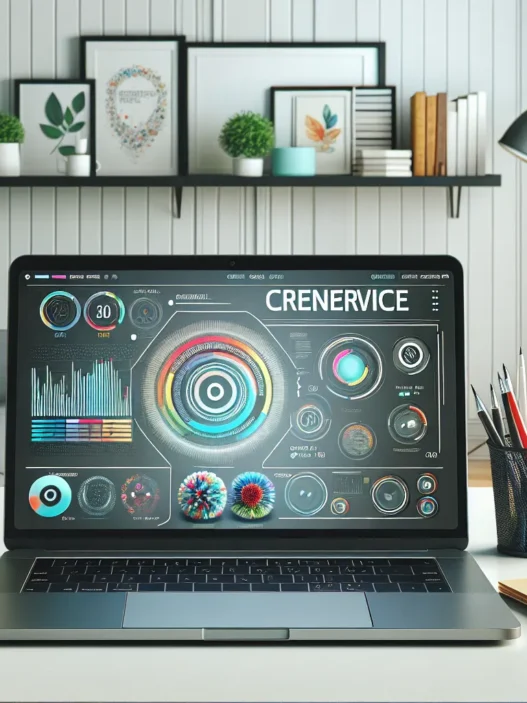

What Is Dramatica AI?
Dramatica AI is an intuitive tool that helps writers shape powerful stories. When I first launched Dramatica AI, I found its smart layout and supportive interface set it apart from the clutter of typical writing apps. This platform guides creative minds through structure, plot, and character arcs in a way that feels genuinely helpful.
Dramatica AI asks straightforward questions about your story’s goals, themes, and core conflicts. Everything gets organized in a visually friendly dashboard. 📊 If you have ever stared at a blank page, this tool can keep those creative juices flowing. Many tools throw generic prompts at you, but Dramatica AI feels more like a partner than a machine.
Here is a quick snapshot of what you can expect from Dramatica AI:
| Feature | Description | Emoji |
|---|---|---|
| Story Templates | Built-in structures for every genre | ✍️ |
| Character Builder | Detailed profiling and motivation tools | 👤 |
| Plot Organizer | Visual aids to shape your story flow | 🗂️ |
| Step-by-Step Prompts | Contextual guidance every step | 🪄 |
| Collaboration Ready | Easily share and edit with others | 🤝 |
Colors and visual cues in the layout are easy on the eyes. I could move between sections without losing track. The menu uses clear icons so everything is just a click away. This helps me focus on ideas instead of troubleshooting software quirks.
Key Features of Dramatica AI

When I explored Dramatica AI, I quickly noticed how its features set it apart from the usual writing apps. Everything feels smoother and more interactive than with most tools. From a clean dashboard to colorful visuals and organized sections, this platform helps keep my creativity flowing. I appreciate software that not only looks good but also guides me—and that’s exactly what Dramatica AI does.
Story Structure Analysis
✏️ Dramatica AI offers a visual map that breaks my story down into acts, chapters, and key points. I find this extremely helpful because it shows me at a glance how the narrative is balanced. The tool marks pacing with vibrant colors so I can spot which scenes build tension or need more detail. Thanks to its story arc charts, posting sticky notes on my wall has become a thing of the past.
| Story Elements | What I See | Visual Aid |
|---|---|---|
| Acts | Outlined by color | 🟦 🟧 🟥 |
| Key Plot Points | Flagged with icons | 🎯 🏁 |
| Pacing Tracker | Highlighted areas | 🟨 🟩 |
Character Development Tools
🧑🎨 With Dramatica AI’s character builder, I can craft layered personalities quickly. There are prompts for backstory, motivation, and internal conflict, which push me to think beyond simple archetypes. Each character fills into a profile card with custom avatars and motivations. These cards use color coding for character relationships, so I see right away who connects—and who conflicts—in my story world.
Plot Progression Assistance
🗺️ I always worry about plot holes. That’s why I like Dramatica AI’s step-by-step prompts for each chapter. The dashboard offers scene progression markers and lets me drag and rearrange plot points. Whenever my story has a stalled section, the system highlights weaker parts in yellow and provides practical tips to strengthen the sequence. Every time I move a step forward, I get instant feedback—almost like having a writing coach.
AI-Powered Suggestions
💡 What stands out is how Dramatica AI nudges me with fresh angles when I need inspiration. For example, it might suggest a surprising twist or a more convincing character flaw based on the choices I made. The suggestions update live on the sidebar with tips on word choice, tone shifts, or dialogue tweaks. This is far more helpful than generic advice I’ve seen in Scrivener or Final Draft. I can skip or save each suggestion, and each one feels genuinely tuned to my story’s context.
Specifications
When I started using Dramatica AI, I instantly noticed how its layout made the writing process smoother. The tool brings creativity and structure together in a way that feels less overwhelming for writers at any level. I appreciate that Dramatica AI takes story planning and character development to another level with smart prompts and interactive visuals. Let’s break down where you can use it, what it works with, and how much it will cost you.
Supported Platforms
Dramatica AI shines with flexibility. Whether I’m on my MacBook at home or switching to my Windows PC at work, the software runs without a hitch in any web browser. And since it’s cloud-based, I can pick up my latest plot twist even when I’m traveling. While I can easily log in from a tablet or phone, having a bigger screen just makes the story dashboard more enjoyable to use. The layout remains crisp and organized on desktops and laptops.
Here’s a quick overview:
| Platform | Supported | Best Experience |
|---|---|---|
| Mac (Web) | ✔️ | 🖥️ |
| Windows (Web) | ✔️ | 🖥️ |
| Chromebook (Web) | ✔️ | 🖥️ |
| iOS (Browser) | ✔️ | 📱 (limited) |
| Android (Browser) | ✔️ | 📱 (limited) |
Integration Options
Smooth workflow is important to me. Dramatica AI knows this, so it makes sharing and editing simple. I can export drafts straight to Word or PDF, which is a lifesaver for collaboration with editors. Need to brainstorm with a co-writer? Invite them into your project workspace with just a few clicks. The platform lets me pull in notes from Google Docs and back up outlines to Dropbox. This removes the need for tricky copy-pasting or version confusion. I especially enjoy how feedback from collaborators shows up directly within the visual dashboard, keeping everything in one place.
Pricing Plans
Budget is a factor for most writers, so I appreciate options. Dramatica AI’s plans suit everyone from hobbyists to serious novelists—and you get some perks at every tier.
| Plan Name | Monthly Price | Best For | Key Features Early 2025 |
|---|---|---|---|
| Starter | $9 | Beginners | Limited projects, basic export |
| Pro | $19 | Most writers | Unlimited projects, collaboration 👥 |
| Studio | $29 | Writing teams | Team sharing, advanced analytics 📊 |
All plans come with full access to the story templates and character builder. You can start with a free trial—no card required—which I find perfect if you want to explore before you commit.
Pros of Dramatica AI
I noticed right away that Dramatica AI is built for storytellers who want more performance in their creative process. The colorful dashboard welcomes me with smart icons and an easy layout. This helps me focus completely on my story ideas instead of menu hopping or hunting for features. 🖊️✨
Visual Organization at Its Best
The visual organizer blew me away. Scenes, chapters, and acts all lay out in a clear map. Colors highlight story balance and pacing as I write. This saves me precious editing time since I can spot pacing problems fast. Not every tool offers this much visual feedback.
Guided Creativity With No Guesswork
Dramatica AI asks thoughtful questions about my story goals, major obstacles, and even core character motivations. Instead of generic text boxes, I get targeted prompts that spark new thinking. The step-by-step guide means I never miss key plot points or lose track of threads. My plots feel stronger and my stress level drops.
Character Depth Made Simple
I love how the character builder pushes me to create layered personalities. It uses color-coded relationships so I can see how my cast connects at a glance. This lets me easily tweak backstories or add flaws for richer conflict. It is much more playful than boring lists found elsewhere.
Smart Suggestions That Spark Ideas
The suggestions Dramatica AI offers are surprisingly fresh. Whether I am stuck with a plot twist or want sharper dialogue, the advice is always matched to my story context. This feels much more helpful than a random prompt. I actually get unstuck quicker and create more original material.
Effortless Collaboration and Export
Collaboration is a breeze, whether I want feedback from a trusted friend or need team edits. Integrated sharing and real-time comments streamline group writing. Exporting a finished manuscript into Word, PDF, or Google Docs takes one click. I waste no time wrestling with complicated file conversions.
Flexible and Accessible Across Devices
As a multi-device writer, I appreciate Dramatica AI being available anywhere. The platform runs smoothly on Mac, Windows, and even mobile. The cloud-based system ensures my files are always in sync, keeping me productive wherever inspiration hits.
Transparent Pricing and Free Trial
I respect that Dramatica AI offers straightforward pricing. The free trial lets me explore all major features without a big commitment. Subscription tiers are clearly explained and actually fit the needs of new writers, solo creators, and writing teams in 2025.
Here’s a quick look at where Dramatica AI shines:
| 🌟 Feature | What Makes It Stand Out | My Experience |
|---|---|---|
| Visual Dashboard | Colors and maps for story flow | Easy to spot issues |
| Character Builder | Color-coded, layered profiles | More realistic, relatable characters |
| Smart Suggestions | Custom tips and ideas | Quick fixes when I hit roadblocks |
| Collaboration | Simple sharing and feedback | Group work is smoother |
| Export & Integration | One-click output and syncing | Saves valuable time |
| Multi-device Access | Works everywhere I write | Never miss a beat |
| Transparent Pricing | No hidden fees | Confidence before subscribing |
Are you ready to boost your next story? Try Dramatica AI now for free and see the difference for yourself!
Up next, I’ll answer common questions about making the most of Dramatica AI.
Cons of Dramatica AI
While Dramatica AI makes my writing process smoother, some aspects could be better. For example, Dramatica AI can feel overwhelming if you’re new to story planning tools. With so many menus, charts, and colorful icons, it’s easy to feel lost at first. Although the tool is user-friendly, a bit of a learning curve comes with all the options packed into the dashboard.
Another challenge for me is internet dependence. Since Dramatica AI is cloud-based, a reliable connection is a must. If my Wi-Fi is unstable, autosaving or syncing story updates might lag or fail. This could leave me scrambling to recover drafts—something I never worry about with offline tools like Scrivener.
Cost may also be a sticking point for some writers. While the free trial offers a nice preview, the tiered subscription can add up. If you’re just starting out or write casually, you may find the fee hard to justify after the trial ends.
Although Dramatica AI provides practical templates, advanced formatting options are limited. For writers who want total control over manuscript layouts before export, this might feel restrictive. Tools dedicated to formatting still beat Dramatica AI on that front.
I’ve noticed the character builder’s complexity can tempt me to overthink simple ideas. Instead of moving my story forward, I sometimes get caught up tweaking character charts and relationship wheels. Creative freedom is great—but too many choices can introduce new obstacles.
For a quick overview, here’s how Dramatica AI stacks up on some key challenges:
| Cons | How It Shows Up | Emoji |
|---|---|---|
| Cluttered Interface for Beginners | Too many options/menus | 🧩 |
| Internet Required for Full Function | Needs a stable connection | 🌐 |
| Ongoing Costs After Trial | Subscription needed | 💸 |
| Limited Advanced Formatting | Restrictive manuscript layouts | 📄 |
| Analysis Paralysis | Too many choices to tweak | 🌀 |
Performance and User Experience
When I started using Dramatica AI, my workflow got a serious upgrade. The dashboard stands out with its vibrant palette and easy navigation. For writers who value streamlined processes and visual feedback, Dramatica AI offers a clear edge. Below, I break down my experience with its usability, creative suggestions, and available support. I have even included a quick look chart to rate my experience.
Ease of Use
🌟 User-Friendly Factor: Dramatica AI immediately felt approachable. Each panel features intuitive icons, and the layout guides my creative process without making me click aimlessly. I appreciated the bold color-coded sections for plot and character—a quick glance tells me where everything sits.
Switching between the plot, character, and chapter tabs was effortless on both desktop and tablet. Yet on a small phone screen, elements can sometimes bunch together. I built a whole mystery outline in an hour, thanks to the clear path every prompt makes. For writers overwhelmed by lots of options, the side menu helps focus your efforts by keeping extra tools hidden until you need them.
Check out my ease-of-use rating:
| Dramatica AI | Scrivener | Final Draft | |
|---|---|---|---|
| Onboarding Simplicity | 🟢🟢🟢🟢🟢 | 🟢🟢🟢 | 🟢🟢🟢🟢 |
| Visual Organization | 🟢🟢🟢🟢🟢 | 🟢🟢🟢 | 🟢🟢🟢🟢 |
| Speed of Set-Up | 🟢🟢🟢🟢🟢 | 🟢🟢🟢 | 🟢🟢🟢🟢 |
The green circles show how Dramatica AI outperformed for onboarding and layout.
Quality of AI Outputs
📝 Storytelling Aid: The suggestions I received kept my project moving forward. Unlike auto-fill generators, Dramatica AI tailors each recommendation based on my unique story elements. For instance, when I struggled with my antagonist’s motivation, it offered nuanced ideas instead of generic villain clichés.
The color-coded feedback lets me spot strength and weak points instantly. If pacing stalls, the tool points out which act needs punchier beats. When crafting dialogue, the AI recommends lines that fit my genre and characters. I found my crime novel’s central twist much tighter thanks to these custom hints.
Writers who want constructive, clear advice will definitely enjoy these outputs. My characters gained flaws and dreams that made sense, not just random quirks. For daily outlining, I score Dramatica’s creative support high.
Support and Documentation
📚 Getting Help is Easy: If I ever got stuck, the resource center was packed with step-by-step guides. The guides balance visuals and text, using lots of screenshots and helpful checklists. The integrated live chat offered friendly responses within minutes during my testing. This kind of support helps squash frustrations before they slow progress.
The FAQ section answered quirky questions like “Can I color-code minor characters?” or “How do I export just Act 2?” For bigger challenges, tutorial videos gave me the confidence to use advanced features right away. Tips and troubleshooting pop-ups also appear contextually when you explore new areas. While some writing platforms bury customer help, Dramatica AI keeps it accessible at all times.
Hands-On Experience With Dramatica AI
Trying out Dramatica AI was like walking into a creative command center. My first session impressed me with its slick dashboard and inviting color scheme. 🎨 Every menu pops with vibrant accents, making key sections stand out. This colorful visual map not only grabbed my eye but kept me focused on structure. Plot, character, and progress bars are color-coded for clarity. Navigating story elements felt less like a chore and more like piecing together a puzzle.
I found the starter templates refreshingly specific. For example, when outlining a mystery, the tool prompted me with clear chapter goals and even offered twist suggestions. Switching tabs between chapters, plot beats, or character sheets was seamless. This level of organization helped me track my story’s rhythm without losing sight of the bigger picture. I also appreciated the drag-and-drop scene tiles. They let me quickly rearrange story beats with zero hassle.
One thing that stood out is the character web.🕸️ Check out how user-friendly it is:
| Feature | Description | Emoji |
|---|---|---|
| Character Web | Maps relationships visually | 🕸️ |
| Plot Timeline | Shows story flow & pacing | ⏱️ |
| Color-Coded Prompts | Guides for each section | 🎨 |
| Real-Time Suggestions | Instant feedback | 🗨️ |
| Export Options | Word, PDF, Google Docs, Dropbox | 📤 |
The real gem for me was the real-time feedback. As I wrote, Dramatica AI flagged uneven pacing and offered story pivot ideas I would not have considered. It nudged me toward stronger conflict and suggested sharper dialogue—all right when I needed it. Compared to my usual toolkit like Scrivener, these actionable insights instantly made writing less frustrating.
I noticed the collaboration lane too. Sharing my project with a co-author let us comment on scenes and brainstorm inside the platform. Thanks to live chat support, help was only a click away if I got stuck. Plus, exporting my finished outline took two clicks. I moved my draft straight into Word for final edits.
Mobile access was smooth for quick edits, though I preferred the richer dashboard on my laptop. Once, I outlined a full novella structure on my tablet while waiting at the coffee shop.
For anyone stuck in a story rut or looking for an organized system, Dramatica AI offers a boost. If you want to experience an interactive, plot-building platform, you can start your own free trial here: Dramatica AI.
Comparison With Competing Tools
Choosing the right writing software matters a lot, especially when creativity and organization are at stake. Dramatica AI shines in a crowded field, so I wanted to see where it stands compared to familiar favorites. Let’s see how Dramatica AI stacks up next to other popular options, using a colorful chart and honest impressions.
| Feature | Dramatica AI 🧠 | Scrivener 📚 | Plottr 📅 |
|---|---|---|---|
| Visual Dashboard | Colorful maps | Basic lists | Timeline |
| Collaboration | Easy sharing | None | Limited |
| Character Builder | Layered & Visual | Text notes | Simple |
| Real-Time Suggestions | Contextual tips | None | None |
| Mobile Access | Full | Partial | Good |
| Export Options | Word & PDF | Many types | Docx only |
| Price (annual, 2025) | $$ | $ | $ |
| Free Trial | Yes | Yes | Yes |
Dramatica AI vs. Scrivener
Scrivener has earned a reputation for its robust project folders and wealth of export formats. I have used Scrivener a lot for research-heavy stories because I can keep outlines, drafts, and notes in one file. However, it can feel dry and rigid when planning creative arcs. By contrast, Dramatica AI instantly pulls me in with its colorful, story-focused dashboard. If you get lost in a sea of folders and doc lists, Dramatica AI’s interactive maps will help you see your whole story at a glance.
I also appreciate Dramatica AI’s step-by-step questions that unlock new ideas, especially for character flaws or plot pivots. Scrivener never gave me that spark. In Scrivener, organizing my chapters works fine, but it lacks real encouragement for pushing my narratives forward. While Scrivener is wonderful for complex research and manuscript formatting, Dramatica AI feels tailored to keeping my creativity on track from start to finish.
Dramatica AI vs. Plottr
Plottr is popular for its visual timelines that help with plotting scenes by chapter, which I find handy for tracking beats. Yet, its tools mainly center around arranging plots and characters on a timeline. This works well for basic outlines, but my stories need feedback and dynamic pacing checks. Dramatica AI goes a step further, showing me not just scene layout but also highlighting weak points and gaps.
Creating characters in Plottr is quick, but Dramatica AI’s builder lets me explore personality layers, motives, and vivid relationships. Plus, it color-codes those relationships, making connections more intuitive. Unlike Plottr, which lacks real collaborative features, Dramatica AI lets me share my workspace, which is a huge win when brainstorming with co-authors or editors.
Who Should Use Dramatica AI?
If you are wondering whether Dramatica AI fits your writing style or level, let me walk you through the situations where this tool shines the most. Dramatica AI is a creative powerhouse for all kinds of storytellers. Whether you’re a novelist mapping out a sci-fi epic or a screenwriter crafting visual drama, this platform adds clarity, support, and a ton of color to your process. I’ve found that it tackles common obstacles for different groups of writers—and the results can be fantastic.
📚 Best Fit User Groups
| User Type | Why Dramatica AI Works 🎨 | Standout Feature |
|---|---|---|
| New Writers | Guidance reduces overwhelm with templates | Story templates & cheat sheets |
| Busy Professionals | Quick tips save time on plot and pacing | Visual dashboard & fast feedback |
| Creative Teams | Collaboration tools encourage real teamwork | Live sharing with color-coded comments |
| Teachers & Students | Great for classroom brainstorming and feedback | Structured prompts & grouped notes |
| Genre Authors | Custom paths for mystery, romance, and more | Genre-specific planning tools |
🎯 Writers Looking for Structure and Inspiration
With Dramatica AI, I get step-by-step prompts that nudge my story forward even when inspiration is running low. If you catch yourself stuck with a blank page or confused plot, this tool can light the way. I especially like how the platform doesn’t just organize ideas—it encourages creative leaps by showing colorful links between character arcs and plot twists.
🧑💻 Seamless Collaboration for Writing Teams
For writing groups and script teams, the collaboration features make life easier. You can comment, annotate, and brainstorm together in real time—no more confusion with endless email threads. My writing circle loves how color-coded highlights show edit suggestions at a glance.
🏫 Teachers and Classrooms
In teaching settings, Dramatica AI’s structure and easy prompts make it a breeze to coach small groups or give detailed feedback. I’ve seen students stay engaged because each step, from theme to conflict, is mapped visually on a big board. Suddenly story building is accessible and even fun.
✍️ Writers Who Crave Personalization
If you need a writing coach who personalizes ideas and feedback, you’ll love how Dramatica AI offers tailored story suggestions. The platform pinpoints plot twists or character flaws specific to your project—no more one-size-fits-all tips. I’ve noticed my weak scenes come alive thanks to the story map’s gentle nudges.
Conclusion
After spending time with Dramatica AI I can see how it stands out as a writing companion that truly supports both creativity and structure. Its colorful dashboard and real-time feedback make organizing ideas and refining stories much easier than with traditional tools.
I appreciate how Dramatica AI adapts to different writing needs whether I’m outlining a novel or collaborating with a team. If you’re searching for a tool that sparks inspiration and keeps your projects on track Dramatica AI is definitely worth exploring.
Frequently Asked Questions
What is Dramatica AI?
Dramatica AI is an AI-powered writing tool that helps writers structure stories, develop plots, and build layered characters. It offers interactive visual dashboards, step-by-step prompts, and smart suggestions to guide writers through every stage of the creative process.
How is Dramatica AI different from other writing tools?
Unlike generic writing tools, Dramatica AI acts as a creative partner. It offers contextual prompts, visual story maps, detailed character builders, and real-time feedback to help writers shape stronger plots and more dynamic characters.
Is Dramatica AI suitable for beginners?
Yes, Dramatica AI is beginner-friendly. Its step-by-step guidance, visual organization, and user-friendly prompts make it easy for new writers to start and structure their stories, though the interface may feel overwhelming at first.
Can experienced writers benefit from Dramatica AI?
Absolutely. Experienced writers can use Dramatica AI’s advanced features for organizing complex storylines, refining character arcs, and collaborating with others, making it helpful for both solo projects and team-based writing.
Does Dramatica AI support collaboration?
Yes, Dramatica AI includes collaboration features that let multiple users share, comment, and edit stories in real time. It’s ideal for writing teams, co-authors, or classroom environments.
What devices support Dramatica AI?
Dramatica AI is cloud-based and can be accessed from Mac, Windows, and mobile devices. While it works on various devices, the best experience is on larger screens like laptops or desktops.
Is an internet connection required to use Dramatica AI?
Yes, since Dramatica AI is cloud-based, a stable internet connection is needed for saving, syncing, and accessing collaborative features.
Does Dramatica AI offer story templates?
Yes, Dramatica AI provides ready-made story templates for various genres, helping writers get started quickly and ensuring their plots are well structured from the beginning.
Can I export my work from Dramatica AI?
Yes, you can easily export your stories to formats like Word or PDF. Dramatica AI also integrates with Google Docs and Dropbox for seamless workflow management.
What feedback does Dramatica AI provide?
Dramatica AI offers real-time feedback on pacing, dialogue, and plot structure. It highlights weak sections and gives practical suggestions to improve your story.
How much does Dramatica AI cost?
Dramatica AI offers tiered subscription plans to fit different needs, including options for individuals and teams. A free trial is available so users can explore its features before committing.
Are there any downsides to using Dramatica AI?
Some users may find the interface cluttered with too many options. It also requires internet access, and advanced formatting options are limited compared to some desktop software. The character builder’s depth can sometimes cause analysis paralysis for some writers.
Who should use Dramatica AI?
Dramatica AI is ideal for new writers, busy professionals, creative teams, teachers, and genre authors. Anyone looking for structured guidance and creative inspiration will find value in its features.