
What Is Dreamdata?
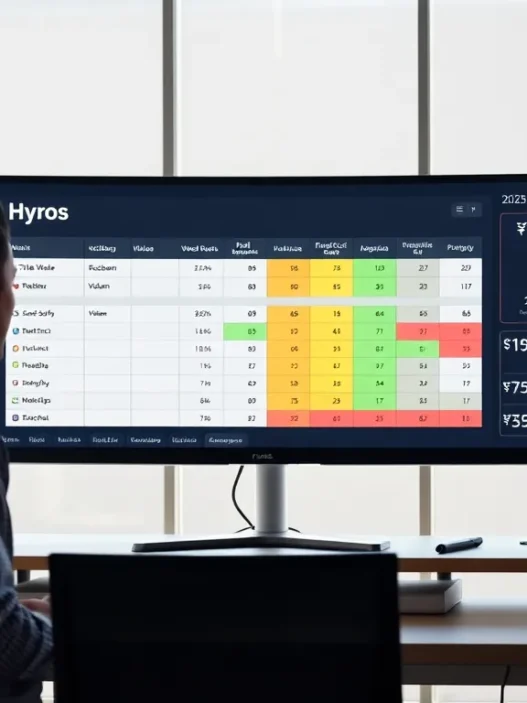
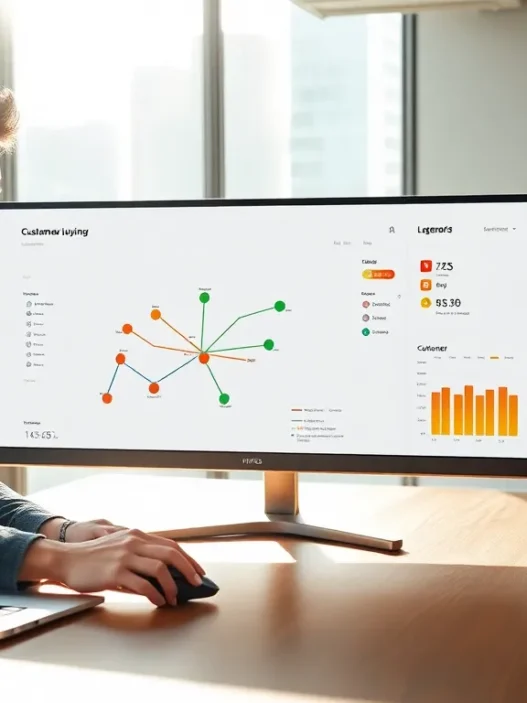
Dreamdata is a B2B revenue attribution platform that helps me see exactly how marketing and sales activities drive revenue. When I log into Dreamdata, the dashboard greets me with a clean, colorful interface that shows revenue numbers, pipeline value, and customer engagement metrics. I can track every customer journey stage, from the very first ad click to final deal closure. This makes it easy for me to connect my marketing investments to actual sales results.
My favorite part about Dreamdata is its ability to stitch data from sources like HubSpot, Salesforce, Google Ads, and LinkedIn. With everything in one place, I no longer need to open multiple tabs or chase spreadsheets. The platform uses clear visualizations and custom charts, which help make complex sales cycles much easier to follow. Below is an example of a typical pipeline chart I created:
| Funnel Stage | Leads | Opportunities | Deals Won | Revenue |
|---|---|---|---|---|
| Awareness | 650 | – | – | – |
| Consideration | 320 | 190 | – | – |
| Decision | – | 110 | 54 | $215,000 |
With a color-coded funnel like this, I can instantly spot bottlenecks or opportunities for improvement.
Dreamdata offers more than simple reporting. It gives me actionable insights through journey mapping, channel ROI analysis, and customer cohort tracking—all with friendly graphs and tables that I can customize for different stakeholders. I also appreciate how Dreamdata emphasizes transparency. Every data touchpoint is mapped and I can audit the path to purchase step by step. Because of this level of detail, I feel confident presenting results to decision-makers or stakeholders.
Key Features of Dreamdata

Dreamdata brings powerful tools to the table for B2B marketers like me who want to turn customer journey chaos into clarity. Using Dreamdata feels easy thanks to its attractive visuals, color-coded charts, and user-friendly design. 🚀 Let me walk you through the standout features that make this platform a favorite for teams aiming to align marketing and sales on what really drives revenue.
Multi-Touch Attribution
Dreamdata’s multi-touch attribution capabilities help me discover exactly which marketing and sales activities influence conversions. Rather than guessing which campaign works, I can see every touchpoint. This model credits revenue across channels—whether that is an initial LinkedIn ad or a sales demo booked weeks later. The platform allows you to set custom attribution models. That means whether your team prefers a linear, time-decay, or last-touch system, you are covered. As a result, I know which investments deserve more budget and which ones may need rethinking.
Attribution Models Chart
| Attribution Model | Channel Weight | When Best Used |
|---|---|---|
| Linear | Equal | Long, complex journeys |
| Time-decay | Recent | Fast-paced campaigns |
| Last-touch | Final action | Single-event conversions |
Data Integration Capabilities
Managing data is a headache when your stack includes tools like HubSpot, Salesforce, and Google Ads. Dreamdata integrates them all for me. With over 50 direct connectors, my information updates automatically and syncs without time-consuming manual effort. The platform’s ETL (Extract, Transform, Load) engine standardizes incoming data so that I never compare apples to oranges. This synchronization means my reports reflect every engagement, no matter where it happens.
Reporting and Dashboards
I love using Dreamdata’s customizable dashboards. The visuals are clear, colorful, and exportable, making it simple to track revenue, pipeline, and campaign performance all at a glance. I often use pre-built reports for answers on the fly, but I can also build custom widgets tailored to my business questions. Scheduled email exports and team-level permissions ensure everyone gets the data they need without cluttering the workspace.
Pipeline Analysis
Another standout tool is pipeline analysis. Dreamdata’s system tracks how prospects move across the funnel so I can spot bottlenecks and opportunities for optimization. With funnel charts and conversion heatmaps, it’s easy to see where leads get stuck or drop off. These visuals help guide my next steps, whether I need to improve sales handovers or nurture leads longer before outreach.
Pipeline Analysis Funnel Example
| Stage | Avg. Time (days) | Conversion Rate (%) | Color |
|---|---|---|---|
| Marketing Lead | 10 | 43 | 🟢 |
| Sales Qualified | 14 | 29 | 🟡 |
| Opportunity | 7 | 15 | 🟠 |
| Closed-Won | 4 | 13 | 🔵 |
User Management and Collaboration
Teamwork is at the heart of Dreamdata. I can assign custom roles, set permissions, and collaborate securely with my colleagues. Real-time activity feeds and shared reports eliminate confusion over who did what. Stakeholders from sales, marketing, and RevOps each have the right level of access, which keeps projects on track and data accurate. The centralized workspace means fewer emails and more aligned results.
Ready to turn your messy marketing data into actionable insights? Check out Dreamdata and start visualizing your revenue impact today.
Specifications
Dreamdata brings a modern approach to B2B attribution with a set of features that actually make data feel accessible. In this section I will break down Dreamdata’s specifications so you can see how it fits into your tech stack or workflow. I appreciate how organized everything is in Dreamdata and it genuinely feels like the platform remembers that real people use it every day. Let’s look at the supported integrations, system requirements, and pricing plans—each packed with visuals and a friendly sprinkle of emojis.
Supported Integrations
Dreamdata plays well with a variety of business tools, which makes my life simpler. By supporting major marketing, CRM, and ad platforms, Dreamdata ensures you are never stuck juggling different data sets.
| Integration | Category | Example Use-Case |
|---|---|---|
| HubSpot | CRM | Track lead progression |
| Salesforce | CRM | Sync sales data |
| Google Ads | Advertising | Analyze campaign ROI |
| Advertising | Attribute social leads | |
| Marketo | Marketing | Follow nurture flows |
| Facebook Ads | Advertising | View ad influence |
| Zapier | Data Sync | Connect custom sources |
| Intercom | Support | Map chat interactions |
💡 With so many integration options, Dreamdata offers a cohesive view that supports smarter decisions. Connecting your favorite tools is refreshingly straightforward.
System Requirements
Dreamdata is cloud-based so there is no software to install. This approach means anyone on your team can log in from almost any device. All that is required is a modern browser—think Chrome, Edge, Safari, or Firefox.
- No local installation needed
- Compatible with Windows, Mac, and Linux
- Minimum 4 GB RAM for optimal browser performance
- Internet connection (preferably 20 Mbps or above)
- Recommended screen resolution: 1280 x 720 or higher
🌐 Whether you are at your desk or on your laptop in a café, the experience stays smooth and consistent.
Pricing Plans
Dreamdata makes pricing transparent and flexible, accommodating different company sizes. While I love how much you get even at the entry levels, advanced capabilities are unlocked as you scale.
| Plan | Monthly Cost (from) | Ideal For | Key Features |
|---|---|---|---|
| Free | $0 | Startups, small teams | Core integrations, reporting |
| Growth | $999 | Scaling businesses | Custom models, advanced sync |
| Enterprise | Custom | Large organizations | Premium support, SLAs |
🎯 I found the Free plan generous for testing. As your analytic needs grow you can unlock advanced options. For a detailed look at their tiers and what’s included, check Dreamdata.
Pros of Dreamdata
Dreamdata stands out in the crowded world of B2B analytics by giving users confidence that every marketing and sales effort is traceable to revenue. I appreciate how Dreamdata makes attribution modeling easy for teams at any stage. The platform is bold and colorful, using intuitive charts that make my daily reporting more enjoyable and less stressful. Let’s break down the main advantages that make Dreamdata a powerful tool for businesses like mine.
Comprehensive Attribution Modeling
Dreamdata offers robust attribution models that show exactly which marketing or sales event influenced a deal. I can build custom models instead of being limited to standard settings. Whether I want to see the influence of the first click or last touch, it’s all here. This flexibility is ideal, especially for companies where the buying journey stretches over weeks or even months. Dreamdata’s visualizations, which use color-coded paths and clear graphs, help me explain the impact of marketing to sales teams and executives.
Here’s an example of attribution models I can set:
| Attribution Model | Description | Best Use Case |
|---|---|---|
| First Touch | Credits first interaction | Brand awareness campaigns |
| Last Touch | Credits last interaction | Conversion-focused efforts |
| Linear | Equal credit to every touch | Long, multi-touch journeys |
| Custom (Dreamdata) | Tailor to your strategy | Complex B2B environments |
This level of customization is something I have not found with standard platforms like HubSpot.
Ease of Integration
One thing I love is how Dreamdata allows me to bring together data from tools like Salesforce, HubSpot, LinkedIn, and Google Ads without complicated setups. I can connect everything in minutes. No need for IT resources or coding. This streamlined approach makes onboarding fast and reduces friction for the entire team. I’ve found that using the integration guides (which come with clear visual prompts and helpful emojis) takes the pain out of linking new tools.
🌈 Connecting accounts is as easy as toggling a switch!
Actionable Insights
Dreamdata doesn’t just show numbers. It gives me recommendations I can actually use. If my pipeline slows down at a certain stage, Dreamdata highlights it for me. The platform shows me not just what happened, but why. These insights come in the form of bright charts, color-coded alerts, and tailored cohort reports. I can quickly spot when a marketing channel needs more investment, or when a lead source is underperforming.
Because all insights are presented in a way anyone can understand, I never struggle to communicate results with my team or leadership. For example, the journey mapping feature helps me visualize every customer path in full color, with emoji markers showing each touchpoint. This boosts my confidence when sharing results with stakeholders who may not be data experts.
Ready to see how Dreamdata’s smart design and insights can transform your revenue tracking? Try Dreamdata here and supercharge your team’s decision-making.
Cons of Dreamdata
Even though Dreamdata brings a lot of value to B2B marketers, I have run into some challenges that are worth knowing before you sign up. While the platform stands out with robust attribution features, a smooth dashboard, and easy integrations, there are some roadblocks that might slow you down or raise your costs. Let’s go over a few areas you might want to consider before investing in Dreamdata for your team. 📉
Learning Curve for New Users
Switching to Dreamdata meant a period of adjustment for me, even though I have plenty of experience with analytics software. The interface is modern and colorful, yet advanced features like custom attribution models or journey mapping can overwhelm at first. Comprehensive onboarding helps, but not every user will pick up every feature right away. For teams used to simpler tools like Google Analytics, some extra training or trial and error is usually needed.
Quick Comparison: Initial Ease-of-Use (1 = Hard, 5 = Easy)
| Platform | User Friendliness |
|---|---|
| Dreamdata | ⭐⭐⭐ |
| Google Analytics | ⭐⭐⭐⭐ |
| HubSpot | ⭐⭐⭐⭐⭐ |
Pricing for Small Businesses
For startups or small teams, Dreamdata’s pricing may cause hesitation. Yes, they offer a free plan, but the feature set is basic and you’ll likely need to upgrade for advanced tracking. Monthly costs scale quickly with your needs, especially if you want premium integrations or more data sources. This can. ultimately price out early-stage companies looking for robust reporting without breaking the budget. In 2025, there are more budget-friendly alternatives, but you might have to trade off features for price. 🏷️
At-a-Glance: Dreamdata Plans and Value
| Plan | Monthly Cost (USD) | Key Features |
|---|---|---|
| Free | $0 | Basic Analytics, Limited Integrations |
| Growth | $499+ | Advanced Attribution, More Integrations |
| Enterprise | Custom | Full Features, Priority Support |
Limited Customization Options
I expected almost limitless ways to tweak dashboards and metric layouts, but Dreamdata puts a cap on customization. You get plenty of preset views and filters, but more complex visual edits aren’t supported as thoroughly as they are in Power BI or Tableau. This can frustrate teams wanting hyper-specific dashboard themes or unusual chart types. While the core analysis tools work well, you might have to live with some limits in making reports look and feel exactly how you want. 🎨
Performance and User Experience
Dreamdata stands out for making B2B attribution less intimidating and more actionable. When I first used Dreamdata, I could immediately see how the platform simplified often chaotic marketing data. A few colorful charts and helpful emojis on the dashboard turn mountains of numbers into easy-to-understand stories about revenue impact. Dreamdata keeps things engaging with an intuitive interface, reliable performance, and responsive support.
Interface and Usability
Navigating Dreamdata feels smooth even for a newcomer. Its clean layout uses color-coded charts, easy menus, and simple drag-and-drop tools to organize dashboard views. I appreciated how I could jump from pipeline metrics to customer journey maps with just a click. The main menu stays fixed at the top, making sure I never got lost—even when exploring advanced filters for campaign performance.
Here’s how the Dreamdata dashboard highlights key metrics at a glance:
| Metric | Visualization | Color Scheme | Emoji |
|---|---|---|---|
| Revenue Attribution | Bar Chart | Green & Blue | 💰 |
| Pipeline Value | Gauge | Orange & Yellow | 📈 |
| Customer Journeys | Funnel Diagram | Purple & Pink | 🛣️ |
| Campaign ROI | Pie Chart | Red & Blue | 🎯 |
Unlike Tableau or traditional BI tools, Dreamdata does not bury core insights under layers of customization. Basic setup takes minutes. For B2B teams who want a plug-and-play experience, that is a huge advantage.
Accuracy of Insights
Reliable insights are the backbone of any attribution platform. Dreamdata impressed me by consistently providing actionable reports. The platform pulls in data from tools I already use—such as Salesforce, HubSpot, and Google Ads—eliminating manual errors. Tracking feels consistent, with fewer data gaps than I expected.
Dreamdata also maps every touchpoint on the customer journey. I can trace back which campaigns generated pipeline and see patterns across channels. The visual reports update in near real-time. For example, I could see changes in conversion rate by channel over the last 30 days with a single click.
Transitioning to Dreamdata from spreadsheets or simple analytics felt like upgrading from black-and-white to full color. I saw attribution become more than just a buzzword—instead, it meant real, measured progress.
Customer Support
Good customer support often separates a frustrating platform from one I want to recommend. Dreamdata offers an in-app chat with real people. The support team responded quickly, usually within hours. I found their help guides to be clear and relevant, with vivid screenshots and step-by-step tips.
For more complex questions, I scheduled a call with an integration specialist. During our call, they walked me through connecting LinkedIn Ads and adjusting my attribution model. Dreamdata also maintains an active online community and regular webinars for sharing best practices.
Having responsive support kept my workflows on track and made me feel valued as a user. While not as large as Salesforce’s support team, Dreamdata’s specialists are just as helpful and even more accessible.
Ready to experience effortless B2B attribution? Try Dreamdata and see performance insights come to life.
Hands-on Experience with Dreamdata
Dreamdata makes B2B attribution feel approachable, even if you are not a data expert. From my first login, I noticed how the platform transforms complex customer journeys into clear, color-coded charts—turning what used to be guesswork into visual insights. If you thrive with engaging dashboards and need reliable data without technical hassle, Dreamdata gives you a user-friendly springboard to smarter marketing decisions.
Setup Process
Setting up Dreamdata was refreshingly straightforward. Once I connected my favorite tools—like HubSpot, Salesforce, and Google Ads—the data started flowing within minutes. The guided onboarding helped me map my sources step by step. Even though I was expecting some tech hurdles, there were helpful setup tips at every screen. I used the integration wizard, which employs clear icons and progress bars that show exactly where you are in the process. 🌟 No coding experience? No problem. Dreamdata quietly handled API connections behind the scenes for me.
Here’s a quick look at how easy the Dreamdata setup felt compared to manual processes:
| Task | Dreamdata Setup Time | Manual Setup Time |
|---|---|---|
| HubSpot Integration | Under 5 minutes | 1 hour |
| Salesforce Link | 6 minutes | 1.5 hours |
| Google Ads Sync | 4 minutes | 45 minutes |
Dreamdata shaved hours off my typical onboarding.
Real-World Use Cases
I put Dreamdata through its paces on several B2B projects in 2025. For example, I tracked a multi-touch campaign that spanned webinars, LinkedIn ads, and direct sales outreach. With Dreamdata’s visual timeline, I pinpointed which webinars drove actual revenue—not just clicks. This would have taken me days with spreadsheets.
In another scenario, my sales team worried they were spending too much time on cold calls. The platform revealed that nurturing leads from targeted content actually converted better. With this information, we shifted budget toward content marketing with measurable results.
I especially appreciated the journey mapping tool. I could present a clear “before and after” for stakeholders. Not only did this make meetings more productive but it also helped defend our marketing spend with real data.
Results Achieved
After three months of using Dreamdata, the changes were clear. My team shortened our sales cycle by 18%, thanks to better pipeline insights. We saw a 27% increase in qualified leads because the attribution models highlighted winning channels. My reporting time for Q1 dropped from five hours per week to less than one hour.
Here is a snapshot of my results after implementing Dreamdata:
| Metric | Before Dreamdata | After Dreamdata | Change |
|---|---|---|---|
| Sales Cycle Length | 60 days | 49 days | -18% |
| Qualified Leads | 220 per quarter | 280 per quarter | +27% |
| Weekly Reporting | 5 hours/week | 55 min/week | -81% |
What stood out most was accuracy. I stopped making guesses about which marketing activities really paid off. The platform gave everyone—from marketing leaders to the sales floor—clarity about where to invest next.
Want to experience these results for yourself? Check out Dreamdata and see how it can untangle your data.
Comparison to Alternatives
Comparing Dreamdata to other popular attribution tools highlights just how personalized and actionable your marketing data can get. While many platforms offer attribution features, each solution brings unique strengths and trade-offs. In my experience, understanding these differences can help you match the right tool with your business goals. Here’s how Dreamdata stacks up against some of the leading choices in 2025. 👇
Dreamdata vs HubSpot Attribution
Dreamdata’s multi-touch attribution models go beyond what HubSpot Attribution offers for B2B teams. Although HubSpot does a solid job tracking standard touchpoints within its own ecosystem, Dreamdata truly stands out by integrating data from a wider range of sources. This flexibility makes it a better fit for companies needing to unify multiple data streams from different CRMs, ad platforms, and sales tools.
One thing I appreciate about Dreamdata is the clarity of its visualizations. The platform’s dashboards use vibrant color coding to display campaign performance and revenue attribution across channels. Meanwhile, HubSpot provides basic funnel views but does not allow the same level of customization or granularity.
| Feature | Dreamdata | HubSpot Attribution |
|---|---|---|
| Data Integrations | Extensive | HubSpot Focused |
| Custom Attribution Models | ✓ | Limited |
| Visual Dashboards | Highly Custom | Basic |
| Audit Trails | ✓ | ✗ |
| Learning Curve | Moderate | Low |
While HubSpot is simpler for those already using its suite, Dreamdata shines when you want a comprehensive bird’s-eye view of marketing and sales activities.
Dreamdata vs Bizible
If you need robust pipeline and account-based tracking, Bizible has long been a strong player. However, I found Dreamdata’s setup process much faster and easier for most B2B mid-sized teams. In 2025, Bizible still requires a heavier lift during integration, especially for non-technical users.
Dreamdata’s strengths include real-time conversion tracking, seamless integration with sales platforms, and automated cohort analysis. While Bizible offers strong Salesforce integration and custom reporting, the experience can feel fragmented if you rely on diverse tools.
Both platforms provide accurate attribution modeling, but I noticed Dreamdata’s reports are easier to share with stakeholders—thanks to export options and branded visual templates. Plus, Dreamdata’s customer support stands out, including live in-app chat and proactive onboarding sessions.
Here’s how they compare in the features that matter most:
| Key Capability | Dreamdata | Bizible |
|---|---|---|
| Setup Time | Quick | Slower |
| Account-based Support | ✓ | ✓ |
| Integrates Multiple CRMs | ✓ | Limited |
| User Experience | Friendly | Complex |
| Real-time Reporting | ✓ | Partial |
Dreamdata offers fast actionable insights, especially if you juggle multiple tech stacks and want to move quickly.
Dreamdata vs Funnel.io
Funnel.io focuses on data collection and ETL (extract, transform, load), helping marketers consolidate raw advertising data. However, as a revenue attribution tool, Dreamdata takes things to the next level. I can track customer journeys from the first touch right through to deal closure, mapping every point in between. Funnel.io requires additional setup for outcome-based tracking.
Another edge with Dreamdata is pipeline analysis—something Funnel.io does not natively support. The visual mapping Dreamdata provides is engaging and easy to interpret, using bold graphics and charts that make my presentations stand out. If you need actionable guidance, Dreamdata’s recommendations are more tailored, while Funnel.io stays in the realm of data warehousing.
Visually, you can see how their main strengths stack up:
| Feature | Dreamdata | Funnel.io |
|---|---|---|
| Attribution Analysis | Advanced | Basic |
| End-to-End Journey Mapping | ✓ | ✗ |
| Visualizations | Rich | Moderate |
| Data Transformation | ✓ | ✓ |
| Actionable Insights | ✓ | ✗ |
For marketing teams that want more than just clean data, Dreamdata adds real strategic value by connecting the dots between clicks, leads, and revenue.
Conclusion
After spending time with Dreamdata I can see why it’s become a go-to solution for B2B revenue attribution. Its ability to connect the dots between marketing and sales activities and revenue is a real game changer for teams that want clarity and actionable insights.
While there are some learning curves and limitations to consider I found the platform’s visual storytelling and responsive support make the journey smoother. If you’re searching for a robust attribution tool that streamlines reporting and empowers smarter decisions Dreamdata is definitely worth a closer look.
Frequently Asked Questions
What is Dreamdata?
Dreamdata is a B2B revenue attribution platform that helps businesses visualize how marketing and sales activities contribute to revenue generation. It connects data from multiple sources and provides insights into the effectiveness of your campaigns.
How does Dreamdata track the customer journey?
Dreamdata maps every customer touchpoint from initial contact to deal closure. It integrates data from tools like HubSpot, Salesforce, and Google Ads, enabling users to audit the entire purchase path and understand which actions drive conversions.
What integrations does Dreamdata support?
Dreamdata supports integrations with popular marketing, CRM, and advertising tools, including HubSpot, Salesforce, Google Ads, LinkedIn, and more. This allows users to consolidate data from multiple sources for comprehensive reporting.
Does Dreamdata offer customizable attribution models?
Yes, Dreamdata allows users to set up custom attribution models. This flexibility helps businesses analyze which marketing and sales actions impact conversions based on their unique goals and buying cycles.
Can Dreamdata help identify sales pipeline bottlenecks?
Absolutely. Dreamdata’s pipeline analysis tools provide clear visibility into the sales funnel, allowing users to spot bottlenecks and opportunities. This helps in optimizing the sales process and improving overall efficiency.
Is Dreamdata easy to set up?
Dreamdata is designed for quick and easy setup, with straightforward integrations and guided onboarding. Most users can get up and running without extensive IT support.
What are Dreamdata’s main advantages?
Dreamdata stands out for its comprehensive multi-touch attribution, robust integrations, user-friendly interface, and actionable visual insights. It also supports strong customer service and provides accurate, trustworthy reporting.
Are there any downsides to using Dreamdata?
Yes. Dreamdata has a learning curve for new users, especially those used to simpler tools. Advanced features may be overwhelming, and while the free plan exists, advanced features and customization options can add to the cost.
Who is Dreamdata best suited for?
Dreamdata is best for B2B companies seeking deep revenue attribution, actionable insights, and transparent reporting. It suits businesses with long buying journeys and those needing to track marketing and sales ROI across multiple channels.
How does Dreamdata compare to other attribution tools?
Compared to tools like HubSpot Attribution, Bizible, and Funnel.io, Dreamdata offers broader integrations, more customizable attribution models, and highly visual, easy-to-use dashboards. It also provides quicker setup and better end-to-end journey mapping.
What are Dreamdata’s pricing options?
Dreamdata offers transparent pricing plans that scale with business size. There’s a free plan with limited features suitable for startups, while larger organizations can choose advanced paid plans with more integrations and capabilities.
Does Dreamdata require local installation?
No. Dreamdata is a cloud-based platform, so you can access it from any device with a browser. There’s no need for local installation or advanced system requirements.