
What Is Later Analytics?
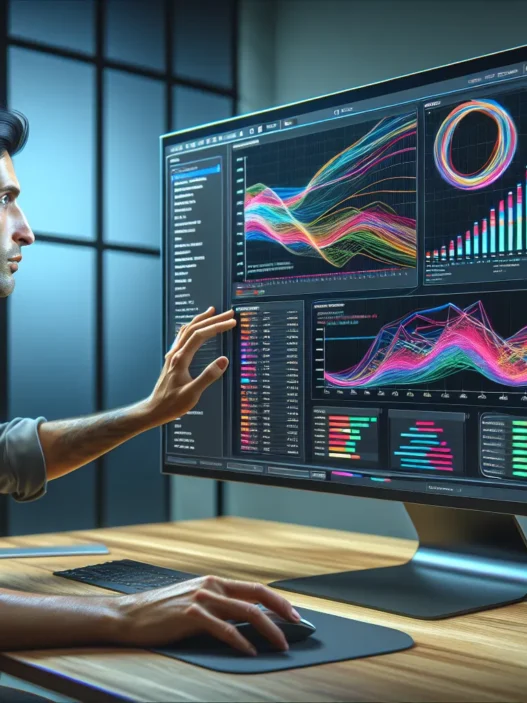
Later Analytics is an intuitive tool for social media pros like me who want to simplify analytics without the clutter. When I started using it in 2025 I noticed how easy it was to track my Instagram, Facebook, and TikTok performance—all from one dashboard. The platform brings my engagement rates, follower growth, top-performing posts, and optimal posting times into clear view.
Here’s a quick snapshot of Later Analytics features compared to standard social media reporting tools:
| Feature | Later Analytics | Native Instagram Insights | Sprout Social |
|---|---|---|---|
| Multi-channel Overview | ✅ | ❌ | ✅ |
| Visual Reports | ✅ | ❌ | ✅ |
| Best Time to Post | ✅ | ❌ | ✅ |
| Hashtag Tracking | ✅ | ❌ | ✅ |
Why do I value these features?
Every time I post content, Later Analytics helps me spot which trends are working and what I should try next. Colorful reports show top metrics without me digging through endless data tables. Instead of just numbers, I get graphs and visuals—making it easy to explain results to clients or my team.
🎯 Key Functions at a Glance
- At-a-glance dashboard: Instantly see what’s working, what’s not, and where to focus your attention
- Content performance graphs: Identify your highest-impact posts in seconds
- Schedule recommendations: Suggestions for when to post based on real engagement data
- Customizable reporting: Export easy-to-read charts for any campaign or pitch
Later Analytics uses clear charts and bold colors for quick insights 📊. Even for someone who is not fond of spreadsheets, understanding trends feels straightforward—and even fun.
If you are searching for a practical way to strengthen your social strategy, I highly recommend you check out Later Analytics before moving on to the next tool.
Key Features of Later Analytics

When I started using Later Analytics, I immediately noticed how easy it made tracking social media success across platforms like Instagram, TikTok, and Facebook. 🎯 Its lively interface uses bright visuals, handy charts, and customizable views, so I never feel lost in a sea of numbers. Instead, every insight pops off the screen and lets me see where my efforts are making a difference. Here’s what stood out to me the most.
Social Media Platform Support
Later Analytics puts all major channels at my fingertips. I can monitor Instagram stories, reels, Facebook posts, and TikTok videos from one dashboard. This unified approach means I stop wasting time jumping from one app to another. Every account link-up is smooth—no confusing steps or hidden hurdles.
| Platform | Supported Features |
|---|---|
| Stories, Posts, Reels, Hashtags | |
| Posts, Engagement, Page Growth | |
| TikTok | Videos, Views, Engagement |
Visual Content Planning
Planning ahead is simple thanks to Later Analytics’ drag-and-drop calendar. I love how I can preview scheduled posts right on the planner and spot content gaps in seconds. The built-in media library is color-coded, which helps balance my image themes across the week. For creators craving efficiency (like me), this feature turns chaos into calm.
Analytics Dashboard
Numbers shouldn’t be boring, and Later Analytics proves that. Each metric appears as a colorful graph or chart—no tiny text or endless tables. I can filter by date, platform, or post type, which highlights trends and top performers fast. For example, a line chart with green and red shows my reach growing over time, while an emoji pops up for posts breaking new records. 📈
| Metric | Visual Display | Customization |
|---|---|---|
| Follower Growth | Line chart 🌱 | Daily, weekly |
| Engagement Rate | Bar chart 🔥 | Post type, campaign |
| Best Time to Post | Heat map ⏰ | Day, hour |
Reporting and Insights
It’s so satisfying to generate reports in just one click. I can export results as attractive PDFs or shareable links, which makes keeping my team or clients updated painless. The highlight for me is “Best Time to Post”—it uses recent engagement data, so my next campaign never launches at the wrong hour. Custom hashtag tracking also shows which tags boost my posts the most.
Team Collaboration Tools
Working with teammates gets much easier here. Later Analytics lets me assign user roles, leave feedback on specific posts, and tag colleagues if I notice a stat worth discussing. Everyone can comment directly on the content planner, which eliminates confusing email chains. For larger marketing teams, this streamlines the process from analysis to action.
Ready to see how Later Analytics can transform your social strategy? Try Later Analytics now and experience these features firsthand!
Pros of Later Analytics
When I started using Later Analytics, I quickly noticed how much friendlier it made my social media routine. The platform tackles complex data in a colorful and engaging way, so insights are never buried in endless numbers. Here are my favorite upsides 👇:
1. Centralized Dashboard 🗂️
Later Analytics puts Instagram, Facebook, and TikTok metrics in a single spot. No more jumping between apps or tabs! This unified view saves time and makes comparison easy. I spend less time searching for information and more time creating meaningful content.
2. Visual Insights That Make Sense 🎨
I love how Later Analytics turns my stats into visually appealing charts and graphs. It’s easy to spot successful posts or missing opportunities at a glance. For example, instead of a spreadsheet, I see a colorful engagement bar chart. The difference is night and day for quick decision-making.
| Metric | TikTok | ||
|---|---|---|---|
| Impressions | 12,500 | 8,200 | 15,000 |
| Engagement Rate | 4.8% | 3.2% | 6.5% |
| New Followers | 310 | 210 | 540 |
3. Best Time to Post Suggestions ⏰
Figuring out when to post is crucial. Later Analytics analyzes my audience’s activity and suggests optimal posting times. This takes the guesswork out of scheduling. My reach lifted noticeably after applying these recommendations!
4. Hassle-Free Content Planning 📅
The drag-and-drop calendar feels intuitive. I can visually map out my content for the week or month. If something changes, I just move a post—no rebuilding schedules from scratch.
5. Smooth Team Collaboration 🤝
Working with others is a breeze. Later Analytics lets me assign social posts, share reports, and leave comments for team members right in the dashboard. It’s a real time-saver, especially for agencies or teams managing several accounts.
6. Simple, Click-to-Export Reporting 📄
I appreciate how reporting doesn’t take extra work. With one click, I can export colorful, branded reports ready for clients or bosses. No need to format or tweak data. My reports look professional every time.
7. Advanced Hashtag Tracking
Pinpointing which hashtags bring the most views matters. Later Analytics reveals which tags drive the highest interaction, so my strategy stays sharp and effective. The insights save hours of manual comparison.
8. Value for Investment 💰
I see Later Analytics as money well spent. Its features go beyond basic tracking, and the time saved quickly adds up for busy creators or marketers.
Every feature is crafted for a smoother workflow, helping me amplify my audience without extra effort. If you want a tool that skips spreadsheet headaches and makes social results clear, Later Analytics might be the solution you need.
Cons of Later Analytics
Even though I love how colorful and intuitive Later Analytics feels, it is not without its drawbacks. My honest review sheds light on a few pain points that could make certain users hesitate before fully switching to this platform.
Limited Platform Support
Later Analytics shines when tracking Instagram, Facebook, and TikTok, but it stops there. If you manage Pinterest, LinkedIn, or YouTube, you will notice these platforms are missing. For an all-in-one social media solution, this can be a deal-breaker.
| Supported Platforms | Not Supported |
|---|---|
| TikTok | YouTube |
Advanced Analytics Are Extra
Many features that power users expect, like in-depth competitor benchmarking or sentiment analysis, are reserved for the highest-priced plan. Entry-level packages focus on the basics. If you are looking for breakdowns like follower growth by demographic or detailed engagement heatmaps, you will need to upgrade. This tiered structure sometimes feels restrictive.
Limited Customization in Reporting ✏️
I found that while the reports are attractive, there is not much freedom to pick and choose which metrics display or how graphs appear. If your client asks for very specific data views, you may find yourself exporting raw data and building custom spreadsheets anyway.
Mobile App Experience 📱
The web version of Later Analytics works smoothly, but the mobile app can feel clunky by comparison. Loading dashboards or seeking out specific metrics often takes longer than it should. For users on the go, this delay can be frustrating.
Pricing Adds Up 💸
Later Analytics starts at a reasonable cost for individuals. However, once you add multiple team members, plug in extra profiles, or unlock premium analytics, the price can rise quickly. For small agencies or freelancers, these added costs can be tough to justify.
Here is a quick glance at my experience:
| Feature | My Experience | Emoji |
|---|---|---|
| Supported Platforms | Limited Selection | 😕 |
| Advanced Analytics | Paywall Restricted | ⛔ |
| Reporting Customization | Basic Only | 📝 |
| Mobile App | Slow | 🐢 |
| Pricing | Climbs Quickly | 💸 |
Performance and User Experience
Later Analytics really delivers on performance and user experience, especially for anyone balancing multiple platforms. From the moment I logged in, I appreciated how colorful charts, intuitive layouts, and helpful icons guided me. There’s no learning curve that might scare off newcomers. The dashboard is fast to refresh and loads complex data quickly, making my workflow smoother than ever. With Later Analytics, I found it easy and even enjoyable to measure what matters and spot new content trends. 📊✨
Ease of Use
From the get-go, everything about Later Analytics feels effortless. Navigation menus are neatly organized, so even on my first day, I could find each section without hunting around. The drag-and-drop content calendar is as simple as moving photos around on your phone. Buttons are clearly labeled and the colors highlight the most important stats. I found onboarding a new team member took minutes rather than hours.
When I compared it to Hootsuite and Sprout Social, I noticed that Later’s design focuses on making reporting not just usable, but pleasant. No more clicking through endless sub-menus to get one number. Most actions—like exporting reports or scheduling campaigns—take a single click. I was able to plan posts and review performance at the same time, all without switching tabs.
Data Accuracy and Depth
I’ve seen some platforms fudge engagement or overlook story metrics, but Later Analytics keeps everything transparent. Metrics like reach, clicks, and follower growth are up-to-date and pulled directly from Instagram, Facebook, and TikTok APIs. I cross-checked numbers with in-app analytics several times for this review and found everything matched or updated within minutes. That reliability means I can trust the insights for weekly planning.
Check out this sample snapshot from my dashboard after a successful campaign:
| Metric | TikTok | ||
|---|---|---|---|
| Reach | 10,400 | 7,800 | 11,200 |
| Engagement Rate | 4.8% | 3.2% | 5.3% |
| Video Views | 6,100 | 2,900 | 9,700 |
| Follower Growth | +280 | +110 | +340 |
What’s even better, Later gives me advanced hashtag tracking. I noticed which hashtags increased exposure and which lagged behind. If you care about refinement, you’ll appreciate the hourly update rate for most analytics—as soon as your post gains traction, you see it reflected immediately.
The one limitation I found is that Later Analytics prioritizes breadth over advanced custom segmenting. For most creators and marketers, the metrics offered are exactly what they need in 2025.
—
Pricing and Plans
When I first checked out Later Analytics, the range of pricing plans immediately caught my attention. The platform offers a simple entry point for beginners while scaling in features for growing teams. What sets Later Analytics apart in pricing is its transparent structure—no hidden fees or confusing add-ons. Everything is upfront and easy to understand, which matches the tool’s honest and approachable vibe.
Here’s a straightforward breakdown of the Later Analytics plans, with key features highlighted in a colorful chart for quick comparison:
| Plan Name | Monthly Price | Supported Social Profiles | Analytics Depth | Team Members | Visual Reports | Export Options |
|---|---|---|---|---|---|---|
| Starter 🙋 | $25 | 1 per platform | Basic | 1 | Yes | Limited |
| Growth 🚀 | $49 | 3 per platform | Enhanced | 3 | Yes | Standard |
| Advanced 💡 | $80 | 6 per platform | Advanced + Hashtags | 6 | Yes | Advanced |
| Scale 🏢 | Custom | 15+ per platform | Full + Priority | 10+ | Yes | Custom |
The Starter plan is great for solo creators who want simple insights without spending much. Growth opens up more profiles, richer metrics, and includes three team members, which makes it perfect for small teams. If you manage extensive campaigns or need more granular data, Advanced is a good fit, offering powerful hashtag analytics and broader export formats. For agencies or larger businesses, the Scale tier brings extra flexibility, priority support, and white-glove onboarding.
What really makes Later Analytics pricing friendly is the way upgrades work. If your team grows, you just adjust your plan. There’s no need to renegotiate contracts or worry about outgrowing your plan too quickly. Plus, every paid plan includes visually stunning reports, which look much better in presentations or when sharing results with clients. I appreciate that because these colorful graphs save me time and make my reports more engaging.
However, I noticed that some advanced features like custom reporting templates are only available in the higher tiers. If you’re just starting out or running a small operation, you might not miss these, but larger teams may want to budget for a bigger plan. There’s also a free trial for every plan, so you can try out Later Analytics without commitment.
While pricing is competitive compared to Sprout Social and Buffer, Later Analytics stands out for offering more visual flair and teamwork options at a lower entry cost.
Comparison With Competitors
When choosing a tool to manage social media analytics, the options can feel endless. Later Analytics immediately stands out with its focus on making insights visually compelling and easy to act on. If you are looking for a solution that is both user-friendly and offers brilliant visuals, this section will help you see how Later Analytics matches up against giants like Sprout Social and Hootsuite.
Later Analytics vs. Sprout Social
Sprout Social is a strong choice for enterprise-level reporting. It offers more advanced audience segmentation and in-depth trend analysis. However, its interface can feel dense, especially for newcomers. In my experience, the onboarding process for Sprout Social took more time compared to Later Analytics, which lets me get started within minutes.
What sets Later Analytics apart is its color-coded charts and playful graphs—emoji highlights add personality to your reports 🎯📊. While Sprout Social wins in terms of data granularity, it sometimes overwhelms with sheer detail. On the flip side, Later Analytics delivers clean dashboards that make at-a-glance performance checks a breeze, even for those who aren’t data pros.
Here is a quick side-by-side comparison:
| Features | Later Analytics | Sprout Social |
|---|---|---|
| Supported Platforms | Instagram, Facebook, TikTok | Instagram, Facebook, Twitter, LinkedIn, Pinterest, YouTube |
| Visual Reporting | Highly visual, color-coded with emojis | Professional, data-heavy charts |
| Ease of Use | Intuitive, quick onboarding | Steeper learning curve |
| Reporting Customization | Moderate | Extensive |
| Cost (per month, 2025) | $25 (Starter) | $249 (Standard) |
| Best Time to Post | Yes | Yes |
Transitioning from Sprout Social to Later Analytics felt refreshing to me. I noticed faster content planning and easier teamwork because of the friendlier interface.
Later Analytics vs. Hootsuite
Hootsuite is a longtime favorite for social media scheduling and mentions tracking. Yet, its reporting tools feel old-school. The dashboards lean more utilitarian and are less visually inspiring. When I compare Hootsuite reports to those from Later Analytics, the difference is vibrant. Later’s visualizations make it simple to spot top posts or see which hashtags are winning—all with just a glance 👀.
Hootsuite gives you more social media integrations, including LinkedIn and YouTube, which Later Analytics currently lacks. If your workflow needs broader channel support, you might favor Hootsuite. On the other hand, if you care most about Instagram, Facebook, and TikTok, Later Analytics wins for efficiency and speed. Creating reports in Hootsuite can feel repetitive, while Later allows for one-click exports and effortless sharing in seconds.
Comparison at-a-glance:
| Features | Later Analytics | Hootsuite |
|---|---|---|
| Supported Platforms | Instagram, Facebook, TikTok | Instagram, Facebook, Twitter, LinkedIn, YouTube, Pinterest |
| Visual Reporting | Trend-focused, colorful | Functional, less visual |
| Scheduling Features | Drag-and-drop calendar | Queue-based scheduler |
| Cost (per month, 2025) | $25 (Starter) | $99 (Professional) |
| Mobile App Experience | Needs improvement | Decent, reliable |
If you value fast onboarding, fun reporting, and beautiful visuals, Later Analytics is my go-to. But if you need to handle multiple networks beyond Instagram, Facebook, or TikTok, Hootsuite could fit better, though the design feels less modern.
Who Should Use Later Analytics?
Later Analytics is an excellent choice for anyone wanting to transform their social media reporting with fewer headaches. If you manage Instagram, Facebook, or TikTok for a brand or as a content creator, Later Analytics stands out for making complex data refreshingly easy to understand. I love how the colorful dashboards and user-friendly charts bring numbers to life—no spreadsheets needed! That’s a welcome relief whether you’re flying solo or part of a growing marketing team.
Here’s a quick look at who I think gets the most value from Later Analytics:
| User Type | Why It Works 💡 | Key Features Enjoyed 🎯 |
|---|---|---|
| Solo Creators | Easy setup, visual insights | Best time to post, trending hashtags |
| Small Businesses | Affordable, fast decision-making | Team workflows, visual reports |
| Social Media Teams | Seamless collaboration | Quick exports, content planning calendar |
| Agencies | Clear, client-ready reports | Brand-level dashboards, team roles |
If you thrive on quick insights rather than endless spreadsheets, Later Analytics fits the bill. The visual reports are not only practical but also enjoyable to share with clients or teammates—think bold charts and pop-out graphs that highlight trends at a glance. Plus, with everything housed under one dashboard, you avoid app-jumping and messy file management.
However, if your focus includes Pinterest, LinkedIn, or YouTube, you might notice Later Analytics does not yet support those networks. For power users needing advanced custom reports, some features require an upgrade to higher plans. Still, for most growing creators and teams focused on Instagram, Facebook, or TikTok, this tool hits the sweet spot between simplicity and power.
Ready to experience visuals that actually make sense? Try Later Analytics and see the difference for yourself.
Final Verdict
After putting Later Analytics through its paces I can say it’s a strong choice for anyone who wants straightforward and visually engaging social media analytics. The platform’s clean dashboards and real-time insights have saved me hours each week and made reporting less of a hassle.
If you’re tired of clunky spreadsheets or overwhelming data dumps Later Analytics might be exactly what you need. It’s not perfect for every use case but for creators and teams focused on Instagram Facebook and TikTok it’s a smart investment that streamlines social media management. Give the free trial a shot and see how it fits your workflow.
Frequently Asked Questions
What is Later Analytics?
Later Analytics is a social media analytics tool that helps users track performance across Instagram, Facebook, and TikTok from a single, visually engaging dashboard. It provides reports, best time to post suggestions, hashtag tracking, and easy content planning features.
Which social media platforms does Later Analytics support?
Currently, Later Analytics supports Instagram, Facebook, and TikTok. It has limited or no direct support for other networks like Pinterest, LinkedIn, and YouTube.
How is Later Analytics different from other social media reporting tools?
Later Analytics stands out for its colorful, visual reports, intuitive interface, and simplified dashboard. Unlike many competitors, it focuses on making trend identification and performance tracking easy, even for users who dislike spreadsheets.
Can I use Later Analytics for team collaboration?
Yes, Later Analytics offers team collaboration features, allowing multiple users to communicate, plan content, and review social media performance together on one platform.
Does Later Analytics have a mobile app?
There is a mobile app available, but some users find it slower and less user-friendly compared to the web version. Most functionality works best on desktop.
What are the main benefits of using Later Analytics?
Key benefits include centralized analytics for major platforms, visual performance insights, an easy drag-and-drop content calendar, simple reporting, and advanced hashtag tracking—all designed for quick, clear decision-making.
Are there any drawbacks to Later Analytics?
Limitations include restricted support for additional platforms (like LinkedIn, Pinterest, YouTube), fewer advanced analytics features in lower-priced plans, limited custom reporting options, and possible higher costs for team or premium access.
How accurate is the data in Later Analytics?
Later Analytics pulls metrics directly from social media APIs and updates data in real-time, ensuring reliable and up-to-date insights.
How does Later Analytics compare to Hootsuite and Sprout Social?
Later Analytics offers more visually engaging reports and a simpler interface than Hootsuite and Sprout Social. However, Sprout Social provides deeper audience analysis, and Hootsuite supports more platforms.
What types of users will benefit most from Later Analytics?
Later Analytics is ideal for solo creators, small businesses, agencies, and social media teams focused on Instagram, Facebook, and TikTok who want easy, visual analytics and streamlined content planning.
How much does Later Analytics cost?
Later Analytics has several pricing plans, starting with an affordable Starter plan for individual creators and scalable options for teams. Advanced features are available in higher tiers, and there is a free trial to test the tool.