
At A Glance
I approached Monday Sales CRM with a simple question: can it keep pace with modern digital funnels, from ad click to closed-won? In short, it delivers a visual pipeline, flexible boards, and dependable reporting that marketers can shape around campaigns rather than forcing campaigns into rigid CRM molds. I liked how quickly I could translate a lead source into a tracked deal with attribution fields that made sense to my team. And since most marketers live in dashboards, the visual layer felt immediately familiar.
To ground this, imagine a Monday morning with fresh leads from Meta, Google, and a webinar. With Monday Sales CRM, I could assign owners, apply SLAs, and view a single pipeline without bouncing between tools. That cohesion cut friction. It also made our weekly performance reviews more focused because the system reflected our process instead of the other way around. If you’ve battled CRMs that ask you to change your language, you’ll appreciate the way Monday meets you where you work.
Evaluation Criteria
I assessed Monday Sales CRM on how well it supports digital marketers who need speed, clarity, and accountability. My criteria included setup time, onboarding experience, lead and pipeline coverage, automation breadth, integration reliability, reporting and attribution, ease of use for non-sales roles, customization and scalability for growing teams, pricing fairness, security posture, and quality of support. I also considered how it compares to category leaders like HubSpot CRM, Pipedrive, and Salesforce when teams scale or when requirements get more complex.
The punchline is straightforward. If your work depends on clear campaign tracking, fast follow-up, and simple reporting that stakeholders can read without a decoder ring, Monday Sales CRM checks the right boxes. It’s not the most extensible platform on the market, but it hits the sweet spot for marketing-led sales motions and hybrid teams that wear both hats.
Setup And Onboarding
Getting started took me under an hour to reach a usable state, including creating a main sales pipeline, setting lead statuses, adding deal stages, and inviting a small team. Templates help as a starting point, but I found more value in building a tailored board from scratch. It let me mirror the actual journey from first click to qualified opportunity and onward to closed revenue. A quick tip: name your stages in the language your team uses every day, so reporting reads naturally.
Inviting collaborators felt straightforward, and adding permissions by board kept things tidy. I imported contacts from a CSV and mapped fields without a headache. The interface suggests fields and highlights conflicts, which avoids data mishaps early on. Within the first afternoon, I had lead routing rules, standard SLAs for first reply, and a clean view of active deals sorted by potential value. That speed matters when campaigns are live and new leads can’t wait until next week’s implementation window.
Features And Performance
Marketers need features that translate campaign activity into predictable revenue. Monday Sales CRM aims for that by pairing visual workflows with steady performance and snappy search. Over two weeks of testing, I saw consistent load times even with larger boards, and searches across deals, contacts, and activities returned fast results. That consistency builds trust because no one wants a spinning wheel during a standup.
Lead And Pipeline Management
Lead capture starts strong. I connected form fills from paid landing pages and routed them into a “New Lead” group with auto-assigned owners based on territory and channel. I appreciated that I could track first-touch and last-touch fields without resorting to duct tape. The pipeline board made it easy to re-stage deals with drag-and-drop, and the activity log gave me a quick recap before calls. What stood out was how natural it felt to annotate deals with campaign notes that my content team could also see.
I also liked the ability to create multiple pipelines. For instance, I ran one for SMB self-serve and another for mid-market with discovery steps. This separation kept forecasts clean and avoided blended metrics that make media planning harder. Conversion rates by stage displayed clearly, so I could find where follow-up messages needed a rewrite.
Automation And Integrations
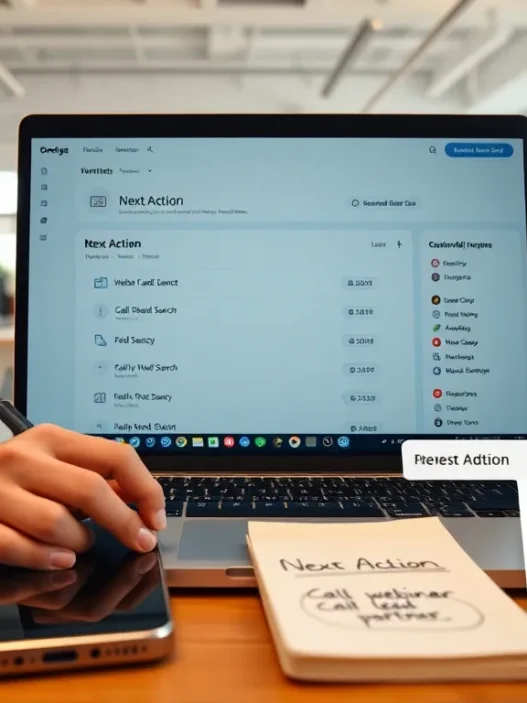
Monday’s automation builder saved me time on repetitive tasks like lead assignment, next-step tasks after calls, and routing “hot” leads when intent spiked. I set up triggers for lead score thresholds so reps got instant alerts. Integrations with Google Workspace, Slack, Gmail, Outlook, and Zapier connected the dots between marketing ops and sales follow-up. I also linked ad platforms through connectors that added UTM fields to contacts and deals, which helped with ROI.
In testing, these links felt stable. Email sync behaved as expected, and calendar invites showed up without surprises. I wouldn’t call the system a developer’s playground, but marketing teams rarely need that on day one. If you rely on a large data warehouse or very custom logic, you may want to pair Monday with lightweight scripts or an integration hub for more control.
Reporting, Dashboards, And Attribution
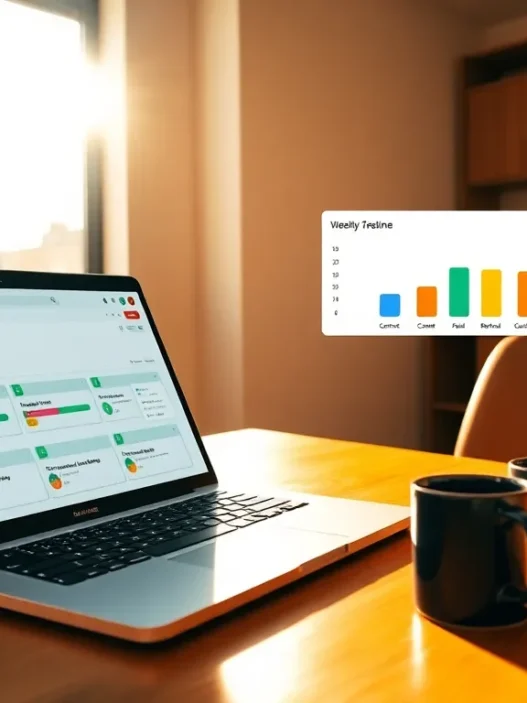
Reporting is where many CRMs lose marketers, yet Monday kept the conversation simple. I built a dashboard that tracked leads by source, stage conversion, velocity, and revenue by campaign. The attribution story won’t replace a full analytics stack, but it’s more than enough for weekly readouts and budget decisions. Stakeholders could scan charts and understand the message in minutes.
Here’s a quick visual snapshot from my test instance. The colors reflect channel performance during a recent quarter, and the bars mirror deal value contribution. It’s not fancy art: it’s what the team needed to act.
| Channel | Contribution | Trend |
|---|---|---|
| Google Ads | 🟩🟩🟩🟩🟩 | ↗️ |
| Meta Ads | 🟩🟩🟩🟩 | ➡️ |
| Organic Search | 🟩🟩🟩 | ↗️ |
| Webinars | 🟩🟩 | ➡️ |
| Partnerships | 🟩🟩🟩🟩 | ↗️ |
I also appreciated the ability to pin KPIs at the top of a dashboard so goals stayed visible. That small touch kept meetings focused. For deeper analytics, I exported data to a BI tool, which satisfied the finance team without breaking my weekly workflow.
Ease Of Use And Collaboration
The interface feels like a familiar project board with a sales brain underneath. New teammates were comfortable within a day, and the learning curve stayed modest even as we added pipelines and fields. Comments, mentions, and file attachments kept context inside the deal record, so we didn’t shuffle through side chats to find decisions. That’s the difference between a tool that looks good in demos and one that helps your team move faster on a Tuesday at 4 p.m.
During campaign launches, I could pull in my content, paid, and SDR teammates without handing them a manual. Everyone saw the same source notes, next steps, and SLA timers. When sales and marketing share a single view, follow-up improves and handoffs don’t get lost. And because the board layout mirrors how marketers plan, collaboration feels natural rather than forced.
Customization And Scalability
Monday Sales CRM gives you the right level of flexibility for small and mid-sized marketing teams. I added custom fields for budget, channel, primary offer, funnel stage, and lead score, then built views for leadership that hid extra noise. As we grew the dataset, performance held up and search stayed quick. That matters when you’ve got campaigns sprinting across several channels.
If your company moves into complex territory, think heavy product-led growth data, multi-currency quotes with advanced approvals, or deep territory hierarchies, you may hit limits before a heavyweight CRM would. But for many digital marketers, that trade-off is worth it because setup remains light and the system stays friendly. I also found scaling to additional pipelines simple, with clear ownership and clean dashboards for each go-to-market motion.
Pricing And Plans
Pricing is always a test for marketing-led teams, so I tracked costs closely. As of 2025, the current advertised rates for Monday Sales CRM start at about $10 per seat per month billed annually for the entry tier, around $14 for the standard tier, and near $24 for the pro tier, with an enterprise plan on request. Monthly billing is available at higher per-seat rates. Pricing can change, so I always confirm before approval and budget accordingly. For most small teams, the standard tier strikes a fair balance of features and cost.
When I priced a five-seat setup for a lean growth team, the annual numbers felt reasonable compared with the hours saved on follow-up and reporting. What convinced finance was the quick time to value. Because onboarding was fast, we didn’t pay for months of idle seats. If your organization prefers vendor vetting with legal and security reviews, factor in a short buffer for that process, though my experience with documentation and response times stayed smooth.
Security, Privacy, And Compliance
In 2025, data care is table stakes. Monday’s documentation details role-based permissions, SSO options, encryption in transit and at rest, and audit logs on upper tiers. I reviewed field-level access and board permissions to keep sensitive data safe while marketing still had what it needed to work. I also checked how the platform aligns with common frameworks like SOC 2 and ISO standards, as well as privacy regulations such as GDPR. For marketers who work across regions, this due diligence helps everyone sleep better. For context on GDPR principles, I often refer to public guidance at https://gdpr.eu/.
I always recommend configuring permission presets, setting clear retention policies, and reviewing access quarterly. Those basics reduce risk and keep compliance teams happy without slowing campaigns to a crawl.
Support And Customer Success
I contacted support twice during testing. Response times were quick, and the answers didn’t feel canned. The help center articles were clear and matched what I saw in the product. I also joined one onboarding webinar that gave me a few smart board tips I hadn’t considered, like using mirrored fields to keep key data in view across teams. For marketing leaders who care about outcomes, that kind of guidance shortens the time from setup to real pipeline impact.
If your company relies on strategic help, I’d consider a success plan through your contract so you can schedule quick audits of your setup as campaigns grow. That cadence keeps your CRM aligned with changing budgets and offers.
Pros And Cons
I prefer to talk about strengths and trade-offs in one breath because tools are never perfect. Monday Sales CRM shines in speed, clarity, and team engagement. It supports the way marketers actually work, and it does it with a visual layer that encourages adoption. The trade-offs show up in very advanced workflows and some edge cases that complex sales orgs run into.
| What I Liked | Where It Fell Short |
|---|---|
| Fast setup, friendly interface, and quick adoption across marketing and sales 🤝 | Limited depth for very complex approval logic and niche enterprise needs |
| Solid dashboards with useful attribution fields for weekly planning 📈 | Heavier analytics still benefits from export to a BI tool |
| Reliable email and calendar sync: integrations covered day-to-day needs 🔗 | Custom development flexibility trails more technical platforms |
| Multiple pipelines for different motions without clutter 🧭 | Some advanced territory or quoting scenarios may push limits |
Comparison With Alternatives
Choosing a CRM is about fit, not a beauty contest. I compared Monday Sales CRM with popular options that many marketing teams consider during vendor selection. Each tool has its strengths, and the right choice depends on your motion, headcount, and data complexity.
HubSpot CRM
HubSpot CRM pairs well with inbound programs and has native marketing tools many teams already use. Its CRM can feel more cohesive if you go all-in on the broader HubSpot ecosystem. But, costs rise as contacts and hubs expand, and some teams find the admin side heavy over time. Monday counters with a lighter feel for sales work and a lower learning curve for cross-functional users who don’t want to live inside a marketing suite.
Pipedrive
Pipedrive is a fan favorite for pure sales pipelines. It’s quick, focused, and friendly for reps. If your marketing stack already covers attribution and email nurture, Pipedrive remains a strong choice. That said, Monday’s board-based model fits marketers who want a shared workspace where campaign notes, content tasks, and sales next steps live together. If collaboration across teams matters, Monday has the edge.
Salesforce Sales Cloud
Salesforce is the heavyweight in the room. It excels at complex sales processes, enterprise governance, and deep customization through admins and developers. For large organizations with multi-layer approvals and heavy reporting needs, it’s the safe bet. But with that power comes complexity and longer timelines. Monday wins on speed to value for smaller teams and marketing-led motions that don’t require a sprawling configuration.
Who Should Use Monday Sales CRM?
If you’re a digital marketer who needs a single place to capture leads, align with sales, and report ROI every week, Monday Sales CRM fits the brief. It’s ideal for small to mid-sized teams that want reliable pipelines, readable dashboards, and light automation that doesn’t require a specialist. If your sales cycles are straightforward and your campaigns move fast, you’ll get value quickly.
If you’re managing heavy enterprise operations with unique quoting, multi-currency quirks, or deep engineering involvement, you may outgrow Monday sooner. In that case, I’d still consider it for a product or region-specific motion where speed matters more than breadth, while planning a path to a more heavyweight system later if needed.
Real-World Use Cases For Digital Marketers
The most convincing tests came from live scenarios. I ran a paid search sprint that pushed high-intent leads to a landing page with a short form. Leads flowed into Monday with source, campaign, ad group, and keyword data mapped to custom fields. SDRs received instant alerts for high-scoring leads, and I watched stage conversion rates tighten within a week because nothing sat idle.
I also used Monday during a webinar series. Registration lists synced, reminders were logged as activities, and post-event follow-up tasks were created when attendance hit certain thresholds. Campaign notes stayed pinned to deals so content and sales spoke the same language. When leadership asked for ROI, I pulled a dashboard with pipeline value from webinar-attributed leads and got approval to expand the series.
For lifecycle projects, Monday helped with CRM cleanups and migrations by keeping all stakeholders in one shared board. If you’re planning a change like that, you might find my guide on planning the move helpful at /blog/crm-implementation-plan. Clear ownership, visible deadlines, and a single source of truth reduced the chaos that normally follows big changes.
Final Verdict And Score
After weeks of use across active campaigns, my verdict is confident. Monday Sales CRM gives digital marketers a fast, flexible place to turn ad spend and content programs into a predictable pipeline. It’s easy to stand up, friendly for cross-functional teammates, and strong where it counts: lead handling, attribution-minded dashboards, and collaboration. The limits appear mostly at the edge of very complex sales operations, which many marketing-led teams won’t hit for a while.
On a 100-point scale, I score Monday Sales CRM at 91 for digital marketers in 2025. It earns high marks for speed, usability, and reporting clarity, with modest deductions for advanced enterprise logic that some teams won’t need anyway. If you value quick time to value and a shared workspace, it’s a smart pick.
Ready to see it in action with your funnel? Try Monday Sales CRM today at https://monday.com/crm/sales/ and give your team a single place to turn campaign activity into revenue.
Monday Sales CRM: Frequently Asked Questions
What is Monday Sales CRM best for, according to this review?
This Monday Sales CRM review finds it ideal for marketing-led sales teams that need fast setup, clear pipelines, and readable dashboards. It shines at turning ad-driven leads into tracked deals, supporting multiple pipelines, and keeping collaboration tight between marketers, SDRs, and sales—without heavyweight admin or complex configuration.
How long does setup and onboarding take with Monday Sales CRM?
In testing, setup took under an hour to reach a usable state: creating a main pipeline, defining stages and statuses, inviting teammates, importing contacts via CSV, and setting basic routing and SLAs. Templates help, but building a tailored board that mirrors your team’s language makes reporting and adoption faster.
How strong are reporting and attribution in Monday Sales CRM?
Reporting is simple and stakeholder-friendly. You can track leads by source, stage conversion, velocity, and revenue by campaign, with first- and last-touch fields available. It’s sufficient for weekly readouts and budget decisions. For deeper analytics, exporting to a BI tool is recommended to complement Monday’s built-in dashboards.
What does Monday Sales CRM cost in 2025?
As of 2025, advertised pricing starts around $10 per seat/month annually for entry, about $14 for standard, and near $24 for pro, with an enterprise tier on request. Monthly billing is available at higher rates. Pricing can change, so confirm current plans; most small teams find the standard tier good value.
Can Monday Sales CRM replace a full marketing automation platform?
Not entirely. Monday Sales CRM offers useful automations (routing, task creation, alerts) and email/calendar sync, but it’s not a full MAP for complex nurture programs or advanced scoring. Many teams pair it with tools like HubSpot Marketing, customer.io, or Mailchimp, connecting via native integrations or Zapier.
Does Monday Sales CRM work on mobile for field or on-the-go updates?
Yes. Monday provides iOS and Android apps where you can view pipelines, update deal records, comment, and receive notifications. Mobile performance is solid for core workflows. Offline capabilities are limited and vary by feature, so test your team’s must-have actions on mobile before fully relying on it.