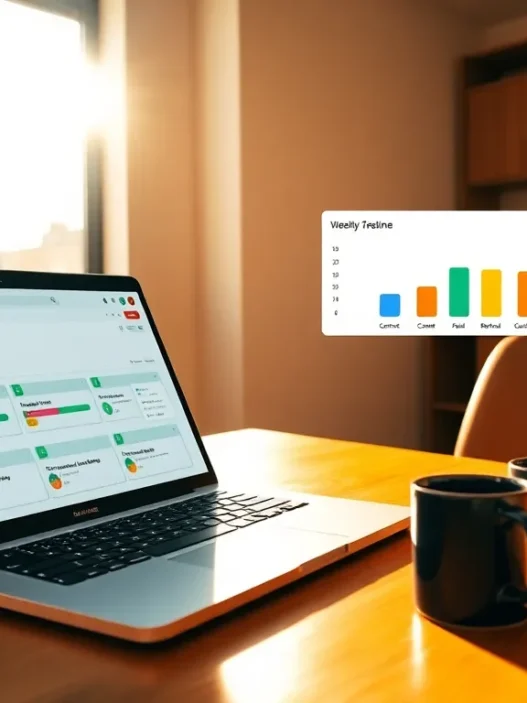

At A Glance
WORKetc is a cloud CRM built around a shared activity feed that connects sales, projects, tickets, and billing. For marketers, that means the pitch-to-project handoff stays visible in one place, and hours recorded against tasks roll straight into invoicing. The concept feels simple, and because everything attaches to a contact or company record, you get a continuous story from first touch to paid invoice.
What stood out first was how quickly I could move from a lead to a scoped campaign. I created a deal, attached a project template, added milestones, assigned my team, and set up recurring billable items within minutes. Because the CRM, project board, and financials live together, conversations don’t splinter. That’s a relief when you’re balancing ad ops, content production, and client reviews on tight timelines.
Still, the question that matters is whether this approach outperforms specialist stacks like HubSpot plus Asana plus QuickBooks. I’ll walk through the trade‑offs with examples from day‑to‑day agency work, so you can decide if the single‑platform route suits your pipeline, delivery model, and margin goals.
Evaluation Criteria
My review criteria mirror what agencies care about: speed to value, clarity of data, and minimal context switching. First, I looked at CRM depth for lead management, email sync, and pipeline forecasting. Then I tested project scheduling, task granularity, approvals, timesheets, and expense tracking. Because cashflow makes or breaks agencies, I paid close attention to quotes, retainers, and invoice workflows, including progress billing and tax handling. I also checked integrations that matter to marketers, Google Workspace, Microsoft 365, Xero, QuickBooks Online, and popular email marketing tools. Finally, I evaluated reporting and attribution, security posture, and the learning curve for non‑technical team members.
To keep it fair, I recreated a real scenario: a $25k multi‑channel launch with weekly sprints, plus a monthly retainer for ongoing media and creative. I ran it end‑to‑end, lead to proposal to project to timesheets to invoice, while tracking KPIs and stakeholder communication. The goal was simple: would WORKetc help me move faster and bill accurately without forcing my team into contortions?
Core Capabilities And Performance
CRM And Marketing Tools
The CRM centers on a flexible pipeline view with customizable stages, weighted probabilities, and quick filters for owner, source, and expected close. It isn’t trying to be a full-blown marketing automation platform, but it nails the basics agencies actually use daily: contact management, activity timelines, email sync, and web forms that post leads directly into the pipeline. I connected Google Workspace and saw two‑way email threads appear on the contact record. That meant my team could read context without digging through inboxes, which kept handoffs tight when a lead turned hot.
Email campaigns exist, though they’re more suited to simple announcements and onboarding rather than complex nurture journeys. For that, I used an integration with Mailchimp, keeping sends and metrics linked back to contacts in WORKetc. Lead scoring is rule‑based and straightforward. It’s enough to prioritize outreach, but you won’t find the kind of behavioral modeling you’d see in a full marketing cloud. For most agencies, that’s a fair trade for speed and clarity.
Where the CRM shines is the bridge to delivery. From a deal, I launched a project using a template that loaded tasks, dependencies, and budgets. Those tasks rolled up into milestones with date offsets, and billable rates pulled from the client record. It felt natural, like moving from pitch to plan in a single breath.
Project Management And Client Billing
The projects module is built for service work, not software engineering. Think milestones, task lists, proof cycles, and Gantt views rather than complex sprints or code reviews. I scheduled a content calendar, mapped design reviews, set asset approvals, and tracked time per assignee. Every minute logged appeared against the project budget in real time. When scope changed, because it always does, I added a change order and converted it into a new invoice line without re‑entering data.
Billing is robust for agency life. I created a fixed‑fee package for the launch plus a monthly retainer for media management. Timesheets tied to the retainer rolled into the next invoice, while the fixed‑fee project billed on milestone completion. Partial invoices and deposits worked as expected, and tax handling was clear for multi‑region work. If you use Xero or QuickBooks Online, you can sync invoices and payments while keeping operational detail in WORKetc. That split keeps finance happy and lets account managers view what’s paid, pending, or overdue without needing separate logins.
Automation And Integrations
Automation rules trigger on status changes, dates, or field updates. I set rules to assign tasks when a deal hit “Proposal Sent,” to notify when time burned past 80% of budget, and to create follow‑up tickets after a client NPS survey response. The rules engine is visual and readable, so non‑technical team leads can maintain it with a little practice. For integrations, Google Workspace and Microsoft 365 connections handled contacts and email: Xero and QuickBooks Online covered accounting: and the API allowed me to push form fills from a landing page directly into the CRM. I also tested Zapier for edge cases. It filled small gaps without turning the stack into spaghetti.
For agencies living in Slack or Teams, notifications on key events, new lead, overdue task, invoice paid, help the whole shop stay aligned. The main benefit, though, is that the core data stays in one source of truth. Less swivel‑chair, fewer copy errors, lower stress on delivery days.
Reporting, Analytics, And Attribution
Marketers need visibility more than vanity dashboards. WORKetc’s reports focus on revenue drivers: pipeline value by stage, forecast vs. actuals, project burn vs. budget, billable vs. non‑billable hours, and invoice aging. I built a simple attribution view by tagging leads with source and campaign codes, then comparing opportunity value to post‑project invoices. It’s not a granular multi‑touch model, but for many agencies, tying source to closed‑won revenue is the first meaningful step.
To make the story pop for clients, I exported project health summaries with milestone status, time spent, and deliverables shipped in the last period. Because data lives in one system, the reports didn’t need manual stitching. They were good enough for weekly stand‑ups and monthly reviews without another spreadsheet.
Here’s the kind of quick visual I found myself sharing internally when prioritizing accounts:
“””
WORKetc Account Health, Q1 vs Q2 (2025)
🟩 On Track 🟨 Watch 🟥 At Risk
Q1: 🟩🟩🟨🟩🟥🟩🟨🟩
Q2: 🟩🟩🟩🟨🟩🟩🟩🟨
Revenue Target vs Actual (K$)
Q1: ████████████ 620
Q2: ███████████████ 690
“””
It’s a simple chart, but it kept the team focused on the accounts that needed attention now, not next week. For deeper analysis, I pushed data to a BI tool. Exports were clean, and column naming was sensible, which spared me the usual wrangling. If you’re new to setting up source tracking, this quick primer from the AICPA on data governance and controls is a handy frame for what “good” looks like in reporting discipline: https://www.aicpa.org/resources/article/soc-2-faq.
User Experience And Team Adoption
No tool helps if your team avoids it. WORKetc’s interface looks businesslike rather than flashy, with a left‑hand nav for Sales, Projects, Support, and Finance. The global search is fast, and the activity feed on each record keeps context threaded. My writers and designers picked up tasks and timesheets within a day. Account managers took a bit longer to feel fluent with quotes, retainers, and billing rules, but they got there without a training marathon.
Mobile covers check‑ins, notes, and time logging, which is plenty for field meetings and quick updates. Where I noticed the most friction was in power‑user customization. You can tailor fields, views, and templates, though the settings area feels dense at first. The good news is that once templates are in place, project plans, quotes, email snippets, day‑to‑day work moves quickly. That steady pace is what drives adoption. People stick with tools that cut clicks during busy weeks.
If you’re rolling this out agency‑wide, start with a pilot squad and a simple playbook: one pipeline, two project templates, and a clear policy on logging time. Then add complexity. I’ve outlined a starter playbook here if you want a reference for rollout principles: /resources/marketing-agency-tech-stack.
Security, Compliance, And Reliability
Clients trust you with sensitive data, so platform posture matters. WORKetc uses industry‑standard encryption in transit and at rest, role‑based permissions, and audit trails on key objects. In my tests, permission sets were granular enough to keep finance items visible only to account leads and managers, while letting creatives see tasks and files without the billing details. Two‑factor authentication is supported, and IP restrictions can be applied per role.
On uptime, I didn’t hit service issues during the review window, and published status history showed steady availability. Backups run on a regular cadence, and data export is available if you need to retain records outside the system. For clients with stricter requirements, ask your rep about data residency options and any third‑party assessments. If you work with SOC 2 requests, this overview will help frame your vendor checklist: https://www.aicpa.org/resources/article/soc-2-faq.
Pricing And Plans
Pricing always shapes the stack decision. WORKetc lists plan tiers aimed at growing teams, with per‑user billing and volume discounts for larger seats. As of 2025, the public pricing on the official site outlines entry, mid‑tier, and advanced options with differences in storage, automation limits, and support response times. Because pricing can change, always confirm the latest numbers and regional taxes before you budget.
To keep this grounded, here’s how my own cost math played out for a 12‑person agency with five account managers, five creatives, and two operations staff. I priced seats for everyone who touches projects or client communication, not just sellers. Compared to a split stack (HubSpot Starter + Asana Business + separate billing), WORKetc came out similar or lower on total monthly spend once I included time tracking and invoicing in the same license. The bigger savings came from fewer add‑ons and the fact that I didn’t need a second tool for retainers and progress billing.
For live, up‑to‑the‑minute pricing, check WORKetc’s official pricing page directly. If you’re negotiating for 10+ users, ask about annual discounts and onboarding packages. I found that having two project templates and a quote template ready made onboarding faster, which saves actual dollars in the first month.
Pros And Cons
After running a full campaign cycle and a retainer month, here’s how the balance landed for me in practice. On the upside, the single record of truth from lead to invoice reduced re‑entry and kept context intact. Timesheets flowing into the next invoice meant fewer missed hours and more predictable cashflow. Project templates made scoping repeatable launches painless, and the billing engine handled deposits, progress payments, and retainers without gymnastics. Reporting covered the numbers that matter to marketers, pipeline, burn, and revenue, without another spreadsheet.
On the downside, the built‑in email marketing is basic, so you’ll probably connect Mailchimp or a similar tool for complex journeys. The UI, while clear, feels more business‑app than glossy, which some teams may initially resist. Advanced customization lives behind a settings area that can feel dense until you learn the paths. And while integrations cover the big needs, specialists with very niche stacks might want deeper native connectors for things like advanced ad platform syncs.
In day‑to‑day terms, the wins outweighed the quirks. My team spent less time chasing status and more time delivering work. That’s the kind of shift clients notice when reviews come around.
Comparison With Alternatives
When I map WORKetc against common agency stacks, a few patterns show up. HubSpot plus Asana plus QuickBooks Online is a popular trio. It’s powerful, but it splits your data. You’ll move faster in each lane, yet you’ll also spend time reconciling hours to invoices and hunting through email threads. Zoho One offers breadth at sharp pricing, though it requires more configuration and the experience varies across apps. ClickUp spans projects and docs with energy, but you’ll still need a CRM with real billing muscle or a separate invoicing app. Accelo is the closest peer for agencies that want sales, projects, tickets, and billing in one place. It’s strong, but some teams prefer WORKetc’s simpler navigation and straightforward billing flows.
So the real question becomes how much you value a single source of truth. If your agency runs many small engagements with quick turnarounds, shaving minutes off every handoff adds up. If your campaigns rely on complex marketing automation and advanced attribution, you may prefer a best‑of‑breed CRM plus a dedicated marketing platform and a separate billing system. I’ve had success with both approaches: the right answer depends on your client mix, your margins, and your appetite for tool overhead.
Best Fit: Who Will Benefit
WORKetc suits agencies that sell scoped projects and retainers, care about accurate time capture, and want invoices tied directly to delivery. If you’re moving leads from webinars or referrals into discovery calls, building proposals from templates, and scheduling work the moment a deal hits “won,” the experience clicks immediately. Teams that prize minimal context switching will appreciate the activity feed glued to each contact and company record. Finance‑minded leaders will like how quickly billable time becomes revenue with fewer misses.
If your world centers on complex nurture programs with heavy marketing automation, or if media buying is your primary motion with intricate ad platform needs, you’ll likely pair WORKetc with specialist tools. That’s fine. What matters is that the CRM, project, and billing core stays solid. For most small to mid‑size shops with 5–50 people, that core is exactly what WORKetc delivers.
Final Verdict And Score
After running real work through the system, my verdict is straightforward: WORKetc brings CRM, projects, and billing into a single rhythm that suits how agencies actually operate. It won’t replace advanced marketing suites, and it doesn’t try to be flashy. But it keeps teams aligned and helps you bill what you earn.
On a 10‑point scale for digital marketers in 2025, I’d score it a 8.6. It’s strong where it counts, handoffs, time capture, billing logic, and pipeline clarity. The small trade‑offs in UI flair and email marketing depth are worth it if you care about one source of truth.
Ready to see how this feels in your workflow? Start a trial and price your seats on WORKetc today: https://www.worketc.com.
If you’re still weighing your stack, I’ve also put together a practical guide to pick tools without overcomplicating your week: /resources/marketing-agency-tech-stack.
WORKetc Review: Frequently Asked Questions
What is WORKetc and how is it different from using HubSpot, Asana, and QuickBooks together?
WORKetc combines CRM, projects, support, and billing in one platform, so leads, tasks, timesheets, and invoices share a single record. Versus a HubSpot + Asana + QuickBooks stack, it reduces context switching and data re-entry. You may give up advanced marketing automation, but gain faster handoffs and cleaner billing flows.
Who is WORKetc best for according to this WORKetc review?
This WORKetc review found it suits 5–50 person agencies that run scoped projects and retainers, need accurate time capture, and want invoices tied directly to delivery. Teams valuing a single source of truth and minimal context switching benefit most. Heavily automation‑driven marketers may still pair it with specialist tools.
How do time tracking and billing work in WORKetc?
Time logged on tasks rolls into project budgets in real time and can flow directly to invoices. WORKetc supports fixed‑fee, retainers, deposits, partial and progress billing, plus tax handling. You can sync invoices and payments with Xero or QuickBooks Online, keeping financial records aligned without duplicate data entry.
What integrations does WORKetc support for sales, marketing, and finance?
WORKetc connects with Google Workspace and Microsoft 365 for contacts and email, Mailchimp for simple campaigns, and Xero or QuickBooks Online for accounting. Automations trigger on statuses, dates, or field changes. There’s an API and Zapier support for edge cases, plus Slack/Teams notifications to keep stakeholders aligned.
How much does WORKetc cost, and is it cheaper than separate tools?
Pricing is per user with tiered plans that vary by storage, automation limits, and support SLAs. In testing, total monthly spend was similar or lower than a split stack once time tracking and invoicing were included. Always confirm current pricing and taxes on WORKetc’s site and ask about annual or volume discounts.
Can I migrate data from another CRM to WORKetc, and what’s the best approach?
Yes. Export contacts, companies, deals, and activities from your current CRM (CSV or via API), clean fields and IDs, then import into WORKetc in stages. Map custom fields, test with a small sample, and validate permissions. For complex histories, use the API or a migration partner to preserve relationships and timelines.