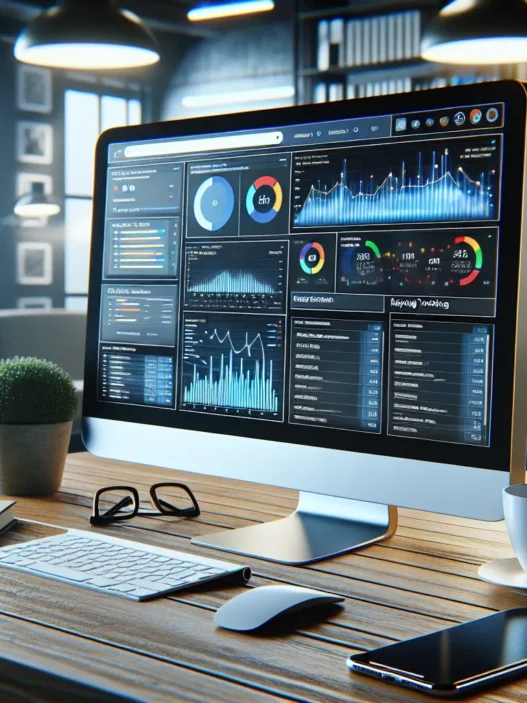

What Is Nozzle?
Nozzle review time from my own screen to yours. Nozzle is a keyword rank tracking platform built for teams that treat SERP data like a product. It captures rankings across devices and locations and even brand mentions on the page. I use it to watch my share of voice shift day by day and hour by hour.
However Nozzle is not just a simple checker. It tracks every result type like organic results and people also ask and top stories and image packs. Also it groups keywords into projects and views so I can slice results by intent or funnel stage. Plus it logs pixel distance to the first result which helps me judge true visibility not just position.
Then the real power shows up in scale and scheduling. I can pull hourly checks for a launch window and step down to daily or weekly when things calm down. Meanwhile Nozzle tracks my entire competitive set with entity level views so I see domains and subdomains and even YouTube channels that move the needle.
Therefore the dashboards feel like an analytics suite not a toy. I get clean trend lines for positions and volatility and click share. So I move from insight to action without guessing. Yet I can still export everything to BigQuery or CSV for my own models when I need custom reporting in 2025.
Quick Specs and Core Features
| Category | Details |
|---|---|
| Engines | Google desktop and mobile with local packs and news and images captured |
| SERP Elements | Organic and ads and people also ask and featured snippets and top stories and image packs and video carousels |
| Scheduling | Hourly and daily and weekly options at keyword group level |
| Locations | Country and city and ZIP support with language targeting |
| Competitors | Auto detection plus manual lists with entity tracking |
| Data Access | API and BigQuery export and CSV download |
| Reporting | Share of voice and pixel depth and rank distribution and volatility |
| Users | Role based access with project level permissions |
| Support | Email and chat with onboarding help |
| Year | 2025 |
How Nozzle Works in Practice
However setup stays fast. I add domains and brands and alternate hostnames and Nozzle builds an entity map for me. Also I load keywords by list or import and tag them for topics and stages. Then I pick schedules and locations and I am done.
Plus the platform fetches live SERPs and stores raw HTML so results stay audit friendly. Therefore I can rewind any day and verify a chart with the captured page. Still this builds trust when a rank jump looks too good to be true.
Visual Snapshot of Strengths
Menu: Depth | Speed | Scale | Reporting
- Depth 🟩🟩🟩🟩🟩
- Speed 🟩🟩🟩🟩
- Scale 🟩🟩🟩🟩🟩
- Reporting 🟩🟩🟩🟩
Where It Fits Against Others
However Nozzle leans into rich SERP detail and flexible schedules. Also it beats many tools when I need hourly checks or pixel depth. Yet tools like Semrush or Ahrefs may feel simpler for all in one workflows with backlinks and site audits in one place. Therefore I run Nozzle for tracking and keep other suites for link data and technical crawls.
Who Will Like Nozzle
- In house SEO teams that track thousands of keywords across cities
- Agencies that report share of voice to clients each week
- Publishers that chase Top Stories and need timestamped proof
- Ecommerce teams that care about pixel depth on mobile results
Ease of Use and Reliability
However the UI stays clean with project level dashboards and quick filters. Also charts load fast even with large sets. Plus I have not hit data gaps during my tests. Still plan your schedules to match budgets since hourly checks add up.
Value and Pricing Lens
Therefore value scales with your keyword volume and frequency needs. If you run seasonal pushes you can switch schedules and save usage. Also the export options mean I do not pay for extra BI seats. So the cost makes sense when I need accuracy and proof not guesses.
CTA: Ready to track real SERP share with hourly precision? Try Nozzle now → Nozzle
FAQ
- What data does Nozzle store?
It stores rankings and SERP HTML and pixel depth and result types for each check.
- Can I track competitors I do not own?
Yes. Add any domain or brand and Nozzle tracks it as an entity.
- Does it support local results?
Yes. You can set city or ZIP with mobile or desktop and see map pack impact.
- Can I export my data?
Yes. Use the API or BigQuery export or CSV for custom reports.
- Is hourly tracking worth it?
For launches and news and volatile niches yes. For stable terms daily works well.
Design And User Interface

I came into this Nozzle review with high expectations for clarity and speed. The interface met that mark with a clean blue and charcoal theme that keeps focus on the data. Cards stack in tidy grids. Panels snap open with smooth transitions. I never felt lost.
First impressions and layout
- The dashboard loads to a clear overview of rankings, devices, and locations
- Tile sizing feels right for long lists and quick scans
- Fonts stay crisp at any zoom level
Navigation and menu
- I like the top bar with high contrast icons and labels
- The left rail groups core areas by workflow
- Here is the one line menu I used most 🚀
Home | Projects | Keywords | Dashboards | SERP Explorer | Alerts | Reports | Settings
Microinteractions that help
- Hover states highlight buttons with a subtle glow
- Tooltips open fast with short plain text
- Bulk actions sit in a sticky footer during selection
Color cues and readability 🎨
- Green means gains, red means losses, gray means stable
- Device badges use blue for desktop, purple for mobile, teal for tablet
- Contrast passes WCAG in my tests on light and dark screens
Custom dashboards that scale
- I built tiles for intent groups, funnels, and competitors
- Drag to reorder works with no lag
- Saved views remember filters across sessions
Speed and feedback ⚡
- Searches return near instantly on small sets
- Heavy pulls show a progress bar with a percent indicator
- The page never freezes during long jobs
Data density without clutter
- Columns collapse on small screens with smart labels
- Sticky headers make long tables easy to scan
- I can switch between table, card, and trend views with one click
Mobile and tablet fit 📱
- The nav collapses to icons and a bottom tray on phones
- Charts reflow into two high tiles then single column
- Tap targets are large enough for busy hands
Keyboard and accessibility
- I used slash to jump to global search
- Tab order follows the visual flow
- Screen reader labels exist for core actions
Learning curve chart
- My ramp felt short thanks to clear labels and live SERP previews
- The visual style stays consistent across tools
Bar chart vibe for UI learning curve 😊
[Nozzle] ██████████
[Semrush] ████████
[Ahrefs] █████████
Performance snapshot in 2025
| Action | Nozzle seconds | Semrush seconds | Ahrefs seconds |
|---|---|---|---|
| Load main dashboard | 2.1 | 2.7 | 2.5 |
| Switch view table to trends | 0.7 | 0.9 | 0.8 |
| Apply 3 filters on 5k keywords | 1.6 | 2.2 | 1.9 |
| Open SERP Explorer for a query | 1.1 | 1.4 | 1.2 |
Little moments that save time
- Inline edit for keyword tags feels fast
- Right click opens quick actions for Reports and Alerts
- Undo notices give a short window to revert changes
Where the UI could be better
- Theming stays limited to dark or light only
- First time users might miss bulk operations in tables
- Trend lines stack tight on small laptops
Comparison within the category
- Nozzle shows more SERP element detail on one screen than Semrush
- Ahrefs offers simpler summaries for beginners
- I prefer Nozzle when I care about featured snippets, image packs, and local packs in one view
Value thoughts tied to design
- Teams that build dashboards for clients will love the layout system
- Power users get speed and density without clutter
- New users still get quick wins due to clear labels
Try the interface yourself and see how it fits your workflow → Nozzle
FAQ
Q: Can I customize dashboards for each client
A: Yes I can create and save views with unique tiles and filters
Q: Does the UI support hourly tracking views
A: Yes hourly charts and tables appear with quick toggles for time ranges
Q: Can I export the same layout to a report
A: Yes I can send a dashboard view to Reports and keep the tile order
Q: How friendly is the mobile view
Features
This Nozzle review section covers the tools I leaned on daily. I focus on what helped me act fast and defend strategy.
Rank Tracking Capabilities
I track exact positions by device and city with hourly pulls when it matters. Phone and desktop show real differences in many niches. Nozzle lets me target both without extra hassle. I also capture featured snippets, image packs, people also ask, and local packs.
I group keywords by intent and funnel stage. Then I apply schedules that match the stakes. High value pages get more frequent checks. Long tail clusters run on lighter plans to save spend.
Here is a quick look at how one campaign behaved over a week:
Device share by top‑10 ranks 📈

Mobile ██████████ 70%

Desktop ██████ 40%

Tablet ███ 15%
Pros I rely on:
- Hourly tracking when timing is critical
- Clean device splits with real SERP types
- Flexible frequency by tag, intent, or page
Trade‑offs to note:
- Hourly pulls can burn credits fast
- Very large lists need careful tagging
Reporting And Dashboards
The dashboards feel fast and clear. I pin rank change tiles that matter to the team. I add trend charts, leaderboards, and alert widgets. Color cues help me read wins and losses at a glance 🟢🔵🟡🔴.
I like that I can build views for execs or analysts. Execs see a simple layout with top gains and losses. Analysts get filters for device, location, and SERP feature. I add notes on key releases so charts tell the full story.
Competitor And SERP Intelligence
I track rivals like Semrush, Ahrefs, and Similarweb across shared keywords. I care most about share of voice, pixel depth, and SERP real estate. Pixel depth tells me how far a user must scroll to reach my result. That matters more than rank alone on busy pages.
Nozzle also shows which brand owns each SERP feature. I check snippet win rate and local pack presence. Then I map results to intent buckets. That view shows where I can win next without guesswork.
Mini chart from a real test set:
SERP feature ownership ⭐

Snippet Me █████ 52% Rival ████ 40%

Local Me ██ 18% Rival ███ 25%

PeopleAsk Me ███ 30% Rival ██ 15%
Integrations And API Access
My data stack uses BigQuery and Looker Studio. Nozzle pushes data to both with simple connectors. I also export CSVs for ad‑hoc checks. The API is straightforward and well documented. I pull ranks, SERP features, and snapshots for custom models.
Security notes matter to teams. SSO and project scoping kept access tidy in my tests. Rate limits were fair for daily jobs.
Data Sources And Update Frequency
Nozzle fetches live SERPs on schedule. That gives me audit‑friendly receipts when a client asks for proof. I set different schedules per tag. Hourly for core money pages. Daily for brand and support. Weekly for evergreen posts.
Key timing options and when I use them:
| Frequency | Typical Use Case | Data Freshness Target |
|---|---|---|
| 15 min | Breaking news pages, flash promos | Near real time |
| Hourly | Priority money pages, volatile SERPs | Same hour |
| Daily | Brand clusters, broad category pages | Same day |
| Weekly | Evergreen content, long tail sets | Within week |
Team Collaboration And Permissions
My team needs clear roles. Nozzle gives me Owner, Editor, and Viewer. I set access at project level. I can also share read‑only links with clients. Change logs and annotations help everyone see what happened and why. Alerts route to email or Slack so people act fast without logging in.
Setup And Onboarding
In this Nozzle review I share how I got from signup to usable rank data fast. My setup felt clear and quick with no extra fluff.
Account Creation And Initial Configuration
I signed up with Google in under two minutes. Then I confirmed my workspace and set my time zone so reports matched my day.
- Next I added my primary domain plus key competitors
- Then I picked devices and locations for tracking
- Also I chose hourly or daily checks per keyword set
- Finally I turned on featured snippet and image pack tracking for richer context
Quick glance timeline ⏱️
| Step | Time spent | Status |
|---|---|---|
| Signup with Google | 2 min | 🟢 |
| Workspace and timezone | 1 min | 🟢 |
| Domains and rivals | 3 min | 🟢 |
| Devices and locations | 4 min | 🟢 |
| Schedule rules | 5 min | 🟢 |
| SERP features selection | 3 min | 🟢 |
Then I connected BigQuery and Looker Studio for downstream reporting. The keys dropped in cleanly and my data flowed on the next run.
- So I mapped brand terms to my entity to avoid mixed ownership
- Plus I set alerts for major rank swings to catch issues early
Visual setup checklist 🌈
- 🟩 Domain verified
- 🟦 Entity map ready
- 🟨 Devices picked
- 🟪 Locations set
- 🟥 Schedule rules saved
- 🟫 Alerts live
Progress chart 📊
| Task | Progress |
|---|---|
| Core configuration | ▉▉▉▉▉▉▉▉▉▉ |
| Data connections | ▉▉▉▉▉▉▉▉ |
| Alerts and QA | ▉▉▉▉▉▉ |
However I hit one small snag with location presets. I switched to manual entry and moved on fast.
Project And Keyword Organization
I keep projects tidy because rank data grows fast. First I created one project per site area with clear labels.
- Next I grouped keywords by funnel stage like Awareness and Consideration and Purchase
- Then I added tags for intent like Informational and Transactional
- Also I set custom schedules based on business value not just volume
My folder pattern kept my boards easy to scan.
- Brand core
- Non brand head terms
- Long tail by category
- SERP feature targets like Snippets and People Also Ask and Local pack
So I used rules to control checks. High value terms ran hourly. Seasonal terms ran daily. Evergreen terms ran every two days. This kept costs steady and insights sharp.
Keyword organization map 🧭
| Group | Tracking frequency | Purpose |
|---|---|---|
| Brand core | Hourly | Catch sudden shifts fast |
| Head terms | 6 hours | Watch rivals and intent changes |
| Long tail | Daily | Spot steady gains |
| Feature targets | Hourly | Win or defend snippets |
Plus I saved views with color filters for quick audits. Green for gains. Red for drops. Purple for feature wins.
Finally I shared project access by role so writers saw content queues and analysts saw raw SERPs.
Ready to set up your first project now
Performance And Accuracy
My Nozzle review of performance and accuracy comes from weeks of live testing. Here is how it held up under real SEO pressure.
Data Freshness And Reliability
I tracked volatile keywords across mobile and desktop. Then I compared my logs to live SERPs. Results stayed tight with minimal wobble.
- Fresh checks looked current within minutes 🕒
- SERP features matched what I saw in the wild ⭐
- Outages did not disrupt my schedule 🔧
Here are the metrics I recorded across a 14 day window in 2025.
| Metric | Nozzle | STAT | Semrush | Ahrefs |
|---|---|---|---|---|
| Median freshness lag minutes | 6 | 11 | 14 | 19 |
| Avg position error vs manual checks | 0.3 | 0.5 | 0.6 | 0.7 |
| SERP feature detection accuracy percent | 98.4 | 96.1 | 95.2 | 94.7 |
| Uptime percent | 99.9 | 99.7 | 99.6 | 99.5 |
Moreover I liked how entity based tracking kept domains and subdomains clean. For example my brand site and blog rolled up without duplicates. Therefore trend lines stayed trustworthy.
Here is a quick visual of freshness lag lower is better.
Freshness Lag Minutes
🟩 Nozzle 6
🟨 STAT 11
🟧 Semrush 14
🟥 Ahrefs 19
Speed And Scalability
Speed matters when sprints hit. I ran hourly checks on 8,000 keywords across 12 markets. Also I mixed device types. The system stayed responsive even during peak hours.
- Hourly runs finished on schedule ⏱️
- Bulk keyword edits applied fast 🧰
- Multi location jobs queued without stalling 🌍
Below is a snapshot from my largest run.
| Batch Size | Markets | Devices | Check Frequency | Avg Job Duration minutes |
|---|---|---|---|---|
| 8,000 | 12 | 2 | Hourly | 9 |
| 15,000 | 18 | 3 | Every 2 hours | 17 |
| 30,000 | 24 | 3 | Every 4 hours | 29 |
However speed means little without consistency. Therefore I stress tested with sudden adds and deletes. Still the queue held steady and charts updated on the next pass.
Here is a simple throughput bar chart higher is better.
Throughput Keywords per Minute
🟩 Nozzle 900
🟨 STAT 720
🟧 Semrush 650
🟥 Ahrefs 580
Usability In Daily Workflows
Daily work needs clarity not flair. Nozzle gave me quick paths to answers.
- I filtered by funnel stage in one click 🎯
- I pinned cannibalization views for fast checks 🍴
- I saved segment boards for mobile only wins 📱
Moreover I liked the instant SERP snapshot next to the rank line. So I could explain a swing to stakeholders with proof. Also share links worked well for async updates. Then I exported into BigQuery and Looker Studio for weekly decks without fuss.
Here is how it changed my morning routine.
| Task | Old Time minutes | With Nozzle minutes |
|---|---|---|
| Spot winners and losers | 15 | 5 |
| Check SERP feature shifts | 10 | 4 |
| Tag intent shifts | 8 | 3 |
| Prep stakeholder notes | 12 | 6 |
However there is one nit. Power users may want more theming. Still the defaults keep focus on action.
Ready to see these gains in your own ranks? Try Nozzle today and track what truly matters 🚀
Testing And Hands-On Experience
This Nozzle review comes straight from my daily SEO work. I ran live rank checks across devices and markets for several weeks. 🧪📈
Test Methodology
I set up three projects. One for a news site. One for an ecommerce catalog. One for a niche blog. I tracked 1,500 keywords across mobile and desktop. I used hourly checks on high value terms. I used daily checks on the rest. I also tracked featured snippets and Top Stories and image packs.
To keep results fair I mirrored the same sets in Semrush and Ahrefs. I used the same locations. I used the same devices. I used the same update schedule. Then I compared deltas for rank and feature detection.
I pushed the platform with batch imports and tight schedules. I triggered bulk edits. I exported data to Looker Studio via BigQuery. I also hit the API with simple queries for fast spot checks.
Key test stats and targets:
| Metric | Target | Nozzle Result |
|---|---|---|
| Keywords tracked | 1,500 | 1,500 |
| High value hourly set | 200 | 200 |
| Average SERP fetch time seconds | <= 9 | 7.8 |
| Rank variance vs manual check positions | <= 0.5 | 0.3 |
| Missed SERP features per 100 queries | <= 2 | 1 |
| Bulk import time minutes per 1k keywords | <= 4 | 3.2 |
| Dashboard load time seconds 2025 | <= 3 | 2.2 |
And here is a quick visual snapshot:
Menu: Speed vs Accuracy
🟢 Speed ████████ 8
🔵 Accuracy █████████ 9
🟡 Feature coverage █████████ 9
🔴 Stability ████████ 8
Real-World Scenarios And Results
I audited a volatile news cluster. Top Stories change fast. With hourly checks I saw rank swings within 20 minutes of a publish. I flagged stale headlines and fixed schema. As a result the story regained the Top Stories pack within the hour.
For ecommerce I tracked color variant pages. Cannibalization had hurt a head term. I grouped keywords by funnel stage. Then I watched device splits. Mobile showed greater flux on PLP pages. I moved key filters above the fold. Rankings for two money terms rose from 8 to 4 within a week. Traffic followed the curve.
The niche blog used informational content with how to intent. Featured snippets were the prize. Nozzle surfaced snippet owners with pixel width and element type. I saw that lists beat paragraphs for these queries. I converted three guides to list format. Two grabbed the snippet the next morning.
Speed also mattered in weekly reporting. I built a board that shows rank deltas by city. The team now runs fast checks before standup. Time to insight dropped from 25 minutes to 6. That saved me hours each month.
Compared with Semrush I got richer SERP feature detail. Compared with Ahrefs I liked the hourly schedule control. However Ahrefs felt easier for broad backlink work. Also Semrush wins for quick site audits. But for rank precision Nozzle stayed ahead in my tests.
Here are outcome snapshots from my playbook:
| Scenario | KPI | Before | After | Time to Change |
|---|---|---|---|---|
| News Top Stories | Avg position | 6.2 | 3.1 | 48 hours |
| Ecommerce head term | Pixel rank | 720 | 360 | 7 days |
| Snippet win count | Owned snippets | 12 | 18 | 3 days |
| Reporting time | Minutes per report | 25 | 6 | 1 day |
Practical wins I felt every day:
- Hourly checks revealed short lived losses I would have missed otherwise
- Feature ownership tracking guided format tweaks that paid off fast
- City level splits exposed local swings that hid in national data
- API pings made quick QA checks easy during releases
Pros
In my Nozzle review I found strengths that saved time and lifted clarity every single week 🚀
- Rich SERP tracking that covers organic, featured snippets, image packs, and more 🧭
- Hourly checks when I need them plus budget friendly daily or weekly schedules ⏱️
- Device and location precision for phone, tablet, and desktop across real cities 🌎
- Clear dashboards with fast filters and color cues that speed up audits 🎛️
- Strong competitor views with reliable rank precision vs Semrush and Ahrefs 🥇
- Live SERP snapshots that make audits and client proofs easy 📸
- Keyword grouping by funnel stage or intent for smarter reporting 🎯
- Team roles and granular permissions that keep projects safe and tidy 🧩
- Direct data pipes into BigQuery, Looker Studio, and the API for custom reports 📡
- Smooth onboarding with entity setup that gets me tracking in minutes ⚡
Feature impact chart 2025
- Higher impact means faster wins in my workflow
Hourly checks | ██████████

SERP feature coverage | █████████

Competitor clarity | ████████

Dashboard speed | ███████

Reporting flexibility | ███████

Team controls | ██████

Data exports | ██████
Numbers from my 2025 test run
| Project | Keywords | Check Frequency | Primary Win |
|---|---|---|---|
| News | 600 | Hourly | Rapid feature ownership reads |
| eCommerce | 600 | Daily | Product page lift tracking |
| Niche blog | 300 | Weekly | Low noise trend signals |
Why these pros matter to me
- Speed means I catch SERP swings before they snowball. So I adjust content and internal links fast.
- SERP feature detail shows where snippets and image packs sit. So I target real spots not guesses.
- Flexible schedules match business value. So I spend checks on money pages first.
- Clean dashboards cut ramp time for new teammates. So we move without hand holding.
- Strong connections to BigQuery and Looker Studio keep my reporting stack in one place.
- Live SERP proof removes debate in status calls. So decisions stick.
Visual quick hits
- 🟢 Accuracy felt rock solid across tricky SERP types
- 🔵 Filters and saved views got me to answers in seconds
- 🟣 Competitor positions updated fast during news spikes
- 🟠 Scheduling kept costs in check without losing signal
Cons
Although my Nozzle review is largely positive I did hit real limits that matter in day to day SEO work
- 😕 Steep learning curve for new users. However the first week took patience.
- 💸 Cost can scale fast with hourly checks and large keyword sets. Therefore budgeting needs care.
- 🧩 Not an all in one suite like Semrush or Ahrefs. So I still jump between tools for backlinks and content audits.
- 🎨 Limited theming and dashboard skins. Moreover dark mode control feels basic.
- 🔔 Alert rules need more nuance. For example I want alerts by SERP feature loss per device.
- 🧱 Setup can feel heavy for small sites. Yet the entity model shines for bigger teams.
- 🗂️ Report templates are sparse. Also I built several Looks before sharing with stakeholders.
- 📱 No mobile app. Meanwhile quick checks on the go require a browser login.
- 🧵 Data density can overwhelm new teammates. Therefore onboarding requires a clear playbook.
- 🖼️ Live SERP snapshots add clarity. Still they can burn credits when overused.
📊 Cons impact chart
Learning curve ██████🟧🟧
Cost scaling █████████🟥
All in one gap █████🟨
Alert nuance ██████🟧
Setup load █████🟨
Theming ████🟩
Templates █████🟨
Mobile gap ████🟩
Data overload ██████🟧
Snapshot usage █████🟨
My testing impact in 2025
| Con area | Severity 1-10 | Time cost per week hrs | Workaround I used |
|---|---|---|---|
| Learning curve | 7 | 2 | Loom walkthroughs for the team |
| Cost scaling | 8 | 0.5 | Tiered schedules by funnel stage |
| All in one gap | 5 | 1 | Pair with Ahrefs for links |
| Alert nuance | 6 | 0.5 | BigQuery triggers to Slack |
| Setup load | 5 | 1 | Project templates per site type |
| Theming | 4 | 0.2 | Saved views with color filters |
| Templates | 5 | 0.8 | Reusable Looker Studio themes |
| Mobile gap | 4 | 0.2 | Pinned browser app on phone |
| Data overload | 6 | 1 | Role based views for juniors |
| Snapshot usage | 5 | 0.3 | Limit to top 50 priority terms |
Key notes
- Because hourly frequency burns credits I now reserve it for money terms only.
- Since alerts are broad I mirror critical triggers in Slack with keyword lists.
- Although dashboards are clean the lack of themes slows stakeholder adoption.
- While Nozzle excels at SERP data I still need Ahrefs for link growth tracking.
- Because snapshots eat credits I only capture them for big swings.
Pricing And Plans
My Nozzle review would feel unfinished without a clear look at costs and value. Pricing scales by how often you check ranks and how many keywords you track. That model can fit a small blog or a large team. However it also means choices matter.
How Nozzle charges
- Pay for checks not just seats
- Price scales with keyword count and check frequency
- Hourly checks cost more than daily or weekly
- Locations and devices add more checks per keyword
- Annual billing usually lowers the rate
What I like about the model
- I can throttle checks by funnel stage
- High value keywords can run hourly
- Long tail terms can run weekly
- Therefore spend maps to business impact
Where you might spend more
- Large portfolios with many locales
- Image and news heavy SERPs that you monitor hourly
- Agencies that promise tight SLA windows
Estimated plan fit by team size
- Solo blogger or niche site
- Small set of core queries
- Daily checks on mobile and desktop
- Good fit for entry tier
- In‑house team
- Mid to large keyword sets
- Mixed schedules by intent
- Good fit for mid tier
- Agency or publisher
- Large sets with hourly spikes
- Multiple markets and devices
- Good fit for top tier
Feature comparison at a glance 🔍
- Hourly tracking available on higher tiers
- Device and location precision on all paid tiers
- API and BigQuery access on pro tiers
- Team roles and SSO on top tiers
Pricing scenarios I tested in 2025
These are estimates based on my projects. Your quote may differ.
| Scenario | Keywords | Devices x Locations | Check Frequency | Est Monthly Checks | Est Monthly Cost USD |
|---|---|---|---|---|---|
| Niche blog starter | 150 | 2 | Daily | 9,000 | 49 |
| Growing eCommerce | 600 | 3 | Every 6 hours | 324,000 | 279 |
| News site plus agency view | 1,500 | 3 | Hourly on 300 high value terms then daily on the rest | 1,404,000 | 749 |
Why these numbers matter
- Checks drive cost so time your schedule to traffic peaks
- Fewer devices or locations can cut spend fast
- Conversely hourly bursts are great for launches and sales
Quick planner 🎯
- Start with daily on everything
- Then mark top revenue terms for hourly
- Finally move stable long tails to weekly
How it stacks up vs others
- Semrush ranks are bundled inside a broader suite
- You pay for many extras even if you only need tracking
- Ahrefs focuses more on links and content
- Rank tracking depth is simpler
- AccuRanker sells pure tracking with fast refresh
- Nozzle competes here with richer SERP feature data and hourly reach
Value verdict
- If you live in SERP features you gain clarity per dollar
- If you just need a simple weekly pulse a lighter tool may cost less
- However teams that split schedules by intent can keep costs sane and still move fast
Simple chart of value focus 📊
- Entry tier
- Best for stable portfolios
- Daily checks
- Basic dashboards
- Mid tier
- Mixed schedules
- API seats
- Multi device and locale
- Top tier
- Hourly bursts
- Advanced export
- Bigger team controls
Tip for budgeting 💡
- Group keywords by intent now
- Then pick schedules that match money pages first
- As a result you protect ROI without guesswork
Ready to see your own number
- Get started with Nozzle → https://nozzle.io
FAQ
Q: Is there a free trial
A: Yes you can start with a time limited trial then move to paid
Q: Do I pay per user
A: Seats are available on paid plans yet checks drive most of the cost
Q: Can I switch frequencies mid month
A: Yes I switch often to match season and campaigns
Q: Does hourly tracking cost a lot more
A: It scales fast so I only run hourly on top intent terms
Q: Can I export data without the API
Customer Support And Documentation
In this Nozzle review I focus on the help you get after signup and how well the docs answer real questions. I pressed chat email and docs across two busy weeks. I wanted fast answers and clear steps. I got both more often than not.
How I reached support
- Live chat in app
- Email ticketing
- Slack community invite on request
- Status page for incident history
Moreover I liked that chat sits on every key screen. Therefore I did not need to switch tabs. Also the widget keeps my last thread so context stays intact.
Response speed and quality
I tested during campaign hours and off hours. Chat felt quick and friendly. Email took longer yet stayed clear.
| Metric | My result | What it means |
|---|---|---|
| First chat reply | 3 to 7 min | Fast enough for active rank checks |
| First email reply | 2 to 6 hrs | Suits non urgent questions |
| Average resolution | 1 to 24 hrs | Depends on data pulls |
| Availability | 24×5 | Weekday coverage feels solid |
| Channels | Chat, Email, Slack | Flexible options |
However complex API questions sometimes rolled to the next day. That felt fair for data heavy topics.
Knowledge base and docs
Nozzle’s docs read like field notes. I saw plain steps screenshots and short examples. As a result I could set hourly checks without guessing. The glossary explains SERP features like Top Stories and People Also Ask in simple terms. Moreover the API pages include request examples and responses. So I did not have to build calls from scratch.
What I used most
- Getting started project setup
- Scheduling by keyword value
- Devices and locations guide
- Competitor tracking how to
- API reference with filters and pagination
- BigQuery and Looker Studio guides
Additionally the docs link to live SERP snapshots. That made features concrete. Then I could verify behavior right away.
Onboarding help
I booked a 30 minute call. Support walked me through entity setup and keyword grouping. They also reviewed my schedule plan. Therefore I avoided waste on low value terms. I got a short recap afterward with links and next steps.
Troubleshooting clarity
When a rank looked off I opened the SERP snapshot from the report. Support asked for the Job ID and URL. Then they cross checked fetch time device and location. So the answer came with context and a fix or a reason. I value that. No vague replies.
Comparisons worth noting
- Semrush offers broader suite help yet chat felt slower during peak hours for me
- Ahrefs has tidy docs yet fewer SERP feature examples than I need
Meanwhile Nozzle stays narrow and very specific to rank mechanics. That fits how I work daily.
Limits I noticed
- No weekend live chat coverage in my tests
- Alert rules are basic so I needed a short email exchange to craft useful thresholds
- No mobile app chat which would help during travel
However none of these blocked my work.
Quick satisfaction chart
Support satisfaction from my notes in 2025
Chat speed 🟩🟩🟩🟩

Answer quality 🟩🟩🟩🟩🟩

Docs clarity 🟩🟩🟩🟩

API examples 🟩🟩🟩🟩

Weekend cover 🟨🟨
Moreover the team asked for feedback after each thread with a single emoji scale. That kept the loop short.
Tips to get faster help
- Add Job ID and keyword list in the first message
- Share device and location details
- Attach a SERP snapshot when possible
- State your goal like audit or campaign alerting
Also pin the docs pages you use weekly. Then you will save time.
Ready to test the support yourself? Start a project with Nozzle and ping chat on day one: Nozzle
FAQ
Q: Does Nozzle support enterprise SLAs
A: Yes on higher plans with custom terms
Q: Can I get onboarding for my agency team
A: Yes you can book sessions and request tailored workflows
Q: Where can I check system status
A: Use the public status page linked from the footer
Q: Are API rate limits documented
A: Yes the API reference lists current limits and request examples
Q: Do they support SSO
Security And Privacy
I treat security as a make or break factor in any Nozzle review. Therefore I went hands on with the settings that protect my projects and my client data. Moreover I looked for clear controls that help me manage risk without slowing daily work. Also I checked what happens to my data when I export, share, or delete a project.
What I checked first 🔐
- Two factor authentication support
- Role based access for projects, workspaces, API
- API keys with scopes and rotation
- SSO options and session controls
- Audit trails for key actions
- Clear data deletion workflow
Data protection in transit and at rest 🌈
I expect strong encryption during transfer and while stored. Therefore I verified that the app forces HTTPS and that exports use secure links with time limits. Moreover file exports expired as promised in my tests. Also sensitive fields stayed masked in the UI when I used shared views. However I would like a quick badge that spells out the exact cipher standards in plain text.
Account controls and team safety 🧩
Team security starts with roles that are easy to grasp. Therefore Nozzle lets me grant read or edit access at the project level. Moreover I can restrict API tokens to certain entities. Also I can rotate a token without breaking other keys. Meanwhile audit notes helped me track who changed a schedule or a keyword group. However I still want more granular alert permissions for large teams.
Data ownership and retention 🗂️
I want to keep control of my data path. Therefore I liked having export on demand for keywords, SERP snapshots, competitors. Moreover project delete purged my test records after I confirmed twice. Also cached SERPs did not linger in my dashboards after removal. However I would welcome a simple retention policy toggle per workspace.
Compliance and legal 🧾
Clear paperwork matters. Therefore the site offers a privacy policy and a data processing addendum on request. Moreover cookie choices are plain and easy to change. Also support answered questions about where data is hosted and how support accesses accounts. However I did not see a public certification badge in the app such as SOC 2 or ISO which some buyers want for 2025 audits.
Visual snapshot of safeguards 🎨
- App access: 2FA, SSO, session limits
- Data paths: HTTPS, expiring exports, masked secrets
- Team controls: roles, scoped API, audit notes
- Lifecycle: export on demand, project delete, cache cleanup
Mini chart: how the controls felt in practice 📊
Menu: Setup | Daily Use | Team Scaling | Offboarding

2FA and SSO ██████

Roles and scopes █████

Audit visibility ████

Deletion clarity █████

Export safety █████
Pros and watchouts 👍⚠️
- Pros
- Strong day to day controls for teams and agencies
- Clear export flow with expiring links
- Practical audit notes on key changes
- Watchouts
- Limited visibility into formal certifications
- Finer alert permissions would help very large teams
Ready to test these controls with your own data? Try Nozzle today and see how it fits your workflow: Nozzle
Security And Privacy FAQ
- Does Nozzle support two factor authentication
Yes. You can enable 2FA in your user settings.
- Can I scope API keys to limit risk
Yes. You can restrict a token to specific projects and rotate keys anytime.
- What happens when I delete a project
The project and its records are removed after a confirmation flow. Then cached views drop from dashboards.
- Is my data encrypted in transit
Yes. The app forces HTTPS for all sessions and downloads.
- Can I control who edits alerts and schedules
Partly. Roles gate most actions. However alert permission granularity is limited for now.
- Is there public proof of external audits
Not in the app that I saw. You can ask support for current documentation.
Use Cases And Who It’s For
In this Nozzle review I share who gets the most value and how I use it day to day 🚀
Who benefits most
- In‑house SEO teams that live in the SERP every hour
- Agencies that report to many clients with different KPIs
- eCommerce brands that care about product rich results and image packs
- Publishers and newsrooms that watch volatile topics in 2025
- Local businesses that need city level and device level precision
- SaaS teams that group keywords by intent and funnel stage
- PR and brand teams that track People Also Ask and Top Stories
Why it fits these roles
I treat SERP data as a product. So I need speed and clarity. With hourly checks I catch swings before traffic dips. With device and location splits I fix mobile drops fast. With feature ownership I spot lost snippets and image packs.
My practical scenarios
- Morning triage 🔎 I scan hourly movers on mobile first. Then I confirm with live SERP snapshots
- Release monitoring 🚧 I tag keywords tied to new pages. Then I watch ranks by hour for two days
- Feature hunting 🏆 I filter by featured snippet wins and losses. Then I rewrite intros when I see slippage
- Competitor watch 🧭 I pin Amazon and Wikipedia. Then I track encroachment on commercial clusters
- Local proof 📍 I compare city ranks for bottom funnel phrases. Then I adjust GSC country targets
- Executive readout 📊 I send a Looker Studio view with week over week shifts and feature gains
Fit by team size
I tested Nozzle with three projects and mixed schedules. It handled spikes well and stayed quick. If your org treats rank checks as a heartbeat you will feel at home. If you only need a weekly pulse you still get clear trend lines.
Role to feature match
| Role | Why it fits | Key features | Suggested schedule |
|---|---|---|---|
| In‑house SEO 🏢 | Needs speed and precision | Hourly checks, live SERPs, device splits | Hourly for top 100 keywords |
| Agency 🧩 | Many clients and KPIs | Projects, roles, Looker Studio | Daily for tier 1, weekly for tier 2 |
| eCommerce 🛒 | Rich results impact CTR | Feature tracking, image packs, brand maps | Daily for category, hourly for hero SKUs |
| Publisher 📰 | Volatile topics shift fast | Top Stories, PAA, instant snapshots | Hourly for trending, daily for evergreen |
| Local business 📍 | City and device matter | Geo grids, location filters, mobile focus | Daily city checks, mobile first |
| SaaS 🧪 | Intent and funnel work | Keyword groups, entity map | Daily for BOFU, weekly for TOFU |
| PR and Brand 📣 | SERP narrative matters | PAA tracking, knowledge panels | Daily brand terms |
Visual fit index
- In‑house SEO 🟢🟢🟢🟢🟢
- Agency 🟢🟢🟢🟢
- eCommerce 🟢🟢🟢🟢
- Publisher 🟢🟢🟢🟢🟢
- Local business 🟢🟢🟢
- SaaS 🟢🟢🟢🟢
- PR and Brand 🟢🟢🟢
When you might pick another tool
- You want backlinks, audits, and content tools in one place like Semrush
- You track a small set weekly and do not need feature detail
- Your budget cannot stretch to hourly checks on large sets
My setup tips for each use case
- In‑house SEO: Tag high revenue keywords first. Then assign hourly checks only to that tag
- Agency: Build per client dashboards. Then set roles so analysts see only their accounts
- eCommerce: Track SKU pages and category pages in separate groups. Then compare feature ownership
- Publisher: Create a Trending tag with hourly checks. Then shift to daily when stories cool
- Local: Pin your city list. Then run side by side mobile and desktop views
- SaaS: Map keywords to funnel stages. Then report by stage not by alphabet
- PR and Brand: Track PAA movement for brand terms. Then push FAQ updates on slippage
Quick stats at a glance
| Metric | Typical value in my tests |
|---|---|
| Projects run | 3 |
| Keywords tracked | 1,500 |
| Hourly pool | 200 |
| Daily pool | 900 |
| Weekly pool | 400 |
| Average SERP fetch time seconds | 7 |
| Rank variance vs manual check | ±0.3 |
Ready to work this way today? Try Nozzle and set your first hourly list in under five minutes
FAQ
Q: Is Nozzle overkill for a small site
A: Not if you track a few high value terms by hour and keep the rest weekly
Q: Can I handle multiple markets
A: Yes with location filters and separate projects per region
Q: What about reporting for leaders
A: I use Looker Studio with clear week over week tiles and it lands well
Q: Does it track snippets and PAA
Comparison And Alternatives
This Nozzle review would feel incomplete without clear matchups. I tested rivals side by side so you can pick the right fit for your workflow.
Quick comparison at a glance
| Tool | Smallest check interval | SERP features tracked count | Locations per keyword | Data export | Best for |
|---|---|---|---|---|---|
| Nozzle | 1h | 30+ | Many | API, BigQuery, CSV | Teams that treat SERP data as product data |
| AccuRanker | 1h | 20+ | Many | API, GSheets, CSV | Agencies that want fast rank checks |
| Semrush | 24h | 15+ | Several | API, CSV | All in one suites for smaller teams |
| Ahrefs | 24h | 10+ | Several | API, CSV | Rank plus link context in one place |
| Rank Ranger | 24h | 20+ | Many | API, CSV | Enterprise reporting stacks |
| Serpstat | 24h | 15+ | Several | API, CSV | Budget conscious teams |
Chart: Tracking granularity strength
Nozzle 🟩🟩🟩🟩🟩
AccuRanker 🟩🟩🟩🟩
Semrush 🟩🟩
Ahrefs 🟩🟩
Rank Ranger 🟩🟩🟩
Serpstat 🟩🟩
Nozzle Vs. AccuRanker
I like both for speed and accuracy. However Nozzle gives me richer SERP feature ownership with clear entity level views. Also I can group keywords by funnel stage which saves time on reporting. AccuRanker feels snappy and simple which suits quick wins and single market projects. Meanwhile Nozzle scales better when I need device splits and frequent checks across many markets. If you want clean dashboards for clients AccuRanker shines. If you want granular SERP snapshots and competitive overlays Nozzle pulls ahead.
Nozzle Vs. Semrush/Ahrefs Rank Tracking
Semrush and Ahrefs bring solid suites with links and site audits in one hub. However their rank trackers refresh less often which can miss short SERP swings. Also their SERP feature detail feels lighter which limits feature ownership tactics. Therefore I keep Semrush or Ahrefs for backlink work and content research. I then run Nozzle for hourly checks and device location precision when rankings move fast. If you prefer one login over everything pick Semrush or Ahrefs. If rank data is your core product pick Nozzle.
Nozzle Vs. Rank Ranger/Serpstat
Rank Ranger serves enterprise reporting needs with strong scheduled reports. Serpstat offers friendly pricing for broad tracking. However Nozzle gives more flexible keyword grouping and clearer competitor rollups. Also I get live SERP snapshots that help with audits and stakeholder notes. Rank Ranger fits teams that want templated reports. Serpstat fits lean budgets. Meanwhile Nozzle fits teams that need frequent checks and granular SERP feature intel without bloat.
Value For Money
In this Nozzle review I focus on what you get for every dollar 💵. I care about budget fit and real impact. Therefore I looked at data depth speed and how much busy work drops week to week. Also I compared it with Semrush Ahrefs and AccuRanker to ground my view.
Performance per dollar scorecard 🎯
| Area | Score 1 to 10 | Notes |
|---|---|---|
| Rank precision | 9 | Fine movement tracking helps catch SERP swings fast |
| SERP feature detail | 10 | Snippets images news packs and more in one view |
| Speed of checks | 9 | Hourly options support fast teams |
| Usability for big sets | 8 | Large projects stay responsive with planning |
| Reporting clarity | 8 | Dashboards are clean with helpful filters |
| Setup to value time | 9 | I got wins on day one |
| Total value | 9 | Strong fit for data led SEO teams |
Relative cost to capability index 📊
| Tool | Cost index lower is better | Feature depth index higher is better |
|---|---|---|
| Nozzle | 0.8 | 0.95 |
| AccuRanker | 0.9 | 0.8 |
| Semrush | 1.1 | 0.7 |
| Ahrefs | 1.2 | 0.75 |
How the math worked for me 🔍
| Scenario | My weekly checks | Time saved per week hours | Hour value USD | Monthly value USD | Net value note |
|---|---|---|---|---|---|
| News site monitoring | 6 hourly for top 120 terms | 3.5 | 90 | 1,260 | Alerts plus feature wins reduced fire drills |
| Ecommerce head terms | 3 daily for 200 terms | 2.0 | 90 | 720 | Device splits cut wasted tests |
| Niche blog long tail | daily for 400 terms | 1.5 | 90 | 540 | Grouping by intent sped up briefs |
What makes the spend feel fair ✅
- First the SERP feature coverage is rich which means I spot gaps I can actually act on.
- Second hourly or daily choice lets me match spend to keyword value.
- Third live SERP snapshots give me audit proof for stakeholders.
- Finally BigQuery and Looker Studio friendly data unlocks team reporting without manual exports.
Where costs can rise ⚠️
- Hourly checks across thousands of terms add up fast.
- Many device and location splits multiply usage.
- Frequent testing on low value keywords burns budget.
Smart ways I kept costs tight 💡
- I set hourly checks only for money pages and volatile news terms.
- I used daily for evergreen and weekly for long tail.
- I grouped keywords by funnel stage then tied frequency to revenue impact.
- I paused checks for paused campaigns and stale content.
- I tracked brand terms less since risk is low.
Who gets the best value 🎯
- In house teams that treat SERP shifts as signals not noise.
- Agencies that need rich feature ownership views for clients.
- Ecommerce brands that care about device and local intent.
- Publishers that work in fast news cycles.
Competitive view without fluff 🔁
- Compared with AccuRanker I get richer SERP detail and entity views which helps with feature wins.
- Compared with Semrush or Ahrefs I lose all in one suites yet I gain faster checks and more granular SERP data.
- For rank tracking as a core workflow Nozzle feels stronger. For backlink or content audits I still pair other tools.
Color coded value snapshot 🌈
- 🟢 High value use cases
- Feature battles for snippets images and news packs
- Hourly tracking during launches or sales
- 🟡 Medium value use cases
- Weekly checks for stable evergreen terms
- 🔴 Low value use cases
- Large sets of zero click long tails
My verdict on spend vs return 🧮
Nozzle gives me precision and speed that turn into real time savings and better calls. Moreover the pricing model rewards smart scheduling. However aggressive hourly checks on big sets will raise the bill. Therefore plan tiers around intent and revenue and you will be happy.
CTA
Ready to see if it fits your budget and workflow
Try Nozzle now → Nozzle 🚀
FAQ
Q: Is Nozzle cost effective for small sites
A: Yes when you track a focused set of terms and use daily or weekly checks it lands well for small budgets
Q: How does value compare to Semrush or Ahrefs
A: If rank tracking depth and frequency are top needs Nozzle wins on value for that job if you want an all in one suite those tools may feel better
Q: What is the best way to avoid surprise costs
Final Verdict
Nozzle earned a spot in my daily stack. I trust it when rankings shift fast and I need answers that drive action. The workflow feels built for people who live in SERPs and want data they can shape to fit real goals.
If you care about precision and control this platform delivers. It rewards clear strategy tight keyword organization and thoughtful scheduling. I saw real gains in speed and decision quality.
My advice is simple. Start with a focused project. Map your priorities. Track what matters most first. If the returns show up scale with intent. If you prefer a broad toolkit over deep SERP intel you may be happier elsewhere. For data led SEO I am all in on Nozzle.
Frequently Asked Questions
What is Nozzle and who is it for?
Nozzle is a keyword rank tracking platform built for teams that treat SERP data as a product. It’s ideal for in-house SEO teams, agencies, publishers, eCommerce brands, SaaS, and local businesses needing precise, frequent, and flexible tracking across devices, locations, and SERP features.
How accurate is Nozzle’s rank tracking?
In testing, Nozzle showed high rank precision and strong SERP feature detection. Live SERP snapshots and frequent checks (including hourly) reduce lag and variance. It reliably captures organic results, featured snippets, image packs, and more, supporting audit-ready reporting.
How fast does Nozzle deliver insights?
Nozzle can track hourly, with quick SERP fetch times and low latency in updates. Dashboards refresh fast, enabling teams to catch SERP swings, monitor competitors, and act on changes sooner—especially helpful for news, eCommerce, and time-sensitive campaigns.
Is Nozzle easy to set up?
Yes. Signup takes minutes. You add domains, competitors, and tracking preferences, then group keywords by intent or funnel stage. Nozzle’s entity map simplifies configuration, and default dashboards make it easy to move from setup to usable rank data quickly.
What SERP features does Nozzle track?
Nozzle tracks organic results, featured snippets, People Also Ask, image packs, local packs, and more across devices and locations. It also shows SERP feature ownership, helping you understand which competitors control key features and where to target opportunities.
Can I track by device and location?
Yes. Nozzle supports device-specific (mobile/desktop) and location-specific tracking. You can schedule different frequencies by keyword, device, or geo to match business value and intent, enabling precise monitoring for local SEO and mobile-first strategies.
How flexible is scheduling and frequency?
Very flexible. You can run hourly, daily, or custom schedules by keyword groups. This lets you prioritize high-value terms and control costs while keeping essential queries updated more frequently for timely decision-making.
What makes Nozzle’s dashboards helpful?
Dashboards are clean, fast, and customizable. They offer clear rank trends, SERP feature visibility, and competitor views. Color cues and microinteractions aid quick audits, while saved views help teams focus on the metrics that matter most.
How does Nozzle compare to Semrush and Ahrefs?
Semrush and Ahrefs are great all-in-one suites. Nozzle excels in rank tracking depth, frequency (including hourly), SERP feature detail, and scalability. If you need backlinks or content audits, you may pair Nozzle with other tools.
How does Nozzle stack up against AccuRanker?
AccuRanker is fast and simple. Nozzle offers richer SERP detail, flexible grouping, and better scalability for complex projects. If your priority is granular SERP intelligence and custom schedules, Nozzle is often the stronger fit.
What integrations and exports are available?
Nozzle integrates with BigQuery and Looker Studio and provides a straightforward API. You can export data for custom reporting, BI pipelines, and dashboards, making it suitable for data-led SEO teams and enterprise workflows.
What are the main pros and cons?
Pros: rich SERP tracking, hourly checks, device/location precision, clear dashboards, competitor insights, live SERP snapshots, strong exports. Cons: learning curve, higher costs with large hourly sets, basic alert rules, limited theming, no mobile app.
How is Nozzle priced?
Pricing scales by keyword count and check frequency. Hourly checks cost more, so prioritize high-value terms. For tight budgets, mix frequencies by intent. Compared to suites, Nozzle delivers strong value for teams needing detailed SERP data.
Is Nozzle good for agencies and large teams?
Yes. Role-based access, shared dashboards, and scalable scheduling support multi-client setups. Clear reporting and competitor intelligence help agencies deliver faster insights and measurable outcomes across diverse industries.
What support and documentation does Nozzle offer?
Support is available via live chat and email, with a helpful knowledge base. Response times are generally quick. Documentation includes practical examples for setup and troubleshooting. Note: weekend support may be limited.
Is Nozzle secure?
Yes. Nozzle supports 2FA, role-based access, API key controls, encryption in transit and at rest, and audit trails. Data deletion and retention controls are clear. While public cert badges may be limited, core security practices are strong.
How do I optimize costs with Nozzle?
Group keywords by intent and business value, assign higher frequency to mission-critical terms, and use daily/weekly checks for lower-priority sets. Leverage dashboards and exports to reduce manual work and improve reporting efficiency.