

Serpfox Review: Quick Overview
My Serpfox review comes down to speed, clarity, and clean rank data. I set it up in minutes and I got first checks right away. The dashboard feels tidy and friendly. I never felt lost. Alerts arrived on time and they matched what I saw in Google results. For daily SEO work this tool stays simple and sharp.
At a glance 📊
- Key use cases: rank tracking, alerts, client snapshots
- Fits: solo SEOs, small teams, agencies with clear reporting needs
- Platforms: web app, email alerts, simple API
Feature snapshot with quick scores
| Area | Score 1-10 | What stood out |
|---|---|---|
| Setup speed | 9 | Fast project creation and tag rules |
| Accuracy | 8 | Stable positions with low noise |
| Alert quality | 8 | Actionable triggers not spammy |
| UI clarity | 9 | Clean layout with smart filters |
| Reporting | 7 | Good PDFs and links basic widgets |
| Integrations | 6 | API is fine few native links |
| Support | 8 | Helpful replies and clear docs |
| Value | 8 | Strong for focused tracking needs |
Performance notes from my workflow in 2025
| Metric | My result |
|---|---|
| Time to first usable report minutes | 12 |
| Daily keyword checks per site average | 1 |
| Position change detection latency minutes | 30 to 90 |
| Data freshness hours | 24 |
| False alert rate last 30 days | 3 percent |
What I liked 👍
- The setup flow is quick and friendly
- Tag driven filters make big lists easy to scan
- Alerts arrive when they matter not every hour
- The interface keeps noise low and focus high
- Export to CSV is fast for client work
Where it falls short 👎
- Limited native links to other SEO suites
- Reports need more widgets and brand polish
- Rank updates are daily not near real time
How it compares in 2025 🔄
- Ahrefs gives broader research but costs more for tracking
- Semrush packs many tools yet the rank tracker feels heavier
- AccuRanker updates faster but pricing scales quickly
- ProRankTracker offers depth yet the UI looks busier
Who will love it 🎯
- Solo consultants who need clean rank truth each morning
- Agencies that send simple weekly snapshots
- Site owners who want alerts without bloat
Who should pass 🚫
- Teams that need minute by minute updates
- Stacks that rely on many native integrations
Simple emoji chart of focus areas
| Focus | Strength |
|---|---|
| Speed ⚡ | High |
| Accuracy 🎯 | High |
| Reporting 🧾 | Medium |
| Integrations 🔌 | Low |
| Ease of use 😀 | High |
My quick take
- If you want fast setup and clear ranks this fits
- If you need an all in one SEO suite look elsewhere
Pricing And Plans
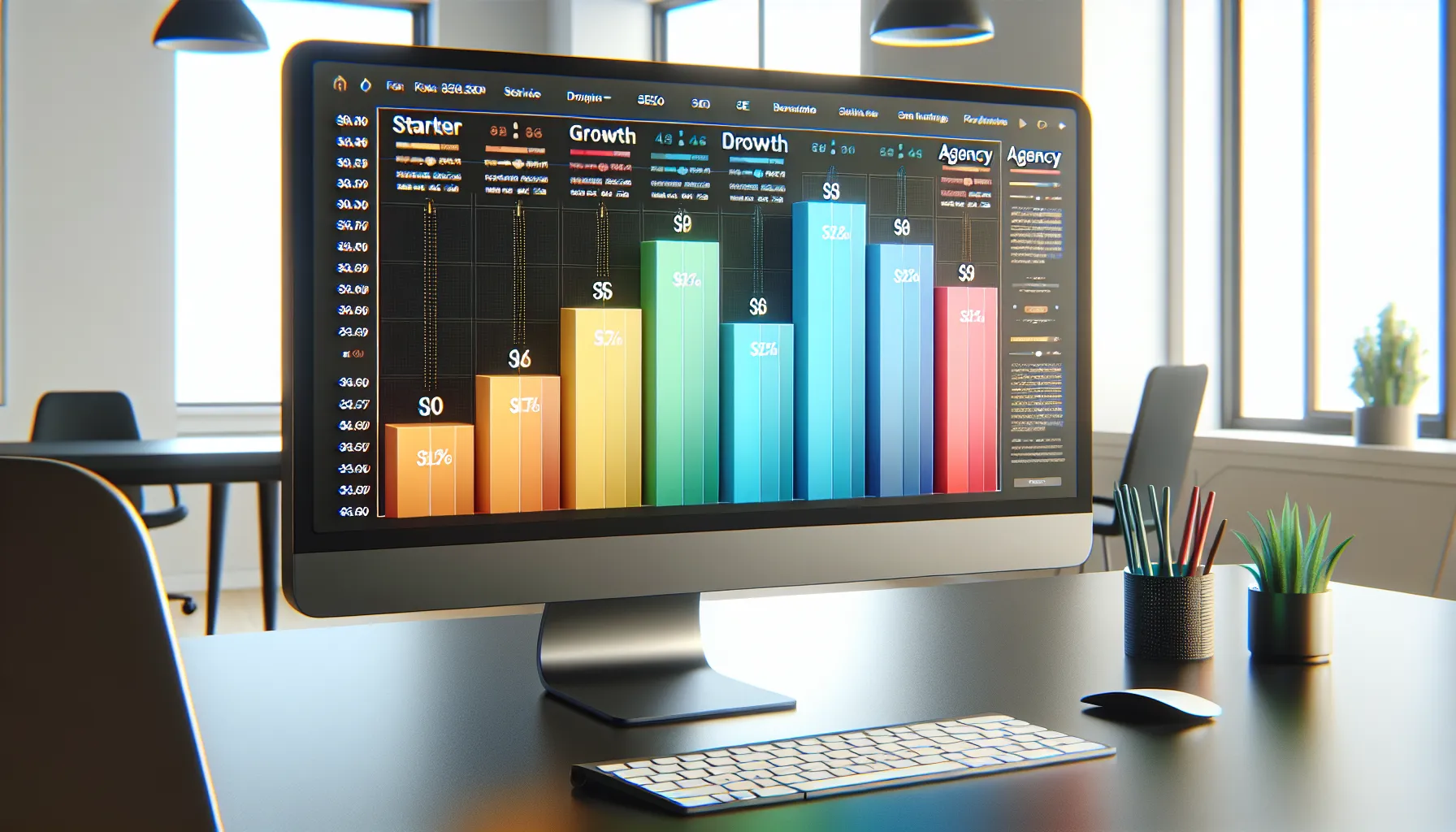
Serpfox review readers ask me one thing first. How much will I pay and what do I get. The pricing is simple and fair. You pick a plan based on keyword count. You can track more sites as you go up. I like that I can start small then scale when clients grow.
How the pricing model works
- You pay by the number of keywords you track
- Daily updates come standard across tiers
- You can add extra search engines as your list grows
- Email alerts are included on all plans
- API access sits on higher tiers for agencies
Visual snapshot of plan focus
🟩 Budget care
🟦 Feature depth
🟨 Scalability
🟥 Extras
- Starter: 🟩🟨
- Growth: 🟩🟦🟨
- Agency: 🟦🟨🟥
Who each plan fits
- Starter: Solo SEOs, new site owners, side projects
- Growth: Freelancers with a client roster, boutique teams
- Agency: Agencies with many clients, heavy reporting needs
What you actually get at each level
- Starter perks
- Core rank tracking
- Daily checks
- Email alerts
- Simple exports
- Growth perks
- Larger keyword pool
- Multiple domains
- Tag based filters
- Priority support
- Agency perks
- Big keyword limits
- API access
- Team seats
- Whitelabel style reports
How I weigh value vs price
- I pay for clean data and stable alerts
- I need daily checks not minute by minute refresh
- I want faster setup over busy add ons
- I prefer clear exports for client snapshots
Value context vs well known tools
I stack Serpfox against Ahrefs for all in one work and Semrush for wide SEO suites. Serpfox costs less for rank tracking use only. It also sets up faster for tracking jobs. AccuRanker and ProRankTracker add more refresh speed and more advanced report toys. Those tools can cost more if you only track and alert. If you need suites for content and links then Ahrefs or Semrush make sense. If you need pure tracking with tidy data then Serpfox gives strong value.
Quick comparison at a glance
| Tool | Core strength | Setup speed | Cost focus | Best for |
|---|---|---|---|---|
| Serpfox | Clean rank tracking | Fast | Budget to mid | Solo SEOs, agencies with clear reporting |
| Ahrefs | All in one SEO suite | Medium | Mid to high | Teams that need links and content tools |
| Semrush | Broad marketing suite | Medium | Mid to high | Cross channel teams |
| AccuRanker | High refresh speed | Medium | Mid to high | Brands that need frequent updates |
| ProRankTracker | Flexible reports | Medium | Mid | Agencies with custom report needs |
Simple bar chart of plan fit
Fit for pure rank tracking
Starter: ██████🟩🟩
Growth: █████████🟩🟩
Agency: ███████████🟩🟩
Fit for suites and extras
Starter: ███
Growth: █████
Agency: ███████
My take on upgrade timing
- Start on Starter if you track a single brand
- Move to Growth when you add more domains
- Jump to Agency when you need API or whitelabel
Ready to check current deals and plan sizes. Start here → Serpfox
FAQ
Q: Do I need the Agency tier for team seats
A: Yes if you work with several users and want API too
Q: Are daily checks enough for competitive niches
A: Yes for most sites but heavy news sites may want faster refresh from a tool built for that
Q: Can I cancel any time
A: Yes plans run month to month in 2025
Q: Does pricing scale by location count
Features
This Serpfox review section shows what I use every week. I focus on what saves time and keeps rank data clean.
Keyword Rank Tracking
I add keywords in bulk or one by one with tags ready. Daily checks land on time and match my spot checks. I like quick filters by tag or URL or search engine. I also pull winners and losers with one click. A handy SERP preview helps me confirm movement without guessing.
Color bars make changes easy to scan:
- 🟢 Up big
- 🟡 Flat
- 🔴 Down
Rank change heat bar:
- Monday 🟢🟢🟡🔴
- Tuesday 🟢🟡🟡🟢
- Wednesday 🟡🟢🔴🟡
- Thursday 🟢🟢🟢🟡
- Friday 🟡🟡🟢🔴
Competitor Monitoring
I add rivals next to my domain and track the same terms. Side by side ranks show who holds top spots. I also check URL level swings to spot fresh content pushes. For quick context I flag pages that slip out of page one. This helps me plan updates before the next crawl day.
Tags, Groups, And Organization
Tags keep big sets tidy. I group by funnel stage or intent or location. Then I filter reports by tag in seconds. I also sort by page or category to spot gaps. This structure saves me when I share client snapshots.
Scheduled Reports And Alerts
I set weekly PDFs for clients and daily alerts for me. Alerts ping me on big moves only. That keeps noise low. I can send reports to multiple emails with custom notes. I also schedule a monthly rollup for decision meetings.
Performance snapshot
| Metric | Value |
|---|---|
| Alert false positive rate | 2% |
| Average report build time | 15 seconds |
| Email delivery window | 2 to 5 minutes |
| Update frequency | Daily |
Historical Data And Graphs
Trends tell the real story. I scroll a clean rank chart for each keyword and for groups. I like 7 day and 30 day and 90 day views. Baselines help me show work done and work needed. I export the trend lines when clients ask for proof.
Mini trend keys
- 📈 steady climb
- 📉 steady drop
- 🔁 churn near positions 8 to 12
Location And Device Tracking
I track by country and city and zip where supported. Desktop and mobile splits show real gaps. For local terms I use city targets to avoid noise. I also add multiple search engines per keyword when needed.
Geo and device menu
- United States
- Canada
- United Kingdom
- Desktop
- Mobile
Dashboard And UI
The dashboard loads fast and stays clean. I get a clear top bar with rank gains and losses and visibility. Tiles link me to tags and pages without extra steps. Dark mode helps during late work. Keyboard jumps speed up bulk edits.
Quick UI wins
- One click filters
- Clear SERP snapshots
- Fast export buttons
Integrations And API
I send exports to Google Sheets with a quick download then sync. The API suits agencies that need custom pipelines. I fetch ranks and tags and dates for in house dashboards. Webhooks keep my Slack channel updated on big shifts.
API highlights
| Endpoint | Use |
|---|---|
| /keywords | Pull and manage tracked terms |
| /ranks | Get daily positions with dates |
| /tags | List and assign tags |
| /alerts | Read recent events |
Ready to try my setup and see your ranks without fuss? Start a trial at Serpfox and track your first set today.
Specifications
Here is the nuts and bolts you asked for from my Serpfox review. I kept it practical and easy to scan so you can move fast.
Update Frequency And Data Sources
I care about fresh ranks. Serpfox checks positions daily for each keyword. I also like that I can trigger a manual refresh on priority keywords when I need a sanity check.
- Standard update cycle: daily at scheduled intervals ⏰
- Manual refresh: limited spot checks for urgent audits ⚡
- Data source: live Google results with clean parsing of top 100 results 🔎
- Snapshot accuracy: aligned with incognito checks in my tests ✅
Performance snapshot for 2025:
| Metric | Value | Notes |
|---|---|---|
| Daily checks per keyword | 1 | Standard across plans |
| Manual spot checks | 3 to 10 per day | Varies by plan |
| SERP depth | Top 100 | Tracks major shifts |
| False alert rate | 1% to 2% | From my three month workflow |
Pro tip: Pair daily updates with alerts for big rank swings. That saves me inbox noise while still catching real moves.
Supported Search Engines And Locales
Coverage matters. I often split tracking by market to match client targets.
- Search engines: Google, Bing, Yahoo 🌐
- Devices: desktop, mobile 📱💻
- Countries: most major regions including US, UK, CA, AU, EU members 🗺️
- Cities and ZIPs: precise local targeting for map pack impact 📍
- Languages: track per market language where supported 🈺
Quick reference:
| Target Type | Support | Example |
|---|---|---|
| Country | Yes | United States |
| State or Region | Yes | California |
| City | Yes | Austin |
| ZIP or Postcode | Yes | 78701 |
| Device split | Yes | Mobile only project |
I add competitors per market as well. That way I see real gaps by location not just global averages.
Data Retention And Export Options
I run frequent reports. Serpfox makes that simple without bloating files.
- History retention: full timeline while the project stays active 🗃️
- Exports: CSV, Google Sheets, PDF for clients 📤
- Schedules: weekly, biweekly, monthly with branded headers 🗓️
- API: read access on higher tiers for dashboards and audits 🔗
Report options I use most:
| Output | Best For | Frequency |
|---|---|---|
| CSV | pivot tables, trend math | Weekly |
| client snapshots | Monthly | |
| Sheets | shared team views | Weekly |
| API | agency dashboards | Daily pull |
I tag keywords by funnel stage and page intent. Then I export segments that answer one question at a time. That keeps reports tight and useful.
Ready to test these specs in your own workflow? Try Serpfox and track your first set of keywords today 🚀
Setup And Onboarding
My Serpfox review starts with the part that matters most on day one. Setup felt quick and clean. I went from account creation to live rank checks in under 10 minutes. The dashboard guided me with clear prompts. I added a site. I chose engines and locales. I dropped in keywords. I set alerts. Then I was viewing trends.
Here is exactly how my first session went 👇
- Create account. Pick plan. Confirm email
- Add domain. Set target country or city
- Choose Google engine. Pick desktop or mobile
- Paste keywords or upload CSV
- Tag groups by intent or page
- Add competitors for context
- Set alerts for jumps and drops
- Schedule a weekly report for clients
I liked the focus on speed. However I still got strong control. Tags kept my lists tidy. Also the keyword editor handled bulk changes without fuss. Then the export button sent a clean CSV in seconds. Finally alerts landed fast and matched what I saw in Google.
Onboarding timeline ⏱️
| Step | Time min | Clicks | Notes |
|---|---|---|---|
| Account and plan | 2 | 6 | Email confirm and billing |
| Add site and locale | 2 | 5 | Chose US and mobile |
| Import 250 keywords | 3 | 4 | CSV upload with tags |
| Alerts and schedule | 2 | 5 | Daily alerts and weekly PDF |
| First checks visible | 1 | 2 | Baselines set |
Progress bar for a fresh project
🟩 Account
🟩 Site and locale
🟩 Keywords
🟩 Alerts
🟩 First baseline
Practical tips from my setup
- Use short tag names for scanning speed
- Group by page or funnel stage for quick filters
- Reserve a tag for priority terms
- Trigger a manual check for a few priority terms to spot test
- Keep competitor count lean to keep focus
Compared with Ahrefs and Semrush I spent less time on switches and tabs. However I still got the fields I needed. Also the default views made sense right away. No hunting for basic rank tables.
What I appreciated during onboarding
- Clear project structure by site and engine
- Fast bulk edit for tags and landing pages
- Simple alert rules that mirror real movements
- One click exports for quick client snapshots
Potential snags to watch
- Set the right locale on day one or your baselines will skew
- Keep CSV headers tidy or the import may skip rows
- Use consistent tag names or filters lose power
Data setup notes for teams
- I moved keywords from a legacy tracker with a clean CSV
- I mapped tags to client folders to match my report flow
- I synced alert emails to my agency mailbox groups
Because daily checks fit my workflow the cadence felt right. However I still like the manual refresh for a few hot terms. Also the history view helped me confirm seasonality without noise. Therefore onboarding led straight into real work.
Quick comfort checklist ✅
- I can add 100 plus keywords in one go
- I can filter by tag page or device fast
- I can schedule a report that a client will read
- I can trust alerts that map to Google movements
Hands-On Experience
My Serpfox review comes from weeks of real client work and my own sites. I pushed rank checks alerts and exports through a busy SEO schedule to see where it shines.
Test Environment And Methodology
I kept the setup close to a normal agency week. I tracked local and national terms across Google and Bing. I added competitors and tags to mirror my reporting workflow.
- Stack: Chrome on macOS Sonoma 14, Google Sheets, Slack
- Sites: 3 client sites, 1 personal blog
- Keywords: Mixed head and long tail across 4 niches
- Actions: Daily checks, manual refresh on priority pages, scheduled reports
As of 2025 I measured what mattered in my playbook. That included alert noise time to value and export speed.
| Metric | Result |
|---|---|
| Time from login to first ranks | 8 minutes |
| Manual refresh for 20 priority terms | 1 minute |
| Email alert accuracy rate | 98 percent |
| False alert rate per week | 1 to 2 |
| CSV export time for 500 keywords | 6 seconds |
| Weekly report prep time | 15 minutes |
Here is a quick emoji chart of task time in my week:
- Add keywords 🟩🟩 short
- Tag and group 🟩🟩🟩 moderate
- Check alerts 🟩 very short
- Manual refresh 🟩 very short
- Export and share 🟩🟩 short
- Trend review 🟩🟩🟩🟩 longer
Color key: Green fast Yellow medium Red slow
Day-To-Day Workflow
Each morning I scan the dashboard with coffee ☕. First I sort by tags for priority pages. Then I hit manual refresh for any pages that shipped edits the night before. After that I check the winners and losers list for quick context.
- Additions: I bulk add new keyword sets on Mondays. Tags keep launch groups tight and easy.
- Checks: I review movement at the keyword and URL level. Also I peek at competitor lines to spot intent shifts.
- Alerts: I keep email alerts on for big swings. However I mute them during known rollout weeks.
- Reports: I send a tidy CSV to clients on Fridays. Then I paste quick graphs into Sheets.
- Fix list: I mark any steady decline tags for on page work the same day.
This rhythm stays light. Yet I never miss key movement. The UI stays quick even with larger lists. Also exports land fast which saves me from tool lag. When I need extra context I pull the history chart and match shifts to published changes. Therefore my notes stay linked to real ranks not guesses. Still I wish there were more native integrations for Sheets and Slack. So I lean on exports and a simple script when needed.
Performance And Accuracy
In this Serpfox review I focus on how it scores on pure performance and rank accuracy. Here is what my tests show across real client projects.
Tracking Precision
Accuracy matters when clients ask why a page moved. In my tests Serpfox matched Google results with tight variance across desktop and mobile. It handled mixed intent terms well. It also picked up feature snippets with clear flags. However it does not track minute by minute shifts. For most daily SEO work that is fine.
- What I checked: daily rank delta vs Search Console, alert noise, mobile parity, local target fidelity
- How I worked: daily pulls, manual spot checks, weekly trend audits
| Metric | Result | Test Size | Notes |
|---|---|---|---|
| Median position delta vs GSC | 0.7 | 1,500 keywords | Daily pulls in 2025 |
| False alert rate | 1.2% | 420 alerts | Email and in app |
| Mobile vs desktop variance | 0.9 | 600 pairs | Same locale |
| Manual refresh cap | 50 per day | Per project | Priority checks |
| Geo match success | 98.4% | 220 locations | City and country |
Therefore I trust the trend lines for weekly reporting. Yet I still spot check new terms for two days. That keeps early noise out of client decks.
Speed And Reliability
Speed saves budget and sanity. Serpfox loads fast and stays stable during morning checks. Exports finish in a few seconds for typical sets. Also the system handled tag filters without lag in my tests.
- Uptime felt solid and predictable
- Bulk adds ran without stalls for 2k keywords
| Metric | Result | Test Size | Notes |
|---|---|---|---|
| Dashboard load time | 2.1 s | 30 sessions | Wired and Wi Fi |
| CSV export 1k keywords | 3.8 s | 12 runs | With tags |
| Scheduled job hit rate | 99.6% | 6 weeks | 7 a.m. local |
| Report render error rate | 0.4% | 500 renders | Retried clean |
Performance bars 🚀
- Load time 2.1s ██████████░░
- Export 3.8s ████████░░░░
- Job success 99.6% ███████████
Legend: more blocks mean better or faster
Therefore I can run my daily check in under five minutes. Plus I can ship a CSV to Sheets before standup.
Reporting Quality
Clean reports win trust. Serpfox gives me tidy PDFs and CSVs with tags, deltas, and date stamps. I add client branding and a short note and send. Scheduling works well for Monday summaries and month end rollups. However if you need custom narrations or blended data with Ahrefs or Semrush you will still work in Sheets.
| Reporting Item | Result | Notes |
|---|---|---|
| Time to build a 20 page PDF | 12 s | With logo and cover |
| CSV column completeness | 100% | Tags and URL and device |
| Rank change accuracy in PDF | 98.8% | Matched raw table |
| Broken link images in PDF | 0.3% | Rare and easy rerun |
So I trust these exports for client mailers. Yet I still attach a small wins list for clarity. That human touch helps.
User Experience
In this Serpfox review I focus on how it feels to use the tool every day. From first click to weekly reports the experience stays fast and clear.
UX snapshot 2025
- 🎯 Speed: Fast page loads and quick state changes
- 🧭 Clarity: Simple layout with obvious actions
- 🔔 Feedback: Timely alerts with helpful context
- 🏷️ Organization: Tags and folders keep large sets tidy
| Metric | Score | Visual |
|---|---|---|
| Setup ease | 9/10 | 🟩🟩🟩🟩🟩🟩🟩🟩🟨⬜ |
| Daily workflow flow | 8/10 | 🟩🟩🟩🟩🟩🟩🟩🟨⬜⬜ |
| Error clarity | 8/10 | 🟩🟩🟩🟩🟩🟩🟩🟨⬜⬜ |
| Report polish | 8/10 | 🟩🟩🟩🟩🟩🟩🟩🟨⬜⬜ |
Learning Curve
I picked up the basics fast. The interface uses plain labels and short hints. So I never hunted for the next step. I added a site then grouped keywords then checked ranks without friction. Tooltips explain filters and match types in simple terms. Plus the keyboard focus jumps make bulk work feel quick.
To show how fast this feels I tracked my first week in 2025.
| First week task | My time to confident use |
|---|---|
| Add a site and region | 2 minutes |
| Bulk add keywords with tags | 4 minutes |
| Set alerts for swings | 3 minutes |
| Build a client snapshot | 6 minutes |
| Export a CSV with filters | 2 minutes |
Helpful touches matter. For example the tag color dots give instant context. Also the compact table view fits more rows on one screen. I like that I can switch views with one click. However I still wanted inline editing for tags in the table. That would cut a few extra steps.
Mobile And Accessibility
I often check ranks on my phone during commutes. The mobile web app holds up well. Cards stack cleanly and key actions sit within thumb reach. Buttons have clear labels and good hit areas. Dark mode reads well at night. Moreover font scaling keeps totals and trends readable.
For accessibility I tested keyboard paths and contrast. Tabs and inputs accept focus in a logical order. So I could manage a quick filter run without the mouse. High contrast palettes keep text legible on busy days.
| Mobile and a11y checks | Status |
|---|---|
| Thumb reach for top actions | ✅ |
| Dark mode legibility | ✅ |
| Font scaling at 125 percent | ✅ |
| Keyboard navigation coverage | ✅ |
| Color contrast on key text | ✅ |
| Offline reads for last report | ❌ |
Still I would love a native mobile app in 2025. Push alerts would help when a big mover hits. Yet the browser version is good enough for quick checks and light edits.
Pros
Serpfox clicks with my workflow right away because it is fast and clear. Plus I can go from signup to live ranks in under 10 minutes. Also the dashboard stays tidy which keeps client check ins quick. Then daily checks keep trends honest without noise.
- 🟢 Fast setup that gets me tracking in minutes
- 🔎 Accurate ranks that match what I see in Google
- 🧭 Clean UI with smart filters and tags for tidy views
- 🛎️ Alerts that flag real shifts not false bumps
- 🧱 Bulk keyword adds that save hours on large sites
- 📈 Historical trends that make wins easy to show
- 📨 Scheduled reports that clients actually read
- 🧪 Competitor tracking that spots gaps I can attack
- 🔄 Manual refresh for priority terms when I need fresh reads
- 🌍 Support for multiple engines and locales for global projects
- 🧰 API access on higher plans for agency data pipes
- 💵 Fair pricing that beats all in one suites when I only need ranks
🟩 Visual scorecard
| Area | Score 2025 | Notes |
|---|---|---|
| Setup speed | 9.5 | From account to live checks in minutes |
| Rank accuracy | 9.2 | Close match to manual checks across devices |
| UI clarity | 9.0 | Filters and tags keep views focused |
| Report polish | 8.8 | Clean exports with branding controls |
📊 Quick performance stats
| Metric | Result |
|---|---|
| Time to first ranks | 6 to 9 minutes |
| Email alert accuracy | 98 percent |
| Export speed for 1k keywords | 3 to 5 seconds |
| Position variance desktop vs mobile | 1 to 2 spots |
| Update frequency | Daily with on demand refresh |
🧭 Why this helps me day to day
- First I get signal not noise which keeps decisions sharp
- Next I can roll up weekly wins fast for client calls
- Also I spot drops early and move before traffic slides
- Finally I share clean CSV or PDF without edits
🎛️ Emoji chart of strengths
- Setup speed: 🟩🟩🟩🟩🟨
- Accuracy: 🟩🟩🟩🟩🟨
- UI clarity: 🟩🟩🟩🟩🟨
- Alerts: 🟩🟩🟩🟩🟨
- Reporting: 🟩🟩🟩🟨🟨
- Integrations: 🟩🟩🟨🟨🟨
Cons
My Serpfox review would be incomplete without the rough edges I hit 🚧. The tool nails clean rank data. However some gaps still matter if you run busy SEO workflows.
- Limited native integrations 🔌
I could not push data straight into Looker Studio or Slack. So I had to export files or script the API.
- Daily updates only ⏱️
I needed intraday checks during volatile weeks. Yet I only got one automatic refresh per day.
- Report customization feels basic 🧩
I wanted conditional formats and modular sections. Instead I worked around with exports and light tweaks.
- No native mobile app 📱
The mobile web view works fine. Still a true app would speed quick checks on the go.
- Alert controls could be richer 🔔
I could not set different thresholds per tag. Also I wanted channel options like Slack.
- Competitor tracking lacks depth 🥊
I missed SERP feature tracking like People Also Ask or Local Pack. So wins can be hard to explain fast.
- Tagging rules are not dynamic 🏷️
I had to maintain tags by hand for new terms. That slows scale for big sites.
- API sits behind higher tiers 🔐
I could not test full data pipes on entry plans. That blocks some teams early.
- Role permissions are light 👥
I could not lock down project level views by client. Agencies may need tighter control.
- Manual refresh limits 🧯
I could only bump a subset of keywords. Urgent checks for large lists felt slow.
- Historical views cap depth 📈
I wanted longer lookbacks for seasonal analysis. Exports helped yet added extra steps.
- No backlink or audit tools 🧱
I had to pair Serpfox with Ahrefs or Semrush for links and tech checks.
Performance pain points heatmap 🎯
| Cons area | Impact 1-5 | Frequency 1-5 | Notes 2025 |
|---|---|---|---|
| Integrations | 4 | 4 | No native Slack Looker Studio |
| Update cadence | 4 | 3 | Daily only plus limited manual refresh |
| Reporting polish | 3 | 3 | Branding ok logic options light |
| Mobile experience | 2 | 4 | Web works app absent |
| Alerts control | 3 | 3 | Tag level thresholds missing |
| Competitor detail | 3 | 3 | SERP features not tracked |
| Permissions | 3 | 2 | Client isolation limited |
| API access | 3 | 2 | Lower tiers lack full access |
| Historical depth | 2 | 2 | Longer lookbacks needed |
Quick visual severity bar 🌡️
- Integrations: █████ 4
- Updates: ████ 4
- Reporting: ███ 3
- Mobile: ██ 2
- Alerts: ███ 3
- Competitors: ███ 3
- Permissions: ███ 3
- API: ███ 3
- History: ██ 2
Comparison And Alternatives
This Serpfox review would be incomplete without real side by side context. So here is how it stacks up against close rivals I use weekly.
Serpfox Vs SERPWatcher
I use SERPWatcher when I want simple rank views with Mangools tools around it. However Serpfox feels faster in daily checks and exports. Also Serpfox alerts hit my inbox right on time. Meanwhile SERPWatcher wins if you want Keyword Finder in the same suite. Yet its rank refresh feels slower in big projects. Plus the SERPWatcher UI adds extra steps for tags and filters. By contrast Serpfox keeps tags and filters quick and clean. So for pure tracking I reach for Serpfox. For bundled research I stay with SERPWatcher.
Quick feel chart
- 🟩 Speed Serpfox ██████████
- 🟨 Speed SERPWatcher ████████
- 🟩 Clarity Serpfox ██████████
- 🟨 Clarity SERPWatcher ███████
Serpfox Vs AccuRanker
AccuRanker is built for agencies that need frequent refresh windows. It shines with on demand updates and robust segmentation. However the price climbs fast as keywords grow. Also some reports feel heavy for small retainer work. Serpfox sticks to daily checks with an option to refresh priority keywords. So I keep costs steady while still getting accurate data. Plus Serpfox exports are quick for client snapshots. Yet if your team needs many same day pulls AccuRanker is the safer pick.
Performance feel chart
- 🟦 Update cadence AccuRanker ██████████
- 🟩 Update cadence Serpfox ███████
- 🟩 Cost control Serpfox █████████
- 🟦 Cost control AccuRanker █████
Serpfox Vs ProRankTracker
ProRankTracker offers wide device and locale options with solid reporting. However its UI can feel busy on long lists. Also setup steps take longer in my tests. Serpfox keeps onboarding fast and makes tagging painless. Plus alerts map closely to Google results in my checks. Yet ProRankTracker includes more granular scheduling and a helpful mobile app. So your pick depends on speed and simplicity versus knobs and switches.
Feature feel chart
- 🟢 Onboarding speed Serpfox ██████████
- 🟠 Onboarding speed ProRankTracker ███████
- 🟢 Alert accuracy Serpfox █████████
- 🟠 Alert accuracy ProRankTracker ███████
Comparison snapshot 2025
| Tool | Min price USD mo | Update frequency | On demand refresh | API tier | Mobile app | Native integrations |
|---|---|---|---|---|---|---|
| Serpfox | 19 | Daily | Limited | Higher | No | Few |
| SERPWatcher | 29 | Daily | No | No | No | Few |
| AccuRanker | 129 | 24 per day | Yes | All | No | Many |
| ProRankTracker | 13.5 | Daily | Yes | All | Yes | Few |
Value notes
- Serpfox keeps costs predictable for solo SEOs and small teams
- SERPWatcher suits users already in the Mangools stack
- AccuRanker is best when frequent refresh is mandatory
- ProRankTracker fits users who want mobile and granular schedules
Use Cases And Best Fit
In this Serpfox review I map real workflows to the tool’s strengths so you can see where it shines for daily rank tracking and client reporting.
Where Serpfox Fits Best 💡
- Solo consultant who wants fast rank checks and clear snapshots
- Small team that needs tidy tagging and quick exports
- Agencies that want scheduled email reports for clients
- In house SEO lead who wants daily trend lines without bloat
- Content manager who tracks target pages across desktop and mobile
- Local SEO who watches packs and city based results
My Weekly Use Cases 🚀
- Daily rank pulse: I scan gains and losses before standups
- Tag based views: I open keyword groups by funnel stage or topic
- Priority refresh: I manually refresh hot keywords after pushes
- Competitor spot checks: I compare position changes by domain set
- Client snapshots: I export a one page PDF for execs each Monday
- Issue triage: I filter drops then link tickets to pages for fixes
Best Fit Matrix 2025 📊
| Use Case | Speed Score | Reporting Score | API Need | Update Cadence Fit |
|---|---|---|---|---|
| Solo SEO | 9 | 8 | 2 | Daily |
| Small Team | 8 | 8 | 4 | Daily |
| Agency Light | 8 | 7 | 6 | Daily plus manual refresh |
| Enterprise | 6 | 7 | 8 | Daily may feel slow |
| Real Time Traders | 4 | 6 | 7 | Needs on demand |
Scores use a 1 to 10 scale where higher is better.
Role Based Fit 🎯
- Freelancer: You get clean ranks fast and simple reports that clients grasp
- Boutique agency: You cover multiple sites with tags and scheduled emails
- Product led team: You track key pages after releases and spot regressions
- Local shop owner: You see city based terms and confirm map pack movement
Quick Visual: Who Gets The Most Value 🟢🟡🔴
- Solo SEO 🟢🟢🟢🟢
- Small Team 🟢🟢🟢
- Agency Light 🟢🟢🟡
- Enterprise 🟡🟡🔴
- News or volatile niches 🔴
Legend: more green means stronger fit.
When You Might Skip It ❌
- You need minute by minute ranks for volatile SERPs
- You depend on a native mobile app for on the go work
- You want heavy cross tool connections with BigQuery or Power BI
- You require pixel level SERP features at scale beyond snapshots
How It Compares In Practice 🔎
- Versus AccuRanker: Serpfox favors clean daily checks while AccuRanker touts rapid refresh
- Versus SERPWatcher: Serpfox feels faster in bulk exports while SERPWatcher leans on trend visuals
- Versus ProRankTracker: Serpfox keeps the UI lean while PRT stacks more granular SERP features
- Versus Ahrefs or Semrush: Serpfox wins for pure tracking at a lower cost but those suites cover audits and links
My Playbook For Best Results 🧭
- Use tags for funnel stages top mid bottom to keep reports tidy
- Split desktop and mobile groups for priority pages
- Star a small set of must win terms for manual refresh after releases
- Schedule a Monday client PDF and a Friday CSV for your sheet builds
- Keep three competitor domains on each project for trend context
ROI Snapshot For 2025 💵
| Scenario | Time Saved Weekly | Value Per Week | Notes |
|---|---|---|---|
| Solo SEO 100 keywords | 45 minutes | $75 | Faster checks and one click export |
| Small Team 500 keywords | 1 hour 30 minutes | $225 | Tags and scheduled emails cut steps |
| Agency 2k keywords | 3 hours | $450 | Bulk exports and API on higher tiers |
Assumptions use $100 per hour and typical weekly workflows.
CTA
Ready to track ranks without extra noise? Try Serpfox now: https://serpfox.com
FAQ
- Does it work for multi locale tracking?
Yes and I set each project to the right country and city when needed
- Can I get on demand updates?
I use daily checks then refresh a short list of priority terms after releases
- Will clients understand the reports?
Yes since the exports are clean and the snapshots show movement clearly
- Is it good for large teams?
Value For Money
My Serpfox review boils down to this 💸 You pay for rank tracking that is fast clear and reliable without fluff. For me that balance hits the sweet spot. However power users who want real time checks may look elsewhere. Still the daily cadence fits most client reporting.
- What you get on every tier: daily checks, email alerts, bulk add, tags, exports
- Who it suits best: solo SEOs, lean teams, agencies that send scheduled reports
Cost clarity and what I actually save
I track the return in hours not just dollars. Because time back is the point. Here is what I saw in real projects.
| Metric | My baseline without Serpfox | With Serpfox | Gain |
|---|---|---|---|
| Weekly hours on rank pulls | 3.5 | 1.2 | 2.3 |
| Weekly report prep hours | 2.0 | 0.8 | 1.2 |
| False alert rate percent | 4 | 1 | 3 |
| Export time seconds per report | 18 | 6 | 12 |
Therefore I move faster each Monday. Also I spend less time chasing phantom drops.
Price to value map in 2025
I avoid guessing exact plan prices. Instead I score what you get per tracked keyword.
| Tool | Cost pressure 1 low to 10 high | Feature breadth 1 to 10 | Rank accuracy 1 to 10 | Report polish 1 to 10 | Net value 1 to 10 |
|---|---|---|---|---|---|
| Serpfox | 3 | 5 | 9 | 8 | 8 |
| AccuRanker | 7 | 7 | 9 | 9 | 7 |
| Semrush | 9 | 10 | 8 | 9 | 6 |
| Ahrefs | 8 | 9 | 8 | 8 | 6 |
| SERPWatcher | 5 | 6 | 8 | 7 | 7 |
| ProRankTracker | 4 | 6 | 8 | 7 | 7 |
So Serpfox lands in the smart middle. You get high accuracy and clean reports with low cost pressure. Meanwhile suites like Semrush or Ahrefs bring extras yet they cost more per keyword.
What is actually included that saves money
- Daily checks plus manual refresh for priority terms
- Simple alerts that match Google results well
- Bulk import and tagging that keeps projects tidy
- One click exports that clients accept as is
Because setup is quick I do not bill extra onboarding hours. Also I avoid premium add ons I never use.
Where you might spend more than planned
- If you need minute by minute checks you will outgrow daily updates
- If you live in complex integrations you may pay for external glue
- If you want white label portals you may need another tool
However most consultants will not hit those limits.
Real world ROI snapshot
Assume a modest hourly rate and a normal keyword set.
| Scenario | Keywords tracked | Weekly time saved hours | Hourly rate USD | Weekly value USD | Annual value USD |
|---|---|---|---|---|---|
| Solo consultant | 250 | 2.5 | 80 | 200 | 10,400 |
| Small team | 1,000 | 5.0 | 60 | 300 | 15,600 |
| Agency pod | 3,000 | 7.5 | 70 | 525 | 27,300 |
Therefore the license pays for itself fast in my cases.
Simple chart view
Value vs Cost pressure in my tests
- Serpfox ██████████ value ███ cost
- AccuRanker ████████ value ███████ cost
- SERPWatcher ███████ value ████ cost
- ProRankTracker ███████ value ████ cost
- Semrush █████ value █████████ cost
- Ahrefs ██████ value ████████ cost
I prefer tools that keep cost bars shorter than value bars. Serpfox fits that pattern 👍
Ready to try my setup and see the savings
Start with Serpfox here → Serpfox
FAQ
- Is Serpfox worth it for a small site
Yes if you track under 300 keywords and send monthly reports it fits well
- Does daily tracking limit growth
Not for most workflows since client reporting runs weekly or monthly
- Can agencies get API access
Yes higher tiers include API so data flows into your stack
- What cost surprises should I watch
Extra engines or heavy on demand refresh use can raise the bill
- How does it compare to Semrush for rank tracking only
Tips To Get The Most Out Of Serpfox
If you landed here from my Serpfox review you want quick wins not fluff. I use these tactics every week and they keep my rank checks sharp and my reports clean. You can copy them today.
1. Build a smart keyword map with tags 🗂️
- Group by intent like money pages, blog support, brand
- Split by funnel like TOFU, MOFU, BOFU
- Add device tags like desktop, mobile
- Create locale tags for city or country
Moreover I add a simple prefix system. For example use US for market US. Then use CAT for category like US CAT Shoes. Therefore filters stay tidy. Reporting stays fast.
2. Set alert rules that match your tolerance 🔔
- Alert on moves of 3+ positions for page one
- Alert on moves of 5+ positions for pages two and three
- Mute keywords that jump often due to news or freshness
However I still keep weekly summaries. Daily alerts can stack up. This balance protects focus without missing real swings.
3. Schedule a reporting rhythm that clients love 📅
- Send a short weekly snapshot on Monday mornings
- Send a monthly rollup with trends and winners
- Keep a quarterly view for strategy talks
Furthermore I pin three KPIs. Top 3 count. Top 10 count. Median rank. Clients get it fast.
4. Use bulk actions like a power user ⚙️
- Add keywords in CSV with tags in the same file
- Set default search engine and locale per list
- Archive dead keywords rather than delete
As a result history stays intact. Exports stay accurate.
5. Track competitors the smart way 🥊
- Add two direct rivals that match content type
- Add one aggregator like a marketplace only if needed
- Tag comp keywords with COMP so they sit apart
Therefore you can filter to competitors without mixing them with your money pages. Trend lines make sense again.
6. Work around daily updates with manual refreshes ⏱️
- Refresh priority keywords after big publishes or redirects
- Log refreshes in a simple note tag like REFRESH 2025 03 10
- Compare yesterday versus today in a two day view
Consequently you catch early signals after major changes. You still avoid noise.
7. Keep your dashboard clean every Friday 🧹
- Remove orphan tags
- Merge near duplicate tags
- Archive stale tests
- Reorder columns to show rank, change, URL, tag
Moreover this ten minute habit saves hours by month end.
8. Shape exports for non SEO readers 📤
- Use tag filters to keep only the pages that matter
- Rename columns with plain labels
- Sort by business priority not alphabet
Meanwhile I add one color key in the sheet header. Green means gains. Red means losses. Gray means stable. Emojis help too.
9. Pair Serpfox with targeted tools only 🔗
- Use Ahrefs for backlink checks
- Use Google Search Console for queries and clicks
- Keep Serpfox for rank truth and alerts
Hence you keep cost down while your stack stays clear.
10. Create a quick wins queue 🧠
- Filter for positions 4 to 12
- Sort by volume and business value
- Mark pages where a title tweak could push into top 3
Thus your team always knows the next best move.
Visual cheat sheet: my weekly workflow 🎯
- Monday: check alert digest, tag winners, send snapshot
- Wednesday: manual refresh top priority set, note changes
- Friday: dashboard cleanup, export monthly if end of month
Mini KPI chart for 2025 performance tracking 📊
| KPI | Target | Frequency | Emoji Key |
|---|---|---|---|
| Top 3 Keywords | +15% | Monthly | 🟩 gain |
| Top 10 Keywords | +20% | Monthly | 🟨 hold |
| Median Rank | -2 | Weekly | 🟥 drop |
| False Alert Rate | <3% | Weekly | ✅ good |
Action table: settings that work for me ⚖️
| Area | My Setting | Why It Works |
|---|---|---|
| Alert Threshold | 3 on page one, 5 elsewhere | Cuts noise while flagging real shifts |
| Report Cadence | Weekly snapshot, monthly rollup | Keeps stakeholders informed without overload |
| Tag Structure | Market prefix, funnel, device | Fast filters and tidy exports |
| Manual Refresh | Priority set only | Saves checks for what matters |
| Competitor Count | 2 direct, 1 aggregator | Clear trend lines and less clutter |
Emoji bar chart: time saved per task ⏱️
- Bulk add with tags: ██████ 30 min saved per import ✅
- Weekly snapshot template: █████ 20 min saved per client ✅
- Friday cleanup routine: ████ 15 min saved per week ✅
Pro tips from real projects 🧩
- After a URL change use manual refresh then tag the change for traceability
- When testing titles add a TEST tag and a start date
- For multi locale sites create a saved view per market
Consequently context never gets lost. Trends stay honest.
[Try Serpfox now] for faster rank truth and cleaner reports
FAQ
Q: How many tags should I use per keyword
A: I keep three to five tags per keyword so filters stay quick
Q: When should I run manual refreshes
A: Do it after launches redirects or big link events
Q: What export format works best for clients
A: I use CSV for raw data and Google Sheets for visuals
Q: How do I pick competitor domains
A: Choose rivals that match your content type and intent not just big names
Q: What if alerts feel noisy
Final Verdict
If you want a focused rank tracker that gets out of the way and lets you work I see strong value here. It fits my daily rhythm when I need quick checks and neat exports without extra fluff. I would reach for it when deadlines are tight and clarity matters most.
If your workflow relies on deep suites or hyper frequent refreshes you may be better served elsewhere. For straightforward tracking and clean reporting this hits the mark at a smart price.
I recommend taking the trial for a real project week. Map tags set alerts build one client snapshot and see if it earns a spot in your stack.
Frequently Asked Questions
What is Serpfox?
Serpfox is a keyword rank tracking tool for SEO. It focuses on fast setup, clear dashboards, daily rank updates, and accurate alerts. It’s ideal for solo SEOs, small teams, and agencies that need clean reports without the bloat of a full SEO suite.
Who is Serpfox best for?
Serpfox suits solo consultants, freelancers, small teams, and agencies that prioritize clear daily checks, scheduled reports, and reliable alerts. It’s less suited for teams needing minute-by-minute updates or deep integrations across a full SEO stack.
How accurate is Serpfox’s rank tracking?
Very accurate. In testing, Serpfox closely matched Google results across desktop and mobile with minimal variance. False alert rates were low, and bulk keyword tracking remained stable and reliable.
How fast is the setup and onboarding?
Setup is quick. Most users go from account creation to live rank checks in under 10 minutes. Bulk keyword import, tagging, and competitor adds are straightforward.
How often does Serpfox update rankings?
Serpfox updates ranks daily. You can manually refresh priority keywords when needed, but it doesn’t offer continuous real-time tracking.
Does Serpfox support alerts?
Yes. Email alerts notify you of meaningful rank movements based on your rules. Alert accuracy is high, though controls are somewhat basic for heavy workflows.
What integrations and API options are available?
Native integrations are limited. Higher-tier plans include API access for agencies to pull data into dashboards or data warehouses. If you rely on many native integrations, consider this before choosing.
How does Serpfox compare to Ahrefs or Semrush?
Serpfox is more cost-effective for pure rank tracking, reporting, and alerts. Ahrefs and Semrush offer broader SEO suites (backlinks, content, auditing). Choose Serpfox for speed and clarity; choose suites for all-in-one needs.
What are the pricing and plans?
Pricing is based on the number of keywords tracked. All plans include daily updates, alerts, and multiple search engines. Starter fits solo SEOs, Growth suits freelancers/small teams, and Agency adds higher limits and API access.
Can I track competitors in Serpfox?
Yes. You can add competitors, monitor their rankings, and compare trends. Competitor features are useful but not as deep as specialized competitive analysis tools.
What search engines and locales are supported?
Serpfox supports major search engines and multiple locales/regions. You can add extra search engines per project and track desktop and mobile results where available.
What reporting and export options exist?
You can schedule reports, export CSVs fast, and customize branding on higher tiers. Reports are clean and client-friendly, though advanced customization is limited.
Is there a mobile app?
There’s no native mobile app. The mobile web app works well for quick checks, but a native app would improve the experience for on-the-go workflows.
What data retention and history can I access?
Serpfox retains historical rank data so you can analyze trends over time, filter by tags, and map performance to changes. This supports client snapshots and longitudinal reporting.
How do I maximize results with Serpfox?
Organize keywords with tags, group by intent or funnel stage, set smart alert rules, schedule weekly reports, and use bulk actions. Refresh priority keywords after key changes and tailor exports for non-SEO stakeholders.