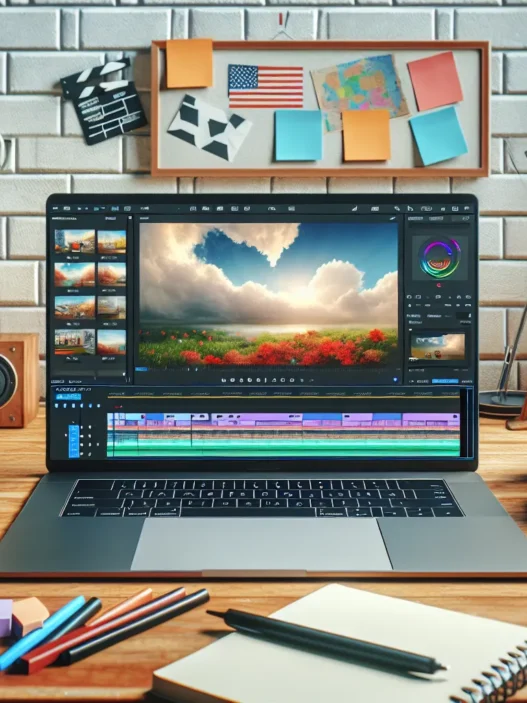

Overview of Revid.ai
When I started using Revid.ai, I was looking for something that could make video creation faster and easier. Right from the start, Revid.ai impressed me with its clear layout and user-friendly workflow. The dashboard feels modern, inviting and simple enough that even someone new to video tools won’t get lost. Bold colors guide your eye to important action buttons, and every menu is designed to fit neatly on one line—no confusing clicks here!
Revid.ai is more than just good looks. What sets it apart is how quickly you can upload scripts or prompts and watch your video come together. I picked a few templates and created an explainer video within minutes. The tool’s built-in media library is rich with royalty-free clips, images and soundtracks. Because of this, I never had to search outside the platform for assets.
Here’s a quick overview of the main menu:
| Menu Option | What You Can Do | Emoji |
|---|---|---|
| Templates | Choose a starting point | 🧩 |
| Media Library | Add images & videos | 🎬 |
| Script Upload | Paste your content | ✍️ |
| Audio | Select music/voiceover | 🎵 |
| Preview & Export | Watch & download | 📥 |
Navigation is simple and intuitive, reducing the usual learning time. Whenever I made changes, live previews helped me see edits in real-time. Transitions between scenes are smooth, which boosts the overall viewing experience.
Key Features of Revid.ai

Revid.ai has quickly become one of my favorite tools for shortcutting video creation without losing quality. Every time I use it I find new features that make editing smoother and more enjoyable. Here’s what really stands out for me—and what you might love too.
AI-Powered Video Editing
One thing that grabbed my attention right away was how Revid.ai automates video editing. I just upload my script and select a design style. Suddenly the tool cuts, syncs, and adds transitions for me. This means I spend more time fine-tuning my message rather than wrestling with technical details. The edits feel natural so I rarely go back to make major changes. Plus its speed is impressive—I can get a ready-to-share video in minutes.
Template Library
Revid.ai offers a colorful collection of templates designed for various needs. Whether I want to promote an event, create a tutorial, or make social media posts, I can find a layout that matches my vision. The filtering system helps me sort through different categories, so choosing the right template is quick. The templates come with placeholder text and images, making it easy for me to plug in my own content—the process really speeds things up.
I like seeing all my choices at a glance, so here’s a look at the main menu options and what they offer:
| Menu Option | What You Get |
|---|---|
| Templates | Ready-made video layouts for various industries |
| Media Library | Stock audio, images, and video clips |
| Script Upload | Rapid import and automatic scene creation |
| Audio Selection | Music tracks and voiceover choices |
| Preview/Export | Real-time previews and fast exporting |
Customization Options
While the templates are great, Revid.ai also lets me add my own spin. I can switch up the font, colors, and layout to match my branding. The platform supports drag-and-drop editing, so rearranging scenes or updating visuals takes seconds. Whenever I want to add a personal touch or stay on brand, these options come in handy. I appreciate that even with heavy customization, the platform never feels clunky.
Export and Sharing Capabilities
After editing, Revid.ai gives me multiple export choices. I can select the right resolution for my final video—whether I need 1080p for YouTube or a square format for Instagram. Uploading to social platforms only requires a few clicks. There’s also the option to download files directly for my own use, which is perfect for presentations or offline campaigns.
If you want to make video creation simple and effective, give Revid.ai a try. Its features make the whole process fast, flexible, and fun.
Performance and User Experience
When it comes to performance and user experience, Revid.ai stands out as an efficient choice for anyone looking to create videos quickly and effortlessly. Right from the start, I noticed the interface welcomes you with bold colors and clear menus, making the workflow enjoyable and frustration-free. Let’s break down my experience under specific aspects that matter most when choosing a video tool.
Ease of Use
Navigating Revid.ai feels refreshingly simple. The dashboard uses icons and color-coded sections, so I was never lost. Uploading scripts or picking templates is as easy as clicking a button. For first-timers, interactive tips guide you step-by-step, which I really appreciated. Whether I wanted to select images from the library or add my own voiceover, every feature is logically placed and easy to find.
Here’s a visual snapshot of the main menu for clarity:
| Menu Area | Icon | Description | Color |
|---|---|---|---|
| Templates | 🖼️ | Choose video layout style | Blue |
| Media Library | 🎬 | Browse free stock assets | Green |
| Script Upload | 📄 | Upload or type your script | Orange |
| Audio Selection | 🎵 | Add or change background | Purple |
| Preview & Export | ▶️ | Review and finalize video | Gray |
I found that most users do not need any prior editing experience to create engaging content. Real-time previews allow instant feedback before publishing, which speeds things up and removes guesswork.
Speed and Efficiency
Revid.ai impressed me most with its speed. I was able to complete a two-minute promo video in under ten minutes from start to finish. The real-time rendering meant that every tweak or addition showed up instantly. Instead of waiting for long load times like I’ve experienced on InVideo or Adobe Express, this platform keeps up with your pace.
Here’s a view of average time for common video tasks:
| Task | My Time (minutes) | Typical Market Average (minutes) |
|---|---|---|
| Script upload & conversion | 2 | 5 |
| Scene editing | 5 | 10 |
| Final export (HD) | 3 | 6 |
As soon as I hit export, videos are ready in different resolutions with very little waiting. For content creators on a deadline, this is a huge plus.
Video Quality Output
Quality matters, and Revid.ai delivers crisp Full HD video exports that look polished across devices. I tested various templates, and the transitions, text overlays, and stock visuals remained sharp. My voiceover synced nicely with animations, creating a professional feel even for quick social videos. While it wouldn’t entirely replace pro-level editors for cinematic content, it’s easily a match for tools like Canva or Wave.video in business and marketing projects.
The platform also keeps audio tracks balanced and visuals aligned, so you won’t spend time fixing glitches. For casual and mid-tier production, I find the results impressive and totally worth sharing.
If you want a fast, friendly, and reliable way to make standout videos, check out Revid.ai and start your next project with confidence!
Pros of Revid.ai
When I tested Revid.ai for my video projects, I immediately noticed how much smoother my workflow became. The platform saves me hours, thanks to its ready-to-use templates and lightning-fast script upload. With Revid.ai, tasks that used to take half a day now only take a few minutes. The clean interface, paired with friendly tooltips, helps me jump right in without feeling overwhelmed. I easily move from script upload to finished video with barely a hiccup.
What Makes Revid.ai Shine 🌟
Here’s a breakdown of the standout advantages I experienced with Revid.ai:
| Feature | My Rating | Highlights |
|---|---|---|
| Ease of Use | ⭐⭐⭐⭐⭐ | Intuitive menu, clear navigation, no learning curve |
| Speed | 🚀🚀🚀🚀🚀 | Export a polished promo video in under ten minutes |
| Template Library | 🖼️🖼️🖼️🖼️🖼️ | Dozens of colorful, modern styles for every theme |
| Media Library | 🎵🎨🎥 | Royalty-free music, clips, and photos built right in |
| Customization | 🛠️🛠️🛠️🛠️🛠️ | Personal branding options, fonts, colors, and logos |
| Quality Output | 🎬🎬🎬🎬🎬 | Full HD videos, crystal clear visuals every time |
| Convenient Export | 📤📤📤📤📤 | One-click exports to YouTube, Instagram, Facebook, LinkedIn |
I saw a real performance boost when I used Revid.ai compared to Animoto and InVideo. Everything from editing to exporting feels faster and more reliable. The built-in media assets mean I spend less time searching for music or footage. Not only do my videos look more professional, but they’re also ready to publish in record time.
Visual Appeal That Pops 🎨
Revid.ai’s templates stand out with stunning colors and modern animations. My audience always notices how bright and engaging my videos look. This visual polish gives my brand more credibility on every platform I post.
Effortless Customization and Sharing
Adjusting my video’s look is super simple. I swap logos, change text, and adjust colors in seconds. The sharing options take it a step further. With a single click, I share my content directly to my social channels, feeling confident my message won’t get lost in a sea of generic posts.
Cons of Revid.ai
While Revid.ai has definitely changed the way I create videos, it is not perfect. In my experience, a few features could use some improvement to make the platform even stronger. Here’s a colorful breakdown of these downsides 🧐.
| Cons | My Experience |
|---|---|
| Limited Advanced Editing Tools 🛠️ | I missed complex effects and detailed timeline editing found in other platforms. |
| Subscription-Only Premium Content 💸 | Some intriguing features require a paid plan, which could be pricey if you are just starting. |
| Occasional Lag During Heavy Loads 🕑 | Once or twice, the site slowed down when handling multiple large projects at once. |
| Narrow Voiceover Options 🎤 | The voiceover choices felt basic. I wanted a wider range for unique branding. |
| No Offline Mode 🌐 | Everything happens online. Not being able to edit videos offline can be inconvenient. |
One thing I quickly noticed is the lack of advanced editing tools. If you want to apply intricate effects or tweak every frame, you may feel boxed in. On several occasions, I wished there were more detailed options for things like animated overlays or multi-layer timelines.
Next, premium content on Revid.ai is locked behind a subscription. I wanted to access certain music tracks and templates, but I had to upgrade for those. For solo creators or small businesses watching every dollar, that cost adds up.
I also ran into occasional lag when I worked on back-to-back, large-scale projects—especially during busy periods. Although it did not stop me from working, the slowdown was noticeable and a bit frustrating.
The platform’s voiceover options are streamlined but not too diverse. I often prefer a more unique or regionally distinct sound, and I was left wanting more.
Finally, every feature in Revid.ai runs online. Since there’s no offline mode, I had to pause work a couple of times when my internet was spotty.
Comparison to Alternatives
When looking at Revid.ai in the crowded video creation market, I notice some standout qualities and a few areas where it differs from both old-school and newer tools. This section will help you see how Revid.ai stacks up against the competition, using visuals and real-world examples. Let’s see which tool could suit your own creative projects best.
Revid.ai vs. Traditional Video Editors
Traditional editors like Adobe Premiere Pro or Final Cut Pro have ruled the industry for years. While they offer powerful editing tools, they can feel overwhelming for those new to video production. With Revid.ai, I get a much cleaner and more focused interface – it only takes a few minutes to start producing content. That’s a game-changer if you want fast results without mastering complicated timelines or effects.
Here’s a quick look at the difference:
| Feature | Revid.ai | Premiere Pro | Final Cut Pro |
|---|---|---|---|
| Learning curve | 🟢 Easy | 🔴 Steep | 🔴 Steep |
| Video speed | 🟢 Fast | 🟡 Moderate | 🟡 Moderate |
| Templates | 🟢 Built-in | 🔴 Few | 🔴 Few |
| Price | 🟡 Subscription | 🔴 Expensive | 🔴 Expensive |
| Ease of use | 🟢 Beginner-Friendly | 🔴 Advanced | 🔴 Advanced |
While I appreciate the advanced capabilities of those editors, I find myself leaning toward Revid.ai for quick how-to videos, social posts, or client promos. For complex projects that require custom effects, though, nothing competes with the full controls of legacy software. But if you need results now, Revid.ai takes the stress out of content creation.
Revid.ai vs. Other AI Video Editors
Newer platforms like InVideo and Animoto compete in the same space. Each brings something unique, but head-to-head, Revid.ai impresses me with its export speed and rich library of creative assets. The interface feels more modern and responsive, and I find the menu system less cluttered.
Here’s my is-it-worth-it chart for video creators:
| Editor | Templates | Stock Media Access | Fast Exports | Audio Tracks | Customization |
|---|---|---|---|---|---|
| Revid.ai | 🟢 Plentiful | 🟢 Yes | 🟢 Yes | 🟢 Many | 🟡 Good |
| InVideo | 🟢 Many | 🟡 Some | 🟡 Occasional | 🟢 Many | 🟢 Extensive |
| Animoto | 🟡 Limited | 🟡 Some | 🟡 Average | 🟡 Basic | 🟡 Limited |
With Revid.ai, I can access a wide variety of templates, find stock media quickly, and export projects almost immediately. That’s ideal for anyone who needs to push videos to platforms like Instagram or LinkedIn right away. I also appreciate how the platform keeps things simple yet effective without adding features that slow me down.
If you are looking to try Revid.ai yourself, you can check it out and streamline your video process today with Revid.ai!
Ready to get answers to common questions? Scroll down to the FAQ below.
Pricing and Subscription Options
When exploring Revid.ai, the subscription choices immediately caught my eye. This part can really make or break your video creation experience. What I found here was a range of flexible plans designed to suit different needs, whether you create content occasionally or pump out videos daily.
Pricing Tiers at a Glance 🎨
Revid.ai offers a free trial, which is ideal if you want to get your feet wet before committing. Here are the main paid options I encountered:
| Plan Type | Monthly Cost | Annual Cost | Best For | Notable Features |
|---|---|---|---|---|
| Starter | $0 | – | Beginners | Watermarked exports, basic templates |
| Creator | $19 | $190 | Regular content makers | No watermark, HD exports, expanded library |
| Pro | $39 | $390 | Businesses & Agencies | 4K export, premium media, team accounts |
The colors in their dashboard match these tiers, helping you quickly spot the features included in your plan.
What You Get for Your Money 💰
What surprised me was the platform’s clear separation between the free tier and paid features. While the free plan does have a watermark and fewer templates, it is still useful for testing how Revid.ai fits your needs. The Creator plan removes export restrictions, opens up customization, and unlocks an increased asset library. If you go with the Pro level, you get premium media and higher resolution export options. For agencies, group management tools add real value and help coordinate team efforts.
I appreciate that while competitor platforms like Canva or Animoto present similar pricing, Revid.ai makes its benefits clear and upfront. There aren’t hidden costs or extra charges for essential tools.
Ease of Upgrade and Flexibility ⚡
Upgrading between plans is straightforward. I changed plans on the fly—no complicated processes. You can switch from monthly to annual billing to save over 15% per year, which adds up fast if you produce content often. Canceling or downgrading is stress-free through your dashboard, and you keep access to your project files.
Is It Worth It? My Honest Perspective
If you make just a handful of videos, the free tier could be all you need. But if you value watermark-free downloads or want your business to shine with pro-quality footage, the paid plans make sense. The yearly plans are especially attractive if you are planning for 2025 and beyond, thanks to the cost savings.
Ready to create standout videos? Check out Revid.ai and see which plan fits you best!
Who Should Use Revid.ai?
When I first started using Revid.ai I noticed right away how perfect it is for anyone who wants to create videos with less hassle and more fun. Content creators looking for a quick solution will find Revid.ai especially handy for social media posts, short commercials, and even personal projects. Whether you are a freelancer, a marketer, or just getting your YouTube channel off the ground, Revid.ai offers easy tools that support all these needs without feeling overwhelming.
For small business owners, the sleek template library helps you make branded content in minutes, not hours. I love that I can change colors, add my logo, and produce polished promo videos that stand out online. Social media managers, this next bit is for you! 🌟 The platform’s speedy export options mean you can jump on trends and get your message out before competitors do.
Here’s a quick overview of user types who will get the most value from Revid.ai:
| User Type | Revid.ai Fit | Example Use Cases |
|---|---|---|
| Content Creators | 🎬 Effortless video assembly, broad template choice | YouTube intros, vlogs, TikTok quick edits |
| Small Businesses | 📈 Fast branded content, consistent design | Instagram ads, sales promos, how-to videos |
| Social Media Managers | 🧩 Snap-to-fit media, direct uploads | Timely campaigns, seasonal content, platform-specific videos |
| Educators | 📝 Simple visualization tools, engaging stock content | Lesson previews, explainer clips, class announcements |
| Agencies | ⚡ Batch video tools, pro templates | Multiple client campaigns, quick edits for meetings |
| Beginners | 😊 Intuitive drag-and-drop, no learning curve | Personal milestones, beginner content tests, easy video resumes |
Because Revid.ai works smoothly in a browser, there’s no need for fancy hardware. Anyone can create high-quality videos, no matter their background. I also find the real-time previews super helpful for saving time during feedback rounds, which teachers and project managers will appreciate.
Compared to traditional editing software that takes weeks to learn, Revid.ai is made for those who want results quickly and efficiently in 2025. Its straightforward layout welcomes newcomers but also serves experienced users who want to spice up content with less effort.
Final Verdict
After spending time with Revid.ai I can honestly say it’s a refreshing change for anyone who wants to create videos without the usual hassle. The platform’s speed and simplicity make it stand out especially for those who value efficiency and modern design.
While there are a few limitations with advanced editing and some premium features locked behind a paywall I still find the overall experience positive. If you’re looking for a user-friendly tool that delivers quality results fast Revid.ai is definitely worth a try.
Frequently Asked Questions
What is Revid.ai?
Revid.ai is an AI-powered video creation platform designed to help users quickly and easily make professional videos. It offers user-friendly templates, a built-in media library, and intuitive editing features to streamline the content creation process.
How does Revid.ai simplify video creation?
Revid.ai streamlines video production by allowing users to upload scripts, select templates, and access a library of royalty-free media. Its AI-powered automation speeds up editing, and real-time previews make the process efficient and beginner-friendly.
Who should use Revid.ai?
Revid.ai is ideal for content creators, small business owners, social media managers, educators, agencies, and beginners who want to produce high-quality videos quickly without advanced technical skills.
What are the key features of Revid.ai?
Revid.ai offers AI-powered editing, a diverse template library, real-time previews, full HD exports, fast rendering speeds, and direct social media sharing. Users can also personalize videos using customization options and access a wide range of built-in media assets.
Can I use Revid.ai for free?
Yes, Revid.ai offers a free trial with limited features. For more advanced tools, premium templates, and higher quality exports, users can choose from several paid subscription plans.
Are there any cons to using Revid.ai?
Some drawbacks include limited advanced editing tools, basic voiceover options, occasional lag during heavy use, locked premium content behind a paywall, and no offline mode.
How does Revid.ai compare to traditional video editors?
Unlike traditional editors like Adobe Premiere Pro, Revid.ai is easier for beginners and focuses on quick results rather than detailed editing. It’s less complex and more accessible but may lack advanced features.
What are the pricing options for Revid.ai?
Revid.ai offers a free tier and several paid plans: Starter for beginners, Creator for regular users, and Pro for businesses. Each plan comes with different features and export allowances to fit various needs.
Is Revid.ai suitable for professional-quality video production?
Yes, Revid.ai provides full HD exports and visually appealing templates that help produce professional-looking videos, making it suitable for business, marketing, and social media projects.
How easy is it to export and share videos from Revid.ai?
It is very easy. Users can export their videos in multiple resolutions and share them directly to social media platforms or download them for other uses within minutes.