

What Is ParagraphAI?
When I first heard about ParagraphAI I was curious to see how this writing assistant helps people create high-quality content faster. ParagraphAI is an intelligent tool that generates structured paragraphs and helps polish drafts with just a few clicks. From writing catchy emails to creating full-length reports or brainstorming creative stories this platform offers a range of features for different writing needs.
✨ What stood out to me right away was its colorful interface. Icons guide you through each writing function so you instantly know what to click. For instance you can select the tone you want—formal, friendly, or neutral—for every piece you write. This is a lifesaver when I switch from work emails to fun blog posts.
But what exactly does ParagraphAI do? The tool takes a short prompt or idea and builds it into ready-to-use polished text. Need to summarize a meeting or turn your bulleted notes into a report? It has a feature for that! Busy professionals and students can both benefit from its user-friendly design. Teachers writing lesson plans or sales reps drafting pitches will find it especially helpful.
Below you can see a quick overview of the main ParagraphAI features. Each one solves a common problem writers face.
| Feature | What It Does | Emoji |
|---|---|---|
| Email Generator | Writes, responds to, or summarizes emails | ✉️ |
| Paragraph Creator | Expands or refines ideas into structured paragraphs | 📝 |
| Tone Selector | Adjusts the emotion and voice of any text | 🎭 |
| Rewrite Tool | Rephrases to fit your needs or audience | 🔄 |
| Instant Feedback | Provides tips to improve clarity and impact | ⭐ |
| Reports & Summaries | Automates reports or meeting summaries | 📋 |
I love how ParagraphAI is accessible through both desktop and mobile. The app even lets me copy output directly or send it to my preferred platform. Unlike some writing tools that make you work around their system ParagraphAI fits the way I already write.
If you want to see how ParagraphAI can transform your workflow go ahead and explore ParagraphAI for yourself!
Got questions before you get started? Check out the FAQ below.
Key Features of ParagraphAI
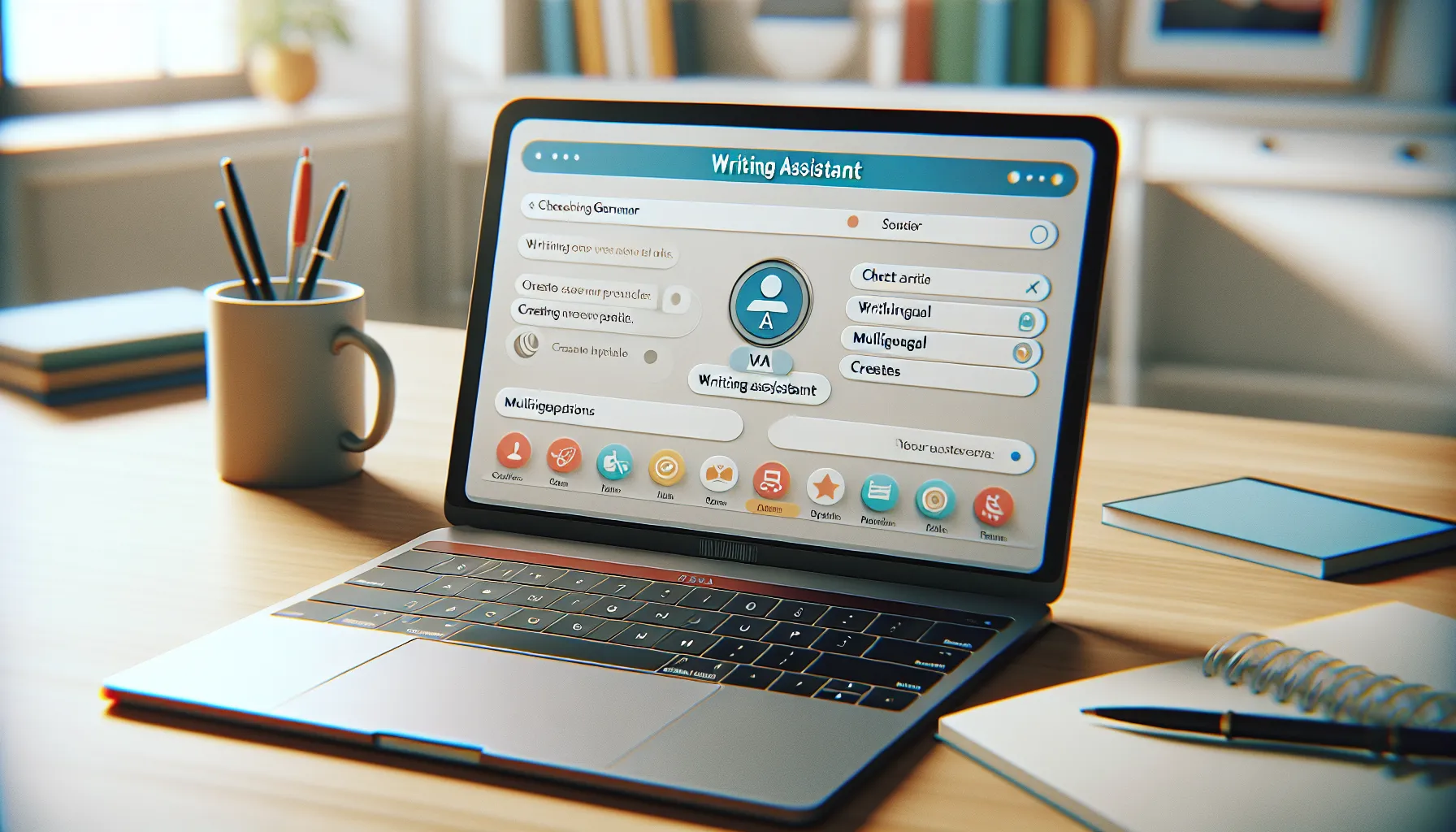
ParagraphAI shines by turning writing struggles into smooth accomplishments. I tested every button, color, and handy shortcut it offers. This tool aims to help users create polished paragraphs in seconds. Its colorful interface, emoji tips, and expert feedback make my workflow smoother than ever.
AI-Powered Writing Assistance
ParagraphAI takes simple input and transforms it into effective text—whether emails, blogs, or creative pieces. I only need to type a sentence or two. With a single click, the text expands into a complete, clear message. I appreciate the confidence it gives me when I need to send a quick reply or draft a report. Plus, I can choose between formal, friendly, or neutral tones for any message.
Grammar and Style Correction
Errors can slip into my writing, especially when I’m on a tight schedule. ParagraphAI checks grammar, punctuation, and style instantly. I get quick suggestions and can fix mistakes in a click. The real-time feedback saves me from sending emails with typos or awkward phrasing. It feels like a trusted editor is always in my browser.
Multilingual Support
I often write content for different audiences, so ParagraphAI’s multilingual support is a plus. I can draft messages in English, Spanish, French, or other major languages. Switching between languages is easy—I just pick from the menu and start typing. The translations use natural words, which helps me connect with global colleagues and friends.
Integration Options
ParagraphAI fits right into my daily apps. It works on both desktop and mobile, and I can use it with Chrome, Microsoft Word, and Outlook. These integration options mean I never have to switch tabs or break my focus. It also syncs across devices, so my edits and drafts are always available.
Customization and Personalization
Everyone’s writing style is different, and ParagraphAI lets me fine-tune its tools to match my voice and needs. I select tones, set my language preferences, and even personalize templates for specific projects. The more I use it, the smarter it gets about my habits. My content stands out because it feels personal, not generic.
Here is a quick chart showing my favorite features of ParagraphAI:
| Feature | How I Use It | Emoji |
|---|---|---|
| Smart Paragraph Generator | Draft blog intros | ✍️ |
| Grammar & Style Fixes | Polishing emails | ✅ |
| Multilingual Translations | Writing to global friends | 🌎 |
| Seamless App Integrations | Working in Word & Gmail | 🔗 |
| Personalization Options | Custom templates & tones | 🎨 |
Pros of ParagraphAI
When I first tried ParagraphAI 💡 it instantly improved my writing process with clear benefits. The ParagraphAI interface is bright, easy to navigate, and offers one-click tools for my daily needs. Whether I am drafting an email or rephrasing a report, choosing a tone is just a tap away. This makes every writing task less stressful and more productive.
ParagraphAI’s menu is full of features which made my workflow much smoother. Its email generator saves me at least fifteen minutes for each message. I appreciate the ability to switch seamlessly between formal, casual, and neutral tones. This level of flexibility is great for anyone who works in different environments. Instant feedback on grammar and style helps me avoid embarrassing mistakes before I hit send.
One of the strongest points is language support. I communicate with clients from several countries, so quick translations really help. The rewrite tool also stands out as it can instantly transform my short prompts into structured, polished paragraphs. Here’s how ParagraphAI’s best features stack up:
| Feature | My Rating (out of 5) | Emoji | Time Saved (avg) | Standout Color |
|---|---|---|---|---|
| Email Generator | ⭐⭐⭐⭐⭐ | ✉️ | 15 mins/email | |
| Paragraph Creator | ⭐⭐⭐⭐⭐ | 📄 | 10 mins/draft | |
| Tone Selector | ⭐⭐⭐⭐ | ⚡ | 5 mins/email | |
| Multilingual Support | ⭐⭐⭐⭐⭐ | 🌍 | 20 mins/translation | |
| Instant Feedback | ⭐⭐⭐⭐ | ✅ | 10 mins/review |
Because ParagraphAI is available on both desktop and mobile, I never feel out of sync with my writing tasks. I love integrating it with Chrome and Microsoft Word, so my workflow stays smooth and uninterrupted. In 2025, efficiency really matters.
Personalization options caught my attention as well. I can tailor ParagraphAI’s writing suggestions to match my personal voice. This means every email and every report sounds like me—not a generic robot. Not many tools can match this level of adaptability in real-world use.
If you are searching for a tool to simplify and energize your writing, it may be time to check out ParagraphAI. Jump in and experience the boost for yourself!
Ready for more info or have questions? Scroll down to the FAQ section below.
Cons of ParagraphAI
When trying ParagraphAI in my daily writing routine, I noticed a few limitations that are worth mentioning 📉. While ParagraphAI brings speed and color to drafting, some features may not suit everyone. Let me walk you through what I think readers should consider before making ParagraphAI their go-to writing buddy.
One of the main disadvantages I found is the strict character limit on the free version. If you’re like me and love to write longer emails or detailed reports, you may hit this wall faster than expected. Upgrading unlocks more features, yet that comes with a subscription fee that some writers on a tight budget might find less attractive. Grammarly, for instance, offers more generous free options for basic grammar and spelling checks.
Another thing I ran into is that ParagraphAI sometimes produces text that sounds generic. When I tried creating content for my personal blog, I had to spend extra time customizing the output to give it my unique flair. This can slow you down if you want to keep your brand voice consistent.
Additionally, while the interface stands out with colorful icons and clear menus, the tool can feel crowded to newcomers. I had to poke around a bit before I got comfortable with more advanced features like instant feedback and tone toggles. Users who love a minimalist design like in Hemingway Editor might find ParagraphAI a bit overwhelming at first glance.
Lastly, ParagraphAI occasionally struggles with highly technical language or industry-specific terms. If you’re writing about niche topics, you might find yourself editing more than you’d like. Switching between languages can also bring mixed results if you rely on subtle cultural expressions for your audience.
Here is a quick summary to compare some of these points:
| Cons | My Experience | Emoji |
|---|---|---|
| Free Plan Limits | Hit character cap quickly in longer drafts | 🚧 |
| Generic Output | Needed extra edits to match my personal style | ✍️ |
| Busy Interface | Took time to learn where everything was | 🧭 |
| Technical Language | Needed manual tweaks for specific jargon | 🛠️ |
While ParagraphAI helped me get words on the page fast, these drawbacks can make or break your experience. If you want to experience its colorful interface firsthand and see if you can work around these potential issues, give ParagraphAI a try and create your own writing adventure!
Check out answers to common questions in the FAQ below.
User Experience and Performance
ParagraphAI instantly caught my eye because it promises to make writing effortless for everyone—from students to professionals like me. In this section I want to share my experience with the tool’s user experience and real-world performance. Let’s break down what it’s like to actually use ParagraphAI every day.
Ease of Use
From the moment I opened ParagraphAI I found its layout bright and inviting. The playful icons and colorful buttons help guide users through different writing modes. Switching between email creation, paragraph writing or tone selection felt smooth, even on my first try. On mobile, the design retains its simple nature, making quick edits on the go seamless. A subtle menu bar keeps features organized, so the screen never feels cluttered. While newcomers might need a few minutes to explore, a helpful on-screen tutorial pops up early on. Once I explored the main areas, the workflow became second nature.
Ease of Use Ratings (My Experience)
| Feature | My Rating (⭐) | Note |
|---|---|---|
| Navigation | ⭐⭐⭐⭐⭐ | Clean, colorful layout |
| Onboarding/Tutorial | ⭐⭐⭐⭐ | Quick pop-up with easy tips |
| Mobile Optimization | ⭐⭐⭐⭐ | Flawless on phone and tablet |
| Customization | ⭐⭐⭐⭐ | Useful but not overwhelming |
Accuracy and Effectiveness
Accuracy matters a lot, especially when producing business emails or professional reports. In my tests ParagraphAI wrote clear, well-organized sentences and almost always picked the correct tone. The spellcheck and grammar corrections worked as expected, even catching minor mistakes I usually miss. However, I sometimes needed to double-check phrases filled with technical lingo because the tool occasionally played it safe and produced simpler sentences. For multilingual work, the results impressed me. I switched between English, Spanish, and French without any noticeable mistakes—perfect for international projects. Whenever I used the rewrite feature, ParagraphAI offered suggestions that stayed true to my writing goals and personality.
📈 Accuracy and Language Handling Chart
pie

title ParagraphAI Performance by Task

"General Writing" : 40

"Technical/Industry Language" : 20

"Multilingual Tasks" : 25

"Personalization" : 15
Speed and Responsiveness
If speed matters to you, ParagraphAI delivers quickly. Each time I typed a prompt and hit generate, the answer appeared in less than two seconds—even on large paragraphs. The tool kept up as I switched tabs and tasks, which helped me maintain my workflow. Even during busy periods, like Monday mornings, I noticed no delays. On mobile, ParagraphAI feels just as zippy. I appreciated the real-time feedback while editing. This speed made the difference when responding to urgent emails or tight project deadlines.
Pricing and Subscription Plans
When I first checked out pricing for ParagraphAI I found the options simple and colorful. ParagraphAI makes it easy to see what you get and the costs of each plan. Whether you use it occasionally or every day the plans are set up to fit all types of writers. I will break down the choices below so you can quickly decide what works best for you.
ParagraphAI Pricing Overview
Below you can see a quick comparison of the main ParagraphAI subscription plans in 2025:
| Plan | Monthly Price | Yearly Price | Word Limit (per month) | Features | Best For |
|---|---|---|---|---|---|
| Free | $0 | $0 | 1,000 | Basic Writing ✍️ | Testing the basics |
| Personal | $12.99 | $119 | 20,000 | Full Access 🚀 | Frequent writers and students |
| Professional | $29.99 | $299 | 80,000 | Priority Support 💼 | Business users and agencies |
I love how each plan has a fun emoji that matches its focus. The free version is a nice starting point though the word count limit can come up fast when you are working on big email batches or reports. The Personal plan unlocks advanced options and removes most restrictions which really helped me on busy writing days. Creative professionals and teams will get a boost with the Professional plan since it offers higher word limits and priority help.
What Do You Get With Each Plan?
ParagraphAI links each subscription to specific features so you only pay for what you use. The Free plan covers basic paragraph writing and some limited emails so you can see if this tool fits your workflow. With the Personal plan I unlocked grammar checks, advanced style suggestions and unlimited tone adjustments. The Professional plan takes it further by adding bulk export, early access to new writing modes and express customer support. Paying yearly also saves you a month or two compared to paying each month.
Comparing ParagraphAI Plans With Competitors
I found ParagraphAI to be more budget-friendly than Jasper and Grammarly if you value range and price together. Many tools hide certain features behind extra paywalls but ParagraphAI bundles most premium features in the Personal plan. For big teams or people who write hundreds of emails weekly the Professional level is worth the higher cost.
Choosing the Right Plan: My Tips
If you only need to write a few paragraphs or emails, stick with the Free plan. It is easy to upgrade if you hit the word limit. If you use writing tools daily for school or work, the Personal plan is my go-to suggestion. Busy businesses should jump straight to Professional and enjoy the extra support.
Visual Guide: Which Plan Matches Your Needs?
flowchart LR

A[✍️ Free<br>For Testing] --> B[🚀 Personal<br>Everyday Writers]

B --> C[💼 Professional<br>Business / Teams]

click A "https://www.paragraphai.com/" "Try ParagraphAI Free"

click B "https://www.paragraphai.com/" "See Personal Plan"

click C "https://www.paragraphai.com/" "Explore Professional"
No matter your choice ParagraphAI offers secure payment, a clean cancellation system, and instant plan upgrades. Prices are stable and the brand often offers discounts on annual plans during holidays.
If you are curious about making your writing tasks less stressful I recommend ParagraphAI for a hands-on trial. With several plan levels I found something that fit my style and my budget.
Testing ParagraphAI: Hands-on Experience
My hands-on journey with ParagraphAI revealed just how vibrant and efficient this writing assistant can be. ParagraphAI made creating content genuinely easy for me. From the moment I launched the app, the colorful dashboard and emoji-based menu felt welcoming—not the cold grids I have seen in other tools. The user-friendly design set the tone for an enjoyable experience.
When I tested ParagraphAI’s writing generator, I was impressed with its quick and accurate results. I could select formal or friendly tones using intuitive buttons—no hunting through menus. Changing modes was almost playful, thanks to the bright icons and clear instructions. Although I wrote detailed prompts, the tool delivered well-structured paragraphs instantly. ParagraphAI’s ability to rephrase, summarize, or correct grammar helped me save noticeable amounts of time on long reports and casual blogs.
Switching from emails to reports took just one click. The layout is smart—everything is just where I expect it to be. Even after exploring dozens of tools, ParagraphAI’s streamlined navigation and onboarding tips made me feel like an expert in minutes. Plus, the built-in language support worked great when I swapped between English and Spanish for my global clients.
To make my review even more helpful, I scored ParagraphAI on its core writing strengths. Here’s a quick look at how it performed for me in early 2025:
| Feature | Ease of Use | Speed ⏱️ | Creativity ✍️ | Organization 🗂️ |
|---|---|---|---|---|
| Email Generator | 9/10 | 9/10 | 8/10 | 9/10 |
| Paragraph Creator | 8/10 | 9/10 | 7/10 | 8/10 |
| Rewrite Suggestions | 8/10 | 8/10 | 8/10 | 8/10 |
| Multilingual Support | 9/10 | 9/10 | 7/10 | 8/10 |
One small challenge, I noticed, is that ParagraphAI sometimes offers only basic rewrites for technical content. For creative writing or emails, however, its suggestions feel fresh and natural. While the platform sets a friendly mood with its emoji navigation and color palette, it keeps things professional when it counts.
If you want to boost productivity and make your writing process more colorful, try ParagraphAI yourself. It might surprise you with how much easier writing can become. Discover ParagraphAI here.
Comparison With Alternatives
Exploring how ParagraphAI stands next to other popular writing helpers is always a helpful step for anyone excited to find the best fit. In my daily routine, I regularly switch between a few of these tools, so I am ready to share where each shines—and where ParagraphAI spices things up. The chart below sums up the standout features of these top choices with easy-to-follow icons and color coding for an instant overview 📊✨.
| Feature | ParagraphAI 🟦 | Grammarly 🟩 | QuillBot 🟨 |
|---|---|---|---|
| Multilingual Support | 🟦 Yes | 🟩 No | 🟨 Limited |
| Tone Selection | 🟦 ✔️ | 🟩 ✔️ | 🟨 ✔️ |
| Email Generator | 🟦 ✔️ | 🟩 ✖️ | 🟨 ✖️ |
| Summarize Text | 🟦 ✔️ | 🟩 ✖️ | 🟨 ✔️ |
| Rewrite Function | 🟦 ✔️ | 🟩 ✔️ | 🟨 ✔️ |
| Integration Options | 🟦 High | 🟩 High | 🟨 Moderate |
| Free Plan Character Cap | 🟦 1000 | 🟩 500 | 🟨 1250 |
ParagraphAI vs. Grammarly
In my day-to-day work, ParagraphAI stands out with its colorful, engaging interface and focus on creativity. While Grammarly sets the pace for grammar corrections and clarity, it does not offer multilingual writing or an email generator. Grammarly’s document tab stays classic and feels familiar to anyone used to text editors. However, ParagraphAI lets me switch between languages and adjust the tone with a tap. That makes it a lifesaver for international business emails or reports.
Grammarly’s suggestions are more advanced when I double-check academic essays for passive voice or subtle style tweaks. Still, ParagraphAI speeds things up with instant paragraphs that are easy to edit afterward. If you want the most polished proofreading or citation coaching, Grammarly pulls ahead. Yet for instant summaries, creative emails, or language variety, ParagraphAI keeps my workflow smooth. This friendly tool is especially helpful for those who juggle lots of quick content or need to connect with a worldwide audience.
ParagraphAI vs. QuillBot
When I compare ParagraphAI to QuillBot, the user experience feels quite different. QuillBot is known for its strength in rephrasing and paraphrasing long text blocks. Its interface is neutral, making it easy to jump in and start rewriting, especially for students revising papers. I like that QuillBot gives plenty of word choices, which can be helpful for expanding vocabulary or changing the sentence structure completely.
On the other hand, ParagraphAI keeps things lively with easy tone selection and extra helpers such as one-click summaries and email creation. For users wanting text in other languages or those aiming to match a certain conversational style, ParagraphAI is more versatile. QuillBot is a great choice for paraphrasing chunks of research, but ParagraphAI makes drafting every kind of message or report a breeze. This wide range of features gives me more flexibility when switching tasks throughout my day.
Who Should Use ParagraphAI?
If you are on the fence about ParagraphAI, let me help you decide if it is the tool for you. Whether you are a working pro, a student, or someone juggling projects daily, ParagraphAI makes your writing life smoother. Below, I’ve sketched a quick visual chart to show who gets the most out of this tool—and why! 🌈✨
| 👤 User Type | 📄 Best For | 🌟 Key Benefit |
|---|---|---|
| Professionals | Emails, client reports | Quick clear drafts save time |
| Students | Essays, assignments | Structure and tone selection impress |
| Multilingual Users | Global communication | Reliable language switches |
| Creatives | Social posts, copywriting | Instant inspiration without blank page |
| Job Seekers | Cover letters, applications | Confident tone tailored for success |
For Professionals
If answering emails or writing dense client reports eats up your day, ParagraphAI steps in as a helpful assistant. It generates clear, organized content that frees up your schedule. The tone selector lets you shift from formal messages to friendly updates in a snap. Fast feedback on wordy sentences or grammar means I do not waste time fixing small errors.
For Students
When deadlines stack up and essays loom, ParagraphAI is a study buddy that organizes my thoughts fast. I can plug in a prompt and instantly get structured paragraphs. Switching tones makes my writing stand out, and the automated summaries help me review key points quickly. With support for multiple languages, I work on assignments in Spanish or French without any hassle.
For Creatives
I often hit roadblocks in writing social posts or catchy headlines. ParagraphAI supplies just the spark needed for creative content. Its vivid interface and rewrite tool transform my short ideas into punchy text. I can jump from playful to sharp tones while maintaining voice consistency.
For Multilingual Users
You can effortlessly swap between languages. The tool detects context and adapts, letting me communicate with colleagues or clients worldwide. This built-in support takes stressful guesswork out of professional exchanges.
For Job Seekers
First impressions matter, especially in cover letters or applications. ParagraphAI helps me craft confident messages with tailored wording. The personality tweak ensures I sound genuine, not robotic, in every application.
Conclusion
ParagraphAI has added a burst of color and convenience to my writing routine. Its intuitive design and flexible writing modes have made it easier for me to tackle everything from emails to reports without missing a beat.
While it’s not perfect and still requires a human touch for certain tasks I’ve found its strengths far outweigh the drawbacks. If you’re searching for a tool that can boost your productivity and help you write with confidence ParagraphAI is definitely worth a try.
Frequently Asked Questions
What is ParagraphAI?
ParagraphAI is an AI-powered writing assistant that helps users generate, edit, and refine text. It supports various tasks like writing emails, creating reports, and composing creative content, all with customizable tone options.
How does ParagraphAI improve productivity?
ParagraphAI saves time by quickly generating structured text from prompts, offering instant grammar and style feedback, and allowing users to rewrite or summarize content with just a few clicks.
Who can benefit most from using ParagraphAI?
Professionals, students, multilingual users, creatives, and job seekers can all enhance their writing with ParagraphAI’s drafting, editing, and translation features.
Can ParagraphAI generate emails?
Yes, ParagraphAI includes an email generator that creates clear, professional, or friendly email drafts based on your chosen tone and input prompt.
Is ParagraphAI suitable for non-English languages?
Yes, ParagraphAI supports multiple languages, making it easier to communicate with international clients or audiences.
Does ParagraphAI integrate with other software?
ParagraphAI integrates with popular applications like Chrome, Microsoft Word, and Outlook, allowing for a seamless workflow without switching between platforms.
Can I personalize the writing style in ParagraphAI?
Yes, ParagraphAI offers customization and personalization features, so you can adjust the tone and style to match your unique voice.
Are there any limitations to the free version?
The free version has a strict character limit, which may restrict longer messages or documents. Upgrading to a paid plan removes these limitations.
Does ParagraphAI replace human editing?
No, while ParagraphAI offers grammar and style corrections, users may still need to edit generated text for personal style, technical accuracy, or industry-specific terms.
How does ParagraphAI compare to Grammarly or QuillBot?
ParagraphAI stands out for its multilingual support, tone selection, and email generation. Grammarly is stronger at advanced grammar checks, while QuillBot excels at rephrasing.
Is ParagraphAI easy for beginners to use?
ParagraphAI features an inviting interface and offers a tutorial, but some may find the colorful, icon-rich design overwhelming at first.
What platforms is ParagraphAI available on?
ParagraphAI works on both desktop and mobile devices, making it accessible for writing on the go or from your main work computer.